On this page
You're shopping for an AI customer service agent. Maybe you've sat through flashy demos that felt like smoke and mirrors. Maybe you've stared at pricing pages so confusing that they make you miss the old days of "just hire another person." Or maybe you've fallen for the "unlimited everything" promise only to watch your bill inflate faster than your ticket queue. This guide is for the rest of us. Small-to-mid support teams, solo founders burning the midnight oil, and ops managers who actually have to justify every line item. We're going to strip away the marketing fluff and answer the real questions: How much does this actually cost? What do you genuinely get? And what traps will quietly drain your budget? If you're tired of per-seat pricing that punishes you for growing, hidden fees that ambush you mid-month, or AI agents that require a computer science degree to set up, pull up a chair.
Supplo is not affiliated with any app or website. Please follow each app's terms and local regulations.
Quick Answer
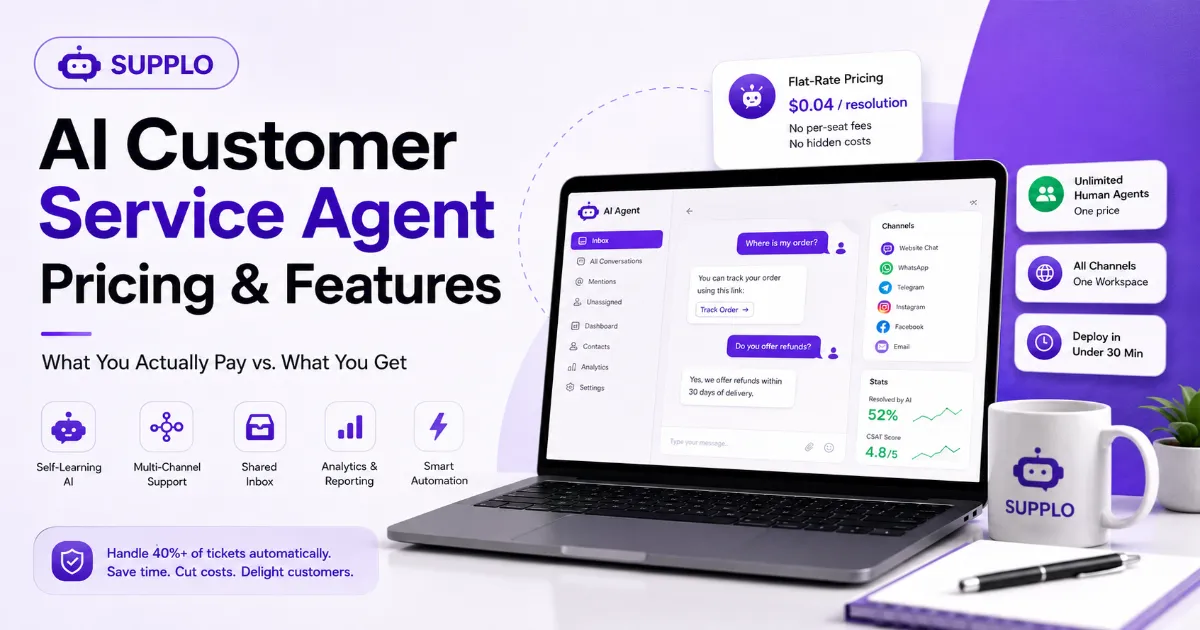
- AI customer service agent pricing swings wildly from roughly $0.04 per resolution (flat-rate models like Supplo) up to $0.90 per resolution elsewhere. That's a 22x difference when you scale.
- Per-seat pricing is the silent budget killer. You're paying $90–$150 per agent per month, even if they handle ten tickets all month. Flat-rate pricing nukes that problem entirely.
- Self-learning AI + multi-channel routing aren't nice-to-haves; they're non-negotiable. Skip platforms that nickel-and-dime you for WhatsApp, Instagram, or email.
- Deploy a working AI agent in under 30 minutes with no-code platforms. No dedicated support ops person required.
- Hidden fees (setup, overage, branding removal, integration charges) can quietly double your monthly cost. Read the fine print before you commit.
How Much Does an AI Customer Service Agent Cost?
Most teams assume an AI agent means dropping thousands per month. That's understandable; the enterprise vendors love that assumption. But the reality is you're probably overpaying if you're stuck on per-seat software. Industry averages for the big names range from $0.40 to $0.90 per resolution. Meanwhile, flat-rate alternatives can deliver AI resolutions at roughly $0.04 each. That's a 10x+ gap.
Your volume is the wildcard here: the more tickets you handle, the more you save with a predictable monthly rate.
- Per-resolution pricing sounds fair until your bot handles thousands of queries. One mistake and you're staring at a $500+ bill.
- Per-seat pricing punishes growth head-on. Adding one more human agent? That's an extra $90–$150/mo even if their plate is half-empty.
- Flat-rate AI pricing (like Supplo's model) keeps your cost capped no matter how many tickets roll in or how many agents you add.
- Hidden costs you won't see on the landing page: onboarding fees, training time, integration setup, and overage charges on those "unlimited" plans.
- Typical total cost for a 3-agent team: $600–$1,200/mo on legacy platforms vs. roughly $200–$400 on flat-rate AI-first options.
Supplo's pricing page shows exact flat-rate costs so you can calculate your savings in seconds.
The Real Cost of AI Customer Support: Per-Seat Traps vs. Flat-Rate Sanity
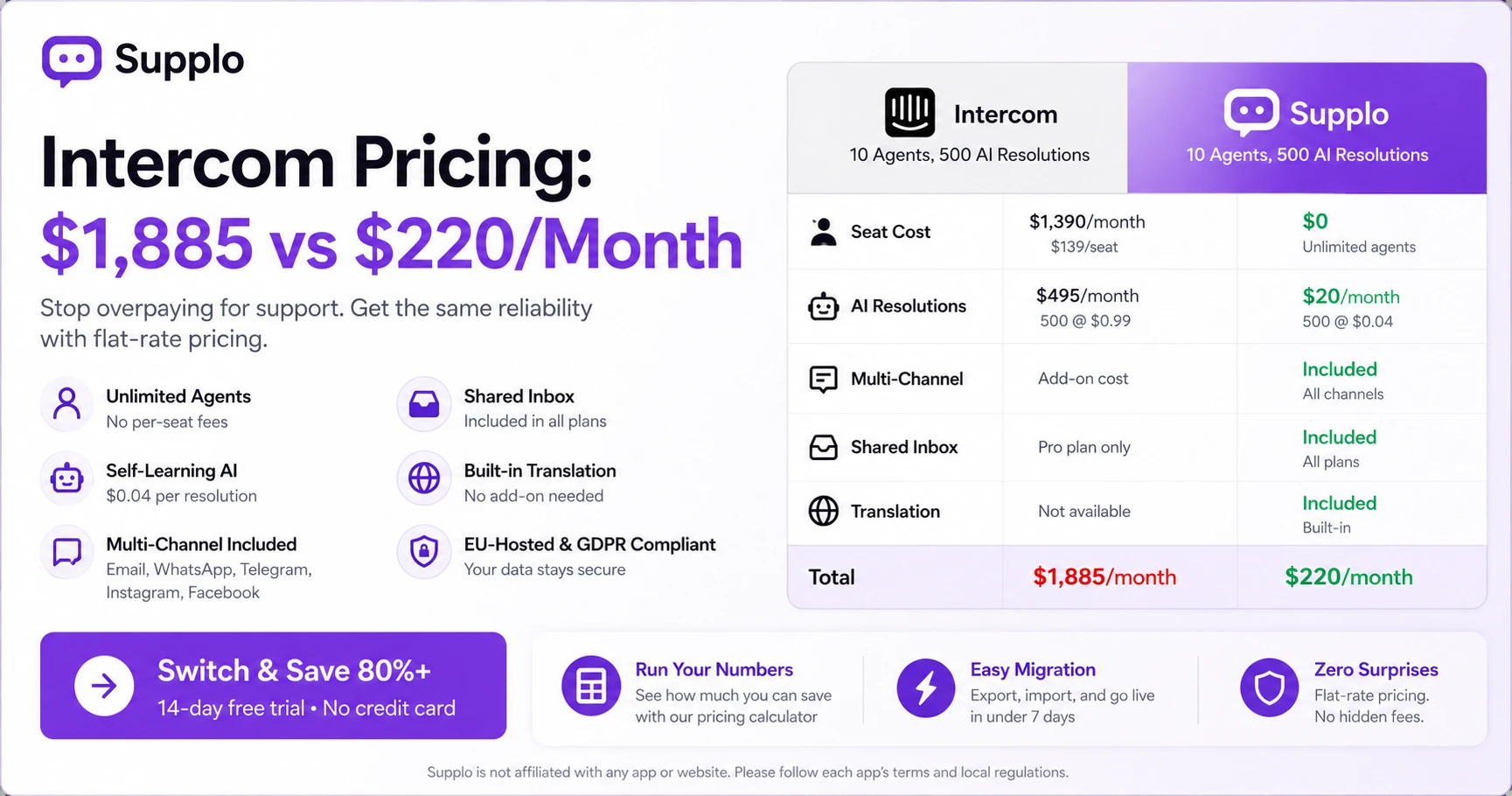
Per-seat pricing is the silent budget killer in AI customer support. You're paying $90–$150 per agent per month. Scale your team from two to ten people? That's suddenly $900–$1,500/mo just for seats before you even touch the AI features. Compare that to flat-rate platforms where you pay a single monthly price for unlimited seats and unlimited AI resolutions.
Supplo charges zero per-seat fees. Your ten-person team pays the same as your two-person team. That's not a gimmick; that's the difference between predictable budgeting and surprise invoices landing in your inbox.
- Per-seat models force you to budget based on headcount, actively discouraging you from scaling support properly.
- Flat-rate models let you add human or AI agents without renegotiating your plan every time.
- Most "AI add-ons" on per-seat platforms are separate line items. Expect another $200–$500/mo tacked on.
- Flat-rate doesn't mean low-quality; it means the platform profits from efficiency, not from nickeling and diming you.
- Real-world ballpark: A 5-agent team on per-seat AI support can easily hit $1,200+/mo. Flat-rate alternatives stay comfortably under $500.
The cost of AI customer support shouldn't grow faster than your revenue. Flat-rate pricing keeps your budget sane.
AI Chatbot Pricing Models Compared: Per-Resolution, Per-Chat, or Flat Monthly?
You've got three main pricing models for AI chatbots. Let's break them down without the jargon.
Per-resolution: You pay every time the bot answers a question. Sounds reasonable until your bot handles thousands of queries, then it gets expensive fast.
Per-chat: You pay for each conversation initiated. Customers ask multiple questions in one chat? You're paying multiple times.
Flat monthly: One price for unlimited usage, predictable, simple, no surprises.
- Per-resolution pricing: $0.40–$0.90/resolution. At 2,000 resolutions, you're looking at $800–$1,800/mo.
- Per-chat pricing: $0.10–$0.30/chat. Adds up deceptively fast when customers ask follow-ups.
- Flat monthly pricing: $0–$500/mo for unlimited resolutions. Supplo's AI agent is included in the plan at $0.04/resolution if you exceed 5,000, still dramatically cheaper.
- Beware "free" tiers: they typically limit features, force branding on your widget, or cap conversations at 100/mo. Fine for testing. Not for real support.
- The best model depends on your volume. Flat-rate wins for any team expecting growth.
Comparing AI chatbot pricing? Remember: the cheapest per-unit price isn't cheap if you handle real volume.
What's Included in AI Customer Service Agent Software? (Features That Actually Matter)
Not all AI customer service agent software is created equal. Some platforms load you up with shiny features you'll never touch. Others strip the essentials and charge extra for every integration.
The features that actually move the needle: a self-learning AI that trains on your knowledge base, multi-channel routing (email, WhatsApp, Telegram, Instagram, Facebook), a shared inbox for human agents, and real-time translation. Skip platforms that force you to buy separate modules for each channel; that's just per-seat pricing in a trench coat.
- Self-learning AI: automatically updates its answers as you edit your knowledge base, no manual retraining.
- Multi-channel inbox: tickets from email, WhatsApp, Telegram, Instagram, and Facebook all land in one unified view.
- Live chat widget: embeddable on your site with zero code.
- Automated escalation: when the AI can't answer confidently, it hands off to a human with full conversation context.
- Reporting and analytics: track resolution rate, customer satisfaction, and agent performance without a separate analytics tool.
See all features included in one flat-rate workspace at Supplo: no modules, no add-ons, no surprises.
Must-Have AI Support Features for Small-to-Mid Teams (Without the Enterprise Bloat)
Small and mid-sized teams don't need enterprise complexity. You need lean, effective AI support features that actually work out of the box.
Look for: a plug-and-play knowledge base that the AI can read immediately, multilingual support (including real-time translation), and easy integration with your existing tools. Avoid platforms that require a dedicated support ops person to configure the bot.
- Knowledge base integration: upload articles, PDFs, or documentation. The AI learns instantly, with no training phase.
- Real-time translation: translate conversations into 6–10 languages without a separate subscription or third-party tool.
- No-code setup: drag-and-drop widget, configure triggers, go live. No developer required.
- Auto-tag and route: the AI automatically categorizes incoming tickets and sends them to the right agent or channel.
- Mobile app: manage support from your phone. The AI handles tickets even when you're offline.
Supplo's AI agent trains on your knowledge base without the bloat, in minutes, not weeks.
Chatbot Capabilities That Save You Money: Self-Learning, Multi-Channel, Escalation
A cost-effective chatbot does three things automatically and does them well.
First, it learns from your content. Self-learning AI means you don't need a developer to retrain it every week when you update your FAQs or policies. You edit your knowledge base; the bot catches up.
Second, it handles conversations across multiple channels. Customers reach you wherever they are: your website, WhatsApp, Telegram, Instagram, Facebook: one bot, all channels, no separate setup for each.
Third, it escalates intelligently to a human only when necessary. Most queries don't need a human. The bot handles the routine stuff, so your team only touches the hard cases.
- Self-learning: AI ingests new content from your knowledge base and updates its responses in real time.
- Multi-channel routing: one bot handles chats from email, WhatsApp, Telegram, Instagram, and Facebook. No separate bots needed.
- Context preservation: when switching from bot to human, the full conversation history follows. No asking customers to repeat themselves.
- Sentiment detection: AI identifies frustrated customers and prioritizes them for human handoff.
- Automation rules: set triggers to auto-respond to common queries like "track my order" or "refund policy."
Manage all channels from a single shared inbox at Supplo, no switching between apps, no lost context.
Virtual Agent Functionalities That Handle 40%+ of Tickets Before a Human Sees Them
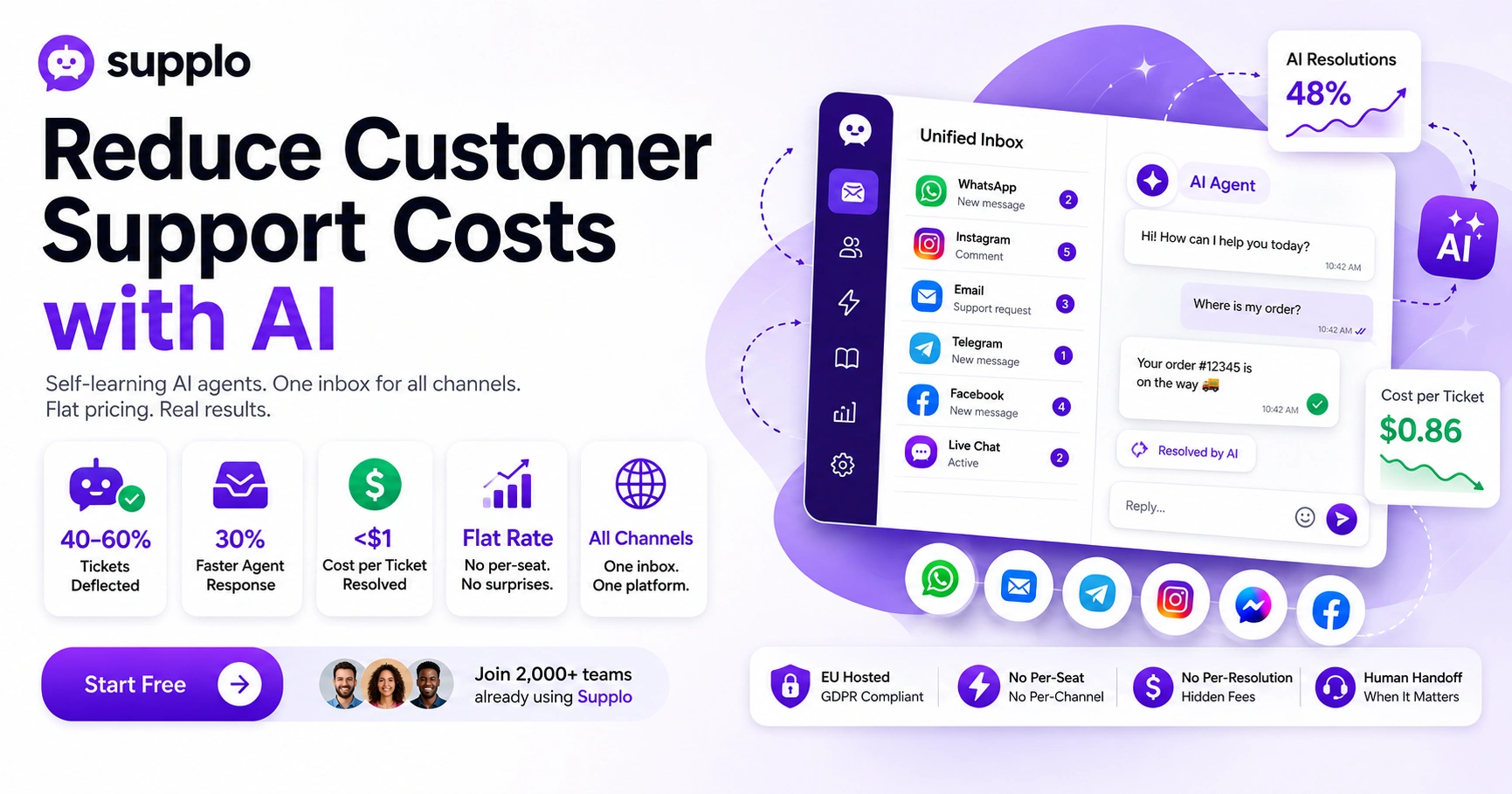
A well-configured virtual agent can resolve 40–60% of incoming tickets without any human involvement. That's not a pipe dream, that's what a properly set-up system delivers.
The functionalities that make this possible: intelligent intent recognition, dynamic FAQ lookup, contextual follow-ups, and conditional branching. If your AI agent can't understand what a customer actually wants or can't offer a solution in three steps, it's not ready for production.
- Intent recognition: AI understands the difference between "Where is my order?" and "I need a refund." Two very different answers are needed.
- Dynamic FAQ lookup: finds the exact passage in your docs, not a generic keyword match that sends customers in circles.
- Conditional branching: if the customer says "yes," proceed. If "no," offer an alternative solution. Simple logic, huge impact.
- Seamless handoff: AI transfers to a human with the full transcript attached. No asking customers to repeat their problem.
- Feedback loop: customers can rate the answer. Low ratings trigger a manual review of that specific response.
Learn how Supplo's knowledge base powers its virtual agent to achieve consistent deflection rates of 40%+ or more.
AI in Customer Service Benefits You Can Measure (Time, Volume, CSAT)
The measurable benefits of AI in customer service aren't hypothetical. They show up in your monthly reports.
Reduced first-response time: from hours to seconds. Customers don't wait overnight for "we've received your query" auto-replies anymore.
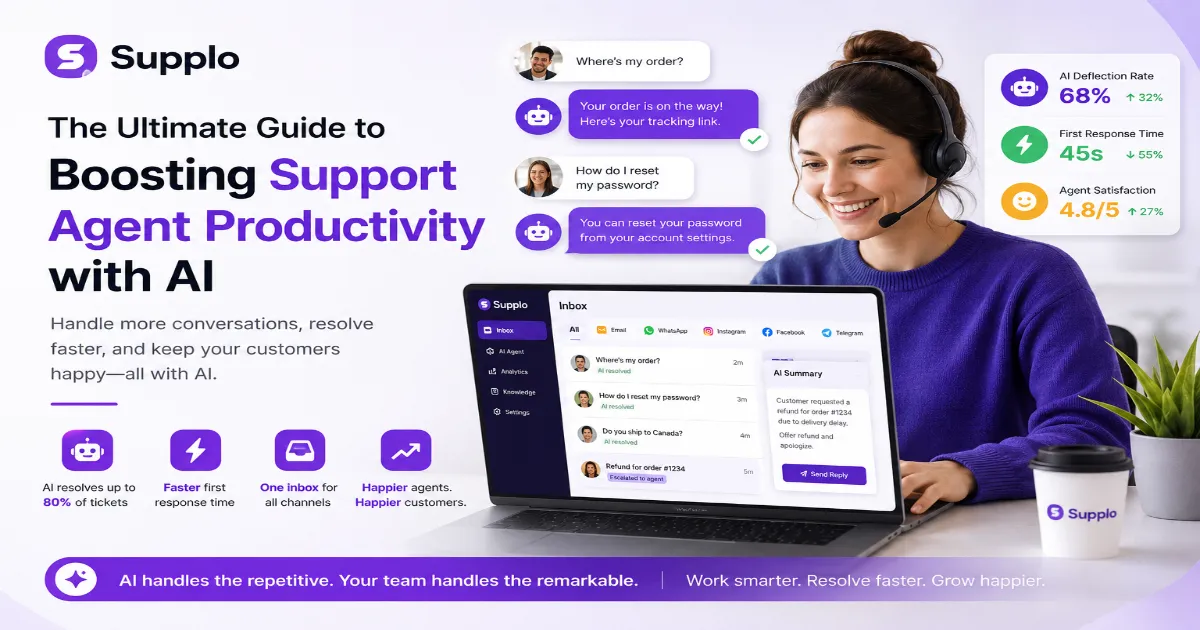
Increased ticket volume handled: without adding headcount. The same team handles more tickets because the AI absorbs the routine ones.
Improved CSAT scores: customers get faster, more accurate answers. That tends to make people happier.
Industry benchmarks suggest teams with AI agents see 30–50% faster response times and 20–30% higher CSAT for automated interactions. Your mileage will vary, but the direction is consistent.
- First-response time: AI answers in seconds vs. hours for human-first support.
- Ticket volume: AI handles 40–60% of incoming requests, freeing humans for complex issues.
- CSAT for AI interactions: matches or exceeds human-only support when the AI is well-trained.
- Cost-per-ticket: drops from $3–$5 (human) to $0.04–$0.90 (AI) depending on provider. That's real money.
- Agent productivity: agents focus on high-value tickets. Less burnout, better job satisfaction.
AI in customer service benefits aren't just theoretical; they show up in your monthly metrics and your team's sanity.
Why "Cheapest" AI Agent Pricing Usually Costs You More (Hidden Fees Breakdown)
The cheapest AI agent pricing often hides fees in setup costs, integration charges, overage bills, and mandatory add-ons. A platform that advertises $99/mo might charge $200 for WhatsApp integration, $150 for multi-language support, and $0.50 per resolution beyond 500. By the time you have a functional system, you could be paying $700+/mo.
It's the classic bait-and-switch. The base price gets you in the door. The add-ons drain your budget.
- Setup fees: Some charge $200–$500 just to set up your AI agent.
- Integration fees: separate charges for connections to WhatsApp, Telegram, or Instagram.
- Overage charges: $0.40–$0.90 per resolution after hitting a "free" cap that's lower than you'd expect.
- Branding removal: $50–$100/mo to remove "Powered by" from your chat widget.
- Support tiers: basic plans often lack phone or priority email support. The premium tier is another $200+/mo.
Compare Supplo's model vs. hidden fees on other platforms. Transparency is built into our pricing page.
Watch out for:
- Pitfall 1: Assuming "unlimited" means truly unlimited. Watch for fair-use caps buried in the terms.
- Pitfall 2: Choosing a platform that lacks multi-channel integration. You'll end up paying for separate bots for each channel.
- Pitfall 3: Ignoring knowledge base quality. A bad KB leads to poor AI responses, which in turn lead to more human escalations and higher costs.
How to Deploy an AI Customer Service Agent Without a Dedicated Support Team
You don't need a dedicated support team to deploy an AI customer service agent. Seriously. Here's how it works in practice.
Start by uploading your most common FAQs or documentation to a platform with a self-learning AI. The AI reads your content and starts learning immediately. Then connect your communication channels, email, WhatsApp, website chat and set up automatic escalation rules for when the AI can't answer confidently.
Within a few hours, your AI agent can be live and handling real customer questions. No developer required. No weeks of training.
- Step 1: Upload your knowledge base (docs, PDFs, or existing FAQ pages).
- Step 2: Connect channels (Widget, WhatsApp, Telegram, Instagram, Facebook, Email).
- Step 3: Set up automated replies for the most common 10–20 questions.
- Step 4: Define escalation rules (e.g., transfer to a human if AI confidence < 70%).
- Step 5: Review analytics weekly. Tweak your knowledge base based on questions the AI couldn't answer.
Ready to see how fast this works? Start your free trial at Supplo, no credit card, no setup fee. Your AI agent can be live in under 30 minutes, handling real customer questions. Try it now.
Key Takeaways
- AI customer service agent pricing ranges from $0.04/resolution (flat-rate) to $0.90/resolution (per-resolution). Flat-rate pricing like Supplo's eliminates per-seat and overage fees.
- Must-have features include self-learning AI, multi-channel routing, and shared inbox, but avoid platforms that charge extra for integrations.
- Hidden fees (setup, overage, branding removal) can double your cost. Always read the fine print on the pricing page.
- Deploying an AI agent takes under 30 minutes with no-code platforms, no dedicated support team required.
- Measurable benefits include 30–50% faster response times, 40–60% ticket deflection, and a cost-per-ticket that drops from $3–$5 to under $0.50.
Whether you're handling 100 tickets or 10,000, Supplo's flat-rate AI support grows with you: one workspace, all channels, unlimited human seats. Get started at Supplo.
FAQ
How much does an AI customer service agent cost?
Costs vary widely from $0.04 per resolution (Supplo) to $0.90 per resolution on some platforms. Monthly plans range from $200–$500 for flat-rate platforms to $1,000+ for per-seat or per-resolution models. Always check for hidden fees, such as integration charges or overage costs.
Is AI customer support secure and compliant?
Yes, when you choose a platform with proper data handling. Look for EU-hosted options (like Supplo) and ensure the provider complies with regulations such as GDPR. Supplo is not affiliated with any app or website. Please follow each app's terms and local regulations.
Can AI handle multiple messaging channels at once?
The best AI support platforms (including Supplo) handle WhatsApp, Telegram, Instagram DMs, Facebook Messenger, email, and live chat from a single dashboard. You don't need separate bots for each channel.
Do I need coding skills to set up an AI chatbot?
No. Modern AI support platforms offer no-code setup. You simply upload your knowledge base, connect channels, and configure triggers. Supplo's setup takes under 30 minutes without any developer.
How many tickets can an AI agent handle?
A well-configured AI agent can handle 40–60% of incoming tickets without human help. The exact number depends on the complexity of your ticket and the quality of your knowledge base. Supplo's AI is self-learning, so it improves over time.
What if the AI gives a wrong answer?
Most platforms include a feedback loop that lets customers rate responses. Low-rated answers trigger manual review, and you can edit your knowledge base to correct the AI. Supplo's AI also logs unanswered questions so you can fill gaps.
Can I switch from per-seat pricing to flat-rate if I already have a platform?
Yes. Most flat-rate platforms allow data import from popular tools via CSV or API. You can cancel your old plan and migrate in less than a day. Supplo offers onboarding support for migrations.
Compliance note: Supplo is not affiliated with any app or website. Please follow each app's terms and local regulations.