On this page
Your customer support team is the front line of your business. But how do you measure if they're building loyalty or just putting out fires?
That's where the Net Promoter Score (NPS) customer support metric comes in. It's one of the most reliable indicators of whether your support interactions are creating promoters who'll rave about you, or detractors who'll warn others away.
This guide is for support managers, team leads, and business owners who want a clear, no-fluff strategy to measure and improve their support NPS. Use this when you need a framework that actually works. Don't use it if you're chasing a vanity metric, NPS requires honest data and a commitment to act on what you learn.
Quick Answer
- The Formula: (% of Promoters) - (% of Detractors). Score range: -100 to +100.
- The Goal: A score above 50 is excellent. Above 30 is average. Below 0? That's a red flag.
- The #1 Driver: First contact resolution (FCR). Solve it once, and your NPS jumps.
- The Biggest Mistake: Surveying before the issue is resolved.
- The Best Strategy: Close the loop with every Detractor within 24 hours.
What Is Net Promoter Score in Customer Support and Why Does It Matter?
Net Promoter Score (NPS) measures how likely a customer is to recommend your support team to a colleague or friend. It's based on a single question, "How likely are you to recommend our customer support?", on a 0–10 scale.
In a support context, NPS reveals how your interactions impact long-term customer loyalty. That's far more valuable than a quick "satisfied" click.
NPS splits customers into three groups:
- Promoters (9–10): Loyal enthusiasts who'll keep buying and refer others.
- Passives (7–8): Satisfied but unenthusiastic. Vulnerable to switching.
- Detractors (0–6): Unhappy customers who can damage your brand through negative word-of-mouth.
Your score is simply the percentage of Promoters minus the percentage of Detractors.
Unlike CSAT (which measures a single interaction), NPS tracks the overall health of your relationship with the customer through support. A high support NPS correlates strongly with reduced churn and higher lifetime value. If your support NPS is low, it's often a sign of repeated friction, slow responses, or unresolved issues.
Your support NPS isn't a score, it's a diagnostic tool that tells you exactly where your customer relationship is breaking down.
The Only Customer Support NPS Formula You Actually Need
Here's the clean formula: (Number of Promoters ÷ Total Respondents) × 100 minus (Number of Detractors ÷ Total Respondents) × 100.
That's it. Your final result can range from -100 (everyone's a Detractor) to +100 (everyone's a Promoter), no weighted averages, no logarithms, just simple subtraction.
Count only respondents who answer the NPS survey. Do not include Passives in the calculation itself, but they are part of the total respondents for the percentage.
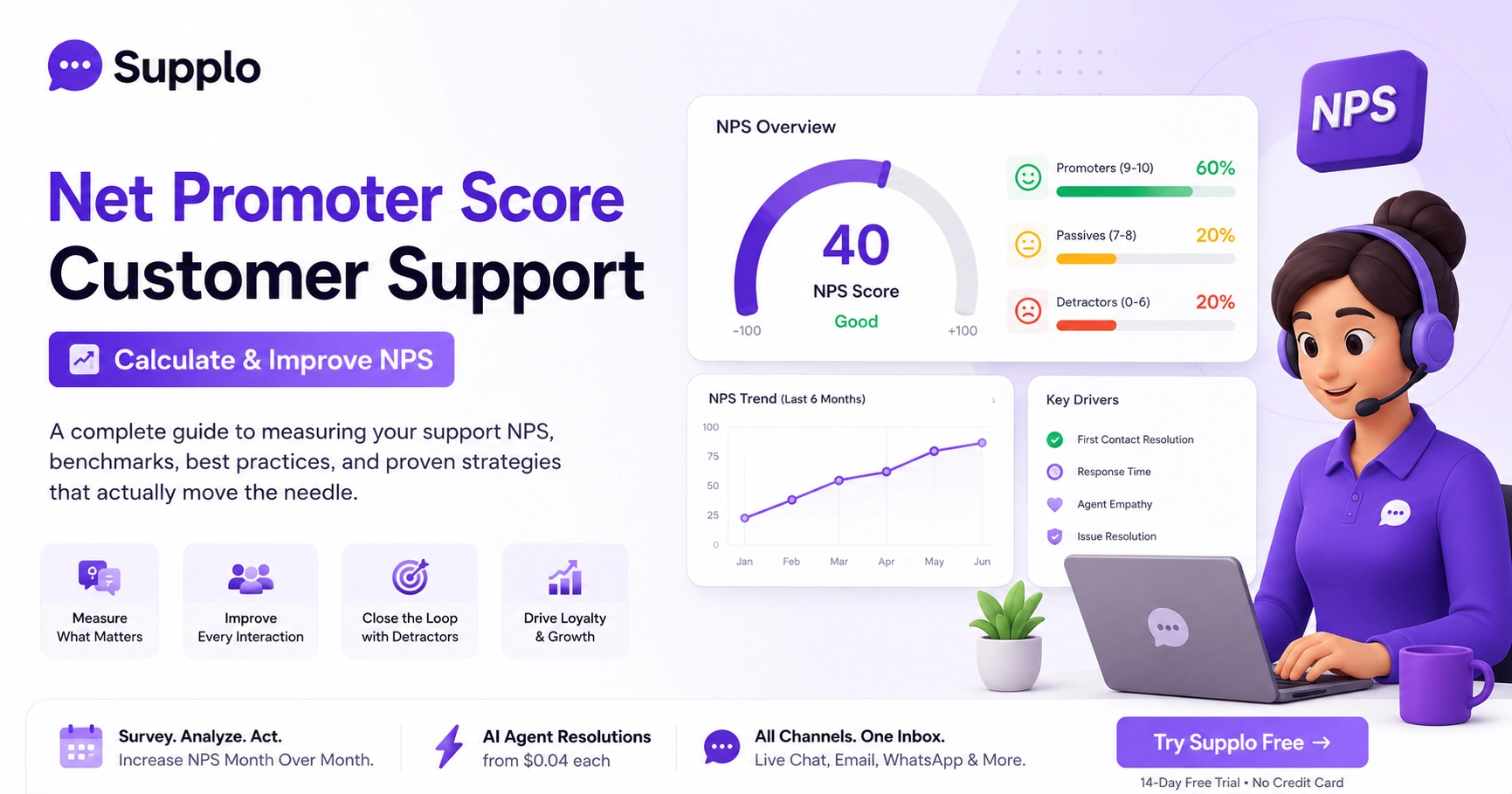
Example: 100 responses, 60 Promoters, 20 Passives, 20 Detractors → (60% - 20%) = NPS of 40.
Passives still matter: they're neutral, which means they're vulnerable to switching. The formula works identically whether you survey after every ticket or on a monthly cadence.
How to Calculate NPS for Customer Support
First, trigger an NPS survey after each ticket resolution (or weekly, for recurring contacts). Collect at least 50–100 responses to get a statistically meaningful score. Then, categorize every response: 0–6 = Detractor; 7–8 = Passive; 9–10 = Promoter. Finally, apply the formula: (% Promoters) - (% Detractors).
Step-by-Step Checklist:
- Trigger the survey: Send it within 24 hours of ticket resolution for accurate recall.
- Collect responses: Aim for at least 50 responses per reporting period.
- Categorize: Label each response as Promoter, Passive, or Detractor.
- Calculate: (% Promoters) - (% Detractors).
- Segment: Break down your NPS by channel (chat, email, phone) to spot weak points.
- Track monthly: Avoid daily tracking to prevent noise from small sample sizes.
Export your data to a spreadsheet or use your support tool's built-in NPS dashboard. Exclude internal or test accounts from your data set.
Customer Support NPS Benchmarks
Industry benchmarks for support NPS vary, but a score above 50 is generally considered excellent, while 30–50 is average. For SaaS companies, the median support NPS hovers around 40. E-commerce and retail often score lower (20–35) due to volume and transactional nature. Anything below 0 is a red flag that needs immediate attention.
B2B software companies tend to have higher support NPS (45–60) because interactions are consultative. B2C brands with high-touch support (e.g., luxury goods) can also score above 50.
Don't obsess over absolute benchmarks, focus on your month-over-month trend. If you can't find a perfect benchmark for your niche, target an NPS of 40+ as a starting floor.
A benchmark is a guide, not a goal. Your real target is consistent month-over-month improvement.
8 Customer Support NPS Best Practices That Actually Move the Needle
Don't overthink this: NPS improves when you fix what's broken first, then add delight. Start by reducing the first response time for live chat to under 60 seconds. Empower agents to resolve issues on the first contact. Use a shared inbox to avoid customers repeating themselves across channels. And never ask for an NPS rating before the issue is closed, that poisons the data.
The 8 Best Practices:
- First Contact Resolution (FCR): The #1 driver of promoter scores. Track it ruthlessly.
- Speed of Response: Long wait times turn 7s into 4s. Use auto-replies and routing rules.
- Personalization: Skip scripts. Use the customer's name, chat history, and previous purchases.
- Proactive Outreach: Send a follow-up message after the ticket closes to confirm satisfaction.
- Omnichannel Consistency: Respond the same way on email, WhatsApp, and Instagram, or NPS suffers.
- Agent Empowerment: Give agents the authority to resolve issues without escalation.
- Knowledge Base: A strong self-service portal deflects simple questions and reduces friction.
- Close the Loop: Always follow up with Detractors within 24 hours.
Common Mistakes That Tank Your NPS for Support Teams
The biggest mistake? Surveying too early, before the problem is actually resolved. Another classic error: treating all Detractor feedback as noise instead of mining it for root causes. And please, don't auto-trigger NPS surveys on tickets closed by AI or automation unless you've verified resolution quality.
Mistakes to Avoid:
- Survey Fatigue: Don't send NPS after every single interaction. Weekly or after every 5th ticket works better.
- Ignoring Detractor Comments: The open-ended feedback is gold for process improvement.
- Assigning Blame to Agents: NPS measures process and experience, not individual performance.
- No Follow-Up Loop: Failing to close the loop with Detractors makes them feel unheard.
- Using a Siloed Inbox: If customers have to repeat themselves across channels, your NPS will suffer. A shared inbox that consolidates all channels is essential.
Your NPS data is only as good as your willingness to act on the feedback from your Detractors.
How to Set Up NPS Surveys Inside Your Support Platform
Most modern support platforms let you trigger NPS surveys automatically via the widget, email, or chat post-resolution. You'll need to configure the question, timing, and segmentation. Ideally, route Detractor responses to a separate queue for immediate follow-up. For best results, keep the survey to one question + one optional open-text field.
Setup Checklist:
- Choose your trigger: Post-resolution or weekly cadence.
- Set the question: "How likely are you to recommend our support?"
- Configure timing: send 24 hours of resolution within.
- Segment responses: Route Detractors to a priority queue.
- Avoid fatigue: Cap surveys to once per customer per 30 days.
Use a native survey integration in your help desk to avoid bloat from third-party tools. Tag responses with ticket ID and channel for granular reporting.
Start building your NPS strategy today, no risk. Supplo offers a 14-day free trial with built-in survey routing, a shared inbox, and an AI agent that resolves common questions for $0.04 each. Try Supplo Free →
Your Customer Support NPS Strategy: Closing the Loop After the Survey
Collecting NPS is useless without a strategy for what happens next. For Promoters, ask for a testimonial or case study. For Passives, dig deeper: send a second question asking what would make them a 9. For Detractors, assign a senior agent to reach out within 24 hours personally. This "close the loop" technique alone can boost your NPS by 10–15 points in six months.
Action Plan:
- Promoters (9-10): Route to a "feedback" queue. Offer a referral incentive (with permission).
- Passives (7-8): Automate a follow-up email with a one-click "What's missing?" link.
- Detractors (0-6): Email them directly from a manager's address, not a generic bot. Track resolution of Detractor issues in your shared inbox for visibility.
For omnichannel teams, ensure your follow-up is on the same channel the customer used. If they reached out via WhatsApp, follow up there. A WhatsApp customer support integration makes this seamless.
Strategies for Higher Support NPS (That Don't Require a Bigger Budget)
You don't need a bigger team to raise NPS, you need smarter workflows. Use automation to handle repetitive Tier-1 questions without human involvement. Implement a self-learning AI agent that resolves common issues instantly. Free your team to focus on complex cases, where customers become promoters.
Budget-Friendly Strategies:
- Route high-value customers: Use tags to assign VIPs to a dedicated agent.
- Implement a knowledge base that is accessible to both agents and customers to reduce escalations. Supplo's knowledge base is built for this.
- Use AI translation: Support multilingual customers in their native languages.
- Reward quality, not speed: Measure and reward agents based on resolution quality, not just speed.
Supplo's pricing (a flat monthly rate, no per-seat fees) lets you add these features without blowing your budget.
Measuring What Matters: Using NPS to Improve Customer Support Workflows
NPS data alone won't fix your support, but it will tell you where to look. If Detractor feedback consistently mentions "slow response time," audit your routing rules. If they mention "had to repeat myself," audit your ticketing system. Use the Net Promoter Score for customer support as a diagnostic tool, not just a vanity metric. Then adjust your workflows accordingly.
Diagnostic Steps:
- Cross-reference NPS with FRT and FCR data.
- Segment NPS by channel to see if Instagram DM support outranks email (which it often does).
- Use NPS trends to justify tool changes (e.g., switching to a shared inbox).
- Hold monthly NPS review meetings with support agents to share wins and gaps.
Why AI-Powered Support Can (Carefully) Improve Your NPS
Done right, AI can dramatically boost your NPS by eliminating wait times and resolving simple issues in seconds. The catch: AI that fails to understand nuance turns customers into Detractors fast. The solution is a hybrid model, let AI handle the 80% of common questions, and hand off to a human without friction.
AI Best Practices:
- Always offer a human escape hatch: No dead ends.
- Pre-fill the ticket context so agents don't ask customers to repeat themselves.
- Train on your actual knowledge base articles, not generic data.
- Monitor separately: Track AI resolution satisfaction separately from human-handled NPS.
Supplo's self-learning AI agent does exactly this, and it costs $0.04 per AI resolution, roughly 96% cheaper than some alternatives. For a full comparison, see our vs. Intercom comparison (cost difference).
Supplo is not affiliated with any app or website. Please follow each app's terms and local regulations.
Tying It All Back to Customer Trust
NPS is ultimately a trust metric. Customers who trust your support team will defend you, recommend you, and buy more from you. The math is simple: faster resolutions, fewer repetitions, and genuine follow-up drive NPS up. Pick two best practices from this guide, implement them this week, and track the change over 90 days. You'll see the needle move.
No complex dashboard required, start with a simple NPS survey in your existing tool. Remember: a score of 50+ is world-class, but consistent improvement is the real win. Test, learn, repeat, that's the only reliable NPS strategy.
Your NPS won't fix itself. But your tool can. Supplo handles live chat, email, Telegram, WhatsApp, Instagram, and Facebook, all in one flat-rate inbox. No per-seat fees. No surprise bills. Get Started Now →
Key Takeaways
- NPS = % Promoters (9–10) minus % Detractors (0–6). Score range: -100 to +100.
- First contact resolution and response speed are the #1 drivers of a higher support NPS.
- Survey after resolution, not before, and always close the loop with Detractors within 24 hours.
- AI can boost NPS dramatically if it resolves issues fast; bad AI tanks it. Use a hybrid approach with a human escape hatch.
- Focus on month-over-month trends, not absolute benchmarks.
FAQ
What is the NPS formula for customer support?
NPS = (% of Promoters) - (% of Detractors). Promoters answered 9–10; Detractors answered 0–6. Passives (7–8) are not counted in the formula but are included in the total responses for percentage calculations.
How many responses do I need for a reliable NPS score?
Aim for at least 50 responses per reporting period, ideally 100+. Fewer than 30 responses can produce misleading results due to a small sample size.
Can I manually calculate NPS from my ticket history? A: Yes. Export all survey responses, count promoters and detractors, and apply the formula. Most support platforms (including Supplo) automate this in the dashboard.
What's a good NPS score for a B2B SaaS support team?
Above 50 is excellent, 30–50 is average, and below 30 needs work. Industry medians vary, but 40+ is a solid target for most support teams.
Should I survey after every ticket or weekly?
Weekly is safer to avoid survey fatigue. If you survey after every ticket, cap it to once per customer per 30 days.
How do I improve NPS without spending more money?
Focus on first-contact resolution, response speed, and closing the loop with detractors. Use an AI agent to handle Tier-1 questions for $0.04 each, which reduces queue size for your human team.
Can AI improve or hurt my support NPS?
Both. AI that resolves issues instantly boosts NPS; AI that confuses customers hurts it. Always offer a human handoff and monitor AI satisfaction separately.
What's the difference between NPS and CSAT?
NPS measures overall relationship loyalty (0–10 scale). CSAT measures satisfaction with a single interaction (usually on a 1–5 scale). They complement each other but are not interchangeable.
Compliance line: Supplo is not affiliated with any app or website. Please follow each app's terms and local regulations.


