On this page
When your AI customer support agent answers a query, how sure is it that the information is correct and directly addresses the user's need? This isn't a philosophical question; it's a measurable metric called the chatbot confidence score. Understanding and actively managing this score is crucial for any business leveraging AI in customer service. It's what transforms an often-confused bot into a reliable team member.
This guide is for customer support managers, AI strategists, and anyone looking to optimize their automated support channels. We'll cover everything from defining the score to setting intelligent thresholds and using reports to improve your overall support health.
Quick Answer
- Confidence scores are your AI's honesty meter: A score of 0.85 means 85% certainty; below 0.6, always escalate to a human.
- Thresholds are not one-size-fits-all: Set 0.95 for billing, 0.8 for FAQs, and use Supplo's channel-specific settings to optimize.
- Low scores reveal knowledge base gaps: A 20% drop in average confidence means your documentation is broken; fix it, not the AI.
- Escalation with context is key: Always hand off the confidence score to the human agent so they know the AI's struggle point.
Chatbot Confidence Score Definition: Why It's the Brain Behind Your AI Agent
A chatbot confidence score is a numerical value (typically 0-100%) that indicates how confident your AI agent is that its answer is correct for the user's query. Think of it as the internal smell test; the AI compares the incoming message against its knowledge base, past conversations, and semantic models to assign a certainty level. Without this score, you'd have no way to tell whether the chatbot is guessing or genuinely solving the problem.
Confidence scores are calculated using natural language processing (NLP) models that measure semantic similarity between the query and stored knowledge. In 2025, flat automation rates of 80%+ are achievable only by tuning these scores, not by unquestioningly trusting the AI. A high score doesn't always mean a correct answer; it can indicate that the AI confidently answered the wrong question, a phenomenon known as a false positive. It's like a doctor's diagnostic certainty; fresh data and training improve it, but you still need thresholds for specialist referral.
Supplo's AI agent leverages these scores to ensure reliable automation and seamless human handoffs.
Supplo is not affiliated with any app or website. Please follow each app's terms and local regulations.
How Chatbot Confidence Scores Work: From I'm Not Sure to I've Got This
Confidence scores are generated in real time as the AI processes each user message. The system breaks the query into intent recognition and entity extraction, then compares those against your knowledge base articles, past resolved tickets, and any configured fallback answers. A score of 0.85 means the AI is 85% confident, leaving a 15% chance it's hallucinating or misinterpreting, which is why thresholds are non-negotiable.
The process flows like this: incoming message → intent classification → knowledge base search → semantic matching → confidence score output. Unlike rule-based chatbots, modern AI agents like Supplo's use probabilistic models, so a score of 0.7 still requires a human to review. The system improves over time by learning from corrected answers, which boosts confidence for similar future queries. While higher confidence typically requires more processing time, low-latency setups may need to accept slightly lower scores.
Chatbot Confidence Level Meaning: What the Numbers Actually Tell You
A confidence level of 0.95 doesn't mean the answer is 95% correct in objective terms; it means the AI's internal model predicts a 95% probability that the response matches the user's intent based on its training data. Low scores (under 0.6) usually indicate ambiguous phrasing, missing knowledge, or a query the AI hasn't seen before. The trick is learning to read these scores not as absolute truth, but as a trust signal for your team.
For practical purposes, score ranges help define actions:
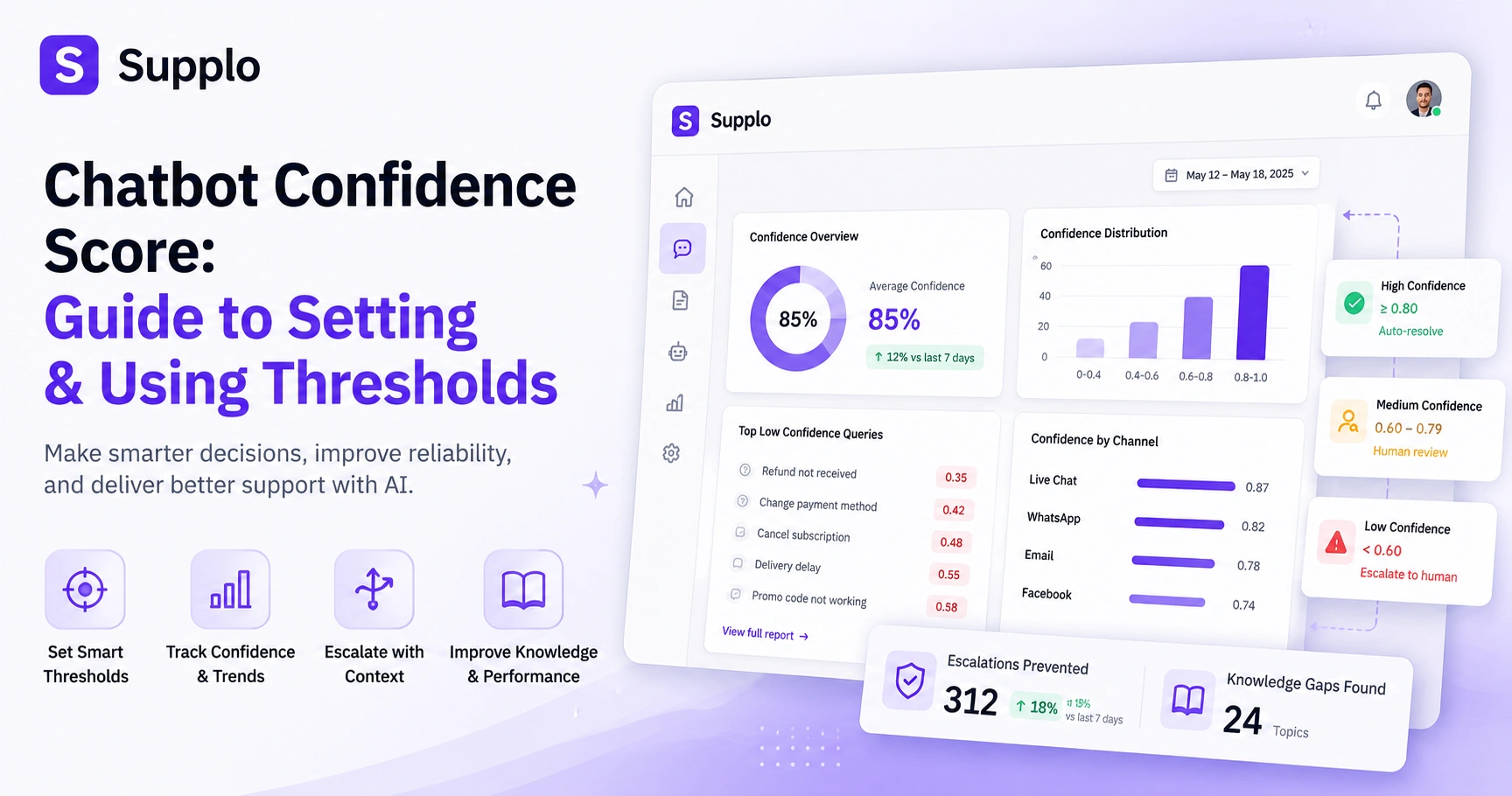
- 0.9-1.0: High confidence, auto-resolve
- 0.7-0.89: Moderate confidence, requires human review
- Below 0.6: Low confidence, escalate to human agent
Sometimes a valid query might receive a low score if the underlying knowledge base article is poorly written; in such cases, fixing the knowledge base is key. Be aware of score drift over time as user language evolves, and monitor regularly. It's important to remember that the score doesn't measure user sentiment or urgency.
Understanding Chatbot Confidence Score Reports: Spotting the Patterns That Matter
Most platforms, including Supplo's unified inbox, generate reports showing average confidence by day, top queries with low confidence, and escalation rates. These reports are your leak detector; they reveal exactly where customers are falling through the cracks because the AI isn't confident enough. A well-structured report should show you not just which tickets were escalated, but why the AI scored them low.
Key metrics to track:
- Average confidence score per channel (e.g., email via Supplo Email Ticketing vs. WhatsApp via Supplo WhatsApp Customer Support)
- Most common low-confidence topics
- Score variance between agents vs. AI
A sudden drop in average confidence often signals a pricing change, feature update, or broken link in your custom knowledge base. Use low-confidence reports to prioritize knowledge base updates, tackling the top 10 most-asked low-confidence queries first. Benchmarking your scores against industry averages (75-85% is typical for customer support AI) can help you identify systemic issues.
What's a Good Chatbot Confidence Score? And What's a Dangerous One
A good score depends entirely on your risk tolerance; an e-commerce store might accept 0.8 for order status queries, but a healthcare or fintech support system should demand 0.95 or higher. Scores below 0.6 are generally dangerous because the AI is essentially guessing, which can lead to wrong answers, customer frustration, and compliance issues. The sweet spot for most general support teams is 0.85-0.95, balancing automation volume with accuracy.
For regulated industries (payments, crypto, healthcare), never auto-resolve below 0.95; use Supplo's seamless human handoff instead. Setting thresholds at 0.7 to maximize automation often results in a significant percentage of auto-resolved tickets being incorrect, causing silent damage to the customer experience. A/B test your threshold; run a 2-week experiment with 0.85 vs. 0.9 to see how many escalations are truly needed. The hidden cost of a low threshold is the increased number of reopened tickets, which creates a worse customer experience than a human taking the initial contact. Supplo's transparent pricing model at $0.04 per resolution, compared to legacy pricing that can reach $0.99, makes it affordable to maintain higher, safer thresholds without inflating your costs. When you compare Supplo vs Intercom, you'll find our pricing structure conducive to flexible threshold tuning.
Setting Chatbot Confidence Score Limits: How to Stop False Positives Without Breaking Automation
Setting confidence limits is a balancing act: too high, and you'll escalate even simple queries, killing your automation rate; too low, and you'll annoy customers with wrong answers. Start with a default threshold of 0.85, then adjust based on your team's capacity to handle escalations and your customers' tolerance for errors. The goal is to find the sweet spot where the AI handles 60-80% of tickets without customer complaints.
Consider a phased rollout: start with a high threshold (0.9) in the first month, then gradually lower it as you review low-confidence tickets and address knowledge gaps. Channel-specific limits are also effective; for instance, you might set lower thresholds for WhatsApp customer support, where quick, albeit sometimes imperfect, answers are expected, and higher thresholds for email, where precision matters more. Always allow agents to manually adjust a ticket's confidence score after resolution, as this provides feedback to the AI's learning. Implement tiered thresholds: auto-resolve (0.9+), suggest with human review (0.7-0.89), and escalate to human (<0.7).
Ready to test your thresholds?
Set up your free 14-day trial at Supplo, no credit card needed. Import your knowledge base, train the AI, and see how confidence scores behave in your real support flow. We'll even show you a live histogram of your confidence score in your reports.
Start Free Trial →
Understanding Chatbot Confidence Score for Escalation: When the AI Should Tap Out
Escalation based on confidence scores is non-negotiable; it's the difference between a chatbot that helps and one that harms. When the AI's confidence drops below your set threshold (e.g., 0.85), it should cleanly hand off to a human agent with the full conversation context, not just a generic I'll transfer you. Supplo's unified thread-based inbox is designed exactly for this: the AI handles the simple stuff, and when it's unsure, the ticket appears in the team inbox with the score visible so the human knows what they're walking into.
The handoff protocol should include the confidence score in the ticket metadata, enabling the human agent to identify where the AI encountered difficulty quickly. Beyond low scores, consider escalating on sentiment detection (e.g., frustration or anger) or repeated same-question loops. If the AI cannot generate any score (e.g., from gibberish input), always escalate immediately to prevent nonsensical responses. A healthy escalation rate for support is typically 20-30% of total tickets; if it's too high, your knowledge base is likely insufficient; if too low, your AI might be overconfident and make silent errors.
Chatbot Confidence Score Threshold: The Science of Picking the Right Number
The threshold is the line in the sand where the AI decides to act or escalate, and it's not a one-size-fits-all number. A threshold of 0.85 means you're accepting a 15% error rate for auto-resolved tickets, while 0.95 means less than 5% errors, but far fewer tickets are automated. The science comes from analyzing your historical data: look at the false-positive rate at each threshold level and pick the number that minimizes both customer complaints and agent workload.
Consider the math: if your average ticket volume is 10,000/month, threshold 0.85 auto-resolves 8,000 tickets with approximately 1,200 errors, whereas threshold 0.95 auto-resolves 5,000 tickets with about 250 errors. Your choice should align with your team's capacity. Dynamic thresholds, which allow advanced AI systems to adjust based on topic (e.g., 0.99 for billing, 0.8 for general FAQs), can further optimize performance. Be aware of the confidence decay curve, where thresholds may need to be relaxed as ticket volume grows. Most platforms, including Supplo, offer a confidence score histogram in reports and use it to identify where errors cluster.
Interpreting Chatbot Confidence Scores: A Practical Framework for Your Team
Instead of staring at raw numbers, train your team to read confidence scores as Action Tags: 0.9+ = Auto-approve, 0.75-0.89 = Double-check, below 0.75 = Investigate. This framework turns a mathematical output into a practical workflow. When a ticket comes in with a mid-range score, the agent quickly verifies the response before sending it, typically taking 15 seconds instead of reading the whole thread.
For mid-range scores, implement the sandwich method: have the agent read the AI's answer, compare it to the user's query (the top slice), and the knowledge base article (the bottom slice). Set up score drift alerts to notify you when a specific topic's average score drops by 10% or more, which could indicate a broken knowledge base link. Agent training benefits from a weekly confidence challenge where agents guess the score before seeing it, sharpening their intuition. Map out the happy path (queries with high scores) versus the failure path (queries with low scores) to understand your AI's strengths and gaps.
Your confidence scores are stuck? Let's fix that.
If your AI is scoring low on common queries, your knowledge base might need a refresh. Supplo's AI agent learns from your past conversations, so even if your first attempt fails, the system improves over time. Free trial includes onboarding support.
What Chatbot Confidence Scores Tell You About Your Customer Support Health
Your confidence scores are a diagnostic tool for your entire support operation; they reveal whether your knowledge base is up to date, your agents are well trained, and your customers are getting consistent answers. A sudden drop in scores across all channels might indicate a product change that's confusing customers, while consistently low scores on a specific topic mean your documentation is unclear. Think of it as the check engine light for your support team.
Teams with average confidence scores above 0.85 typically observe 15-20% higher customer satisfaction scores due to faster issue resolution. If scores drop after a knowledge base update, it likely means unclear language or broken internal links were introduced. Comparing agent-adjusted scores (where humans correct the AI) against raw AI scores can help measure which agents are most effectively teaching the system. Be wary of silent escalation: if scores are high but CSAT is low, your AI might be confidently answering the wrong question, indicating a need to review intent mapping.
Stop guessing. Start resolving.
Tired of chatbots that sound confident but give wrong answers? Supplo's AI agent uses transparent confidence scores, flat $0.04 per resolution pricing, and supports payments via crypto, Binance Pay, Payeer, GCash, AmanPay, QIWI Wallet, DOKU, Nigeria and South Africa cards, Skrill, and Payoneer—no per-seat surprises, just a bill that scales with your team.
FAQ
What is a chatbot confidence score?
A chatbot confidence score is a percentage (0-100%) that measures how certain the AI is that its answer matches the user's intent. It's calculated by comparing the query against your knowledge base and past conversations using NLP models.
What's a good chatbot confidence score for customer support?
For most teams, 0.85-0.95 is the sweet spot, balancing automation volume with accuracy. Regulated industries (finance, healthcare) should demand 0.95 or higher, while low-stakes queries can go as low as 0.8.
How do I set a chatbot confidence score threshold?
Start with 0.85 as a default, then analyze historical data to find the false-positive rate at different thresholds. A/B test 0.85 vs. 0.9 for two weeks, adjusting based on customer complaints and agent workload.
What does a low chatbot confidence score mean?
A low score (below 0.6) means the AI is unsure and likely guessing; it could indicate missing knowledge base articles, ambiguous user language, or a query the AI hasn't been trained on. Always escalate these to a human.
Can a chatbot have a high confidence score but still be wrong?
Yes, what's called a false positive. The AI may be confident it understood the intent, but it answered the wrong question. This is why you should review a sample of high-confidence tickets monthly.
What's the difference between confidence score and accuracy?
Confidence score is the AI's internal prediction of correctness, while accuracy is the actual correctness measured against ground truth. A model can be confident but inaccurate (high confidence, low accuracy) if it's poorly trained.
Does Supplo offer confidence score customization?
Yes, Supplo's AI agent lets you set custom confidence thresholds for each channel, topic, and team. The score is visible in the unified inbox, so agents know exactly when to review or escalate, with clear handoff context.
Compliance line: Supplo is not affiliated with any app or website. Please follow each app's terms and local regulations.


