On this page
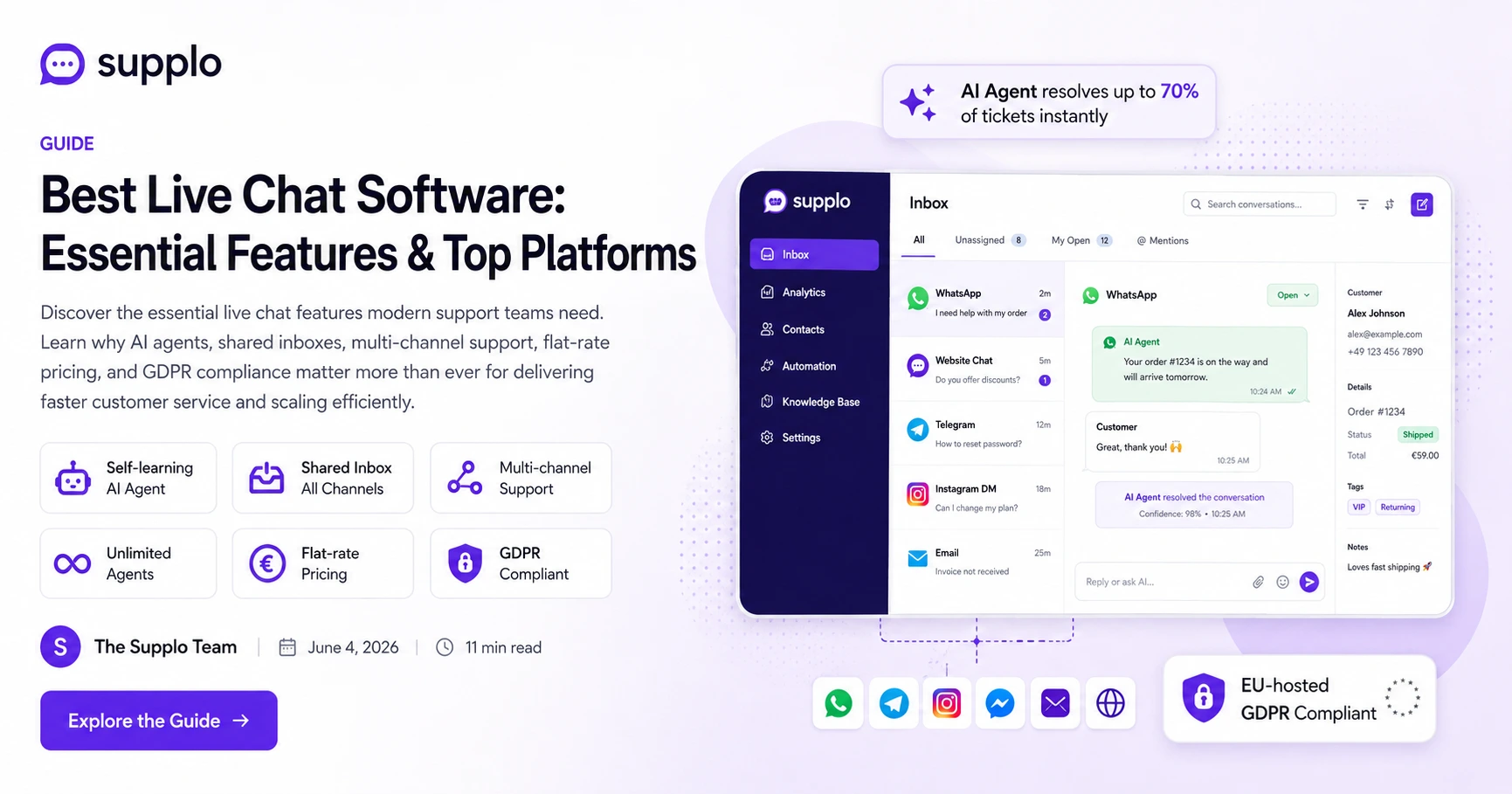
Let’s be real, the bar for live chat software isn't where it used to be. In this era, a must-have feature isn't just a little chat box in the corner of your website. It’s a unified workspace. It’s a place where an AI agent handles the boring, repetitive stuff, a human jumps in for the tricky problems and every single conversation, whether it starts as an email, an Instagram DM, or a WhatsApp message, lands in one single, shared inbox.
This guide is for small-to-mid support teams that want big-boy features without the big-boy price tag. We'll cut through the marketing fluff and point you toward the live chat software features that actually move the needle on response times, cut costs and keep your customers happy.
Quick Answer
- A self-learning AI agent that can read your help docs and answer questions on the fly (not a clunky, scripted chatbot).
- A shared inbox that puts web chat, email, WhatsApp, Telegram and social DMs all in one place.
- Multi-channel routing with native API integrations for each channel.
- Flat-rate pricing that doesn’t force you to pay per agent as you grow.
- EU-hosted data residency so you stay GDPR-compliant.
- A dead-simple setup that doesn’t require signing up for a sales call.
What Are the Must-Have Live Chat Software Features?
The bare minimum has changed. If your tool is missing any of these four things, you’re already playing catch-up:
- AI Agent: Scripted chatbots are basically a dead end. The new standard is an AI that reads your documentation and answers questions without you having to build a flowchart for every possible scenario.
- Multi-Channel Inbox: Your customers don't care which channel they use to reach you. They want an answer. Having one inbox for web, email, WhatsApp and social is non-negotiable.
- Unlimited Agents: Per-seat pricing is a tax on your company's growth. A flat-rate plan lets you scale up your team without getting hit with surprise invoices.
- Smart Routing: Should a simple billing question go straight to the AI, or to a human specialist? The software should be smart enough to figure that out on its own.
A must-have feature isn’t just a chat box; it’s a unified workspace where AI handles the routine and humans handle the rest.
Best Live Chat Software vs. Top Live Chat Platforms
Here’s the thing: Best is totally subjective. It depends on your budget and your team size. Top usually means most marketed by companies with massive ad budgets. The real question is: what gives you the best value for a team of 5 to 50 people?
The legacy platforms charge you per agent and sometimes even per resolution. Newer, AI-first platforms charge a flat rate for the workspace and a tiny micro-fee for every AI resolution. Do the math on the total cost before you buy the brand name.
- Best for enterprise usually means endless integrations. But best for a 20-person team means it just works without needing a dedicated admin.
- Top lists are often paid placements. Look at the total cost of ownership, not just the initial price tag.
- The real difference is in the architecture: old-school vs. AI-first. One model punishes you for growing; the other rewards it.
When you’re evaluating platforms, check the per-seat cost and the per-resolution fee first.
Is There a Truly Free Live Chat Software That's Actually Useful?
Yes, but there’s always a catch. Free usually means crippled: you’re limited to one or two agents, there’s no AI, basic reporting and you get a big fat branding watermark. A few platforms offer a genuine free tier for tiny teams, but you’ll hit a wall pretty fast.
- The free trap: You get a chat widget and nothing else: no shared inbox, no routing, no conversation history.
- Real free value: An unlimited-agent plan at a fixed rate is rare and worth paying for.
- What free really costs: Hours wasted switching tools when you outgrow them and lost customer data every time you migrate.
The smarter move is often a paid platform with a generous trial, or one with a cost-per-AI-resolution so low it feels free. Supplo’s flat-rate workspace means your first few agents are effectively free for the business.
Feature You're Overlooking: The AI Agent That Learns
Most AI support features you see are pre-programmed chatbots that break the second a customer doesn't use the exact keywords you programmed. The real deal is an AI agent that can actually ingest your knowledge base, learn from past conversations and answer new questions without needing a hard-coded script.
This isn't a nice-to-have feature anymore. It’s the only way to scale support without hiring a whole second team.
- Self-learning: It reads your articles and finds the answer on its own, no manual flowcharting required. See how a self-learning AI agent works in practice.
- Absurdly low cost per resolution: You only pay for what you use. We’re talking about a cost that’s about 96% cheaper than other approaches.
- Seamless handoff: The AI knows when it can't answer a question and routes the customer to a human, including all the context from the conversation.
- Knowledge base sync: The AI automatically updates whenever you update your help docs.
A self-learning AI agent that resolves tickets at a fraction of a cent each isn’t just a nice-to-have; it’s the only way to scale support without doubling your headcount.
Worried your team can't handle a sudden spike in tickets? The AI agent on Supplo doesn't need a manual. It reads your existing docs. Get started now and see your first AI resolution in minutes.
Multi-Channel Support: The Leading Live Chat Solutions Checklist
Your customers live all over the place, on your website, in WhatsApp, on Telegram, in Instagram DMs. A truly leading solution doesn't force them to come to you. It brings those channels into one central inbox.
Run this checklist before you commit to anything:
- Widget: The classic entry point. Perfect for on-site questions.
- Email: The silent killer of productivity. It needs automated ticketing and assignment.
- WhatsApp: Pretty much mandatory for global support. A native WhatsApp Business API integration is non-negotiable.
- Telegram: Essential for privacy-conscious users and technical communities.
- Facebook Messenger & Instagram DMs: For any brand that sells on social media.
- Native integrations: Always avoid workaround solutions that just forward messages. They break formatting and lose the conversation history.
If you need three different tools to manage three different channels, it’s not a top-tier live chat platform.
Why a Shared Inbox Is Your Team's Secret Weapon
A shared inbox turns chaos into structure. It’s the central nervous system of your support operation. It lets multiple agents see the same conversations, assign ownership and avoid stepping all over each other. Without it, you’re stuck using shared passwords or forwarding emails, which is a security and efficiency nightmare.
This is a standard feature on platforms like Supplo, but you’d be shocked by how often it’s missing from lists of the best live chat software that focus only on the little widget.
- Collision detection: Two agents can't accidentally reply to the same customer at the same time.
- Assignments: Direct questions to a specialist or route them by skill level.
- Status tracking: New, Saved, Pending, Closed. You know exactly where every conversation stands.
- Internal notes: Agent-to-agent chatter that the customer never sees.
The shared inbox feature is the difference between reactive chaos and proactive support.
Don't Pay Per Se at: The Hidden Cost in Recommended Live Chat Solutions
The most recommended platforms often have a hidden cost buried in their pricing: per-agent fees. For a team of 10, that’s 10x the monthly fee. For a team of 20, it’s 20x. This model punishes growth and penalizes you for hiring good people.
- The math: $90/agent/month × 15 agents = $1,350. A flat-rate plan costs one simple, predictable price.
- The scaling pain: You end up paying for seats you don't even use yet, or for agents you just spent weeks training.
- Hidden fees: Watch out for per-resolution charges ($0.50+ each) that can blow your budget when ticket volume spikes.
The better alternative is a flat-rate workspace like Supplo, where you pay one simple price for the platform, no matter how big your team gets. Your only variable cost is the AI resolution at a tiny fee each. Check out flat-rate pricing to see the difference for yourself.
Per-seat pricing is a tax on growth. Flat-rate teams scale faster without surprise invoices.
Stop paying per seat. Start paying a single flat rate for a workspace that grows with you. Explore Supplo's plans and choose the AI-first option that saves your team time and money. Global payments accepted, including Crypto and regional cards.
Security & Compliance: Necessary Features for EU-Global Teams
If you handle data from EU customers, your live chat platform must be EU-hosted and GDPR-compliant. It's that simple. A lot of the big US-based platforms store their data in the US, which creates real legal headaches for European teams.
Here’s what to look for:
- Data residency: Where is your chat history physically stored? It needs to be in the EU.
- Encryption: TLS for data in transit, AES-256 for data at rest. Non-negotiable.
- Access controls: Strict rules on who can see customer PII and who can export data.
- GDPR tools: You need easy-to-use tools for data deletion, export and consent management.
Supplo is an EU-hosted customer support platform. Our servers are in Germany, fully compliant with strict data protection standards and we offer the controls that global teams need.
Compliance line: Supplo is not affiliated with any app or website. Please follow each app's terms and local regulations.
The Service Page Trap: Why Most Features Don't Work in Practice
A lot of those best live chat lists are written by content writers who have never actually managed a support queue. They'll list canned responses as a top feature while completely missing the bigger picture of automation, routing and agent efficiency.
A real service page should explain how features solve actual problems, not just rattle off a list of bullet points.
- Theory vs. reality: 24/7 chat means absolutely nothing if the AI can't handle a slightly off-script question.
- Feature bloat: Who cares about 100 features you never use? You want the 15 that handle 90% of your cases.
- The usability test: Can an agent be productive on day one without reading a manual?
- True value: How does the software perform under a real load, not just in a feature parity chart?
Ask yourself the hard questions: Does the AI actually work with your specific content? Is the shared inbox clunky? These questions matter way more than a feature count.
How to Test Drive Free Live Chat Software Without Signing Up for a Year
Don't commit to an annual contract based on a PDF comparison chart. The best way to know if something works is to set up a real test instance with your real team and a few real customer queries. You should be able to do this in under 30 minutes.
- Fast setup: Avoid any platform that requires an onboarding call or a project manager to get started.
- A real test: Send a real customer question. Does the AI answer it correctly? Can a human take over smoothly and see all the history?
- A channel test: Can you receive a WhatsApp message and a web chat in the same inbox at the same time?
- No lock-in: Month-to-month billing is a great sign. Annual contracts for software you haven't tested are a trap.
Test Supplo here. Set up a widget, route a real email and ask the AI agent a question, all in under 10 minutes, no credit card required.
Key Takeaways
- The three essential live chat software features are a self-learning AI agent, a shared inbox and multi-channel routing with native APIs.
- Dodge per-seat pricing models. Flat-rate plans are way more scalable and predictable for a growing team.
- EU-hosted data residency isn't just a checkbox; it's critical for GDPR compliance and global operations.
- The cost of AI resolutions on modern platforms is drastically lower than that of legacy solutions, making AI-driven support accessible for any team.
- Always test any platform with a real instance and real customer queries before you get locked into an annual contract.
FAQ
Is live chat software legal for my website?
Yes, it's standard practice. But you must comply with local data regulations, such as the GDPR in the EU. Make sure the platform is compliant and that you have a privacy policy that explains how you handle chat data.
Why do some "free live chat" platforms restrict the number of agents?
Free versions are usually loss-leaders designed to upsell you later. Hosting chat history and supporting multiple agents isn't free for them. Look for a flat-rate platform if you need more than one or two agents.
What's the difference between a live chat AI agent and a chatbot?
A chatbot is just a scripted decision tree. It breaks if the user says something unexpected. An AI agent reads your knowledge base and generates an answer on the spot, using natural language. It's conversational and actually learns over time.
Can I use live chat on my phone without being chained to a desk?
Absolutely. Most modern platforms have mobile-responsive inboxes or dedicated apps. The key is a shared inbox that lets you assign, respond and track conversations from anywhere.
I need multi-channel support (WhatsApp, email, website). What's the safest way to integrate?
The safest and most effective method is to use a platform with native API integrations for each channel. Avoid workaround solutions that forward messages, as they often break formatting and lose message history. Supplo offers native WhatsApp and Telegram support.
What happens if my AI agent can't answer a customer's question?
The AI should be able to detect its own uncertainty and hand the conversation back to a human agent with the full context. This is a critical feature to test before you subscribe.
How do I pay for a flat-rate support platform? Most accept credit cards. Supplo offers a wide range of options, including Crypto, Binance Pay, Payeer, GCash, AmanPay, QIWI Wallet, DOKU, cards for Nigeria and South Africa, Skrill and Payoneer for global teams.
Compliance line: Supplo is not affiliated with any app or website. Please follow each app's terms and local regulations.