On this page
If your support team is bouncing emails around like a ping-pong match or juggling six browser tabs to find one customer message, you're not collaborating; you're barely surviving.
A reliable shared inbox changes the game. But only if you pick software with the right stuff.
This guide is for small- to medium-sized support teams, ops leads and founders who want a unified view of every customer conversation, email, chat and social DMs, without the headache of legacy ticketing systems. Use this to figure out what actually matters (collision detection, AI, flat-rate pricing) and what's just fluff (vanity metrics, overcomplicated setups).
Quick Answer
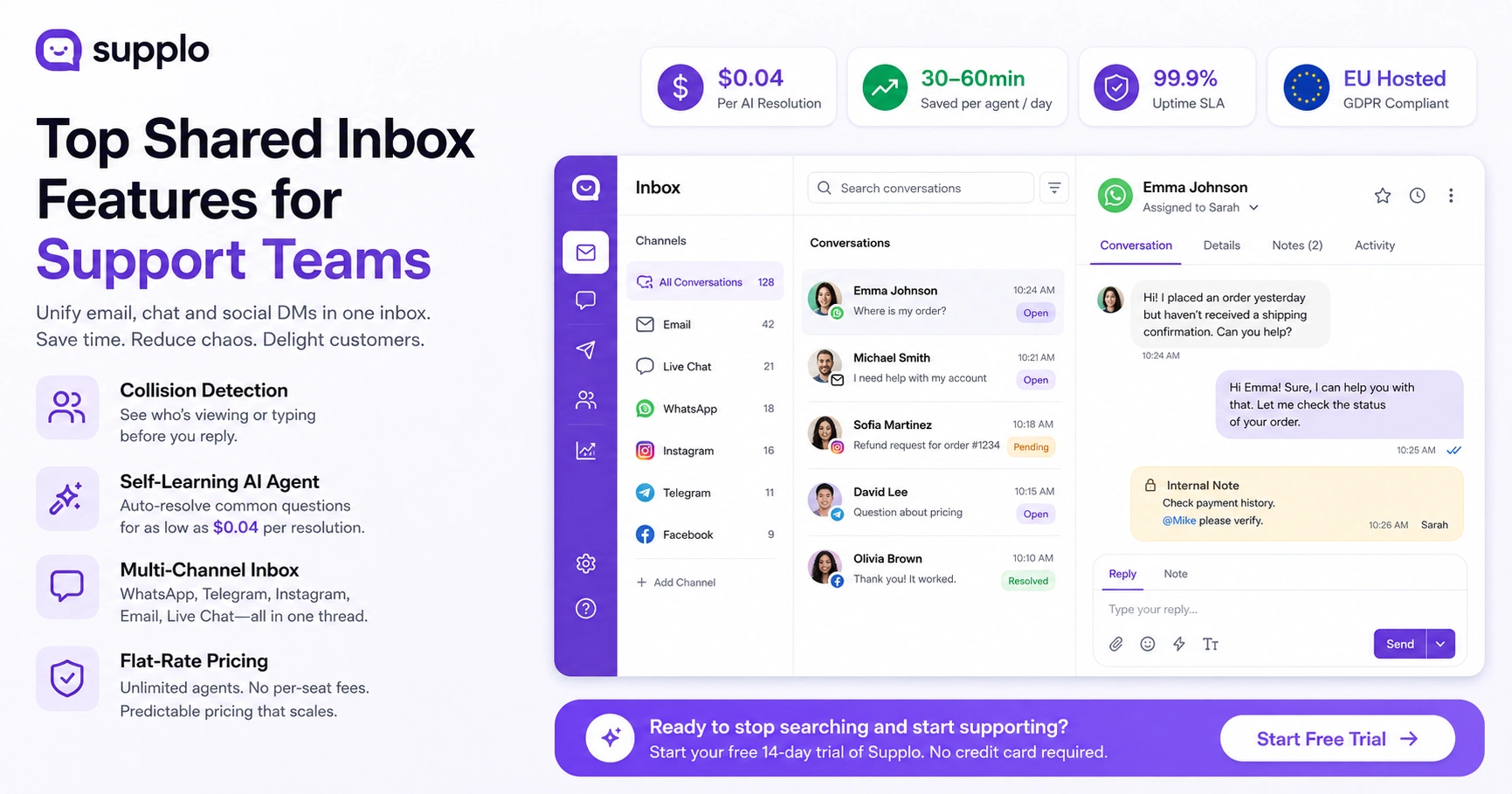
- Shared inbox software pulls email, live chat, WhatsApp, Telegram, Instagram and Facebook into one conversation thread. No more app-hopping.
- The single most important feature? Collision detection flags when two agents open the same ticket, so you don't send duplicate replies.
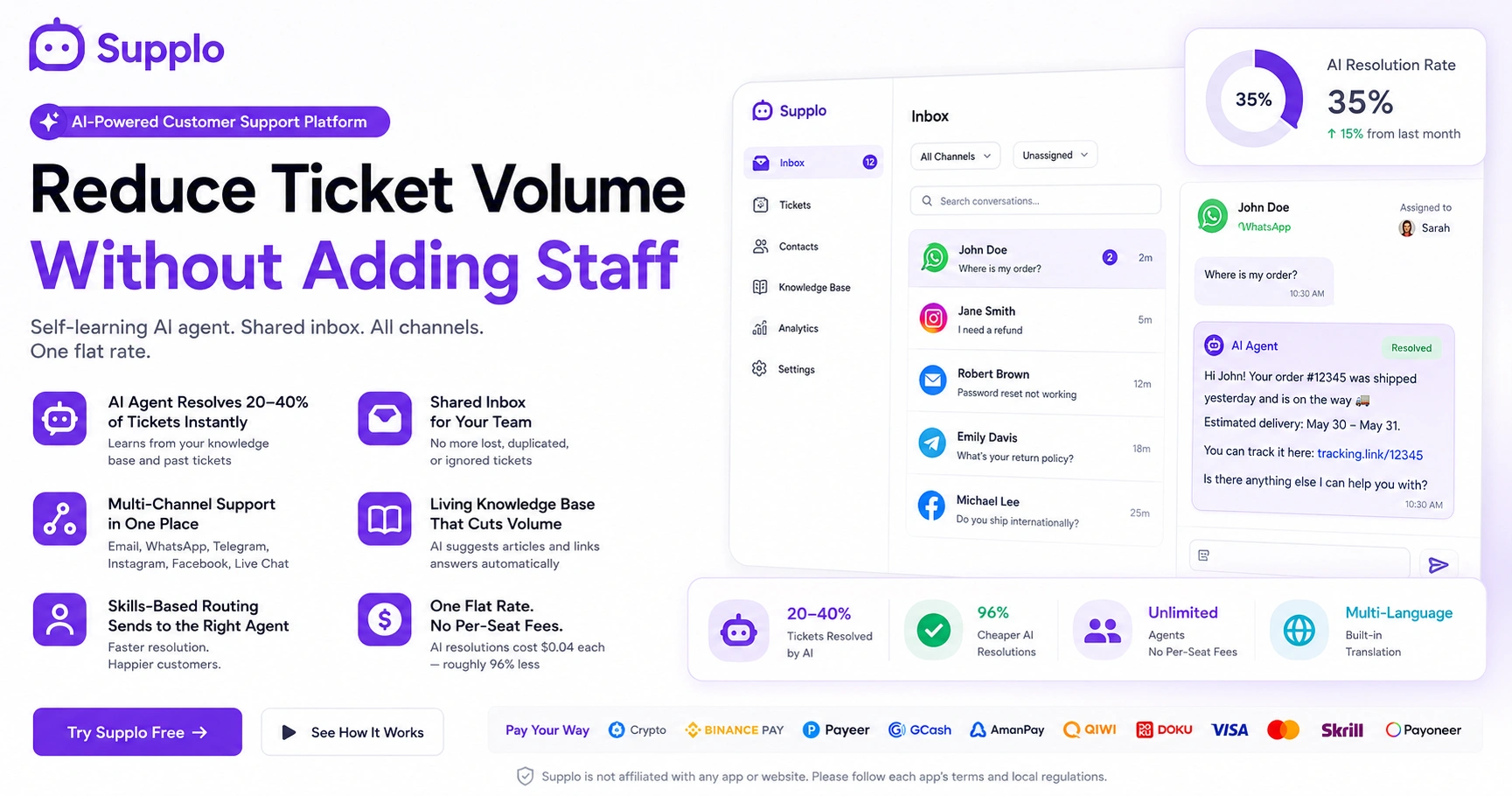
- A self-learning AI agent can auto-resolve common questions (pricing, shipping, password resets) for as low as $0.04 per resolution. That frees your team for the tricky stuff.
- Flat-rate billing (no per-seat fees) means you can add unlimited agents as your team grows without surprise cost spikes.
- If you're data-sensitive, prioritize platforms with EU hosting and GDPR compliance.
What Are the Must-Have Shared Inbox Software Features?
A truly useful shared inbox needs three non-negotiables: real-time collision detection (so two agents don't reply to the same customer), a self-learning AI agent that handles the boring stuff and unified routing across email, chat and social DMs. If you're still bouncing customers between departments or losing messages in personal email threads, you're paying the hidden tax of wasted time.
Here's what to look for:
- Collision prevention: See who's typing or viewing a ticket before you reply. No, did you already respond? awkwardness.
- AI agent with intent detection: Not just canned keywords, it actually learns what where's my order? " means. Means and routes it correctly.
- Multi-channel inbox: WhatsApp, Telegram, Facebook, Instagram, email, all in one thread, not forwarded copies.
- Shared drafts and notes: Team members leave internal notes (e.g., check payment history) that the customer doesn't see.
- Role-based access: Control what junior agents or contractors can see or do. Granular permissions keep sensitive data safe.
A reliable shared inbox doesn't just organize messages; it organizes your team's attention. The right features mean your agents focus on solving problems, not hunting for the right tab.
How a Shared Inbox Eliminates the "Who Replied Last?" Game
Who replied last? Ping-pong is the #1 source of customer frustration in small support teams. A shared inbox fixes this by showing you, at a glance, the last response, the assigned agent and the internal status (Open, Pending, Resolved). No more CC'ing the whole team or digging through Sent folders. Every conversation has a single thread with a clear owner.
Here's how it works:
- Assignment rules: Automatically route a ticket to the agent with the lightest load or the right skills. The senior agent gets the refund request; the junior gets the password reset.
- Status tags: Know if a ticket is waiting on the customer, being worked on, or resolved. No more, I thought you handled those moments.
- Private internal notes: Leave a note like check payment history without the customer seeing it. Collaboration stays inside the team.
- Activity log: A time-stamped trail of every message, note and status change. When a customer asks what happened after my last email, you can trace the exact chain of events.
The AI-Powered Features That Separate Modern Inboxes from Legacy Ticketing
Old-school ticketing systems force humans to triage every single request and that's expensive. Modern shared inbox software uses a self-learning AI agent to automatically answer common questions (pricing, shipping, passwords) before a human even sees the ticket. The best part? The AI learns from your knowledge base and your team's previous replies, so its accuracy continues to improve without manual training.
Consider these capabilities when evaluating AI tools:
- Self-learning AI agent: No setup required; it reads your KB and FAQ to draft suggested replies. Update your return policy? The AI adapts within hours.
- AI resolution mode: The AI can fully resolve a ticket autonomously and you only pay for successful resolutions. On Supplo, that's $0.04 each.
- Suggested replies: The AI offers a response draft; the agent reviews and clicks Send. It's not a replacement; it's a speed boost.
- Intent routing: Refund requests go to billing; login issues go to tech support automatically. Customers stop getting bounced to the wrong department.
An AI agent that's always learning means your team can focus on complex cases rather than repetitive password resets.
For a deeper look at how this works, explore the AI agent features in action.
Seeing Every Conversation, Inbox and Agent in One Place
Real-time visibility means you don't just get notifications; you see the full picture. A shared inbox dashboard should show your open ticket count, agent activity, response times and conversation history on a single screen. When a customer says I emailed you yesterday, you don't have to apologize. You check their thread and instantly see the reply your teammate sent at 4 pm.
Here's what real-time visibility delivers:
- Live inbox overview: All open tickets are grouped by channel in a single scrollable feed. No tab-switching, no where is that DM? panic.
- Agent status indicators: See who's online, busy, or away. You can reassign a tricky ticket to an available senior agent in one click.
- SLAs and time tracking: Set target response times and identify overdue tickets. A visual dashboard turns SLA management from a spreadsheet chore into a quick check.
- Search across all conversations: Find any message across 50k+ tickets in under a second. No more digging through old email threads.
How Multi-Channel Routing Like WhatsApp, Instagram, Email and Telegram Works in One Inbox
Your customers don't care about your internal channel preferences. They message you on Instagram DMs, WhatsApp, Telegram, email, or your website widget. A reliable shared inbox pulls all those messages into a single thread, including images, voice notes and attachments. You reply from one place and the customer sees it as a reply in their native app. It's seamless, not a hacked-together forwarding setup.
Here's how the integrations work:
- WhatsApp Business API integration: Two-way messaging with the official API, no personal number needed. You can send rich messages (images, buttons) and track delivery status.
- Instagram DM inbox: Respond to business messages without leaving your support workspace. All conversations, including voice notes, sync in real time.
- Telegram support: Route Telegram group or individual messages into your workflow. Set up a dedicated support bot that feeds directly into your inbox.
- Facebook Messenger and email ticketing: All-in-one shared thread. Customers on Messenger get the same fast response as those on email.
A multi-channel inbox isn't just convenient; it's a competitive advantage. When all channels are routed to the same queue, response times drop and customer satisfaction rises.
Learn how to set up WhatsApp customer support, Telegram support setup and Instagram DM support in your shared inbox.
Supplo is not affiliated with any app or website. Please follow each app's terms and local regulations.
Automations, Macros and AI Replies: What's Actually Worth the Hype?
Yes, automation is worth the hype, but only if it's easy to set up and flexible. The best shared inbox automations let you create triggers (e.g., new ticket from a VIP customer → assign to senior agent → add a priority tag). Macros let you insert prewritten replies for common scenarios (such as password resets or order confirmations). AI replies act as smart drafts that agents approve in one click. The key is they don't replace your team; they remove friction.
Here's what to implement:
- If/Then triggers: If the email subject contains 'refund', then assign it to the billing team and set the priority to high. Simple rules that eliminate manual sorting.
- Smart macro library: Pre-written responses that include variables (customer name, order ID). The agent inserts the macro; the system fills in the blanks.
- AI auto-suggest: The AI reads the incoming message and suggests the right macro or reply. Agents accept or adjust in one tap.
- Scheduled responses: Send a follow-up: still need help? Message if a ticket is idle for 24 hours. Prevents forgotten conversations.
How to Judge the Reliability of a Shared Inbox Platform
Reliability here is about uptime, delivery guarantee and data privacy. You want a platform that offers 99.9%+ uptime (check their status page), guarantees messages won't be lost (look for message queuing and retry logic) and stores data in a compliant region (preferably EU-hosted for GDPR compliance). Also check how fast their AI resolves tickets, not just how many it can handle. A platform that brags about resolution volume but can't maintain a 2-second page load time is unreliable.
Run this checklist before signing a contract:
- Uptime guarantee: Look for a published SLA or status site. 99.9% uptime means less than 9 hours of downtime per year.
- Message queuing: If your server is briefly down, queued messages should deliver when it's restored; no lost requests, no angry customers.
- GDPR and data residency: Data hosted in an EU data center is non-negotiable for European customers. Verify the provider's hosting region.
- Flat-rate pricing clarity: Reliable pricing means no surprise per-seat spikes when you add a contractor. You should know your monthly cost before you start.
- Test drive: A platform that offers free testing without a credit card is more reliable. Take it for a spin with real team workflows.
Try it yourself. No risk. See how a real unified inbox feels. Start a free 14-day trial of Supplo, no credit card required. Test live chat, email and WhatsApp in one window.
Why Flat-Rate Billing (Not Per-Seat) Changes Your Support Team's Budget
Per-seat pricing punishes growth. You hire one extra agent or bring in a part-time contractor and your bill jumps by $50–$100/month. Flat-rate billing, like Supplo's model, means you pay the same flat monthly fee regardless of how many agents you add. The only variable is AI resolution costs, which are $0.04 each (roughly 96% cheaper than some competitors). This predictability is a game-changer for teams that scale seasonally or hire freelancers.
The financial impact is clear:
- No per-seat fees: Add as many agents as you need at no extra base cost. Add a contractor for the holiday rush? No bill shock.
- AI resolution pricing: You only pay for resolutions the AI actually handles (not attempted ones). If the AI misroutes a ticket, you don't pay.
- Flat-rate platforms eliminate the need to justify every new-hire conversation. You add the agent and move on.
- Budget predictability: Know exactly what your support stack costs each month- no surprises. Accounting teams love that.
Review the shared inbox pricing model to see how flat-rate billing stacks up.
How to Migrate Your Existing Support Stack to a Shared Inbox Without Losing a Ticket
Migrating teams to a new platform is usually the biggest hurdle. You don't want to lose your ticket history or break your existing integrations. A reliable shared inbox platform offers a migration tool or dedicated support to import your existing data (tickets, tags, categories and customer messages) from old systems. Ideally, it also works alongside your current tools during a transition period, so you can test before fully cutting over.
Follow these steps for a smooth migration:
- Data import: Import historical tickets from CSV or API from most legacy tools. Your full conversation history carries over, not just recent messages.
- No-downtime cutover: Run both platforms in parallel for a week to validate data flow. New messages arrive in both systems until you're confident.
- Knowledge base migration: Move your existing KB articles to the new platform. The AI agent will start learning from them immediately.
- Pre-mapping automations: Set up triggers and macros in the new system before you switch. When new tickets arrive, they're already sorted.
Worried about migration? We've got you. If your code fails to integrate or data doesn't flow, our support team helps you map fields and test before the full cutover. Sign up for a free trial; we'll guide you through the setup.
For a complete guide, see the steps of the shared inbox migration guide instructions.
The Hidden ROI of a Unified Inbox for Small-to-Medium Support Teams
The ROI isn't just in the subscription cost; it's in the hours your team saves by not switching between apps. When you consolidate WhatsApp, email, live chat, Instagram and Telegram into one inbox, your agents answer faster, fewer messages are lost and customers get consistent replies. That directly translates to higher CSAT, fewer churns and more yes, I'll buy responses.
Let's unpack the numbers:
- Average time saved: Teams report 30-60 minutes per agent per day not toggling tabs. That's 2.5–5 hours saved per week, per agent.
- Reduced channel drop-off: Fewer messages hide in unread DMs or forwarded emails. Every customer query gets handled.
- Consistent brand voice: A shared inbox enforces templates and macros, so replies sound like one voice. Customers stop getting confused by different tones.
- Faster response times: Single-inbox teams answer in hours, not days. Speed directly correlates with higher customer satisfaction.
Ready to stop searching and start supporting? Get ongoing access to a shared inbox that scales with your team: no per-seat fees, no surprise bills, just one workspace. Start your free trial at supplo.io.
Key Takeaways
- The best shared inbox includes collision detection, a self-learning AI agent and unified multi-channel routing (email, WhatsApp, Instagram, Telegram).
- AI agents handle repetitive tickets for as little as $0.04 per successful resolution, freeing humans to focus on complex work.
- Flat-rate billing eliminates per-seat cost spikes, making it ideal for seasonal teams and contractors.
- Real-time visibility across all agents and conversations reduces response times and prevents lost messages.
- Look for EU-hosted, GDPR-compliant platforms with strong uptime SLAs and message queuing for true reliability.
FAQ
Is shared inbox software secure for handling customer data?
Yes, provided the platform is GDPR-compliant and offers data encryption in transit and at rest. Look for EU-hosted solutions if you serve European customers. Supplo is not affiliated with any app or website. Please follow each app's terms and local regulations.
How does a shared inbox prevent two agents from replying to the same customer?
The software uses collision detection. When an agent opens a ticket or starts typing in one, the system locks it for other agents. A warning displays if someone else is viewing the same ticket.
Can a shared inbox handle WhatsApp and Instagram DMs in the same place?
Yes. Modern platforms integrate via the official APIs (WhatsApp Business API, Instagram Graph API) to pull messages into the shared inbox. Replies are sent back to the native app so the customer sees no difference.
What happens if a customer writes to us on two different channels?
The software can merge those conversations into one ticket if the customer's email or phone number is linked. Otherwise, each channel maintains its own thread, but you can manually merge them.
Do I need an AI agent for my shared inbox to work?
No. The core shared inbox (human-to-human conversation) works fully without AI. The AI agent is an optional feature that can be enabled or disabled for specific ticket types.
How much does shared inbox software cost for a small team?
It depends on the pricing model. Per-seat platforms may cost $50–$100 per agent per month. Flat-rate platforms, like Supplo, charge one flat fee regardless of team size, with only a $0.04 per AI resolution fee.
What's the easiest way to test shared inbox software before committing?
Look for a free trial or a test drive option that requires no credit card. Set up a test conversation on email and live chat to see how the inbox behaves for your team's actual workflow.
Compliance note: Supplo is not affiliated with any app or website. Please follow each app’s terms and local regulations.