On this page
Let's be real for a second. Most customer support portals aren't built to solve problems; they're built to look pretty on a screenshot. If your help center is collecting dust with outdated articles, your team is probably answering the same five questions every single day.
This guide is for support leaders and ops managers at small-to-mid-sized teams who want to reduce ticket volume without hiring more people. Whether you're starting fresh or dusting off a broken portal, you'll find something useful here. Skip this if you already have a dedicated content team running a high-performing knowledge base; you're probably fine.
Compliance note: Supplo is not affiliated with any app or website. Please follow each app's terms and local regulations.
Quick Answer
- Pull your top 50 support tickets from the last 3 months and write answers for the ones that keep showing up.
- Group everything by what the customer actually wants: billing, troubleshooting, setup, and account stuff.
- Hook your knowledge base up to an AI agent that surfaces the right article automatically.
- Always keep a live chat fallback for questions your portal can't touch.
What is a Self-Service Portal, and Why Does Your Support Team Need One?
A self-service portal is basically a help center on steroids, a centralized place where customers find answers without bugging your team. For small-to-mid support teams, it's the fastest shortcut to reducing ticket volume without adding headcount.
The goal isn't just to publish articles. It's to build something reliable, a searchable system that solves real problems before they hit your inbox.
Industry data suggests self-service portals typically cut support costs by 30-40%. They work best when paired with an AI agent that automatically surfaces content. And here's the thing: reliability beats volume every time. A small library of well-written articles will outperform 500 outdated ones. The best portals also route unresolved queries to live chat when the AI can't crack it.
If you're building from scratch, your primary goal should be to learn how to build a customer support knowledge base that deflects tickets, not one that looks polished.
How to Create a Customer Self-Service Portal in 5 Steps
Start by auditing your most-asked questions from the last 3 months. Group them into categories (billing, troubleshooting, setup), write clear answers, and publish them in a searchable structure. Connect your portal to a shared inbox so unresolved tickets automatically get routed to your team. Finally, add a live chat fallback for edge cases.
Steps:
- Pull the top 50 support tickets from the last quarter, identify recurring patterns, not isolated complaints.
- Write in plain language, use bullet points, short sentences, and avoid jargon that your customers don't know.
- Use categories and tags, so your AI agent can route the right article to the right question.
- Enable search analytics, see what customers actually type into your search bar, not what you think they'll type.
- Connect the portal to your live chat or inbox. When AI can't solve the problem, a human takes over without the customer having to repeat themselves.
Want to try building a self-service portal in 10 minutes? Create a free account at Supplo.io. No credit card required. You can publish your first three help articles and connect a live chat within the first hour. Start free →
How to Develop a Customer Portal That Reduces Tickets
Here's the ugly truth about most portals: they fail because they prioritize feature count over clarity. You don't need 50 integrations or a custom CMS. You need a portal that surfaces the right help article with 2 clicks or 1 AI query.
Develop with searchability and AI-readiness in mind, not just design.
Avoid full-text walls. Use structured content, headers, lists, and tables. Integrate your portal with a self-learning AI agent that adapts content based on what actually resolves tickets. Tag content by intent: "how to," "troubleshoot," "pricing," "account."
Test your own portal by asking a friend to find "how to cancel my subscription" while you watch. If they click more than 3 times, your structure needs work. And please, don't copy-paste a competitor's knowledge base structure. Your customers ask different questions. Build from your own ticket data.
This process naturally helps you develop a customer portal that actually serves its purpose. A well-designed portal connected to a shared inbox ensures that even when AI fails, the handoff to a human is seamless.
If your current portal isn't reducing tickets, it's time to test a smarter system. Supplo's AI agent learns from each resolution and routes unanswered questions to your shared inbox. No per-seat fees, no per-resolution meter. AI resolutions cost just $0.04 each, roughly 96% cheaper than Intercom Fin. Compare pricing →
How to Create a Help Center: Structure, Search, and Self-Healing Content
A help center is more than a blog with a search bar. Structure it like a support funnel: start with quick answers (FAQs), then go deeper (troubleshooting guides), then end with escalation paths (contact form or live chat). "Self-healing content" means regularly updating articles based on what didn't resolve tickets.
Group articles by customer journey stage: onboarding, daily use, billing, and emergencies. Add an AI search bar that suggests articles as users type. Track "search-without-results" queries to identify content gaps; those are tickets waiting to happen.
Update stale articles monthly. Flag those with low engagement or resolution rates. When you understand how to build an evolving customer support knowledge base, your portal becomes a living asset, not a static library.
Customer Help Center Setup: What Software Do You Actually Need?
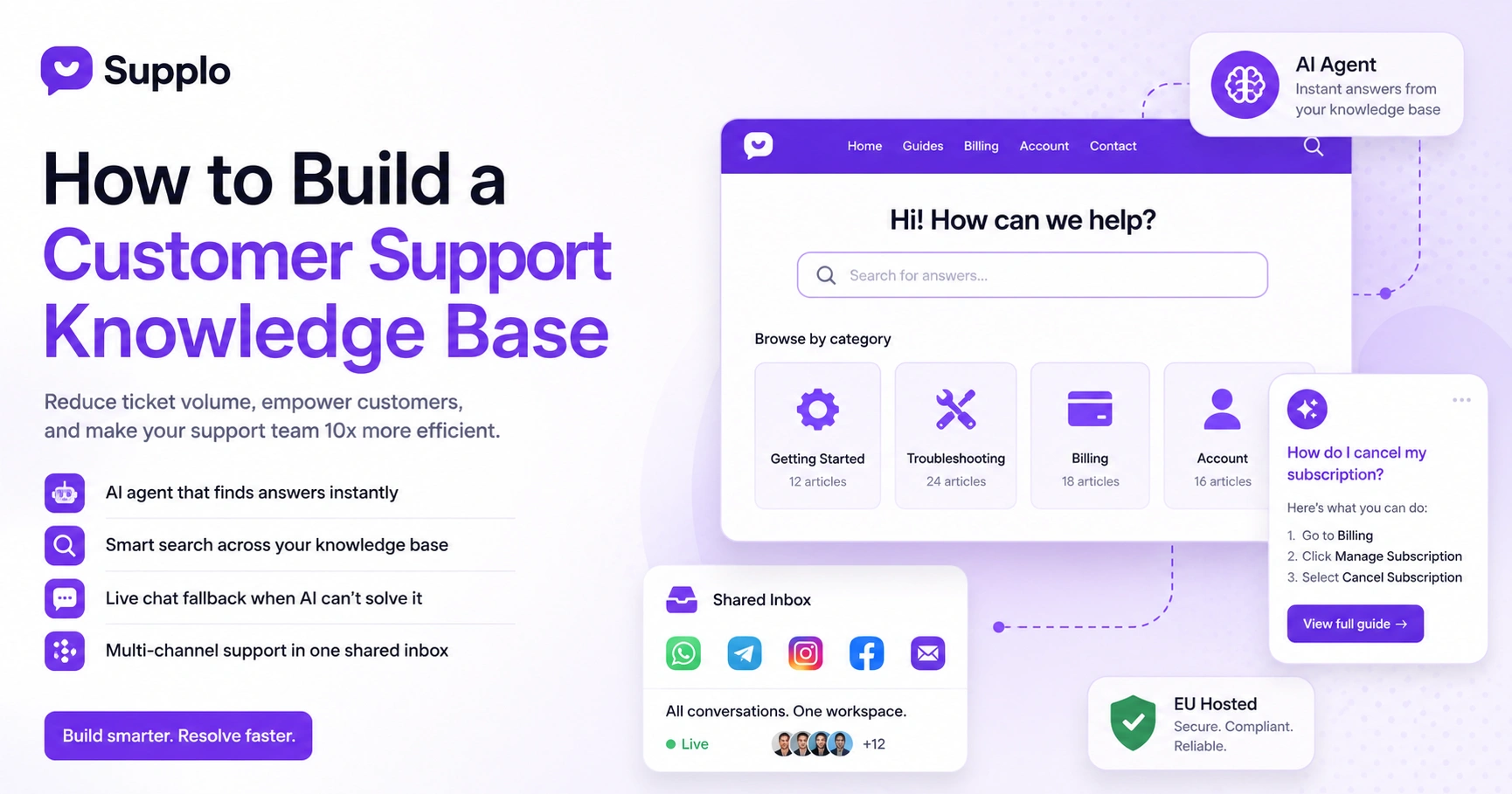
You need three things: a knowledge base (to host content), an AI agent (to surface it), and a shared inbox (to handle what AI can't). All three should be available on a single platform to avoid tool switching. Most standalone knowledge base tools lack native AI, so you end up duct-taping integrations.
Look for platforms with built-in AI, not third-party plug-ins. Check if the knowledge base supports versioning, categories, and search analytics. Ensure the inbox unifies email, chat, and social DMs into one view.
Flat-rate billing (no per-seat fees) keeps costs predictable as your team grows. Platforms like Supplo offer flat-rate billing alongside multi-channel routing for WhatsApp, Telegram, Instagram, and Facebook, all in one workspace.
Best Self-Service Portal Software: What to Look for When Comparing Options
Compare software on three criteria: search accuracy, AI resolution rate, and total cost (including hidden per-agent fees). The market is split between legacy players with high seat costs and newer platforms that offer flat monthly pricing. A flat rate matters more if your team fluctuates.
What to test:
- Search accuracy: Try long-tail queries rather than just exact-match keywords.
- AI agent capability: Does it learn from resolved tickets or stay static?
- Total cost: add up seats, integrations, and AI resolution fees.
- Channel support: look for built-in routing to email, WhatsApp, Telegram, Instagram, and Facebook.
Supplo, for example, combines all of the above at a flat rate with AI resolutions starting at $0.04. When comparing Intercom knowledge base software, focus on cost per resolution, not cost per seat; that's where the real difference lies.
Best Knowledge Base Platforms
When comparing knowledge base platforms, focus on how they integrate with your existing support stack. A standalone KB forces you to manually export or copy and paste into your inbox. An all-in-one support platform with a built-in KB eliminates that friction.
Standalone KBs are strong for content but weak for AI agent integration. All-in-one platforms (like Supplo) combine a KB, an AI agent, an inbox, and multi-channel routing. Compare the cost per resolution, not per seat; that's where the real difference lies. Check if the KB supports markdown, rich media, and translation.
Self-Service Portal Examples: What the Best and Worst Look Like
The best portals share three traits: clear navigation, a prominent search bar, and visible escalation paths. The worst ones bury contact forms in footers and use dense paragraphs.
Good portal traits:
- Category labels are visible from the homepage.
- Search bar top-center, not buried in a menu.
- "Can't find it?" CTA within reach, not hidden in a footer.
Bad portal traits:
- No search bar at all.
- Generic categories like "FAQ," "Support," and "Resources."
- In AI-suggestion, customers must guess which article contains their answer.
Great portal traits:
- An AI agent answers immediately from your knowledge base.
- "Contact us" only appears after AI confirms it cannot resolve the query.
Test with a real persona, for example, "customer who wants to delete account", to audit usability. These self-service portal examples show that simplicity beats complexity every time.
Design a Help Center for AI Agents, Not Just Humans
AI agents read content differently from humans. They need well-structured, intent-tagged articles with clear headers and scannable lists. If your help center is a wall of text, the AI won't know which sentence to surface.
How to structure for AI:
- Use consistent header formatting: H2 for problems, H3 for solutions.
- Tag each article with intent: how-to, troubleshoot, pricing, account, security.
- Write "resolution-ready" content: state the problem in the H2, give the answer in the first paragraph.
- Avoid multiple answers per article; one article, one resolution.
When you design a help center for AI agents, you also improve the human experience. Clear structure benefits both. Supplo's AI agent features are built to extract answers from well-tagged content, making your portal smarter with every interaction.
Help Center Best Practices: Maintenance, Feedback Loops, and Iteration
A help center is never "done." Review content quarterly, update articles based on AI resolution success, and add feedback buttons ("Was this helpful?") at the bottom of every page. Monitor your AI agent's resolution rate; if it drops, audit the content that's failing.
Your maintenance checklist:
- Run quarterly content audits: remove duplicates, merge thin articles, expand partial answers.
- Use AI analytics to see which articles resolve tickets and which ones customers abandon.
- Add a "Suggest an edit" link for users who spot errors.
- If you support multi-currency or multi-region customers, use a built-in translation tool.
Following help center best practices means your portal stays relevant as your product and customer base evolve. The best portals are living systems, not static brochures.
Build a portal that your customers actually use. Stop managing separate KB tools, chatbots, and inboxes. Supplo combines them all in one workspace, with routing for WhatsApp, Telegram, Instagram, and Facebook built in. Flat rate. No surprises. See how the features work →
Key Takeaways
- A self-service portal combines a knowledge base, an AI agent, and a shared inbox to resolve customer issues without live staff.
- You can build one in under an hour using an all-in-one support platform, no coding required.
- The best portals prioritize search accuracy and AI-readiness over design complexity.
- Flat-rate pricing (no per-seat fees) is the most cost-effective model for small-to-mid teams.
- Maintain your portal quarterly with content audits, feedback loops, and AI resolution tracking.
FAQ
Do I need coding skills to build a self-service portal?
No. Most modern tools (including Supplo) use drag-and-drop editors and WYSIWYG interfaces. You can build a help center in under an hour without writing a line of code.
Can I use a self-service portal with WhatsApp or Telegram support?
Yes, if your portal software routes queries from those channels into your shared inbox. Supplo supports WhatsApp, Telegram, Instagram, and Facebook directly.
How much does a self-service portal cost for a small team?
It varies widely. Legacy platforms charge per seat and per resolution. Supplo charges a flat monthly rate for the platform, with AI resolutions at $0.04 each, roughly 96% cheaper than some alternatives.
What should I do if my AI agent can't answer a question?
Route it to a human in your shared inbox. The best portals escalate silently, the customer doesn't re-type their question, and your team sees the full history.
How often should I update my knowledge base?
At least quarterly. Flag articles with low-resolution images or outdated screenshots. If you change pricing, features, or UI, update articles the same day.
Is Supplo compliant with data privacy regulations?
Supplo is EU-hosted and adheres to strong data protection practices. Supplo is not affiliated with any app or website. Please follow each app's terms and local regulations.
Can I pay for Supplo using crypto or regional payment methods?
Yes. Supplo accepts Crypto, Binance Pay, Payeer, GCash, AmanPay, QIWI Wallet, DOKU, Nigeria, and South Africa cards, Skrill, and Payoneer.
Compliance line: Supplo is not affiliated with any app or website. Please follow each app's terms and local regulations.