On this page
Your support team types the same answers every day. Password reset. Billing question. "Let me check on that." It's a time sink that burns hours and frustrates agents. You know the drill.
Canned response templates fix that. They're pre-written replies your team can insert with a single click or keyboard shortcut. They eliminate repetitive typing while maintaining a consistent brand voice across every channel. This guide is for support managers, solo founders, and customer success leads who want faster replies without sounding robotic. Use these templates as-is or tweak them for your brand.
Quick Answer
- Canned response templates cut live chat response time by 30-50% while keeping your brand voice consistent
- The best libraries use dynamic placeholders like {customer_name} or {order_number}
- AI-powered templates adapt to conversation context; static snippets can't do that
- Supplo's AI agent learns from your team's edits, improving templates automatically at $0.04 per resolution
- Review your library quarterly against CSAT scores to keep templates fresh
What Are Canned Response Templates (And Why Your Support Team Needs Them)
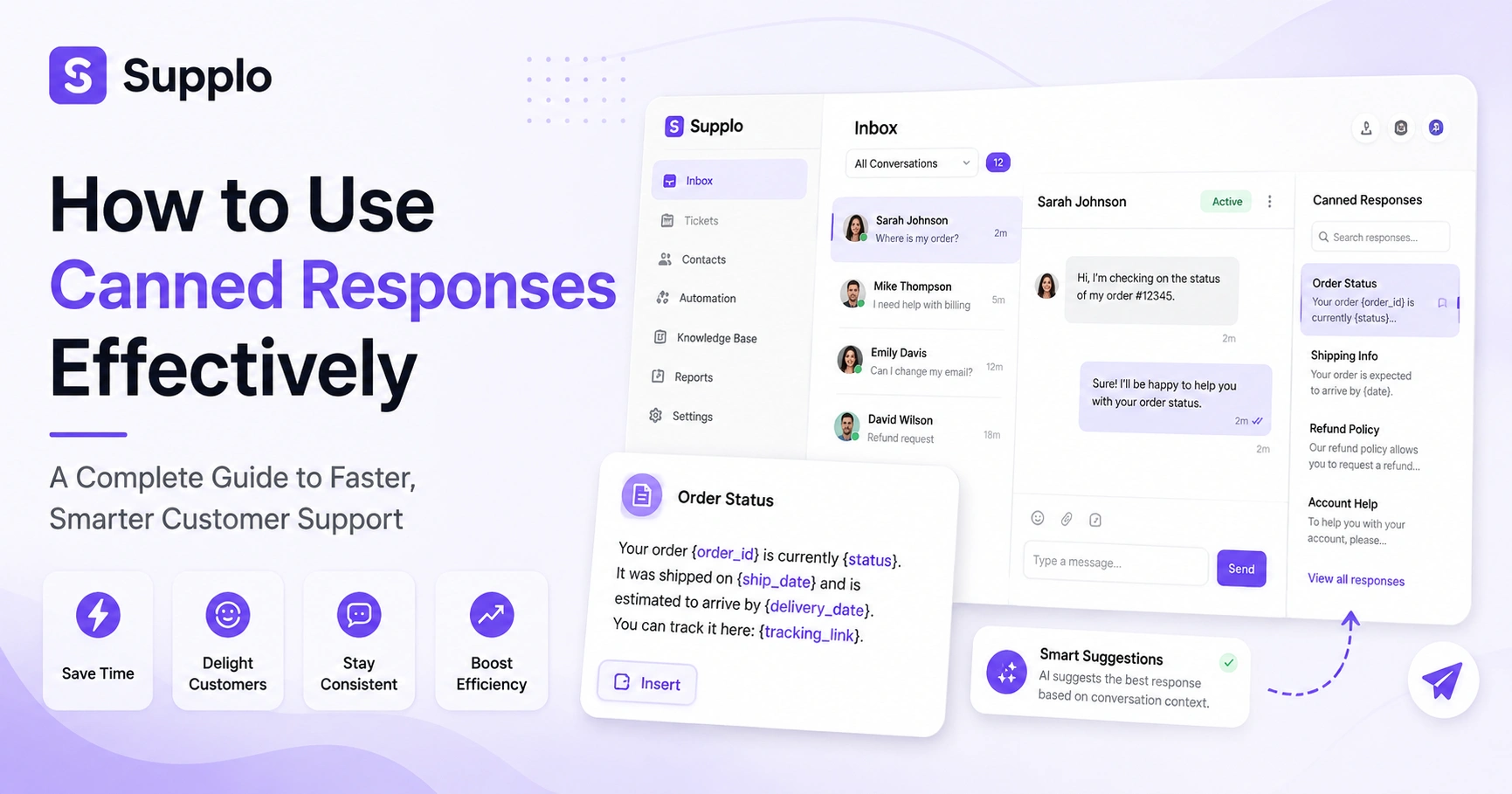
Canned response templates are pre-written replies your team can insert with a single click or keyboard shortcut. They eliminate repetitive typing while maintaining a consistent brand voice across every channel. For high-volume support teams, good templates cut first-response time by seconds without sacrificing accuracy, and that compound saving adds up to hours per day.
Most support tools let you categorize templates by scenario: billing, tech issues, and account changes. Templates can include dynamic placeholders like {customer_name} or {order_number}.
The best libraries follow the 80/20 rule: 80% of scenarios are frequent, 20% are edge cases. Static files (docs or notes) don't count; use a platform that stores them in-app.
"Good canned response templates cut first response time by seconds, and that compound saving adds up to hours per day for high-volume teams."
Supplo is not affiliated with any app or website. Please follow each app's terms and local regulations.
The Best Live Chat Response Templates for Speed and Consistency
Live chat is the fastest customer channel, but only if your agents aren't spending 45 seconds typing "Thanks for reaching out!" every time. A good library of canned responses for live chat keeps response time under 15 seconds while still sounding natural.
Here are three essential templates to use as-is or tweak:
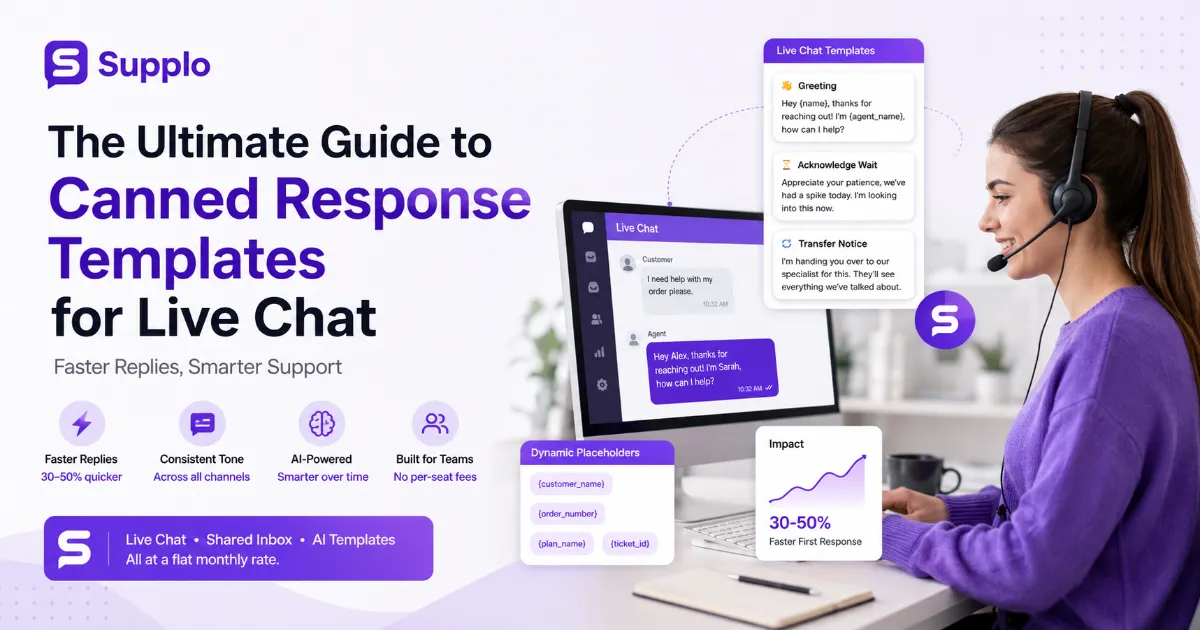
- Greeting template: "Hey {name}, thanks for reaching out! I'm {agent_name}, how can I help?"
- Acknowledge wait: "Appreciate your patience, we've had a spike today. I'm looking into this now."
- Transfer notice: "I'm handing you over to our specialist for this. They'll see everything we've talked about."
Supplo's pricing plans let you use these templates across all channels with no per-seat fees, so your whole team saves time.
Essential Customer Service Chat Templates for Every Common Scenario
Great templates aren't just about speed; they're about consistency across your entire team. When every agent answers "How do I reset my password?" the same way, you reduce confusion and build trust.
Below are customer service chat templates for the five most common scenarios:
- Account/login issues: "Let's get you back in. First, try resetting your password [link]. If that doesn't work, I'll escalate."
- Billing questions: "I can see your current plan is {plan_name} at {price}. Here's your latest invoice [link]."
- Feature requests: "That's great feedback! I've passed it to our product team. Follow our changelog [link] for updates."
Use Supplo's live chat widget to store and access these templates instantly.
Chat Response Snippets for Quick Replies and Professional Tone
Chat response snippets are shorter than full scripts, think one-liners for common replies. They're perfect for acknowledging receipts, confirming actions, or politely asking for more info.
The key is keeping them tight (under 15 words) while retaining a human tone:
- Acknowledgment: "Got it, thanks for sending that. I'm reviewing now."
- Clarification: "To make sure I help you best, could you share {specific detail}?"
- Closing: "Glad that helped! Feel free to reply anytime. I'm here."
"Chat response snippets under 15 words retain a human tone while keeping replies fast and professional."
Quick Replies for Live Chat: How to Structure Them for Maximum Impact
Quick replies are your team's fastest tool, but only if they're well-organized. Start with clear categories (Greetings, Troubleshooting, Billing, Goodbyes) and use keyboard shortcuts like #greeting or #thankyou.
Each quick reply should be short enough to read in one glance and end with a clear next step for the customer.
Structure checklist:
- Include a dynamic variable for personalization (name, order ID)
- Keep categories flat, max 10 categories, so agents don't scroll
- Review quick replies monthly for outdated info or robotic phrasing
Supplo's WhatsApp integration lets you use the same quick replies across text-based channels with tone adjustments.
Ready to build your template library? Start with Supplo's free plan and test these templates in your live chat widget within 10 minutes, no credit card required.
Canned Response Templates for Support Teams Handling High Volume
When your ticket queue is growing faster than your team, static typing is your enemy. Canned response templates designed for high volume prioritize clarity over elaboration.
The right template helps an agent handle three chats simultaneously without mixing up details:
- Triage template: "Thanks for your patience! Looking at this now. I'll follow up within {time}."
- Escalation template: "This requires our senior team. I'm tagging them now, you'll hear back within {time}."
- Follow-up delay: "We're still investigating. Here's the ticket ID for reference: {ticket_id}."
Supplo's shared inbox features keep all these templates organized across your team.
Best Practices for Writing High-Converting Agent Response Templates
Write for clarity first. Aim for 30-50 words per template, enough to be helpful and short enough to skim. Use an active voice and end with a clear next step.
Using Canned Customer Support Response Templates Without Sounding Robotic
The biggest mistake? Never edit the template before hitting send. Always add one personalized sentence. It takes 5 seconds and makes the reply feel human.
Help Desk Canned Responses That Reduce First Response Time
Track your first response time before and after implementing templates. Most teams see a 30-50% reduction within the first week.
Support Team Templates for Escalations and Sensitive Situations
For sensitive issues, use templates that acknowledge emotions first: "I understand that {issue} is frustrating. Let me take ownership of this."
AI Canned Response Templates vs. Static Snippets: When to Use Each
Static snippets are fixed; you write them, and they stay that way until you edit them. AI canned response templates adapt in real time based on context, previous replies, and the customer's tone.
When static wins: Standard greetings, password reset steps, return policy info. When AI wins: Customer venting frustration, shifting needs mid-chat, multi-language support.
Real example: Static suggests, "I understand your frustration." AI generates "I can see how that delay with {order} would be frustrating."
Supplo's self-learning AI agent uses the second approach, and it costs $0.04 per resolution.
When Static Canned Responses Fail (And How AI Canned Response Templates Fix It)
Static templates fail when the customer hasn't read the standard reply. AI detects this and adjusts: "I see you've tried resetting your password. Let me look at account-level access instead."
AI Response Templates for Multi-Language Support Without Losing Tone
AI response templates can translate on the fly while maintaining your brand's casual or formal tone. Use Supplo's translate feature for seamless multi-language support.
Static templates slowing you down? Supplo's AI agent learns your team's best replies and suggests smarter versions at $0.04 per resolution.
Automated Response Templates: Balancing Personalization and Efficiency
The fear with automation is that it sounds like a robot. But when done right, automated response templates handle the grunt work so your agents can focus on the human stuff.
The trick is layering: start with a smart template, then let the agent edit before hitting send.
- Good automation: "Your request is being processed. You'll receive a confirmation at {email}."
- Bad automation: Blanket replies that ignore what the customer actually said
- Best practice: Use automation for status updates, order confirmations, and off-hours messages
"Automated response templates should handle the grunt work so your agents can focus on the human stuff, not replace the human entirely."
Smart Response Templates: How AI-Powered Replies Learn From Your Team
Smart templates improve over time by analyzing which replies close tickets fastest and which get follow-ups. A system like Supplo tracks which templates agents edit most, then suggests improved versions.
Over a few weeks, your library evolves from "good enough" to "nearly perfect."
Training loop: Agent uses a template, edits it, the system logs the edit, and suggests a new version. Avoid stagnation: Review usage stats monthly; archive templates used less than 1%
How to Build a Library of Support Team Templates That Actually Convert
A template library isn't a set-and-forget project. The best support teams treat it like a living document.
Step-by-step plan:
- Export the last 100 tickets and categorize by topic
- Write one template per category with 3 variants (short, standard, detailed)
- Set a quarterly review with agent feedback
Keep templates under 50 words, include dynamic fields, and test your library against your CSAT score. Start with Supplo's pre-built knowledge base to speed up the process.
Key Takeaways
- Canned response templates cut first response time by 30-50% without sacrificing accuracy
- Use dynamic placeholders and review your library quarterly to keep templates effective
- AI-powered templates outperform static snippets for complex or emotional conversations
- Supplo combines live chat, shared inbox, and AI templates at a flat monthly rate, with no per-seat fees
Your support team shouldn't need an enterprise budget for enterprise tools. Supplo gives you live chat, shared inbox, multi-channel routing, and an AI that learns all at a flat monthly rate. No per-seat fees, no per-resolution meter. Ready to scale smartly?
FAQ
Are canned response templates legal to use for customer support?
Yes. Canned responses are entirely legal; they're pre-written text, not automated impersonation or data scraping. Just ensure your templates don't mislead customers (e.g., claiming a human is typing when it's fully automated). Supplo is not affiliated with any app or website. Please follow each app's terms and local regulations.
Why do my canned responses feel robotic, and why do customers ignore them?
If your templates sound robotic, they're probably too wordy or lack personalization. Add dynamic placeholders like {customer_name} or {order_number}. Also, vary your templates by scenario; don't use the same greeting for complaints and inquiries.
Can I use one canned response template across live chat, email, and WhatsApp?
You can, but shouldn't. Adapt tone and length per channel: WhatsApp replies should be shorter (like text messages), email can be slightly more formal, and live chat sits in between. Using the same text across channels feels disconnected.
How many canned response templates should my support team have?
Start with 20-30 covering 80% of your volume. Aim for 50-60 as you grow. More than 100 agents are usually too many, and they won't remember what's available, defeating the purpose of speed.
Do AI-powered canned responses replace human agents?
No. AI-powered templates handle repetitive queries, allowing agents to focus on complex, high-value conversations. The goal is augmentation, not replacement. Human oversight remains critical for tone and escalation decisions.
How often should I update my support team's template library?
Review every quarter at a minimum. Update immediately whenever your product, pricing, or policies change. Set an alert for any template that gets edited frequently; it means the original needs revision.
What's the difference between canned responses and macros?
Canned responses are single text blocks (greeting, acknowledgment, etc.). Macros are sequences of actions, like closing a ticket, sending a survey, and adding a note, all triggered by a single command. Both are useful; macros are better for post-chat workflows.
Compliance note: Supplo is not affiliated with any app or website. Please follow each app's terms and local regulations.