On this page
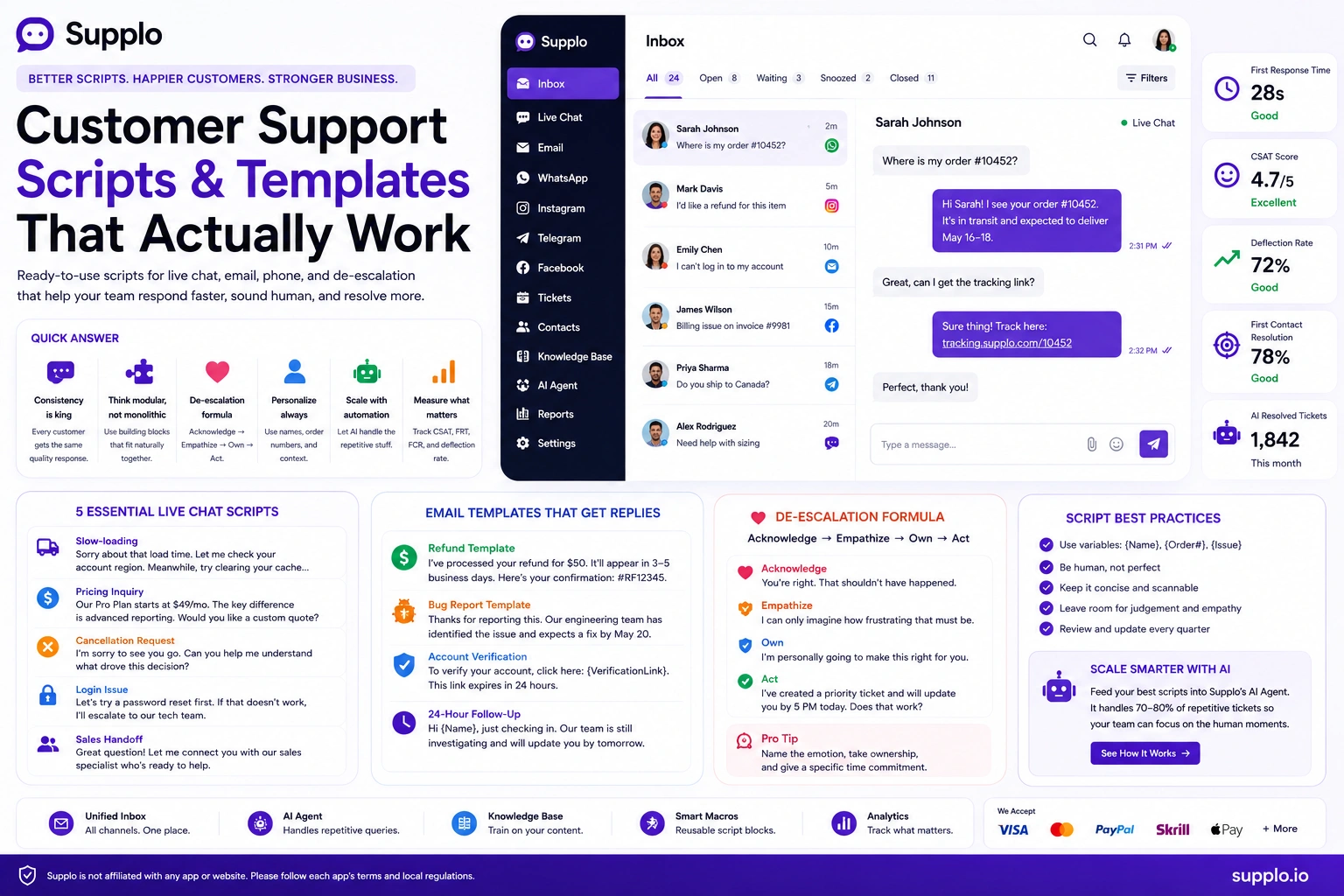
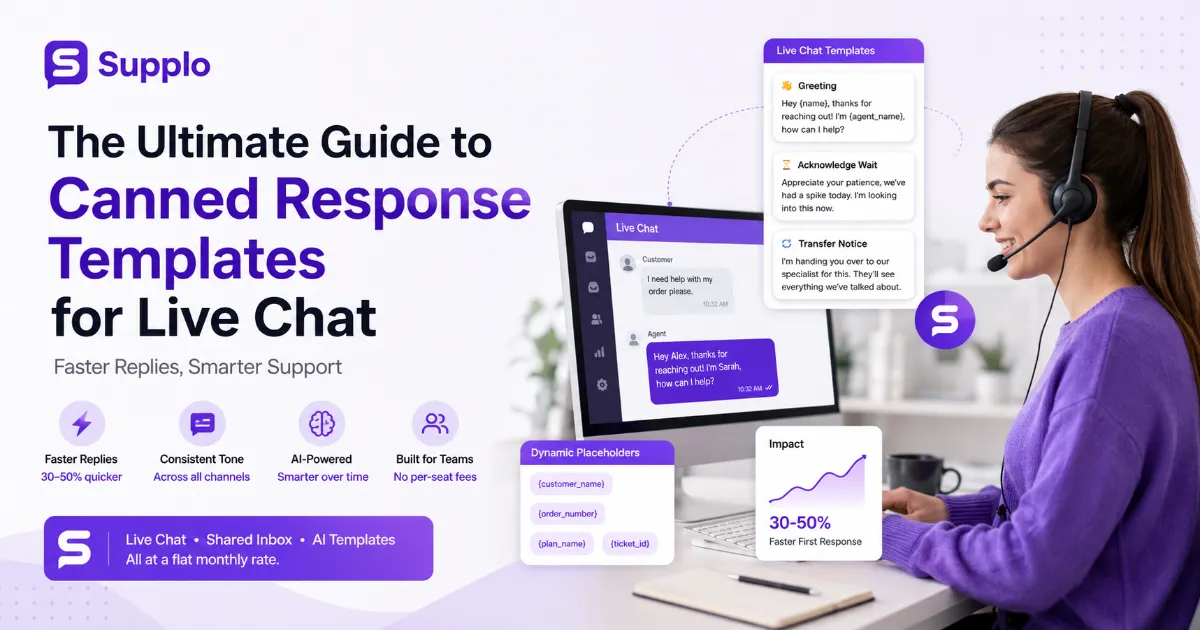
Customer support often feels like a race against the clock. Customers expect fast, accurate answers, and your team needs to deliver without burning out. This is where live chat canned responses should come in handy, pre-written messages designed to speed up common interactions.
But here's the thing: most teams get them completely wrong. They turn what could be a powerful asset into a liability that frustrates everyone involved: customers feel ignored, agents feel robotic, and nobody wins.
This guide is for customer support managers, team leads, and agents who want to leverage pre-written replies effectively, delivering exceptional service that feels both personal and efficient. We'll cover everything from writing human-sounding templates to integrating them effectively into your help desk. The goal? Making your support not just faster, but genuinely better.
Quick Answer
- Canned responses are pre-written replies for common questions, designed to increase efficiency.
- The most effective ones blend a template with personalization to avoid a robotic feel.
- Different tools specialize in specific features: canned responses for text, macros for multi-step actions, and quick replies for live chat shortcuts.
- Regularly review and update your templates to ensure accuracy and relevance.
- Integrate AI to suggest templates, but not auto-send them, to strike an optimal balance between speed and human touch.
What Are Canned Responses and Why Do Most Support Teams Get Them Wrong?
Canned responses are pre-written replies your support team uses to answer common questions quickly. Simple enough, right?
The problem? Most teams treat them as shortcuts rather than strategies. They fall into what I call the copy-paste trap, agents haphazardly paste generic replies without reading the customer's message, leading to exchanges that feel robotic and impersonal. Customers end up repeating themselves, and trust erodes fast. You've probably been on the receiving end: you ask a specific question, and the agent sends back a wall of text that barely addresses what you said.
That's not how to use canned responses effectively.
Context-aware templates, on the other hand, anticipate common follow-up questions and include placeholders for personalization. They avoid forcing customers to repeat information they've already provided. A template is a flexible starting point; it leaves room for a human touch and specific details. A script, by contrast, is rigid and word-for-word robotic. Understanding this distinction is crucial for the successful deployment of canned customer service responses.
Live Chat Canned Responses vs. Chat Support Macros vs. Quick Replies: What's the Difference?
These terms get tossed around interchangeably, but they serve very different purposes. Knowing the difference helps you pick the right tool for each situation.
Canned responses are primarily text-based blocks. They're best suited for frequently asked questions, standard greetings, or detailed explanations. Think of them as your go-to answers for questions you hear every single day.
Macros are more powerful. They combine pre-written text with automated actions, like assigning a ticket, changing its status, or tagging a conversation. For example, a macro might send a prewritten apology, automatically route the ticket to the billing team, and mark it as urgent. When we talk about chat support macros, we're really talking about workflows.
Quick replies for chat are typically very short, often single sentences or options presented as buttons within a live chat interface. These are common in messaging apps like WhatsApp, where customers can select a pre-defined option for rapid, guided interactions.
Know the difference. Use each for what it's built for.
The 7 Types of Customer Support Templates Every Team Needs
Not every question needs a custom answer. These seven customer support templates cover the vast majority of incoming tickets. They address common scenarios from first contact to conflict resolution, letting your team maintain consistency and efficiency.
- Greeting Template: Hi {customer_name}, thanks for reaching out! I'm looking into this now. To confirm, you're experiencing {issue_summary}, right?
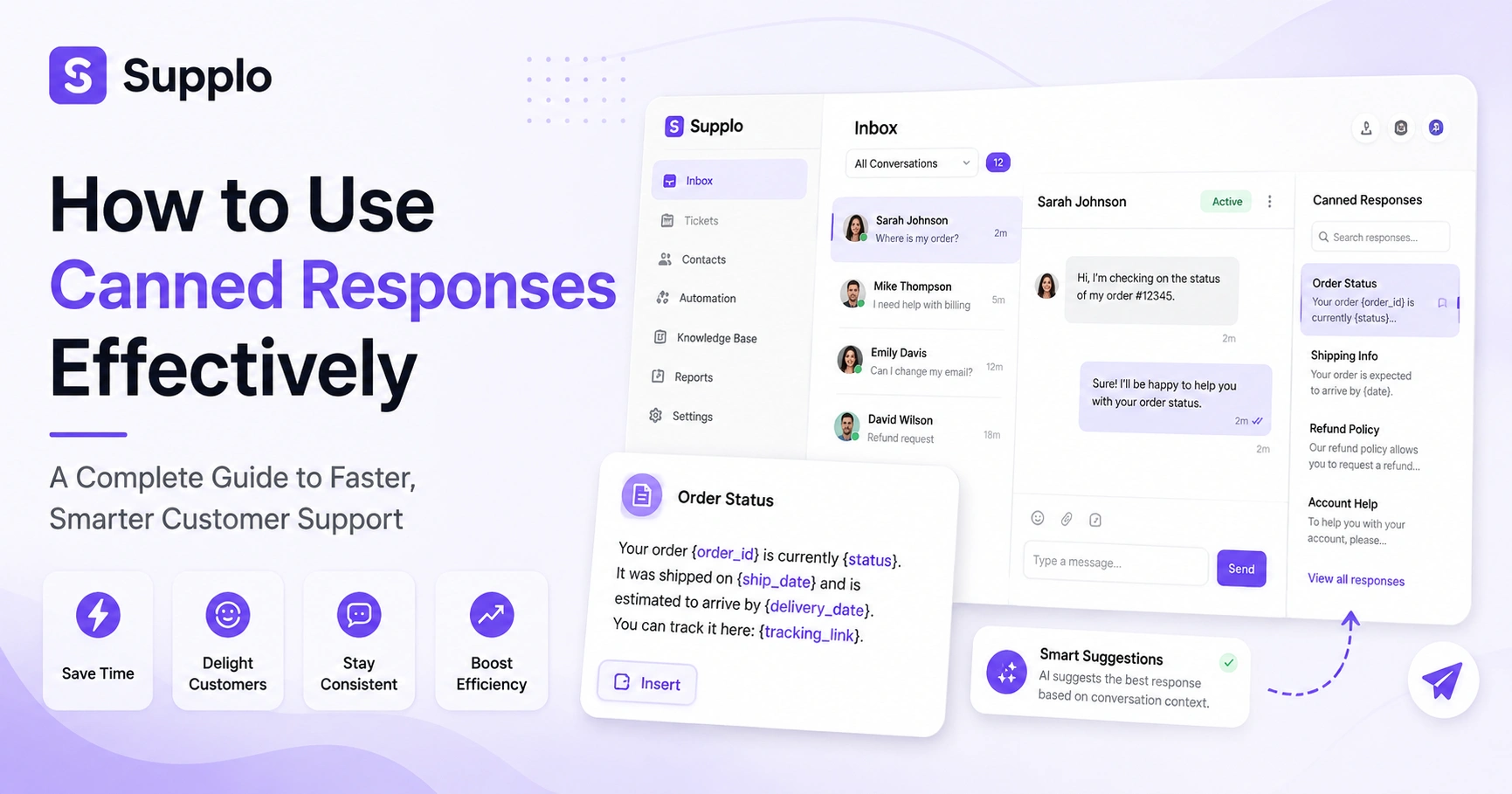
- Order Status Template: Your order {order_id} is currently {status}. It was shipped on {ship_date} and is estimated to arrive by {delivery_date}. You can track it here: {tracking_link}.
- Troubleshooting Template: To help me troubleshoot {issue_summary}, could you please provide: 1) Your operating system and browser version? 2) Any error messages you're seeing? 3) Steps you've already tried? A screenshot or short video would also be helpful!
- Account Issues Template: For security reasons, I can't confirm account details directly in chat. To verify your identity and resolve your {account_issue}, please click this secure link: {verification_link} or call us at {phone_number}.
- Refunds/Cancellations Template: I'm sorry to hear you'd like to {request_type}. Your {product/service} is eligible for a refund within {days} of purchase. Could you confirm the reason for your request and your order ID {order_id}?
- Out-of-Office/Follow-up Template: Thanks for your message. Our team is currently unavailable but will respond to your query within {hours_or_days}. If this is urgent, please refer to our knowledge base here: {kb_link}.
- Escalation Template: I understand this issue is complex and requires specialized attention. I've escalated your case to our {specific_team}, reference number {escalation_ID}. They will contact you within {timeframe} with an update. Would you prefer a call or email?
These live chat templates provide a solid foundation. But remember, adapt them with specific details and placeholders to maintain that human touch. A template without personalization is just a script.
How to Write Effective Canned Responses That Sound Human
The secret to writing effective canned responses that don't feel canned? Layering.
Start with a warm, variable opening. Use placeholders for personalization. Always include an exit ramp, something like Would you prefer I call you instead? Avoid jargon and apology loops like we regret to inform you (nobody talks like that in real life).
Here's what actually works:
- Personalize at scale by using placeholders such as {customer_name}, {order_id}, and {issue_summary}. This instantly transforms a generic message into something that feels tailored.
- Write conversationally: Adopt a natural tone. Use contractions, short sentences. Read your response out loud; if it sounds stiff, rephrase it. If you wouldn't say it to a friend, don't type it to a customer.
- Add a human check: Encourage agents to briefly add a specific observation or follow-up question after using a template. Something like I noticed you mentioned X, was it happening before or after Y? This proves they've actually read the customer's message.
The goal when writing effective canned responses is to be efficient without sacrificing empathy. A well-crafted template provides the necessary information quickly, while strategic personalization reinforces human connection.
Best Practices for Canned Responses: Speed Without Sacrificing Quality
Speed matters. But not at the cost of accuracy.
Here are the best practices for canned responses that actually work:
- One template per interaction: Don't stack multiple canned responses in a single reply. It feels disjointed and overwhelming. Combine the relevant information into a single comprehensive template instead.
- Include a fallback: Always offer an easy way for the customer to ask for more clarification. Phrases like Did this answer your question, or is there anything else I can clarify? go a long way.
- Tag and review regularly: Set a quarterly review cycle. Check for outdated product details, pricing, policies, or broken links. Tag templates with an expiry date if they're linked to time-sensitive promotions.
- Test and iterate: A/B test different versions of your high-volume templates. Track CSAT scores and first contact resolution rates to see which versions perform better, Fine-tune based on real-world feedback.
The goal isn't zero typing, it's zero unnecessary typing.
How to Optimize Canned Responses for Help Desk and Ticketing Systems
Canned responses in ticketing systems need to sync with your ticket fields, priority, department, and status. Organizing templates by category and enabling permission-based access prevents misuse and keeps your workflow clean. Efficient support ticket automation relies heavily on this structure.
Here's how to set it up right:
- Categorize templates logically: Group them by common themes or departments, Billing, Technical Support, Sales Inquiries, and Shipping Issues. This makes them easier for agents to find quickly.
- Use searchable tags: Implement concise, descriptive tags for each template (e.g., #refund #policy, #password-reset). Agents can then search and locate the correct response in just two clicks.
- Leverage conditional logic and permissions: For sensitive issues, configure your system only to display certain templates to agents with specific permissions. Only billing agents should have access to refund templates, for example.
- Integrate with ticket fields: Design templates to automatically populate or update relevant ticket fields. A template about password reset instructions could automatically set the ticket status to Pending Customer or tag the issue as Account Access. This streamlines workflow directly within your email ticketing system.
When Canned Responses Fail: Troubleshooting Common Support Ticket Automation Issues
Let's be honest, canned responses fail. And when they do, customers let you know.
Common symptoms: customers reply with that's not what I asked or your CSAT scores suddenly dip. Fix these by reviewing usage reports, adding context fields, and pairing templates with AI that suggests but doesn't auto-send.
- Wrong context fix: Implement a mandatory step where agents must confirm the customer's intent before applying a template. If a template is used incorrectly, customers will tell you, usually by saying Did you even read my message?
- Outdated info fix: Establish a strict quarterly template review cycle. Assign ownership of different template categories to specific team members responsible for updating them whenever product features or policies change.
- Too robotic fix: Train agents to always add a personal observation or follow-up question after the canned response. I saw you mentioned experiencing [specific detail]. Was that related to X or Y? This shows genuine engagement.
- Monitor feedback: Closely track negative comments about generic responses or a lack of understanding. These are direct signals that your support ticket automation needs adjustment.
If your canned responses still feel clunky, it's probably not your writing; it's your tool. Supplo's AI suggests the right template based on context, so you don't have to guess. Try it free for 14 days, and if your CSAT doesn't improve, we'll help you rethink your approach, no hard sell.
Building Your Canned Response Strategy: From Setup to Continuous Improvement
A canned response strategy isn't a one-time setup; it's a living process.
Here's a realistic timeline for getting it right:
- Month 1: Audit and Build: Review your last 30-60 days of support interactions (emails, chats, social DMs). Identify the top 10-15 most frequent questions or issues, draft initial templates for these, focusing on clarity, completeness, and personalization placeholders.
- Month 2: Introduce and Train: Roll out the initial set of templates to your team. Provide clear guidelines on when and how to use them, emphasizing the human touch rules. Start tracking usage, agent feedback, and initial performance metrics like average handle time and first response time.
- Month 3: Refine and Scale: Based on feedback and data from Month 2, refine existing templates, retire underperforming ones, and develop new ones for the next set of frequent issues. Introduce more advanced elements, such as WhatsApp Customer Support-specific templates or multi-step macros for complex workflows.
This iterative approach ensures your canned responses remain effective over time, adapting to evolving customer needs and product changes. For teams looking for a practical, transparent alternative to legacy tools, platforms like Supplo provide the infrastructure needed for continuous improvement.
learn more about Supplo vs Intercom.
How Supplo Makes Canned Responses Smarter with AI and a Shared Inbox
Here's where things get interesting.
Supplo's AI agent doesn't just store templates; it learns from your knowledge base and past conversations to suggest the right response instantly. All of this happens within a shared team inbox that unifies email, chat, WhatsApp, Telegram, Instagram DMs, and Facebook Messenger. Templates stay consistent across channels without extra work.
- Intelligent Suggestions: Supplo's AI analyzes incoming messages and proactively suggests the most relevant canned responses, drawing from your approved template library and past successful resolutions. This significantly reduces agent search time.
- Cross-Channel Consistency: Whether a customer reaches out via Telegram support, Instagram DMs, or your website widget, the AI ensures the suggested template is consistent and accurate.
- Seamless Handoff: If the AI determines that a template alone isn't sufficient or detects nuanced sentiment, it facilitates a seamless human handoff by providing the agent with the conversation history and the AI's attempted resolutions. No customer feels abandoned or misunderstood.
Ongoing template management doesn't have to be manual. With Supplo, your AI learns from every resolved ticket and keeps your templates fresh. Sign up for a free trial today and see what reliable, human-first automation looks like; flat pricing, unlimited team members, and zero seat-based surprises. Start now at supplo.io.
Implementing Live Chat Templates in Your Support Workflow Today
Here's a simple 3-step quick start:
- Identify Top Issues: Review support logs from the last week or month. What are the 5-7 questions customers ask most frequently? Think about password resets, order status checks, and basic troubleshooting steps.
- Draft and Personalize Templates: For each identified issue, write a clear, concise, and human-sounding template. Include personalization placeholders ({customer_name}, {issue_details}) and a friendly closing. Read it aloud to make sure it sounds natural.
- Implement and Test: Load these live chat templates into your support platform. Train your team on their use, emphasizing the importance of personalization. Start testing in live interactions, solicit agent feedback, and track key metrics like average handle time and first response time.
Ready to try live chat templates that actually work? Start your free 14-day trial at Supplo, no credit card required. Import your top 5 templates and see how your handle time changes. You can find more details on our pricing page.
Supplo is not affiliated with any third-party app or website mentioned. Please follow each app's terms and local regulations.
Key Takeaways
- Effective canned responses balance efficiency with a personalized, human touch.
- Understanding the distinction between canned responses, macros, and quick replies is essential for optimal use.
- Regular review and categorization of templates prevent them from becoming outdated or irrelevant.
- AI integration can significantly enhance the effectiveness of canned responses by providing intelligent suggestions.
- A strategic approach to templates leads to improved agent productivity, faster resolution times, and higher customer satisfaction.
FAQ
Are canned responses safe to use for sensitive account issues?
Yes, as long as you avoid including specific account details in the template itself. Use placeholders like {account_holder} instead of hardcoded names, and always verify the customer's identity before sharing any sensitive information.
Why are my canned responses making customers angry?
They probably feel robotic or irrelevant. If a customer replies asking you to read the question again, your template is too generic. Always pair templates with a quick personal note that references what the customer actually said.
Should I let my AI auto-send canned responses without review?
Only if you've trained your AI on your specific knowledge base and tested it thoroughly, for most teams, it's safer to use AI suggestions that an agent approves. Supplo's AI does exactly that, suggesting rather than auto-sending.
How often should I update my canned responses?
At least once per quarter, or whenever you change your pricing, policies, or product features, set a calendar reminder to review templates right after any significant product update.
Can canned responses work across multiple languages?
Yes, if your tool supports translation. Supplo includes built-in translation, so a template written in English can be automatically shown in your customer's preferred language while keeping the tone consistent.
What's the ideal number of canned responses for a small team?
Start with 10–15 covering your most frequent issues. Any more than that and your team will struggle to find the right one, quality over quantity.
Do canned responses count as chat support automation?
Yes, they're the simplest form of automation. When combined with macros, routing rules, and AI, they become part of a full support ticket automation workflow.
Compliance line: Supplo is not affiliated with any app or website. Please follow each app's terms and local regulations.