On this page
Let's be real for a second. Responding to a support ticket isn't just about typing an answer and hitting send. It's about making someone feel heard, solving their problem, and doing it all without sounding like a robot. Whether you're a solo founder handling every ping yourself or leading a growing support team, getting this right matters more than you think.
A great response turns frustrated customers into loyal fans. A bad one? It can send them straight to your competitors.
This guide is for anyone who writes customer replies, support agents, team leads, business owners, and freelancers. We'll cover the principles behind responses that actually work, walk through step-by-step methods, and share examples you can steal (ethically, of course).
Quick Answer
- A perfect response includes a personalised greeting, clear acknowledgement of the problem, a specific solution/action plan, a timeline, and an open-ended closing.
- Personalisation is key: Always use the customer's name and refer to their specific issue, even when using templates.
- Prioritise clarity over speed: A fast but unclear response often leads to repeat inquiries, wasting time and eroding trust.
- Always manage expectations: Provide clear next steps and realistic timelines to keep customers informed and reduce anxiety.
- Measure effectiveness by tracking metrics such as first-reply resolution, ticket reopen rates, and CSAT scores to improve your response quality continuously.
Why Your Support Ticket Responses Matter And What Happens When They Don't
Every single reply you send is a signal. Nail it, and you build trust, reduce churn, and cut down on repeat tickets. Mess it up, and you create confusion, escalate frustration, and waste everyone's time rehashing the same thread. Here's the uncomfortable truth: the quality of your reply often matters more than how fast it lands. A quick wrong answer still breaks trust.
A vague, copy-paste response makes the customer feel like a number. Not a person. Poor tone or unclear next steps? That forces them to reply again, doubling your workload and their annoyance. On the flip side, a thoughtful, accurate response can turn someone from furious to grateful, even if you haven't fully solved their issue yet. Consistency builds brand reputation too; customers notice when replies feel rushed or off. Speed without accuracy accelerates bad outcomes. Aim for the right first. Then worry about it fast.
The Anatomy of a Perfect Support Ticket Reply
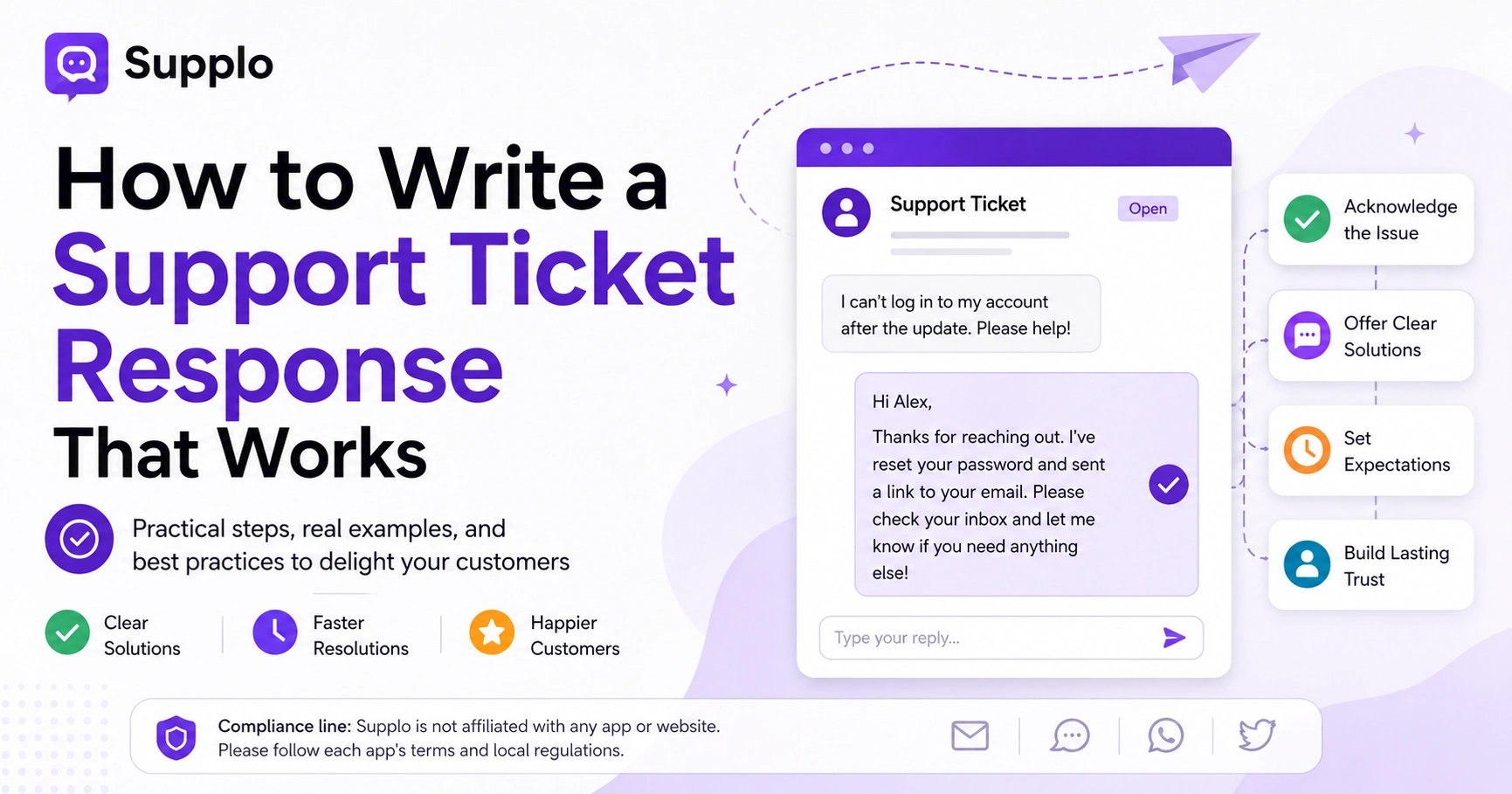
A great support ticket reply has five parts. Think of it as a framework you can lean on every single time:
- A greeting that uses the customer's name
- A clear acknowledgement of their specific issue
- An explanation or solution (not just we'll look into it)
- A specific next step or ETA
- A closing that invites follow-up without pressure
Skip the fluff. But never skip the empathy.
Here's a breakdown of each part:
- Greeting + Name: Start with Hi [Customer Name], not Dear Customer. Personalisation signals you actually read their ticket, not just glanced at the subject line.
- Acknowledgement: Restate the problem in your own words. This shows you're engaged and validates their concern. Something like I see you're having trouble logging in after the update, that's definitely frustrating.
- Solution or Action Plan: Clearly state what you've done or what you need from them. Be specific. Here's what I've done, or here's what I need from you next.
- Timeline or ETA: Always offer a realistic expectation. Even if I update you within 24 hours, that's better than silence or vague promises.
- Closing with Ownership: End with an invitation to continue. If you have more questions, reply to this email. I'll be here. This reinforces that you're personally invested.
How to Reply to a Support Ticket the Right Way
When a new ticket lands in your inbox, resist the urge to skim the subject line and fire back a response. Read the whole thing first, every line, every attachment, every screenshot. Then categorise the issue: does it need an immediate fix, a workaround, or escalation? Respond within the same thread to keep context, and always include a clear explanation of what happens next so the customer isn't left guessing.
Here's a complete guide to writing an effective response:
Understand the Full Context
Read the entire ticket, including any attachments, screenshots, and previous communication, before typing anything. This prevents redundant questions and shows the customer you value their time.
Identify the Customer's Emotional State
Assess the emotional tone of the message. Is the customer anxious, angry, confused, or just asking a quick question? Tailor your empathy in your response accordingly.
Determine the Best Course of Action
Choose the appropriate response type: a direct solution, a set of troubleshooting steps, or an escalation to another team with a clear handoff note. For complex issues, using a shared team inbox can streamline internal collaboration.
Draft Your Reply
Construct your reply using the Anatomy of a Perfect Support Ticket Reply as your guide. Be concise but comprehensive.
Review and Refine
Before sending, re-read your response for tone, clarity, and completeness. Ensure all questions are addressed and there are no ambiguities.
Send and Follow Up
Send the reply, and if a follow-up is necessary, tag the ticket appropriately in your system. Don't assume the issue is resolved just because you've sent a response.
Some Bad Support Ticket Responses You Need to Fix and What to Say Instead
We've all seen (and probably sent) a few clunkers. Common bad responses include: "We apologise for the inconvenience" without specifics; "Please check our FAQ" without a direct link; or "We'll get back to you" with zero ETA. These replies frustrate customers because they sound like deflections rather than solutions. A better approach: replace vague sympathy with concrete action and clear timelines.
Here are common pitfalls and how to avoid them:
Bad: We're sorry for the inconvenience.
Better: I'm sorry the login failed. I've reset your password. Check your email for the new link. (Be specific about the issue and the action taken.)
Bad: Please check our knowledge base.
Better: I've linked the exact article that walks through this fix: [link to specific article]. (Provide direct help, don't make them search.)
Bad: We'll look into it.
Better: I've flagged this for our engineering team and will update you by Thursday. (Give a specific timeline and action plan.)
Bad: That's not something we support.
Better: I can't do that directly, but here's a workaround that often works: [provide workaround]. (Always offer alternatives or solutions within your scope.)
Bad: Ignoring the ticket for 48 hours.
Better: Implement an auto-acknowledgement with a realistic ETA, even if it's we'll reply within 24 hours. (Manage expectations from the start.)
Customer Service Ticket Response Examples: Good vs. Great
Here's a distinction worth understanding. A good response solves the problem. A great response resolves the issue and leaves the customer feeling heard and valued. Compare these:
Your order was refunded. That's good. Functional.
I've processed your refund for the missing item; you'll see it in 3–5 days. Please let me know if anything else is off. That's great. It shows ownership and warmth.
Here are some examples illustrating the difference:
Example 1 – Billing Dispute
- Good: We refunded you.
- Great: I've refunded $29.99 for the duplicate charge. It should appear within 5 business days. I also checked your account to prevent this from happening again. (Adds details and proactive prevention.)
Example 2 – Technical Issue
- Good: Restart the app.
- Great: Try clearing your cache first. If that doesn't work, restart the app. If it still fails, reply here, and I'll escalate to our dev team. (Provides multi-step troubleshooting and clear next steps for escalation.)
Example 3 – Product Inquiry
- Good: It's available.
- Great: Yes, we have it in blue and black. Here's a link with dimensions. Let me know if you'd like photos or a recommendation. (Offers additional helpful information and invites further interaction.)
Great responses often include a personal touch (like noting a repeat issue) and end with an open question, not a period, encouraging continued engagement. For consistency across multiple channels like email ticketing, website chat, WhatsApp, and social media, a multichannel inbox can standardise both good and great responses.
How to Use Canned Responses Without Sounding Like a Robot
Canned responses save time; nobody's arguing that. But they can feel robotic if used mindlessly. The trick? Edit the template before you send it. Add the customer's name, a specific reference to their issue, and adjust the tone to match their energy. Never paste a canned response without reading it first. Every customer deserves a reply, not a form letter.
To use canned responses effectively:
- Do: Keep templates short and modular, have separate ones for greetings, common fixes, and closings.
- Do: Always personalise the template before hitting send, and replace placeholders like [Issue] with the actual problem.
- Don't: Use canned responses for emotional or complex tickets. These situations always require a custom human touch.
- Don't: Send a canned response as the first reply if the customer sounds upset. Acknowledge their frustration first, then offer solutions.
Use an AI agent to suggest responses based on the ticket content, but always review and edit its suggestions to maintain a human, personal touch.
Support Ticket Response Templates for Common Scenarios
Let's clear something up: templates aren't cheating. They're efficient. The key is to have templates for the right scenarios: order issues, technical bugs, account access, refund requests, and general inquiries. Each template should leave room for personalisation and a specific next step. Use them as a starting point, not a finish line.
Here are some examples of effective templates you can adapt:
Template 1 – Password Reset
- Hi [Name], I've reset your password. Check [email] for a link to set a new one. If you don't see it within 5 minutes, please check your spam folder. Let me know if you need anything else!
Template 2 – Refund Request
- Hi [Name], I've processed a refund of [amount] for [reason]. It should appear in your account within [3–5 business days]. If you don't see it by [date], reply here, and I'll follow up.
Template 3 – Technical Bug Report
- Hi [Name], thanks for the detailed report. I've logged this with our engineering team for review. Here's your ticket ID: [ID]. I'll update you as soon as I have more info, likely within [timeframe].
Template 4 – Billing Question
- Hi [Name], I'm happy to clarify your billing. Your current [plan name] charges [amount] on [date] for [service]. Would you like me to break down any specific line item?
Store your templates in your help desk or use a knowledge base for templated replies. This makes them easily accessible and quick to deploy, saving your agents valuable time.
Support Ticket Response Best Practices Your Team Needs
Best practices start with empathy: acknowledge the issue before solving it. Never blame the customer, even if they made a mistake. Use clear, simple language (no jargon). Set clear expectations about timelines. And always end with an invitation to follow up, a closed ticket isn't always a resolved one.
Here are the essential best practices for your team:
- Practice 1: Restate the Problem: Always confirm you understand the issue by briefly restating it in your own words. This shows you read their ticket, not just the subject line.
- Practice 2: Use Clear Formatting: Employ bullet points for multi-step instructions or lists. Walls of text can be overwhelming and confusing for customers.
- Practice 3: Maintain an Active Voice: Use direct language. I fixed this so it is clearer and more reassuring. The issue has been resolved.
- Practice 4: Communicate Response Times: Set and communicate a maximum response time for your team (e.g., we reply within 4 hours during business days). If you can't meet it, send an update.
- Practice 5: Conduct Regular Audits: Review your team's tickets weekly. Look for recurring mistakes, tone issues, or missed opportunities to resolve issues more efficiently. Investing in pricing that scales with your support team ensures you can grow your support capabilities as needed for these audits.
How to Handle Difficult or Angry Customers in a Ticket
Here's something most guides skip: when a customer is angry, your first job is emotional de-escalation, not problem-solving. Seriously. Acknowledge their frustration without being defensive. Say things like I understand why that's frustrating, and I'd feel the same way. Once they feel heard, then offer a concrete solution. Never match their tone.
Follow these steps to manage difficult interactions effectively:
Validate Their Emotion
Begin by acknowledging their feelings. Phrases like "I can see how this would be frustrating" and "I'm sorry for the inconvenience" can significantly calm the situation.
Avoid Blame or Excuses
Take responsibility for the situation on the company's behalf. Instead of saying Our system didn't notify us, try We missed this, and I'm fixing it now.
Offer a Specific Solution or Timeline
Once emotions are acknowledged, provide a concrete plan. I've personally escalated this and will email you with an update within 24 hours, which shows commitment.
Set Boundaries (If Necessary)
If a customer becomes abusive, politely but firmly set boundaries. I want to help you, but I won't be able to continue if the conversation becomes disrespectful.
Flag difficult tickets in your shared team inbox for your team to handle escalations. This ensures experienced agents handle them, preventing new hires from being overwhelmed by heated threads.
How to Know If Your Support Ticket Replies Are Actually Working
Track the ticket reopen rate, first-reply resolution time, and customer satisfaction (CSAT) scores honestly. If your CSAT is above 90%, your responses are likely strong. If tickets keep reopening or customers reply with that didn't work, your replies may be too vague or incomplete. A quick audit of your last 50 replies will reveal the patterns.
Key metrics to monitor:
- Metric 1: First Reply Resolution Rate: Aims for 70%+ of issues resolved with the very first reply. This indicates your agents are providing comprehensive solutions upfront.
- Metric 2: Ticket Reopen Rate: If customers frequently reopen tickets, it suggests your previous responses were incomplete or unclear.
- Metric 3: CSAT Score per Agent: Compare individual agent CSAT scores. This helps identify which response styles and approaches are most effective and where training might be needed.
- Metric 4: Average Reply Length: While not a standalone metric for quality, too short can feel dismissive, and too long can be overwhelming. Find a balance.
- Metric 5: Customer Effort Score (CES): Ask customers how easy it was to get their issue resolved. A lower effort score indicates better, more efficient responses.
Key Takeaways
- Effective support ticket responses are personalised, clear, and proactive, building customer trust and loyalty.
- The anatomy of a perfect reply includes a personalised greeting, acknowledgement of the issue, a clear solution, an ETA, and a warm closing.
- Always offer specific actions and timelines; avoid vague apologies or deflections.
- Utilise templates for efficiency, but always personalise them to avoid sounding robotic.
- Actively measure metrics like First Reply Resolution, Ticket Reopen Rate, and CSAT to improve your team's response quality continuously.
- When faced with difficult customers, prioritise de-escalation and empathy before problem-solving.
Ready to optimise your support ticket responses and delight your customers? Start a free 14-day trial with Supplo today and experience unified multichannel support with AI-powered assistance.
FAQ
Below are answers to the most searched questions about writing support ticket responses, including tone, timing, and tools. Use these as a quick reference for your team or to audit your current process.
What is the best tone for a support ticket response?
The best tone is professional yet warm and conversational. Use contractions (I'll, you're) and avoid corporate jargon. Slightly match the customer's tone; if they're formal, maintain formality; if they're casual, you can be a bit more relaxed.
How long should a support ticket response be?
A response should be as long as needed to resolve the issue fully, but no longer. Aim for 3–5 sentences for simple queries, and up to a paragraph for complex ones. Always use bullet points for multi-step instructions for clarity.
Should I use templates for support tickets?
Yes, templates are excellent for efficiency, but it's crucial to personalise every template. Always add the customer's name and a specific reference to their issue. A template without customisation often feels generic and impersonal.
How quickly should I reply to a support ticket?
For most industries, aim to reply within 24 hours. For SaaS or e-commerce, 4 hours or less during business hours is ideal. If you can't provide a full solution quickly, send an acknowledgement with a realistic ETA.
What if I don't know the answer to the customer's issue?
Be honest and transparent. State, I'm not sure yet, but I've escalated this to the right team and will follow up with an update within 24 hours. Never guess or bluff, as this can lead to further frustration.
How do I apologise in a support ticket without sounding insincere?
Be specific in your apology. I'm sorry the refund didn't process correctly is much more impactful and sincere than a generic I'm sorry for the inconvenience. Acknowledge exactly what went wrong from the customer's perspective.
Should I use emojis in support ticket responses?
Only use emojis if they align with your brand voice and the customer has used them first in the conversation. A single smile emoji can soften the tone, but overuse or inappropriate emojis can feel dismissive, especially if the customer's issue is serious.
Compliance line: Supplo is not affiliated with any app or website. Please follow each app's terms and local regulations.