On this page
Here's the thing about great customer service: you shouldn't wait for people to ask for help. Proactive chat triggers a flip that turns the script entirely on its head. They're automated rules that kick off a conversation based on what a visitor is actually doing, scrolling, hovering over the close button, or lingering on your pricing page. Instead of sitting back and hoping someone reaches out, you meet them right where they are.
This approach works for almost any business. E-commerce stores use it to rescue abandoned carts. SaaS companies use it to guide trial users. And support teams use it to answer questions before they become points of frustration. But here's the catch: get the timing wrong, and you'll annoy people instead of helping them. The trick is knowing when to show up and what to say.
Quick Answer
- Automated Engagement: Triggers chat launches based on visitor actions, such as time on page or exit intent.
- Boost Conversions: Timely interventions guide visitors, answer questions, and nudge buying decisions.
- Personalised Experience: Messages match the visitor's context, so they actually feel relevant.
- AI-Powered Efficiency: AI agents handle common queries and hand off complex ones to humans.
- Key Metrics: Track engagement rate, resolution rate, and conversion lift to measure success.
What Are Proactive Chat Triggers and Why Do They Matter?
Proactive chat triggers are basically digital sales assistants with perfect timing. They watch what visitors do, how long they stay on a page, where their mouse goes, and whether they're about to leave, and pop up with a relevant message at just the right moment. Instead of making customers find the contact form, you bring the conversation to them.
Done right, these triggers turn casual browsing into real conversations. They lift conversion rates and shrink the gap between just looking and let's buy. But the real magic is in the nuance. A trigger that fires too early feels pushy. One that waits too long misses the window entirely.
- Behavioural hooks: Set triggers based on scroll depth, exit intent, return visits, or specific URLs like your /pricing page.
- Reducing friction: A simple way to help find something? removes the hassle of searching for a contact button.
- Data backbone: Modern tools pull from past conversations and page context to decide when to engage, no random guesswork.
Compliance Note: Supplo is not affiliated with any app or website. Please follow each app's terms and local regulations.
The Psychology Behind the Perfect Chat Trigger Timing
Timing a chat trigger isn't random luck; it's psychology you can actually use. Interrupt someone mid-read, and you've lost their trust. Wait too long, and they've already bounced somewhere else. The sweet spot usually lands between 15 and 30 seconds on a key page, or at the exact moment someone starts clicking around your pricing table.
Think of it like a good store associate. The best ones know when to approach and when to hang back. Your chat trigger needs that same instinct. It's not about being the loudest voice on the page; it's about being the most helpful at exactly the right moment.
- The 15-second rule: Most people form an impression in 10-20 seconds. Engaging after that window feels helpful rather than invasive.
- Exit-intent wisdom: When a cursor heads for the close button, a Wait, we have a quick offer message can save a sale.
- Avoiding trigger fatigue: Too many triggers on one page leads to pop-up overload. Visitors stop seeing them.
How to Set Up Smart Chat Triggers for Your Website
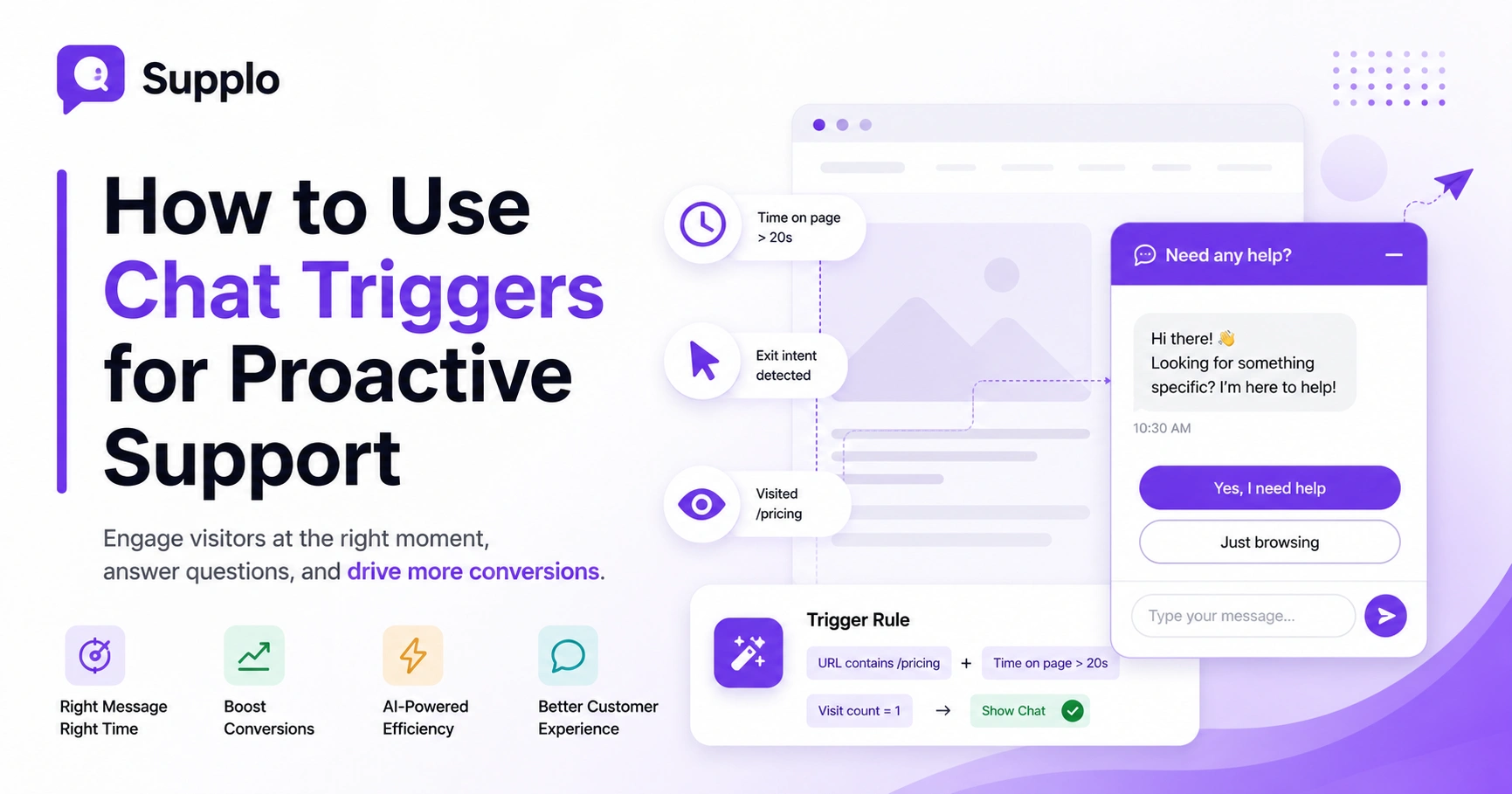
Setting up smart triggers starts with mapping your key visitor journeys. Think about the pages that matter most: homepage, product pages, checkout, pricing, and support docs. In a tool like Supplo, you create a trigger rule that monitors conditions (page URL, time spent, visit count) and triggers an action (show a chat widget, send a pre-written greeting, or route to a specific team member).
Every trigger should answer the question the visitor is probably thinking right now. If they're on your pricing page for 20 seconds, they're comparing options. If they just clicked checkout and paused, they'd have a concern. Match your message to their unspoken need.
- Condition stacking: Combine URL contains /pricing + time on page > 20 seconds for high-intent triggers.
- Segment-based triggers: Repeat visitors get a different message than first-timers. Welcome back builds continuity. Need help deciding? works for newbies.
- A/B testing: Run two versions of the same trigger, different copy, different timing, and see which one gets better engagement.
Want to test your first chat trigger in under 10 minutes?
Head over to Supplo and start your 14-day free trial, no credit card required. Set up 2-3 triggers, tweak the timing, and watch your engagement rate lift in real-time.
5 High-Converting Chat Trigger Strategies for E-commerce & SaaS
Different businesses need different approaches. For e-commerce, your money triggers are cart abandonment, product page dwell time, and checkout hesitation. For SaaS, focus on the pricing page, sign-up flow, and feature demo pages. In both cases, the message should match the intent. Still trying to decide? For pricing, need a hand with sizing? for product pages.
The goal is relevance. A trigger that feels as if it were written specifically for that visitor's situation will always outperform generic greetings. Take the time to map your trigger strategy to your actual customer journey.
- E-commerce strategy: Cart abandonment trigger after 30 seconds on the cart page. Offer free shipping or a quick sizing guide. Consider routing these conversations to WhatsApp for direct, personal follow-up.
- SaaS strategy: Pricing page trigger after 45 seconds. Offer a live walkthrough or send a relevant case study.
- Content-to-conversion: Trigger on blog posts about how-to topics where your product is a natural next step.
- Seasonal triggers: Set time-limited triggers for holiday promotions or flash sales.
- Troubleshooting Tip: If engagement rates are low, revisit your trigger conditions. Are they too broad? Narrow them to target highly specific behaviours on key pages.
How to Write Chat Trigger Messages That Actually Get Clicked
The message itself matters more than almost anything else. Short, benefit-forward, and slightly informal wins every time over corporate robot-speak. Instead of How may I assist you today? Try. Got a question? We're here to help. Or looking for the right plan? Let's figure it out together.
Personalisation makes a huge difference here. Use the page they're on or their referral source to make the message feel one-to-one instead of one-to-many. People can spot a generic pop-up from a mile away, and they'll ignore it.
- The first 5 words: That's all most people scan. Lead with a benefit like Save 20% now or Quick question about.
- Avoid script fatigue: Rotate 3-4 message variations per trigger to keep things fresh and test what lands.
- Emoji sparingly: A single emoji (💡, 👋, 🎁) can increase open rates by 10-20%. Just don't overdo it.
- Call-to-action clarity: End with a simple ask: Click here to chat or reply now.
- Practical Application: Draft 3 different messages for your highest-traffic product page. A/B test them over a week to see which one generates the most clicks and conversions.
Real-Time Proactive Chat: Balancing Automation with Human Touch
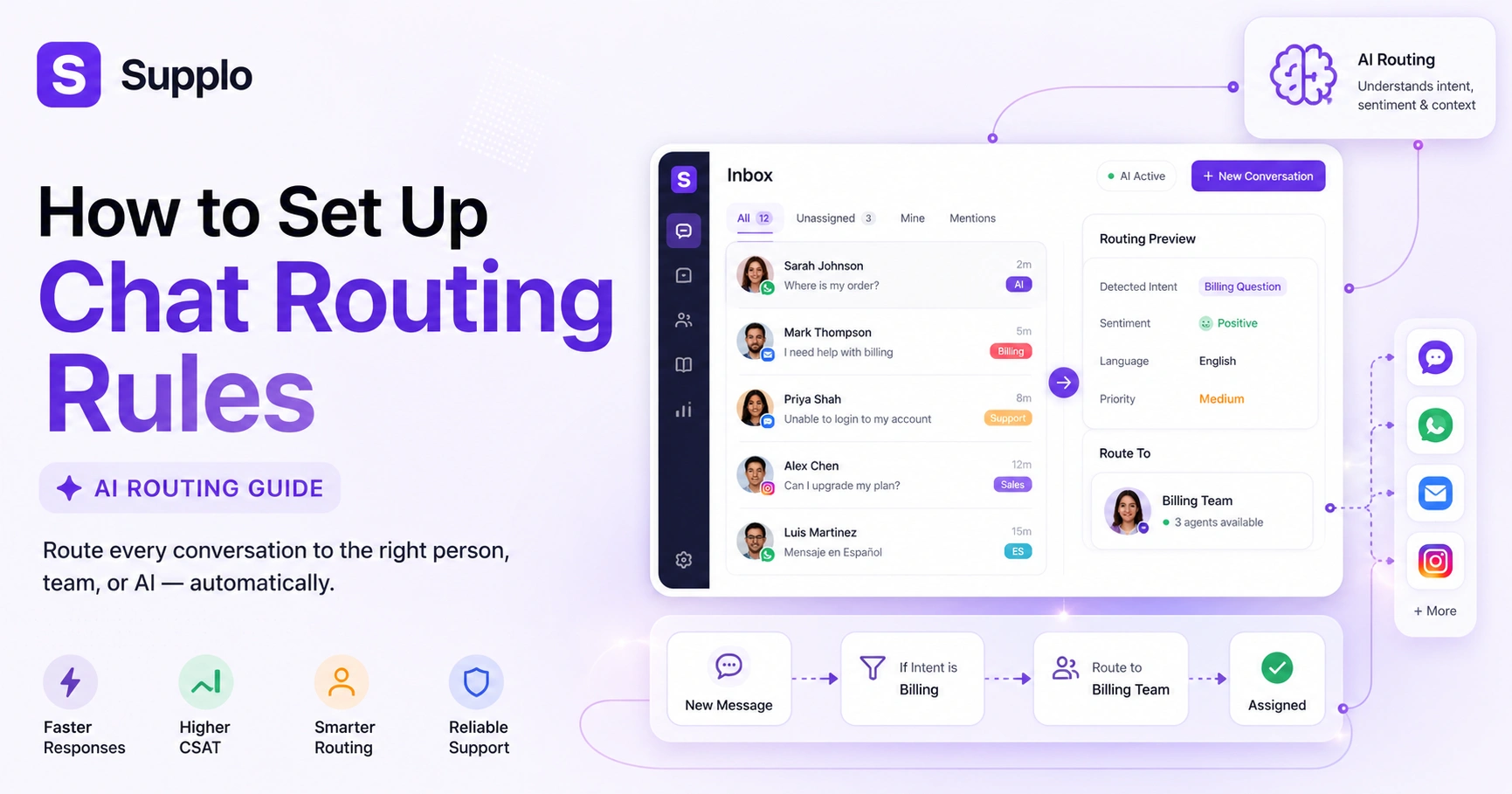
The best chat experiences feel seamless. Visitors don't care if they're talking to an AI or a human; they want a fast, accurate answer. Real-time proactive chat means your system detects intent, offers help instantly, and decides whether an AI response or human handoff is appropriate.
Supplo's AI agent handles up to 80% of incoming tickets automatically, then passes the rest to your team with full context, no repeating information. No frustration. Everything flows through a unified inbox where all conversations from chat, email, WhatsApp Support, Telegram, Instagram, and Facebook appear in one thread-based view.
- AI-first approach: Use your knowledge base and past conversations to power the AI's answers.
- Intelligent handoff: When the AI can't resolve, it flags the conversation to the right team member with full context.
- Unified inbox: All conversations live in one place, making it easy to manage every channel.
Handoff:
- AI initiates a conversation in response to a proactive trigger.
- AI attempts to resolve the question using the knowledge base.
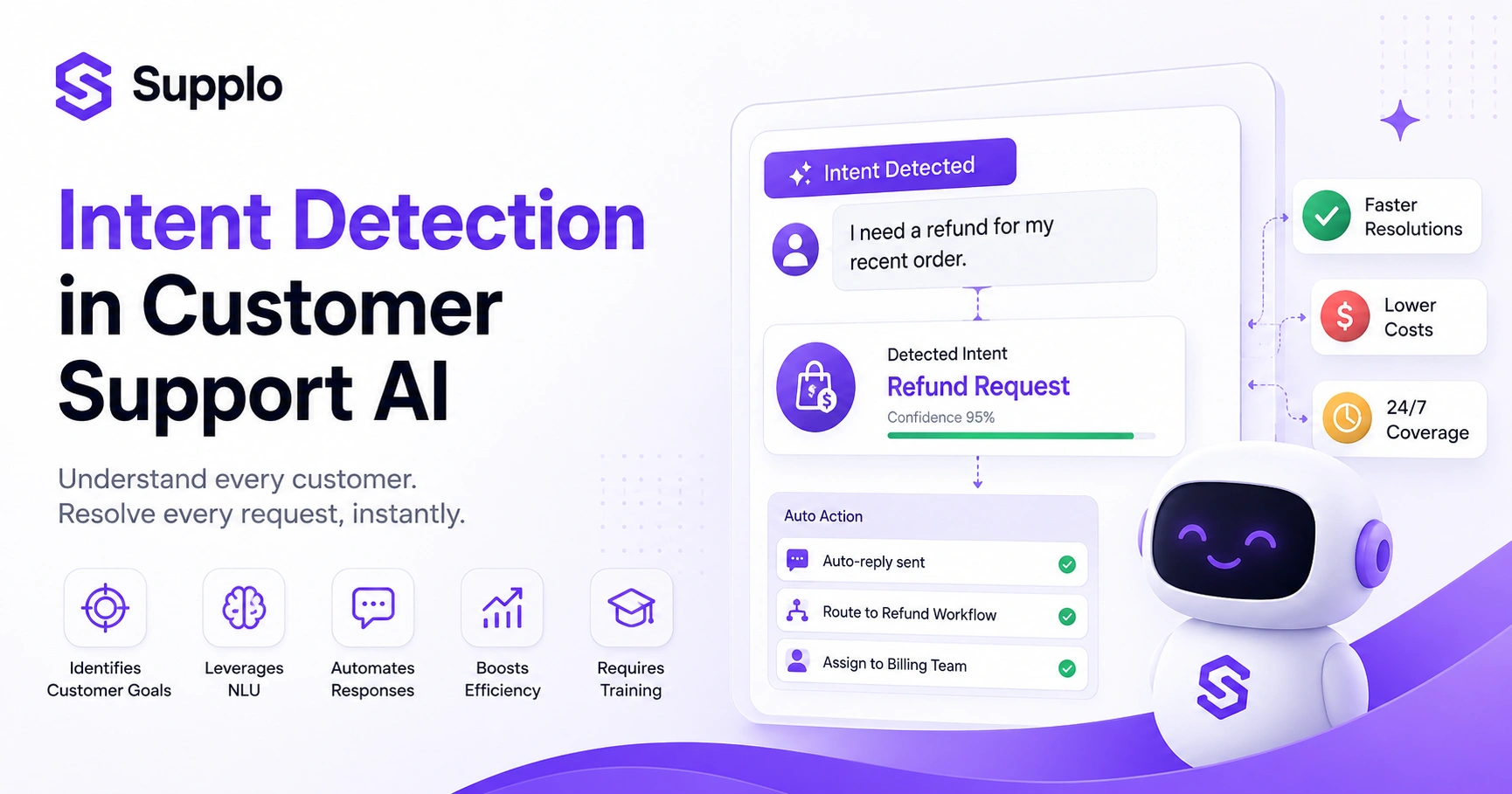
- If AI cannot resolve, it identifies the key intent.
- AI alerts human agents with full conversation history and attempted resolutions.
- A human agent takes over, informed and ready to assist.
Key Metrics for Chat Support Automation
You can't optimise what you don't measure. For chat triggers, the critical metrics are engagement rate (how many people who saw the trigger actually started a chat), resolution rate (how many conversations ended without needing a human), and conversion lift (the increase in sign-ups or sales from visitors who chatted versus those who didn't).
Track these numbers weekly and use the data to adjust trigger timing, copy, and targeting. Small tweaks can make a big difference over time.
- Engagement rate: Aim for 3-7% as a healthy baseline for most sites.
- Conversation-to-lead rate: How many chats turn into a form submission, demo booking, or purchase?
- First response time: For human chats, respond within 60 seconds. For AI, under 1 second.
- Cost per resolution: Supplo charges a flat $0.04 per AI resolution; track this against traditional support costs.
Common Chat Trigger Mistakes That Hurt Engagement And How to Fix Them
The most common mistakes are launching too fast, ignoring mobile users, and using generic messages that feel like spam. Visitors click away from intrusive pop-ups, and if your trigger fires the instant they land, you're shouting BUY FROM ME before they've even blinked.
Fix this by delaying triggers by at least 10-15 seconds, designing for mobile-first, and personalising messages based on the visitor's page or behaviour. Thoughtful implementation turns an annoyance into a useful tool.
- The instant pop-up mistake: Triggers should never fire on page load; always add a delay.
- Mobile neglect: Make sure your chat widget and trigger messages display correctly on phones. Test in landscape and portrait.
- Copy that's too pushy: Buy now! triggers get blocked or ignored. Curious about pricing? instead.
- No fallback: If your team is offline, route the lead to AI or an email capture form so you don't lose it.
Troubleshooting Steps:
- Review Timing: Check all trigger delays. Increase to 15-20 seconds on initial page loads.
- Mobile Test: Access your site on various mobile devices to confirm widget display and trigger behaviour.
- A/B Test Copy: Create two versions of your most critical trigger messages. One direct, one softer. See which performs better.
- Offline Routing: Configure an offline state for your chat widget, directing to an AI agent or capturing lead information.
If your chat triggers aren't converting, we can help.
Supplo's AI agent and smart trigger rules are built to maximise relevance while keeping your team in control. Start a free trial and get higher acceptance rates from the first visitor.
The Role of a Knowledge Base in Proactive Customer Engagement
A well-organised knowledge base is the engine behind smart chat triggers. When a visitor lands on a trigger and starts a conversation, the AI agent pulls directly from your knowledge base to answer questions instantly, no typing, no waiting.
If the answer isn't there, the AI learns that gap and flags it for your team to update. Over time, your knowledge base becomes smarter, and your chat triggers resolve more issues automatically. It's a feedback loop that keeps getting better.
- Self-learning AI: The more conversations it handles, the more it learns what answers work.
- Knowledge base integration: Link your triggers to specific KB articles so AI can respond in context.
- Translation built-in: Supplo translates messages automatically, so knowledge base answers reach users in their preferred language.
The Future of Proactive Live Chat: AI and Conversational Marketing
Proactive chat is evolving from simple. Can I help you? pop-ups into fully automated conversational marketing engines. AI agents can now analyse visitor behaviour in real time, predict intent, and engage with personalised offers or content without anyone typing a single word.
The future is self-learning triggers that adjust their timing and messaging based on what's working. And seamless handoffs between AI and humans when the conversation gets complex. All of this means you can scale support without scaling your team.
- Predictive triggers: AI will learn to spot high-value visitors before they even think about leaving.
- Omnichannel continuity: A visitor who starts on chat can switch to WhatsApp or Telegram Support and the AI remembers the full context.
- Pricing that scales: Supplo's flat per-workspace pricing means adding team members or scaling triggers doesn't spike your costs.
Chat triggers aren't set-and-forget.
You need a tool that evolves with your visitors. Supplo's self-learning AI and flat pricing mean you can keep optimising without worrying about per-agent fees. Try Supplo free for 14 days and scale your proactive engagement without the bloat.
Key Takeaways
- Proactive chat triggers use visitor behaviour to initiate timely and relevant conversations.
- Strategic timing and personalised messages are crucial for high engagement and conversion rates.
- AI-powered chat solutions can automate a significant portion of support, improving efficiency and cost-effectiveness.
- Continuous measurement of engagement, resolution, and conversion metrics is essential for optimisation.
- A robust knowledge base is the foundation for an intelligent and self-learning AI agent.
- The future of proactive chat lies in advanced AI, predictive engagement, and seamless omnichannel experiences.
FAQ
Are chat triggers legal to use on my website?
Yes, chat triggers are legal as long as you comply with data privacy laws such as the GDPR and the CCPA. Always provide a clear privacy notice and an option to opt out of chat tracking. Supplo is not affiliated with any app or website. Please follow each app's terms and local regulations.
Why do some chat triggers annoy visitors?
Triggers that pop up instantly or interrupt reading feel intrusive. The fix is simple: add a delay (10-30 seconds), use exit intent triggers sparingly, and test your timing with real users.
Can I use chat triggers for multilingual support?
Yes. Supplo translates messages automatically in real-time, so your triggered messages and AI responses can greet users in over 50 languages without manual setup.
What's the best way to test chat triggers before going live?
Use a free trial of Supplo to set up 2-3 triggers with different timing and copy, then run an A/B test for a week. Measure engagement rate and conversion lift to pick the winner.
Can chat triggers work with WhatsApp and social channels?
Absolutely. Triggers on your website can route to a WhatsApp conversation, and Supplo unifies email, website chat, WhatsApp, Telegram, Instagram DMs, and Facebook Messenger into one inbox.
How do I handle triggers when my team is offline?
Set your triggers to route to AI instead of a human agent. The AI will answer common questions from your knowledge base, and if it can't resolve them, it will collect the visitor's contact info for a next-day follow-up.
Do chat triggers hurt SEO?
No, properly configured chat widgets do not affect SEO. Googlebot does not execute JavaScript widgets, and chat triggers do not block content or slow page load when implemented asynchronously.
Compliance line: Supplo is not affiliated with any app or website. Please follow each app's terms and local regulations.