On this page
Who is this for? Small-to-mid support teams, solo operators, and customer success managers who are tired of drowning in email tickets and wondering if switching to live chat is the answer (or just another expense).
When to use this guide: You're evaluating your support stack, your team is losing customers to slow response times, or your inbox gives you anxiety every morning.
When NOT to use this guide: You have a fully staffed 24/7 phone support center with no ticket backlog. (In that case, you probably aren't reading this anyway.)
Quick Answer
- Use live chat for urgent, time-sensitive, or immediate-resolution queries (billing errors, login problems, order issues).
- Use email when the query is complex, requires documentation, or involves legal/compliance details.
- Don't choose one. Use a unified platform that automatically routes urgent queries to chat and less urgent ones to email.
- Avoid per-agent or per-resolution pricing traps that punish you for scaling.
- Test your support tool: send a chat and an email. The one who answers first is your real solution.
What is the Core Difference Between Chat Support and Email Support?
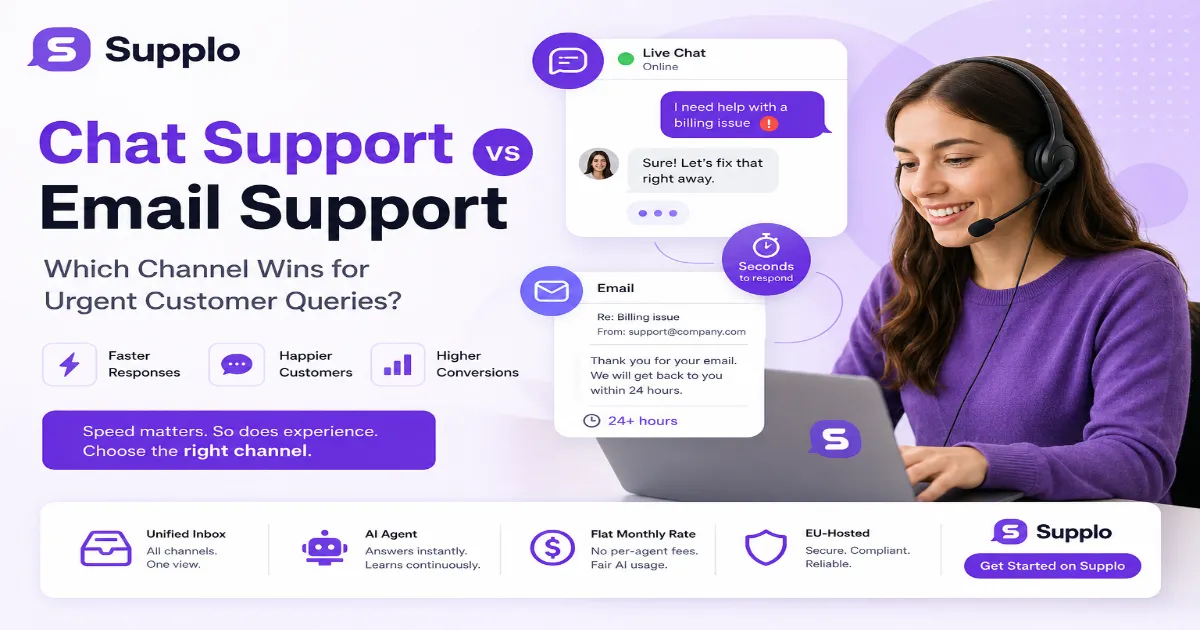
Let's cut through the noise. Chat support is synchronous: two people talking in real time, like a conversation at a counter. Email support is asynchronous; you send a message, wait, and get a reply. For urgent customer queries, chat wins because it kills the waiting game. For complex, non-urgent documentation, email lets you breathe and write thoughtful, detailed responses without a live timer breathing down your neck.
- Chat is for "I need this fixed now." Email is for "I need this documented and tracked."
- Chat reduces back-and-forth; a 10-minute email chain can be a 2-minute chat. No kidding.
- Email scales poorly for urgent issues because it lacks presence indicators. You never know if the other person is actually reading your message.
"Chat support is synchronous, two people talking in real-time. Email support is asynchronous; you send a message, wait, and get a reply. For urgent queries, chat wins because it eliminates the waiting game."
Why Use Live Chat for Support When You Care About Speed?
Because waiting 24 hours for an email reply feels like getting a letter in the mail. Seriously. Live chat cuts the average first response time from hours to seconds. For support teams handling urgent customer queries, this isn't a luxury; it's a necessity for retaining customers who are already frustrated.
- Live chat can handle three to five conversations simultaneously; email is strictly one at a time.
- Customers on chat are more likely to complete a purchase during a support session; there's data to back this up.
- Speed isn't just about typing fast; it's about having the right answers ready. A self-learning AI agent can prepopulate responses for the most common questions (like "Where's my order?"). It learns from your knowledge base, becoming smarter over time.
The Unseen Advantage of Live Chat Over Email: Customer Engagement
Email is a broadcast. Chat is a conversation. The advantage of live chat over email goes beyond speed; it's about building rapport. A well-timed proactive chat message (like asking if someone needs help checking out) can convert a browsing visitor into a paying customer. Email can't do that; it only reacts.
- Chat lets you read the room. Short replies mean hurry up; longer replies mean they are engaged.
- Proactive chat triggers (based on page time or cart value) are forms of engagement that email cannot replicate.
- Customers feel heard when they see you typing, not just when they receive a delayed autoresponder.
When to Use Chat Support Over Email (And When to Stick to Email)
Use chat when the query is a fire, billing errors, login issues, urgent "my order is wrong" panics. Use email for queries about library books, detailed account audits, legal documentation, or step-by-step how-to guides that require screenshots and careful reading. The best channel for quick support is almost always chat, but the best channel for clarity is still email.
Use chat for:
- Password resets and account recovery
- Order status and tracking questions
- Technical troubleshooting (step-by-step with live feedback)
- Urgent cancellations or modifications
Use email for:
- Contract reviews and legal documentation
- Complex product feedback or feature requests
- Formal complaints that need a paper trail
- Unsubscribing from mailing lists
"The best channel for quick support is almost always chat, but the best channel for clarity is still email."
How Live Chat Slashes Resolution Time for Urgent Customer Queries
Urgent customer queries: live chat resolves in minutes, whereas email can stretch into hours. The secret? Simultaneous presence: the agent sees the problem, the agent types the solution, and the customer applies it immediately. No "waiting for clarification" cycles. If your team is drowning in ticket numbers, switching urgent issues to chat is the fastest lever you can pull.
Step by step:
- Route urgent keywords (like "urgent," "refund," "cancel") directly to chat with a priority flag.
- Use an AI agent to handle the first 30-50% of repetitive questions before a human touches the chat. The AI agent at Supplo learns from your knowledge base, becoming smarter over time.
- Track resolution time in minutes, not hours. If a chat takes longer than 10 minutes, escalate to a senior agent.
- Auto-save the chat transcript to the customer profile for future reference.
Troubleshooting:
- If chat feels slow, check if agents are juggling too many conversations (max 5 per agent).
- If emails are still flooding in, set up an auto-responder that says, "For urgent issues, please start a live chat now."
Still getting flooded with urgent emails? Switch your "urgent" queries to live chat with Supplo's AI agent. Catch the easy questions first and free your team for the hard ones. Activate AI Agent
Choosing Between Chat and Email Support: A Reliability Framework
Don't pick based on "what's trending." Pick based on the response time SLA. If your SLA is under 5 minutes, you need to chat. If your SLA is 4+ hours, email works. The reliability advantage of live chat over email is that it removes the customer's uncertainty, as they know someone is there. Email leaves them refreshing their inbox, wondering if you ghosted them.
Framework for decision-making:
- Define your urgency tiers:
- Red (SLA < 5 min): Use chat only.
- Yellow (SLA 5-30 min): Chat first, then email if complex.
- Green (SLA 4+ hours): Email only.
- Audit your current response times. Pull a report of your last 100 tickets. How many breached your SLA?
- Match reliability to the channel. Chat provides real-time presence. Email provides a paper trail. Use both, but don't confuse them.
For a direct comparison with other support platforms on reliability and pricing, check out our side-by-side analysis.
The Cost Trap: What Email and Chat Actually Invoice You
This is where the gloss comes off. Most tools charge per agent for email and per resolution for AI chat. Many "chat-only" platforms have hidden per-seat fees that add up fast. Traditional email helpdesks charge a hefty monthly seat fee for every human agent, plus additional modules for basic automations.
- Email inboxes: Often sold per agent with limited automation. You pay for every human to have a seat.
- AI Chat: Often tiered by message volume. You pay every time the bot answers a question.
- The flat-rate alternative: Supplo offers a flat monthly price for platform customer support; AI usage is metered at $0.04/resolution, no per-seat fee for agents. Payment options include Crypto, Binance Pay, Payeer, GCash, AmanPay, QIWI Wallet, DOKU, Nigeria and South Africa cards, Skrill, and Payoneer.
"Most tools charge per agent for email and per resolution for AI chat. Supplo flips that: flat monthly rate + $0.04 per AI resolution."
The Technical Backbone: Why Instant Messaging Isn't Instant Without a Shared Inbox
A live chat widget on your site is useless if its messages go into a black hole. Without a shared inbox, chat is just instant stress for one agent. The real advantage of live chat over email is realized when all messages from your website, WhatsApp, Telegram, and Instagram land in one place. Supplo's unified shared inbox for all channels unifies these, so your team sees the whole picture, not just a fragment.
- A shared inbox prevents chats from being "lost" at shift change.
- Multi-channel routing (email, Telegram, Instagram, WhatsApp) ensures no urgent query goes unseen.
- Single-thread visibility: An agent sees the last 5 interactions, regardless of channel.
The self-learning AI agent for chat integrates directly into this inbox, learning from every conversation to improve future responses.
Multi-Channel Reality: Why "Either/Or" Is the Wrong Question
The smartest support teams don't choose between chat and email support. They use chat for speed and email for depth, and route between them automatically. A customer starts on WhatsApp, escalates to a live chat with a human, and gets a summary via email. The best channel for quick support is the one the customer opens first. Your job is to be there.
How to set this up:
- Use automated rules: "Keyword = urgent" routes to chat, "Keyword = documentation" routes to email.
- Let customers choose their preferred channel. You can support customers on Instagram DMs, WhatsApp, Telegram, or any other channel. The complexity stays behind the scenes.
- Convert email to chat when urgency spikes. A tool that lets you flip a thread from async to sync is a lifesaver.
For example, you can combine email and chat with Telegram seamlessly, no switch for the customer, just a smooth escalation path.
How to Pick the Best Channel for Quick Support Without Breaking the Bank
You need a platform that does both chat and email well, at a price that doesn't punish you for scaling. Look for a flat monthly platform fee plus a fair AI usage cost. Avoid platforms that charge per agent or per "successful resolution." Test the reliability yourself: start a chat, wait 3 seconds, and see if someone answers. If not, you have the wrong tool.
Checklist for evaluating a support platform:
- Does it offer live chat, email, and social DMs in one inbox?
- Is the pricing flat per month, or does it scale with the number of agents/resolutions?
- Does it have an AI agent that learns from your content?
- Can you convert an email thread into a chat session?
- Is it EU-hosted for data privacy compliance?
"The best channel for quick support is the one the customer opens first. Your job is to be there."
Chat and email. One flat bill. Stop juggling three tools. Supplo gives you live chat, email, WhatsApp, Telegram, Instagram, and a shared inbox, all for one flat monthly rate. No per-seat fees. No per-resolution meter. Get Started on Supplo
Key Takeaways
- Chat for speed, email for depth. Use chat for urgent customer queries; use email for complex, documented issues.
- Don't choose one or the other. A unified platform that routes seamlessly between both is the only scalable solution.
- Watch the pricing. Avoid per-agent and per-resolution fees. A flat monthly rate with reasonable AI costs (like $0.04/resolution) keeps your budget predictable.
- Test your tool. Send a chat and an email. See which gets answered first. Your customers will do the same.
- The shared inbox is non-negotiable. Without it, chat messages get lost, and urgent queries go unanswered.
FAQ
Is chat support faster than email support for urgent issues?
Yes. Live chat typically delivers a first response in under 30 seconds, while email can take hours. For urgent customer queries, chat is the only reliable channel.
Can I switch from email to chat mid-conversation?
Yes, if you use a unified platform like Supplo. A customer can start an email thread, and the agent can convert it into a live chat session if the conversation becomes time-sensitive.
What is the biggest mistake companies make when choosing chat support?
They buy chat without a shared inbox. Without a shared inbox, messages get lost between agents, and urgent queries go unanswered. The tool must unify all channels.
Is live chat more expensive than email support?
It can be, but it doesn't have to be. Traditional tools charge per agent or per resolution. Supplo offers a flat monthly platform rate, making chat cost-competitive with email for most small teams.
How does an AI agent help with live chat support?
An AI agent handles the top 30-50% of repetitive questions immediately, so human agents only handle complex, urgent queries. This slashes resolution times and keeps costs down.
Do I need a phone line to use live chat?
No. Live chat is a text-based channel. It runs through your website, app, or messaging platforms like WhatsApp and Telegram. No phone hardware is needed.
Compliance note: Supplo is not affiliated with any app or website. Please follow each app's terms and local regulations.