On this page
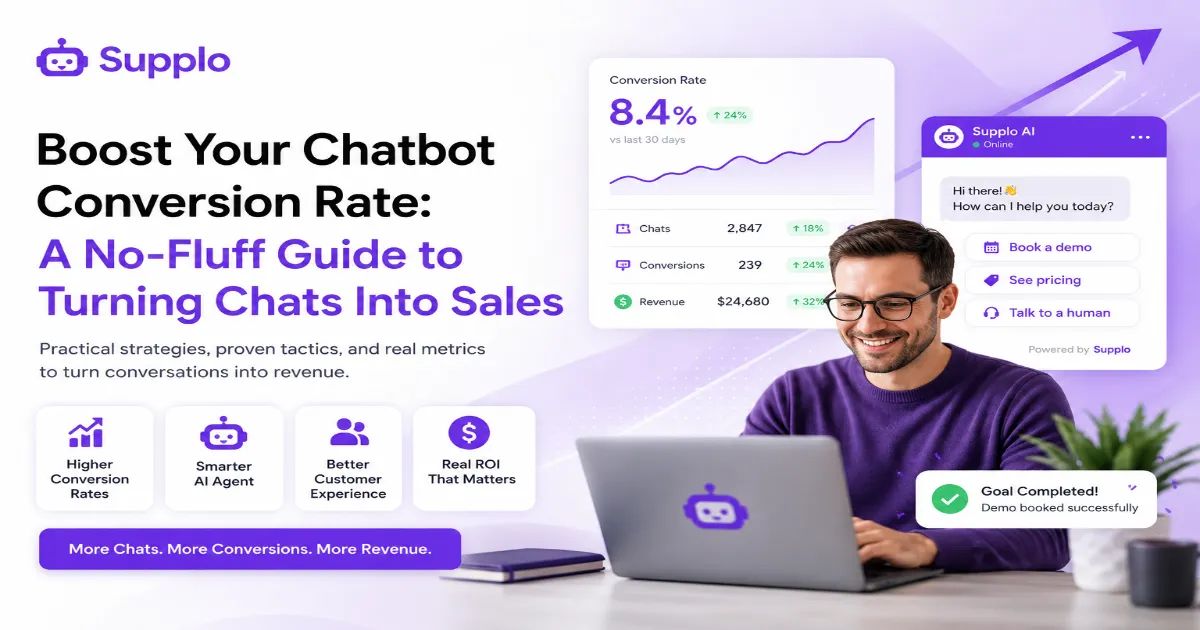
Your chatbot is running. Maybe it's handling tickets, answering FAQs, even cracking jokes. But is it actually making you money? If you're tired of dashboard numbers that look great but don't pay the bills, you're in the right spot. This guide is for founders, marketers, and support leads who want a clear, no-BS path to improving their chatbot conversion rate, the metric that actually matters.
Quick Answer
- What it is: Chatbot conversion rate = the percentage of chats that end with someone buying, booking, or signing up.
- Why it matters: Most bots measure "handled" instead of "converted." That's like celebrating passengers who boarded the plane without asking whether it flew anywhere.
- How to improve: Shorten your flows, stop asking for emails too early, use buttons instead of free text, and always give users a way to reach a human.
- Proof it works: A bot that converts just 5% of support chats can pay for itself fast, especially on a flat-rate plan.
- Best tool for the job: A self-learning AI agent that actually adapts when it misses an intent (not one that repeats "I'm sorry, I didn't understand").
What Exactly Is a Chatbot Conversion Rate? (And Why Most Teams Measure It Wrong)
Let's get this straight from the start. Your chatbot conversion rate is the percentage of conversations that end in a desired action. A purchase. A booked demo. A lead captured. That's it.
Most teams measure engagement or deflection and call it a win. "Our bot handled 80% of chats!" Cool. But did it close anything? Conversion is a revenue metric, not a fuzzy happiness score. If your bot answers questions all day but never drives an outcome, you're optimizing for the wrong thing.
The big mistake teams make: Conversion isn't the same as containment. Answering "Where's my order?" is helpful. Getting that same customer to add an extra item before checkout? That's conversion. A "good" rate depends on your industry; e-commerce might hit 8–15%, while SaaS demos might aim for 2–5%. And if your sales cycle is long, track micro-conversions instead: lead capture, cart recovery, newsletter signups. The real problem? Most bot dashboards report "handled," not "converted." A proper chatbot conversion rate analysis starts by ignoring that vanity noise.
"If your chatbot is answering questions but not driving outcomes, you're not optimizing for ROI."
5 Core Metrics for Real Chatbot Performance Analysis
Conversion rate alone won't tell you the full story. You need a handful of supporting numbers to see what's really going on inside your bot. Chatbot performance analysis involves examining escalation rate, average handle time, goal completion rate, and user satisfaction alongside your primary metric. Without these, you're guessing.
- Escalation rate: Your best indicator of bot confusion. If it's over 40%, your flow needs work fast.
- Goal completion rate: The percentage of users who hit a defined micro-goal (e.g., "checked order status").
- Average handle time: Shorter isn't always better, but a sudden spike usually means users are stuck.
- User satisfaction: A simple thumbs-up or thumbs-down after each chat. Honest, immediate feedback.
- Conversation funnel drop-off: Where do users abandon the chat? Find that point, and you know exactly what to fix.
"A high escalation rate isn't a bad bot; it's a bad design."
How to Track Chatbot Conversion Rate (Without Getting Lost in Vanity Data)
Tracking your chatbot conversion rate starts before your bot even goes live. Define a clear "conversion event" first. A purchase. A form submission. A phone number was collected. Then set up your analytics to fire a tracking pixel or webhook whenever that event happens.
The trap? Counting every chat as an "opportunity." Don't do it. That inflates your numbers and hides the real picture.
Action steps to track properly:
- Use UTM parameters to distinguish bot traffic from organic or paid traffic.
- Tag conversations by intent: sales, support, onboarding, and measure each bucket separately.
- Track the full funnel: chat started → qualified → converted. Not just the last step.
- Watch for "false zeros": if your bot resolves an issue but doesn't capture a sale, it might still be a win. Count it separately.
Start tracking for free. Open a Supplo account and test your chatbot conversion rate on your own site within 10 minutes, no credit card needed. Visit our pricing page to start.
Chatbot Conversion Rate Optimization: 7 Proven Strategies That Actually Work
Chatbot conversion rate optimization isn't about adding more questions. It's about removing friction and building trust faster. Start with a clear value proposition in the first message. Use progressive profiling so you're not asking for a phone number before the user even knows what you offer. And always, always give users an exit to a human.
The best strategies shorten the time between "hello" and "goal."
- Lead with a "there's no catch" message (e.g., "No credit card needed") to reduce hesitation.
- Offer a limited-time incentive inside the chat, but only if it's real. Fake urgency kills trust.
- Personalize based on referral source, time of day, or the page the user is on.
- Add social proof directly into the flow: "Join 2,000+ customers" or "Rated 4.8 stars on G2."
- Use buttons, not free-text fields. Speed matters.
- Ask for personal info only after you've provided value no one else has.
- Always offer a human fallback by the second reply. No exceptions.
For real-world proof, check out our case studies to see how teams have doubled their conversion rates using these tactics.
"The best strategy shortens the time between greeting and goal."
Chatbot Design for Conversion: The UX Shifts That Lift Sales
Good chatbot design for conversion is about three things: visual hierarchy, timing, and respecting the user's load.
A bot that pops up instantly? Feels spammy. A bot that waits 10 seconds or triggers after the user scrolls past a certain point? Feels helpful. Buttons instead of free-text fields speed up responses and can increase completion rates by 30% or more.
Quick UX fixes that work:
- Position the chat widget in the lower-right or lower-left. Standard UX = familiar = trusted.
- Use rich cards with images and CTAs for product recommendations. Text-only is boring.
- Keep reply options to 2–4 at a time. More than that causes decision paralysis.
- Test auto-open vs. badge-only. Auto-open works on sales pages; badge-only works on support pages.
"A bot that waits 10 seconds feels helpful; a bot that pops up instantly feels spammy."
High-Converting Chatbot Strategies for Sales & Support Teams
The most effective high-converting chatbot strategies don't treat sales and support like separate worlds. Instead, they build a bot that qualifies leads during a support inquiry, then passes the hot lead to a human sales rep with full context.
This "handoff with context" approach works because you're catching users when they're already engaged and trusting you.
Strategies that work:
- Use support conversations to spot purchase intent. Questions about pricing, features, or competitors? That's a cue.
- Train the bot to book a demo or transfer to a sales rep in under 3 exchanges.
- For sales-only bots: skip the small talk and ask the qualifying question early.
- Support queries can convert too. Example: "I can't log in" → "Let me reset it. And here's a promo for next month."
A shared inbox is the perfect tool to manage these handoffs without losing context.
Chatbot Engagement Strategies That Reduce Bounce and Increase ROI
Chatbot engagement strategies that actually work are the ones that respect the user's time and context.
Greet visitors differently on a pricing page versus a blog post. Use yes/no and multiple-choice questions before asking for personal data. And for the love of good UX, never start a conversation with "How can I help you?" It's the laziest opener in existence, and it kills engagement.
Engagement tactics that move the needle:
- Use behaviour triggers: exit-intent, time-on-page, or cart abandonment to start the chat.
- Gamify simple interactions: "Quick quiz to find your perfect product match."
- A/B test both the opening message and the bot avatar. Human-like photos sometimes help, sometimes hurt. Test it.
- Re-engage users who abandon mid-flow with a follow-up email or push notification via the bot.
For multi-channel engagement, consider adding WhatsApp support to your bot strategy.
How to Improve Chatbot Flow Without Rebuilding Everything
You don't need to rebuild your entire bot to see better results. Often, small tweaks in flow design make the biggest difference.
Tighten your intent recognition. Shorten your decision trees. Add fallback scripts that don't sound robotic. And map your existing flow to spot "dead air" points where the user doesn't get a response within 2 seconds. Fix those first.
Here's the counterintuitive truth: a faster, shorter conversation often converts better than a thorough one.
Quick fixes you can make today:
- Audit your "don't understand" responses. Generic ones annoy users; specific ones save the conversion.
- Reduce the number of decision points per chat to 3 or fewer if possible.
- Use an AI agent with self-learning capabilities so the bot can learn from unanswered questions.
- Test a "human first" escalation: let users opt into a live chat quickly rather than forcing bot-only.
"A faster, shorter conversation often converts better than a thorough one."
Measuring and Proving Chatbot ROI to Stakeholders
Here's how you prove your bot is worth the investment: calculate the total value of converted chats minus the total cost of the bot, including monthly fees, setup time, and maintenance.
A small team might see ROI from reducing support ticket volume by 40%, plus capturing 10 extra leads per month. That's a double win.
How to build your case for stakeholders:
- Track cost savings from automated vs. human-handled conversations.
- Attribute revenue to bot-initiated chats using CRM integration or UTM tracking.
- Show the delta in response time (e.g., bot replied in 2 seconds vs. human average of 5 minutes).
- Use a flat monthly pricing model to anchor your cost, with no hidden per-seat fees that blow up your budget.
"Present the data as 'cost per conversion' and 'saved human hours' rather than abstract volume."
Common Mistakes That Kill Your Chatbot Sales Conversion (And How to Fix Them)
Let's be direct about what's actually hurting your numbers.
Asking for personal information before you've provided any value. Using overly complex language. Forcing users through a rigid script that doesn't adapt. These are the killers.
Fix them by always offering value first, keeping sentences under 20 words, and designing the bot to adapt based on what the user tells you. A rigid bot that frustrates people will tank conversion faster than no bot at all.
Mistake Fix
"Give us your email to continue." Offer a lead magnet first, then ask for the email.
Bot only offers text responses. Use buttons, images, and quick replies.
No human fallback. Always offer a "Talk to a human" option by the second reply.
Generic messaging (no brand voice) Write the bot copy in your actual brand tone. Not corporate-speak. Not robot-speak. Your voice.
"Supplo is not affiliated with any app or website. Please follow each app's terms and local regulations."
If your bot isn't converting, the problem might be the platform you're using. Higher acceptance rates and cleaner flows start with the right tool. Try Supplo's AI agent for $0.04 per resolution and watch your conversion rate rise. Get started now.
Key Takeaways
- Define conversion first: A purchase, a lead, or a booking. Don't let "handled" fool you.
- Track the right metrics: Escalation rate, goal completion, and user satisfaction matter more than total chats.
- Design for speed: Buttons, short paths, and a clear value proposition in the first message.
- Keep a human in the loop: A simple "Talk to a human" button can save a sale that's about to slip away.
- Measure ROI in dollars: Cost per conversion and saved human hours are the numbers that stakeholders actually care about.
FAQ
What's a good chatbot conversion rate to aim for?
Between 2% and 15%, depending on your industry and funnel. E-commerce sites often see 5–8% demo bookings, while B2B software can see 2–4%. The key isn't the number itself; it's whether it's trending up after optimization.
How do I track chatbot conversion rate in Google Analytics?
Fire a custom event to Google Analytics when a conversion happens in the bot. Use that as a goal, then segment by source and campaign. Don't rely on default bot platform analytics alone; they often count any chat as a "success."
Why is my chatbot not converting users even with high engagement?
High engagement without conversion usually means your bot is answering questions but not asking for the sale. Add a clear call to action toward the end of common paths, such as "Would you like to buy now?" or "Ready to book a demo?"
Can a support chatbot also drive sales conversion?
Yes, if you design for it. Use support conversations to identify buying signals (pricing questions, feature comparisons) and route those users into a handoff to sales. A bot that closes during support is a double win.
Does the chatbot widget's position affect conversion rate?
Yes. Lower-right and lower-left positions have the highest click-through rates. A pop-up that covers content or appears too quickly can actually reduce conversions by annoying users before they can engage.
What's the lifespan of a chatbot that needs conversion optimization?
Most bots see a performance dip after 3–6 months. You should review performance metrics monthly and re-optimize flow copy, intent training, and call-to-action placement quarterly to maintain a high conversion rate.
Is chatbot ROI really measurable for small teams?
Absolutely. Track the number of extra leads captured and support tickets deflected, then subtract your monthly bot cost. A well-optimized bot often pays for itself within the first 30 days, especially with a flat-rate plan like Supplo's.
Compliance note: Supplo is not affiliated with any app or website. Please follow each app's terms and local regulations.