On this page
Let's be real for a second. Most "self-service" portals are just fancy FAQ pages dressed up to look helpful, but they end up so frustrating that customers reach out to a human anyway. True self-service customer support should solve problems without making someone pick up the phone or fire off an email. This one's for support managers, ops leads, and founders at small-to-mid teams who want to slash ticket volume without tanking customer satisfaction. Think of this as your playbook for building a self-service system that actually works, along with a heads-up on what to avoid.
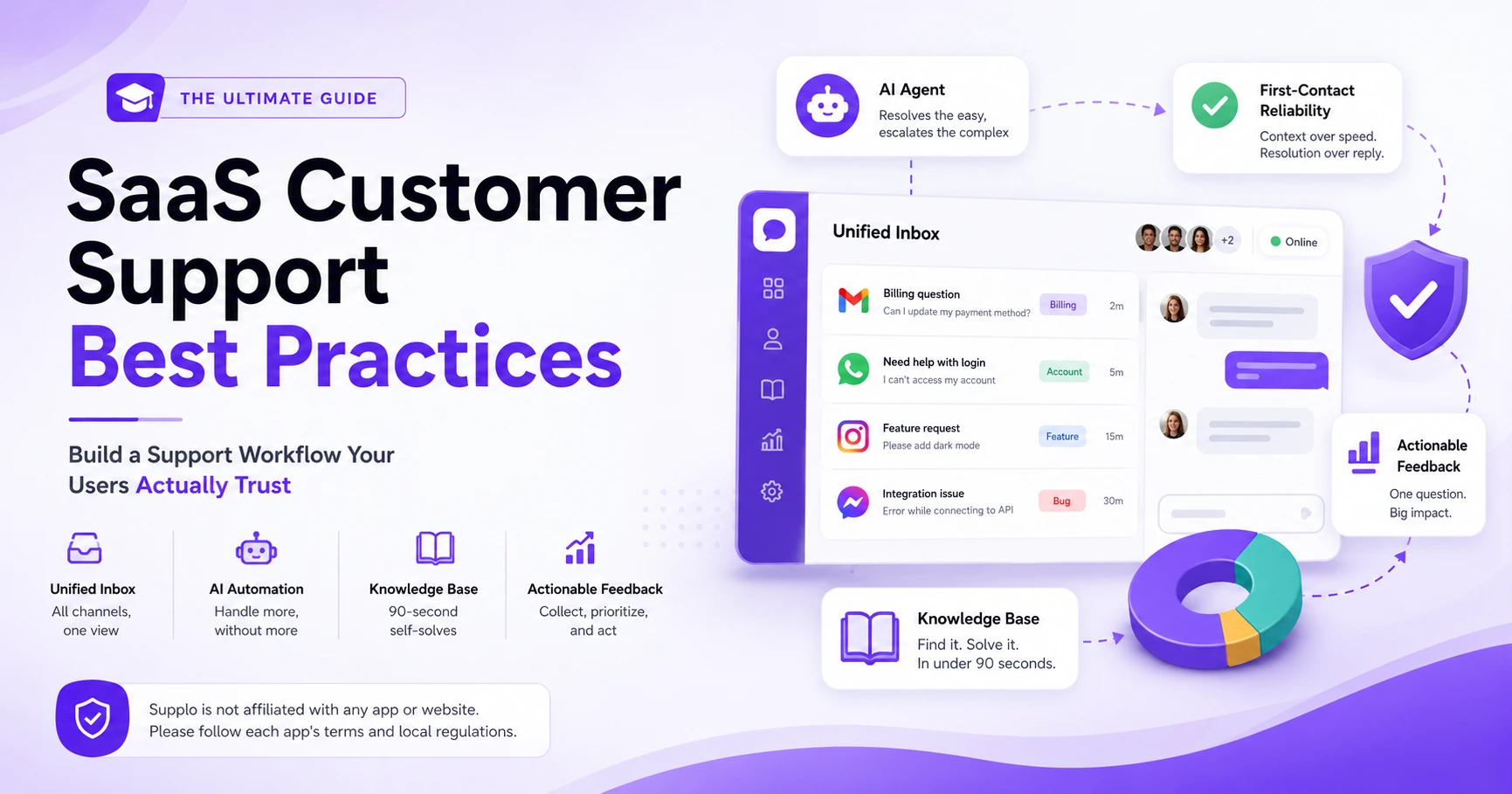
Supplo is not affiliated with any app or website. Please follow each app's terms and local regulations.
Quick Answer
- Reliable self-service customer support means an AI that learns from your actual conversations, not generic scripts.
- Flat-rate pricing beats per-resolution fees; you shouldn't pay more just because your AI is good at its job.
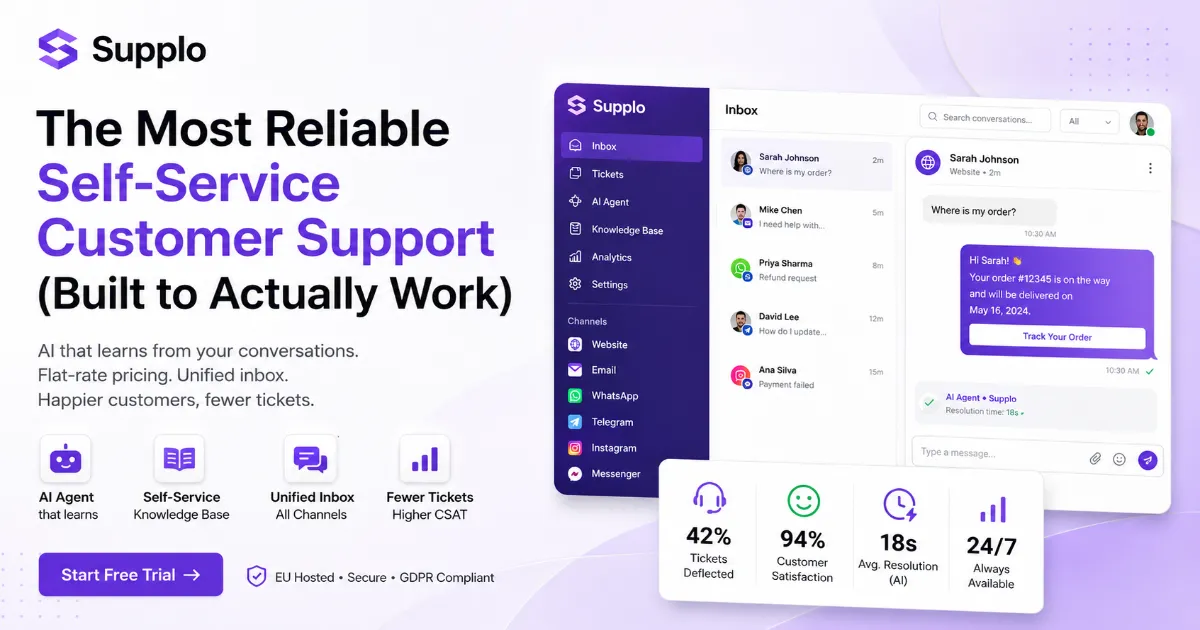
- A unified inbox with AI, live chat, and multi-channel routing (WhatsApp, Telegram, Instagram) creates a seamless experience.
- Set up in under an hour by importing your top FAQs and letting the AI improve over time.
- Human agents still matter, self-service handles the repetitive stuff, so your team can focus on complex, high-empathy issues.
What Makes Self-Service Customer Support Actually Reliable?
Reliable self-service isn't about having an FAQ page. It's about a system that consistently resolves issues without escalating to a human, even when the customer's phrasing is a mess or the problem is nuanced. True reliability comes from a knowledge base that's always fresh, an AI agent that actually understands context, and routing that knows when to tag in a human.
A reliable system has to handle edge cases, not just the top 5 questions. It needs to learn from unresolved tickets and automatically update its answers. And speed matters; a slow self-service portal is worse than having no portal at all. The best systems offer a single source of truth across chat, email, and social DMs.
“A reliable self-service system handles edge cases, not just the top five questions, and it learns from every unresolved ticket.”
If your knowledge base is static and your chatbot can't handle a typo, you don't have self-service. You have a brochure.
Why Most AI Self-Service Customer Support Tools Fail (And How to Fix It)
Most AI self-service tools fail for one simple reason: they're trained on generic data, not your actual customer conversations. They spit out robotic answers, completely miss the intent, and frustrate users into demanding a human. The fix? A self-learning AI agent that ingests your specific knowledge base and past tickets, then gets better with every interaction.
Generic chatbots can't handle industry-specific jargon or product nuances. And many tools charge per resolution, which means they're financially incentivized not to solve tough tickets. A flat-rate pricing model removes that penalty for actually helping customers. The best AI agents even let you review and approve suggested answers before they go live.
How to fix a failing AI agent:
- Feed it your last 100 real support tickets, not demo data.
- Review unresolved interactions weekly to see where the AI gets stuck.
- Turn off per-resolution pricing if you can; switch to flat-rate.
- Let the AI suggest new knowledge base articles based on gaps it finds.
“Generic chatbots can't handle industry-specific jargon. The fix is an AI agent that learns from your conversations and improves with every ticket.”
If your AI keeps failing, try one that learns. Most AI tools give generic answers because they're trained on generic data. Supplo's AI agent learns from your actual conversations and improves with every ticket. No per-resolution fees, no hidden costs. See How It Works
The Core Features of a Best-in-Class Customer Self-Service Portal
A best-in-class customer self-service portal combines a searchable knowledge base, an AI chatbot, and a shared inbox that surfaces self-service options before a ticket is created. It should also offer multi-channel support so customers can find answers on their preferred platform, whether that's your website, WhatsApp, or Telegram.
A powerful search bar that understands synonyms and typos? Non-negotiable. The portal should suggest relevant articles while a customer is still typing their question. Integration with live chat means a seamless handoff if self-service fails. And analytics showing which articles actually resolve tickets and which ones don't? That's how you improve.
“A best-in-class portal suggests articles while the customer is still typing and hands off gracefully to a human if self-service fails.”
Look for a unified inbox that combines all your channels so your team doesn't need separate logins for each platform. A single dashboard beats five different windows.
Checklist for evaluating a self-service portal:
- The search bar handles typos and synonyms.
- AI suggests articles before a ticket is created.
- Handoffs to humans preserve the full conversation history.
- Analytics show resolution rates per article.
- Multi-channel support includes websites, WhatsApp, Telegram, and social DMs.
How an AI Chatbot for Self-Service Cuts Tickets Without Cutting Quality
An AI chatbot for self-service works best when it's trained on your actual support data and can pull answers from a living, breathing knowledge base. It should handle common questions instantly, escalate complex ones with full context, and never force a customer to repeat themselves. The result? Fewer tickets for your team and faster answers for your customers.
The chatbot should be able to pull order status, account info, or troubleshooting steps. It must recognize when it's out of its depth and hand off gracefully. A good chatbot learns from every conversation, getting smarter over time. Avoid chatbots that dump a list of links; give direct answers.
Troubleshooting your AI chatbot:
- If it gives wrong answers, check if the knowledge base article it's pulling from is outdated.
- If customers keep asking for a human, the chatbot likely isn't understanding intent; review its training data.
- If resolution rates drop, the chatbot may have hit a knowledge gap, and create new articles for those questions.
“An AI chatbot should hand off gracefully with full context, never forcing a customer to repeat themselves.”
Building a Self-Help Customer Service Knowledge Base That Customers Use
A self-help customer service knowledge base is only useful if customers can actually find what they need. That means clear categorization, concise articles, and a search function that handles natural language. It also needs to be continuously updated based on what customers are actually asking about in your inbox.
Write articles in plain language, not corporate jargon. Use screenshots, videos, and step-by-step guides for complex tasks. Tag articles with common misspellings and synonyms. Track which articles have high views but low resolution rates they need rewriting.
Steps to build a knowledge base that actually resolves tickets:
- Start with your top 10 most common questions from the last month.
- Write each article as a single answer, then add depth below.
- Use screenshots for any process that involves clicking buttons.
- Tag each article with 3–5 alternate phrasings customers might use.
- Review monthly-deleted articles nobody reads; rewrite ones that don't resolve issues.
“Your knowledge base should be updated based on what customers are actually asking about in your inbox, not what you think they're asking.”
Automated Customer Support vs. Human Agents: Where to Draw the Line
Automated customer support should handle the predictable, repetitive questions, password resets, order status, and shipping info. Human agents should take over for tasks that require empathy, judgment, or account-level nuance. The trick is having an AI that knows its limits and passes along the full conversation history so the human doesn't have to start from scratch.
Automation should never be a wall; customers must always have a path to a human. Use sentiment analysis to flag frustrated customers for immediate human intervention. Train your AI on your top 20 most common ticket types first. Review handoff rates weekly to see where the AI is struggling.
Where to draw the line (simple guide):
Let AI Handle Send to Human
Password resets, Account disputes
Order status checks, Refund requests with nuance
Shipping info: Emotional or angry customers
FAQ-level product Qs Complex troubleshooting
Basic troubleshooting steps: Security or privacy concerns
How to Choose the Best Self-Service Tools for Your Support Team
The best self-service tools combine a knowledge base, an AI chatbot, and a multi-channel inbox into one platform. Avoid tools that charge per resolution or per seat; they punish you for success. Look for a flat-rate platform that includes AI, live chat, and email ticketing, with integrations for WhatsApp, Telegram, and social DMs.
Test the AI's ability to handle your actual customer questions, not demo data. Check if the tool offers a unified inbox or if you'll need separate logins. Ensure the knowledge base is easy to update without developer help. Look for built-in translation if you serve a global customer base.
Comparison checklist:
- Flat-rate or per-resolution pricing? (Flat-rate wins.)
- Unified inbox for all channels? (Yes, or you'll waste time switching tabs.)
- AI trained on your data? (Generic AI fails.)
- Multi-channel support for WhatsApp, Telegram, and Instagram? (Customers expect it.)
- Built-in translation? (Crucial for global teams.)
The Real Cost of AI-Powered Self-Service (Spoiler: It's Not What You Think)
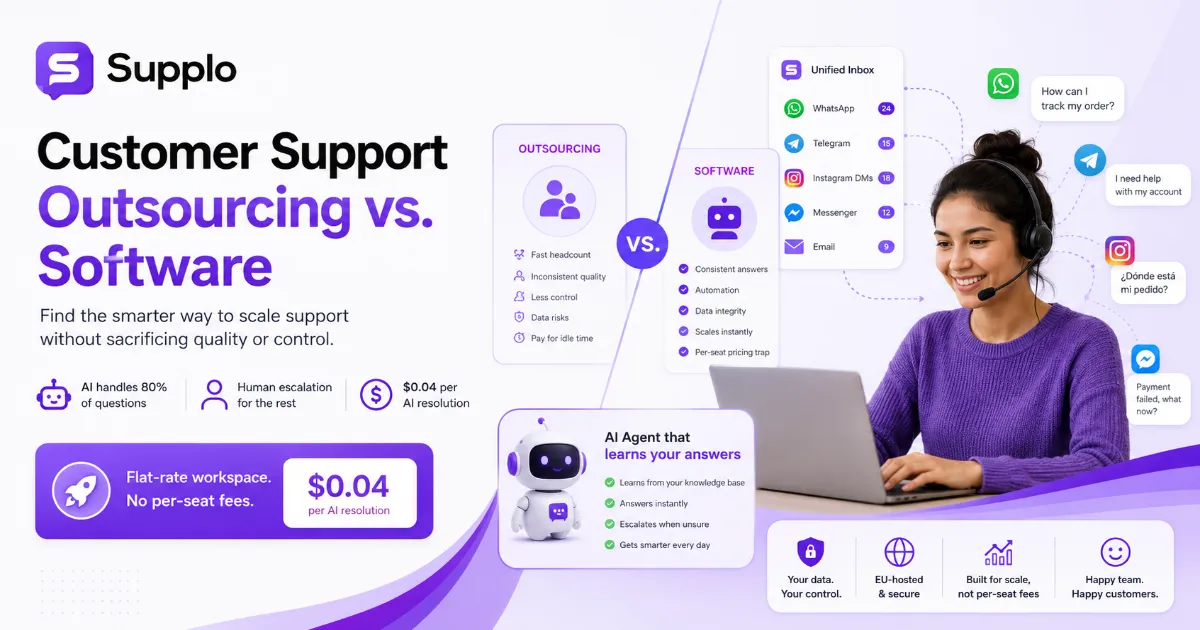
The real cost of AI-powered self-service isn't the software subscription; it's the hidden per-resolution fees that most vendors charge. Some platforms bill you every time the AI answers a question, which can balloon your costs as your customer base grows. A flat-rate model with a low per-resolution cost (like $0.04 per AI answer) is far more predictable and scalable.
Per-seat pricing punishes teams that need multiple agents to handle overflow. Per-resolution pricing punishes you for having a good AI that customers actually use. Look for a platform that includes AI, inbox, and multi-channel routing in one price. Factor in the cost of time saved, every automated resolution is an hour your team gets back.
Cost breakdown comparison:
Pricing Model: What Happens as You Grow
Per-seat Costs explode as you add agents for overflow.
Per-resolution, every successful self-service answer costs you more.
Flat-rate + low per-resolution Predictable monthly cost; AI answers cost just $0.04 each.
“A flat-rate model with a $0.04 per-AI-answer fee is roughly 96% cheaper than per-resolution alternatives and far more predictable.”
Compare flat-rate pricing to per-resolution models and see the difference for your team's volume.
Setting Up Your Self-Service Help Desk in Under an Hour
Setting up a self-service customer support system doesn't have to take weeks. With the right platform, you can import your existing knowledge base, configure your AI agent, and connect your channels in under 60 minutes. Start with your top 10 FAQs, let the AI learn from live conversations, and refine as you go.
Most platforms offer templates for common industries (SaaS, eCommerce, etc.). Connect your email, WhatsApp, and website widget in a few clicks. Set up automatic routing rules so the AI handles simple tickets first. Test the flow yourself before going live, catch the rough edges early.
Setup checklist (60-minute plan):
- Import your existing knowledge base or write your top 10 FAQs.
- Configure the AI agent to pull answers from the knowledge base.
- Connect email, website widget, and messaging channels.
- Set routing rules: AI handles simple tickets, and humans handle complex ones.
- Test the full flow, type a common question, and see how the AI responds.
- Go live and monitor resolution rates for the first week.
Ready to see it in action? Set up your self-service help desk in under an hour, no credit card required. Test the AI agent, connect your channels, and see how many tickets it deflects on day one. Start Free Trial
Why Digital Self-Service Tools Are the Future of Customer Support
Digital self-service tools are the future because customers prefer them. Studies consistently show that most customers would rather find an answer themselves than wait for a human agent. The key is making self-service fast, accurate, and available on the channels customers already use, whether that's your website, WhatsApp, or Instagram DMs.
Self-service reduces wait times from minutes to seconds. It scales infinitely without adding headcount. Customers get 24/7 support without your team having to work nights. The data from self-service interactions helps you improve your product and docs.
Outcomes you can expect:
- Faster response times (seconds vs. hours).
- Lower ticket volume (handles 40–60% of common questions).
- Higher CSAT (customers who self-serve are often happier).
- A support team that focuses on complex issues instead of repetitive questions.
“Self-service scales infinitely without adding headcount, and customers get 24/7 support without your team working nights.”
See how a real team cut tickets with self-service and what their customers thought of the experience.
Key Takeaways
- Reliable self-service customer support requires an AI that learns from your actual conversations, not generic data.
- Flat-rate pricing with low per-resolution fees is more predictable and scalable than per-seat or per-resolution models.
- A unified inbox with AI, live chat, and multi-channel routing creates a seamless experience for customers and agents alike.
- You can set up a self-service help desk in under an hour, start with your top 10 FAQs, and improve over time.
- Human agents remain essential for complex, high-empathy issues; self-service handles the rest.
FAQ
Is self-service customer support secure for handling sensitive customer data?
Yes, when built on a platform that uses encryption and follows data privacy regulations like GDPR. Supplo is EU-hosted and does not share your data with third parties. Always check that your self-service tool encrypts data in transit and at rest.
What happens if the AI chatbot can't answer a customer's question?
The AI should automatically escalate the conversation to a human agent with full context. The customer should never have to repeat themselves. A good system also logs the failed interaction so you can update your knowledge base.
How long does it take to train an AI agent on my business?
Most modern AI agents can be trained in minutes by importing your existing knowledge base or past tickets. The AI then improves over time as it handles more conversations. You don't need a data science team to set it up.
Can self-service tools handle multiple languages?
Yes, many platforms offer built-in translation. Supplo's AI agent can automatically translate conversations and knowledge base articles into multiple languages, making self-service accessible to a global customer base.
Will self-service replace my human support team?
No, it should augment them. Self-service handles the repetitive, high-volume questions so your human team can focus on complex issues that require empathy and judgment. Most teams find their agents are happier and more productive after implementing self-service.
What's the difference between a chatbot and an AI self-service agent?
A basic chatbot follows a decision tree and can only answer pre-programmed questions. An AI self-service agent understands natural language, learns from past conversations, and can handle nuanced questions by pulling from a dynamic knowledge base.
How do I measure if my self-service portal is working?
Track resolution rate (percentage of issues solved without human intervention), deflection rate (tickets avoided), and customer satisfaction scores on self-service interactions. Also, monitor which articles have high views but low resolution, and those need improvement.
Compliance note: Supplo is not affiliated with any app or website. Please follow each app's terms and local regulations.