On this page
Here's the thing about customer feedback: you don't need a bloated enterprise platform to get it right. What you actually need are the right questions, sent at exactly the right moment, with a system that turns those responses into real action, not just a spreadsheet collecting dust.
This guide is built for support leads, SaaS founders, and small customer success teams who want reliable, actionable data without the corporate fluff. No consultants pushing expensive frameworks. No overpriced tools that do more than you need.
We're handing you free downloadable customer satisfaction survey templates in Word, Excel, and PDF. Each one is built for a specific situation: CSAT, NPS, churn, onboarding, support, the works. Grab what you need, tweak it, and start collecting feedback today.
Quick Answer
- Free templates included: Word, Excel, and PDF, printable and editable, for CSAT, NPS, churn, onboarding, and support surveys.
- Best timing: Send 1 hour of a support ticket closure or a key event (e.g., purchase, onboarding step). Post-interaction wins over end-of-month blasts.
- Key metric: CSAT score = (number of satisfied responses (4 or 5) ÷ total responses) × 100.
- Action rule: Flag any score below 4 immediately. Assign a follow-up task. Close the loop within 48 hours.
- Common mistake: Bad timing and vague questions kill response rates faster than a long survey.
Why Reliable Customer Satisfaction Data Still Matters (And Why Most Surveys Fail)
Let's be honest, most customer satisfaction surveys are noise machines. Bad timing, fuzzy questions, and zero follow-up destroy both response rates and data quality. A solid template removes the guesswork so you can consistently measure real sentiment, not just who bothered to fill out the form.
The secret? Build a system around the survey, not a one-off ask.
- Survey fatigue is real; shorter doesn't always mean better, but targeted length wins.
- Timing matters more than the template (post-interaction vs. end-of-month).
- Anonymous surveys reduce bias but lose follow-up context.
- Segmentation by customer lifecycle stage increases actionable insight.
Free Customer Satisfaction Survey Templates (Downloadable Word & Excel)
You don't need fancy survey software to start collecting feedback. These free customer satisfaction survey templates in Word and Excel give you a professional CSAT survey framework that plugs into any basic workflow. Download one, tweak the questions, and start collecting responses today: no gating, no sign-up tricks, no nonsense.
- Word format: Best for internal edits or small-team approval loops.
- Excel template: Ideal for bulk data entry and basic CSAT score calculation.
- The download includes a printable PDF for in-person or event feedback.
- Works for both transactional (post-purchase) and relational (quarterly) surveys.
Got your template? Now send it from the same inbox you already use. Start a free trial of Supplo's shared inbox and survey automation without adding a new tool—no credit card needed.
The CSAT Survey Template: How to Measure Customer Satisfaction Score Accurately
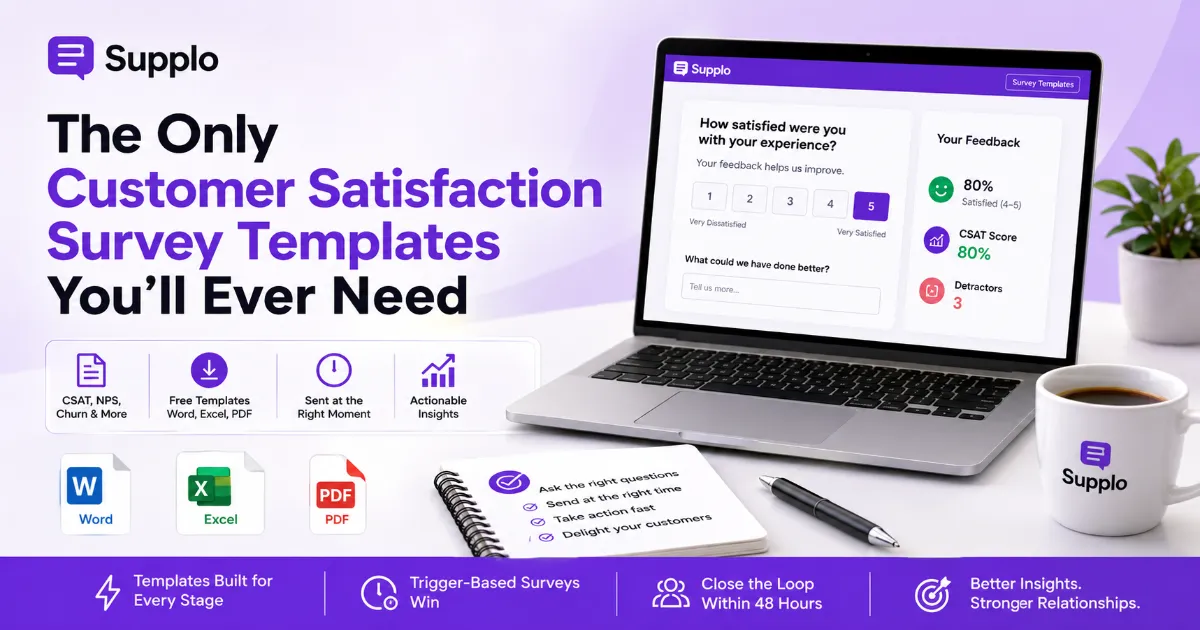
Your CSAT score is only as good as your questions. A standard customer satisfaction score template uses a 1–5 or 1–7 scale with a single, direct question: "How satisfied were you with experience?" The real trick? Adding a follow-up open field for context. Because the number alone won't tell you why someone felt that way.
This CSAT survey template includes both.
- Scale selection: 1–5 is standard, 1–7 reduces ceiling effects.
- Include a "not applicable" option to avoid skewing averages.
- Attach to specific events (e.g., ticket resolution, onboarding completion).
- Calculate score by dividing positive responses (4–5) by total responses.
Customer Happiness & Customer Experience Survey Templates (With CSAT Questions Examples)
These customer happiness survey templates go beyond a single satisfaction score. They mix quantitative ratings with qualitative questions to capture how a customer feels about your brand, not just the last interaction.
Use the included customer experience survey template to map touchpoints like onboarding, support, and billing. Each template includes ready-to-use CSAT question examples you can copy straight into your support workflow.
- Happiness template: "How happy are you with the feature/service overall?"
- Experience template: "How easy was it to resolve your issue today?"
- Includes a "verbatim" field for rich, quote-worthy feedback.
- Combine with behaviour tracking (e.g., repeat purchases) to add depth.
"A happiness score without a verbatim field is like having a speedometer without an odometer, you know the pace but not the direction."
Collect feedback from WhatsApp and Telegram channels to meet customers where they already are.
SaaS Customer Satisfaction Survey Templates Built for B2B Feedback
SaaS customer satisfaction survey templates need to account for multi-user accounts, onboarding complexity, and feature adoption curves. A generic B2C template won't cut it.
These SaaS-specific templates include role-based questions (admin vs. end user) and lifecycle-specific timing (day 7 vs. month 6). They help you pinpoint where product-market fit wobbles before it breaks.
- Ask about specific feature usage, not abstract "satisfaction."
- Segment responses by user role for actionable departmental insights.
- Include a "likelihood to upgrade" question for expansion revenue signals.
- Keep surveys short by targeting one lifecycle stage at a time.
"A single survey for all users is like asking a pilot and a passenger the same question about a flight; different perspectives miss the real story."
Compare costs with traditional support platforms to see how pricing per agent can limit your feedback collection.
SaaS NPS, Churn, and Onboarding Survey Templates
NPS tells you loyalty. But churn and onboarding surveys tell you why customers leave or stick around.
This SaaS NPS survey template uses the standard 0–10 scale and includes a "What's the primary reason?" drop-down. The SaaS churn survey template kicks in after cancellation and focuses on friction points. Meanwhile, the SaaS onboarding survey template catches confusion early so you can fix it before customers ghost.
- NPS template: Single question + categorized follow-up (e.g., pricing, features).
- Churn template: "What would have kept you?" with selectable pain points.
- Onboarding template: Day 1 vs. Day 14 comparison for stickiness.
- Auto-trigger these via your support platform for consistent data.
"An NPS score without a follow-up question is a number looking for a story. A churn survey without a 'why' is a missed lesson."
Flat-rate pricing without per-seat fees makes it easier to scale your feedback collection without budget surprises.
Customer Support & Service Satisfaction Survey Template
The customer service satisfaction survey template is your frontline pulse check. It measures agent effectiveness, resolution speed, and overall support experience immediately after a ticket closes.
Our customer support survey template includes a "Did this solve your problem?" yes/no gate and a short rating scale. Use it to track agent performance and spot training gaps without drowning in data.
- Send within 1 hour of ticket closure for reliable recall.
- Include a "What could we have done better?" open field.
- Compare scores by channel (email, chat, WhatsApp, Telegram).
- Use anonymized data for team coaching, not punishment.
Share a customer support survey via live chat or email to collect feedback instantly after a ticket resolution.
Your support team shouldn't be blind to sentiment. Wire this CSAT survey template into Supplo's live chat and email ticketing for real-time feedback. If the score drops, the right person gets notified instantly. See how it works.
Software & Product Feedback Survey Template for Feature Validation
You don't build in a vacuum. This SaaS product feedback survey template helps you validate new features, sunset old ones, and prioritize the roadmap based on actual usage data.
It combines a "How would you rate feature?" scale with a "What's missing?" open question. The customer success survey template extends this to retention signals, flagging at-risk accounts early.
- Target active users of the specific feature, not the whole base.
- Keep it to 3–5 questions max to avoid drop-off.
- Link survey responses to product analytics to correlate behaviour.
- Use for beta-test feedback before full feature launch.
How to Measure CSAT: A Practical Guide for Small Teams
Measuring CSAT isn't hard. Doing it reliably requires a process.
Start by defining your trigger events (e.g., ticket closed, order delivered). Choose the 1–5 scale, send the survey within minutes of the event, and calculate the score using the standard formula. This guide to measuring CSAT includes a simple spreadsheet method and a recommended frequency for small teams.
- Trigger-based surveys win over periodic blasts for accuracy.
- Minimum 30 responses per metric period for statistical relevance.
- Track response rate; if below 10%, adjust timing or incentive.
- Don't overcomplicate: one CSAT question plus one open field is enough.
"You don't need a data scientist to measure CSAT. You need a process, a trigger, and a template."
Use our AI Agent to automatically trigger follow-up surveys based on ticket sentiment, saving your team from manual work.
What to Do With Survey Results (Action > Analysis)
Collecting responses without action is just noise. Here's a 3-step process that actually works:
- Flag scores below 4 immediately as "detractors."
- Assign a follow-up task to the responsible team member
- Close the loop with the customer within 48 hours
This turns raw data into retention and revenue. Use your support platform's inbox to track follow-ups like any other ticket.
- Automate detractor alerts to your team's shared inbox.
- Create a feedback log to spot recurring themes over time.
- Share the top positive verbatim with the team to boost morale.
- Use improvement suggestions to update your knowledge base.
See how one SaaS team turned low CSAT scores into retention wins.
Stop guessing what your customers think. Use Supplo to automate survey triggers, track follow-ups, and keep all feedback in one inbox. Plans start at a flat monthly rate with no per-agent fees. Get started
Key Takeaways
- Free templates cover all key stages: CSAT, NPS, churn, onboarding, and support.
- Timing beats template design: Send surveys within minutes of a key event for reliable data.
- CSAT calculation is simple: Satisfied ÷ Total × 100.
- Action is the only metric that matters: Flag detractors, assign follow-ups, close the loop.
- Integrate with your existing tools: Use a shared inbox to track survey responses and follow-ups.
FAQ
What is the difference between CSAT, NPS, and CES surveys?
CSAT measures short-term satisfaction with a single interaction. NPS tracks loyalty and referral likelihood on a 0–10 scale. CES (Customer Effort Score) measures how easy it was to solve a problem. Use CSAT for support, NPS for brand health, and CES for product usability.
How many questions should a customer satisfaction survey have?
Aim for 3–5 questions max for transactional surveys and 5–8 for relational surveys. Longer surveys kill response rates. One rating question and one open-ended question are often enough for a reliable CSAT score.
When should I send a customer satisfaction survey?
Send transactional surveys within 1 hour of the event (purchase, support ticket, onboarding step). For relational surveys, quarterly works well. Timing matters more than template design for reliable data.
How do I calculate the CSAT score from survey results?
Divide the number of "satisfied" responses (rating 4 or 5 on a 1–5 scale) by the total number of responses, then multiply by 100. For example, 80 satisfied responses out of 100 give a CSAT score of 80%.
Are these survey templates compliant with data privacy regulations?
Treat all survey responses as personally identifiable information (PII). Anonymize data where possible, avoid collecting unnecessary personal details, and store responses securely. Supplo is not affiliated with any app or website. Please follow each app's terms and local regulations.
What is the best response rate to aim for with customer surveys?
A 10–20% response rate is considered healthy for transactional surveys, while relational surveys may see a 5–15% response rate. Low response rates can bias results toward extreme opinions. Consider light incentives (like a discount code) to boost participation.
Can I integrate these survey templates with my existing support software?
Yes. Copy the questions into any support platform that offers survey triggers (like Supplo's inbox or widget). Most email ticketing tools also allow manual survey sending. The templates are designed to be platform-agnostic.
Compliance note: Supplo is not affiliated with any app or website. Please follow each app's terms and local regulations.


