On this page
Let's be honest for a second: most teams spend way too much time thinking about how they open a conversation with a customer and almost zero time on how they end it. But how to close a support ticket professionally matters more than how you start one. That final interaction? It sticks. It's what customers remember when they're deciding whether to recommend you or ghost you.
This guide is for anyone who picks up tickets, manages a support team, or runs a business that cares about not burning bridges. Because closing well isn't just polite, it's profitable.
Quick Answer
- Close tickets with a clear confirmation of the resolution, an explicit close announcement, and an open door for follow-up.
- Empathy matters most when the answer is no, validate feelings, explain the reason, and offer an alternative.
- Avoid premature closures: always confirm the customer is satisfied before marking a ticket resolved.
- Use closure data to strengthen your knowledge base and reduce future ticket volume.
Why Closing a Support Ticket Professionally Matters More Than Opening One
If you think the last thing you say to a customer doesn't matter, think again. A professional ticket closure reinforces trust, reduces repeat contacts, and turns a resolved issue into a positive brand memory. Done right, it signals reliability and respect for the customer's time.
First impressions get the conversation started, but a strong close earns the final word in the recommendation. A rushed or cold close can undo all the good work done during the resolution. Professional closures also reduce churn and lower the likelihood that the customer will reopen the ticket. Customers remember how they felt at the end of an interaction more than they do in the middle.
So yeah, close with intention, not just exhaustion.
The Checklist Before You Hit Resolved
Before you close a ticket, verify that the solution actually worked, confirm the customer has everything they need, and check for any loose ends, such as unread follow-ups or pending feedback. A quick pre-close checklist prevents premature closures that frustrate customers and inflate reopen rates. This is a foundational step in professional ticket closing methods.
Here's a checklist to ensure effective support ticket resolution before closure:
- Confirm the customer has acknowledged the solution, not just received it.
- Double-check attachments, links, or next steps are included and accurate.
- Ask yourself: Could they solve this same issue again on their own?
- Review ticket tags and internal notes for completeness before closing.
- Set a clear expectation: We'll close this ticket now, but we're here if anything else comes up.
It takes 30 seconds. Skipping it costs you trust.
The Anatomy of a Professional Ticket Closing Message With Scripts
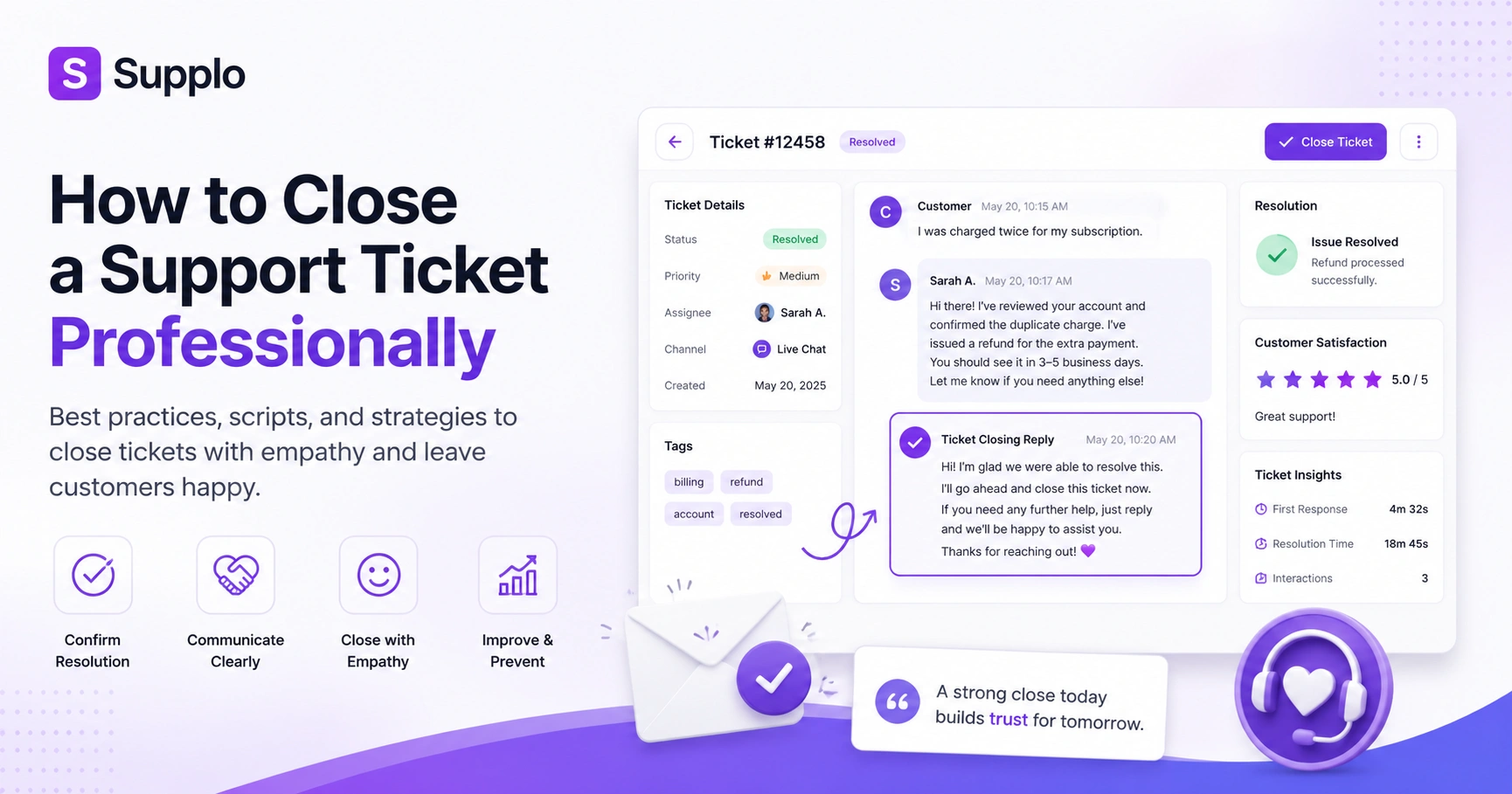
A professional ticket-closing message includes three essential parts: confirmation of the resolution, a clear statement that the ticket will be closed, and an invitation to follow up. Keep it concise, warm, and specific to the issue rather than boilerplate. This adheres to good best practices for closing customer tickets.
Example script for a successful resolution:
Hi [Customer Name], we've confirmed the fix is working on our end. Your account should be fully synced now. We'll go ahead and close this ticket, but please reply anytime if you need anything else.
Example script for a workaround:
Hello [Customer Name], we know this isn't the perfect fix you wanted, and we're actively working on a permanent update. Here's what you can do in the meantime: [Provide workaround steps]. I appreciate your patience as we address this. We'll close this ticket for now, but reply if you have questions about the workaround or encounter further issues.
Avoid vague sign-offs like Hope this helps without a clear closure statement. Personalize the message by referencing the specific issue, not a generic template.
How to Close a Support Ticket with Empathy Even When the Answer Is No
Empathetic ticket closure means acknowledging the customer's frustration, validating their effort to reach out, and explaining, politely when you can't, why you can't give them what they want. The goal is to show you care about the outcome, not just the resolution status. This is critical to closing a ticket with empathy.
Use phrases like I understand this isn't the answer you were hoping for before stating the limitation. Offer an alternative or a timeline for future improvements whenever possible. Avoid defensive language; don't say 'our policy says no'; say, 'here's what we can do instead.' End with warmth: Thank you for the opportunity to look into this. We haven't stopped pushing for a better long-term solution.
It's not about sugarcoating. It's about showing you're on their side, even when the news isn't great.
Best Practices for Closing Customer Tickets Without Burning Bridges
Even when a ticket is resolved, the way you close can strengthen or weaken the customer relationship. Best practices for closing customer tickets include doing so during business hours, avoiding automated or impersonal closures (unless explicitly set), and leaving the door open for genuine follow-up. This ensures tickets are closed effectively for positive outcomes.
- Never close a ticket while a customer is actively typing or clearly in the middle of a conversation.
- If automation is used, give the customer a nudge: If this solved your issue, no need to reply. If not, let us know.
- Use language that frames closure as a pause, not a hang-up.
- Follow up on complex tickets within 24–48 hours to ensure everything is still working.
- Build a closing etiquette guide for your team and review it quarterly.
Ready to close tickets faster without sacrificing quality? Start with a free 14-day trial at Supplo. Our AI agent can handle up to 80% of your incoming tickets automatically, freeing your team to focus on the complex closures that require a human touch. No seat-licensing fees, no complex setup. Sign up in minutes and see the difference.
How to Resolve Tickets on First Contact
The one-pass close means resolving the ticket thoroughly in the very first reply, eliminating back-and-forth. This requires gathering enough context upfront, anticipating follow-ups, and over-delivering on information the customer didn't ask for but would need. This strategy leads to effective support ticket resolution and closure.
To achieve this:
- Use ticket forms and AI agents to capture key details before sending the first reply.
- Include steps of instructions, screenshots, or video links if the instructions are complex.
- Always confirm: Does this answer your question completely, or is there something else you'd like to cover?
- Track first contact resolution (FCR) rate as a key metric.
- Consider using a shared team inbox tool (like Supplo) to collaborate quickly on complex issues before the first response.
The goal? Make every reply the only reply.
Common Mistakes in Professional Ticket Resolution
The most common mistake in professional ticket closure is closing too quickly without customer confirmation, followed by the use of robotic scripts that lack human warmth. Other pitfalls include ignoring tone in written replies, leaving the ticket unresolved while marking it as solved, and failing to document the resolution for future reference. These are errors against best practices for closing customer tickets.
- Closing without giving the customer a chance to reply is a fast way to lose trust.
- Don't redirect the customer to a new channel at the last second unless necessary.
- Avoid ping-pong handoffs in which the customer has to explain their issue multiple times.
- Never close a ticket with a canned response. We hope this resolves your issue, but if it doesn't, please let us know.
- Always proofread the final message; typos at the end make you feel rushed and careless.
Mistakes happen, but they don't have to happen twice. Supplo's shared inbox and AI agent help you catch common closure errors before they reach the customer. Want to see how? Start your free trial today and let your team close tickets more confidently.
Closing Tickets Effectively as a Team: Escalations, Handoffs, and Follow-Ups
When multiple people touch a ticket, the closure must feel seamless to the customer. Use internal notes and shared inbox tools to sync on context before the final reply, and assign a single person to own the closure, even if others handled parts of the resolution. This collaborative approach enhances the effective closure of tickets.
- Use a shared inbox (like Supplo's) to keep all replies and internal chatter in one thread.
- Tag team members in internal notes so everyone sees the final closure plan.
- For escalations, reintroduce the team member handling the closure in the final message.
- Set a team-wide closure cadence: don't close tickets on Fridays unless the customer is aware.
- Reopened tickets to track where the handoff broke down.
Your customer doesn't care who did what. They want one person to own the ending.
How to Measure Professional Ticket Closure Metrics That Matter
Measure the quality of your ticket closures using three key metrics: customer satisfaction (CSAT) after closure, first contact resolution (FCR) rate, and ticket reopen rate. A high reopen rate suggests your closures are premature or incomplete, even if CSAT looks fine. This informs your professional ticket resolution process.
- Track CSAT specifically on closed tickets, not just on the overall interaction.
- Monitor reopen within 24 hours as a leading indicator of poor closure quality.
- Use sentiment analysis on final customer replies to gauge real feelings.
- Benchmark against your own historical data, not industry averages (they vary widely).
- Share closure metrics with the team weekly, not just monthly, to keep quality top of mind.
Numbers don't lie. But you have to track the right ones.
Using Closure Data to Improve Your Knowledge Base
Every ticket closure is a data point. By analyzing which answers worked best, which issues got reopened, and which required multiple replies, you can strengthen your knowledge base and reduce future tickets. This creates a positive feedback loop where your team closes more tickets on first contact over time, leading to more effective ticket closures.
- Identify the top 5 topics that generate the most tickets and build knowledge base articles around them.
- Use closure notes to spot gaps in documentation. If three people ask the same thing, it's time for a new article.
- Let your AI agent learn from resolved tickets so it can automatically answer similar questions.
- Integrate your support platform with your knowledge base so customers can self-serve before creating a ticket.
- Review closure data quarterly and update knowledge base content accordingly.
Closure is the end of one interaction and the start of the next. Make sure your team has the right tools to close tickets professionally every time. Try Supplo for free and join hundreds of teams who've traded expensive per-seat tools for a flat-rate workspace that grows with you. Need flexible payment? We support Crypto, Binance Pay, Payeer, GCash, AmanPay, QIWI Wallet, DOKU, Nigeria, and South Africa cards, Skrill, and Payoneer. Start your 14-day trial now.
Key Takeaways
- A professional ticket closure builds customer trust and reduces repeat contacts, directly impacting brand reputation.
- A thorough pre-closure checklist is vital to prevent premature closures and customer frustration.
- Empathetic communication, even when delivering unfavorable news, strengthens customer relationships.
- Leveraging tools like shared inboxes and AI agents can streamline professional ticket resolution, especially for team collaborations and routine tasks.
- Consistent measurement of CSAT, FCR, and reopen rates provides critical insights into the effectiveness of your closing strategies.
- Analyzing closure data helps continuously improve your knowledge base, fostering self-service and reducing future ticket volumes.
FAQ
What does it mean to close a support ticket professionally?
Closing professionally means communicating the resolution clearly, confirming that the customer is satisfied, and leaving the door open for follow-up, all with a warm, respectful tone. It's not just about resolving the issue, but about making sure the customer feels heard and valued.
How do you close a ticket when the customer doesn't reply?
Wait at least 48–72 hours, then send a polite follow-up to check whether the issue has been resolved. If there's still no response, close the ticket with a note that the conversation can be reopened at any time. Never close a ticket silently.
Can you close a ticket with empathy when the answer is no?
Yes. Acknowledge the customer's frustration, explain the limitation without being defensive, and offer an alternative or a timeline for future improvements. End with appreciation for their patience and understanding.
How quickly should a support team close a ticket after resolution?
Ideally, the same day the resolution is confirmed by the customer. If you can't confirm, close within 24–48 hours after the last interaction, with a clear note that the ticket can be reopened if needed.
Should support tickets be closed automatically or manually?
Manual closure is recommended for all but the most routine issues; it allows you to add a personal touch and verify the customer's satisfaction. Automated closures risk coming across as cold or dismissive.
What do you do if a customer reopens a ticket after it has been closed?
Treat it as a fresh opportunity to prove reliability. Review the previous closure to ensure nothing was missed, and apologize for any inconvenience. Reopen the ticket in the system and continue the conversation without making the customer repeat themselves.
How can AI help with professional ticket closure?
AI can suggest empathetic phrasing, summarize the resolution for the closure message, and even auto-close tickets based on customer confirmation. Tools like Supplo's AI Agent can handle straightforward closures autonomously while flagging complex cases for human review.
Compliance line: Supplo is not affiliated with any app or website. Please follow each app's terms and local regulations.


