On this page
Let's be real for a second. If you're running customer support and you don't know what conversation history in live chat actually means, you're making your customers repeat themselves way too often. And nobody likes that.
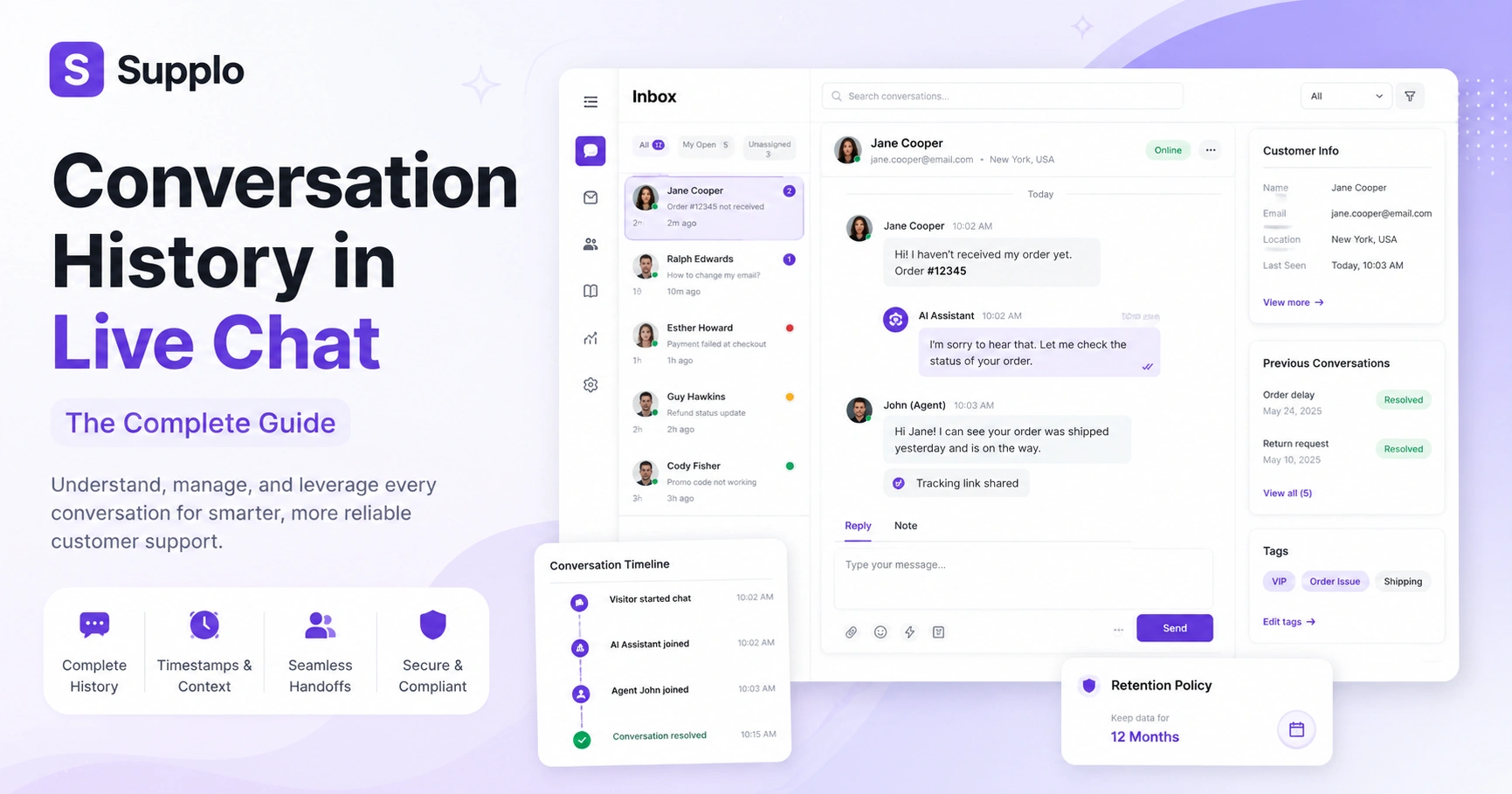
A live chat conversation history is the complete, timestamped record of every interaction between a customer and your support team or AI agent. It encompasses both the human-readable dialogue and the machine-readable metadata. This historical data is crucial for delivering consistent customer support, training AI and ensuring compliance.
This guide is for customer support managers, operations specialists and anyone building or optimizing a customer service system. You need to understand conversation history to reduce customer effort, improve agent efficiency and leverage past interactions for future insights. You should not neglect it; doing so leads to frustrated customers and inefficient support, which costs you time and money.
Quick Answer
- A live chat conversation history is a complete, timestamped record of every customer interaction, including messages, participants and context.
- Chat logs are raw, machine-readable data, while transcripts are human-readable summaries.
- Retention policies typically range from 90 days to 24 months, driven by legal and operational needs.
- Reliable history reduces average handle time, prevents repetition and boosts AI accuracy.
What Is a Live Chat Conversation History and Why Does It Matter for Your Support Team
Here's the thing: a live chat conversation history isn't just a bunch of old messages sitting in a database somewhere. It's the complete, timestamped record of every interaction between a customer and your support team (or AI agent). We're talking full message text, participant names, timestamps and context, like the page the customer was on when they started the chat. This history isn't just a log; it's the backbone of reliable support, allowing agents to pick up where others left off without having to ask the customer to repeat themselves.
Conversation history creates a single source of truth for every customer interaction. It enables seamless handoffs between AI and human agents, ensuring continuity. This data is critical for quality assurance, training new agents and identifying recurring issues that might signal product or process problems. Without a robust conversation history, your team loses vital context, forcing customers to repeat their stories, which quickly leads to frustration and churn.
Live Chat Conversation Log vs. Chat Transcript
People use 'log' and 'transcript' like they're the same thing. They're not. A chat transcript is a human-readable summary of a conversation, usually formatted like a dialogue you'd show your manager during a review. A conversation log, on the other hand, is raw, machine-readable data packed with metadata like response times, IP addresses and system notes. Think of it this way: the transcript is what you show a manager for review; the log is what your AI agent analyzes to improve its responses.
Transcripts are typically text files or emails sent to customers after a chat, offering a clear record of the dialogue. Logs, however, include backend data such as timestamps, status changes and routing information, providing a comprehensive, unfiltered view of the interaction. Both are valuable, but logs are more useful for in-depth analytics and AI training because they provide richer metadata. Confusing the two can lead to messy data retention strategies and missed opportunities for insight.
What's Actually in a Chat History?
A complete chat history contains more than just message text. It's a bundle of structured and unstructured data that includes the full message text, participant identities (customer, agent, AI bot), timestamps of every event, message status (sent, delivered, read) and contextual cues like the visitor's browsing session, previous tickets and even the page URL they were on. Understanding these types of live chat data helps you organize your retention policies and feed the right context into your AI agent.
Types of live chat data include:
- Message text (unstructured): The core dialogue between the customer and agent/AI.
- Metadata (structured): Timestamps, user IDs, browser information, device type and location.
- Status flags: Indicators like pending, resolved, escalated, or transferred.
- Contextual fields: Active URL, custom attributes, previous interactions and knowledge base articles referenced.
How Long Should You Keep Customer Chat History?
There's no one-size-fits-all answer here, sorry. The sweet spot usually falls between 90 days and 24 months, depending on your industry, legal requirements (GDPR, CCPA) and whether you use the data for AI training. The key is to automate the deletion or anonymization of old logs; keeping everything forever is a liability, not a strength. A reliable system lets you set custom retention rules per customer segment or interaction type.
For instance:
- Financial and healthcare companies often retain chat histories for 3-7 years to comply with strict regulatory requirements.
- E-commerce support teams might purge data after 12 months following a purchase closure, especially if no further interaction is anticipated.
- AI training benefits from at least 6 months of active conversation data to continuously learn and improve.
- Your retention policies should be transparent and clearly outlined in your customer privacy policy.
How a Shared Conversation History Boosts Your Team's Reliability
When your entire team (including your AI agent) has access to the same conversation history, reliability skyrockets. Agents no longer ask What's your order number? When the customer already provided it in their previous message. AI bots can reference the entire history to avoid repetitive answers. This unified view turns your shared team inbox into a single, trustworthy pane of glass where any team member, or the AI, can pick up a ticket without missing a beat.
This unified approach dramatically reduces average handle time by eliminating context switching and the frustrating 'can you repeat that?' loop for customers. It also accelerates AI agent training by allowing the model to see complete dialogues and learn from every historical interaction. Furthermore, it builds team accountability because every interaction is logged and transparently available. Supplo's knowledge base integration further enhances this by ensuring AI agents have immediate access to the relevant information the team uses.
What Are Chat Logs Used For? Common Use Cases Beyond Customer Support
Chat logs aren't just for answering tickets. They're goldmines for product feedback, sales qualification and compliance auditing. Product teams mine logs to identify bugs or confusing flows within your application or website. Sales teams look for signals of buying intent or common objections to address them proactively. Legal teams rely on logs for dispute resolution or regulatory audits, providing an indisputable record of interactions. When you treat chat logs as business intelligence rather than support archives, you unlock significant value.
Additional uses for chat logs include:
- Customer success teams flag churn risk by analyzing chat logs for sentiment.
- Marketing analyzes common customer questions and objections to refine landing page copy and FAQs.
- Quality assurance teams use logs to coach agents on tone, accuracy and adherence to support guidelines.
- AI model retraining requires clean, historical logs to improve response quality and resolution rates continuously.
Legal Considerations for Storing Live Chat Message History
Storing chat history comes with real legal obligations. If you operate in the EU, GDPR requires you to minimize data collection and provide an easy way for customers to request deletion of their personal data. The CCPA gives California residents similar rights regarding their personal information. The bottom line: inform customers what data you store, why you store it and how long you keep it. Always encrypt the logs at rest and in transit to protect sensitive information.
To ensure compliance:
- Always obtain explicit consent before recording or storing chat messages, especially for sensitive interactions.
- Implement automated anonymization or deletion of personal data once your defined retention period expires.
- Ensure your live chat provider (like Supplo) is SOC 2 compliant or equivalent, demonstrating robust security controls.
- Never share raw logs with third parties without contractual protections and clear data processing agreements.
Supplo is not affiliated with any app or website. Please follow each app's terms and local regulations.
How Supplo Manages Conversation History
Supplo treats conversation history as a living resource, not a dead archive. Every chat, whether from email, WhatsApp, Instagram DMs, Telegram, or your website widget, lands in a single thread-based inbox with full context. Your AI agent can access the entire history to answer accurately and hand off cleanly when needed. And since Supplo charges a flat per-workspace price, not per seat, your entire team can use the history without cost anxiety, reflecting our transparent pricing.
Supplo's approach:
- The unified inbox brings email, WhatsApp, Telegram, Instagram DMs and website chat history into one timeline.
- Our AI agent draws on past conversations to deliver accurate, context-aware replies, learning from every interaction.
- We support custom retention policies for different channel types, giving you granular control over your data.
- Pricing stays predictable: $0.04 per AI resolution, not seat-based fees, ensuring support remains a controlled cost.
Best Practices for Managing and Searching Your Live Chat History
To get a reliable value from your chat history, you need to organize it before you need it. Tag conversations by topic, sentiment, or issue type as they happen. Use robust search filters to quickly find past interactions by customer ID, keyword, or date range. Set up automated workflows that alert you when recurring issues arise, enabling proactive problem-solving. A well-structured history is searchable, shareable and actionable, not a giant text dump.
Practical steps for managing chat logs:
- Use topic-based tagging (e.g., billing, technical, feature request) for fast filtering and trend analysis.
- Search by customer email, order ID, or session date to pull specific threads and resolve issues faster.
- Set up auto-archiving for resolved chats older than your retention limit, easing storage and compliance burdens.
- Audit a sample of logs monthly to identify accuracy gaps, assess agent training needs and spot emerging product issues.
Ready to see how organized conversation history can speed up your support? Test Supplo for free for 14 days at Supplo. No credit card required. See how the AI agent uses full chat history to resolve tickets instantly.
How Reliable Chat Logs Saved a Support Team
Picture this: a customer reaches out on Instagram DMs about a delayed order. Your AI agent pulls the full chat history, including an email thread from your unified inbox and a previous live chat conversation via your website widget. It immediately knows the customer's order ID, shipping address and previous inquiries. The bot provides real-time tracking updates via WhatsApp or Telegram Support without requiring the customer to repeat anything. The resolution takes 15 seconds. That's the power of reliable, unified conversation history.
In this scenario:
- The customer didn't have to switch channels or repeat their story, drastically improving their experience.
- The AI agent resolved 80% of the tickets without human intervention, boosting efficiency.
- The agent's confidence, if a human step was needed, was backed by a complete, timestamped log accessible in moments.
- The human agent who reviewed the final resolution had full context, ensuring accurate follow-up if necessary.
If you're tired of AI tools that promise everything but deliver vague answers, try Supplo. It's built for teams that want honest, transparent support software. Start your free trial at Supplo, no per-seat pricing, just flat workspace pricing from $0.04 per AI resolution.
Key Takeaways
- Holistic Data Is Key: Conversation history is more than just message text; it includes critical metadata and contextual information.
- Logs vs. Transcripts: Understand the difference between raw chat logs (for analytics/AI) and human-readable transcripts (for review/customer records).
- Strategic Retention: Implement automated data retention policies aligned with legal obligations and business needs, typically ranging from 90 days to 24 months.
- AI & Human Synergy: A unified history empowers both your AI agent and human team for faster, more accurate resolutions.
- Compliance Matters: Always prioritize privacy, consent and data security when storing customer chat data.
- Beyond Support: Leverage chat logs for product feedback, sales insights and compliance audits to maximize their value.
FAQ
Is storing live chat conversation history legal?
Yes, as long as you inform customers, obtain consent where required (GDPR, CCPA) and implement appropriate data security measures. Always include a privacy notice that explains what data you collect and how long you keep it.
Should I send chat transcripts to customers after a conversation?
It's a good practice for transparency and trust. Send a clean, readable transcript via email and give the customer an easy way to request deletion if they choose.
What's the difference between a chat transcript and a chat log?
A chat transcript is a human-readable summary of the conversation dialogue. A chat log is a raw, machine-readable record that includes metadata such as timestamps, routing information and system flags.
How long should I keep the live chat message history?
It depends on your industry and legal requirements. A safe baseline is 90 days to 24 months. Financial or healthcare scenarios may require 3-7 years. Automate deletion or anonymization after your retention period expires.
Can my AI agent use past conversation history to improve?
Yes. A well-trained AI agent can reference previous chat logs to answer more quickly and accurately. Supplo's AI agent learns from your knowledge base and past conversations, improving over time.
What's NOT included in a standard chat log?
Standard logs usually exclude screen recordings, keystroke data, or sensitive payment details unless explicitly configured. Keep your logs focused on message text and basic metadata to minimize liability.
What happens if my chat logs are lost or corrupted?
Use a reliable provider with automated backups and redundant storage. Supplo keeps your conversation history secure and accessible across your team, with no data silos between channels.
Compliance line: Supplo is not affiliated with any app or website. Please follow each app's terms and local regulations.


