On this page
Imagine a customer support team where every incoming request lands with the right person instantly. No, who's got this? Slack pings. No customers repeating themselves. That seamless flow is the payoff for learning how to correctly reassign tickets in your helpdesk. This guide walks you through everything from manual handovers to smart automation, so you can build a system where no ticket disappears and every customer feels taken care of.
This is for support managers, team leads and agents who want to clean up the chaos. Use it to speed up response times, reduce agent stress and make sure every ticket has a clear owner from start to finish.
Quick Answer
- Ticket reassignment keeps support running smoothly. It ensures every issue has a clear owner, prevents delays and keeps resolution times low.
- Manual reassignment works for small teams and quick swaps, but you’ll need solid internal notes so the next agent doesn’t start from scratch.
- Automatic ticket distribution rules (like round-robin or skill-based routing) help you scale. They send tickets to the right agent based on keywords, customer type, or language.
- A robust assignment workflow includes fallback rules and collision detection, so nothing stays unassigned and no one sends a duplicate reply.
- Clear handover protocols make shift changes and department transfers painless. Internal notes and status updates are your best friends here.
Why Ticket Reassignment Matters for Reliable Support and Your Team’s Sanity
When you nail ticket reassignment, you cut response times, stop customers from repeating themselves and keep your team from burning out. Done badly, it leads to dropped threads, confused customers and agents guessing who owns what. A solid assignment workflow turns reactive chaos into reliable support.
A structured process reduces the chance of tickets going stale. Customers notice when they have to re-explain their issue to a new person, which erodes trust fast. Reassigning without context wastes everyone’s time. Reliable ticket workflows help you scale without adding headcount chaos. Without proper handover, escalations become guesswork and your SLAs start slipping.
What Is Ticket Ownership in a Helpdesk?
Ticket ownership means one person is responsible for seeing the ticket through to resolution. In a shared inbox, ownership prevents someone else from grabbing it. Assigning tickets to team members across your helpdesk gives each agent clear accountability and a manageable queue.
Ownership doesn't mean the agent has to solve it alone; it just means they're the point person. Clear ownership reduces duplicate replies and internal back-and-forth. Most helpdesk tools let you see who owns what at a glance, which helps balance workloads. When ownership gets murky, customers get bounced between agents. That’s the opposite of reliable support. Effective shared inbox ticket management starts with knowing who owns each thread.
How to Reassign Tickets Manually in Your Shared Inbox
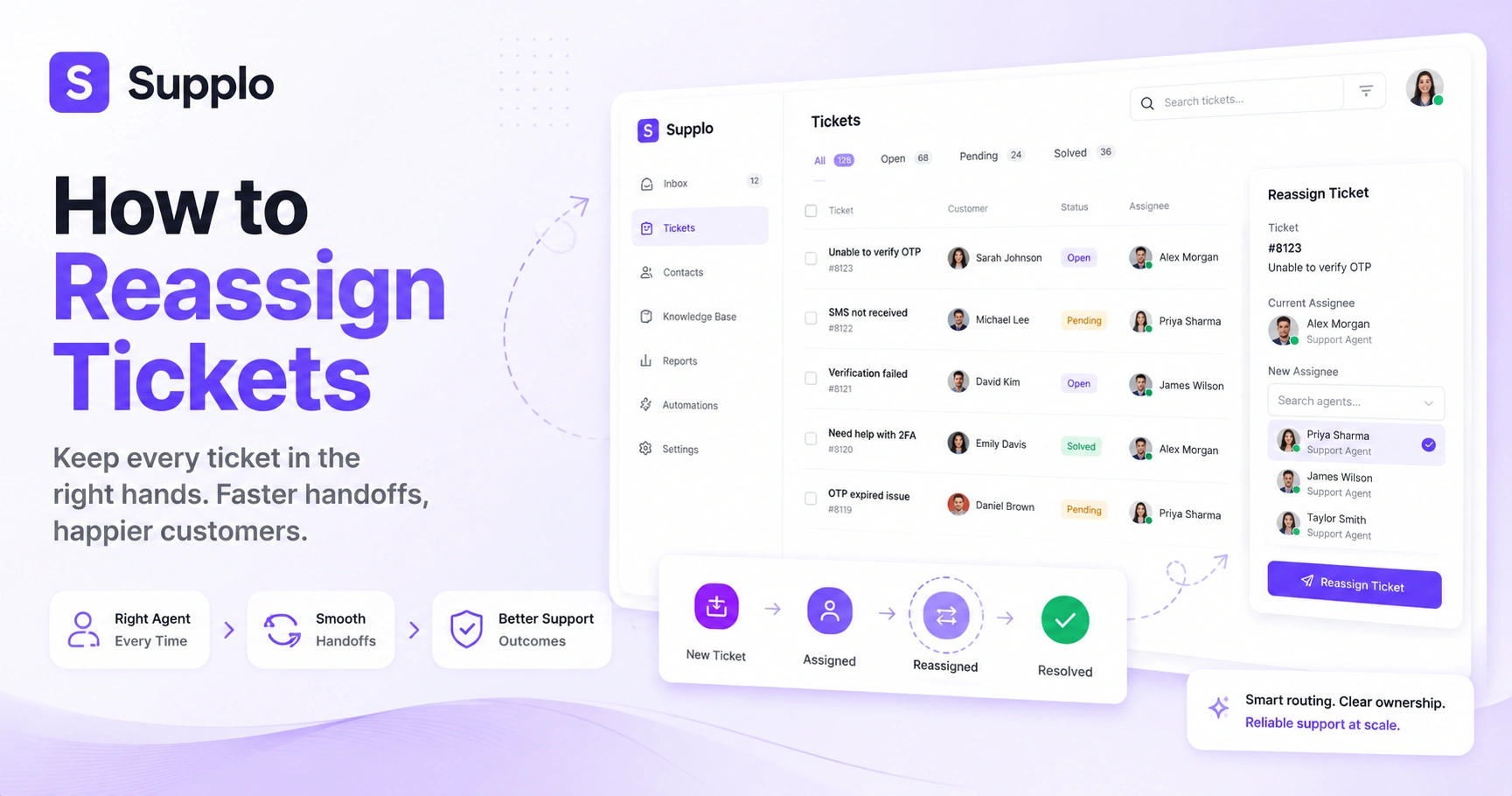
The simplest way to reassign tickets is directly from your shared inbox. Most tools let you change the owner with a dropdown or drag-and-drop. For quick handovers, always add a note explaining why you’re reassigning; it saves the next agent from having to guess.
Look for the assignee or owner field in your ticket view and click to change it. Always include a brief internal note or tag to explain the handover reason. Manual reassignment works best when you’re handling fewer than 50 tickets a day. The risk here is human error, forgetting to assign, or assigning to the wrong person. Combining manual reassignments with a routing rule reduces mistakes and speeds things up.
Setting Up Automatic Ticket Distribution Rules
Automatic ticket distribution rules let your helpdesk route incoming tickets to the right team or person without anyone having to touch them. You can set rules based on keywords, customer type, department, product category, or language. The goal is to get every request in front of the right human faster.
Round-robin distribution spreads tickets evenly across available agents. Skill-based routing sends technical questions to your tech team and billing questions to finance. Keep your rules simple at first; over-engineering early on leads to misdirected tickets. Ticket distribution is especially useful for teams offering multilingual support. Automating assignment cuts first response time by eliminating manual triage.
Building a Ticket Assignment Workflow That Scales
A ticket assignment workflow maps how a ticket moves from creation to resolution, who sees it first, when it escalates and how reassignments occur along the way. For reliability, your workflow needs fallback rules so nothing falls through the cracks. Start simple, measure where tickets stall and keep iterating.
Steps to Build a Scalable Ticket Assignment Workflow:
- Map the Journey: Outline every step from ticket creation to resolution, including initial triage, first response, escalation paths and closure.
- Define Reassignment Triggers: Determine clear triggers for reassignment, such as elapsed time without a response, a customer reopening a closed ticket, or specific keywords indicating a need for specialized support.
- Implement Fallback Rules: Create an unassigned safety net. For example, any ticket remaining unclaimed for X minutes is automatically assigned to a team lead or the general queue for review.
- Test and Refine: Before rolling out new workflows company-wide, test them with a small batch of real tickets. Gather feedback from agents and monitor key metrics to identify and fix bottlenecks.
- Seek Transparency: Ensure your workflow is transparent to customers while remaining largely invisible to agents during normal operation. The customer should feel a continuous, smooth interaction.
The best workflows are invisible to the agent during normal operation and transparent enough that the customer never feels a bump.
Handling Ticket Handover Between Shifts and Departments
Ticket handover between shifts or departments is where most reliability cracks show. The fix is a structured process with context notes, status updates and clear ownership flags. Whether you’re passing a ticket from day shift to night shift or from engineering support, the goal is zero information loss.
End each shift with a brief shared summary of open tickets and their owners. Use internal notes (not public replies) to document what’s been tried and what’s pending. Tag or flag escalation-level tickets so the next team knows the priority. Handover checklists help new agents pick up where the previous one left off. In multichannel support, handover also means keeping the conversation thread intact across email, chat and messaging apps.
How to Manage Shared Inbox Tickets Without Dropping the Ball
Managing a shared inbox well means every ticket gets seen, claimed and resolved without chaos. Use assignment rules, collision detection and read receipts to stop two agents from replying to the same ticket. The most reliable shared inbox setups combine automation with clear team protocols.
Checklist for Effective Shared Inbox Management:
- Enable Collision Detection: Implement tools that show when another agent is actively viewing or replying to a ticket. This prevents duplicate work and ensures consistent customer communication.
- Establish Clear Claim Policies: Define how agents claim ownership of tickets. This could be a first-come, first-served model or a set of specific assignment rules. Ensure the system clearly shows who owns what.
- Maintain a Visible Unassigned Queue: All unassigned tickets should be easily visible to the entire team, enabling agents to pick up new requests proactively.
- Regularly Review Unassigned and Abandoned Tickets: Schedule periodic audits of your unassigned and outstanding tickets to identify workflow gaps, training needs, or potential policy adjustments.
- Prioritize a Centralized View: Your helpdesk should offer a glanceable overview of ticket status, owner, channel and last action. This visibility is crucial for effective shared inbox management.
A good shared inbox tool shows ticket status, owner and last action at a glance. For instance, Supplo's thread-based inbox unifies communications from all channels, making it simple to manage tickets effectively.
What to Do When Ticket Reassignment Goes Wrong
When reassignments fail, it’s usually because of automation rule conflicts, missing permissions, or human error. Check your routing rules first; a poorly configured rule can override manual assignments. If tickets are showing as unassigned despite having rules, review your fallback logic.
Ghost assignments happen when a ticket shows an owner, but the agent never actually received it. If customers are getting auto-replies from the wrong person, check your round-robin exclusions. Rule conflicts often occur when one rule passes a ticket to Sales and another to Support at the same time. Permission issues: agents might not have access to certain ticket types or teams. Test changes in a staging environment or with a small subset of tickets before going live.
Supplo is not affiliated with any app or website. Please follow each app's terms and local regulations.
If your current ticket reassignment setup keeps failing, try a support platform that makes it easier. Start a free trial at Supplo and see how shared inbox management should work.
Tools and Features That Make Reassigning Tickets Easier
Modern helpdesk tools offer auto-routing, skill-based assignment, drag-and-drop reassignment and queue management dashboards. The most useful reliability feature is collision detection, which prevents multiple agents from working the same ticket. Look for tools that support multichannel ticket routing so you can manage email ticketing, chat and social DMs from one shared inbox.
Auto-routing rules based on keywords, topics, or customer tiers save time. Queue views let you see all unassigned tickets in one place. Bulk reassignment is useful for moving a group of tickets from a departing agent. Agent statuses (online, busy, away) help your routing logic send tickets to available people. The best tools log every reassignment so you can audit the ticket's journey later.
How Supplo Handles Ticket Reassignment and Shared Inbox Management
Supplo brings all your channels into a single thread-based inbox, so reassignment works the same whether a ticket comes from email, the chat widget, WhatsApp, Telegram, Instagram DMs or Facebook Messenger. Our shared inbox shows ticket ownership at a glance and our AI agent can handle initial triage, automatically assigning or routing tickets based on your rules. When a human needs to step in, reassignment is one click with full conversation history intact.
Supplo’s shared inbox unifies all channels, so reassignments work across email, chat and messaging apps. The AI agent triages incoming tickets, categorizes them and assigns them based on your rules. Manual reassignment is straightforward: change the owner from the ticket view and you’re done. All reassignments preserve the full thread and internal notes, so context isn’t lost. Customer context, history and language translation carry over with every reassignment.
Stop losing tickets in messy handovers and start managing your shared inbox the reliable way. Try Supplo free for 14 days, no seat limits, no hidden costs.
Automate Ticket Assignment in Your Helpdesk Today
Start by identifying which tickets you can route without human judgment; billing questions, password resets and shipping status requests are safe bets. Create simple rules in your helpdesk to auto-assign these to the right agent or team. Test with a small batch, measure what happens to response time and resolution rates, then expand your rules from there.
Begin with one rule for one ticket type and run it for a week before adding more. Monitor missed assignments: tickets your rules didn’t catch or routed to the wrong agent. Involve your team in rule design; they know which questions belong to whom better than anyone else. Don't try to automate everything at once; a 20% improvement in routing accuracy is a big win. Use your helpdesk’s reports to track how assignment automation affects first response time.
Start testing your ticket assignment workflows today, no credit card needed. Start your free 14-day trial at Supplo.
Key Takeaways
- Effective ticket reassignment is crucial for fast response times and positive customer experiences.
- Clear ticket ownership prevents confusion and ensures accountability within your support team.
- Automated distribution rules are key to efficiently scaling support, reducing manual effort and improving triage.
- Seamless handover protocols, supported by internal notes and status updates, minimize information loss.
- Collision detection and centralized shared inbox management prevent duplicate responses and ensure every ticket is handled.
FAQ
What does it mean to reassign a ticket in a helpdesk?
Reassigning a ticket means changing the agent or team that owns it and is responsible for resolving it. It's typically done when the current owner is unavailable, the ticket requires a specialist, or it needs to be moved between shifts.
Can reassigning a ticket confuse the customer?
Only if you don't pass along context, always include an internal note for the new agent so the customer doesn't have to re-explain their issue. A good handover feels invisible to the customer.
What's the difference between ticket assignment and ticket routing?
An assignment means giving ownership of a specific ticket to a person. Routing is the automated process that determines where the ticket should go, often using rules that check keywords, departments, or customer information before assignment.
How do I stop two agents from replying to the same ticket?
Use collision detection and a clear ownership policy. When one agent assigns a ticket to themselves, the system should prevent others from replying. A shared inbox that shows real-time ownership helps eliminate duplicate responses.
Should tickets be reassigned automatically or manually?
It depends on your volume and team size. Small teams can handle manual reassignments easily. As you grow, automated routing rules reduce mistakes and save time. Most teams benefit from a mix of both: automatic distribution for new tickets, manual reassignment for escalations.
What happens if a ticket is unassigned for too long?
Set up a fallback rule that automatically moves unassigned tickets to a team lead or senior agent after a certain time. This stops tickets from being forgotten and keeps your SLA intact.
Can I reassign tickets from different channels the same way?
Yes, if your helpdesk unifies all channels into one shared inbox. At Supplo, reassignment works the same way whether the ticket came from email, WhatsApp, Instagram DMs, or your website chat widget.
Compliance line: Supplo is not affiliated with any app or website. Please follow each app's terms and local regulations.


