On this page
Let’s be real. Every small business owner starts the same way: you Google “best free live chat software,” try a few free plans, and hope one sticks. The problem? Most “free” plans aren’t designed to help you succeed—they’re designed to make you fail just enough to buy the upgrade. This guide cuts through the marketing fluff, shows you where free plans actually break, and points you toward a path that doesn’t require a painful migration every six months.
Who this is for: Solo founders, small teams of 2–5 people, and anyone who has felt the sting of outgrowing a “generous” free trial.
Quick Answer
- Most free live chat tools limit you to 1 agent, forcing you to work around them, which hurts the customer experience.
- "Unlimited chats" is often a trap; the real caps are on agent seats, history retention, and integrations.
- Per-resolution AI fees (e.g., $1 per answer) can create surprise bills you didn't plan for.
- Flat-rate pricing, like Supplo's, eliminates the need to migrate or upgrade later.
- The best free live chat software for small businesses is the one that lets you test a full product, not a stripped-down demo.
Why “Free” Live Chat Software Usually Costs You More
Most free live chat tools bait you with unlimited chats, then hit you with per-agent fees, resolution limits, or hidden “premium” tiers. If you’re a small team of 3–5 people, a free plan might work for a month or two, but once you grow, the upgrade cost often doubles what you’d pay for a flat-rate tool from day one. The real cost isn’t the subscription; it’s the time wasted migrating, retraining, and explaining to customers why they’re stuck waiting.
- Many free plans cap active users at 1–2 agents, forcing workarounds or shared logins that break accountability.
- Per-resolution AI pricing (like $1 per answer) can quietly rack up hundreds per month without you noticing.
- Free chat widgets often strip out reporting, routing, or integrations, meaning you’re not really testing the tool; you’re testing a demo.
- Migration out of a free tool is rarely free itself; data exports may be limited, and historical chats can disappear.
Try the full live chat experience, not a capped demo. Set up your free Supplo workspace in under 5 minutes. No credit card needed. No agent limits for 14 days. Start free at supplo.io
What to Look for in Free Live Chat Software Features
Before you test a free plan, know exactly which features are non-negotiable: real-time chat widget, shared inbox, mobile notifications, and basic routing. Many free tools look good on a landing page but reveal their limits the moment you try to tag a conversation or assign it to a teammate. Focus on features that prevent chaos, not flashy AI you can’t actually configure.
- Live chat must include proactive triggers (e.g., pop-up after 10 seconds on pricing page), not just passive widget placement.
- Shared inbox capabilities matter more than chat volume. Can two agents see the same thread without refreshing? Check the full feature list for the shared inbox.
- Free chat widget features should include customization (colour, position, and branding removal, if possible).
- Live messaging features need offline capture; you lose leads who visit outside business hours.
Core Free Chat Widget Features You Can’t Skip
The widget is your storefront; it needs to load fast, match your brand, and collect visitor info without friction. Look for customizable greetings, file sharing, and mobile responsiveness as table stakes. If the widget looks clunky on an iPhone, first impressions won’t recover.
- Widget customization: colours, button style, and position (bottom-right or bottom-left) should all be adjustable.
- Proactive messaging: timed triggers based on page visited, time on site, or cart abandonment intent.
- Offline form capture: never let a message drop just because you closed the laptop.
- Mobile-friendliness: the widget should collapse elegantly without covering content.
Live Messaging Features That Keep Conversations Flowing
Static chat is outdated; live messaging should feel like texting, fast, threaded, and persistent across sessions. Look for typing indicators, read receipts, and conversation history that survives page reloads. If the chat resets on every page navigation, it’s not live; it’s a feedback form.
- Session continuity: the visitor should not need to re-enter their name after clicking to a new page.
- Internal notes: Agents need a private space to discuss a ticket without the customer seeing.
- Saved replies/canned responses: essential for small teams handling repetitive questions (pricing, shipping, hours).
- Conversation history: searchable archive so agents never ask “Did we already talk about this?”
The Top Free Live Chat Software Options for Small Business
There are really only a handful of free live chat tools worth your time: those that offer full features for a single agent, unlimited chats, and easy upgrades. Most fall into two buckets: generous free tiers with small caps, or limited free tiers that pitch you hard on the premium plan. The sweet spot is a tool that lets you grow from 1 to 5 agents without ripping out your entire setup.
- Compare free plans by agent count, chat history retention, and whether AI or automation is included.
- Tools with free tiers often remove branding only on paid plans; check if that matters to your brand.
- The cheapest live chat software on paper often becomes expensive when you add integrations or remove limits.
- Small business live chat options vary widely; the best one is the one you’ll actually use daily, not just install.
Is “Cheapest Live Chat Software” Actually the Best Value?
“Cheapest” usually means stripped-down, no routing, no analytics, no integrations. For a solo founder testing the waters, that’s fine. But if you have 2+ agents or plan to grow, the cheapest tool is the one that doesn’t charge you per agent. Flat-rate pricing beats per-resolution and per-agent models once you have a real team.
- Per-agent pricing punishes small teams that want to add seasonal or part-time support staff.
- Per-resolution AI fees (like $0.99 per AI reply) sound small, but they can add up quickly.
- The cheapest live chat software for small businesses often hides the cost in add-ons (custom branding, reporting, apps).
- Flat monthly pricing (like Supplo’s) eliminates surprise invoices and makes budgeting simple. See exact pricing vs. per-agent tools.
Why Flat-Rate Pricing Beats Per-Seat or Per-Resolution Models
Flat-rate pricing means one predictable bill for the whole team, no matter how many agents jump in or how many AI answers fire off. Per-seat models discourage you from adding help when you’re drowning; per-resolution models punish you for being helpful. Flat rate aligns the vendor’s incentive with yours: enable support, not meter it.
- No need to audit monthly usage to catch surprise overage fees.
- Team members can be added or removed freely, with no cost implications.
- AI resolutions at a flat rate (e.g., $0.04 each vs. $1 each) make automation affordable even at high volume. See how the AI agent works without per-resolution fees.
- Finance teams love flat pricing; it’s one line item, not a spreadsheet puzzle.
Free Live Chat Software Features Checklist: What Your Small Team Actually Needs
Start with a checklist so you don’t get distracted by flashy AI or “unlimited” promises. Your minimum viable stack: 2+ agent seats, persistent chat history, widget customization, email-to-ticket, and mobile app. If a free plan lacks any of these, it will break the first time you have a busy Monday.
- Agent seats: Can you add one more person without paying? Even for a week?
- Chat history: how far back does the free plan retain conversations? 30 days? 90? Forever?
- Widget: Can you remove branding? Set custom colours? Add a proactive message?
- Email integration: Does the chat tool automatically capture emails and turn them into tickets?
- Mobile app: Can you reply from your phone without logging into a desktop browser?
Why Free Live Chat for Startups Fails Once You Hit 3 Conversations at Once
Most free plans handle one conversation at a time beautifully. The moment three customers message simultaneously, you’ll see dropped chats, confusion over who replied, and no way to prioritize. Startups grow fast, your live chat tool needs to handle bursts without crashing or forcing you to upgrade mid-crisis.
- Free plans often limit the number of concurrent chats per agent; you may hit that limit on launch day.
- Without a shared inbox, teammates start stepping on each other’s replies.
- No auto-routing means every message lands on one person’s desk, creating a bottleneck.
- A live chat that can’t queue messages when agents are busy will permanently lose leads.
Small Business Live Chat Options That Grow With You (Without a Price Spike)
The worst feeling is outgrowing your tool and realizing the upgrade costs 4x as much. Look for software that lets you add agents, integrations, and AI features gradually without jumping to a new pricing tier. The goal is a single platform that scales from 2 to 20 agents on the same stack.
- Platforms that charge per agent often triple your bill when you double the headcount.
- Flat-rate solutions (like Supplo) absorb growth without new pricing conversations.
- Check whether adding channels (email, WhatsApp, Telegram) incurs an extra cost; some tools charge per channel.
- The best small business live chat options offer a single workspace for chat, email, and social DMs. Read this real-world case study of scaling support.
How Affordable Live Chat for Business Balances Budget and Reliability
Affordable doesn’t mean cheap; it means you get reliable uptime, responsive support, and real features without paying for features you’ll never use. The average small business should pay less per month for a full support suite than they’d spend on a single team lunch. If your live chat costs more than your coffee budget, you’re overspending.
- Uptime matters: even 99% uptime results in ~7 hours of downtime per month, which is unacceptable for a live channel.
- Affordable live chat for business means no hidden setup fees, no annual contracts, no surprise upgrades.
- Look for a tool that includes basic AI (auto-tagging, suggested replies) without a premium AI add-on.
- Reliability also means consistent performance during traffic spikes, not just steady-state operation.
Outgrowing your free plan? Don’t pay per agent. Switch to Supplo and get unlimited chats, AI resolutions at $0.04 each, and multi-channel support, all on one flat bill.
How Supplo Delivers Free-Tier Features Without the “You’ve Outgrown It” Conversation
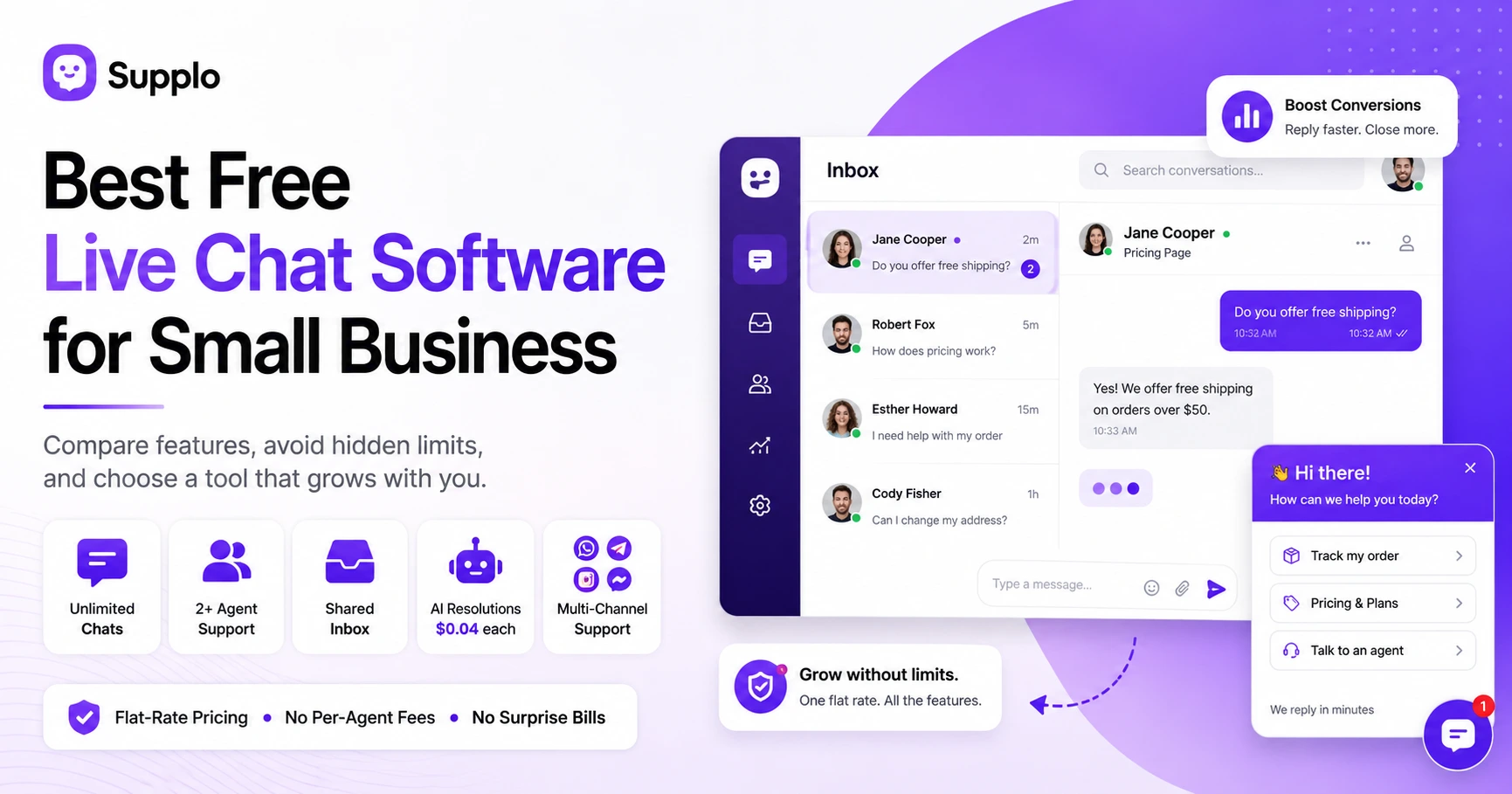
Supplo starts where most free plans stop: full shared inbox, live chat widget, email ticketing, and multi-channel support (WhatsApp, Telegram, Instagram, Facebook), all on a flat monthly rate with no per-seat fees. You get 2 agents included, unlimited chats, and AI resolutions at $0.04 each (roughly 96% cheaper than the big-name competitor). There’s no free tier that secretly expires; it’s just a single, honest plan that scales with your team.
- Supplo’s “Growth” plan covers everything: inbox, widget, AI agent, multi-channel, and 2 agents, no hidden upgrades.
- AI resolutions cost $0.04 each, not $1, making automation affordable even for small teams handling 500+ conversations/month.
- Add or remove agents freely; billing stays flat based on the plan, not headcount.
- Payments accepted via crypto, Binance Pay, Payeer, GCash, AmanPay, QIWI Wallet, DOKU, Nigeria and South Africa cards, Skrill, and Payoneer, making it accessible globally.
- Explore multi-channel support, including WhatsApp, Telegram, Instagram DMs, and Facebook Messenger.
Supplo is not affiliated with any app or website. Please follow each app’s terms and local regulations.
Keep your live chat setup for the long haul, not just the free trial. Supplo’s flat pricing means you’ll never get a “you’ve outgrown us” email. Migrate from any tool in minutes. Get started.
Key Takeaways
- Most free live chat plans are designed with hidden caps on agents or features that force an upgrade.
- The true cost of "free" often shows up in migration, retraining, and lost opportunities.
- A flat-rate pricing model eliminates surprise bills and aligns the tool's incentives with your success.
- Essential features for small teams include a shared inbox, mobile app, and widget customization.
- Supplo offers a full-featured platform with flat pricing, avoiding the "you've outgrown it" conversation entirely.
FAQ
Is free live chat software really free?
Most free plans are limited, usually with 1 agent seat, limited chat history, and no integrations. They’re great for testing but rarely sustainable for more than a few weeks. Supplo is not affiliated with any app or website. Please follow each app’s terms and local regulations.
Why do free live chat tools limit concurrent conversations?
Because the vendor wants you to hit the limit and upgrade, most free tiers cap you at 1–3 simultaneous chats, which breaks as soon as you get a traffic burst.
Can I use free live chat software for my e-commerce store?
Yes, but check that the widget loads on all product pages, captures cart intent, and integrates with your email or CRM. Many free tools strip these features.
What’s the catch with “unlimited chats” on a free plan?
Usually, the limit lies elsewhere, such as agent count, chat history retention days, or a lack of mobile apps. “Unlimited chats” often means “unlimited for one person only.”
How do I know if my live chat is hurting my conversions?
If chats are frequently unanswered, agents take more than 30 seconds to reply, or the widget doesn’t show on mobile, you're likely to lose leads.
Is it better to pay a flat monthly rate or a per-agent rate?
Flat rate is almost always cheaper for small teams (2–5 agents). Per-agent billing punishes you for growing your support capacity.
What happens to my chat history if I leave the free plan?
Some tools allow exports, others don’t. Always check data portability before committing.
Compliance line: Supplo is not affiliated with any app or website. Please follow each app’s terms and local regulations.