On this page
So, you want to add live chat to your website. Smart move. A live chat widget isn't just a nice-to-have anymore; it's often what tips the scales between a customer buying from you and bouncing to a competitor. This guide is for small business owners, marketing folks, and solo entrepreneurs who want the real deal: no fluff, no jargon, just a straight path to getting reliable chat up and running.
Who this is for: Small to mid-sized teams who need fast, reliable customer support without the enterprise price tag.
When to use this: When your email inbox is overflowing, and your phone won't stop ringing, and you need a simpler way to handle real-time questions.
When NOT to use this: If you've got a static brochure site where nobody needs immediate interaction, you can skip this. But if you want to convert visitors, keep reading.
Quick Answer:
- Sign up for a live chat platform, look for a flat monthly rate, no per-seat nonsense.
- Copy the installation code (it's a tiny JavaScript snippet).
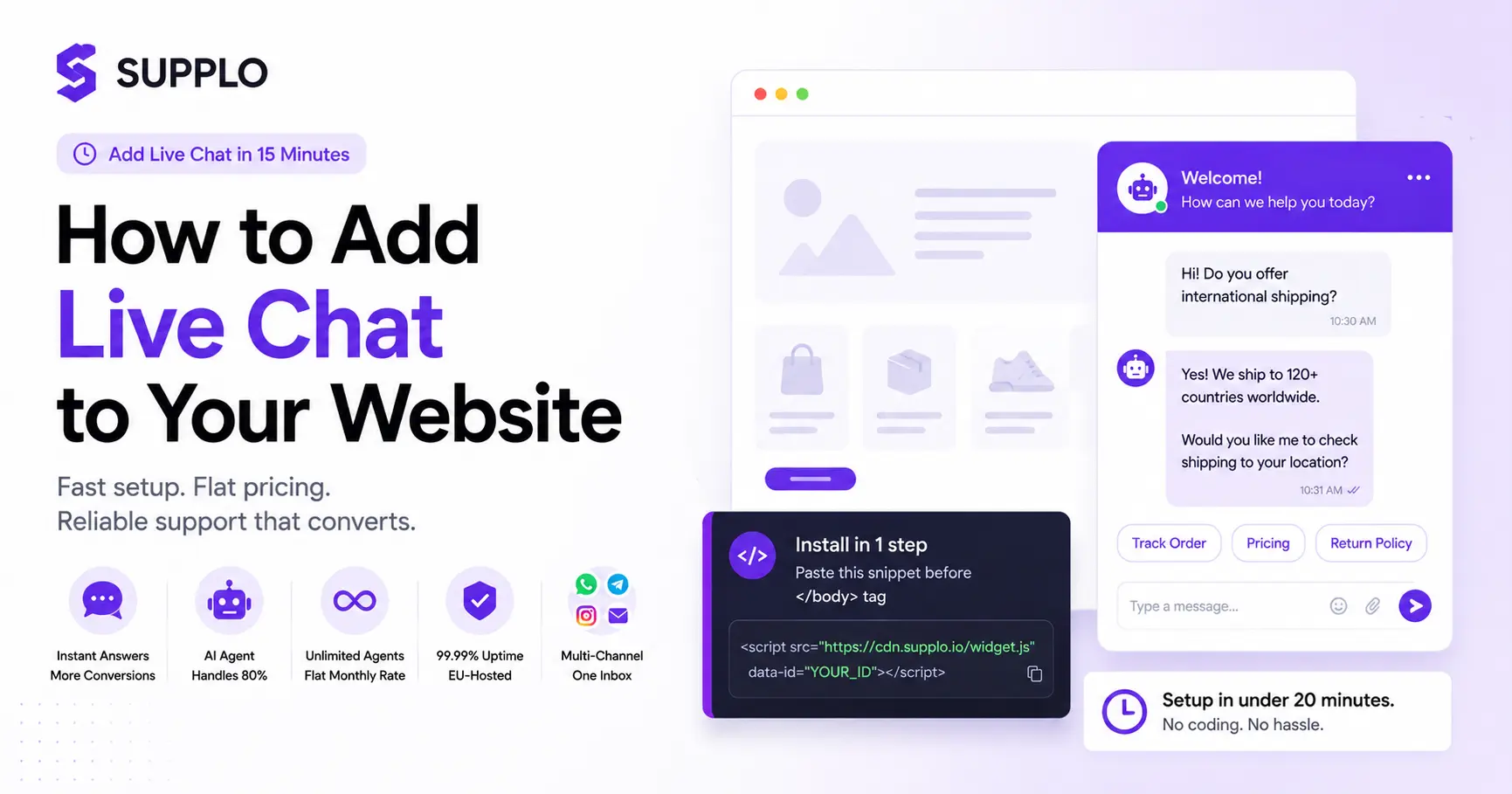
- Paste it into your website's HTML, right before the closing </body> tag, or use a plugin for WordPress, Shopify, or Wix.
- Configure your welcome message and availability settings.
- Test it on both desktop and mobile before going live. That's literally it.
Why Add Live Chat to Your Website? (The Real Pros)
A live chat widget is basically your 24/7 sales assistant that never takes a coffee break. The biggest win is speed: a 30-second reply can turn a browsing visitor into a paying customer. It also cuts down email back-and-forth, lowers bounce rates, and gives you a direct line to fix friction points in real time.
- Immediate help: Visitors don't want to "leave a message" and wait. They want answers now.
- Lower bounce rates: A proactive chat invite can keep a visitor on a high-intent page way longer.
- Sales impact: Your agents can upsell or guide customers to the right product mid-conversation.
- Support deflation: One chat often resolves what would take 3–4 emails.
- Insight goldmine: Chat transcripts reveal exactly where your site confuses people better than any analytics tool.
What Are the Benefits of Live Chat for a Small Business?
For small teams, live chat is a force multiplier. You don't need a 20-person support desk to handle real-time conversations. A single agent (or an AI agent) can juggle 3–5 chats at once, making it way more efficient than a phone call.
- Cost per contact: Live chat costs roughly 30–50% less per interaction than phone support.
- No phone anxiety: Some customers prefer typing over talking. Meet them where they're comfortable.
- Scalability: You can start with one person and add an AI bot for after-hours coverage without doubling your budget.
- Customer retention: A quick, helpful chat experience builds loyalty. Customers consistently rate live chat as their preferred support channel.
- Data capture: You can pre-populate user info or ask for email before the chat starts, building your list organically.
The Hard Truth About Website Live Chat Reliability
A live chat widget that's down, glitchy, or slow is worse than no chat at all. It screams "unprofessional." Reliability means uptime, latency under 1 second, and messages that don't get silently dropped. The biggest failure point? When the chat software can't handle your exact tech stack, causing the widget to break on mobile or after a site update.
- Uptime matters: A 99.9% uptime guarantee still means 8.7 hours of downtime a year. Look for 99.99% or better.
- Message delivery: Some cheaper tools drop messages when the agent is offline; a reliable chat stores and retries delivery attempts.
- Cross-platform consistency: Your chat should look and work the same on Chrome, Safari, and mobile web views.
- Latency kills conversations: Even a 3-second delay between the visitor typing and the agent seeing it feels broken.
- Security as reliability: A chat that leaks data is immediately unreliable. EU-hosted (GDPR-compliant) infrastructure is a baseline.
What happens when your live chat software goes down?
When your live chat goes down, you lose every conversation in progress. Visitors see a broken widget or infinite loading, zero trust, instant bounce. A reliable system should have auto-fallback modes (like an email form) so you never leave a visitor stranded.
The latency trap: Why some "live" chats aren't really live
A "live" chat that takes 10 seconds to pull a message from the server isn't live. This happens with shared-hosted tools or ones that rely on slow APIs. The fix is a dedicated WebSocket connection (real-time push), which only serious platforms support.
How to Add Live Chat to Your Website in 15 Minutes (Step-by-Step)
Adding live chat is deceptively simple: it's just a snippet of JavaScript pasted into your site's HTML or a plugin for platforms like Shopify, WordPress, or Wix.
- Sign up for a chat platform. Choose one with a flat monthly rate like Supplo.
- Copy the installation code. The platform will give you a small JavaScript snippet.
- Paste the code just before the </body> tag in your site's HTML, or use a plugin if you're on a CMS like WordPress (it usually takes one click).
- Configure your welcome message and set your availability hours.
- Test it on a real mobile phone and a desktop browser before going live.
Choosing the right widget placement (and what to avoid)
The bottom-right corner is the standard placement. Don't put it where it overlaps your cart or checkout button. On mobile, ensure the widget doesn't cover more than 15% of the screen. A proactive trigger (like showing the widget after 30 seconds on a pricing page) works better than showing it immediately on landing.
Best Live Chat Software for Websites: What to Look For
The "best" live chat software isn't the one with the most features; it's the one that won't ghost you at 3 PM on a busy Tuesday. Look for three things: 99.99% uptime, real-time WebSocket messaging, and a flat rate that doesn't punish you for having a busy month.
- Platform reliability: Check if the provider uses EU-hosted servers for both reliability and compliance (GDPR).
- Omnichannel, not just chat: The best tools now route WhatsApp, Telegram, Instagram, and email into the same inbox.
- AI agent: A self-learning AI agent that handles common questions is a huge reliability boost; it never sleeps.
- Flat billing: No per-seat fees, no per-resolution charges. You should know exactly what you'll pay next month.
- API and integrations: It should connect to your CRM or analytics tools without custom coding.
The hidden costs of per-agent pricing (and why flat-rate wins)
Per-agent pricing punishes you for hiring. As your team grows from 2 agents to 10, your bill explodes from $120 to $600+ per month. A flat monthly rate, like Supplo’s pricing, means your costs stay predictable regardless of team size or chat volume.
"Per-agent pricing isn't a subscription; it's a tax on your team's growth. Switch to a flat rate and let your support scale without the accountant's panic."
Live Chat vs. Email vs. Phone: What Customers Actually Prefer
Customer preference has shifted hard toward chat. Studies consistently show that most customers rate live chat as their preferred support channel, largely because it balances speed (faster than email) with convenience (less intrusive than a phone call).
- Speed: Email average response time is 12+ hours. Live chat aims for under 60 seconds. The phone is instant but ties up both parties.
- Multitasking: Customers can chat while working, shopping, or watching TV. They can't do that on a phone call.
- Record-keeping: Chat transcripts are automatically saved and searchable. Phone calls require separate recording.
- Cost per interaction: Phone support costs ~$7–10 per interaction. Email is ~$5–8. Live chat is ~$2–4. With AI, it drops to pennies.
- Satisfaction score: Chat consistently scores higher for customer satisfaction (CSAT) for non-urgent issues.
How to Set Up a Self-Learning AI Agent for Live Chat
A self-learning AI agent is a chatbot that gets smarter over time by analyzing your team's successful resolutions. It doesn't use static scripts; it learns from real conversations. Feed it your knowledge base, FAQ pages, and product docs.
- Train it on your 20 most-asked questions. The AI expands from there.
- Let it handle Tier 1 queries (pricing, shipping, hours).
- Set up a seamless handoff to a human agent when the AI can't answer.
"The best AI agent isn't the one with the flashiest demos. It's the one that learns from your human agents and gets better every day without you having to lift a finger."
Balancing automation with human handoff
The AI should know when to say "I don't know" and hand it off to a human without the customer having to repeat themselves. A good setup asks: "Can I connect you with a human?" after two failed attempts. Never trap a customer in a bot loop. For a hassle-free setup, check out Supplo's self-learning AI agent.
Multi-Channel Support: Why Live Chat Isn't Enough Anymore
Customers don't just email anymore. They message you on Instagram, WhatsApp, Telegram, and Facebook Messenger. If you're only handling website chat, you're ignoring a massive slice of inquiry volume.
- Channel fragmentation hurts response time: Checking 5 different apps drains agent productivity.
- WhatsApp is mandatory in many markets: Over 2 billion users. You need WhatsApp support.
- Telegram is huge in certain verticals, especially e-commerce and tech-forward brands.
- Instagram DMs are the new email: Don't make customers copy everything into a contact form.
- Consistency matters: A customer who starts on Instagram and switches to email should have the full conversation history.
Integrating WhatsApp, Telegram, and Instagram into one inbox
A modern setup combines all these channels into a single shared inbox, so your team sees every message in one place. No more logging into five different apps. This is what separates serious support from chaos.
The Security and Compliance Side of Live Chat
If you collect customer data through your chat widget (like names, emails, or order details), you have a legal responsibility. For GDPR, chat data must be stored in the EU. For businesses taking payments, avoid entering credit card numbers directly in chat; use a secure payment link instead.
- Data residency: Ensure your chat provider hosts data in a region that matches your compliance needs.
- Encryption: Look for TLS 1.3 for in-transit encryption and AES-256 for data at rest.
- Chat logs: You should be able to delete all data for a specific user upon request.
- Third-party risk: Never store full credit card data in chat transcripts. Use tokenized payment links.
- Terms alignment: Your website's privacy policy must explicitly mention the live chat tool and how data is used.
Supplo is not affiliated with any app or website. Please follow each app's terms and local regulations.
Top Live Chat Solutions for Websites: A Comparison Setup
When comparing live chat solutions, the trap is to count features rather than test reliability. The market leaders charge per-agent fees that balloon as you grow, often to $100+ per agent per month. The most reliable option is a flat-rate platform with AI included, no per-seat fees, and EU hosting.
- Pricing model: Flat monthly vs. per-agent. Flat is predictable; per-agent punishes hiring.
- AI maturity: Does the AI learn from your team's answers, or is it static? Static AI breaks; self-learning AI improves.
- Channel support: Do they handle chat, email, WhatsApp, Telegram, and Instagram from a single inbox?
- Uptime guarantee: Look for a 99.99% SLA. Anything less means you're likely in a shared hosting environment.
- Data portability: Can you export all your chats and data without a paywall? Check before you commit.
For a deeper breakdown, see how Supplo stacks up vs. other platforms.
Final Checklist: Is Your Website Ready for Live Chat?
Before you flip the switch, run through this quick readiness check:
- Team readiness: At least one person is monitoring during business hours. An AI agent can cover off-hours.
- Content readiness: You have 20–30 common questions and answers written down for the AI.
- Tech readiness: Your website doesn't block the widget with caching plugins or ad blockers. Test it.
- Escalation path: You've defined what happens when a chat becomes too complex (e.g., escalating to a senior agent or initiating a phone call).
- Measurement: You've set up metrics such as first response time, resolution time, CSAT, and hourly volume before launch.
Key Takeaways:
- Live chat adds immediate value by reducing email back-and-forth and increasing conversion rates.
- For reliability, choose a platform with EU hosting, 99.99% uptime, and real-time WebSocket messaging.
- A self-learning AI agent can handle most queries for pennies, drastically cutting support costs.
- Flat-rate pricing prevents the cost explosion of per-agent fees as your team grows.
Ready for live chat that actually stays live? Stop worrying about downtime and per-agent fees. Get a unified inbox, AI agent, and multi-channel routing in one flat-rate plan. See how Supplo works.
FAQ
Is adding live chat safe for my website?
Yes, as long as the provider uses encrypted connections (HTTPS/TLS) and complies with data protection laws (such as GDPR). Avoid entering credit card details directly in the chat textbox.
Why do some chat widgets break on mobile?
This usually happens if the widget script isn't responsive or conflicts with the site's mobile layout. Always test on a real phone, not just a browser's resize tool.
Can I use live chat for free?
Some providers offer free tiers, but they often limit message history, remove AI features, or show branding. You get what you pay for; reliability costs a small monthly fee.
What's the best way to use an AI agent without annoying customers?
Set it to handle simple questions (pricing, hours, shipping), but hand off to a human immediately if the AI can't answer in two tries. Never trap a customer in a bot loop.
Will live chat slow down my website?
Only if the code is badly optimized. A good widget loads asynchronously and adds less than 50ms to page load. Always run a speed test after installation.
How do I handle after-hours chats?
Use an AI agent that can collect contact info and answer basic questions. If that fails, offer an email fallback. Do not just let the chat go unanswered; that's worse than not having chat at all.
Do I need to be on chat 24/7?
No, but you should set clear availability hours. Most tools let you configure an offline message or automatically switch to a chatbot. Transparency wins over pretending to be there.
Compliance note: Supplo is not affiliated with any app or website. Please follow each app's terms and local regulations.


