On this page
Let's be real for a second: customer support software pricing can feel like a maze designed to drain your budget before you even answer a single ticket. If you're a support manager, small business owner, or part of a scaling team, you've probably stared at your Intercom invoice wondering where all those extra charges came from.
This article breaks down Intercom's cost structure, explains why it's expensive, reveals where the hidden fees are, and introduces a smarter alternative for teams that want predictable pricing without sacrificing quality. No fluff, just the numbers you actually need.
Supplo is not affiliated with any app or website. Please follow each app's terms and local regulations.
Quick Answer
- Intercom's pricing is seat-based; you pay for every human agent, whether they're busy or not.
- AI (Fin) is a separate add-on with per-resolution charges, usually around $0.99 per automated answer.
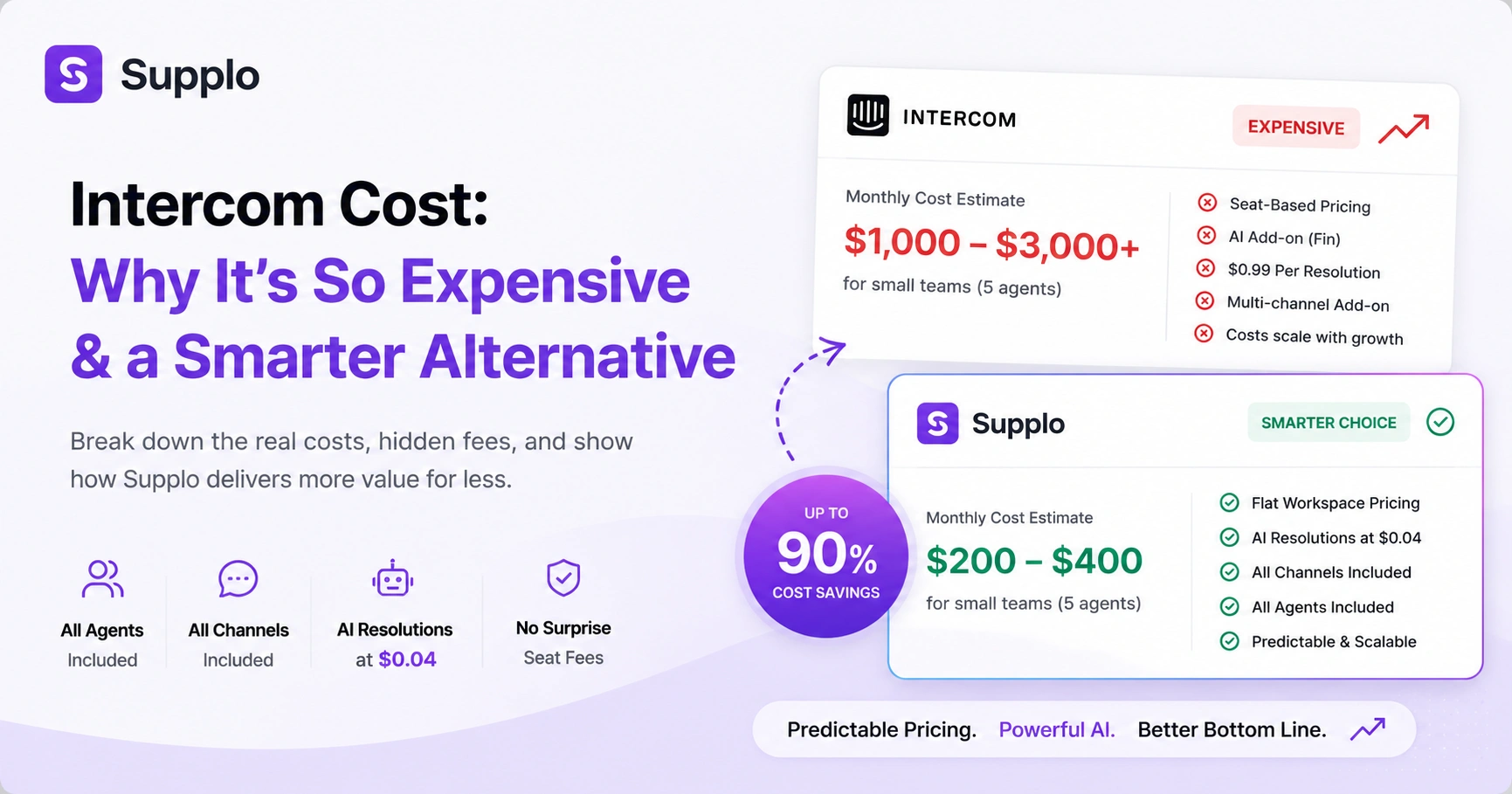
- Average Intercom costs for a small team often hit $1,000–$3,000/month once you add AI and multi-channel features.
- Supplo uses flat workspace pricing with AI resolutions at just $0.04 each, covering all agents and channels without surprise seat fees.
What Is the Average Intercom Pricing?
Here's the thing about Intercom's pricing: it's famously opaque. You'll see a nice-looking base price, but the real number? That's usually hidden behind a sales call.
Most small to mid-size businesses pay between $74 and $139 per seat per month for the Essential or Starter plans. Sounds reasonable, right? But here's where it gets sticky. Once you add the AI resolution bot (Fin) and other "essential" add-ons, the per-seat cost easily jumps past $200. For a small team of five, you're looking at monthly bills between $800 and $2,500.
The Starter plan starts at $74/month/seat, but that's the bare bones. Automations, AI, and multi-channel access? Those cost extra. Many businesses report that their actual Intercom charges are 2x to 3x the advertised base price after the sales conversation wraps up. For a team of 5 factoring in AI (Fin) and ticketing (Inbox), that monthly bill can easily exceed $1,000.
Unlike flat-rate tools, Intercom's pricing model scales painfully with every new hire. One more support agent? Your bill jumps instantly. It's a model that rewards growth... for the vendor, not you.
Why Is Intercom So Expensive? The Seat-Based Pricing Trap
Intercom is expensive for one simple reason: pure seat-based pricing. You pay per person, per month, regardless of how much actual work they do.
That pricing model made sense before AI agents could handle the bulk of support volume. Today? It forces you to pay full price for every human agent, even when AI could easily resolve 70–80% of your tickets. The high costs aren't an accident; they're baked into a structure that benefits Intercom, not you.
Here's the real trap: seat-based pricing creates a tax on team growth. Hire one more agent and your Intercom bill jumps immediately. On top of that, many tools include a "free" AI bot that actually charges per resolution, often $0.99 per automated answer. So you're paying per seat and per resolution. Two variable costs stacked on top of each other.
It's no wonder "Why is Intercom so expensive" is one of the most searched support-pricing queries online. When you're paying for the platform and the AI separately, the costs add up fast.
Breaking Down the Intercom Pricing Model and Structure
Let's peel back the layers on Intercom's pricing because it's not just one line item. It's a stack:
- Base seat cost, the platform access fee per agent
- AI chatbot (Fin), sold as a separate add-on
- Per-resolution fee, $0.99 for every automated answer
- Multi-channel access often requires the highest plan tier.
Unlike a flat-fee workspace model, Intercom's costs are variable and grow with both headcount and ticket volume. That makes it unpredictable for growing businesses, not exactly what you want when you're trying to budget.
The base tiers (Essential, Advanced, Expert) each lock different features behind higher price points. Want AI? Upgrade. Need ticketing? Upgrade. Multi-channel support? You guessed it, upgrade. Fin, the AI agent, is sold as a separate add-on with its own per-resolution pricing tier. And multi-channel support (WhatsApp, email, messaging) often requires the highest plan or a separate "multi-channel" add-on.
The Intercom pricing model heavily incentivizes them to charge more because there's no hard cap on pricing, your costs scale with your success: more users, more tickets, bigger bills.
The Hidden Cost: Intercom's Per-Resolution Cost vs. Flat-Rate AI
This is where things get sneaky.
Intercom's Fin AI agent charges per resolution, typically $0.99 per automated answer. For a business handling 5,000 automated resolutions per month, that adds $4,950 on top of your seat fees. Let that sink in for a second.
In contrast, Supplo charges a flat $0.04 per resolution. Same type of AI automation, but at a fraction of the cost. For that same 5,000-resolution month, you'd pay just $200 instead of nearly $5,000.
The per-resolution pricing model is the hidden driver of high Intercom charges that most buyers don't see until their first invoice arrives. Per-resolution pricing actually incentivizes the vendor to maximize the number of tickets the AI touches, even if some are simple handoffs. At scale, those per-resolution fees can exceed your base subscription cost, doubling or even tripling your total spend.
Supplo's flat $0.04 per resolution means your AI costs stay predictable and low, no matter your ticket volume. This contrast is the core reason comparing Intercom costs vs. alternatives reveals massive long-term savings. See how our AI agent handles automatic resolutions.
What Does Intercom Cost for Small Businesses?
For a small business with 3–5 support agents, here's the reality:
- Base level (Essential or Advanced): $222 to $695 per month
- With AI bot, shared inbox and multi-channel: $1,000 to $3,000 per month
The Intercom pricing for small businesses is designed to feel accessible at the entry point. But it quickly becomes prohibitive as team needs grow.
The Essential plan ($74/seat) doesn't include AI, inbox, or multi-channel features. So small teams end up paying more for what they actually need. Want AI, email ticketing and WhatsApp integration? You're probably looking at the Expert plan ($139/seat) plus the Fin add-on.
Many small businesses find that their Intercom subscription cost exceeds what they pay for their other three SaaS tools combined. The pricing model punishes growth: as your team hires more support agents, your Intercom cost grows dollar-for-dollar.
Intercom Subscription Cost vs. Supplo's Flat Workspace Pricing
Here's the direct comparison:
Intercom's subscription cost is variable, seat-based, and layered with add-ons. Supplo's pricing is a flat fee per workspace, with no per-seat charges or per-resolution surprises.
Let's put real numbers on it. For a team of 5 handling 3,000 tickets per month:
- Intercom: $1,500–$3,000 per month
- Supplo: Flat workspace pricing covering every agent, every channel, and the AI agent
Supplo charges per workspace, not per seat. Your bill stays flat whether you have 2 agents or 20. The AI agent resolves up to 80% of incoming tickets automatically at $0.04 per resolution instead of $0.99. And everything that Intercom charges extra for- AI, Inbox, multi-channel- is built into Supplo's base workspace price.
That makes Supplo a direct, practical, smarter alternative for teams tired of the Intercom pricing model. Check Supplo's flat workspace pricing: no per-seat fees, no hidden surprises.
How to Reduce High Intercom Charges Without Losing Quality
Before you make any moves, here's a practical checklist:
- Audit unused seats: Review your Intercom bill to identify seats you're paying for but rarely use. Cut unnecessary licenses to save immediately.
- Consolidate channels: Intercom often charges extra for each channel. Look for platforms that unify everything into one inbox.
- Replace per-resolution AI: If you use Intercom's Fin, compare its $0.99 per resolution cost with Supplo's flat $0.04 rate. High volume means massive savings.
- Consider a migration: Start a free trial with an alternative to test your workflows before committing to a full switch.
The most effective way to reduce high Intercom charges? Switch from a seat-based, per-resolution model to a flat workspace model like Supplo.
If your Intercom bill is still too high after cutting unused seats, it's time to move to a flat-rate model. Start your 14-day free trial of Supplo and see what a difference workspace pricing makes.
Intercom Charges for Email, Chat and Multi-Channel Support
Here's something that surprises many teams: Intercom charges extra for multi-channel support.
Want email ticketing? That often requires upgrading to a higher plan tier. Need WhatsApp or social media integration? Those are frequently treated as premium add-ons with their own pricing. If your team uses both email and live chat, you're paying more than the base seat price.
Multi-channel access is frequently gated behind the Advanced or Expert plan tiers. Email ticketing isn't even available on the Essential plan, forcing small teams to upgrade to manage email support.
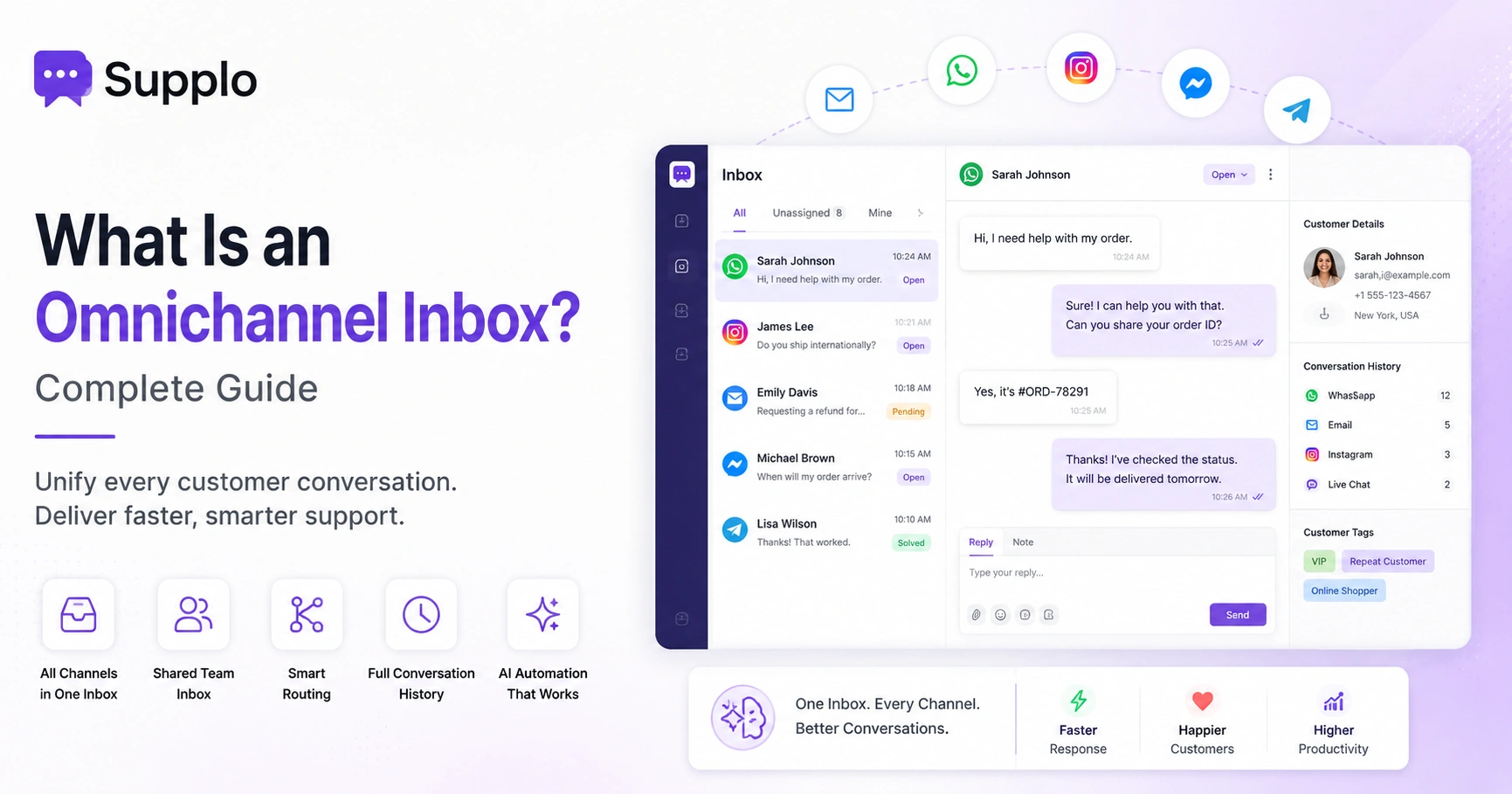
Supplo includes unlimited channels, email, website chat widget, WhatsApp, Telegram, Instagram DMs, and Facebook Messenger, in a single workspace at no extra cost. Our unified thread-based inbox consolidates all channels into a single view, reducing both tool count and cost. Learn about our shared inbox that unifies all channels and see how we handle email ticketing. For detailed information, explore our guides on WhatsApp customer support.
The Practical Alternative: One Workspace, One Price, Real AI
If you're tired of unpredictable bills and seat-based pricing, here's the straightforward alternative:
One workspace. One flat price. Real AI that actually works.
Supplo's AI agent handles up to 80% of incoming tickets automatically. It learns from your knowledge base and past conversations, translates messages in real time, and hands off cleanly to your team when a human is needed. No seat fees. No hidden per-resolution costs.
Supplo combines live chat, shared inbox, self-learning AI, and multichannel automation in one workspace. The AI agent resolves tickets at $0.04 per resolution, not $0.99 like legacy tools. Pricing is per workspace, not per seat, so your bill stays flat as your team grows.
Start with a 14-day free trial to see if Supplo fits your workflow. You can read our transparent comparison with Intercom.
Getting Started: Test Supplo Free for 14 Days
No long contracts. No credit card required. No pressure.
Sign up for a 14-day free trial, import your knowledge base, connect your channels, and let the AI agent handle your first batch of tickets. If Supplo works for you, continue with a flat workspace price that starts at a fraction of what you're paying Intercom.
The trial includes full access to the AI agent, the shared inbox, and all channels: email, chat, WhatsApp, Telegram, Instagram, and Facebook. You can migrate your existing support flows without any disruption.
Payments accepted include crypto, Binance Pay, Payeer, GCash, AmanPay, QIWI Wallet, DOKU, Nigeria and South Africa cards, Skrill and Payoneer, no need to worry about per-seat pricing or hidden fees ever again.
Ready to stop overpaying for customer support? Start your 14-day free trial of Supplo today. Add your knowledge base, connect your channels, and let the AI handle the rest.
Key Takeaways
- Intercom's seat-based and per-resolution AI pricing leads to unexpectedly high and unpredictable costs for growing teams.
- A small business can spend $1,000–$3,000 monthly on Intercom, including AI and multi-channel support.
- Supplo offers a flat workspace pricing model, making costs predictable and transparent.
- Supplo's AI resolves tickets at a flat $0.04 per resolution, significantly lower than typical per-resolution fees.
- Consolidating channels and opting for a workspace model can drastically reduce overall customer support software expenses without sacrificing quality.
FAQ
Why is Intercom so expensive compared to other tools?
Intercom uses a seat-based pricing model plus separate add-ons for AI and multi-channel support. That means your bill grows with every new employee and every automated resolution. Competitors like Supplo offer flat workspace pricing, eliminating these variable costs.
What is the average Intercom pricing for a small business?
For a small business with 3–5 agents, Intercom typically costs $222-$695 per month at the base level, with AI and multi-channel add-ons that can bring the cost to $1,000–$3,000 per month.
Does Intercom offer a free plan or trial?
Intercom offers a 14-day free trial with limited features. To access AI, multi-channel support, and email ticketing, you'll need to upgrade to a paid plan immediately after the trial ends.
What is Intercom's per-resolution cost for AI?
Intercom's AI (Fin) charges per resolution, typically around $0.99 per automated answer. This can add thousands of dollars to your monthly bill if your team handles high-ticket volume.
How can I reduce my Intercom bill?
Audit your unused seats, consolidate channels, and consider switching to a flat-rate alternative like Supplo. Supplo charges $0.04 per resolution and offers a flat workspace price with no per-seat fees.
Is Supplo a reliable alternative to Intercom?
Yes. Supplo is built as a practical, transparent, and smarter alternative to Intercom. It provides live chat, a shared inbox, self-learning AI and multichannel automation in one workspace, for a flat price per workspace, not per seat.
Can I use Supplo for WhatsApp, Instagram and Telegram support?
Yes. Supplo unifies email, website chat widget, WhatsApp, Telegram, Instagram DMs and Facebook Messenger into a single thread-based inbox with no extra cost per channel.
Supplo is not affiliated with any app or website. Please follow each app's terms and local regulations.
Don't let unpredictable billing control your support budget. Use Supplo's flat workspace pricing to scale confidently. Start your free trial today and see how much you can save.
Compliance line: Supplo is not affiliated with any app or website. Please follow each app's terms and local regulations.