On this page
You're staring at your support inbox, and it's already exploded by 9 AM. Same password reset question. Same refund inquiry. Same "how do I" that you answered yesterday. You know you need a knowledge base. But picking the right one? That's where most people get stuck.
Who this is for: Small-to-mid support teams (2–50 people) who want to slash ticket volume, empower customers with self-service, and avoid per-seat pricing nightmares.
When to use this guide: You're actively evaluating knowledge base software and want a no-fluff comparison of features, pricing, and AI capabilities.
When NOT to use this guide: You're a solo founder with zero support volume (start with a simple FAQ page first) or an enterprise with 500+ agents (you'll need custom enterprise features beyond this scope).
Quick Answer:
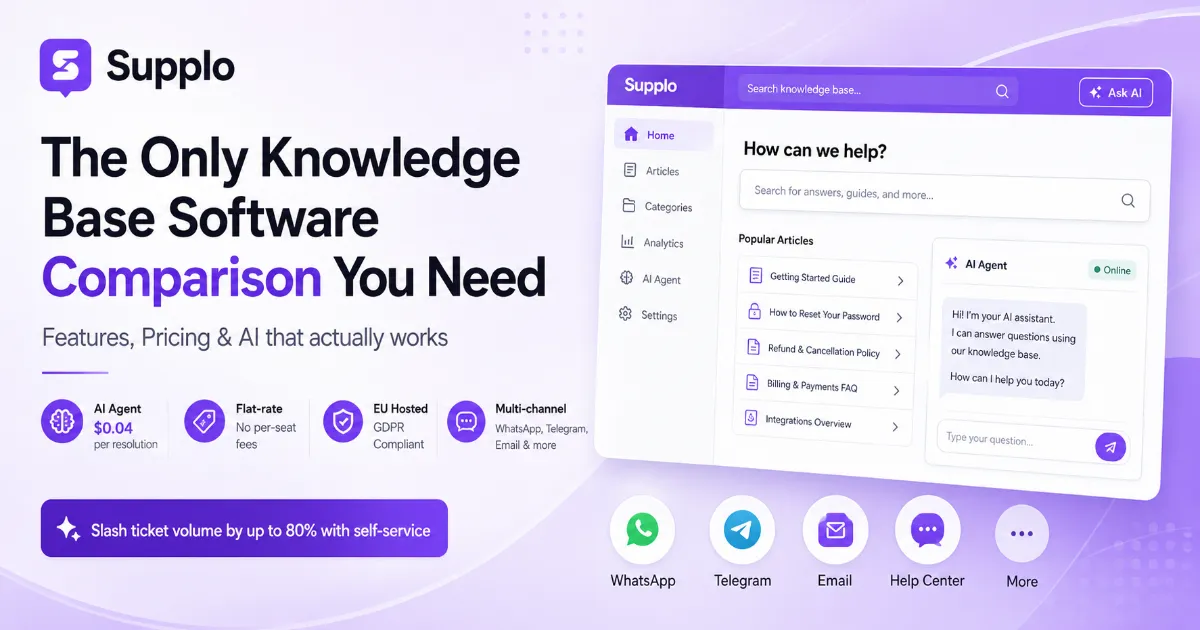
- Best for small teams: Flat-rate pricing, no per-seat fees, and a self-learning AI agent that costs $0.04 per resolution.
- Must-have features: Full-text search, article versioning, role-based permissions, and multi-channel delivery (WhatsApp, Telegram, email).
- Is AI worth the hype? Yes, but only if the AI reads your knowledge base in real time, not pre-built decision trees.
- Pricing trap to avoid: Per-resolution AI meters that cost 96% more than flat-rate alternatives.
- Security non-negotiable: EU hosting, GDPR compliance, and end-to-end encryption.
What is Knowledge Base Software and Why Does Your Support Team Need One?
Knowledge base software is basically a central library for your FAQs, step-by-step guides, and troubleshooting articles. Both your support agents and customers can access it. The best knowledge base software lets you cut repetitive ticket volume by as much as 80% because the answer reaches the customer before they ever type out a support request.
For small-to-mid teams, this is a game-changer. Fewer late-night email emergencies. An inbox that doesn't make you want to quit by Tuesday.
Think of it this way: a knowledge base takes all that tribal knowledge, the stuff only Sarah in accounting knows, and turns it into company-wide documentation anyone can use. It's got two jobs: a customer-facing portal for self-service and an agent-facing library for faster responses. Without one, new hires take weeks to ramp up. With one, they can answer their first ticket in under an hour.
The Cost of Not Having a Knowledge Base
Here's the math nobody talks about. Every repetitive ticket your agents answer manually costs you time and money. If they spend 40% of their day answering the same five questions, you're burning payroll on tasks a decent knowledge base could handle for pocket change.
The shift from reactive to proactive support? It's not a luxury. It's simple arithmetic.
"A knowledge base doesn't just save time, it transforms your support team from firefighters to architects."
Essential Knowledge Base Software Features You Can't Skip
If you're comparing the best knowledge base features, here's your non-negotiable list: full-text search, role-based permissions, article versioning, and analytics. But here's where most platforms fall short on integration depth. You want a system where the AI agent reads your articles in real time and answers without any human touch. The search should surface the right article even when a customer types something vaguely close to the right term.
Here's your checklist of essential knowledge base software features:
- Full-text search: Indexes every sentence, not just article titles.
- Article versioning: Screwed up an update? Roll it back without bugging IT.
- Role-based permissions: Your interns don't need access to the refund policy edit button. Trust me.
- Analytics dashboards: See which articles get zero traffic (write better ones) and which ones cause escalations (rewrite them immediately).
- Multi-channel delivery: One article should work in your widget, WhatsApp conversations, and email responses.
Self-Learning AI That Actually Gets Smarter
Generic chatbots running on pre-built decision trees? Total waste of money. The real value comes when your AI agent reads your latest article update within seconds and automatically starts using that response. Supplo's self-learning AI agent costs $0.04 per resolution, which is roughly 96% cheaper than the industry standard. This isn't a gimmick. It's what happens when you move from per-agent pricing to per-resolution pricing.
Multi-Channel Knowledge Delivery (WhatsApp, Telegram, Email)
Your customers live in different apps. Some swear by WhatsApp, others spend all day on Telegram, and a few still cling to email. The best knowledge base software delivers the same article across every channel without you having to rewrite it. Check out how Supplo handles WhatsApp customer support and Telegram support from a single knowledge base.
Real-Time Shared Inbox Integration
A knowledge base that lives in a silo is useless. It needs to integrate with your shared inbox so agents can pull articles directly into their responses. Supplo's shared inbox connects your knowledge base to every conversation, so agents never leave the workspace to find an answer.
"The best knowledge base software doesn't just store answers, it delivers them where your customers already are."
AI Knowledge Base Software: Is It Worth the Hype?
Yes, but here's the catch: it only works if the AI is directly connected to your knowledge base content. Generic chatbots powered by pre-built decision trees are money down the drain.
The real benefit of AI knowledge base software comes when the AI reads your latest article update within seconds and immediately starts using that response. Supplo's self-learning AI agent costs $0.04 per resolution, roughly 96% cheaper than industry-standard per-resolution fees. Again, not a gimmick. That's the math of switching from per-agent to per-resolution pricing.
How AI Agents Automate Tier-1 Support
AI doesn't need "training" in the traditional sense. It learns directly from your existing knowledge base content. It surfaces answers in the chat widget before the customer even finishes typing their question. Escalation accuracy matters here; the AI knows when to hand off to a human rather than guess wrong. And multi-language support? Built in, not bolted on as a premium add-on.
The $0.04 Resolution Cost Reality
Most AI support tools charge per resolution, and those fees add up fast. At $0.04 per resolution, Supplo's AI agent runs roughly 96% cheaper than the industry average. Run the numbers: for a team handling 1,000 AI resolutions per month, that's $40 versus $1,000+ elsewhere. The math is simple: flat-rate pricing for the platform, micro-costs for AI resolutions.
"AI knowledge base software isn't hype, it's the difference between answering 10 tickets an hour and 100."
Best Knowledge Base Software: What to Look for in a Platform
The best knowledge base software depends entirely on how you deliver support. If you're email-only, a simple documentation tool might cut it. But most teams today need multi-channel delivery: the same article should be reachable via WhatsApp chat, Telegram message, and your help center widget. You also need flat-rate pricing (no per-seat fees) and EU-hosted data for GDPR compliance.
If you're bleeding money on per-resolution AI meters, you're buying the wrong platform. Period.
Flat Pricing vs. Per-Seat Fees
Per-seat pricing penalizes you for growing your team. Every new hire adds another monthly fee. Your bill doubles when you go from 5 to 10 agents. Flat-rate pricing gives you one predictable monthly invoice, no surprises when your team adds two people.
Supplo's pricing page shows exactly what you get for a flat monthly rate, no hidden per-seat costs. No gotchas.
EU Data Sovereignty and Hosting
If you serve EU customers, GDPR compliance isn't optional. Non-EU-hosted platforms create legal headaches you don't need. Supplo hosts all data in Frankfurt (or your preferred EU region) on compliant infrastructure. Your knowledge base articles, customer conversations, and AI training data remain within the EU.
"The best knowledge base software respects your data sovereignty, not just your budget."
Top Knowledge Base Software Features That Slash Ticket Volume
What are the features that actually move the needle on ticket deflection? Intelligent search, context-aware article suggestions, and a smart widget that shows relevant articles before the customer hits "send." If your knowledge base software makes customers search manually, you're making them work too hard. The top-rated knowledge solutions embed search directly into the support flow so the answer arrives before the question does.
Intelligent Search and Autocomplete
Autocomplete in the search bar shows the top answer before the customer finishes typing. Context-aware suggestions read the customer's last three emails and surface related articles automatically. This isn't magic; it's good knowledge-base software design.
Automated Article Suggestions
Related article recommendations at the bottom of every support response keep customers in self-service mode. Deflection analytics tell you exactly how many tickets the knowledge base prevented this week. If you can't measure deflection, you can't improve it.
"The best knowledge base features don't just answer questions, they prevent them from being asked."
Leading Knowledge Base Platforms: The Security and Compliance Checklist
When comparing leading knowledge base platforms, security isn't optional; it's table stakes. You need end-to-end encryption, SOC 2 compliance (or equivalent), and the ability to set data retention policies. For teams serving EU customers, GDPR compliance is mandatory. Non-EU-hosted platforms introduce unnecessary legal complexity.
The reality? Many small teams overlook this until they get a compliance audit. Don't be that team.
Data Encryption and GDPR Compliance
Every article and every customer interaction should be encrypted in transit and at rest. Role-based access control limits who can publish, edit, or delete knowledge base content. Audit logs show exactly who changed what and when. A proper GDPR compliance framework lets you delete customer data on request without breaking your support history.
Third-Party Integrations and API Access
Your knowledge base shouldn't live in a silo. API access lets you connect it to your CRM, help desk, or custom tools. Supplo's features page shows how the platform integrates with your existing workflow.
"Security isn't a feature, it's the foundation of trust between you and your customers."
What Features Does Knowledge Base Software Must Have for Small Teams?
For small support teams, the essential features are simplicity, speed of setup, and affordability. Spend three weeks configuring your knowledge base, and you've already lost the productivity game. Look for a solution that lets you write an article, tag it, and publish it in under 30 seconds, with no code required.
Built-in translation is also non-negotiable for global teams serving customers in multiple languages.
Ease of Setup and No-Code Customization
- No-code editor: write articles in plain text or Markdown without a developer's help
- Instant publish workflow: draft, review, and publish in under a minute.
Supplo's knowledge base is designed for teams that want to go live in hours, not weeks.
Built-in Translation for Global Support
Write once in English, auto-translate to 10+ languages without extra tools. Supplo's translate feature handles this automatically, so your knowledge base serves customers in their native language without manual effort.
"Small teams don't have time for complex setups; they need knowledge base software that works out of the box."
How to Compare Knowledge Base Software Without Getting Overwhelmed
Comparison paralysis is real. Cut through it by focusing on three things: the number of channels your team needs to support, the pricing model (flat rate vs. per-seat), and whether the AI agent learns from your content or requires manual training. Create a simple scorecard with these three criteria and rank each platform.
The Five-Minute Feature Audit Framework
- List your channels: Email, WhatsApp, Telegram, Instagram, Facebook, widget
- Check pricing: Flat rate or per-seat? Any hidden AI resolution fees?
- Test the AI: Does it read your knowledge base in real time or need manual training?
- Verify security: EU hosting? GDPR compliance? Encryption?
- Measure setup time: Can you publish your first article in under 30 seconds?
Trial vs. Free Tier: What to Test First
Start with the AI agent. Feed it a few knowledge base articles and see if it answers correctly. Then test multi-channel delivery, does the same article work in your widget and WhatsApp? Finally, check the shared inbox integration: can agents pull articles into responses without leaving the workspace?
"The best knowledge base software comparison takes five minutes if you know what to look for."
Key Takeaways
- Knowledge base software reduces ticket volume by up to 80% by enabling self-service
- Essential features include full-text search, article versioning, role-based permissions, and multi-channel delivery
- AI knowledge base software is worth the hype only if the AI learns from your content in real time
- Flat-rate pricing beats per-seat fees for growing teams
- EU hosting and GDPR compliance are non-negotiable for teams serving European customers
- Small teams need no-code setup, instant publishing, and built-in translation
If you're tired of per-seat pricing and AI resolution fees that eat your budget, take a look at how Supplo's flat-rate model compares. Check out the Supplo vs. Intercom and Supplo vs. Zendesk comparisons to see the difference.
Ready to stop overpaying for knowledge base software? See how Supplo's AI agent, shared inbox, and multi-channel delivery work together in one flat-rate platform. Explore all features or read how teams like PVAPins cut support costs by 80%.
FAQ
What is knowledge base software?
Knowledge base software is a centralized content hub for storing and sharing FAQs, guides, and troubleshooting articles. It serves both customers (self-service) and support agents (rapid responses).
How much does knowledge base software cost?
Costs vary widely. Per-seat models charge per agent, while flat-rate models offer predictable monthly pricing. AI resolution fees can add up. Look for platforms with micro-costs like $0.04 per resolution.
Does AI knowledge base software really work?
Yes, but only if the AI is connected to your knowledge base content in real time. Generic chatbots with pre-built decision trees are less effective than AI agents that learn from your articles.
What features should I look for in knowledge base software?
Essential features include full-text search, article versioning, role-based permissions, analytics, multi-channel delivery, and AI integration. For small teams, no-code setup and built-in translation are critical.
Is GDPR compliance important for knowledge base software?
Absolutely. If you serve EU customers, your knowledge base software must be GDPR-compliant. EU-hosted platforms simplify compliance with EU laws and ensure data sovereignty.
Can knowledge base software integrate with WhatsApp and Telegram?
Yes. The best platforms deliver the same knowledge base articles across multiple channels, including WhatsApp, Telegram, email, and your help center widget.
How do I compare knowledge base platforms without getting overwhelmed?
Focus on three criteria: channels supported, pricing model (flat vs. per-seat), and AI capabilities. Use a five-minute feature audit to rank each platform.
What is the best knowledge base software for small teams?
The best option offers flat-rate pricing, no-code setup, built-in translation, and a self-learning AI agent. Supplo is designed specifically for small- to mid-sized support teams.
Compliance note: Supplo is not affiliated with any app or website. Please follow each app's terms and local regulations.