On this page
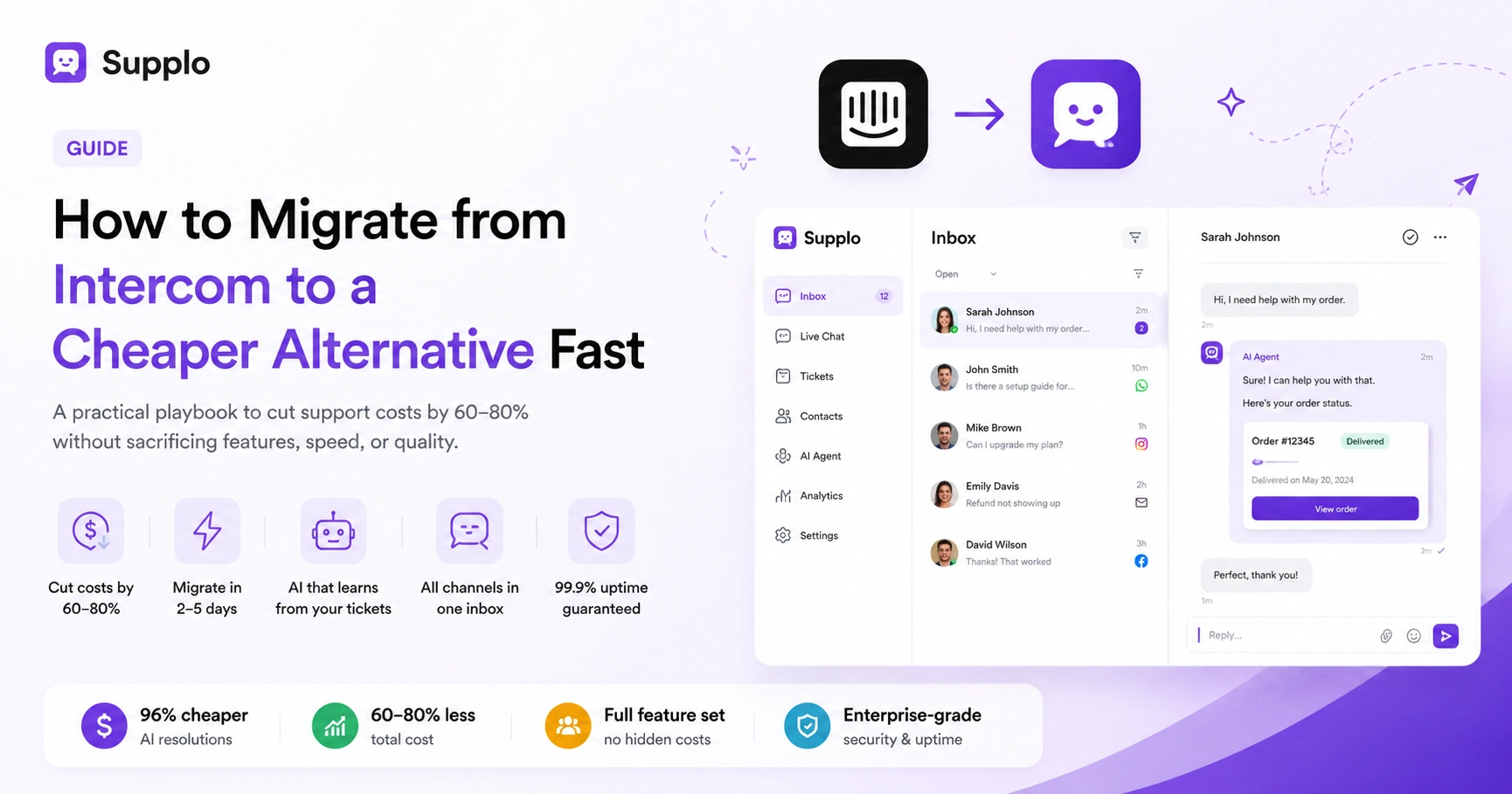
Intercom was a pioneer, but its pricing has become a tax on growth. If your support team is paying per seat, per resolution, and per tier, you're not scaling; you're bleeding cash. This guide is for founders, ops managers, and support leads who want category-leading features without the invoice. Use this to find a cheaper alternative that actually delivers.
Quick Answer
- Most Intercom alternatives charge 60-80% less by using flat-rate, not per-seat, billing.
- AI agents from cheaper platforms use the same core technology as Intercom's Fin but cost roughly 96% less per resolution ($0.04 vs. $0.99).
- A real alternative must include a shared inbox, live chat, and a self-learning AI, not just a basic chatbot.
- Migration takes 2-5 business days with the right platform; always test in parallel first.
- Watch out for platforms that hide essential features behind "Pro" tiers.
Why Even Small Teams Are Outgrowing Intercom and Looking for Cheaper Alternatives
Let's be real, Intercom's pricing model was built for enterprise budgets, not for growing teams. The per-agent fees plus per-resolution AI costs mean your bill grows faster than your support volume. For a small 3-person team, that can easily exceed $500/month before add-ons. Many teams report that 60-70% of their tickets don't need Intercom's advanced automation, making the premium unjustified. Customer support is a cost center, not a profit driver; you should demand flat, predictable billing. That's why teams are actively searching for a playbook for migrating from Intercom to a cheaper alternative that actually works.
A predictable monthly bill lets you reinvest in training and tools, not just feed the vendor machine.
What You Actually Need vs. What Intercom Charges You For
Most support teams need three things: a shared inbox, live chat, and basic automations. Intercom charges you for features you may never use, like advanced workflows, multiple product tiers, and custom integrations. Over 80% of tickets can be handled with a simple inbox, canned responses, and a basic knowledge base. Affordable alternatives consolidate live chat, email, and social channels into a single dashboard, eliminating per-channel fees. Many new support platforms charge flat monthly rates; you pay for the workspace, not the number of agents. A cheaper Intercom alternative strips away the clutter and gives you exactly what you need at a flat rate, no surprises.
How to Evaluate Intercom Alternatives Without Getting Burned
Cheaper doesn't mean worse, but it does mean you need to be smart about evaluation. Start by listing your non-negotiable features, then test only alternatives that check those boxes. Don't fall for free trials that hide core features behind paywalls; look for platforms that let you test the full product, not a crippled demo.
Checklist for a Safe Evaluation:
- 1:1 feature comparison: Can it replace Intercom's core tools (inbox, live chat, AI, email ticketing)?
- AI accuracy test: Upload your actual historical tickets and see how the AI agent performs. Don't test on pre-loaded sample data.
- Integration audit: Are Slack, Shopify, and WordPress native or do they require third-party connectors?
- Pricing transparency: If you have to "talk to sales" to see pricing, the price is probably higher than you'd like.
- Uptime track record: Look for a 99.9% SLA and multi-region hosting (US and EU).
The Core Checklist: What a Cheaper Intercom Alternative Must Include
A budget-friendly alternative must include three things to be a real Intercom replacement: a shared multi-channel inbox, AI that learns from your tickets, and live chat. Without these, it's just a lightweight tool, not a true alternative. Any less and you'll be piecing together multiple apps, which defeats the purpose of saving money.
Must-Have Features Checklist:
- Shared multi-channel inbox: Combines email, chat, WhatsApp, Telegram, and social DMs (Instagram, Facebook) into one view. Check out the Supplo inbox for a clean, unified approach.
- Self-learning AI agent: Uses your knowledge base and learns from past tickets, not generic scripted responses. Test the AI agent against your tickets.
- Customizable live chat widget: Matches your brand with no upselling required. See Supplo's widget for a brand-friendly option.
- Email ticketing with routing: Proper SLAs and ticket assignment, not just a forwarded inbox. Explore email ticketing for automated workflows.
Comparing Intercom's AI Features to Affordable AI Alternatives
Intercom's AI (Fin) charges per resolution, roughly $0.99 per AI-handled conversation. Affordable alternatives deliver similar accuracy at a fraction of the cost, often $0.04 per resolution. The difference isn't about quality; it's about business model. Fin is priced to protect Intercom's margins, not to help you save. A team handling 500 AI resolutions per month would pay $495 on Intercom, in addition to base fees. With a cheaper alternative, that same volume costs $20. Many cheaper options use the same underlying LLM technology but pass the savings to you. Test the AI agent against your tickets during a free trial; the least expensive often performs identically to the priciest.
How Much Can You Save? A Realistic Look at Intercom Pricing Alternatives
Switching to a flat-rate alternative can cut your support costs by 60-80%. For a typical 5-person team, that means moving from $800–$1,200/month to $200–$400/month. The savings come from eliminating per-seat fees, resolution charges, and tier-based pricing that forces upgrades. Flat-rate alternatives charge a single fee for the entire workspace. Check out Supplo vs Intercom to see exactly how much you could save.
The Hidden Costs of Cheap Intercom Competitors And How to Avoid Them
Not all cheap alternatives are created equal. Some save you money upfront but charge for essential add-ons like integrations, analytics, or multiple channels. Others have weak infrastructure, leading to downtime or slow performance.
Red Flags to Watch For:
- Add-on pricing per channel: Some platforms charge per email inbox or per social media channel. Supplo includes WhatsApp, Telegram, Instagram, and Facebook natively in the base plan.
- Slow widget load times: Cheap hosting can kill conversion rates; test load speeds under real traffic.
- Unresponsive support: Test their support team before you commit. If they don't answer your pre-sales questions, they won't help you in a crisis.
- AI training limits: Some platforms cap the number of tickets the AI can learn from, reducing accuracy over time.
How to Avoid Them: Always check if channel integrations are native and included in the base plan. View our transparent pricing page to see how a flat-rate model eliminates these surprises. Don't get burned by surprise fees. Most cheap alternatives hide their real costs in add-ons. Supplo's pricing is transparent: flat monthly rate, AI resolutions at $0.04 each.
How to Switch from Intercom to a Cheaper Solution
Switching support platforms doesn't have to be painful. Modern alternatives offer seamless migration tools or dedicated onboarding support, with no data loss or downtime.
Step 1: Export Your Data
- Go to Intercom's settings and export all ticket data (CSV or JSON).
- Export your knowledge base articles and macro/canned responses.
Step 2: Prepare Your New Platform
- Sign up for your chosen alternative, then import your knowledge base and macros. This helps the AI agent learn immediately.
Step 3: Configure Channels
- Set up email forwarding to your new inbox.
- Replace the chat widget code on your website.
- Connect your WhatsApp, Telegram, Instagram, and Facebook channels. Supplo supports all of these natively: WhatsApp, Telegram, Instagram, and Facebook.
Step 4: Train the AI Agent
- Feed the AI your historical tickets so it can learn your brand's tone and common resolutions.
Step 5: Run a Parallel Test
- Route 10-20% of new tickets to the new platform for 1-2 weeks. Compare response quality, speed, and AI accuracy before full cutover.
Try Before You Switch: Don't trust a list, test the actual product. Start a free trial of Supplo today and see if it handles your support tickets as well as (or better than) Intercom. No credit card required, no hidden limits. Start Free Trial →
Case study: PVAPins switched successfully in under 5 days.
Debunking the "You Get What You Pay For" Myth in Customer Support Software
The idea that expensive equals reliable is a marketing myth, not a technical reality. Many affordable Intercom alternatives use the same infrastructure (AWS, Google Cloud) and AI models as Intercom. The price difference is mostly about margins and sales overhead, not quality. Intercom's high prices support a massive sales and marketing machine, not necessarily better uptime. Many budget platforms offer 99.9% uptime SLAs and EU-hosted data centers for compliance. The quality of AI agents depends on the quality of their training data and customization, not the sticker price. A lower price doesn't mean lower reliability; it means a smarter pricing model.
Why Reliability Isn't Optional When Choosing a Low-Cost Intercom Alternative
When you switch to a cheaper alternative, reliability becomes your number one priority. A crash in your live chat widget costs you sales. A delayed email ticket costs you trust. The best cheap Intercom alternatives invest in infrastructure because they know their survival depends on reliability, not marketing hype.
How to Verify Reliability:
- Check the platform's uptime history; look for 99.9% SLAs and real-time status pages.
- Verify multi-region hosting (US and EU) for latency and data residency compliance.
- Test the AI agent during peak simulated traffic to ensure it doesn't throttle responses.
- Read case studies from teams that have already switched. Real teams that replaced Intercom prove that it's possible, and profitable.
70+ Teams Have Already Switched: Case studies from real support teams who replaced Intercom with a cheaper, more reliable alternative. Read how they did it in under 5 days. Learn From Their Success →
Key Takeaways
- Switching from Intercom to a flat-rate alternative can cut costs by 60-80% without losing essential features.
- AI agents in cheaper platforms use the same technology as Intercom's Fin but cost up to 96% less per resolution.
- A true alternative must include a shared multi-channel inbox, live chat, and a self-learning AI.
- Migration takes 2-5 days; always run a parallel test before full cutover.
- Watch for "hidden cost" traps, such as per-channel add-ons or AI training caps.
Compliance and Disclaimer:
Supplo is not affiliated with any app or website mentioned in this guide. Please follow each platform's terms of service and local regulations when evaluating alternatives.
FAQ
Is it safe to switch from Intercom to a cheaper alternative?
Yes, if you choose a reliable platform with an SLA of 99.9% uptime. Export your data, test the new system in parallel for 1-2 weeks, and verify that core features like email routing and live chat work correctly before cutting over.
Why do some cheap Intercom alternatives fail?
They often cut corners on infrastructure by using shared servers, throttle AI responses during peak hours, or charge for critical features like multi-channel support as add-ons. Avoid platforms that hide their pricing or don't offer transparent support.
Can a cheaper AI agent really replace Intercom's Fin?
Yes. Many cheaper alternatives use the same foundational LLM technology (GPT-4, Claude, etc.) but charge per resolution at $0.04 versus Fin's $0.99. Accuracy depends on your training data and how well the AI learns from your knowledge base.
What should I NOT use a cheap alternative for during the first month?
Don't route high-volume, high-stakes tickets (billing disputes, account terminations, escalations) through the new AI agent until you've thoroughly tested it. Start with general inquiries, password resets, and FAQs.
How long does it take to migrate from Intercom to a cheaper platform?
Most migrations take 2-5 business days, including data export, import, workflow mapping, AI training, and a parallel testing period. Many platforms offer dedicated onboarding support.
Do cheap alternatives offer the same integrations as Intercom?
Most cover core integrations (Slack, Shopify, WordPress, Zapier). Check if integrations are native or require third-party connectors before you commit, as third-party add-ons can add hidden costs.
Can I keep my existing knowledge base when switching?
Yes. Most platforms allow you to import knowledge base articles and macro templates directly from Intercom. This helps the new AI agent learn your existing answers immediately.
Compliance line: Supplo is not affiliated with any app or website. Please follow each app's terms and local regulations.