On this page
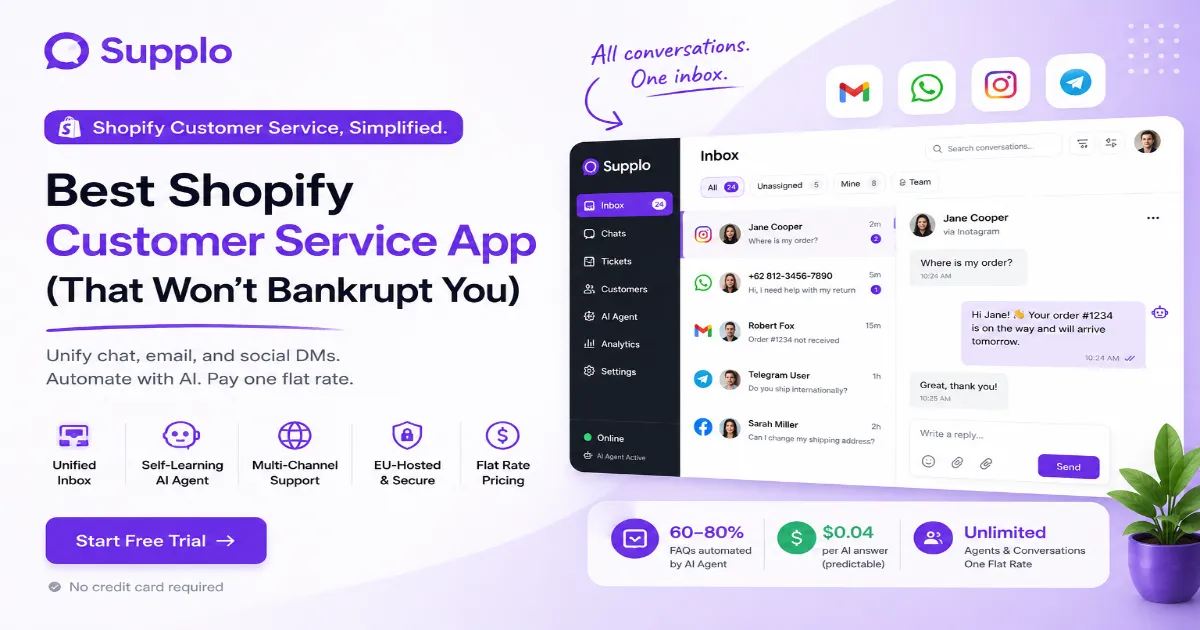
Every Shopify store owner knows the sinking feeling: a customer messaged on Instagram, someone is waiting on a chat reply and a "Where is my order?" email just landed in your personal inbox. Chaos. A dedicated Shopify customer service app pulls all that into one organized place. You stop searching for conversations and start resolving them in seconds. This guide is for solo entrepreneurs, small teams and growing brands who want premium support without a bill that grows faster than their revenue. If you are scaling up or just tired of tool-hopping, you are in the right place.
Quick Answer:
- A solid help desk app centralizes support from email, chat, WhatsApp, Instagram, Facebook and Telegram into one shared inbox.
- The most predictable pricing is a flat monthly fee, no per-seat charges, no per-resolution surprises.
- A self-learning AI agent can handle 60–80% of common questions for roughly $0.04 per answer.
- Look for a platform you can set up in minutes without a developer, using a simple widget or Shopify integration.
- Migrating from a per-seat model is straightforward and can immediately cut costs, especially for teams with multiple agents.
Why Your Shopify Store Needs a Dedicated Support App Not Just Email
Relying on a single email inbox for Shopify support is a recipe for lost messages, slow response times and frustrated customers. A dedicated support app centralizes everything chat, tickets, social DMs into one place, so nothing slips through the cracks. It’s the difference between feeling like you’re putting out fires and having a proper system in place.
- Emails get buried; a dedicated app keeps every conversation in a single, searchable thread.
- Customers expect near-instant replies; chat and a shared inbox make that possible without hiring an army.
- Multi-channel support (WhatsApp, Instagram, Telegram) is table stakes now; email alone can’t cover it.
A unified system makes your team look bigger and faster than it is, without adding headcount.
What to Look for in a Shopify Help Desk App: The Reliability Checklist
A reliable help desk app isn’t just about fancy features; it’s about uptime, response speed and not surprising you with hidden fees. Look for a platform that offers a shared inbox, automated routing and an AI agent that actually learns from your responses. If your support app goes down during a flash sale, it’s worse than having no system at all.
The reliability checklist:
- Unified inbox: Does it pull in email, live chat and social DMs automatically?
- AI that learns: A self-learning AI agent should get smarter with every reply you edit.
- Multi-channel routing: Can it handle WhatsApp, Telegram, Instagram and Facebook out of the box?
- EU-hosted options: If data privacy matters, check whether your data stays in Europe.
- Predictable uptime: Look for platforms that guarantee 99.9% uptime, especially during peak sales.
A reliable help desk app should automate the mundane and escalate the complex, all while keeping your monthly cost fixed.
Shopify Chat App vs. Ticket System App: Do You Need Both?
Many store owners think they need a separate chat app and a ticket system, but that’s usually a recipe for chaos. A modern platform combines both into one interface, where customer chats can automatically escalate into tickets if they get complex. You don’t need two tools; you need one that does both seamlessly.
- Live chat is ideal for quick questions; ticket systems are better for tracking longer or multi-step issues.
- The best apps let you turn a chat into a ticket in one click, preserving the conversation history.
- A shared inbox that combines chat and tickets eliminates the need to juggle between a chat widget and a separate help desk dashboard.
Shopify Flat Rate Support App vs. Per-Ticket Billing
Flat-rate pricing is the most predictable model for a growing store. With per-ticket billing, a sudden spike in support requests can double your monthly bill overnight. Flat rate means you budget one number, regardless of how many conversations happen.
- Flat rate eliminates the anxiety of “peak season pricing shocks.”
- You can hire agents without worrying about per-seat fees adding up.
- It encourages you to use more AI automation since you’re not paying per resolution.
"Flat-rate pricing turns your support costs from a variable headache into a fixed, predictable line item."
The Real Cost of Shopify Support: Why Predictable Pricing Matters
Most support tools hide their real cost in per-agent fees, per-resolution charges, or tiered plans that unlock essential features only at the top tier. Shopify's predictable pricing, a single flat monthly fee, lets you forecast your expenses accurately. That’s the difference between a line item you can count on and an expense that keeps growing.
- Per-seat models punish lean teams: the cost doubles the moment you add a second agent.
- Per-resolution pricing makes you think twice before automating, which is backwards.
- Flat rate means you can scale support volume without scaling your software bill.
Stop paying for the privilege of having more conversations. Your pricing model should reward growth, not penalize it.
How to Integrate Shopify Support Without a Developer or a Headache
The best help desk apps offer one-click integration directly from the Shopify admin or an embeddable widget you can install in minutes and set up in minutes. You don’t need API keys or custom code. If a support app requires a developer to integrate with it, it’s probably over-engineered for a growing store.
- Look for a widget you can install via script or a simple Shopify integration.
- An AI agent should start answering FAQs immediately after you upload your knowledge base.
- Multi-channel routing (email, Telegram, WhatsApp) should be pre-configured, not a custom build.
Most modern platforms let you go from zero to live chat in under 15 minutes.
Try the widget for free, no credit card required.
Install the Supplo widget on a staging store today and see how chat, email and social DMs collapse into one clean inbox.
Start a free trial at supplo.io
Who Offers the Most Affordable Support Solution for Shopify?
The overwhelming winner for affordability is a flat-rate model because it decouples cost from usage. You pay a single price for a full system, regardless of how many tickets, chats, or agents you need. Compared to per-seat or per-resolution tools, flat-rate platforms can cut your software spend by 60% or more.
- Per-seat tools charge per agent per month, which punishes growth.
- Per-resolution tools charge per AI answer, which can skyrocket if you automate widely.
- Flat-rate includes unlimited seats and conversations, so your cost stays static as you scale.
An affordable support solution lets you add a part-time agent for the holiday rush without opening your wallet.
Top Shopify Customer Service Tools : An Unbiased Look
The market is split between legacy tools with per-seat pricing and newer platforms built on flat-rate, AI-first models. Legacy tools offer reliability but at a high per-user cost. The best value comes from platforms that combine live chat, shared inbox, multi-channel support and a self-learning AI agent under a single flat fee.
- Legacy tools: Often require a developer for setup, charge per agent and lack native multi-channel integration.
- Modern flat-rate tools: EU-hosted, include AI out of the box, route conversations from email, Telegram, WhatsApp, Instagram and Facebook into one inbox. An example is an AI-first, EU-hosted customer support platform built for lean teams.
- Budget DIY options: Some freelancers stitch together free tiers of multiple apps, but that’s a maintenance nightmare.
When evaluating top Shopify customer service tools, focus on the total cost of ownership, not just the base price.
What a Shopify Flat Rate Support App Actually Saves You
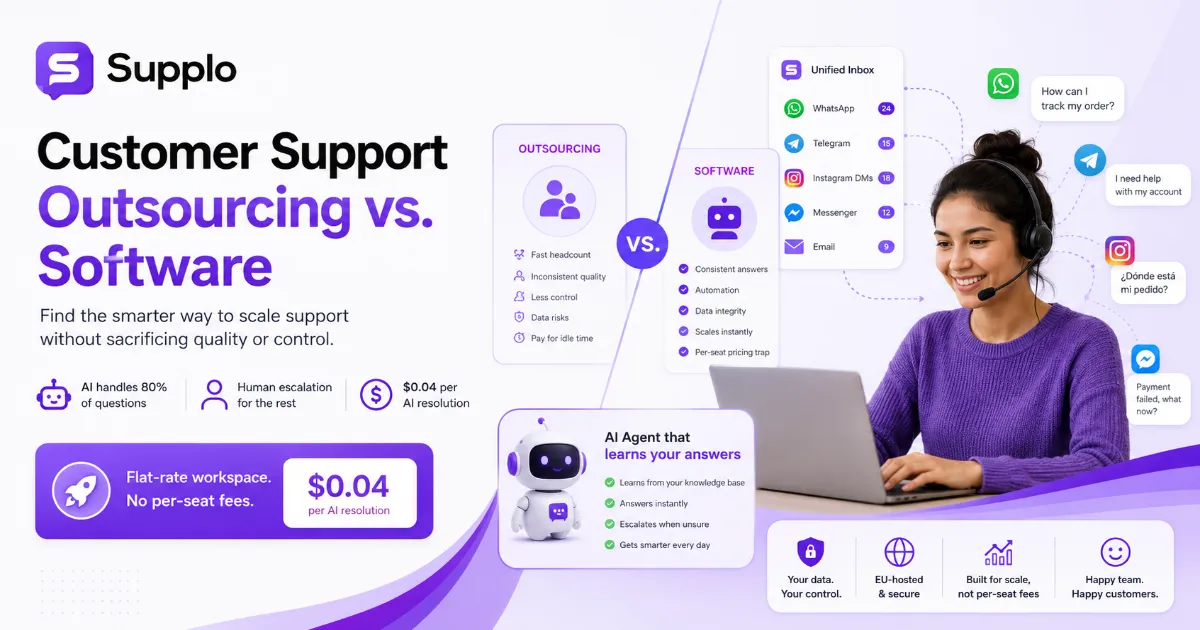
A flat-rate support app saves you two things: direct software costs and hidden administrative overhead. Direct cost: a per-agent app can run $30–$100 per agent per month. A flat-rate platform might cost $99/month, no matter how many agents there are. The math gets even better when you factor in AI resolutions at $0.04 each versus $1.00+ per-resolution models.
The math:
- Example team of 5 agents:
- Per-seat pricing at $60/agent = $300/month
- Flat-rate solution at $99/month = 67% savings ($201/month back in your pocket)
- AI resolution savings:
- Processing 1,000 AI chats at $0.04 each = $40
- Competitor per-resolution models = $1,000+
- That’s a 96% savings on automated answers.
Whichever platform you choose, check the small print on AI costs. Some charge over a dollar per automated resolution. A flat-rate model with AI resolutions costs $0.04 each, changing the math entirely.
Making the Switch: Migrating from Per-Seat Pricing to a Shopify No Per-Seat Fees Model
Migrating from a per-seat helpdesk to a flat-rate model is simpler than you think. Most platforms offer import tools for your existing tickets and contacts. The real benefit comes afterward: you can add as many agents as you need without a cost penalty. It flips the mental model from “each new hire costs me more software” to “I can build my team freely.”
Steps to switch:
- Request a data export (CSV or JSON) from your current tool before cancelling.
- Set up your new knowledge base and train the AI agent before migrating customers.
- Import your tickets and contacts using the new platform’s import tool.
- Swap your chat widget or email forwarding on a low-traffic day.
- Test routing across all channels (email, WhatsApp, chat) before going fully live.
Platforms with no per-seat fees let you onboard your whole team at once, with no tier upgrade required.
Shopify Budget Customer Service: How to Deliver Premium Support Without the Premium Invoice
You can deliver white-glove support on a bootstrap budget by using an AI agent to handle repetitive questions and a shared inbox for complex issues. Lean teams that use automation well outperform larger teams that rely on brute-force hiring. The key is a platform that bundles AI, chat and multi-channel routing without charging per seat or per resolution.
- Automate FAQs: Use a knowledge base and AI agent to deflect 60–80% of common queries instantly.
- Unified inbox: Route all channels (email, Telegram, WhatsApp, Instagram, Facebook) into one view.
- No hidden costs: A flat monthly fee means you can hire part-time or seasonal support without a budget spike.
A budget Shopify customer service app strategy isn’t about sacrificing quality; it’s about being smart with your tools.
The most expensive support setup isn't the one with a high monthly bill. It's the one that makes your customers wait.
Key Takeaways
- A dedicated help desk app should unify chat, email and social DMs into one shared inbox.
- Flat-rate pricing is the most predictable and affordable model for growing teams.
- Look for a self-learning AI agent that handles FAQs for pennies per resolution.
- You can integrate and migrate without a developer in under an hour.
- The best budget customer service strategy focuses on automation rather than cutting corners.
Your support setup should grow with your store, not be at odds with your budget.
Join hundreds of lean teams running premium support on a flat-rate plan. Pay with crypto or local payment methods like Binance Pay, GCash, or DOKU.
FAQ
Can I use a Shopify support app with multiple stores?
Yes, many flat-rate platforms allow you to manage multiple Shopify stores from a single dashboard. You can switch between contexts quickly without logging out and back in.
Do I need coding skills to integrate a Shopify help desk app?
Not at all. Most modern apps offer a script-based widget or a built-in Shopify integration that takes minutes to install, with no developer required.
What’s the difference between a per-seat and flat-rate pricing model?
Per-seat charges apply to each user (agent) every month and they add up fast. Flat-rate charges a single monthly fee regardless of how many agents you have or how many conversations you handle.
Can an AI agent handle customer support on its own?
It can handle most common FAQs and transactional queries (order status, return policies, shipping times) autonomously. Complex or sensitive issues should be escalated to a human agent for a personal touch.
What channels should a Shopify support app cover?
At a minimum, it should cover email, live chat and at least one social channel, such as WhatsApp or Instagram. The best tools unify all of these into a single shared inbox.
Is it worth paying for a paid help desk app when free options exist?
Free apps usually lack automation, multi-channel support, or a decent shared inbox. A paid flat-rate app often pays for itself by slashing response times and freeing your team from manual work.
How do I migrate my data from an old support tool to a new one?
Most modern platforms offer CSV imports or API-based migrations for tickets, contacts and knowledge base articles. Always export your data before cancelling your old subscription.
Compliance note: Supplo is not affiliated with any app or website. Please follow each app's terms and local regulations.