On this page
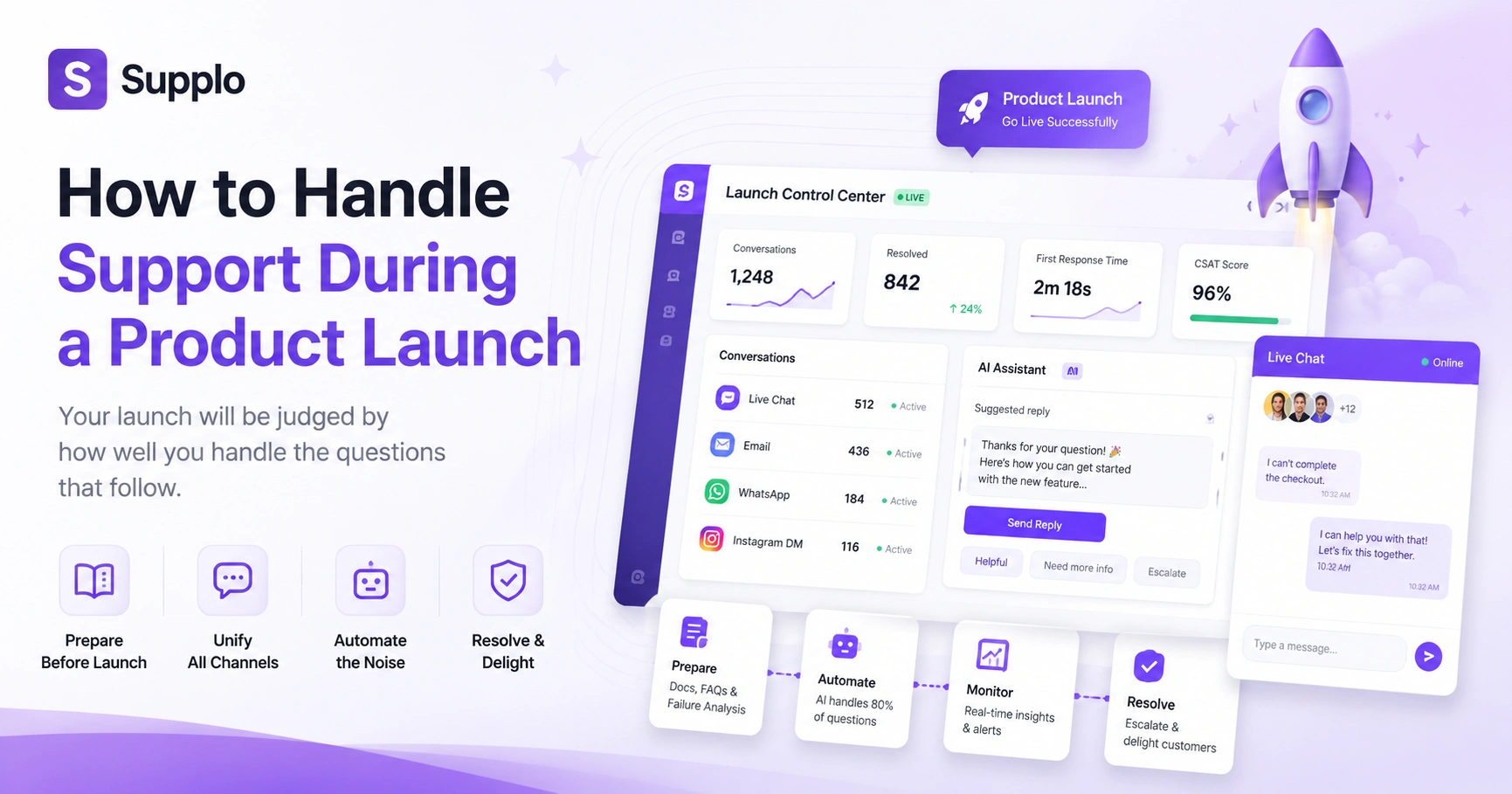
Launching something new? Exciting, right? But here's the thing nobody tells you: your product launch will be judged by how well you handle the questions that follow. Not the marketing hype. Not the features. The support.
This guide is for product managers, support leaders and marketing teams who want their next launch to feel smooth, not chaotic. We'll walk through exactly how to handle support during a product launch, from pre-launch prep to real-time crisis management.
Quick Answer
- Pre-write your playbook: Build support docs and run a failure mode analysis before launch day.
- Unify your channels: Merge email, live chat and social DMs into a single shared inbox so nothing slips through the cracks.
- Automate the noise: Let an AI agent handle the first 80% of repetitive questions. Your humans handle the tough stuff.
- Test everything: Run a dry run 24 hours before launch. If a channel is broken, don't go live.
Why Your Product Launch Support Plan Needs a Pre-Launch Checklist
Here's a hard truth: a product launch without a support plan is a recipe for instant churn.
A pre-launch checklist does one thing really well: it moves you from reactive firefighting to proactive, scalable support. And that shift protects your brand reputation from the moment the floodgates open.
The first 24 hours of a launch? That's when trust gets built or broken. A broken support flow kills it instantly. You know, those moments when you forgot to update the knowledge base? Or was nobody set up the chat widget panic? Checklists prevent that.
This isn't about being perfect. It's about being reliable. Your checklist becomes the roadmap that aligns sales, product and support teams so everyone answers the same way from day one.
Getting Your Support Team Ready for a New Product Launch
Getting your team ready starts long before you hit Go Live. Like, weeks before.
You need launch-specific roles. A war room (or a virtual one). And most importantly, a way to keep your team from being split across ten different tabs.
Here's what actually works:
- Centralize everything into a single shared inbox. When all channels feed into one place, nothing falls through the cracks.
- Define tier 1 vs. tier 2 response paths before launch begins. AI handles the routine stuff. Humans handle escalations.
- Create a launch-day escalation matrix and ensure every agent knows exactly who to ping for each issue type.
- Run a pre-brief session 48 hours before launch to review the most likely failure points.
Your team shouldn't be hunting for answers. They should be giving them.
Training Support Staff for a New Product Without the Chaos
Here's a weird thing about training: most teams focus on what's cool about the product. They should be focusing on what breaks.
Train your team on the edge cases, not just the happy path.
Build a short, scenario-based training that covers the top 10 likely support questions. Then role-play the 'I don't know' response, because your team needs to know exactly when to escalate.
Pro tips from the trenches:
- Don't train on slides. Train on live tickets from a beta test or staging environment.
- Create a launch FAQ cheat sheet that agents can pin to their desks or digital dashboards.
- Focus on tone. Your team should sound confident and transparent, not scripted or robotic.
And here's a secret: using a self-learning AI agent can significantly reduce the training burden. It learns from past conversations and gets smarter with every launch.
Building Support Documentation for a Product Launch That Actually Helps
Let's be real, nobody reads a 50-page PDF during a launch crisis.
The best documentation is a living knowledge base built for the most common 'how do I?' and 'why isn't this working?' queries. Structure it like a troubleshooting tree, not a textbook.
Make your documentation work for you:
- Write articles in the voice of the customer, using the exact phrases they type into the support widget.
- Include video clips or GIFs for every setup process.
- Update the knowledge base live during the launch as new issues surface.
Your documentation should be the first line of defense. It deflects tickets before they ever reach a human. And if you're using an AI agent, good documentation makes it smarter.
Anticipating Support Issues at Launch and Stopping Them Early
Think like a hostile user. Seriously.
What's the most confusing button? Where do people get stuck on the checkout flow? What error message is missing entirely?
Here's how to anticipate issues before they explode:
- Run a failure mode analysis on your product.
- Pre-write canned responses for the top 5 issues you know will happen.
- Review beta tester feedback logs; they're a goldmine of pre-launch issues.
- Pre-load your AI agent with responses for login issues, billing errors and feature-not-working scenarios.
- Set up a critical bug alert channel that flags specific keywords in real time.
Don't guess. Look at your own onboarding data or competitor reviews to see which steps break most often.
How to Build a Multichannel Customer Support Approach for a Product Launch
Here's the thing about multichannel support: customers want to reach you their way, whether that's email, chat, WhatsApp Customer Support or Instagram DMs.
The key is unifying those channels into a single inbox so your team sees the whole conversation, not just fragments. Customers hate repeating themselves.
A practical approach:
- Don't try to be on every channel. Pick the 3-4 that your audience actually uses most.
- Integrate your website chat widget, email and messaging apps into a single thread.
- Use an AI agent to handle the first response on every channel, instant replies even at 3 AM.
- Make sure your team can switch between channels seamlessly without losing context.
Supplo is not affiliated with any app or website. Please follow each app's terms and local regulations.
Handling Customer Support During a Product Launch: The Real-Time Playbook
When you're in the middle of a launch, speed and transparency are everything. Customers expect instant answers when they're excited about a new product.
What works in real-time:
- Set up a live dashboard showing ticket volume, common keywords and your AI's resolution rate.
- Use a public status page to communicate known issues proactively; this can reduce duplicate tickets by 50%.
- Train your AI to identify angry users and prioritize them to a human immediately.
- Pre-write a template for every likely scenario.
- Monitor your support queue in real-time. If wait times spike, escalate your AI's autonomy.
This is how to handle support during a product launch without losing your mind.
Best Practices for Product Launch Support That Scales Without Burning Out
Let's be honest, you can't hire your way out of a launch spike. It's impractical and expensive.
The smarter approach:
- Configure your AI to handle the noise, password resets, shipping questions and feature guides.
- Automate: Where is my order? And how do I reset my password? completely.
- Offer a prominently displayed self-service knowledge base on your site and in your AI chat.
- Set up a launch mode rule to automatically tag and categorize incoming tickets.
Your team should be solving problems, not answering the same question 500 times. That's how you scale without burning out.
How an AI Agent Transforms Managing Support Queries During a Product Launch
Managing support queries manually during a launch? That's a recipe for slow response times and burnout.
An AI agent acts as your first line of defense, resolving up to 80% of incoming tickets automatically. It learns from your knowledge base and past conversations, so it gets smarter with every launch.
What that means for your team:
- The AI handles the easy stuff instantly and your humans handle the edge cases.
- It translates messages in real time so you can support a global launch without a language barrier.
- It hands off cleanly to a human when it doesn't know the answer and the customer never feels stuck.
- Pricing is per resolution, not per seat, making it financially viable for launch spikes.
Check out our transparent pricing to learn more.
Ensuring Smooth Support During Launch: The Final Reliability Check
This is the moment of truth. Twenty-four hours before launch, run a dry run.
Here's your pre-launch checklist:
- Send a test ticket through every channel: email ticketing, live chat, WhatsApp, Telegram Support and Instagram DMs.
- Check your AI's response time.
- Verify your escalation paths work.
- Ensure your knowledge base is accessible and searchable via the AI chat widget.
- Check your notification settings so every agent gets pinged on the right channel.
If a single channel is broken, do not launch. Fix it first.
Also, have a rollback plan for your support flow if ticket volume exceeds your AI's capacity. It's better to be safe than sorry.
Stop juggling ten different tools. Get a unified inbox, a self-learning AI agent and transparent pricing in one workspace. Start your 14-day free trial today.
Key Takeaways
- A comprehensive pre-launch checklist prevents support chaos during a new product rollout.
- Proactive training should focus on product edge cases, not just features.
- Effective documentation , structured for troubleshooting , empowers both customers and AI agents.
- Anticipate issues by running a failure mode analysis and leveraging beta feedback.
- Implement a multichannel strategy that unifies all channels for a seamless customer experience.
- Use AI agents to automate up to 80% of common queries.
- Run a dry run of all systems 24 hours before launch.
FAQ
What is the most important step in a pre-launch support checklist?
Setting up a unified inbox that merges all your channels. Without this, your team will miss tickets and customers will get frustrated. A single-threaded inbox is the foundation of reliable launch support.
How far in advance should I start training support staff for a new product?
Start training at least two weeks before launch. Focus on the product's failure modes, not just its features. Role-play the top 10 support questions and make sure your team knows when to escalate.
What is the best way to handle a surge in support tickets during a product launch?
Use an AI agent to handle the first wave of simple, repetitive questions. This frees your human team to handle complex, high-touch issues. An AI agent can resolve up to 80% of incoming tickets instantly.
How do I build effective support documentation for a product launch?
Write in the voice of the customer. Use the exact phrases they type into the search bar. Structure it like a troubleshooting tree, not a textbook. Include video clips or GIFs for every process.
What should I do if my support team is overwhelmed during a launch?
Immediately escalate your AI agent's autonomy to handle more complex queries. Temporarily pause non-critical campaigns. Communicate transparently via a status page. Customers forgive delays if you're honest.
How do I anticipate support issues before a product launch?
Review beta tester feedback logs. Run a failure mode analysis. Look at competitor reviews for the same product type, pre-write canned responses for those issues.
Is it legal to use a shared inbox for all customer support channels?
Yes, as long as you comply with data privacy regulations like GDPR and CCPA. Ensure your support software encrypts data in transit and at rest.
Compliance line: Supplo is not affiliated with any app or website. Please follow each app's terms and local regulations.