On this page
If your team's inbox looks like a game of telephone forwarded emails, missed replies, and a lot of "I thought you handled that," you've outgrown personal email. A shared inbox is the fix you didn't know you needed.
Who it's for: Small-to-mid support teams, ops managers, and ecommerce brands who need one place to wrangle all customer conversations.
When to use it: Any time more than one person needs to handle messages from a single address, support@, info@, orders@, or even your WhatsApp Business number.
When not to use it: If you're flying solo with low message volume, a standard email client will still do the job.
Quick Answer:
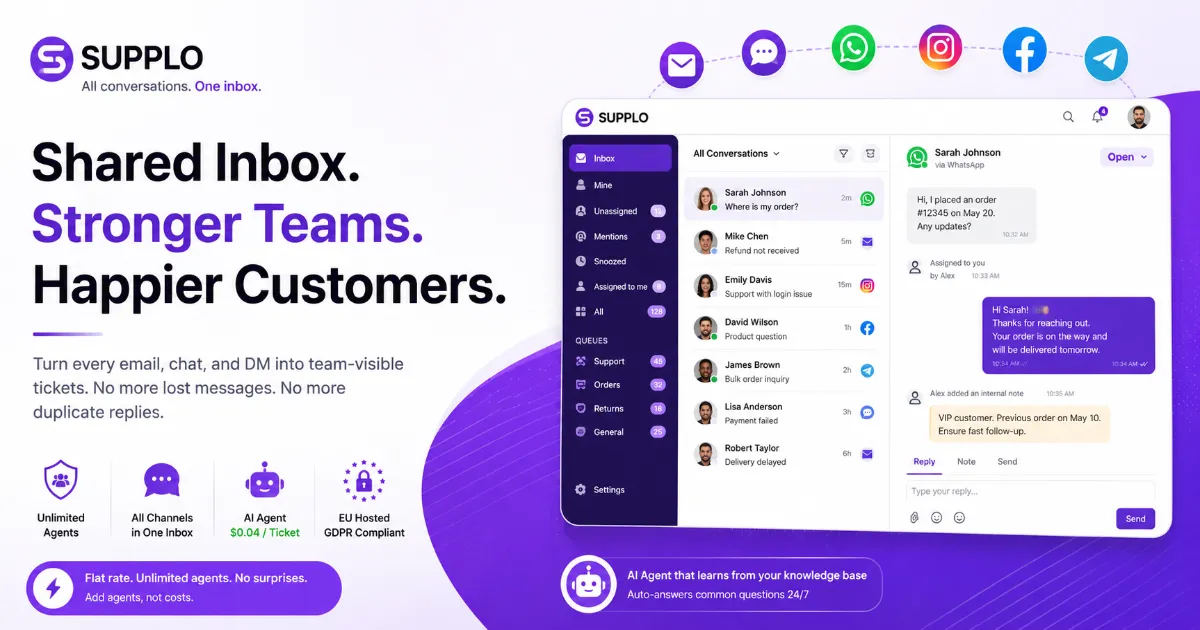
- A shared inbox turns every email, chat, and social DM into a team-visible ticket. Goodbye, lost messages. Goodbye, duplicate replies.
- Collision detection stops two agents from replying to the same thread. No more awkward "I already answered that."
- It works across email, live chat, WhatsApp, Instagram, Facebook, and Telegram, all from one dashboard.
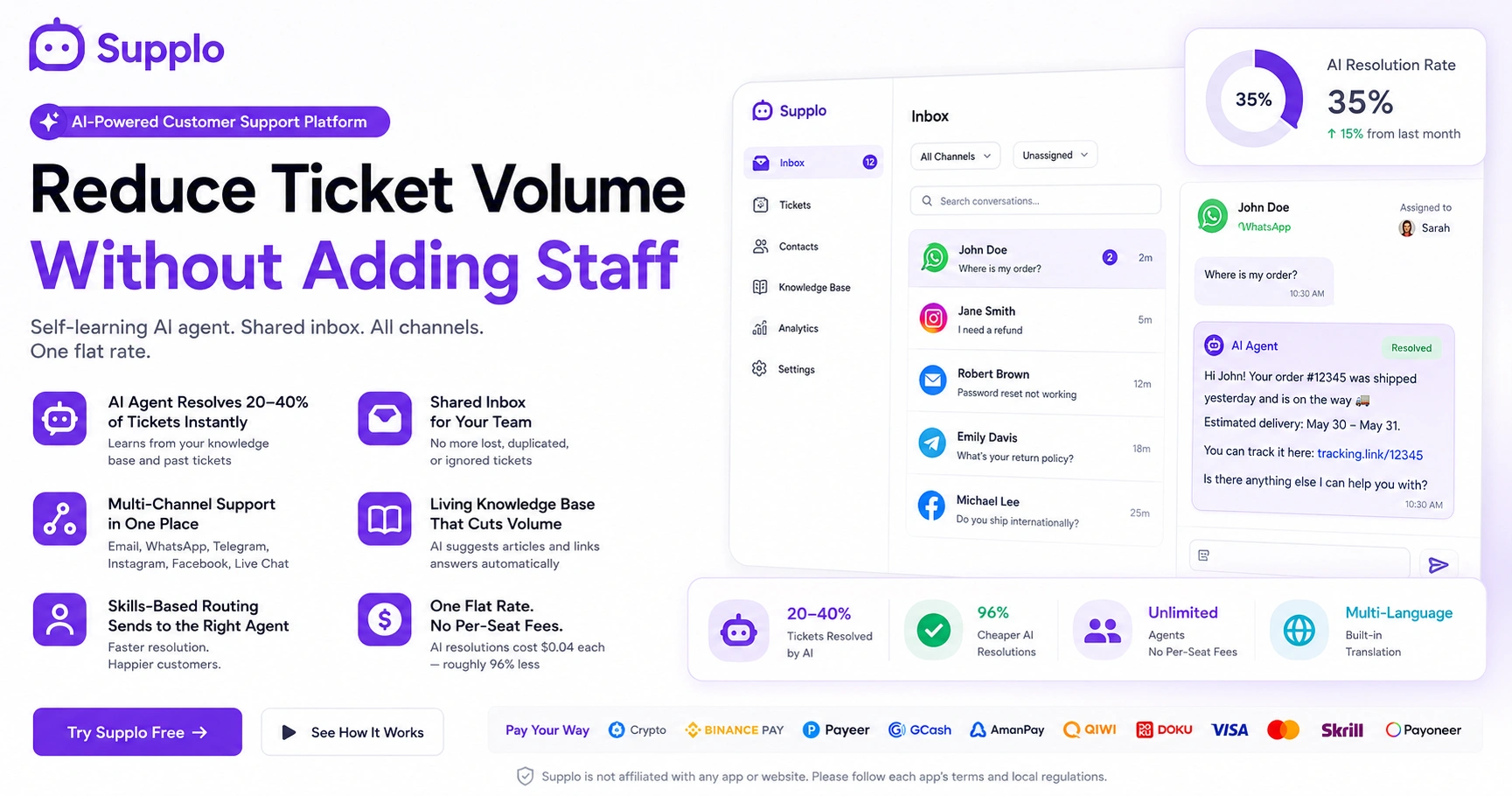
- Unlike those per-seat tools that bleed your budget, Supplo gives you unlimited agents at a flat rate. Plus, an AI agent that resolves tickets for $0.04 each.
Shared Inbox Definition and Meaning: What It Actually Is
Here's the plain truth: a shared inbox is a single email or messaging account that multiple team members access together. Unlike personal email, where messages vanish into a single person's private folder, a shared inbox makes every thread a team-visible ticket. No more guessing who's handling what. Assignment, replies, and status are transparent and trackable.
- Prevents duplicate replies and overlooked messages (finally)
- Works across email, live chat, WhatsApp, Telegram, Instagram, and Facebook, all in one workspace
Let's you assign conversations to specific team members or queues
- Keeps full conversation history per customer, so context never disappears
"A shared inbox turns every customer message into a collaborative task, not a private email that disappears when someone goes on vacation."
How Does a Shared Inbox Work? The Simple Mechanics
It's simpler than you'd think. A shared inbox routes all incoming messages, email, chat, and social DMs into a single queue visible to your whole team. Each message becomes a ticket. Team members can claim, reply to, or reassign tickets without stepping on each other's toes. The system logs every action, so context never gets lost when a conversation switches hands.
- Inbound messages hit a unified dashboard, not individual email clients
- Tickets are claimed with one click to prevent double-work
- Internal notes let teammates discuss without contacting the customer
- Status tags (Open, Pending, Resolved) track the lifecycle
For a deeper look, see how a unified workspace for email and chat keeps everything organized.
After Quick Start Section:
Ready to stop searching for lost emails?
Try Supplo free, no credit card needed. See how a shared inbox with multi-channel support and a self-learning AI agent transforms your team's reliability.
What Are Shared Inboxes For? The Real Use Cases
Honestly? Any scenario where more than one person needs to manage customer or internal communications from a single address. Front-line customer support, order management, technical triage, partner onboarding, you name it. They replace the "reply-all to the team" approach with structured, accountable workflows.
- Customer support teams handling high volumes of email, chat, and social media
- Sales teams sharing a leads@ or info@ address
- Operations teams processing orders, returns, or vendor queries
- Remote teams needing async visibility into all active threads
Many teams start by adding their WhatsApp customer support integration to the same queue.
Key Features of a Shared Inbox You Actually Need
The best shared inbox features go way beyond basic email sharing. You need collision detection (so two agents don't reply to the same ticket), assignment controls, and multi-channel support email, but alone, it isn't enough. And an integrated AI agent that auto-answers common questions? That's a game-changer, especially during off-hours.
- Collision prevention: Warns if someone else is typing in the same ticket
- AI agent: Learns from your knowledge base and suggests or auto-replies
- Multi-channel ingestion: Email, live chat, WhatsApp, Telegram, Instagram, Facebook
- Built-in knowledge base: For self-service and agent reference
- Internal routing rules: Assign by topic or team automatically
Check out the full list of shared inbox features that actually move the needle.
"A shared inbox without collision detection is just a group email account with extra steps. Real reliability requires prevention."
Benefits of a Shared Inbox: Why Your Team Needs One
Here's what you actually get: transparency, accountability, and speed. No more "I didn't get the email" or "who replied to ticket 42?" Every conversation is visible to the entire team. Response times drop because tickets are never lost. Customers get consistent, accurate answers. For small-to-mid teams, the operational lift disappears.
- Eliminates email silos and lost messages
- Reduces average first reply time by giving clear ownership
- Builds a single source of truth for customer history
- Scales with the team without adding complexity
Advantages of a Shared Inbox Over Personal Email
Personal email was built for one-to-one conversation, not team collaboration. What are the advantages of a shared inbox? Automatic threading, assignment, and a permanent audit trail. In a personal email, when Alice goes on vacation, Bob has no easy way to see her threads or even access them. A shared inbox preserves continuity regardless of who's logged in.
- No forwarding chains or "please CC the team" workarounds
- Guest or part-time agents see only what they need, not the CEO's inbox
- Search indexes every past conversation across all channels
- Status tags prevent redundant or forgotten replies
"Personal email is a private conversation tool. Customer support is a team sport. Don't use a solo tool for a team job."
Improve Team Collaboration with a Shared Inbox
A shared inbox transforms customer support from a solo sport into a relay race where every handoff is clean. Team members can leave internal notes, tag each other with @mentions, and reassign tickets without losing context. Junior agents gain visibility into senior responses, accelerating training and consistency.
- Internal notes visible only to teammates, not customers
- @mention notifications pull specific people into threads
- Reassignment preserves full conversation history
- Queue views let managers see workload distribution at a glance
Read how one team improved collaboration in this case study on team collaboration improvement.
Steps for better collaboration:
- Set up queues by topic: Route billing, tech, and general queries to different agents.
- Use internal notes liberally: Never rely on memory; write down context.
- Tag the right person: Use @mentions to pull in expertise without leaving the ticket.
- Review queues daily: Reassign stale tickets before they escalate.
Boost Customer Service with a Shared Inbox
Customers don't care if your team uses a shared inbox. They care about fast, accurate, personal responses. A shared inbox enables exactly that by routing their query to the right person, showing the agent the full relationship history, and preventing the dreaded "please repeat your order number." When your team operates from a shared hub, the customer experience becomes seamless.
- Context-rich replies because every past interaction is visible
- Faster resolutions via internal collaboration mid-chat
- An AI agent can handle the first layer of common questions 24/7
- Multi-language support via built-in translation messages to any customer in their language
"Customers don't need to know you have a shared inbox. They need to feel like your team has their back."
Troubleshooting common customer service gaps:
- Problem: Long first reply times. Fix: Set auto-responders for common queries and route priority tickets first.
- Problem: Inconsistent answers. Fix: Use a knowledge base that both the AI agent and the human agents reference.
- Problem: Lost context during handoffs. Fix: Require internal notes before reassignment.
Essential Shared Inbox Functionalities for Reliability
Reliability in a shared inbox means nothing falls through the cracks. Essential functionalities include collision detection, SLA-based escalation, automated routing, and uptime guarantees. For global teams, EU-hosted data compliance and native multi-language support are non-negotiable. A flat monthly rate also builds reliability into your budget, with no surprise overage bills when volume spikes.
- Collision detection: Two agents can't reply to the same ticket simultaneously
- Escalation rules: Auto-reassign tickets that exceed response time SLAs
- Automated routing: Send billing questions to finance, tech issues to support
- EU hosting: For GDPR compliance without extra paperwork
Combine these with an AI agent for automated replies to handle the first wave of support around the clock.
After Troubleshooting Section:
Collision detection. Escalation rules. AI that learns.
If your current shared inbox fails to prevent duplicate replies or to keep tickets out of silos, you're losing customers. Supplo catches every message, routes it correctly, and auto-answers common queries for $0.04 each.
Why Use a Shared Inbox? The Case for Ditching Per-Seat Pricing
Most shared inbox tools charge per agent, per month, a model that punishes teams when they grow or get a sudden influx of seasonal help. Why pay by the head when you can pay a flat monthly rate for the whole team? With Supplo, you get all features, all channels, and unlimited agents for one price. AI resolutions cost $0.04 each, roughly 96% cheaper than market alternatives: no per-seat fees, no per-resolution meter.
- Flat rate means you can add agents without incurring additional cost.
- AI agent resolves common queries at a fraction of competitor pricing.
- Multi-channel: email, live chat, WhatsApp, Telegram, Instagram, Facebook
- Flexible payments: crypto, Binance Pay, Payeer, GCash, AmanPay, QIWI Wallet, DOKU, Nigeria and South Africa cards, Skrill, Payoneer
Compare the pricing models yourself: flat monthly pricing vs. per-seat tools.
Near Conclusion:
Flat rate. Unlimited agents. No surprises.
Stop paying per seat. Supplo gives you every feature, every channel, and your entire team for one predictable monthly price. Payments accepted via crypto, Binance Pay, Payeer, GCash, AmanPay, QIWI Wallet, DOKU, Nigeria and South Africa cards, Skrill, and Payoneer. Get reliable support now.
Key Takeaways:
- A shared inbox turns every customer message into a team-visible ticket, eliminating lost messages and duplicate replies.
- Essential features include collision detection, assignment rules, multi-channel support, and an AI agent.
- Flat-rate pricing removes the cost barrier to scaling your support team.
- Reliable shared inboxes are GDPR-compliant, EU-hosted, and built for remote and hybrid teams.
Disclaimer: Supplo is not affiliated with any app or website. Please follow each app's terms and local regulations.
FAQ
What is a shared inbox in simple terms?
A shared inbox is a collaborative email or messaging account that multiple teammates can access simultaneously. It converts every incoming message into a team-visible ticket, so nothing gets lost and no one replies twice.
Is a shared inbox secure?
Yes, when built properly. Look for EU-hosted platforms that support data encryption, role-based permissions, and compliance with local regulations such as GDPR. Supplo is not affiliated with any app or website. Please follow each app's terms and local regulations.
Can a shared inbox work with WhatsApp and Instagram?
Yes. Modern shared inboxes integrate WhatsApp, Instagram DMs, Facebook Messenger, Telegram, and email into one dashboard. You manage every customer channel from a single workspace without switching apps.
How does a shared inbox differ from a shared mailbox in Outlook?
A shared inbox is a dedicated software platform with assignment, collision detection, status tracking, and multi-channel support. A shared mailbox in Outlook is simply a delegated email folder that lacks these collaboration features.
What happens if two agents reply to the same ticket?
A reliable shared inbox prevents this through collision detection: if one agent is typing, the system warns anyone else who attempts to reply to the same thread. This eliminates duplicate responses and customer confusion.
Does a shared inbox work for remote or hybrid teams?
Absolutely. Shared inboxes are cloud-based and accessible from anywhere. They provide full visibility into ticket status, agent workload, and response times, making async collaboration natural.
How much does a shared inbox typically cost?
Most platforms charge per agent per month, which gets expensive fast. Supplo offers a flat monthly rate for unlimited agents and a built-in AI agent at $0.04 per resolution, roughly 96% cheaper than comparable tools.
Compliance note: Supplo is not affiliated with any app or website. Please follow each app's terms and local regulations.