On this page
Measuring the Return on Investment (ROI) for customer support automation may sound like a finance team's headache, but it's actually the key to unlocking strategic growth across your whole operation. Whether you're a support leader, an ops manager or a business owner trying to justify that new AI tool budget, this guide is built for you.
The trick isn't just slapping numbers together. It's about knowing which metrics actually matter, which traps to sidestep and how to build a business case that doesn't fall apart the second someone asks a tough question. We're going from fuzzy estimation to hard, reliable calculation. Let's make sure your automation investment actually pays off.
Quick answer
- Start with your current Cost Per Ticket (CPT): This is your baseline. You can't improve what you don't measure.
- Calculate post-automation costs: Factor in subscription fees plus the cost-per-resolution for automated tickets.
- Measure efficiency gains: Quantify the time your agents get back from repetitive tasks.
- Include revenue recovery: Estimate value from improved customer retention thanks to faster service.
- Track key metrics: Focus on CPT, First Response Time (FRT) and Containment Rate.
What is the Real ROI of Customer Support Automation?
Customer support automation ROI isn't just about cutting heads. That's a narrow view that misses the bigger picture. The real return comes from three levers working together: direct cost savings from faster ticket resolution, efficiency gains from faster response times and revenue recovery from keeping customers happy longer. A reliable calculation measures both the hard dollars saved and the soft value of time returned to your team.
Here's what that looks like practically. The most obvious win is the drop in cost-per-ticket when you automate tier-1 questions. Think password resets, order status checks, or basic FAQs. Those are the tickets that eat up your team's time without adding real value. By offloading them to AI, your human agents can focus on the complex stuff that actually requires empathy and critical thinking.
But it goes deeper. Automating repetitive responses saves your human support team dozens of hours per week. And don't underestimate the value of recovering a customer who would have churned because they got tired of waiting for a response. That's real money walking out the door.
How to Calculate ROI of Customer Support Automation
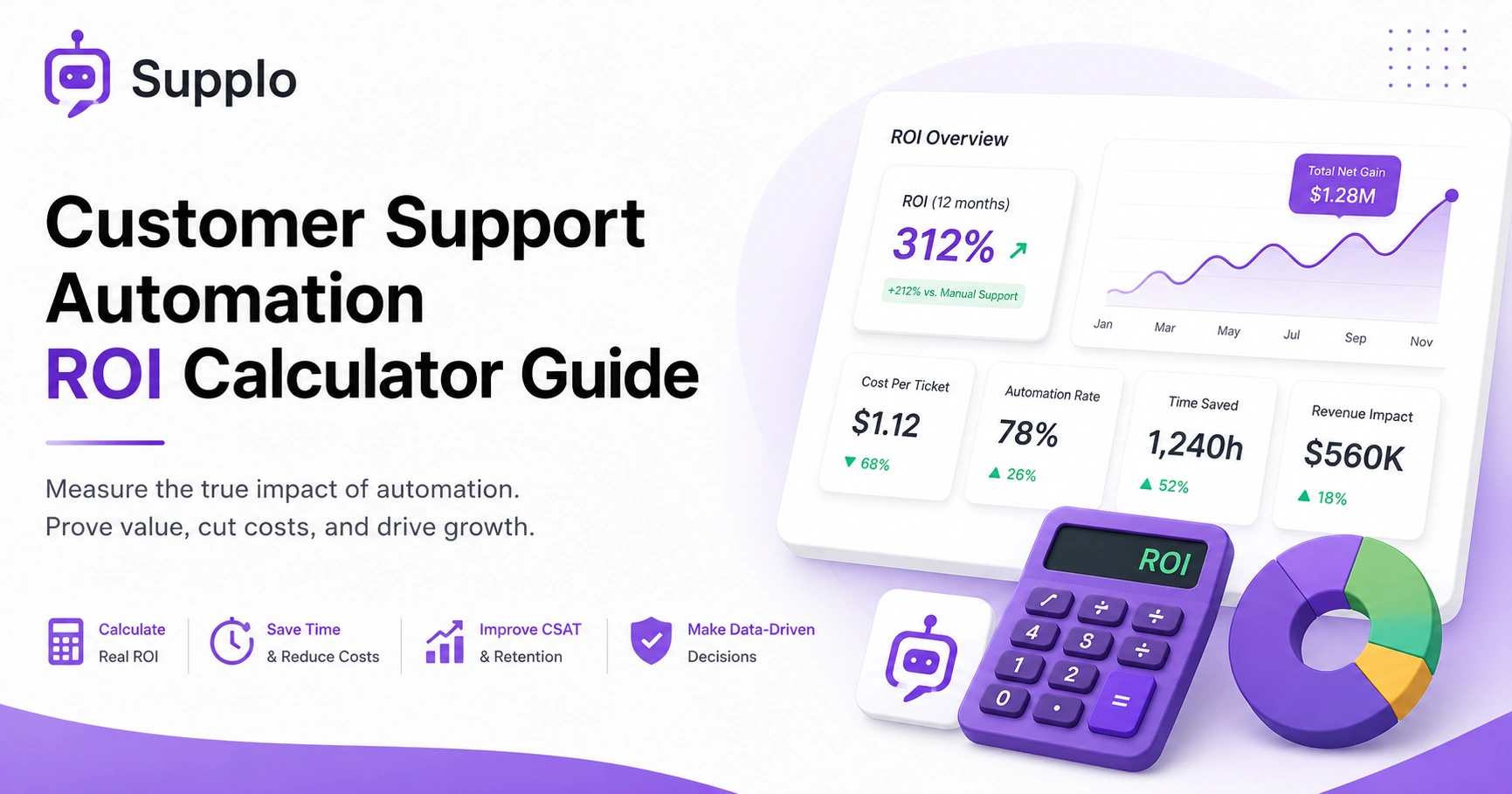
The universal formula hasn't changed: ROI = (Net Gain from Automation / Cost of Automation) x 100. Simple enough, right? But the reliable method requires four concrete steps. You can't just plug numbers in and hope for the best.
First, establish your baseline costs before automation. That's your before picture. Second, estimate your post-automation costs based on actual pricing from your tool. Third, calculate the net savings. Finally, add a conservatively estimated revenue lift from improved customer satisfaction. Let's walk through each one.
Define Your Before Baseline (Cost Per Ticket & Resolution Time)
Before you automate anything, you need a clear snapshot of your current state. This isn't optional. Calculate your total monthly support cost; that's salaries, benefits, tools, overhead, everything and divide it by the total number of tickets handled per month. That number is your current Cost Per Ticket (CPT).
While you're at it, measure your average first response time and average handle time. These metrics form the crucial before picture. Without them, you're comparing apples to oranges later.
Estimate Your After Costs (Subscription + AI Resolution Rate)
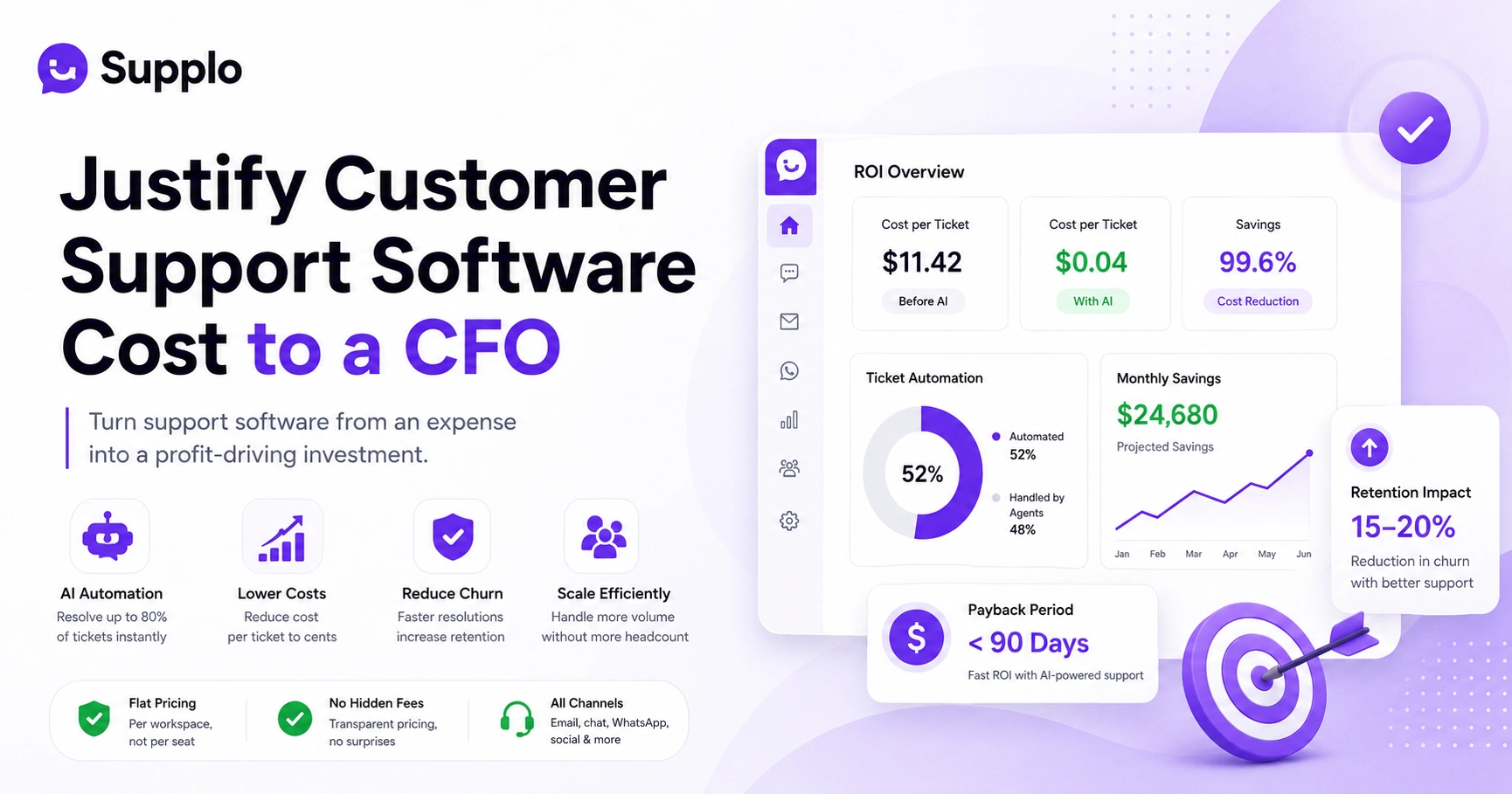
Now, factor in the cost of your automation solution. This includes the subscription fee plus any per-resolution costs. Different tools price differently. For example, Supplo's AI agent resolves up to 80% of tickets automatically at a flat $0.04 per resolution, while some legacy tools charge $0.99 per resolution.
Project how many tickets your AI will resolve based on your historical data and the AI's capabilities. Then calculate the total cost for those automated resolutions. This gives you your after number.
Calculate Net Savings & Efficiency Gains
Time to compare. Take your pre-automation CPT for a human agent and subtract the AI's cost per resolution. Multiply that by the number of tickets your AI resolves. That's your direct cost savings.
Don't stop there. Quantify the time your human agents no longer spend handling these tickets. If an agent saves 20 minutes per ticket and handles 50 tickets a week, that's 16+ hours returned. That's an efficiency gain worth measuring.
Factor in Revenue Recovery & CSAT Lift
Here's where most people drop the ball. Faster response times and 24/7 availability lead to higher customer satisfaction, which directly impacts retention and lifetime value. Add a conservative estimate for revenue recovery.
Even a small improvement in retention, say, 5-10% of retained customer value from faster responses, can significantly impact your bottom line. Don't leave this number out of your calculation.
Stop guessing your numbers
Start your free 14-day trial of Supplo today and see your real containment rate and cost savings on a live dashboard; no credit card needed.
Measuring Return on Investment for Customer Service Automation
You can't measure ROI without tracking three core metrics: Cost Per Ticket (CPT), Average Handle Time (AHT) and First Contact Resolution (FCR). Automation improves all three, but you must track them separately. A reliable ROI calculation also monitors Containment Rate (the percentage of tickets the AI resolves without human involvement) and CSAT scores before and after implementation. A single shared team inbox gives you all the data you need.
- Cost Per Ticket (CPT): This is the most direct metric for ROI. Compare your manual CPT against your AI-driven CPT. Expect a 60-80% decrease in tickets resolved by AI.
- First Contact Resolution (FCR): Automation drastically improves FCR by enabling AI to respond immediately, often resolving the issue without further customer interaction.
- Containment Rate: Crucial for understanding how much volume your automation is handling. If your AI agent resolves 70% of incoming tickets without human intervention, your containment rate is 70%.
- CSAT & NPS: Monitor these closely. While automation often boosts satisfaction through speed and 24/7 availability, a drop could indicate your AI needs better training data or improved handoff rules.
Efficiency Gains from Support Automation ROI: Quantifying Time & Speed
Efficiency gains are the most under-reported value in support automation ROI. Seriously, most people look at cost savings and call it a day. But if an agent saves 20 minutes per ticket by having the AI pre-fill answers or auto-categorize the issue, that adds up to hundreds of hours a month.
The formula for efficiency ROI is simply Minutes Saved Per Ticket x Total Ticket Volume x Agent Hourly Cost. By integrating your knowledge base with the AI, agents can quickly access what they need without digging through folders.
- First Response Time (FRT): Automation cuts FRT from hours to seconds. Measure the delta and multiply by your team's hourly wage to quantify the value of immediate responses.
- Agent Time Per Ticket: Track how long a human spends on a ticket after the AI has resolved the initial query or pre-populated the context. This reveals the time savings for complex cases.
- Handoff Efficiency: Good automation provides a clean ticket summary to the human agent upon handoff, saving 3-5 minutes per transition by eliminating repetitive information gathering.
- Peak Coverage: The AI works 24/7, effectively giving you an unlimited team during traffic surges without incurring overtime or additional staffing costs.
How to Measure the Impact of Customer Support Automation on Efficiency Without Spreadsheet Hell
You don't need a complex dashboard to gauge efficiency. Honestly, you can get a solid picture from three simple data points in your first week: total tickets vs. tickets touched by a human, average first-reply time and team overtime hours.
If first reply time drops by 80% and human-touched tickets drop by 60%, your efficiency is skyrocketing. If overtime stays flat, that's a direct savings.
Here are a few quick checks:
- The Sweat Test: Check your team's inbox at the end of the day. Is it empty or full? Automation should help clear it faster, indicating increased throughput.
- Backlog Check: Measure your unassigned ticket queue before and after automation. A shrinking backlog is a strong indicator of improved efficiency and capacity.
- Agent Sentiment: Survey your team. Are they doing less repetitive work and more problem-solving? Qualitative feedback on reduced busywork points to internal operational efficiency gains.
- Time-to-Resolution: Track the total time from ticket creation to ticket close, including all human and AI interactions. AI should significantly cut this duration.
Calculating AI Customer Service ROI: The $0.04 vs $0.99 Trap
Here's the trap most people fall into. Many legacy tools charge $0.99 per automated resolution, making ROI harder to achieve at scale. That high per-resolution cost eats into your savings before you ever see a profit.
A reliable ROI calculation requires comparing the flat rate or low per-resolution cost against the cost of manual labour. If your AI costs more than your cheapest agent, the calculation fails. Supplo's flat workspace pricing makes ROI easy to predict and calculate.
- Per-Resolution Pricing: These fees add up fast. Accurately model your estimated monthly AI resolution volume to understand the true cost.
- Flat Workspace Pricing: Tools like Supplo charge a single flat rate per workspace, not per seat or per resolution. This ensures predictability and scales efficiently.
- The Scaling Trap: With per-seat pricing, your bill increases linearly with your team size. With flat pricing, your ROI improves as your team grows and leverages the automation more.
- Hidden Costs: Factor in setup time, AI training and staff time to maintain the knowledge base. Modern tools offer quick setup and intuitive interfaces, which reduce these hidden costs.
Benefits of AI Support Automation Beyond Cost Savings
The benefits of AI support automation extend far beyond your budget. Here's what really makes a difference:
24/7 availability is a game-changer. Customers get answers at 3 AM without a staffed night shift. That's not just convenient; it's competitive. Consistency is another huge win; the AI never gets tired, never forgets a policy and never has a bad day. Finally, there's multilingual support: your AI can translate and respond in multiple languages, opening new markets without new hires. With a tool that integrates with WhatsApp customer support, you unlock a global channel instantly.
- 24/7 Availability: Automates after-hours support, critical for global businesses or those with demanding customers, without additional staffing costs.
- Consistency & Accuracy: The AI uses a consistent knowledge base, ensuring uniform responses and preventing discrepancies across agents.
- Multilingual Support: Automatically translates and responds in the customer's language, expanding market reach and improving customer experience for international users.
- Scalability: Handle a 10x spike in ticket volume seamlessly without needing to hire a large temporary workforce or risk agent burnout.
Common Pitfalls When Measuring Support Automation ROI
The biggest mistake teams make is only counting direct labour savings. They ignore the cost of missed SLA penalties or churn from slow response. Another common error is using the fully loaded cost of an employee as the baseline but failing to subtract their remaining duties after automation.
A reliable calculation accounts for the fact that the employee is still employed; they're just doing higher-value work now. When comparing solutions, ensure you are looking at transparent pricing models, as you would when comparing alternatives on the market.
- Pitfall 1: Overstating Headcount Savings: Do not inflate ROI by claiming the AI replaced a full-time employee if that employee was reassigned. Only account for avoided future hiring or actual reductions.
- Pitfall 2: Neglecting Setup & Training: Forget to factor in the initial time and resources required to set up the AI and train it on your specific knowledge base (typically 1-2 weeks).
- Pitfall 3: Skewed Averages: Using average ticket times instead of the median. A few complex tickets can skew the average and inflate calculated savings, making your ROI look better than it is.
- Pitfall 4: Ignoring Revenue Impact: Underestimating the significant returns from improved response times and higher CSAT, which directly correlate to better customer retention and increased lifetime value.
Worried that outdated code or a broken integration will ruin your ROI?
Skip the trial-and-error. Our self-learning AI is trained on your knowledge base in minutes and works out of the box.
How to Present Your Support Automation ROI Report to Stakeholders
When presenting to a CFO or CEO, frame the conversation around certainty and predictability. Use the formula: We spent $X on automation and it resolved Y tickets. Based on our manual cost per ticket of $Z, we saved $W in direct costs. Then add the efficiency gains as a time returned to the team graphic.
Keep it simple. Avoid jargon. Show the P&L impact.
- The One-Pager: Create a simple before/after table with four key rows: Cost Per Ticket, Average Response Time, Agent Time Saved and CSAT Score.
- The Narrative: Focus on clear, quantifiable wins. We reduced customer wait times by 80%, saving an estimated $12k a month in agent costs and improving overall customer sentiment.
- The Predictability Pitch: Emphasize the stability of fixed pricing (e.g., a flat workspace rate) compared to the variable costs of manual labour or fluctuating per-resolution fees.
- The Risk Hedge: Highlight that the AI agent provides a safety net during periods of high turnover, seasonal spikes or unexpected events, ensuring continuous, high-quality support.
Start Measuring Your Support Automation ROI
You don't have to guess anymore. Start a free 14-day trial of Supplo and see the exact metrics on your dashboard. The system logs every resolution, every handoff and every second saved. You'll have a real ROI report, not a projection, by the end of your first week; no credit card required.
- Sign up for Supplo's free trial and connect your email, website chat widget or chat apps like WhatsApp, Telegram, Instagram DMs and Facebook Messenger.
- Watch the AI agent immediately begin resolving tickets and review the built-in analytics dashboard for real-time performance data.
- Calculate your actual ROI using the before/after data dynamically displayed.
- Decision time: Convert to a paid plan with flat pricing to maintain predictable ROI as you scale, ensuring cost-effectiveness.
Ready to present the ROI report for your CEO's approval?
Get access to a pre-built ROI calculator and a live demo showing your exact projected savings. Book a quick call or start a trial.
Compliance Line: Supplo is not affiliated with any app or website. Please follow each app's terms and local regulations.
Key Takeaways
- Measure ROI using a clear 4-step framework: Baseline, Estimated Costs, Net Savings and Revenue Recovery.
- Focus on verifiable metrics such as CPT, FRT, FCR and Containment Rate.
- Quantify efficiency gains by tracking agent time saved and reduced overtime.
- Be wary of pricing models that trap you with high per-resolution costs; flat-rate pricing offers predictable ROI.
- Remember benefits beyond cost, such as 24/7 availability, accuracy and multilingual support.
- Avoid common pitfalls, such as miscounting employee savings or ignoring hidden setup costs.
- Present your ROI report clearly, focusing on certainty and predictability for stakeholders.
FAQ
What is the average ROI for customer support automation?
There is no universal average because every business is different. However, most companies using an AI agent see a 50-70% reduction in cost-per-ticket and a 30-50% drop in first response time within the first month.
How quickly can I expect to see ROI from a support automation tool?
Most teams see measurable savings within the first 2 to 4 weeks. The AI trains quickly on your existing knowledge base and starts intercepting repetitive questions immediately.
Can automation really replace human agents?
No. The best automation tools (like Supplo) act as tier-1 support agents, resolving 80% of simple tickets and escalating the complex ones to humans. It is a force multiplier, not a replacement.
What is a containment rate in support automation?
Containment rate is the percentage of inbound tickets that the AI fully resolves without a human agent touching them. A high containment rate (70%+) means your automation is working efficiently.
How do I measure the cost per ticket of a manual agent vs. an AI agent?
Divide the total cost of your support team (salary + overhead) by the number of tickets resolved per month. For AI, divide the tool's monthly cost by the number of resolutions logged in the dashboard.
Is customer support automation secure for handling sensitive data?
Yes, if you use a tool that is built with security in mind. Always check for data encryption, SOC 2 compliance and clear data-handling policies. Supplo follows strict security protocols to ensure customer data remains safe.
Do I need a dedicated team to train and maintain the automation?
Modern tools require minimal maintenance. You seed the knowledge base with your FAQs and policies during setup. Most tools self-learn from past conversations and require only periodic review.
Compliance line: Supplo is not affiliated with any app or website. Please follow each app's terms and local regulations.