On this page
Customer support teams are getting squeezed from all sides. More channels, more volume, more complexity and yet customers still expect fast, personal help. It's a recipe for burnout if you're not careful. This guide walks through how to use AI to improve agent productivity so you can keep your team sane and your customers happy, all without losing the human touch.
This article is written for support managers, team leads and business owners who are tired of watching resolution times creep up while agent morale slides down. It's especially useful if your team is drowning in repetitive questions or juggling too many apps. AI makes sense when your volume is high and the patterns are predictable. It's probably not the right move if you handle only a handful of tickets a week or your conversations are almost always deeply emotional or complex.
Quick Answer
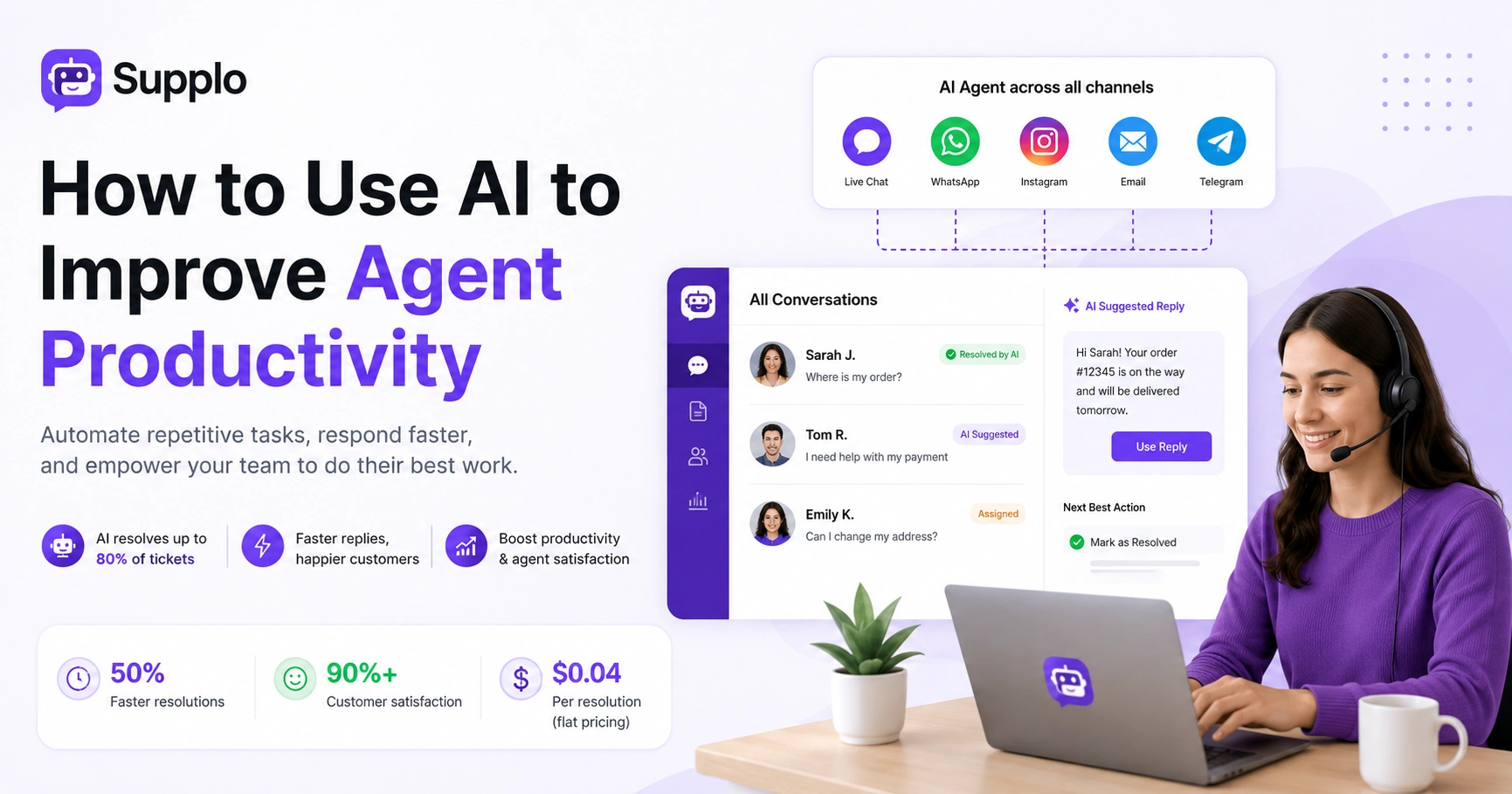
- Automate the Repetitive Stuff: AI can handle up to 80% of routine questions, such as order status, password resets and FAQs. Your human agents get more time for the tricky stuff.
- One Inbox to Rule Them All: A unified AI agent manages live chat, email, WhatsApp, Instagram and Telegram from a single shared inbox. No more app-hopping.
- Happier Agents, Better Service: Removing mundane tasks and adding smart assistance cuts burnout and bumps satisfaction.
- Faster Resolutions: AI pre-populates answers, suggests actions and surfaces knowledge base articles instantly. Your team spends less time searching.
- Scale Without Panic: Flat pricing means your AI costs don't explode as you grow, predictable budgeting for support.
Why Agent Productivity is the Real Bottleneck and How AI Unlocks It
The thing that kills agent productivity isn't laziness; it's context switching and repetitive questions. Think about it. Your best agents spend half their day answering the same five questions about shipping policies and password resets. That's not a talent problem; it's a workflow problem.
AI automation for support agents handles the predictable stuff so your team can focus on conversations that actually need a human brain. When you use AI to improve agent productivity, you're not replacing people; you're removing the noise that keeps them from doing their best work.
Supplo is not affiliated with any app or website. Please follow each app's terms and local regulations.
Agents spend a shocking amount of time on queries that a well-trained AI could answer in seconds. Multichannel AI agent productivity means one AI handles website chat, email, WhatsApp, Instagram and Telegram from a single inbox. First response times drop from hours to seconds. The goal isn't to eliminate human interaction; it's to deflect tickets cleanly and hand them off when a real person is needed.
How AI Automation for Support Agents Cuts Resolution Time in Half
AI agents that learn from your knowledge base and past conversations can resolve up to 80% of incoming tickets automatically. For the remaining tickets, the AI pre-populates responses, surfaces relevant articles and suggests the next best action. Agents spend less time searching and more time solving. The result is a measurable drop in average handle time and a meaningful lift in agent satisfaction.
Here's what makes it work:
- Self-learning AI improves over time. It catches edge cases without manual retraining. Your team doesn't have to micromanage it.
- Seamless handoffs. The AI summarises the conversation so the human agent doesn't have to reread the entire thread: less cognitive load, faster resolution.
- Flat pricing matters. Supplo's $0.04 per resolution keeps costs predictable. No per-seat surprises as you scale.
An AI agent that resolves tickets automatically can drastically reduce the number of tickets your human team needs to address. That's the whole point.
Using AI to Improve Agent Productivity in Live Chat Without Losing the Human Touch
Live chat is high-pressure. Agents are expected to respond in seconds while juggling multiple conversations. It's exhausting. Using AI to improve agent productivity in live chat means letting the AI handle initial triage, answer common questions and route complex issues to the right person. The agent steps in only when the conversation needs empathy, nuance, or escalation.
Here's what that looks like in practice:
- Automated greetings and suggested replies. The AI handles the first touch, then hands off when things get real.
- Context-aware routing. The right agent gets the right conversation, every time.
- 24/7 coverage. When your team is offline, the AI agent still answers questions and collects contact info, no missed opportunities.
Supplo's widget is customizable and loads fast. You don't trade user experience for automation. Agents can handle 3–5 chats simultaneously with AI assistance, a significant increase from 1–2 without.
Boosting Email Support Agent Productivity with AI Workflow Automation
Email support is famous for backlogs. Agents manually triage, categorise and draft responses from scratch. It's slow and tedious. AI workflow automation agent productivity tools change that completely. They auto-tag incoming emails, suggest replies based on past tickets and even draft full responses that agents need to approve. A 10-minute email response becomes a 30-second task.
Key benefits:
- Reduced cognitive load. Agents stop writing replies from scratch. The AI does the heavy lifting.
- Automated email ticketing keeps everything in one thread. Nothing gets lost in a cluttered inbox.
- Sentiment and urgency detection. Angry or time-sensitive emails get flagged for priority handling.
- Built-in translation. Support customers in any language without hiring multilingual agents.
AI for WhatsApp Agent Productivity: Handling Volume at Scale
WhatsApp is the most popular messaging app globally and customers expect fast, personalised responses there. AI for WhatsApp agent productivity means the AI can handle common questions, share order updates and even process payments (via integrations like Binance Pay or GCash) without human intervention. When a human is needed, the conversation transfers seamlessly to your team inbox.
What makes this work:
- Rich media support. The AI can send and receive messages, images and documents.
- 24/7 coverage. Product inquiries, booking confirmations and support tickets never go unanswered.
- Full conversation history. Agents see everything when they take over. No repeating questions.
Supplo's WhatsApp support integration is built natively, no third-party middleware needed. Simpler setup, easier maintenance.
AI Automation to Boost Agent Productivity for Instagram and Telegram DMs
Social media DMs are a productivity black hole. They're often ignored or handled slowly because they're just another tab to check. AI automation to boost agent productivity for Instagram and Telegram means the AI responds to common questions, routes messages to the right team member and logs interactions automatically. Agents stop switching between apps and start working from a single unified inbox.
Real talk:
- Instagram DMs are full of "where's my order?" and "do you have this in stock?", perfect for AI deflection.
- Telegram support groups can be chaotic. An AI agent can moderate, answer FAQs and flag urgent messages.
- All conversations are threaded in Supplo's shared inbox. Nothing slips through the cracks.
Agents reply from the same interface whether the customer is on WhatsApp, Instagram, or email. That's the kind of simplification that actually makes a difference.
How a Shared Inbox and AI Workflow Automation Agent Productivity Work Together
A shared inbox is the foundation of AI workflow automation agent productivity. It brings all channels into a single thread-based view. The AI analyses, routes and responds to messages without agents having to jump between tabs. When the AI handles triage and the inbox handles organisation, your team works faster and with fewer errors.
Here's what you get:
- No duplicate replies. The shared team inbox prevents lost conversations across email, chat and social media.
- Auto-assignment, priority tagging and SLA tracking. Crucial for managing diverse inquiries.
- Visibility. Agents can see who's working on what. No stepped-on toes, no confused customers.
Supplo's inbox is designed for teams: collaborative, real-time and built for speed.
AI for Agent Task Automation: The 3 Tasks You Should Automate First
Not every task needs AI. But three tasks are almost always worth automating. Start here, then expand as your team gets comfortable.
1. FAQ Automation
Train the AI on your knowledge base. Supplo's built-in KB makes this easy. Common questions get answered instantly.
2. Triage Automation
Let the AI tag tickets by urgency, topic, or customer segment. The right agent sees the right ticket at the right time.
3. Draft Automation
AI suggests replies based on similar past tickets. Agents approve and send. Drastic cuts to response time.
AI-driven automation of agent tasks in these three areas frees up 30–50% of an agent's day. That's a real, measurable impact.
A quick note on what NOT to automate: Anything that requires empathy, negotiation, or escalation. Leave that to humans.
Measuring AI Automation Efficiency for Agents: Metrics That Matter
You can't improve what you don't measure. These five metrics best track AI automation efficiency for agents:
- First Response Time (FRT): How fast does the AI or agent respond to the initial message?
- Resolution Rate: What percentage of tickets are resolved without human intervention?
- Agent Satisfaction (CSAT): Are agents happier or more stressed after AI is introduced? Internal surveys work well here.
- Average Handle Time (AHT): How long does it take to close a ticket, with and without AI assistance?
- Deflection Rate: The percentage of queries handled by AI that never reached a human agent.
Compare these metrics before and after adoption. A good target is 30% faster response times and 50% fewer repetitive tickets reaching humans.
Supplo's dashboard shows these metrics in real-time. Adjust your automation strategy on the fly. If your AI isn't resolving tickets as well as you'd hoped, it's usually a training issue. Supplo's self-learning AI agent improves with every conversation. Try it free and see the difference.
How to Get Started with AI for Agent Productivity Without Breaking the Bank
You don't need a six-figure budget or a complex implementation. The fastest way to use AI to improve agent productivity is to start with a free trial of a platform like Supplo, connect your most-used channels and train the AI on your top 10 FAQs. Within an afternoon, you'll see fewer repetitive tickets hitting your team and happier agents.
Follow these steps:
- Define your scope. Start with one channel, your website chat widget, for example. Expand as you validate results.
- Train your AI. Feed it your existing knowledge base and past conversations, no coding required. Focus on common questions first.
- Monitor and optimise. Use the metrics from the previous section. See what's working, where the AI needs more training.
- Consider pricing. Supplo's flat-per-workspace pricing, not per seat, means your bill doesn't grow as your team scales. Predictable budgeting.
- Payment flexibility. For global teams, Supplo offers payment via crypto, Binance Pay, Payeer, or GCash.
A 14-day free trial, with no credit card required, lets you evaluate the impact before committing.
Ready to see AI in action? Start a free 14-day trial at Supplo.io, no credit card required. Connect your website chat, email, or WhatsApp in under 10 minutes and watch your agent productivity improve.
Key Takeaways
- AI tackles repetitive work: Eliminates up to 80% of mundane queries. Agents focus on complex, high-value interactions.
- Multichannel efficiency: Unifies live chat, email, WhatsApp and social media into a single AI-powered shared inbox.
- Improved agent experience: Less context switching, less burnout. Higher satisfaction, better performance.
- Faster resolutions: Instant answers, suggested replies, smart routing. First response times and handle times drop significantly.
- Scalable and affordable: Flat-rate pricing means costs grow predictably. Accessible for businesses of all sizes.
FAQ
Is it safe to use AI for customer support?
Yes, as long as you choose a platform that encrypts data and follows privacy regulations. Supplo is not affiliated with any app or website. Please follow each app's terms and local regulations.
Why do some AI agents fail to resolve tickets?
Usually because the AI hasn't been trained on enough relevant data. Feed it your knowledge base and past conversations and it will improve over time. Start with simple FAQs before expanding to complex workflows.
Should I automate all agent tasks with AI?
No. Automate repetitive, rule-based tasks like FAQs and triage. Leave empathy-driven, complex, or escalated conversations to human agents. AI is a tool, not a replacement.
How do I measure if AI is actually improving agent productivity?
Track first response time, resolution rate, average handle time and agent satisfaction before and after AI implementation. A good benchmark is 30% faster responses and 50% fewer repetitive tickets.
What channels should I automate first with AI?
Start with your highest-volume, most repetitive channel, usually website chat or email. Then add WhatsApp, Instagram, or Telegram as you see results. One channel at a time keeps the learning curve manageable.
Can AI handle multilingual customer support?
Yes. AI agents with built-in translation can answer questions in any language, so you can support global customers without hiring multilingual agents. Always verify the accuracy of the translation for sensitive topics.
What if my AI agent gives a wrong answer?
It will happen occasionally. The key is to have a clean handoff to a human agent who can review and correct the response. Over time, the AI learns from those corrections and gets more accurate.
Compliance line: Supplo is not affiliated with any app or website. Please follow each app's terms and local regulations.