On this page
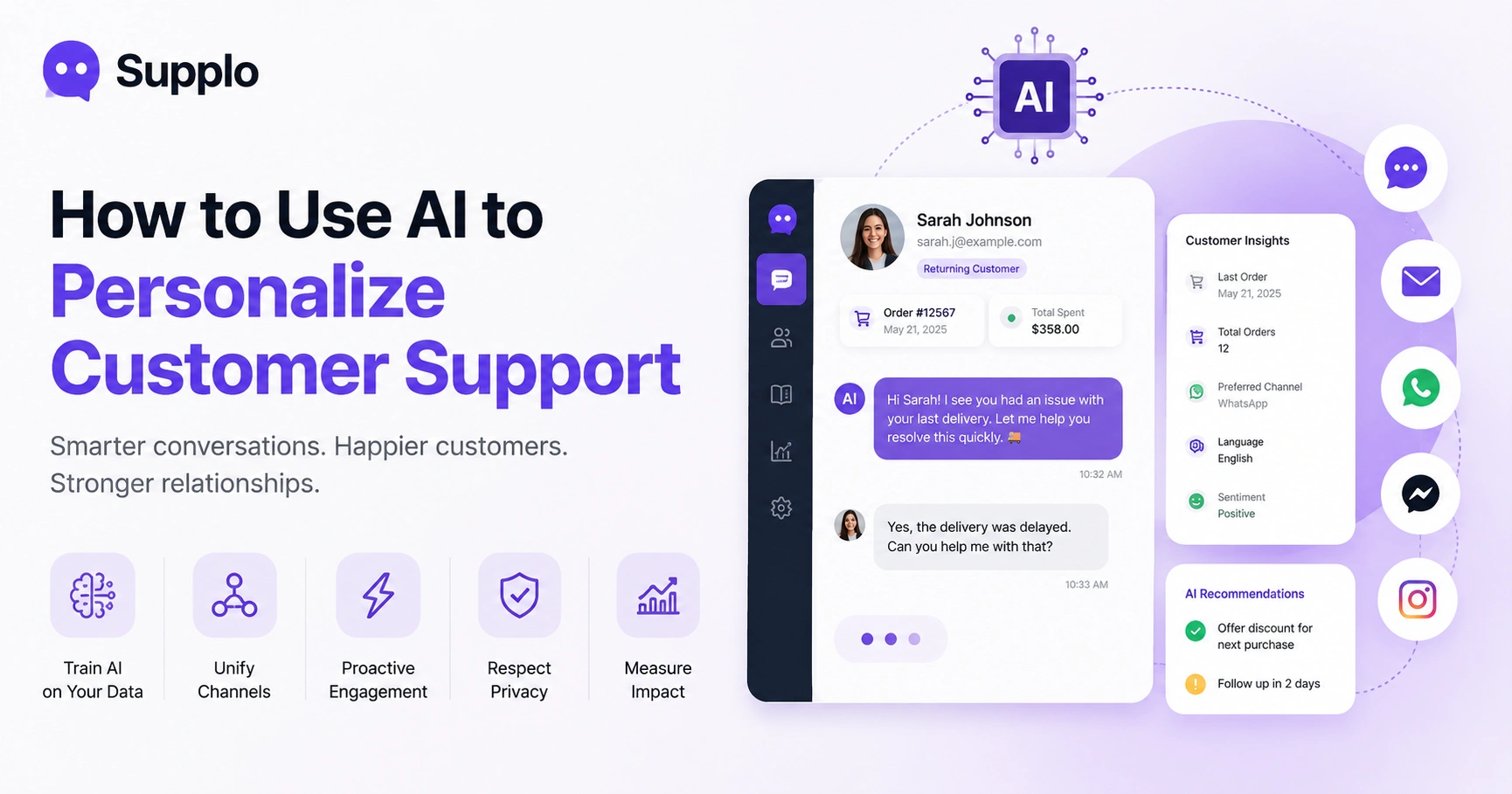
Let's be real, nobody wants to feel like just another ticket number. When you use AI to personalize customer support, you're not just automating replies. You're making every interaction feel like it actually matters. Here's the thing: customers notice the difference. They remember when a brand actually knows who they are and what they've been through.
This guide walks you through the practical side- no fluff, no hype. Just real strategies that work.
Quick Answer
- Train AI on your data: Connect your knowledge base and past conversations so the AI actually learns your business.
- Unify channels: Link every communication channel so the AI sees the full customer picture.
- Proactive engagement: Let AI reach out first when it spots trouble brewing.
- Respect privacy: Only use what customers have willingly shared. Nothing sketchy.
- Measure effectiveness: Keep an eye on resolution rates, CSAT, and repeat contacts.
Why Personalization in Customer Support Is No Longer Optional
Here's the truth: customers expect to feel recognized. They want you to know their name, remember their last order, and pick up right where the conversation left off, without them having to repeat themselves. AI makes that possible without your team having to memorize every customer interaction.
Generic support frustrates people. When you personalize support with AI, you're basically saying I see you without being creepy about it. AI pulls context from past tickets, purchase history, and session data in milliseconds. Even small touches, like using their preferred channel or referencing their last issue, can completely shift how customers feel about your brand.
How AI Personalizes Customer Interactions Without Feeling Creepy
Here's the golden rule: only use data the customer already gave you. No secret tracking. No third-party snooping. AI personalizes by reading your knowledge base, past conversations, and message history. That's it.
The smart part? AI can auto-detect language preferences, sentiment, and recurring issues from the conversation log. It surfaces customer context right in your shared inbox so your human team can personalize too. Want to know more about how this works under the hood? Check out how our AI agent handles context without crossing lines.
Transparency matters; tell customers what the AI knows and why. It builds trust, not unease.
AI Customer Support Personalization Strategies That Actually Work
Not every personalization strategy is worth your time. The ones that actually move the needle focus on intent and behavior.
Segment smart, not random:
- First-time buyers → welcome + onboarding help
- Loyal customers → recognition + faster routing
- Escalating issues → priority treatment + human handoff
AI can personalize auto-replies with real context. Think: I see you ordered X on Tuesday, let me help with the delivery issue. Much better than a generic how can I help you?
Use AI to triage urgency and mood, not just keywords. And keep the fallback to human seamless; nothing kills personalization faster than a clunky handoff.
How to Set Up AI Chatbot Personalization for Customer Support
Getting started is simpler than you think. First, connect your AI agent to your knowledge base and inbox history. Most platforms (including Supplo) let you train the AI on your actual past conversations so it learns your tone and answers.
Quick setup checklist:
- Upload your FAQ and recent chat logs
- Configure channel-specific greetings that pull in the customer name and context
- Set the AI to auto-resolve common tickets with personalized first responses
- Enable translation so the AI speaks your customer's language
- Test with different customer personas to make sure replies don't sound like robots
Personalize Chatbot Conversations with AI
Let's break this down into actual steps:
- Train your AI on your knowledge base and recent support tickets. The more relevant the data, the better the responses.
- Enable conversation history so the AI remembers what was discussed before. No more starting from scratch every time.
- Set up automatic customer identification via email or phone. This is where personalization actually kicks in.
- Configure personalized handoff to human agents when the AI hits its limit.
Start with your 5-10 most common question types and review AI responses in your inbox before going fully live. Add conditional branching: if a customer is returning, reference their last interaction. Review weekly to keep your knowledge base up to date.
Using AI for Proactive Customer Engagement Before They Ask
Why wait for customers to reach out? Proactive engagement means spotting trouble before it becomes a complaint.
AI can trigger a chat when someone's stuck on a checkout page, has abandoned a cart, or has visited the same page 5 times, simply. Need help with that payment? I can guide you a long way when it's timely.
Set triggers for common friction points:
- Payment failures
- Long idle times on checkout pages
- Repeated visits to the same support article
- Abandoned carts
Track sentiment; if a customer seems confused, offer help before they type. And always give an easy opt-out. Proactive shouldn't feel pushy.
AI Solutions for Engaging Customers Across Channels
Here's the challenge: customers bounce between email, chat, WhatsApp, Instagram, and Telegram, and they expect the AI to remember them across all of them. Supplo unifies all channels into one thread-based inbox. Whether someone messages via WhatsApp Customer Support or Telegram, the AI sees the full history.
You can also sync email with your AI support for a complete picture. Connect all channels to a single inbox, and the AI personalizes responses for each channel while respecting channel-specific etiquette. Translate messages automatically so language never gets in the way. A question that starts in email can continue in chat or Instagram DMs; the context stays intact.
Avoiding Common Pitfalls in AI-Driven Personalized Engagement
Let's talk about what can go wrong. The biggest mistake? Personalizing with data that the customer didn't give you. Instant trust killer.
What to avoid:
- Using third-party data without explicit consent
- Over-personalizing; referencing too many details feels invasive
- Letting AI errors slip through; double-check responses for accuracy
- Making AI sound falsely human; be transparent that it's a bot
- Ignoring cultural sensitivity when serving a global audience
Always give customers control over what the AI remembers. And never guess at sensitive information.
Supplo is not affiliated with any app or website. Please follow each app's terms and local regulations.
How to Measure AI-Driven Personalized Customer Experiences
If personalization is working, customers resolve issues faster and come back less often. Here's what to track:
Key metrics:
- Resolution rate
- CSAT scores
- Repeat contact rate
- Sentiment shift during conversations
- Escalation rate to human agents
- Average handle time (personalized vs. generic)
Compare tickets resolved by personalized AI versus those resolved by generic AI. Run post-chat surveys to gauge customers' perceptions of the personalization. If the numbers move in the right direction, you're doing it right.
Getting Started with AI Customer Service Personalization Today
You don't need a massive budget or a month-long setup. Platforms like Supplo offer a 14-day free trial with an inbox, an AI agent, and a built-in knowledge base. Connect your channels, upload your docs, and the AI starts personalizing replies immediately.
What you get:
- AI agent activation in minutes, no coding required
- Training on your most common questions for immediate personalization
- Connections to email, WhatsApp, Telegram, Instagram DMs, and Facebook Messenger
- A unified inbox to monitor and tweak AI performance daily
- Flat workspace pricing, no per-seat surprises
Pricing stays transparent at $0.04 per resolution. Accept payments via Crypto, Binance Pay, Payeer, GCash, AmanPay, QIWI Wallet, DOKU, Nigeria and South Africa cards, Skrill, and Payoneer.
Don't let your customers feel like numbers. With Supplo, you get AI that personalizes every reply, across every channel. Start your free trial now, no credit card required.
Key Takeaways
- Personalization is paramount: Customers expect tailored interactions, and AI delivers this at scale.
- Data-driven, not creepy: AI uses voluntarily provided customer data and conversation history for personalization.
- Strategic implementation: Train AI on your specific knowledge base and past interactions for effective results.
- Proactive assistance: Leverage AI to preempt customer issues and offer help before frustration builds.
- Omnichannel consistency: Ensure AI maintains context across all communication channels for a seamless experience.
- Measure and refine: Continuously track performance metrics to optimize AI-driven personalization.
FAQ
Is it legal to use AI to personalize customer support?
Yes, as long as you only use data the customer provided voluntarily and comply with privacy regulations such as GDPR or CCPA. Be transparent about what the AI knows and why.
What happens if the AI gives the wrong personalized response?
A: Always monitor AI replies in your inbox until you're confident. Most modern AI agents learn from corrections, so flagging errors improves future accuracy.
Can AI personalize support across different messaging apps?
Yes, if your platform supports channel unification. Supplo connects email, WhatsApp, Telegram, Instagram DMs, and Facebook Messenger into a single inbox so the AI sees the full context.
Do I need to be a developer to set up AI personalization?
No. Tools like Supplo require no coding. You connect your channels, upload your knowledge base, and the AI starts learning immediately.
What should I NOT personalize with AI?
Never share or reference sensitive personal data, such as payment details, passwords, or medical information, unless verified by a human agent.
How quickly can I see results from AI personalization?
Most teams see improved response times within days and reduced repeat contacts within two weeks. Full optimization usually takes 30 days of review and tuning.
Why would personalized AI support fail to engage a customer?
Common reasons include an outdated knowledge base, over-personalization that feels invasive, or the AI not being trained on recent conversations. Regular updates fix this.
Compliance line: Supplo is not affiliated with any app or website. Please follow each app's terms and local regulations.


