On this page
Customers want answers fast: like, right now fast. But scaling your support team to keep up with that demand? Not exactly practical for most businesses. That's where AI suggestions come in, and honestly, they're a game-changer when set up right.
This guide walks you through using AI suggestions effectively in live chat. You'll learn what makes them tick, how to configure them without disrupting your workflow, and which pitfalls to avoid. Whether you're a support manager, ops lead, or founder wearing too many hats, this is for you.
Quick Answer
- AI chat suggestions cut response time by giving agents pre-written, context-aware replies based on your knowledge base and past conversations.
- Setup takes hours, optimization takes weeks: start with your 20 most common questions, review suggestions daily, and adjust training data regularly.
- Flat workspace pricing beats per-seat models for growing teams: you pay one rate regardless of how many agents use the AI.
- Human judgment stays essential for complex or sensitive conversations; AI handles the routine and gives your team a head start on everything else.
What Are AI Chat Response Suggestions and How Do They Work?
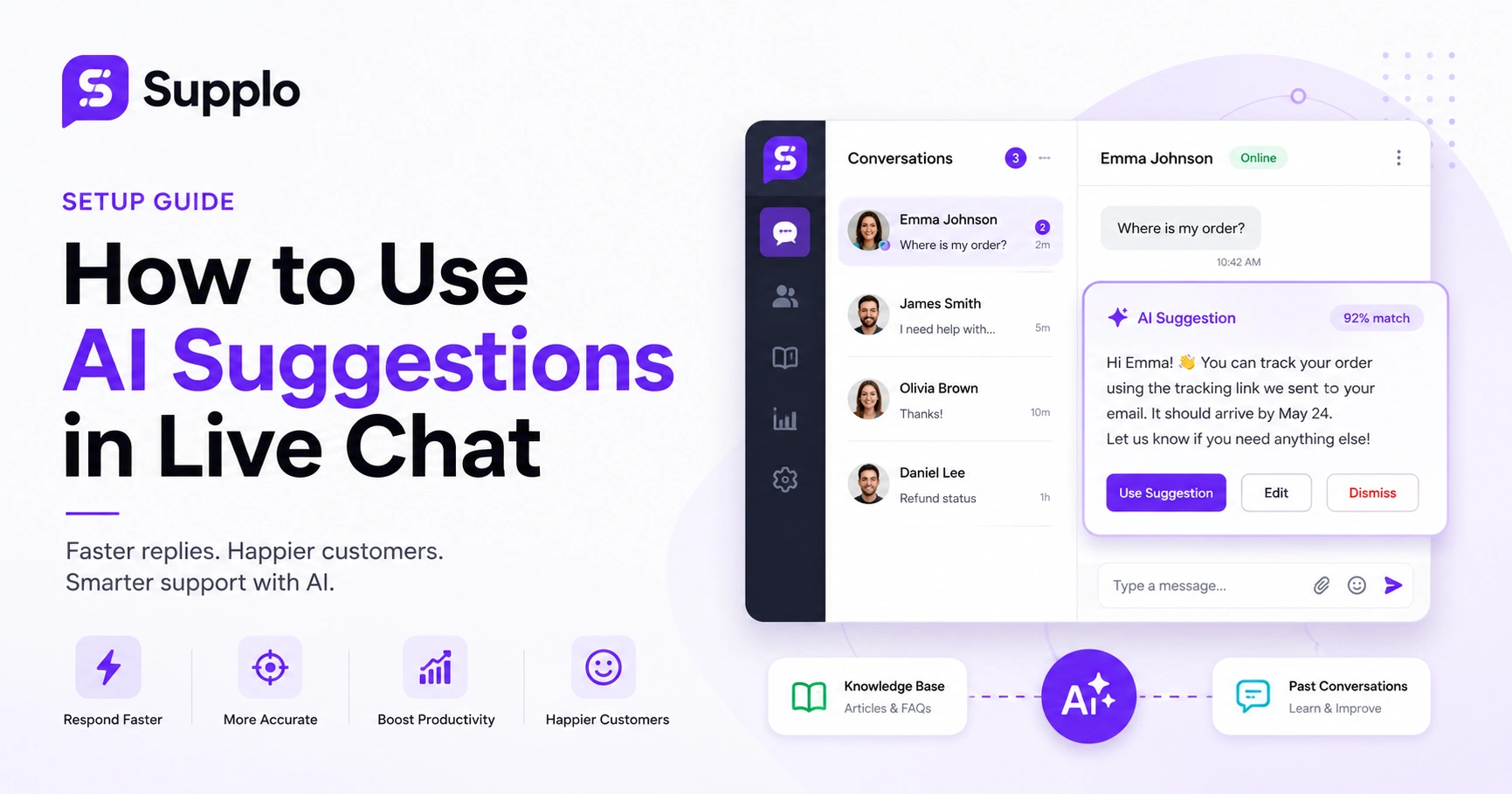
Here's the simple version: AI response suggestions read the customer's message and instantly propose a reply. The agent can accept it, tweak it, or toss it. That's it.
Under the hood, machine learning models analyze incoming chat messages and match them against your knowledge base, past conversations, and any training data you've fed the system. The AI isn't guessing: it's pulling from content your team already wrote and approved. Every suggestion comes with a confidence score, so agents know when to trust it versus when to write from scratch.
The real magic? These engines get better over time. Every time an agent accepts, edits, or rejects a suggestion, the system learns. Feed it more conversations, give it feedback, and watch accuracy climb. Most modern platforms also offer API access, which means the AI can pull customer order history or account details to personalize suggestions on the fly.
Why Live Chat AI Assistance Beats Manual Responses for Speed and Consistency
Two things slow down support agents: hunting for answers and typing them out. AI assistance solves both.
Instead of digging through five browser tabs or trying to remember a policy update from last month, agents get the right response in seconds. And every customer gets the same accurate answer, whether it's 9 AM Monday or 11 PM Friday. No variation. No "let me check" delays.
The numbers tell the story: average response time drops from minutes to seconds. New hires hit full productivity faster because the AI fills knowledge gaps during real conversations. And customers notice. Faster replies, fewer repeats, more consistency. That's how you build trust and keep satisfaction scores high.
How to Set Up AI-Driven Live Chat Responses in Your Support Workflow
Start by connecting your knowledge base and past conversations to the AI engine. Supplo makes this straightforward: import your existing content, define a few rules, and you're off. But here's the pro tip: don't flip the switch for your whole team at once.
Begin with your 20-30 most common questions. Let the AI generate sample responses, review every single one, and only then enable suggestions for your agents. Trust me, this saves headaches.
Checklist for Setting Up AI-Driven Live Chat Responses:
- Step 1: Connect your knowledge base articles and FAQ documentation to the AI training source. This is where the accuracy starts.
- Step 2: Review and approve a test batch of AI-generated responses before going live. Check for brand voice and correctness.
- Step 3: Set confidence thresholds: show suggestions only when the AI is 80% or more certain. You don't want weak guesses confusing your team.
- Step 4: Train your team on how to accept, edit, or reject suggestions without slowing their workflow. Adoption is everything.
- Step 5: Monitor the suggestion acceptance rate and adjust training data weekly. Small tweaks = big improvements over time.
Ready to test AI suggestions with your own team?
Start with Supplo's 14-day free trial: no credit card required. Import your knowledge base, connect your channels, and see how to use AI suggestions in live chat with your actual customer conversations.
Best Practices for Using AI for Live Chat Prompts Without Sounding Robotic
Nobody wants to talk to a robot. And even AI-generated suggestions can feel stiff if you don't tweak them.
The trick? Edit default suggestions to match your brand voice. Shorten wordy responses. Add placeholders like {{customer_name}} and {{order_number}} so every reply feels personal. Then test with real customers and ask your agents to flag anything that sounds unnatural.
Consider creating prompt templates for different scenarios: billing, technical support, returns, each with its own tone. Run A/B tests on suggestion variations to see which ones agents accept most often. The more you refine, the better your use of AI for live chat prompts will feel to both your team and your customers.
Configuring Real-Time AI Chat Suggestions for Your Knowledge Base
A static knowledge base is just a digital bookshelf. Connect it to your AI chat system, and it becomes an active support tool.
Configure your AI to scan incoming messages and pull relevant articles as suggestion candidates in real time. This means your documentation works for you, not just sits there. Organize your knowledge base by topic and urgency so the AI surfaces the most useful articles first. Tag entries with common keywords and customer intents to improve matching accuracy.
Set up fallback suggestions too: if the AI can't find a direct match, offer a "let me transfer you to a specialist" option. And keep that knowledge base fresh. Update articles regularly and retrain the AI model to reflect new products or policies. Use analytics to see which articles are most often suggested and which agents ignore.
Training Conversational AI for Live Chat to Handle Complex Scenarios
Basic FAQs are easy. The real test? Multi-step troubleshooting, refund requests, escalations: the messy stuff.
Train your conversational AI for live chat in those complex scenarios by feeding it detailed conversation logs and edge-case examples. The goal isn't perfection on every reply. It's giving agents a strong starting suggestion that gets them 80% of the way there.
Feed the AI historical conversations that ended well, especially the complicated ones with multiple replies. Create training scenarios for frustrated or emotional customers so the AI learns to include empathetic language. Teach the system to recognize when to suggest escalating to a human supervisor instead of offering a scripted answer. Schedule monthly review sessions where your team evaluates AI suggestions for tricky scenarios.
This approach is key to an effective AI agent. For multichannel support, it naturally extends to WhatsApp and Telegram customer support.
What to Do When AI Chatbots for Live Chat Suggestions Miss the Mark
No AI is perfect on day one. When suggestions go wrong- and they will- start with your training data. Outdated knowledge base entries and missing product info are almost always the culprits.
Most platforms let you give direct feedback on individual suggestions. Use it. Every correction trains the model.
Troubleshooting AI Chatbot Suggestions:
- Review the last 50 incorrect suggestions and look for patterns: incorrect article matches, outdated pricing, or missing context.
- Adjust confidence thresholds higher if too many bad suggestions are slipping through.
- Clean up your knowledge base by archiving old content and flagging documents that need updates.
- Train the AI on negative examples: show it conversations where the standard suggestion wouldn't apply.
- Consider enabling a "human-only" mode for sensitive topics like account security or legal issues.
Getting too many bad suggestions? We can help.
Supplo's setup includes a review period during which our team helps you tune confidence thresholds and training data to achieve higher acceptance rates. Or jump straight into the dashboard and adjust settings yourself.
Measuring the Impact of AI-Augmented Live Chat on Your Support Team
Track three metrics: average handle time, first reply time, and suggestion acceptance rate. A well-tuned AI system should meaningfully reduce handle time while keeping CSAT scores stable or improving them.
Compare handle times before and after AI implementation. Aim for a 60-70% acceptance rate for suggestions in the first month. Monitor CSAT alongside AI metrics: faster replies don't help if quality drops. Track how quickly new hires reach full productivity with AI assistance. And look at cost per conversation to see the real financial impact.
This comprehensive approach to conversation analytics shows you exactly what your AI investment is delivering.
Common Pitfalls to Avoid When Deploying Smart Live Chat AI
The biggest mistake? Deploying AI suggestions without training or monitoring. Agents ignore bad suggestions, customers get wrong info, and suddenly the whole thing is labeled a failure when it was never set up right.
Pitfalls to Avoid:
- Don't skip the training phase: garbage in, garbage out.
- Avoid over-automation: some conversations need a human touch, period.
- Don't set confidence thresholds too low: weak suggestions waste everyone's time.
- Never deploy without a feedback loop: agents need to flag bad suggestions instantly.
- Don't assume the AI learns on its own: schedule regular retraining sessions.
When choosing a platform, be wary of tools that make these mistakes common. Some legacy options, like a public inbox site, are known for these exact issues.
The Cost Reality of AI-Powered Chat Suggestions: Flat Pricing vs Per-Seat Models
Here's where things get interesting. Most legacy support tools charge per agent seat. Hire more people? Pay more for AI. It's a growth penalty.
Newer platforms like Supplo use flat workspace pricing instead. One predictable rate, no matter how many agents use the AI suggestions. For growing teams, that difference adds up fast: we're talking thousands saved per month.
Per-seat pricing means a 20-agent team pays four times as much as a 5-agent team for the same AI. Flat pricing stays the same whether you have 5 agents or 50. Some platforms charge per AI resolution, which can spike with high volume. Look for transparent pricing with no hidden fees.
Your AI suggestions should cost less, not more, as your team grows.
Supplo charges a flat workspace rate: not per seat, not per resolution. Get transparent pricing for all the AI suggestions your team needs, across email, chat, WhatsApp, Instagram, Telegram, and more.
FAQ
How accurate are AI chat response suggestions for customer support?
It depends entirely on the quality of your training data. Feed it a well-organized knowledge base and clean conversation logs, and most AI engines reach reliable accuracy within weeks. Expect to review and correct regularly during setup.
Can AI suggestions replace my human support team entirely?
No, and that's not the point. AI suggestions make your team faster. The best setup handles routine questions and gives agents strong starting points for complex stuff. Humans still handle nuanced or sensitive conversations.
What kind of training data does AI need to generate good suggestions?
Your knowledge base articles, product docs, FAQs, and historical support tickets. The more diverse your examples, the better the AI handles different customer intents. Avoid feeding it outdated or conflicting info.
How long does it take to set up AI-driven live chat responses?
Configuration takes hours. Full optimization takes 2-4 weeks as you review suggestions and refine training data. Start with your top 20-30 questions and expand gradually. Supplo's 14-day free trial gives you time to test and tune.
What should I do if AI suggestions are giving wrong answers?
Check your knowledge base for outdated content first. Then review confidence threshold settings: you may need to raise them. Most platforms let you manually correct individual suggestions, which trains the model.
Is AI support software compliant with data privacy regulations?
Reputable platforms comply with GDPR, CCPA, and other major regulations. Always check for data encryption, access controls, and clear data retention policies. Supplo is not affiliated with any app or website. Please follow each app's terms and local regulations.
Can I use AI suggestions on WhatsApp, Instagram, and other messaging apps?
Yes. Platforms like Supplo integrate AI suggestions across WhatsApp, Telegram, Instagram DMs, Facebook Messenger, and email. The AI works the same regardless of channel, leveraging a shared inbox for seamless multi-channel support.
Compliance line: Supplo is not affiliated with any app or website. Please follow each app's terms and local regulations.


