On this page
Let’s be honest: nobody enjoys sending a support ticket. But when a user gets stuck, they’re often forced to leave your app, search for a Contact Us page, and wait. That’s where contextual help wins. It’s support that shows up before the frustration hits, right when and where a user needs it, based on what they’re doing.
In short, it’s a proactive approach to customer service that aims to resolve questions and prevent issues before they become full-blown tickets. For businesses running web, SaaS, or mobile apps, mastering contextual help means smoother user experiences and lighter support workloads.
This guide is for customer support managers, product owners, and anyone trying to reduce user friction and ticket volume. We’ll cover the what, why, and how of practical, in-app guidance.
Quick Answer
- Contextual help is support content delivered precisely when and where a user needs it, based on their real-time actions.
- The main goal? Reduce how-to support tickets by answering common questions before they’re asked.
- It’s a core part of a proactive customer support strategy: keeping users in your app rather than sending them away.
- Done right, it feels invisible and seamless; users get help without realizing they were stuck.
- The payoff? Better user experience and lower operational costs.
Contextual Help Meaning: More Than Just a Definition
Definition: Contextual help is support content delivered at the exact moment a user needs it, based on their current action or screen.
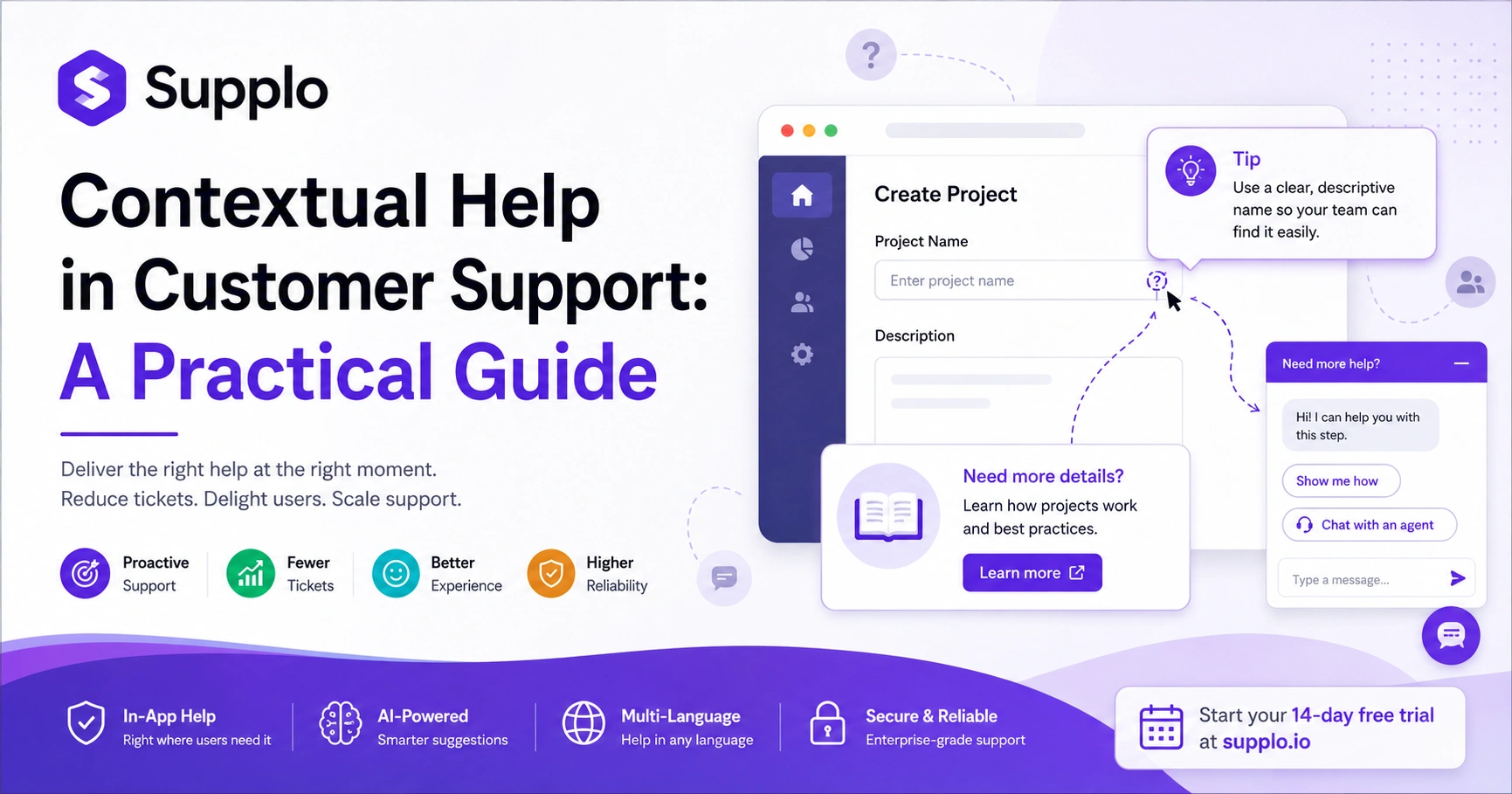
Think of it this way: a generic FAQ sits in a menu waiting to be found. Contextual help, on the other hand, surfaces a relevant tip, tooltip, or chat option tied to what the customer is doing right now. For any support team, this means fewer how-do-I… tickets and fewer frustrated users stuck mid-task.
Contextual help is triggered by user behavior, such as hovering over a form field, pausing on a page, or repeatedly clicking an icon. It reduces users' cognitive load by eliminating the need to search across separate knowledge bases or ticket portals. The best version of this feels invisible. Users get help without consciously realizing they were helped. The opposite? Abandoned help, generic links, or lengthy PDFs that a user has to open separately, which often leads to more frustration.
How Contextual Help Works in Customer Support: The When and Where
Contextual help works by listening to signals: which page a user is on, what they’ve typed, how long they’ve been idle, or how many times they’ve retried an action. Then, it surfaces the most relevant piece of content, often from a knowledge base or a pre-written script, directly in the interface. The key is real-time detection without the user having to ask. The help arrives, not requiring a search.
Signal types can include page URL changes, form field focus events, specific error message triggers, or repeat behaviors such as multiple failed login attempts. Delivery methods vary. You might see a subtle slide-out panel, a tooltip bubble, an inline message, or a pre-populated chat suggestion. This works best when the help content is structured as small, specific entries (micro-content) rather than long articles. And it’s crucial to respect user intent: avoid interrupting high-focus actions like checkout, and instead offer help on ambiguous or high-friction steps.
Proactive Customer Support Strategy: Why Waiting for Tickets is a Losing Game
A proactive support strategy aims to anticipate where users get stuck and solve it before they ask for help. Here, contextual help is your most powerful tool: it intercepts confusion mid-flow, keeping users in your app rather than your ticket queue. Reactive support hopes customers ask the right question. Proactive support removes the need to ask.
By mapping your customer journey and finding common friction points, you can build contextual help for those exact spots. Supplo unifies email, chat widget, and social DMs, making it easier to identify these points of confusion. This approach can dramatically improve customer satisfaction because the user perceives the system as just working.
Ready to go proactive? Test contextual help on your busiest support page for free. Start your 14-day trial at https://supplo.io and see how much friction you can remove before the first ticket.
Contextual Help Examples That Actually Reduce Ticket Volume
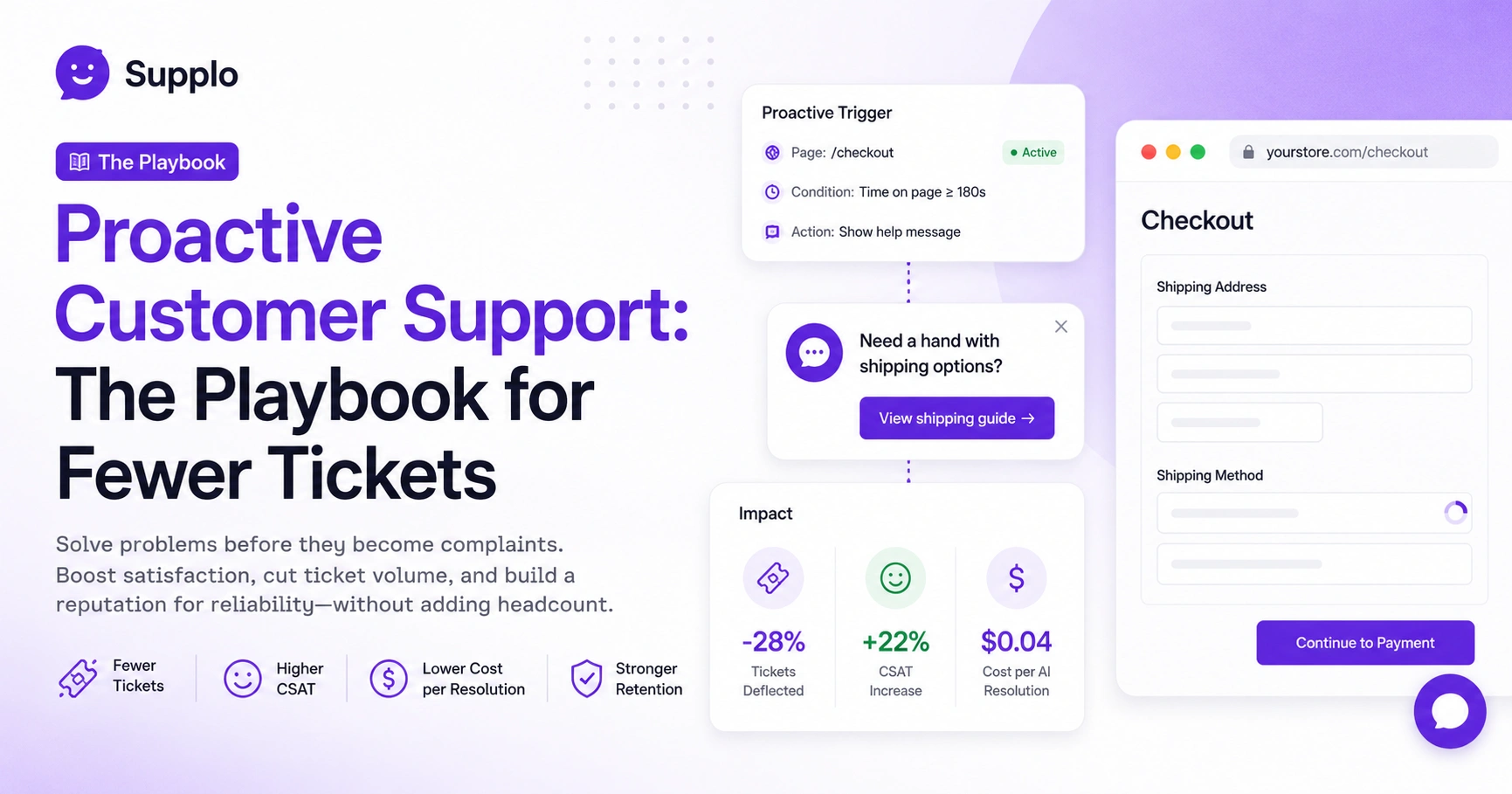
A classic example is an e-commerce checkout page. When a user hovers over a coupon code field for more than 2 seconds, a tooltip appears: Paste your code here (no spaces after the dash). Another is a CRM user who clicks Add Contact but leaves the email field blank. A small slide-out appears: "We saw you skipped the email field." Here’s how to bulk import contacts if you prefer. These micro-intercepts save tickets.
Here are more examples of effective contextual help:
- SaaS onboarding: A tooltip appears only on step 3 of a 5-step wizard, where most users drop off.
- Password reset: When a user mistypes their password twice, show an inline Forgot password? link directly above the field, not on a separate page.
- Form validation: After a user submits a form with an error, highlight the exact field and serve a one-sentence fix (not a generic form invalid message).
- Multi-language twist: If a user’s browser is set to Spanish, the contextual help should appear in Spanish automatically. Supplo supports this through its translation capabilities, including for channels like WhatsApp Customer Support and Telegram, in one thread.
In-App Help vs Knowledge Base: When to Use Which and Why You Need Both
In-app help is a micro-intervention, a tooltip, a slide-out, a suggested action. A knowledge base is a library of full articles. The mistake is treating them as interchangeable. In-app help answers what do I do right now? The knowledge base answers, "How does this whole feature work?" They work best together: in-app help can link to a deeper KB article if the user wants more detail.
In-app help addresses instant friction, like Where’s the save button? A knowledge base provides education, such as: "What does this setting do long-term?" In-app help should include a "Tell me more" link that opens the relevant KB article in a side panel. Avoid dumping your entire knowledge base into every tooltip; users won’t read it, and it clogs the interface. When a user clicks away from a contextual tooltip, offer to send them the full article by email for async learning. Supplo allows you to connect your existing knowledge base for seamless integration.
Real-Time Customer Support Tips for Delivering Contextual Assistance
The golden rule: context over content. A tooltip that appears too early or too late is just noise. Real-time support means timing is everything; show help when a user pauses for 3+ seconds, not when they land on a page. Also, keep messages to 15 words or fewer. If they need more, let them ask with a single click.
To optimize your real-time assistance:
- Test timing: Start with a 2.5-second delay from the trigger event, then adjust based on bounce rate data.
- Use soft dismiss: Let users close a tooltip without tracking it as they saw it (some users are just fast clickers).
- Combine with live chat handoff: If a user interacts with the help 3+ times on the same page, offer Chat with us directly.
- Don’t over-automate: Flag human handoff when the issue seems complex; the AI can suggest, but a human closes.
Contextual Help vs Traditional Support: The Reliability Argument
Traditional support is a queue: a user hits a wall, leaves your app, writes an email, waits 4 hours. Contextual help resolves the same issue inside the app in seconds. Reliability here means not just uptime, but speed of resolution. Contextual help can turn a 12-hour ticket into a 12-second micro-interaction. It also reduces the risk of dead air, where the customer disappears without resolution.
Traditional support assumes the user knows how to describe their problem. Contextual help assumes the system can infer it. While it doesn’t replace all support, what is contextual help in customer support if not an effective way to handle Level 1 how-do-I tickets? Complex issues still require human intervention. The reliability wins from contextual help include fewer abandoned carts, fewer dead leads, and fewer "I’ll come back later" scenarios.
How to Implement Contextual Help Without Breaking Your Tech Stack
Start small: identify your top 3 friction points (e.g., the highest drop-off page, the most common ticket subject, the longest form). Write micro-content (15-30 words max per trigger) and plug it into a tool that detects page actions or form interactions. If you use Supplo, its self-learning AI can surface contextual suggestions from your existing knowledge base, no extra wiring. The key is to iterate, not overhaul.
Here’s a practical implementation plan:
- Map your user journey: Identify and mark hesitation zones where users pause or click away.
- Write help snippets: Create concise answers that address What am I supposed to do here? in one line.
- Use a widget or inline API: Trigger help based on page load, button clicks, or form focus events.
- Monitor performance: Track click-through and dismiss rates. If 80% close it immediately, your context is wrong or your timing is off.
Stuck on where to start? If your first contextual trigger fails to deflect tickets, don’t scrap the idea. Supplo’s team can help you map friction points and configure triggers with higher acceptance rates. Book a walkthrough or start free.
The Role of AI in Contextual Customer Support and What It Can’t Do
AI makes contextual help scalable: it can analyze thousands of user sessions to find friction points, auto-suggest help content, and even generate micro-copies for common triggers. But AI still can’t read your customer’s face or infer complex emotional states. It won’t know whether a user is frustrated by a personal issue or a UI bug. That’s where human handoff remains critical, and honesty about what AI can’t do is part of good support.
AI can detect patterns, such as 90% of users who land on this page click away in 4 seconds, and then trigger a contextual tooltip. However, AI can't know whether the tip was truly helpful or whether the user just clicked OK to make it go away (sentiment analysis helps but is imperfect). Best practice involves using AI to surface suggestions, but letting humans validate the content before publishing. Supplo’s AI agent is trained to hand off cleanly when it detects uncertainty, ensuring a smooth transition when human intelligence is needed.
KPIs for Your Proactive Customer Service Strategy
If you can’t measure it, you don’t know if it’s working. Key metrics include: ticket deflection rate (the percentage of tickets that were never created because of contextual help), time-to-resolution for users who interact with help, and user satisfaction score (CSAT) for users who saw contextual help vs. those who didn’t. A properly tuned contextual help system should see a measurable drop in how-do-I tickets within 30 days.
Key Performance Indicators (KPIs) to track:
- Deflection rate: The number of times contextual help was shown divided by the number of support tickets submitted for that same issue.
- Action-to-help ratio: Did the user actually complete the task after seeing the help? Check form completion or button click rates.
- Dismiss without action: High dismiss rates mean your help is either irrelevant or annoying, prompting an adjustment.
- CSAT split: Offer a Was this helpful? prompt only on contextual help, separate from general support CSAT.
And if you’re running a global team, Supplo accepts payments via Crypto, Binance Pay, Payeer, GCash, and Aman. The pricing stays flat per workspace, not per seat, offering excellent scalability.
Common Pitfalls in Contextual Assistance and How to Avoid Them
The biggest mistake? Over-helping. If every click triggers a tooltip, users feel stalked. Another is burying the call to action: if your helpful message ends with "Learn more in our KB," but the link is tiny, they won’t click. Third: poor timing. Showing help before a user needs it is just noise. The fix? Test one trigger per page, wait for user action (pause, retry, error), and keep the content under 12 words unless it’s critical.
Here’s a breakdown of common pitfalls and their solutions:
- Pitfall: Help overload.
- Symptoms: Users dismiss the first tooltip, then dismiss the second, then leave.
- Solution: Limit to 1-2 contextual triggers per session.
- Pitfall: Irrelevant content.
- Solution: Tie every snippet to a specific action or page URL, never show generic help in a contextual slot.
- Pitfall: Help that doesn’t help.
- Solution: After showing the help, measure if the user completed the task. If not, adjust the content.
- Pitfall: Ignoring mobile.
- Symptoms: Tooltips that work on desktops may overlap buttons on mobile devices, making the interface unusable.
- Solution: Always test both desktop and mobile versions thoroughly.
Your support shouldn’t cost a per-seat fortune. Supplo charges a flat per-workspace rate, not per head. That means your contextual help strategy scales without your bill ballooning. Try it free for 14 days at https://supplo.io.
Key Takeaways
- Contextual help defines a proactive support strategy, reducing the need for users to seek help actively.
- It functions by delivering timely, relevant micro-content directly within the user's interface, guided by their real-time actions.
- Implementing contextual help often leads to a significant reduction in how-to support tickets and improved customer satisfaction.
- While AI can greatly scale and optimize contextual help, human oversight remains crucial for content validation and managing complex issues.
- Effective measurement (e.g., ticket deflection, task completion rates) is essential to ensure your contextual assistance is genuinely helpful and not just noise.
FAQ
What is contextual help in customer support?
Contextual help is support content (tooltips, inline messages, suggested actions) delivered based on what a user is doing at that moment. It proactively resolves confusion before it turns into a support ticket.
How is contextual help different from a knowledge base?
A knowledge base is a searchable library of full articles. Contextual help is targeted micro-content, often one or two sentences, that appears automatically when a user hits a specific friction point. The two work best together: contextual help for immediate fixes, KB for deeper understanding.
Does contextual help replace human support, agents?
No. It replaces Level 1 " How do I… tickets. Complex or emotionally sensitive issues still need a human. Good contextual help includes a clean handoff to a live agent when needed.
What are good examples of contextual help?
A tooltip on a forgot password link only appears after a failed login attempt. An inline message on a checkout field if the user pauses there for 3+ seconds. A slide-out panel with a relevant KB article when a user clicks a setting for the first time.
Can contextual help work for non-English users?
Yes. Tools like Supplo automatically translate contextual help based on the user’s browser language or manual selection. The content should always be written first in your primary language, then translated (not auto-generated from scratch).
How do I measure if my contextual help is working?
Track ticket deflection (fewer tickets on the specific issue), user completion rates (did they finish the action after seeing the help?), and CSAT scores from users who interacted with help vs those who didn’t.
What is the biggest mistake companies make with contextual help?
Overloading users with too many tooltips per session. This creates notification fatigue and can make users feel tracked. Limit to one contextual trigger per page view, and only show it after the user shows a clear signal of confusion (pause, retry, error).
Compliance Line: Supplo is not affiliated with any app or website. Please follow each app's terms and local regulations.