On this page
A customer support dashboard is more than just a reporting tool; it's the operational brain of your customer service team. It's where you identify issues, track performance and ensure your customers receive the support they need. This guide will walk you through building a dashboard that provides clarity and drives action, whether you're a small startup or a growing enterprise.
Look, here's the thing: most support dashboards promise the world but deliver a cluttered mess of charts nobody actually reads. The good ones? They cut through the noise. If you're swimming in spreadsheets, guessing at response times, or watching your team burn out from an unmanageable ticket queue, this guide is for you. We'll show you how to create a customer support dashboard that actually earns its place on your screen.
This article is for customer support managers, team leads and business owners looking to improve their customer service operations. You'll learn how to transform chaotic ticket queues into an organized, data-driven workflow.
You should use this guide if you are struggling to see your support metrics, experiencing agent burnout from unmanaged workflows, or looking to scale your support operations efficiently. Do not use this guide if you already have a perfectly optimized, real-time dashboard that integrates all your channels and requires no improvements.
Quick Answer
- Start with a shared inbox: A reliable dashboard starts with a single view of all channels (email, chat, WhatsApp, Instagram, Telegram).
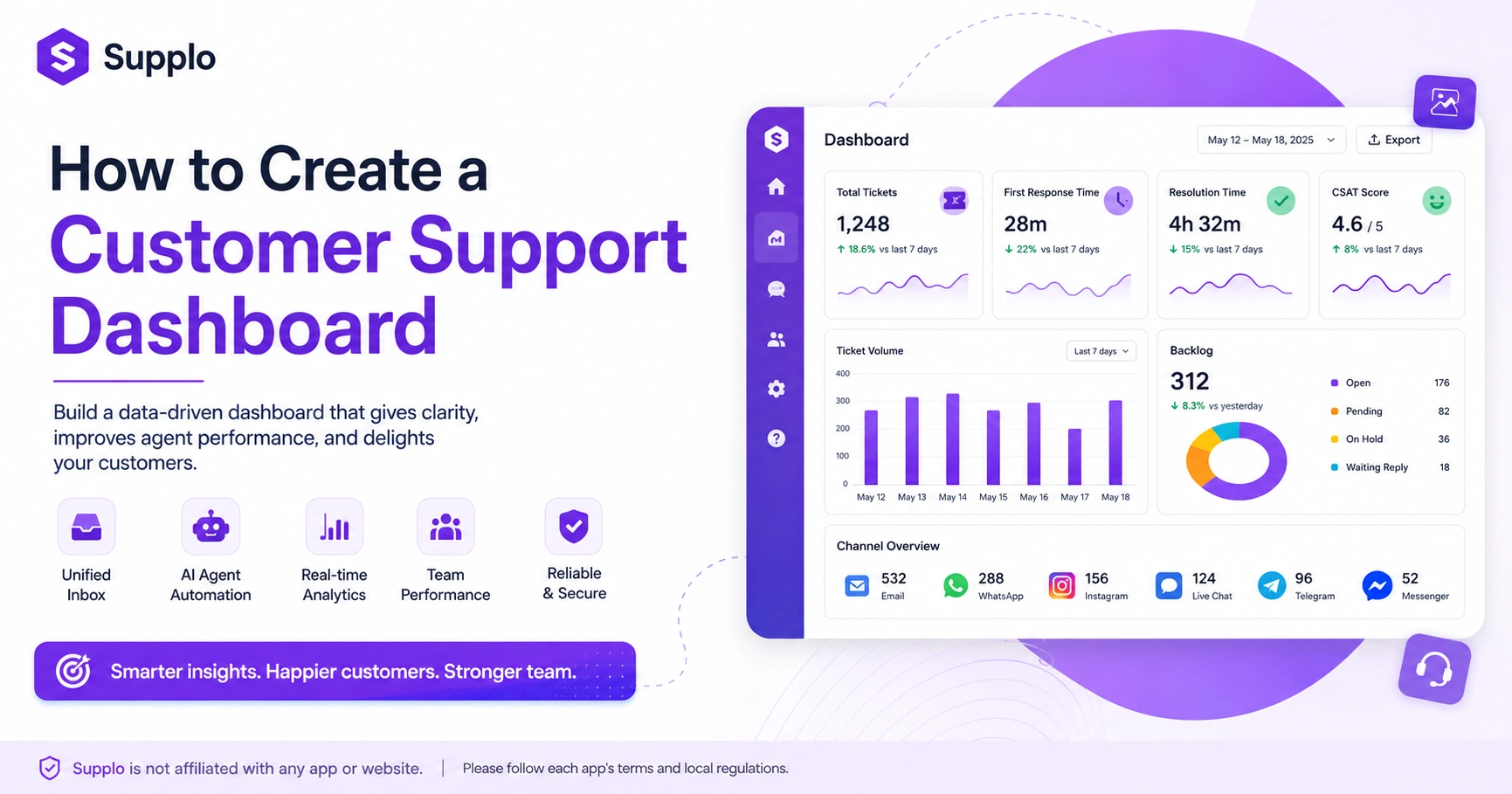
- Focus on 5 key metrics: Ticket volume, first response time, resolution time, CSAT and backlog. Ignore vanity metrics.
- Choose a tool that scales with your team: Flat per-workspace pricing (like Supplo's) prevents cost creep as you grow.
- Test before you commit: Use a free trial or open-source option to validate your requirements before investing.
Why Your Customer Support Dashboard is the Nerve Center of Your Team
A customer support dashboard isn't just a nice-to-have; it's the single source of truth for your team's efficiency and your customers' happiness. When you get it right, you stop guessing and start acting on real data. A reliable dashboard prevents chaos by giving everyone the same view of what's broken, what's working and what needs a human touch.
The difference between a dashboard that helps you sleep at night versus one that keeps you up is often its reliability and accessibility. A stable dashboard provides a clear overview, reducing the need for constant manual checks or frantic searches. This single-pane-of-glass view dramatically reduces escalations and agent burnout by ensuring everyone knows the status of critical requests.
Trust in your entire support operation hinges on the reliability of your dashboard. If your team can't trust the data, they can't make informed decisions. The hidden cost of relying on spreadsheets or guessing games for ticket management is immense, leading to missed SLAs, frustrated customers and an inefficient team.
Modern Customer Support Dashboard Design: What to Look For and What to Skip
Modern customer support dashboard design is less about flashy charts and more about clarity, speed and actionability. You want a clean interface that surfaces the most critical data first, think ticket volume, pending responses and resolved rates, without overwhelming your agents. Skip anything that requires a data scientist to interpret; your dashboard should be useful from the first login.
Apply the 5-second rule: can you spot a problem before your coffee gets cold? Your dashboard should provide immediate answers to critical questions. Real-time updates beat hourly dashboards, allowing your team to react instantly to spikes in activity or urgent requests. Make sure your design supports a responsive live chat widget.
Avoid cluttered widgets, irrelevant vanity metrics and slow load times that hinder productivity. Mobile responsiveness is also crucial, as your team isn't always at a desk. A well-designed workflow ensures your team has constant access to essential information.
The Key Metrics for Your Customer Service Dashboard That You'll Actually Use
Not all metrics are created equal. For a reliable customer service dashboard, focus on the five that directly impact your team's performance: ticket volume, first response time, resolution time, customer satisfaction score (CSAT) and backlog count. These give you a clear, honest picture of your support health without the noise.
Average handle time is often misleading because it doesn't account for ticket complexity or agent efficiency. Instead, focus on first-response time to gauge initial responsiveness and on resolution time to assess overall efficiency. The relationship between first response time and customer loyalty is undeniable; quick responses build trust.
Monitoring ticket volume helps you spot spikes before they become crises, allowing for proactive resource allocation. Using backlog count effectively shows when you need to hire more agents or implement automation to manage demand. Tracking these metrics ensures a robust email ticketing system.
How to Build an Effective Support Dashboard Without a Developer: Free & Low-Cost Options
You don't need a team of engineers to build an effective support dashboard. Many modern tools offer drag-and-drop interfaces, pre-built templates and integrations that let you set up a fully functional dashboard in under an hour. Start with a free trial or open-source platform to test the waters before committing to a paid plan.
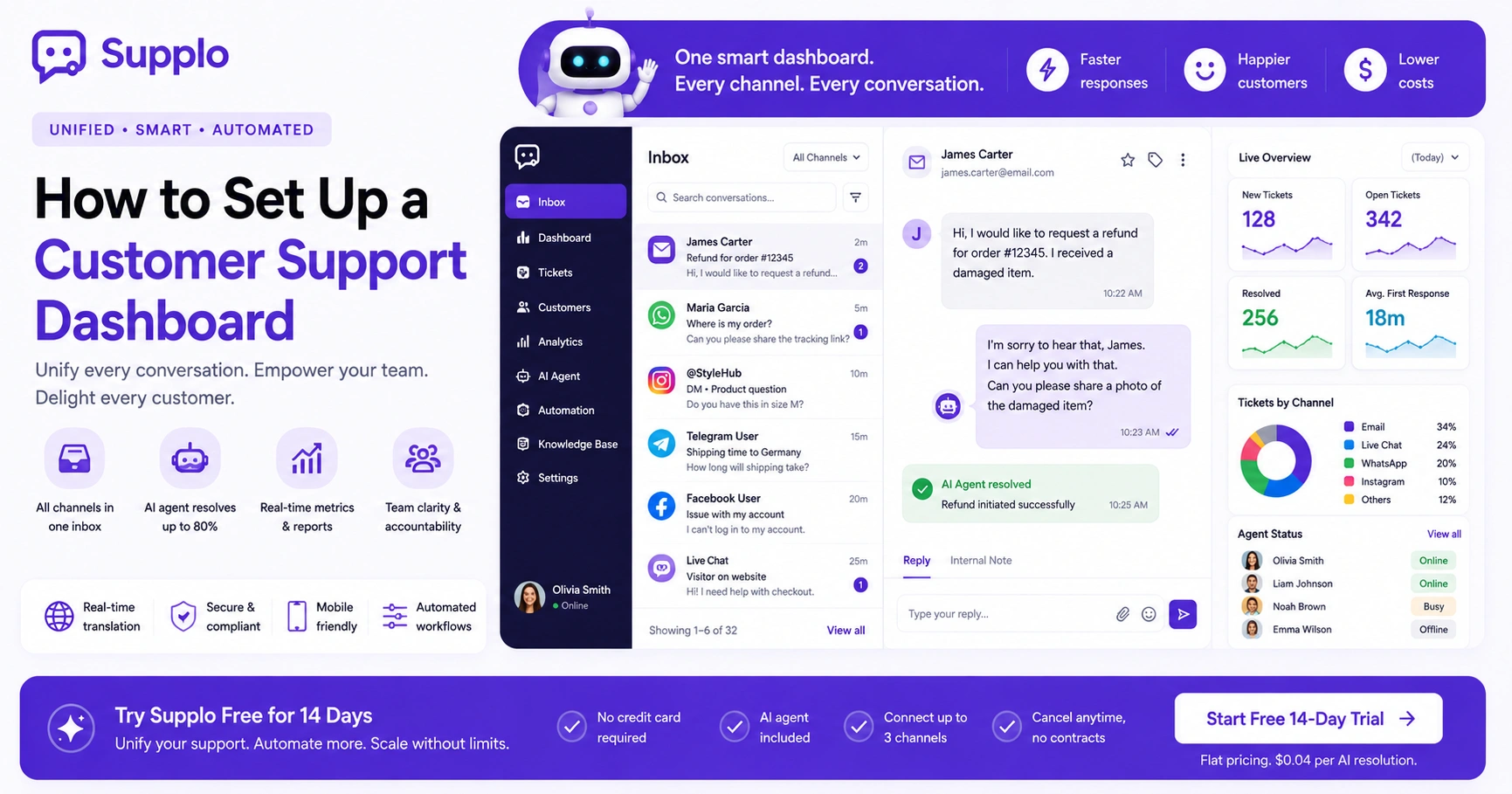
Building an effective support dashboard starts by connecting your shared team inbox to a dashboard template. A tool like Supplo's shared inbox can serve as the foundation, unifying all communication channels. This enables you to pull data from email, chat and social channels into one comprehensive view without technical expertise.
Adopt an MVP (Minimum Viable Product) approach: start with three essential widgets and expand from there. This allows you to quickly assess what data is most useful before investing heavily in complex configurations.
Custom Customer Support Dashboard: Tailoring the View to Your Business Needs
A custom customer support dashboard lets you focus on the metrics that matter most to your specific business, whether that's abandoned cart queries, shipping delays, or product feedback. The goal is to create a view that reflects your unique workflow, not a generic template. This level of personalization ensures that every agent sees exactly what they need to act on.
Identify your North Star metric, the single most important indicator of success and build your dashboard around it. Creating different views for agents, managers and executives ensures each role receives relevant insights. Use filters to segment data by channel, product, or customer tier for granular analysis.
A custom dashboard can also include a safety view that highlights critical alerts during peak times or system outages. This ensures that even when things go wrong, your team has a clear, actionable overview of the situation. This approach enhances data hygiene and overall reliability.
Free Customer Support Dashboard Options: Open Source, Freemium and Trial Paths
A no-cost or low-cost customer support dashboard isn't a myth. Open-source tools, along with freemium tiers of popular platforms, give you a genuine start without opening your wallet. Supplo's 14-day free trial is an example, letting you test the AI agent, shared inbox and multichannel features without a credit card.
For teams with some technical know-how, open-source options can be powerful, but they require IT resources. When evaluating free plans, scrutinize usage limits, seat caps and feature restrictions. The hidden cost of free tools often lies in their lack of automation or integration capabilities, which become essential as you scale.
Maximize a 14-day trial period by testing core features and data accuracy against your requirements. This helps validate whether a solution is suitable before committing to an upgrade. Make sure to review any third-party integrations and their respective terms.
Supplo is not affiliated with any app or website. Please follow each app's terms and local regulations.
Low-Cost & Budget-Friendly Customer Service Dashboard Solutions That Don't Suck
You don't have to break the bank to get a reliable support dashboard. Budget-friendly solutions often bundle essential features, like a shared inbox, automation and basic analytics, into a flat monthly fee that grows with your team, not per seat. The key is finding a tool that's transparent about pricing and doesn't hide essential features behind costly add-ons.
Per-seat pricing can quickly balloon your bill as your team expands, making flat-rate pricing models more predictable and scalable. Prioritize features such as a unified shared inbox, AI automation and robust multichannel support over basic functionality that requires costly upgrades. Supplo's pricing is flat per workspace, not per seat, so your bill doesn't skyrocket as you grow.
Look for transparent vendors who offer clear pricing structures and avoid bait-and-switch tactics. Don't be afraid to ask about hidden costs or try to negotiate for better terms. The goal is a solution that supports backlog management and maintains uptime reliability without compromising your budget.
Build a Personalized Support Dashboard
Ready to build a personalized support dashboard? Start by mapping out your top three pain points, like slow response times or high ticket volume, then choose a tool that lets you create custom views. From there, connect your data sources, add relevant widgets and test with a small group before rolling out company-wide.
Build a personalized dashboard:
- Define reliability criteria: What does a reliable dashboard mean for your team? Consider data accuracy, refresh rate and uptime.
- Choose your tool: Select software that supports all your channels, including email, chat, WhatsApp and Instagram DMs.
- Build a baseline view: Start with essential metrics like ticket volume, first response time, resolution time, CSAT and backlog count.
- Add automation rules: Reduce manual work by configuring ticket routing and notifications. An AI agent that resolves tickets automatically can significantly reduce workload.
- Test and iterate: Roll out to a small group, gather feedback and refine your dashboard based on actual usage.
This workflow customization ensures your team can leverage real-time analytics for efficient agent workload management.
Why a Tailored Support Dashboard Solution Beats Generic Tools
Generic support dashboards treat every business the same, which means your unique workflows and customer needs get ignored. A tailored support dashboard solution, on the other hand, aligns with your business-specific processes, from routing tickets to tracking custom KPIs. This isn't just about aesthetics; it's about ensuring your team has the right information at the right time to deliver reliable support.
Mapping your existing workflows to a dashboard ensures it complements your real-world operations rather than dictating them. There's a critical difference between a customizable dashboard that offers a few branding options and a truly tailored solution that integrates deeply with your business logic. A one-size-fits-all approach often fails as teams grow and their needs become more complex.
For e-commerce, a tailored dashboard might focus on order-related queries and return rates. For SaaS, it could prioritize bug reports and feature requests, with a particular focus on SLA compliance. Supplo's inbox and AI agent can be tailored precisely to your business logic and knowledge base, providing unified support across email, WhatsApp Customer Support and social channels. This channel unification is key to a holistic view.
Common Pitfalls When Building a Bespoke Customer Service Dashboard And How to Fix Them
Even the best intentions can lead to a messy dashboard. Common mistakes include tracking too many metrics, ignoring data hygiene and failing to update the dashboard as your business changes. The fix is to start simple, validate your data sources and schedule regular reviews to keep your dashboard reliable and relevant.
Common Pitfalls and How to Fix Them:
Pitfall 1: Dashboard creep – Adding widgets that nobody uses.
- Fix: Regularly review your dashboard with your team. If a widget isn't providing actionable insights, remove it. Focus on crucial real-time analytics.
Pitfall 2: Relying on stale data – Dashboards that don't refresh in real-time.
- Fix: Invest in tools that offer real-time updates and integrate seamlessly with your core support systems.
Pitfall 3: Forgetting to train your team – Agents don't know how to interpret or use the dashboard.
- Fix: Provide comprehensive training and resources. Make interpreting data part of performance reviews and agent development.
Pitfall 4: Not integrating with actual support tools – Manual data entry or separate dashboards for email, chat, social.
- Fix: Choose a platform that unifies all communication channels into a single inbox. Supplo's unified inbox eliminates manual data entry and provides a consolidated view.
Key Takeaways
- A customer support dashboard is essential for operational efficiency and customer satisfaction, acting as a single source of truth.
- Modern dashboard design prioritizes clarity, actionability and real-time data over flashy, complex visualizations.
- Focus on 5 key metrics: ticket volume, first response time, resolution time, CSAT and backlog for an accurate picture of support health.
- You can build an effective dashboard without developers by leveraging free trials, freemium models and drag-and-drop interfaces.
- Customizing your dashboard to your unique business needs provides relevant insights and optimizes agent workflow.
- Avoid common pitfalls like dashboard creep, stale data and poor team training by starting simple and iterating based on feedback.
FAQ
Can I build a customer support dashboard for free?
Yes, many platforms offer free tiers or trial periods. Supplo provides a 14-day free trial with full access to the shared inbox, AI agent and multichannel features. Open-source tools are also available for teams with technical skills.
What's the most important metric to track on a support dashboard?
First response time is often the most critical because it directly impacts customer satisfaction. Pair it with resolution time and CSAT for a complete picture.
How do I choose between a pre-built template and a custom dashboard?
If your team has standard workflows, a pre-built template works well. For unique processes or specific business rules, a custom dashboard is worth the investment. Supplo's inbox allows you to customize views without coding.
Can a support dashboard handle multiple channels, such as email, WhatsApp and Instagram?
Yes, but only if the underlying tool unifies those channels into a single inbox. Supplo's shared inbox brings email, WhatsApp, Telegram, Instagram DMs and Facebook Messenger together in one thread-based view.
What's the biggest mistake teams make when building a dashboard?
Tracking too many metrics. Start with 3-5 key indicators (ticket volume, first response time, resolution time, CSAT, backlog) and add complexity only as needed.
Is it safe to use a free customer support dashboard for my business?
Yes, but ensure the platform has proper data encryption, uptime guarantees and clear privacy policies. Always read the terms of service. Supplo is not affiliated with any app or website. Please follow each app's terms and local regulations.
How often should I update my support dashboard?
Review your dashboard metrics weekly to catch trends early. Refresh the dashboard design quarterly to align with changing business needs or new channels.
Compliance line: Supplo is not affiliated with any app or website. Please follow each app's terms and local regulations.