On this page
What Is a Customer Support Dashboard and Why Do You Need One?
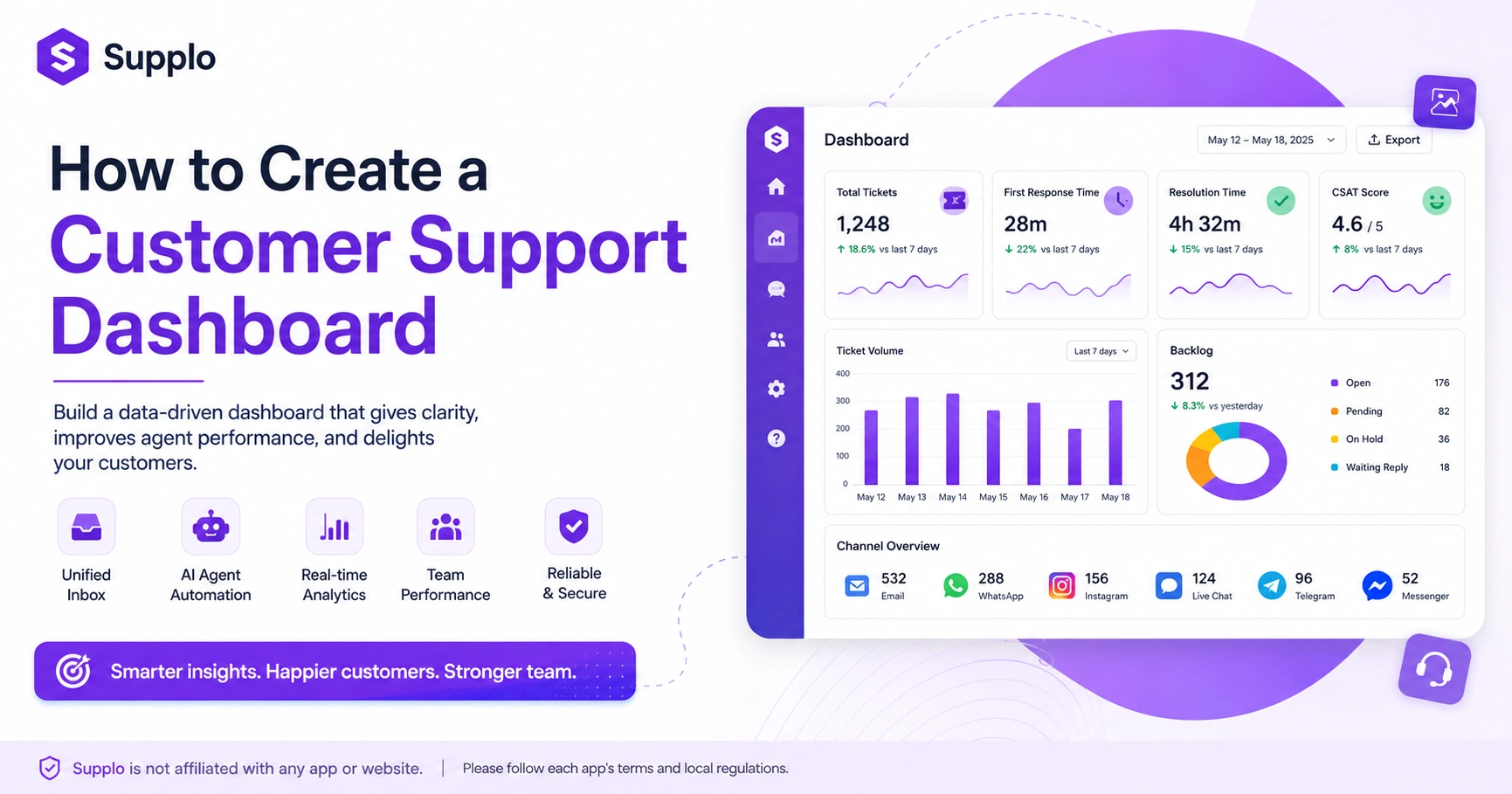
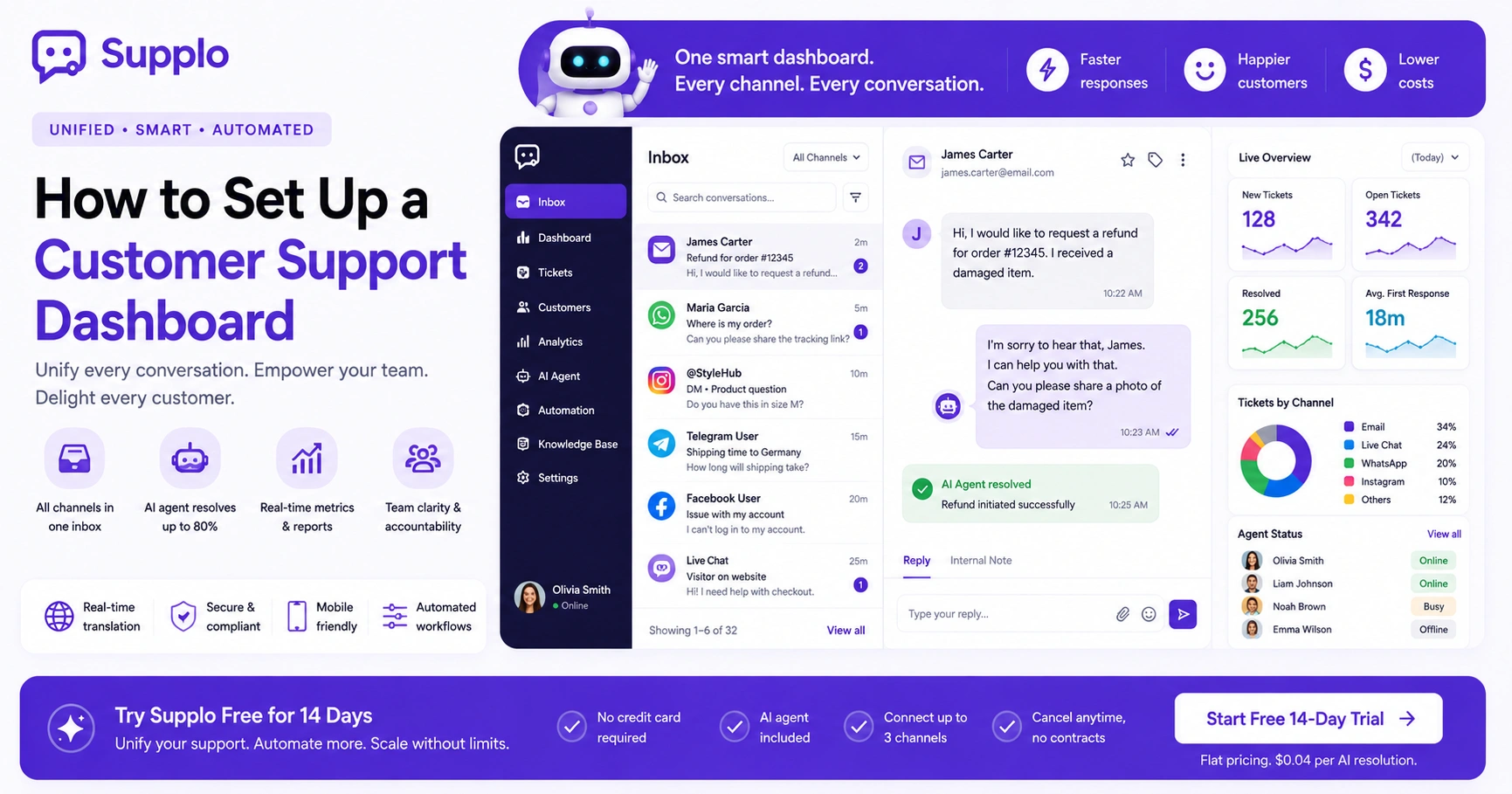
If your support team is juggling five different tabs to answer customer questions, you've got a problem. A customer support dashboard fixes that. It's the single pane of glass where every email, live chat, WhatsApp message and social DM lands in one organized timeline. No more "did someone reply to that Instagram complaint?" panic.
Without one, you're basically running customer support blindfolded. Missed messages pile up, response times crawl and customers start venting on social media. A proper dashboard gives you live metrics, ticket volume, average reply time, who's overloaded, so you catch fires before they become infernos.
- Replace the chaos of five different inboxes with one chronological view.
- See every unresolved ticket instantly- no more dropped conversations.
- Track core metrics: first response time, resolution rate, backlog count
- Each agent knows exactly what's theirs. Accountability, finally.
Key Features of a Customer Support Dashboard You Can't Skip
Here's the thing: a basic inbox isn't a dashboard. It's just a fancy version of Gmail. The real game-changers? A unified inbox that actually unifies, an AI agent that learns from your content and automation that routes tickets without you babysitting. Miss these and you're paying for a dashboard that's basically decoration.
- Unified inbox: Email, live chat, WhatsApp, Telegram, Instagram DMs, Facebook Messenger, all threaded chronologically. One scroll, all context.
- Self-learning AI agent: Trains on your knowledge base and past conversations. Handles the repetitive stuff so your team doesn't have to.
- Automated routing: Tickets land on the right agent based on skill, language, or current workload, no manual triage.
- Real-time translation: Incoming messages auto-translate. Support any language without hiring a translator.
- Analytics dashboard: Ticket trends, agent performance, CSAT scores, at a glance.
How to Set Up a Customer Support Dashboard in 10 Minutes
Here's the short version: Pick a tool like Supplo that doesn't require an IT degree. Connect your email, add the website widget, link your messaging channels. The AI trains itself in minutes. That's it.
- Sign up for a free 14-day trial; Supplo doesn't ask for a credit card.
- Integrate your email (Gmail, Outlook, or custom domain) through the shared inbox.
- Copy and paste the chat widget code into your website header. Seriously, paste it.
- Scan QR codes or add API keys for WhatsApp, Telegram, Instagram and Facebook.
- Upload your FAQ or knowledge base docs. The AI agent starts learning immediately.
Start your 14-day free trial at Supplo, no credit card needed. Connect up to 3 channels and let the AI agent begin resolving tickets right away. See how a free dashboard can actually reduce your team's workload.
How to Build a Customer Support Dashboard That Grows With You
Start small, please. Your first dashboard should handle 2–3 channels and a handful of agents. As tickets pile up (they will), layer in automation rules, custom macros and AI responses. The trick is picking a platform that scales without forcing you to upgrade your pricing tier every time you hire someone.
- Begin with email and live chat; add WhatsApp and social DMs once your team's comfortable
- Use canned responses and snippets for those repetitive "where's my order?" questions
- Let the AI agent handle tier-1 FAQs, hours, returns, pricing, so your humans focus on complex stuff
- Customize your dashboard with statuses (Open, Pending, Solved) and tags for filtering
- Audit your dashboard every quarter. Remove what you don't use. Add what you actually need.
Best Customer Service Dashboard Components for a 24/7 Support Team
Running support around the clock? Your dashboard needs an AI agent that works while you sleep, a clean handoff when it can't resolve and a mobile-friendly interface for agents on call. The best components also include automatic translation, real-time notifications and a shared inbox showing who's working on what.
- AI agent independence: Resolves common issues off-hours, then hands off with full context
- Mobile app or responsive web view: Agents respond from their phone without losing the thread
- Escalation triggers: Auto-route tickets if the AI can't resolve after two attempts
- CSAT surveys: Collect feedback after every ticket is resolved. Know if your support is actually good.
Free Customer Support Dashboard: How to Get One Without a Credit Card
Yes, you can get a free customer support dashboard. Supplo offers a 14-day free trial with no credit card. Full access to the AI agent, unified inbox and all channel integrations. After the trial, pricing stays flat per workspace, not per seat. So when you add team members, your bill doesn't explode.
- No hidden costs: free trial includes the AI agent, not a stripped-down demo
- Connect one email, one website widget and up to three messaging channels during trial
- After trial, upgrade to flat $0.04 per AI resolution, not the $0.99 others charge
- Cancel anytime. No contracts, no awkward phone calls.
Connecting Live Chat, Email, WhatsApp and Social DMs to Your Dashboard
A real multichannel dashboard pulls everything into one thread-based view. With Supplo, connect your email via IMAP/SMTP, embed the chat widget and authenticate WhatsApp, Telegram, Instagram DMs and Facebook Messenger through their APIs. Every platform feeds into a single inbox. Every conversation stays in context.
- Email ticketing: Forward support@ to Supplo. Emails become tickets with full history.
- Chat widget: Copy a snippet into your website header. No developer needed.
- WhatsApp: Scan the QR code or use the Business API to connect to a permanent number.
- Telegram & Instagram: Authorize via bot token or API in settings.
- Facebook Messenger: Connect your page through the Supplo integration panel, one click.
Supplo is not affiliated with any app or website. Please follow each app's terms and local regulations.
The AI Agent That Handles Up to 80% of Tickets Automatically
Supplo's self-learning AI agent trains on your knowledge base and past conversations. It answers accurately, hands off only when it can't confidently resolve and gives the human agent full conversation history: fewer tickets for your team, but with way more context.
- Handles FAQs, order status, refund queries, account issues
- Learns from corrections: if a human edits an AI response, the AI updates its knowledge
- Pricing per resolution: flat $0.04, no surprises if ticket volume spikes
- Turn the AI on/off per channel or for specific conversation types
Common Dashboard Pitfalls and How to Avoid Them
Most teams set up a dashboard and then... forget about it. Tickets get abandoned. Integrations break. Agents get frustrated. Another classic mistake? Using a tool that charges per seat, which punishes you for growing. Stay reliable: audit channels regularly, update your knowledge base and pick a pricing model that doesn't penalize hiring.
Pitfall 1: Connecting channels but never training the AI on current content.
- Fix: Schedule monthly knowledge base audits.
Pitfall 2: Relying solely on automation for complex issues.
- Fix: Set clear escalation rules, AI plus human review.
Pitfall 3: Choosing per-seat pricing that balloons as your team grows.
- Fix: Opt for flat per-workspace pricing (like Supplo's).
Pitfall 4: Never testing the dashboard from the customer's view.
- Fix: Send a test ticket from each channel monthly.
If your current dashboard feels unreliable or your team is drowning, switch to Supplo. Flat per-workspace pricing and $0.04 per AI resolution gives you control. Start your free trial, no surprises.
Customer Support Dashboard Pricing: Flat vs. Per-Seat Models
Most legacy tools charge per agent seat. Hire two more reps? Your bill doubles. Supplo charges flat per workspace, no matter how many agents you add. At $0.04 per AI resolution (not per ticket), it's the transparent alternative that doesn't punish team growth.
- Per-seat models: $20–$100 per agent per month. For a team of 10, that's $200–$1,000/mo.
- Supplo flat pricing: one predictable monthly cost.
- AI resolution cost: $0.04 vs. competitors' $0.99 per resolution.
- No hidden overage fees. Your AI budget stays predictable.
Ready to set up a customer support dashboard that actually works? Supplo unifies email, chat, WhatsApp, Instagram, Telegram and Facebook into one smart inbox. Get your free 14-day trial today, cancel anytime.
FAQ
Can I use a single dashboard for email, live chat and WhatsApp?
Yes, Supplo unifies all channels into one thread-based inbox. Connect each platform once and all conversations appear in chronological order.
Do I need technical skills to set up a support dashboard?
No. Most modern tools, including Supplo, offer no-code setup. Copy a widget code, scan a QR code, or forward an email.
How long does it take to train the AI agent on my knowledge base?
Typically 5–15 minutes. The AI reads your FAQ, help articles and past conversations, then starts answering tickets immediately.
What happens if the AI agent can't answer a question?
It hands the ticket cleanly to a human agent with full context. You can set escalation rules, for example, after two failed attempts or if the customer asks for a human.
Is there a free version of a customer support dashboard?
Yes, Supplo offers a 14-day free trial with full features (no credit card required). After the trial, pricing is flat per workspace, not per seat.
Can I translate messages automatically in the dashboard?
Yes. Supplo includes real-time translation for incoming messages so that you can support customers in any language without a separate tool.
How do I avoid broken integrations or lost tickets?
Regularly audit your channel connections, keep your knowledge base up to date and test from the customer side monthly. Choose a tool with reliable API support (like Supplo).
Compliance line: Supplo is not affiliated with any app or website. Please follow each app's terms and local regulations.