On this page
A chaotic inbox is the last thing you want as your SaaS grows. You need a system that makes your team look like mind readers: consistent, fast and helpful. That's where a customer support playbook comes in. It's not just a doc; it's your team's cheat sheet for handling everything from a simple password reset to a full-blown refund request.
And the best part? You don't need to build it from scratch. We’ll walk you through the exact steps to create a playbook that scales with you, not against you.
What Is a Customer Support Playbook
A customer support playbook is a centralized, living document that standardizes how your team handles every type of ticket, from password resets to refunds. It removes guesswork, ensures consistent responses and directly reduces time-to-resolution. For SaaS teams, it’s the difference between a chaotic inbox and a predictable, scalable support operation.
- Defines tone, response templates and escalation triggers for every common scenario.
- Acts as the training manual for new hires, helping them become productive within days, not weeks.
- Serves as the source of truth that your AI agent (like Supplo’s) pulls from to resolve tickets autonomously.
- Keeps support teams aligned across email, chat, WhatsApp and social DMs without duplicating effort.
Quick Answer
- What is it? A centralized document for consistent customer support.
- Why it’s essential: Standardizes responses, reduces resolution time.
- Whom it’s for: SaaS teams needing scalable support.
- When to use: When you need to align your support team.
- When not to use: If your team is too small to benefit from standardization.
The Essential Elements of a Customer Support Playbook
Every effective playbook must include clear response scripts, status definitions (open/pending/resolved), handoff criteria between AI and human agents and a process for logging feedback. Without these four pillars, your playbook becomes a static PDF that nobody uses. When done right, it turns support from a cost center into a competitive advantage.
- Response scripts: Not rigid, offer optional phrasing based on customer sentiment (frustrated, confused, loyal).
- Status definitions: Exactly when to mark a ticket waiting on customer versus resolved to avoid reopens.
- Handoff triggers: What signs (for example, third mention of manager or legal action) require a human takeover.
- Feedback loop: A simple way for agents to flag when a script fails so the playbook evolves.
- Accessibility notes: How to handle screen readers, language barriers (Supplo translates automatically) and time zones.
How to Structure Your Customer Support Playbook by Ticket Type
Structure your playbook the same way your team thinks: by ticket category. Group scenarios into billing, technical, feature requests and account management. Each section should start with the goal (for example, Verify identity before discussing account) and end with a clear resolution or escalation path. This structure makes the playbook searchable by both humans and AI.
- Billing & Payments: Templates for failed payments, refund requests, receipt re-sends.
- Technical bugs: Troubleshooting steps for common issues (Clear cache, enable cookies, try incognito).
- Feature requests: A consistent way to log and acknowledge without promising timelines.
- Account management: Password resets, plan downgrades, data export requests.
Building an Escalation Path: From AI to Human
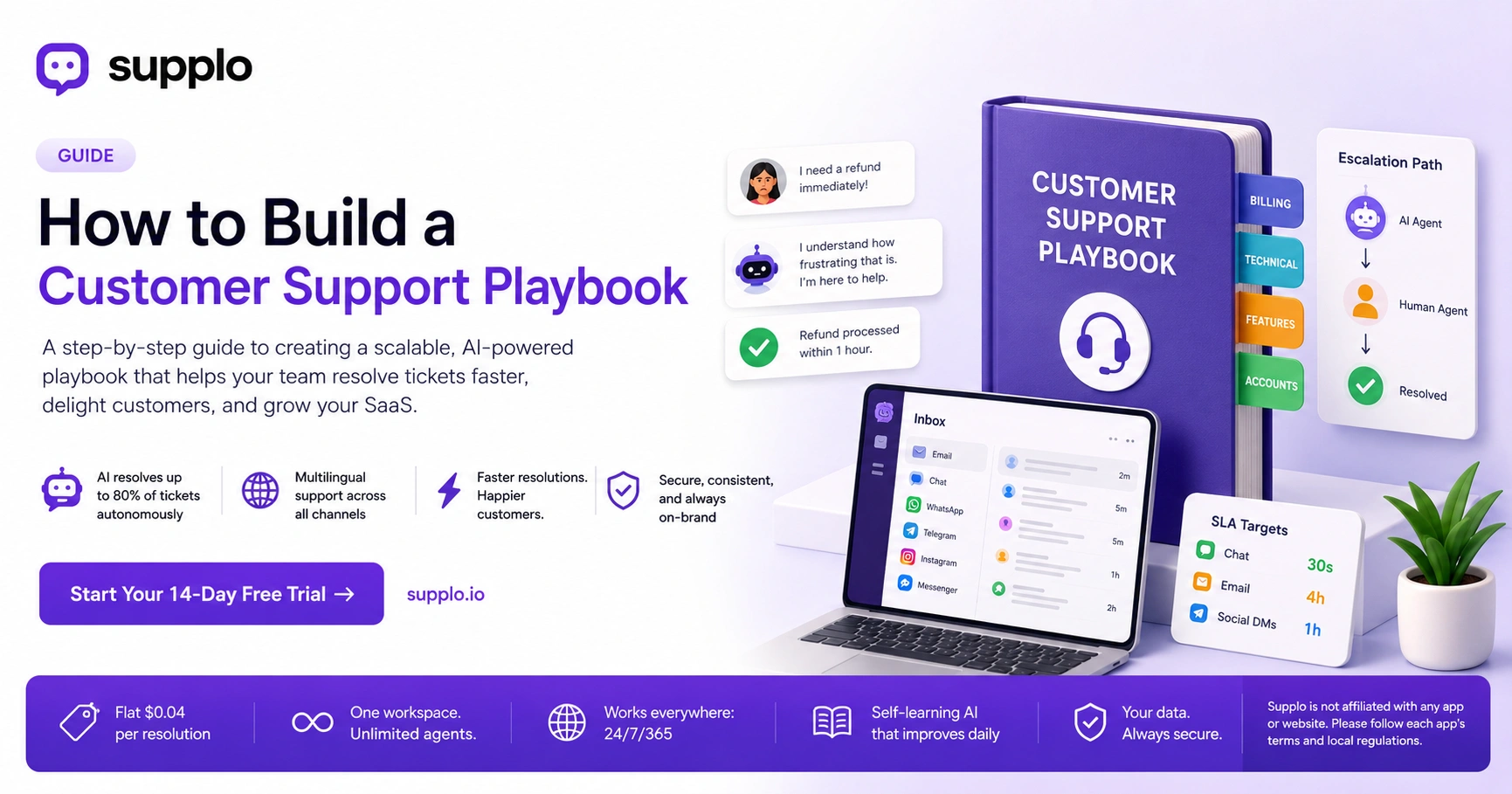
Your playbook must define exactly when the AI agent hands off to a human and how smooth that transfer is. A bad handoff means the customer has to repeat themselves, which kills trust. The playbook should include a warm transfer script in which the AI summarizes the context so the human agent starts up to speed.
- Handoff triggers: Sentiment analysis flags (repeated dissatisfaction), specific keywords (lawsuit, cancel immediately), or failed verification attempts.
- Warm transfer script: I’ve asked a teammate who specializes in this to join us. Here’s what I understand so far.
- Return path: How the human resolves and then hands back to AI for follow-up tasks (sending a summary note).
- Training data capture: Each successful human resolution becomes a new training example for the AI’s model for future tickets.
Your Customer Service Playbook Checklist: The Non-Negotiables
Before you deploy your playbook, use this checklist:
- Response time targets defined per channel?
- Language translation rules set (if multilingual)?
- Security/privacy script for verifying customers?
- Fallback contact methods listed (e.g., If urgent, call us at)?
- Post-resolution survey embedded?
Cross these off and you have a playbook that’s production-ready.
- Channel-specific SLAs: 30-second target for chat, 4-hour target for email, 1-hour for social DMs.
- Translation trigger: Automatically detect language and respond in the customer’s native tongue (Supplo does this natively).
- Security verification script: For security, can you confirm the email address on file? Never ask for passwords.
- Fallback contact methods: What to tell customers if the chat widget is down (e.g., Email us at support@).
Writing Playbook Responses That Sound Human
A playbook that reads like a robot will make customers angry, even if the answer is technically correct. Inject personality by using contractions, acknowledging feelings (“I understand that’s frustrating”) and adding an optional “warm sign-off” line (e.g., “Hope that helps, have a great day!”). Train your team to unlock the script rather than unthinkingly copy and paste it.
- Contractions are your friend: “You’re right” feels better than “You are correct.”
- Emotional mirroring: If the customer is angry, use “I see why that’s upsetting”, never “We apologize for any inconvenience.”
- Optional micro-opinions: “Our personal favorite way to set this up is.” (builds trust, shows expertise).
- Script unlocking: Teach agents to use the playbook as a starting point, then adapt for context.
Handling Difficult Customers: Soft Skills Built Into Your Playbook
Your playbook should include a dedicated difficult situation section with scripts for handling anger, confusion and grief (e.g., account deletion requests). The goal isn’t to win an argument; it’s to de-escalate and solve the problem. A simple framework: Acknowledge → Validate → Fix → Confirm.
- Acknowledge: “I hear you, that’s not the experience we want you to have.”
- Validate: “You’re right to expect faster service and I’m going to make this right.”
- Fix: State exactly what you’ll do and when (e.g., “I’ll process the refund within one hour”).
- Confirm: “Does that resolve everything for you? Is there anything else?”
Integrating Your Playbook with AI: The Modern Approach
A playbook is only as fast as your team, unless you connect it to an AI agent that reads and executes it in real-time. The smartest SaaS teams feed their playbook into a self-learning AI (like Supplo’s) so the AI resolves up to 80% of routine tickets autonomously, at a flat $0.04 per resolution, not the $0.99 legacy tools charge. This keeps playbooks active 24/7 without burning out your team.
- Flat pricing advantage: No per-seat fees mean you can have 100 agents in your playbook but pay for only one workspace.
- Multichannel automation: The AI applies the same playbook rules across email, website chat, WhatsApp, Telegram, Instagram DMs and Facebook Messenger simultaneously. Check out our Telegram support page for more details.
- Self-learning loop: Every time a human corrects the AI, the playbook updates, so accuracy improves over time.
- Zero training cost: The AI learns from your knowledge base and past conversations, not manual tagging.
Supplo is not affiliated with any app or website. Please follow each app's terms and local regulations.
Testing and Iterating Your Playbook
A playbook that sits untouched for six months is worse than no playbook; it gives your team a false sense of confidence. Run a quarterly playbook audit: check resolution times, CSAT scores and the number of times the AI had to hand off to a human. Update scripts based on what real customers are saying and retire anything outdated.
- Metrics to track: First response time, resolution rate, handoff rate and re-contact rate within 48 hours.
- A/B testing scripts: Try two response variants for 100 tickets and keep the higher-scoring one.
- Customer feedback integration: After each resolved ticket, a short survey (1–2 questions) that feeds into playbook updates.
- Release notes: Treat playbook changes like software updates, log what changed and why.
Common Mistakes When Building a Support Playbook
The most common mistake is making the playbook a 200-page PDF that nobody reads. Others include: ignoring multilingual support, writing scripts that are too rigid and forgetting to plan for the “weird” edge cases (e.g., a customer requesting a data export on a Saturday). Avoid these by keeping the playbook digital, searchable and split by ticket type.
- Mistake 1: “Set it and forget it”, fix with quarterly audits (see H2-9).
- Mistake 2: No language coverage, fix with an AI that translates automatically (Supplo does this).
- Mistake 3: Too much corporate fluff, fix by writing like a human (see H2-6).
- Mistake 4: Only for email, fix by writing rules for WhatsApp, Telegram, Instagram and Messenger.
Tools and Software That Enhance Your Playbook
You don’t need a bloated enterprise suite to run a great playbook. Look for platforms that unify inbox, automated responses and knowledge management in one place, priced per workspace rather than per seat. This lets your playbook scale with your team without surprise bills. Supplo fits this description as a practical alternative to legacy tools. For a quick comparison, see how we stack up against Intercom, Zendesk or even Crisp.
- What to look for: AI agent with training from your playbook, multichannel inbox, email ticketing, knowledge base and warm handoff to humans.
- Pricing transparency: Avoid tools that charge per resolution or per agent; buy one workspace for the whole team. Check out our pricing page to see the difference.
- No migration stress: Should import your existing knowledge base and support history in minutes.
Making Your Playbook a Living Document
A well-built customer support playbook is the backbone of a reliable, scalable business, but only if you actually use it and update it. Connect it to an AI agent that works 24/7, keep your team’s humanity baked into every response and listen to feedback from customers and agents alike. That’s how support stops being a headache and starts being a growth engine.
- Final checklist: Is it searchable? Is it multilingual? Does the AI know it? Are humans trained on it? Can customers access a knowledge base version?
- Next step: Start your 14-day free trial at Supplo.io, see how your playbook looks when an AI agent executes it in real time.
FAQ
What exactly is a customer support playbook?
A customer support playbook is a documented set of scripts, processes and escalation rules that guides your team in handling every inbound ticket. It ensures consistency, speed and accuracy across all support channels.
How do I build a playbook for a SaaS company?
Start by categorizing common ticket types (billing, bugs, feature requests). Write a response script for each category, define handoff triggers to humans and integrate them into an AI agent capable of resolving tickets autonomously. Maintain it as a living document.
Can an AI agent follow a customer support playbook?
Yes, modern AI agents like Supplo’s are trained on your playbook and knowledge base. They can resolve routine tickets, hand off to humans when needed and learn from every interaction to improve the playbook over time.
What should NOT go in a customer support playbook?
Avoid rigid, script-only responses that don’t allow for human judgment. Also avoid outdated processes, legal disclaimers that contradict team training and any customers' personal data (e.g., full passwords or billing details). Always verify identity before sharing account-specific info.
How often should I update my support playbook?
At minimum, conduct a quarterly audit. Update the playbook whenever you add a new product feature, change a pricing tier, receive negative feedback about a particular script, or see a spike in unresolved tickets.
What is the “handoff” rule in a support playbook?
A handoff rule defines exactly when a ticket moves from an autonomous AI agent to a human agent. Common triggers include: specific keywords (“lawsuit,” “cancel,” “manager”), repeated customer frustration, or identity verification failures. The handoff should always include context so the human doesn’t start from scratch.
Does Supplo help with building a customer support playbook?
Yes. Supplo’s AI agent learns from your playbook and past conversations to automatically resolve tickets. You get a unified inbox for email, chat, WhatsApp, Telegram, Instagram DMs and Facebook Messenger, plus a knowledge base and multilingual support. Start your free trial at Supplo.io.
Compliance line: Supplo is not affiliated with any app or website. Please follow each app's terms and local regulations.