On this page
Most businesses treat customer support like a cost center, something to minimize, optimize and move on from. But here's the thing: your support team already has something most sales teams would kill for. Trust. Real, earned trust from solving real problems. So why not turn that trust into growth?
This guide is all about how to use customer support to upsell without making anyone feel slimy or pressured. We'll walk through the mindset shifts, the actual techniques and the tools that make it all click.
This guide is for support managers, team leads and customer service professionals looking to leverage existing customer interactions to generate revenue. It's ideal for businesses in SaaS, e-commerce and subscription services, where support conversations often reveal opportunities to upsell to higher-tier products or offer complementary services. Use these strategies to increase average order value (AOV) and customer lifetime value (CLV) through natural, helpful recommendations. Avoid these strategies if your support team is already overwhelmed, or if your products don't offer clear upgrade paths that solve common customer pain points.
Quick Answer
- See customer support as a sales channel by focusing on existing customer trust.
- Train agents to be trusted advisors, identifying needs that an upsell can solve.
- Spot opportunities when customers mention missing features or plan limitations.
- Upsell by resolving the current issue first, then offering a relevant upgrade.
- Measure success with upsell conversion rates, AOV lift and post-upsell CSAT.
Why Customer Service Is Your Best and Most Overlooked Sales Channel
Here's a wild thought: a customer who's already talking to your support team is way more likely to buy something from you than a random person who just landed on your homepage. It makes sense when you think about it. They trust you enough to ask for help. That trust is gold.
Positioning support as a sales channel doesn't mean turning every conversation into a pitch. It means paying attention to what the customer already needs and aligning your offer with that need. The data backs this up; existing customers are way cheaper to sell to than acquiring new ones. Some estimates say acquisition costs run 5-7x higher than upsells to existing customers.
The right moment is often already there. A customer asking about a product limitation? They're practically inviting you to tell them about the premium version. Support teams see use patterns, know what features customers struggle with and can make contextual upsells that feel like help, not a push.
From Support Agent to Trusted Advisor
The biggest obstacle to upselling in support? It's not the lack of scripts. It's how agents see themselves. If your team thinks their job is just fixing stuff, they'll miss every chance to guide a customer toward a better solution.
The shift is simple but powerful: treat every interaction as a chance to solve the customer's real problem. Sometimes that real problem is a feature they didn't know existed. Sometimes it's a plan they've outgrown but haven't upgraded yet.
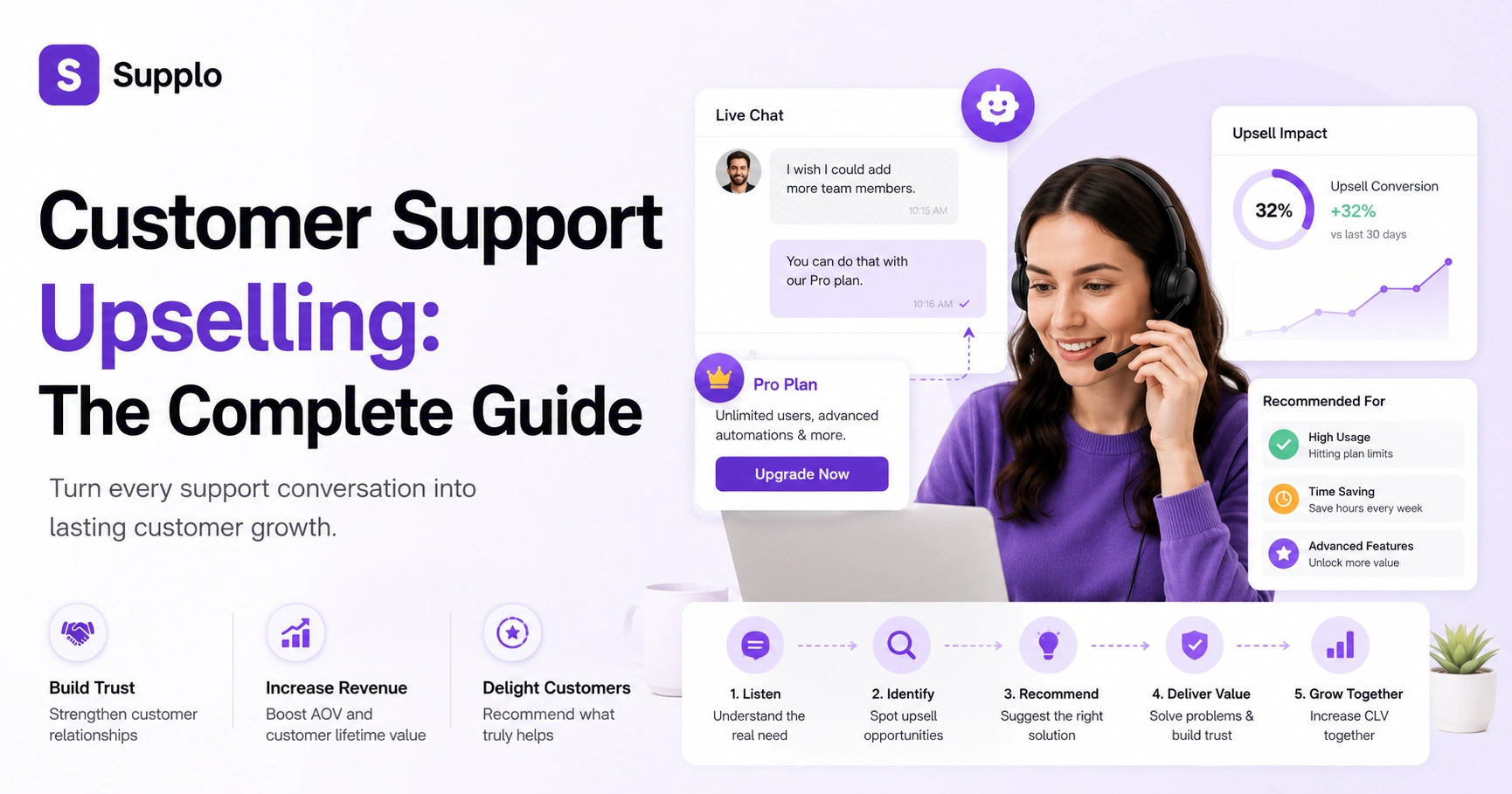
Train your agents to frame the upsell as an extension of the solution rather than a separate request. Listen for phrases like "If only X" or "I wish I could"-those are goldmines. And here's the key: remove the pressure. Agents should aim to help, not hit a quota. When you role-play, make sure the 'no' gets just as much respect as the 'yes'. That's how you build a no-pressure environment where upsells actually feel natural.
How to Spot Upsell Opportunities During a Support Interaction
Not every ticket is an upsell opportunity. But honestly? Most are, once you know what to look for. Keep an eye out for three main signals:
- I wish your product could do X. X is usually a premium feature that exists in a higher tier.
- Usage-based pain points, like I keep hitting the limit on my plan.
- Positive sentiment about a basic feature that has a more powerful version.
- Time-sensitive needs, like I need this for a big project next week. That creates natural urgency for a trial upgrade.
- Questions about integration or automation often reveal a scaling need that a higher plan can address.
The trick is spotting these signals without derailing the core issue. Solve the problem first, then gently mention the upgrade.
Customer Support Upsell Techniques That Actually Work
The best upsell techniques feel like a natural continuation of the help you're already giving. Here are a few that actually work:
- The Bump and Bridge: Resolve the current issue completely. Then bridge to a relevant upgrade. Glad we got that sorted. By the way, the Pro plan actually includes that feature natively.
- The Problem-Solution Framing: You're asking about X. The reason it's tricky is that you're on the Basic plan. The Pro plan handles X automatically.
- The Feature Tease: Mention a premium feature while solving the current issue, then offer to share more if they're curious.
- The Hero Upgrade: Position the upsell as the thing that saves them time or hassle. This would save you about 20 minutes per task.
- The Trial Bridge: Offer a limited-time free trial of the premium feature. Let them experience the value.
- The Bundle Logic: If they're buying multiple related items, bundle them at a discount.
- The Future-Proofing: You'll probably need this in 3 months anyway, so why not get it now?
The goal is to make the customer feel informed, not sold to, big difference.
How to Upsell Over Chat: Timing, Tone and Script Examples
Chat is the best channel for upselling. It's low-friction, real-time and people are already in a conversational mindset. But timing is everything.
The golden rule: Wait until the original issue is fully resolved. Then use a soft transition like: "By the way, while you're thinking about [topic], we have [feature] that might save you [benefit]."
Tone matters. Use "I noticed" or "A lot of customers in your situation find…" instead of "You should buy X." Keep it helpful, not salesy.
Script example: Glad we got that sorted! Quick tip: our Pro plan includes a feature that would prevent this issue entirely. Are you eligible for a free trial?
A few pro tips:
- Never upsell during troubleshooting. Always wait for the aha moment.
- Use emojis sparingly. Too many can feel disingenuous.
- Keep the chat thread alive. Don't close the ticket until the customer declines or accepts.
- For chat customers on a live chat widget, pair the upsell with a quick link to a demo or pricing page.
Ready to Test Your Upsell Scripts?
Try Supplo free for 14 days. No credit card required. Set up your live chat widget, unify email, WhatsApp and social DMs into one inbox and start practicing your upsell techniques in a real environment. Start your free trial →
In-Chat Upsell Strategies That Increase Average Order Value
In-chat upsell strategies work best when they're context-aware and specific. Here are five that actually move the needle:
Strategies:
- The Pain Point Fix, Upgrade the plan to solve the exact issue they're contacting you about.
- The Volume Discount, For subscription customers, upsell to annual billing mid-support. You'd save about 20% for the year.
- The Feature Add-On, Suggest a premium integration or add-on that directly addresses their use case.
- The Time-Sensitive Offer. If you upgrade within the next 10 minutes, I can apply for a one-time discount.
- The Cross-Sell, A complementary product that solves a related problem they've mentioned.
The key? Tie the upsell to the reason they're in chat. Random product recommendations feel spammy. Contextual ones feel helpful.
Training Your Team: Chat Agent Upselling Techniques That Stick
Training for upselling isn't about handing out scripts. It's about building instinct. Here's what works:
- Live monitoring: Have a senior agent shadow calls and tag moments where an upsell was missed.
- Weekly upsell triggers drills: Show a ticket transcript and ask the team to identify the exact line where an upsell could have been introduced.
- Reward effort, not just conversion: This prevents the hard sell and encourages natural attempts.
- Teach the 3-Second Rule: If the agent can't think of an upsell within 3 seconds after resolution, skip it.
- Create a Trigger Library: A shared doc of common customer phrases and corresponding upsells.
- Use role-play recordings: Play back a real resolved ticket and ask, Where was the missed opportunity?
Chat-specific nuance: No face-to-face cues means agents have to rely on written tone detection. Listen for purchase intent signals in the language, not just the words.
Tools and Automation to Support Your Upsell Strategies for Chat Support
The right tools make upselling feel invisible to the customer. A centralized support platform lets you tag tickets by product tier, set up automated triggers for upsell suggestions and track conversation history so agents never miss context.
Here's what to look for:
- A unified inbox like Supplo's shared team inbox to see the full customer history across email, chat, WhatsApp and social. Context is everything.
- Automated upsell hints in the sidebar based on the ticket's tags and customer tier.
- Knowledge base integration with live chat so agents can instantly pull up feature comparisons.
- AI sentiment detection: A happy customer is significantly more likely to consider an upsell.
- Chat transcripts to train an AI agent (like Supplo's self-learning AI agent) to suggest natural upsells.
- Email ticketing that allows for easy tagging and follow-up.
- Transparent flat-rate pricing so support costs are predictable and controlled.
Consider comparing your current setup with alternatives like Supplo if you're hitting limits with traditional support tools.
KPIs for Customer Service as a Sales Channel
You can't improve what you don't measure. For customer service upselling, track these core metrics:
- Primary KPI: Upsell conversion rate (number of upsells accepted / number offered). Target: 10-20% for B2B, 5-10% for B2C.
- Secondary KPI: Revenue per support interaction (total upsell revenue / total tickets handled).
- Quality KPI: CSAT after upsell attempt. If it drops below 85%, your approach is too aggressive.
- Efficiency KPI: Average handle time (AHT) with vs. without upsell. Should be a minimal increase.
- Leading indicator: Upsell attempt rate (number of tickets with a verbal/chat offer).
Also track time-to-upsell, the average time between ticket resolution and the upsell offer. If it's too fast, you're rushing the moment.
Common Pitfalls and How to Avoid Abusing the Upsell During Support Interaction
The fastest way to kill trust? Upsell before solving the original problem. The second fastest? Recommend something that doesn't fit the customer's stated need.
Common pitfalls to avoid:
Pitfalls:
- Offering the upsell during the problem-solving phase. Always wait for a resolution.
- Ignoring the customer's tone. If they're angry, skip the upsell entirely.
- Recommending features the customer can't use (e.g., an enterprise add-on for a solo user).
- Not tracking who says no and revisiting them later. Persistence is fine, harassment isn't.
- Using high-pressure language like this offer expires in 5 minutes.
- Ignoring the customer's budget constraints.
Always give the customer a graceful exit: No problem, let me know if you ever need it. Never make them feel guilty for saying no.
Frustrated Because Your Upsell Format Isn't Working?
It might be a tooling issue, not a script issue. Supplo's shared inbox gives your team the full customer context at a glance, so you can time your upsell perfectly. Plus, our AI agent learns from your knowledge base to suggest the right offer at the right moment. See how Supplo compares →
Key Takeaways
- Customer support is a unique sales channel due to the existing trust and context.
- Empower agents to act as trusted advisors, not just problem-solvers.
- Timely, relevant and non-pushy upsells are key to success.
- Leverage technology to surface opportunities and provide context (like a unified inbox).
- Measure both sales metrics and customer satisfaction to ensure a balanced approach.
Supplo is not affiliated with any app or website. Please follow each app's terms and local regulations.
FAQ
Is it legal to upsell during customer support?
Yes, as long as you're transparent and the customer has voluntarily engaged with you. Avoid deceptive practices such as hidden billing or misrepresentation of features. Always follow local regulations (e.g., GDPR for EU customers) and your platform's terms of service.
Why do some upsell attempts fail?
Most fail because the timing is off or the offer doesn't solve the customer's expressed need. If you upsell before resolving the current issue, the customer feels unheard. Also, if the price jump is too steep and there's no clear value explanation, they'll say no.
Should I use a script or go freestyle?
A hybrid approach works best. Use a script for the transition line (e.g., By the way, many customers in your situation also find…), but go freestyle for the actual value proposition so it sounds natural. Scripts are great for consistency; freestyle is better for rapport.
What's the difference between an upsell and a cross-sell?
An upsell is moving the customer to a higher-tier product or plan. A cross-sell is adding a complementary product or service. Both are valid, but the approach differs: upsells require proving the value of more, while cross-sells require proving the value of different.
How do I upsell without sounding pushy?
Focus on the customer's needs, not your sales goal. Use phrases like Based on what you're describing, you might find [feature] useful instead of You should upgrade. Always give them a no-pressure option to decline and never follow up with guilt.
Can I automate upselling in chat support?
Yes, partially. Use automation to surface relevant upsell suggestions to the agent based on the ticket context (e.g., via a sidebar or suggested reply). But full automation, where the bot pitches the upsell, requires careful testing to avoid annoying customers. Supplo's AI agent can learn from past conversations to suggest natural upsells, but always hand off to a human for the final pitch.
What tools do I need to start upselling in support?
A unified inbox (like Supplo) to see the full customer history, a knowledge base to reference features quickly and a ticketing system that tags customer tiers. Optionally, a CRM integration to track which customers are most likely to upgrade.
Compliance line: Supplo is not affiliated with any app or website. Please follow each app's terms and local regulations.


