On this page
Customer support is a critical part of any business, but it can quickly become a significant expense. If you're looking to cut costs without sacrificing quality, you're in the right place. This guide will show you how to reduce your customer support costs by 50 percent through automation, workflow optimization, and smarter pricing models.
Let's be honest, support costs creep up on you. One month, you're handling everything with a single person. Next, you're paying for three tools, five agents, and wondering where your budget went. The good news? You don't have to choose between great support and a healthy bottom line.
Quick Answer
Here's the short version if you're in a hurry:
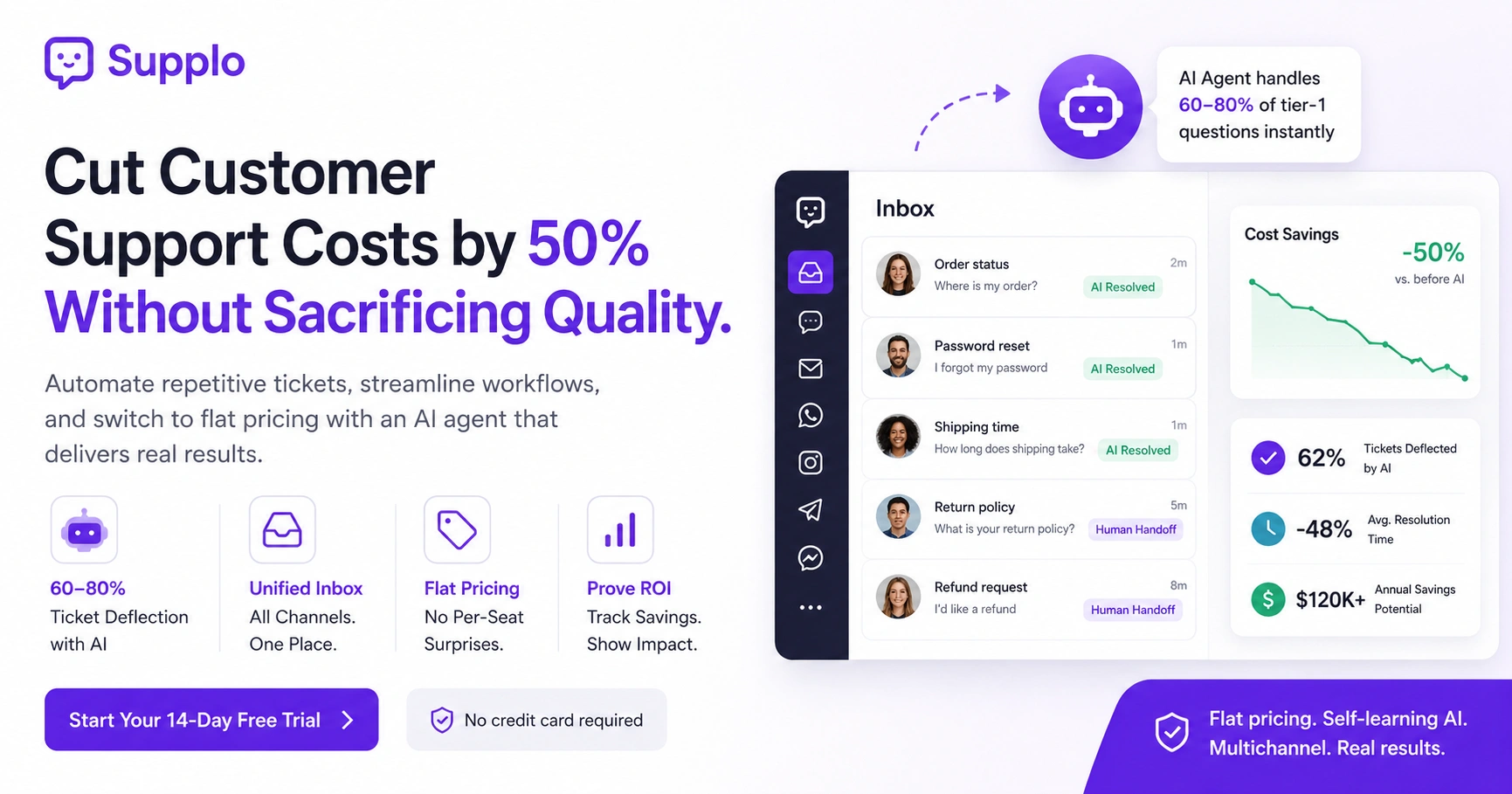
- Deflect first: Automate 60–80% of tier-1 questions with an AI agent to cut ticket volume and staffing needs.
- Consolidate tools: Replace multiple fragmented tools with one unified inbox to reduce overhead and streamline workflows.
- Flat pricing wins: Avoid per-seat or per-resolution pricing models that inflate costs as you scale.
- Measure ROI: Track deflection rate, cost per ticket, and resolution time before and after automation to prove savings.
Every single one of these moves is doable this week. Not next quarter. Not when we have a budget. This week.
Why Your Support Costs Are (Probably) Higher Than They Need to Be
Most support teams are paying for tools they don't fully use, and they're overstaffing for volume that could be automated. The highest hidden cost isn't the software; it's the time spent on repetitive, tier-1 questions that eat up 60–70% of your team's day. If you're scaling headcount linearly with ticket volume, support costs will always outgrow revenue.
Here's what's quietly draining your budget:
- The tier-1 tax: Simple questions (password reset, order status, shipping) cost the same as complex issues.
- Tool bloat: Running separate tools for chat, email, and social means paying for overlapping features.
- Unchecked volume: No deflection strategy means every customer hits a human, even if the answer exists in your knowledge base.
I've seen teams with five different support tools, all doing basically the same thing. That's not just wasteful. It's the kind of overhead that makes you wonder why support costs keep climbing while revenue stays flat.
The Real Cost of a Ticket – And Why Volume Matters
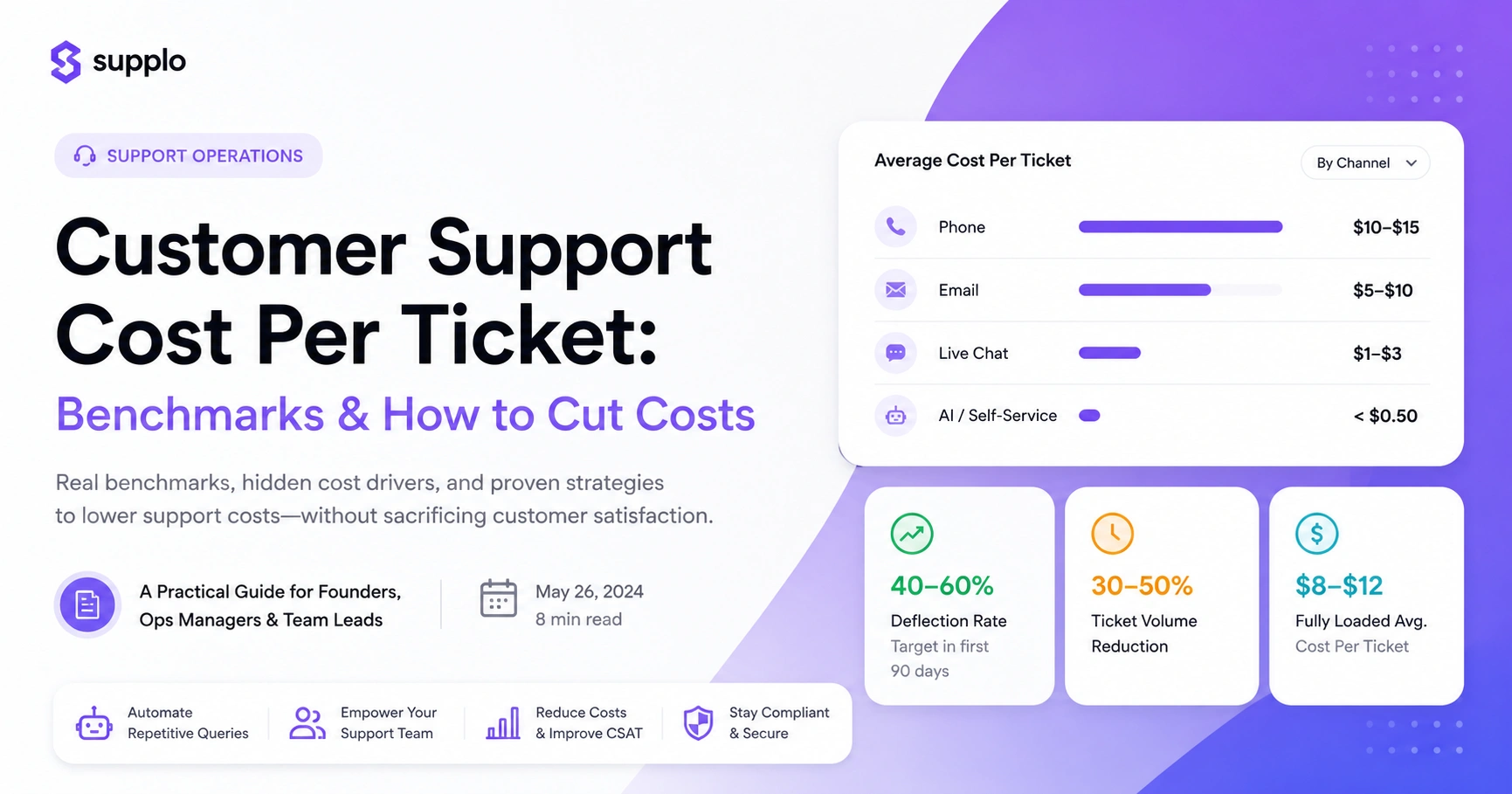
The average cost per ticket ranges from $15 to $50+, depending on channel and complexity. But here's the reality: that number compounds. If you're processing 1,000 tickets a month at $20 each, you're spending $240,000 annually on support. Dropping the volume by 50% at the same cost per ticket saves you $120,000. The lever isn't just efficiency; it's deflection.
Do the math yourself:
- Calculate your baseline: (Total support spend ÷ Total tickets) = Cost per ticket. Most teams don't track this.
- Volume is the multiplier: Reducing ticket inflow by 30% is usually cheaper than optimizing agent efficiency.
- Self-service is math: A single knowledge base article can deflect hundreds of tickets per month.
Here's a thought experiment: what if you could cut your ticket volume in half without hiring anyone? That's not a fantasy. It's what happens when you stop treating every question like it needs a human answer.
How to Reduce Customer Support Costs with Automation
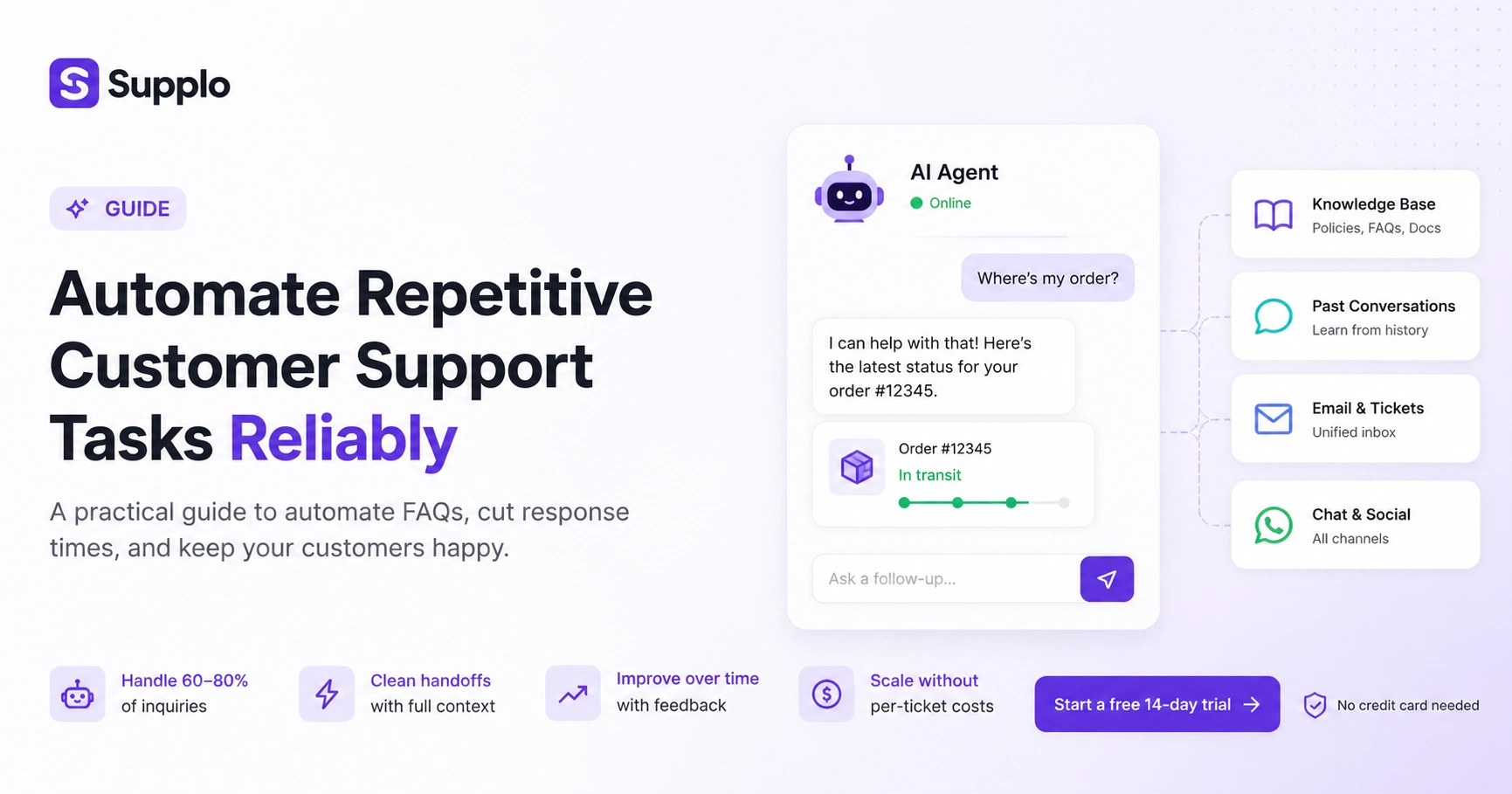
Automation doesn't mean replacing every support agent; it means letting software handle the predictable, repetitive questions that don't need a human touch. With a tool like an AI agent that resolves tickets autonomously, you can deflect 60–80% of incoming volume. The key is setting up a knowledge base that the AI can reference, so it answers accurately and hands off cleanly when it's out of its depth.
Here's how to get started without overthinking it:
- Start with your top 10 FAQs; program them into the AI's knowledge base first.
- Set a confidence threshold: If the AI is less than 90% sure, it should escalate to a human.
- Measure deflection rate: Track how many tickets never reach an agent. That's your savings.
- Use a shared inbox: An AI that sees all channels (email, chat, WhatsApp, Instagram) answers consistently.
The best part? You don't need to be a tech wizard to set this up. Most modern tools let you point the AI at your existing knowledge base, and it just works.
Ready to see what an AI agent can do for your team? Start your free 14-day trial at Supplo, no credit card required. You'll see your first cost savings within the first 48 hours.
Using AI to Cut Customer Support Costs Without Sacrificing Quality
The fear with AI is that it sounds robotic and frustrates customers. But modern AI support agents, when trained on your actual conversations, can maintain a natural tone and resolve issues faster than a human. The trick is to let the AI handle the easy stuff and route complex or sensitive issues to your team. Customers actually prefer a fast, accurate answer from a bot over a slow, polite answer from a human.
Here's what makes the difference between good AI and annoying AI:
- Train the AI on your best conversations, not generic scripts.
- Use sentiment detection: If the customer is angry, hand it off to a human immediately.
- Offer a Talk to a human button prominently (not buried).
- Test the AI with your own team before going live.
I'll be blunt: bad AI is worse than no AI. But properly trained AI? It's the difference between a customer waiting 45 minutes for a password reset and getting it in 7 seconds. That's not a trade-off; that's an upgrade.
Streamline Your Support Workflows to Lower Support Overhead
A streamlined workflow means fewer steps between a customer asking a question and getting an answer. If your team is switching between three tabs, email, chat, and social, to handle one customer, you're wasting time and money. The fix is a unified inbox that threads all conversations from any channel into a single timeline. Your team works on one ticket, not five fragmented messages.
Try this workflow audit:
- Audit your current workflow: What channels do you use? How many tools does an agent open per interaction?
- Consolidate into one inbox: Email, chat, WhatsApp, Instagram, Telegram, Messenger, all in one place.
- Use routing rules: Assign tickets by topic, not by channel.
- Set up macros for common responses to save 15 seconds per reply.
That's 15 seconds per reply? Over 500 tickets, that's over two hours saved. Per agent. Every month. Small changes add up fast.
How to Optimize Support Workflows for Efficiency
Optimization is a three-step process: measure, identify bottlenecks, and fix them. Start by tracking time-to-first-response and resolution time. If your team is slow on email but fast on chat, the issue is likely workflow, not people. Then automate the bottleneck: if shipping questions are the most common requests, have the AI answer them directly, freeing up your team for harder issues.
Here's your 30-day optimization plan:
- Run a 30-day audit of ticket types and response times.
- Identify the top 5 repetitive ticket types.
- Build a knowledge base article for each and train the AI.
- Measure the change in resolution time and agent workload.
The teams that do this are the ones that actually see cost savings. The ones that skip the audit? They're guessing. And guessing is expensive.
If your knowledge base is ready but your AI isn't, you're leaving money on the table. Try Supplo's AI agent for free. It learns from your existing docs and past conversations so that you can deflect tickets from day one.
The Pricing Trap: Why Per-Seat Tools Inflate Your Expenses
Traditional support tools charge per agent seat, which means your bill doubles every time you hire. If you need 10 agents, you're paying for 10 seats, even if some are part-time or seasonal. Modern AI-first tools like Supplo charge a flat per-workspace fee, so adding agents doesn't cost extra. If you're paying $0.99 per AI resolution with legacy tools, you're overpaying by a factor of 25 compared to a $0.04 per resolution model.
Let's break down the hidden costs:
- Per-seat pricing punishes scaling: More customers = more tickets = more agents = more seats.
- Flat pricing rewards efficiency: You pay the same whether you have 5 agents or 50.
- Hidden costs: Per-seat tools often charge extra for premium features like AI, analytics, or integrations.
- Example: Supplo's flat workspace pricing vs. legacy tools' per-seat + per-AI-resolution model.
The math is simple: if you're growing, per-seat pricing is a tax on your success. Flat pricing is an investment in it.
What to Look for in an AI Support Tool To Actually Save Money
Not all AI support tools are created equal. Some bury the AI behind a paywall. Others charge per resolution, which incentivizes the vendor to keep resolution rates high (even if it means bad answers). Look for a tool that offers flat pricing, transparent AI resolution rates, and a shared inbox that unifies all channels. The goal is to buy one tool that replaces three, not add another tool to the stack.
Here's your checklist:
- Flat pricing per workspace: No per-seat or per-resolution surprises.
- Self-learning AI: The AI should improve by reading your past conversations and knowledge base.
- Multichannel support: One inbox for email, widget, WhatsApp, Telegram, Instagram, and Facebook.
- Language translation: Built-in, not an add-on.
- Free trial: Test before you commit.
If a tool can't do all of these, keep looking. You shouldn't have to stitch together three different subscriptions to get basic support coverage.
How to Measure Cost Reduction and ROI on AI Support Automation
The ROI of AI support automation is measured in three numbers: tickets deflected, average resolution time, and cost per ticket. If you deflect 500 tickets per month at $20 each, that's $10,000 in savings. Compare that to your AI tool's cost. Most teams see a positive ROI within 30 days. The key is tracking both direct savings (tickets not handled by humans) and indirect savings (faster resolution, higher CSAT).
Here's what to track:
- Track deflection rate: Tickets resolved by AI that never reached a human.
- Track the cost per ticket before and after AI implementation.
- Track resolution time: AI should halve the average time to resolution.
- Track employee satisfaction: Agents doing less repetitive work = lower turnover.
The teams that measure this stuff are the ones that get budget approval for the next quarter. The ones that don't? They're always fighting for more resources.
When to Keep Human Support – And When to Let AI Take Over
AI is best for high-volume, low-complexity questions. Humans are irreplaceable for nuanced, emotional, or high-stakes conversations. The ideal system is a handoff model: AI handles the first line of defence, and when it detects frustration, confusion, or a request that's outside its training, it hands it off to a human with full context. No customer ever feels stuck in a bot loop.
Here's your guide:
- AI handles password resets, order status, shipping times, FAQs, and simple troubleshooting.
- Humans handle: Refunds, complaints, escalations, account changes, and complex technical issues.
- Handoff tip: Ensure the human sees the full AI conversation history.
- Test proactively: Run a human-only week every quarter to compare performance.
The trick isn't choosing between AI and humans. It's knowing when to use each. And honestly? Most teams overestimate how many conversations actually need a human touch.
Key Takeaways
- Automate first: AI agents can handle 60–80% of tier-1 support tasks, significantly reducing ticket volume.
- Consolidate tools: A unified inbox across all channels reduces overhead and improves efficiency.
- Optimize workflows: Regularly audit and streamline your support processes to identify and fix bottlenecks.
- Measure ROI: Track deflection rates, resolution times, and cost per ticket to quantify your savings.
- Choose the right tool: Look for flat pricing, self-learning AI, and multichannel support to maximize cost reduction.
- Balance AI and human support: Use AI for simple tasks and reserve human agents for complex issues.
Stop paying per seat for tools that don't scale. Supplo gives you a unified inbox, a self-learning AI agent, and multichannel support, all for a flat per-workspace fee. Start your 14-day free trial today and see how much you can save.
FAQ
Can AI really cut customer support costs by 50%?
Yes, for many teams. If your support volume is 60–70% tier-1 questions (password resets, order status, FAQs), an AI agent can handle those autonomously. That deflection alone can reduce the need for human agents by half, which directly cuts staffing and tool costs.
How do I start reducing support costs without buying new software?
Start with a knowledge base audit. Create public-facing articles for your top 10 most common questions. Link them in your chatbot, email signatures, and website. Deflection is free; it just requires writing. Then, when you're ready, add AI to handle the rest.
Will AI lower support quality?
Not if you set it up correctly. Train the AI on your best conversations, set a confidence threshold for handoffs, and keep the 'Talk to a human' button visible. Customers prefer a fast, accurate AI answer over a slow human one, as long as the AI isn't hiding its work.
What channels should I automate first?
Start with email and website chat. Those are usually the highest-volume channels. Once the AI is handling those well, add WhatsApp, Instagram, Telegram, and Messenger. A unified inbox makes this much easier.
How do I measure the cost savings from AI support?
Track three metrics: total tickets before AI, total tickets after AI, and the percentage deflected by AI. Multiply the deflected tickets by your average cost per ticket. That's your hard savings. Add in time saved per agent and reduced training costs for soft savings.
What if the AI gives a wrong answer?
That's why you always set a confidence threshold. If the AI is less than 90% sure, it should hand it off to a human. Also, regularly review the AI's logs and update its knowledge base. The AI learns from corrections, so accuracy improves over time.
This is standard compliance language. Using any AI support tool means you're responsible for how it interacts with your customers and channels. Always respect the platform's terms of service and data privacy regulations.
Compliance line: Supplo is not affiliated with any app or website. Please follow each app's terms and local regulations.