On this page
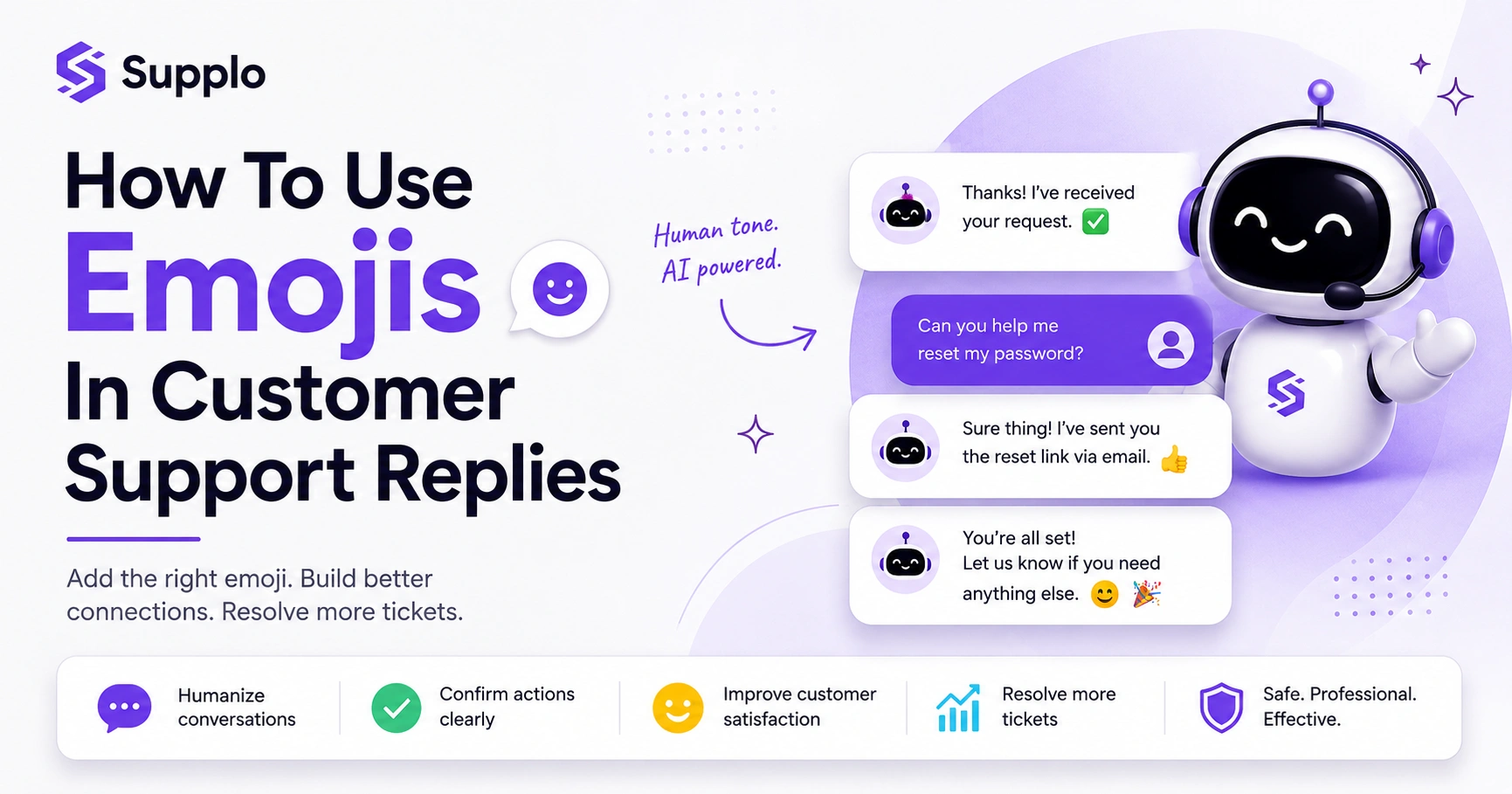
Modern customer support is getting a serious AI upgrade, but that brings up a funny question: can a robot be friendly without being, well, robotic? A big part of that is the humble emoji. This guide is your cheat sheet on when an AI chatbot can throw a 👍 into the mix and when it's better to stick to plain text.
This guide is for support managers, AI strategists, and business owners who want their automated support to feel human without stepping on any cultural landmines. Use this advice if you're building or refining a chatbot. If your brand tone is strictly formal, or your customers come from all over the world with very different interpretations of a purple heart, you should skip the emojis entirely.
Quick Answer
- Yes, AI chatbots can use emojis: Modern AI is trained to humanize interactions, and a well-placed emoji can set the tone.
- Context is king: Emojis are perfect for confirming actions (✅) or celebrating a resolution (🎉), but they're a disaster in delicate situations.
- Stick to the universal ones: Use simple, positive emojis like 👍 and 😊. Avoid anything culturally specific, sarcastic, or overly intimate.
- Configure and test: Set clear rules for your AI's emoji usage, then watch the data. See how it impacts customer satisfaction.
- Clarity over cuteness: An emoji should enhance communication, never replace a complete, clear sentence.
Do AI Chatbots Actually Use Emojis in Support? Yes, and Here’s Why
Absolutely. Modern AI chatbots, especially those trained on real human conversations, use emojis to signal tone and feel less like a brick wall. A simple smiley in a confirmation message or a thumbs-up when a ticket is marked as done can make a huge difference. But the why is important: it’s not about being a fun brand; it’s about making the exchange clearer and more empathetic.
Emojis bridge the gap between a flat text reply and the vocal tone you'd hear on a phone call. They reduce the chance of a message being read as cold or abrupt. A study by the University of Cambridge even found that emojis in customer service chats can boost perceptions of friendliness and competence. The trick is context. A party popper for a solved ticket? Perfect. A sad face during a complaint? That’s a one-way ticket to an angry customer. Not all AI models handle emojis the same way. Some are trained to avoid them, while others can be configured to use them sparingly and effectively. This is exactly what we consider when we talk about whether AI chatbots use emojis in support: it’s a yes, but only with guardrails.
The Best Emojis for AI Customer Service Replies (and a Few to Avoid
For AI customer service, safety and clarity are everything. The best emojis are the universally understood ones: ✅ (Check Mark Button) for confirmation, 👍 (Thumbs Up) for acknowledgment, and 😊 (Smiling Face with Smiling Eyes) for a friendly tone. Steer clear of anything that could be read as sarcastic, aggressive, or culturally specific. The 🙏 (Folded Hands) or 😅 (Grinning Face with Sweat) can confuse non-native speakers or be misinterpreted.
Safe bets for AI customer support:
- 😊 (Smiling Face with Smiling Eyes)
- 👍 (Thumbs Up)
- ✅ (Check Mark Button)
- 🎉 (Party Popper for resolved tickets)
- 📧 (E-Mail for email-related queries)
Emojis to proceed with caution:
- 😂 (Face with Tears of Joy) – often seen as unprofessional.
- ❤️ (Red Heart) – typically too intimate for customer service.
- 🙌 (Raising Hands) – can be overkill for a simple confirmation.
Emojis to avoid entirely:
- 😡 (Pouting Face), 🙄 (Face with Rolling Eyes), 😈 (Smiling Face with Horns), or any emoji that could be a microaggression.
- Any emoji that requires deep cultural context (e.g., the OK hand sign is offensive in some regions).
If you have to question whether an emoji is appropriate, it probably isn’t. Stick to the top 10 most universally recognized symbols.
The Golden Rules of Professional Live Chat Emojis
Using emojis in a professional live chat environment isn't about being a cool brand; it's about serving customers effectively. The golden rules are:
- Use emojis to confirm, not to reply.
- Never use an emoji to replace a clear, complete sentence.
- Match the customer's energy. If they're frustrated, an emoji is the last thing they need. If they're casual, a simple smiley can build rapport.
Key principles for emoji use:
- One emoji per response is sufficient. More than one can look like spam or indecision.
- Context is King: A 👍 is great for Got it, I'm on it. But never use a 👍 if the customer is reporting a serious issue.
- Consistency: Your brand's emoji policy should be applied uniformly across all channels (email, chat, WhatsApp) to avoid confusion.
- Accessibility: Remember that screen readers read emoji descriptions aloud. Overusing emojis clutters the experience for visually impaired customers.
How to Use Emojis in Customer Support Without Sounding Robotic
The biggest risk is that an AI bot uses emojis in a pattern that feels scripted. To avoid this, your AI should use emojis only when they add genuine value, such as confirming a payment or celebrating a resolution. The trick is to signal the emoji naturally in the text. Instead of Thank you! 😊, try I appreciate your patience, thanks for sticking with me! 😊 The emoji should feel like a natural extension of the sentiment, not a forced punctuation mark.
To use emojis naturally:
- Vary placement: Don't always put the emoji at the end of the sentence. Sometimes it works better mid-sentence for emphasis.
- Use emojis as visual anchors: For example, adding ✅ before a list of completed steps helps the customer quickly scan the information.
- A/B test your emoji usage: See if customers respond faster or rate conversations higher when emojis are included versus when they are not.
- Let the AI learn from real conversations: The best emoji strategy is informed by actual customer interactions, not a static rulebook.
Live Chat Emoji Etiquette for Support: When to Smile and When to Stay Serious
Emoji etiquette is about reading the room. If a customer is typing in all caps, using exclamation points, or clearly frustrated, an emoji will feel dismissive. The best time to use an emoji is during the resolution or closing of a conversation, not during the problem identification phase. Save the happy emojis for after the problem is solved.
Emoji etiquette by conversation phase:
- The Opening Phase: Avoid emojis in the very first greeting. Keep it professional and simple with text.
- The Problem-Solving Phase: Only use a ✅ Check Mark to confirm you've received information or are taking action. No smiley faces here.
- The Resolution Phase: This is the ideal moment. A 🎉 or 😊 signals that the issue is behind us.
- The Frustrated Customer Scenario: Skip the emojis entirely. A human-like, empathetic text response is far more effective than any emoji can convey.
Customer Support Chat Emoji Rules: The Dos and Don’ts
The rules are simple but crucial. DO use emojis to confirm actions (✅), acknowledge receipt (👍), and express gratitude (😊). DON’T use emojis to replace words, apologize, or convey sarcasm. Clear rules set prevent your AI from making emotional mistakes that a human agent would easily avoid.
Dos for AI emoji use:
- Use emojis that are part of the Unicode standard to ensure they render correctly on all devices.
- Create an allowlist of approved emojis for your AI.
- Use emojis sparingly; one per message is often ideal.
Don'ts for AI emoji use:
- Don’t use emojis that require cultural context (e.g., the OK hand sign can be offensive in some cultures).
- Don’t let the AI decide on its own when to use an emoji. It should be a configurable setting, not a creative decision.
- Don’t use emojis when the customer is expressing frustration or reporting a serious issue.
How Supplo’s AI Agent Handles Emojis in Live Chat
Supplo’s AI agent is designed to be a practical, transparent assistant, not a standalone marketing bot. It uses emojis based on a configurable tone setting. You can choose a professional mode (no emojis by default) or a friendly mode (safe emojis like ✅, 👍, 😊 for appropriate contexts). The AI learns from your knowledge base and past conversations, so it knows when a simple emoji confirmation is appropriate versus when a longer, human-like response is needed. This isn't about being flashy; it's about being reliable.
Supplo’s AI Agent resolves up to 80% of incoming tickets automatically, bringing efficiency without sacrificing customer experience. The system unifies email, website chat widget, WhatsApp, Telegram, Instagram DMs, and Facebook Messenger into a single, thread-based inbox, meaning your AI can maintain consistent emoji etiquette across all channels. You can learn how Supplo handles email ticketing with AI and how it leverages your existing knowledge base to deliver accurate, context-aware responses. Like all of Supplo’s features, emoji usage is included in the flat $0.04 per resolution pricing. There are no hidden seat fees, allowing you to manage costs effectively.
Testing Your Emoji Strategy: What to Watch for in AI Replies
A/B testing is your best friend when refining emoji usage. Try running a test where one group of customers gets responses with emojis, and another gets text-only responses. Watch for changes in CSAT scores, first-contact resolution time, and reply rates. If you see a positive shift, you’re on the right track. If you see a drop, it’s time to dial back the emoji usage or refine the list.
What to monitor during testing:
- Sentiment Analysis: Use tools to see if emoji-using replies are perceived as friendly or potentially unprofessional.
- Customer Confusion: If a customer asks What does that mean? After an emoji reply, it’s a clear red flag.
- Escalation Rates: Are conversations with emojis more likely to be escalated to a human agent? This could indicate friction or misunderstanding.
- Channel Performance: Test emoji use on different platforms. An emoji that works on a website chat widget might feel out of place on WhatsApp or Telegram.
When Emojis in Live Chat Support Backfire
The most common mistake is using an emoji to replace an apology. Sending a 😔 instead of a clear I'm sorry for the inconvenience feels dismissive. Another big one is overusing emojis when dealing with a complex technical issue, which can make the customer feel like you aren't taking their problem seriously. Finally, cultural missteps are a real risk; a thumbs-up is fine in North America, but can be offensive in parts of the Middle East and West Africa.
Pitfalls to avoid:
- The Apology Trap: Never use an emoji to apologize. Always use clear, empathetic language.
- The Technical Issue Mistake: Using a smiley while explaining a server outage makes you look disconnected from the problem.
- The Cultural Blind Spot: The OK sign, the V sign, and even the Clapping hands can have negative connotations in other cultures. Always research emoji meanings globally.
- The Double Emoji Problem: Using two or more emojis in a row often looks like spam or indecision, diminishing clarity.
Avoid the Emoji Backfire for Good
If you're worried about a customer misinterpreting an emoji, Supplo gives you the controls to blocklist risky symbols and set strict tone rules. Get transparency and control.
See How Supplo Handles Tone →
Configuring Emoji Use in Your AI Chatbot
Want to test this out? The fastest way is to set up a free trial with a platform like Supplo that gives you granular control over the AI's tone. In your settings, find the Tone & Personality section. Start with Friendly mode and review the pre-approved emoji list. Then, run a test with a small team before rolling it out to all customers. The goal is to ensure the emojis feel natural, not forced.
Configure emoji use in your AI chatbot:
- Create a free 14-day trial at Supplo.io.
- In the AI Agent settings, select Friendly tone or customize your own.
- Review the default emoji list and remove any you're not comfortable with. Create your own blocklist.
- Run a test conversation with your team to see how it feels and gather internal feedback.
- Monitor your first 100 real customer conversations for any negative reactions or unexpected outcomes.
Key Takeaways
- Thoughtful emoji use by AI can humanize interactions and boost customer satisfaction.
- Universal emojis (✅, 👍, 😊) are safest for professional customer service.
- Context and customer sentiment should always dictate emoji usage.
- Avoid emojis in sensitive situations or as replacements for clear text.
- Configure your AI's emoji settings and continuously test their effectiveness.
FAQ
Is it legal to use emojis in AI customer support?
Yes, it is legal. There are no laws prohibiting the use of emojis in customer service. However, you must ensure your use complies with accessibility guidelines (e.g., that screen readers can parse them) and that you don't use emojis in a way that could be construed as deceptive or harassing.
Why do some AI chatbots not use emojis?
Some AI chatbots are trained with a professional-only dataset that excludes emojis to avoid the risk of misinterpretation. Others are older models not designed for conversational nuance. Modern, configurable AIs allow you to turn emojis on or off based on your brand's needs.
What is the single best emoji for an AI support agent?
The ✅ (Check Mark Button) is the most universally useful. It confirms an action, validates information, and signals progress without adding emotional tone. It's safe, professional, and clear.
Should I use emojis in a complaint ticket?
Generally, no. In a complaint scenario, the customer is likely frustrated. An emoji can feel dismissive or flippant. Stick to clear, empathetic text. Only use a ✅ to confirm you've received the complaint or are taking action.
Can I use emojis in WhatsApp support via AI?
Yes, and it's very common. WhatsApp is a more casual channel, so emojis are often expected. The same rules apply: keep it simple, avoid cultural minefields, and let the context (not the emoji) do the heavy lifting.
What happens if my AI uses an emoji that offends a customer?
It's a risk, which is why we recommend using a strict, pre-approved list of safe emojis (✅, 👍, 😊, 🎉). If a customer complains, apologize immediately (without an emoji) and escalate to a human agent. Review your emoji list immediately.
Do emojis improve AI chatbot customer satisfaction scores?
Often, yes, but only when used correctly. Studies show that a well-placed emoji can humanize the interaction and increase perceived friendliness. However, incorrect usage (e.g., using a smiley during a technical outage) can actively lower satisfaction scores.
Compliance line: Supplo is not affiliated with any app or website. Please follow each app's terms and local regulations.