On this page
Let's be real, nobody wakes up excited to manually sort through 500 support tickets. But here's the thing: you can automate technical support tickets without sacrificing quality or making your customers feel like they're talking to a brick wall. The trick is knowing what to automate, what to keep human, and how to set it all up without breaking your workflow.
This guide walks you through exactly that. Whether you're a support manager drowning in repetitive queries or a business owner looking to scale without hiring ten more agents, we've got you covered.
Quick Answer
- Start small, win fast: Pick your top 3-5 recurring issues (password resets, billing questions, known bugs). Automate those first and watch your containment rate jump.
- Your knowledge base is everything: An AI is only as smart as the docs it reads. Garbage in, garbage out, so make those articles crystal clear.
- Always have an escape hatch: Every automated ticket needs a clear path to a human. No customer should ever feel stuck in a bot loop.
- Keep tweaking: Review a handful of resolved tickets each week. Fix what's broken. Update what's outdated.
What Does It Actually Mean to Automate Technical Support Tickets?
Here's the honest version: automating technical support tickets means using smart software to handle the boring, repetitive parts of your support flow, while leaving the messy, human stuff for your actual team.
Think about it. When someone asks, "How do I reset my password?" For the 47th time today, an AI can grab that answer from your knowledge base, craft a helpful response, and move on. No humans needed. But when a customer's account gets hacked? That's a conversation for a real person.
A good system does more than reply. It:
- Triages first: Figures out what the ticket is about before doing anything else
- Responds with context: Not a generic thanks for reaching out, but an actual answer
- Enables self-service: Lets customers find their own answers through a smart widget
- Learns as it goes: Gets better at resolving tickets over time by analysing what worked
The Core Problem: Why Manual Ticket Handling Breaks Your Workflow
You know the feeling. It's Monday morning, you open your inbox, and 200 tickets are staring back at you. Three of them are urgent server issues. Most of them are basic questions your documentation already covers. And somewhere in the middle, a paying customer has been waiting 48 hours for a reply.
That's the problem with manual handling. It doesn't scale. When every single ticket lands on a human agent's plate, urgent or not, complex or trivial, response times explode, burnout sets in, and your best people spend their days answering the same questions over and over.
The result? Inconsistent replies (because different agents say different things), missed SLAs (because urgent tickets get buried under password resets), and a team that's constantly playing catch-up. You don't need more agents. You need a better system. And that starts with a solid email ticketing system that can handle the noise.
How an AI Ticket Triage System Automates Ticket Assignment
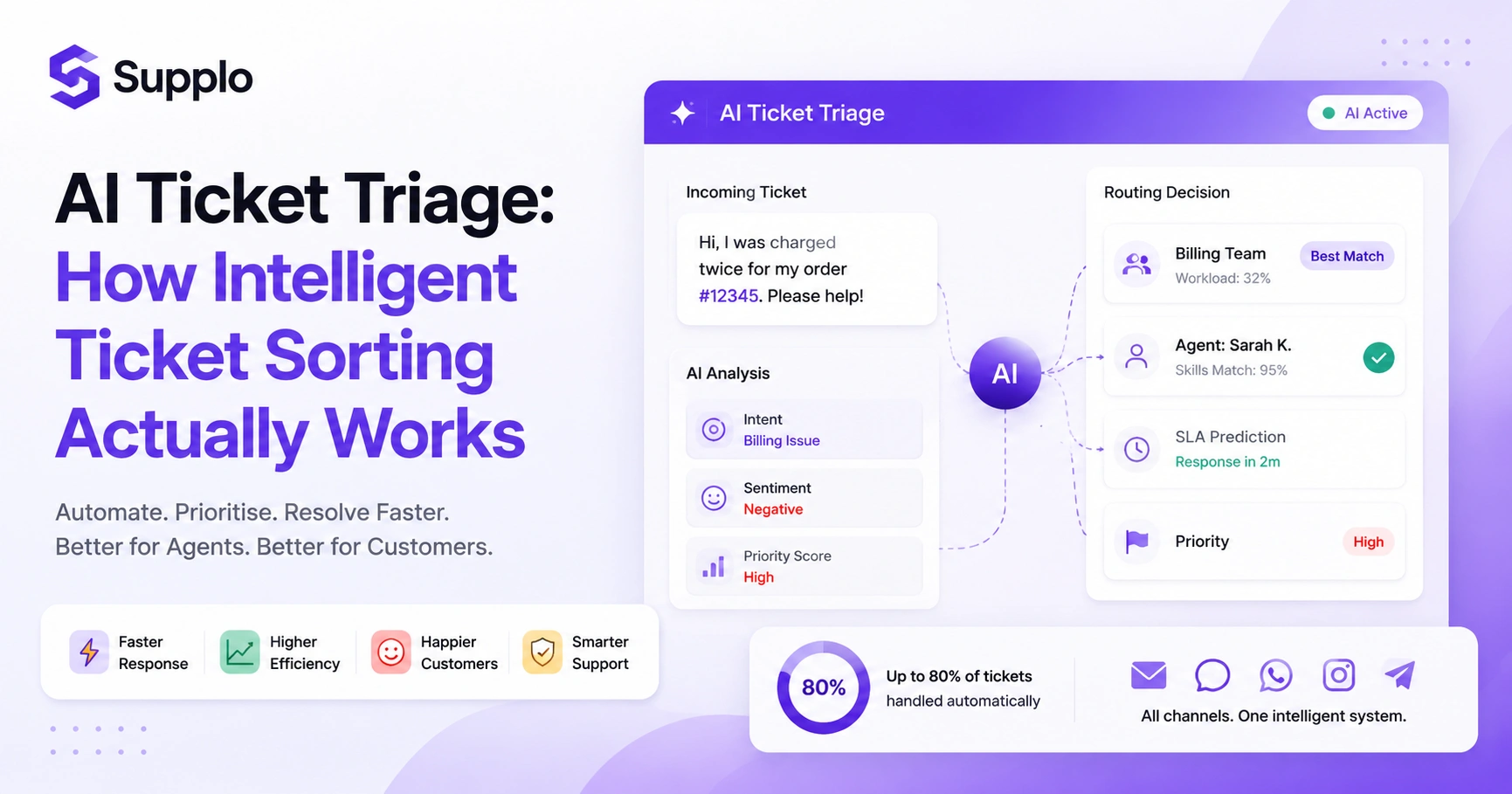
Imagine having a smart assistant that reads every incoming message, figures out what it's about, and sends it to exactly the right place, all in under a second. That's what an AI ticket triage system does.
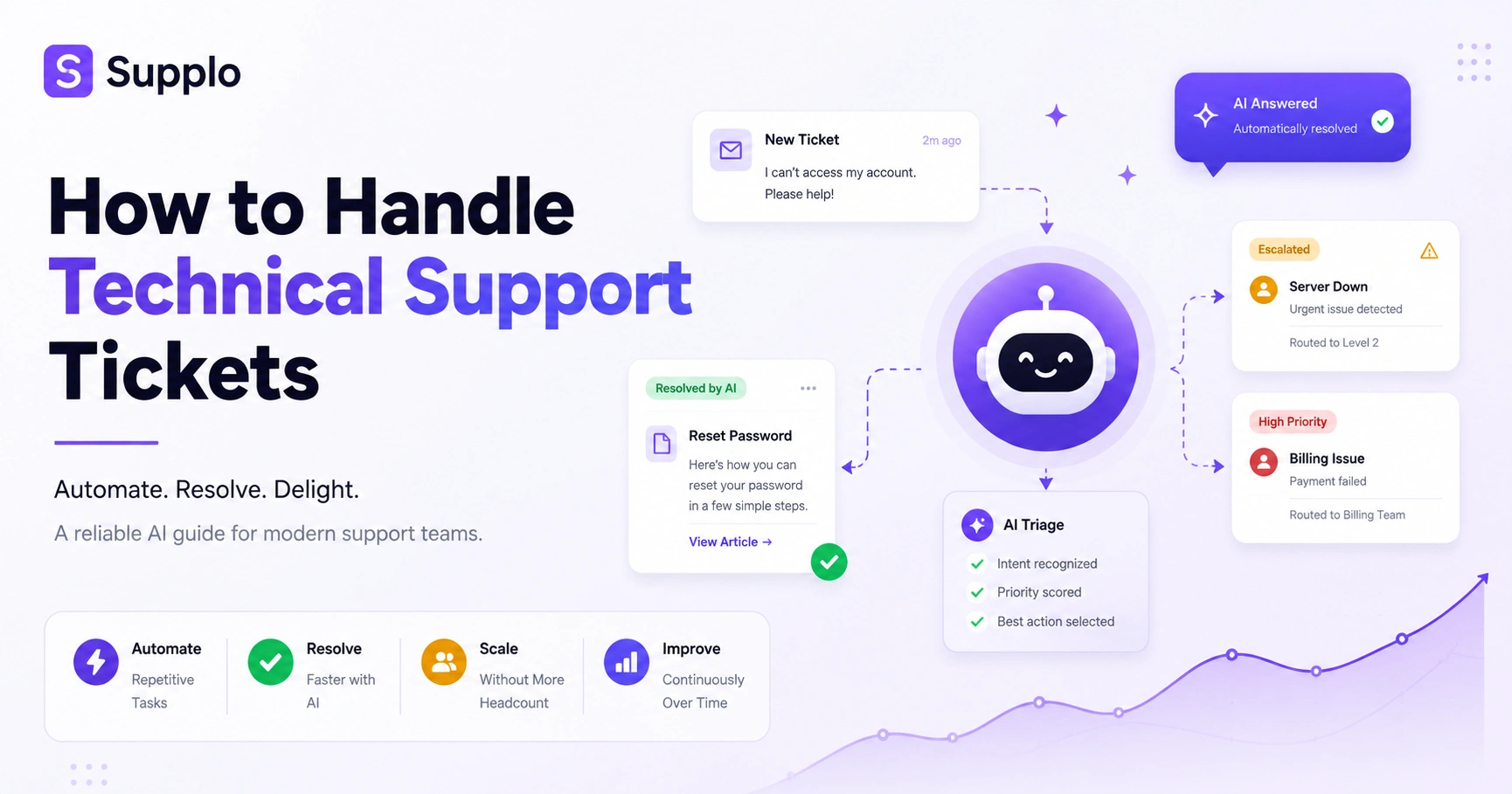
Instead of a human sifting through a pile of emails, the AI analyses the language, spots urgency cues, and checks history to decide what happens next. That production server is down, email? Straight to the top of the queue. How do I change my plan? question? Routed to the AI agent with a knowledge base article attached.
The system uses:
- Intent recognition: Knows the difference between a bug report and a feature request
- Priority scoring: Flags urgent keywords like cannot access or down automatically
- Smart routing: Sends simple tickets to the AI, complex ones to Level 2
- Load balancing: Spreads escalated tickets evenly so no human gets overwhelmed.
Setting Up Your AI Knowledge Base for Self-Service Resolution
Let's be blunt: if your knowledge base is a mess, your AI will be, too. This is the foundation of everything. Your AI can't resolve tickets if it doesn't have good answers to draw from, and "good" means accurate, well-structured, and easy to find.
Start by importing everything you've got. Old FAQs, help centre articles, even past ticket resolutions. Dump it all into a central repository that your AI can query in real-time. Then organise it by intent, group articles by common issues like login problems, billing questions, or feature setup.
Here's the part people skip: include a feedback loop. Make sure your AI can report on which articles are used most and which cause escalations. That data tells you exactly where your knowledge base is weak.
Pro tip: review your last 100 tickets and identify the top 10 issues. Build articles for those first before worrying about edge cases. Check out how to build an effective AI knowledge base that actually works.
Configuring Workflow Automation for Support Triggers & Actions
This is where your support system starts thinking for itself. Workflow automation is just if this, then that on steroids. You define the rules, and the system runs them automatically.
For example, if a ticket contains the phrase billing error, auto-assign it to the billing queue and send an instant acknowledgement. If a ticket comes from the VIP customer email domain, flag it as high priority and notify a senior agent.
Setting this up is simpler than you think:
- Define triggers: Keywords, sender domains, ticket sources (email vs. widget), customer tiers.
- Set actions: Assign labels, move tickets to specific folders, send auto-replies, create internal notes
- Build escalation paths: If the AI can't resolve a ticket after two tries, tag it for a human.
- Test everything: Run a sample ticket through each rule before going live.
Implementing an AI Auto-Response for Repetitive Technical Issues
A real auto-response does more than say, "Thanks, we got your email." It answers the question. When a customer asks how do I integrate your API? they don't want a ticket number, they want step-by-step instructions.
That's the difference between a generic autoresponder and an AI-powered system. The AI reads the question, pulls the relevant article from your knowledge base, and sends back a tailored response. Suppose the answer resolves the issue, great. If not, the conversation escalates to a human.
Start with your highest-volume queries, the top 3 issues your team answers every single day. Set a confidence threshold so the AI only sends a response when it's 90%+ sure it has the right answer. Anything below that? Escalate.
Track your resolution rate religiously. How many auto-responses lead to ticket closure versus follow-up questions? That number tells you if your system is working or if you've got gaps to fix.
Setting Up an Automated Technical Support Ticket Resolution Loop
This is the endgame. The AI reads the ticket, finds the answer, sends a response, and, if the customer confirms the issue is solved, closes the ticket. No human ever touches it.
Here's how it works in practice:
- Customer submits a ticket: "How do I reset my password?"
- AI identifies the intent: password reset.
- AI pulls the relevant article from your knowledge base.
- AI sends a response with step-by-step instructions.
- AI asks: Did this resolve your issue?
- If yes → ticket closed. If no → re-opened and sent to a human.
The magic happens when customers confirm resolution. That's a containment win. With a well-trained AI agent, you can handle up to 80% of repeatable issues automatically.
But here's the critical part: when the AI fails, the entire conversation thread is routed to a human agent, no lost context. No asking the customer to repeat themselves. Just a seamless handoff with everything the human needs.
Testing and Refining Your Automated Ticketing System
No system is perfect on day one. And if you set up automation and walk away, you're asking for trouble. An unmonitored AI will eventually give wrong answers, frustrate customers, and erode trust.
You need to audit your system regularly. That means:
- Review mis-triaged tickets weekly: Did the AI send an urgent issue to the wrong queue?
- Check false positives: Did the AI close a ticket that actually needed human follow-up?
- Monitor customer satisfaction: Are people happy with the AI responses, or are they clicking this didn't help?
- Update your knowledge base constantly: Add new FAQs, remove outdated info, and tweak failing answers.
The goal isn't perfection. It's continuous improvement. A system that improves by 5% each month will outperform one that was perfect on launch day but never updated.
What to Look For in the Best Technical Support Ticket Software
Let's cut through the noise. You don't need a platform with 500 features you'll never use. You need one that actually works, without breaking your budget or confusing your team.
Here's what matters:
- True AI resolution: The AI should resolve tickets from your knowledge base, not just send canned responses
- Unified inbox: All channels (email, chat, WhatsApp, social DMs) in one ticket thread
- Flat pricing: No per-seat or per-resolution fees that balloon as you scale. A flat per-workspace price is your friend
- Quick setup: Hours, not weeks. If implementation takes months, the software is too complicated
- Transparent limits: The vendor should clearly state what the AI can and cannot do
Check out our transparent pricing model to see how it works.
Common Pitfalls When You Automate Technical Support Tickets And How to Avoid Them
The biggest mistake? Setting up automation and forgetting about it. An AI that isn't monitored will eventually give wrong answers, and wrong answers frustrate customers faster than slow responses ever could.
Other common pitfalls:
- Trying to automate everything at once: Start with 3-5 ticket types. Add more as you refine.
- Neglecting your knowledge base: Old or missing articles cause the AI to fail. Keep docs updated.
- Ignoring customer feedback: If people keep saying this didn't help, listen to them.
- No escalation path: Every ticket needs a clear route to a human when the AI gets stuck.
And don't forget compliance. Supplo is not affiliated with any app or website. Please follow each app's terms and local regulations. While automation can handle messages from channels like WhatsApp customer support, always ensure proper handoffs and compliance with platform rules.
Key Takeaways
- Automate technical support tickets to handle repetitive tasks, not complex human issues.
- A solid AI knowledge base is the foundation; garbage in, garbage out.
- Workflow automation turns your inbox from passive to proactive.
- AI auto-responses should answer questions, not just acknowledge them.
- A resolution loop lets the AI close tickets after customer confirmation.
- Test and refine constantly; no system is perfect from day one.
- Look for software with true AI resolution, a unified inbox, and flat pricing.
- Avoid over-automating, neglecting your knowledge base, and forgetting escalation paths.
FAQ
Is it safe to let an AI handle technical support tickets?
Yes, as long as the AI is trained on accurate data and has clear escalation rules for issues it can't resolve. Keep the AI away from sensitive tasks like password resets or payment processing without human verification. Monitor performance regularly.
What types of technical tickets should I NOT automate?
Anything involving security breaches, account deletions, major billing disputes, or legal/compliance reviews. Those need human judgment and empathy. Stick to automating high-volume, repeatable issues.
How do I prevent the AI from giving wrong answers?
Set a high confidence threshold (90%+) before the AI sends a response. If it can't find a confident answer, escalate to a human. Review resolved tickets regularly to catch errors.
What is the difference between an auto-responder and AI ticket resolution?
An auto-responder sends a message saying we got your ticket. AI resolution reads the question, finds the answer, and sends a specific response that resolves the issue. The second one is actually useful.
How long does it take to set up automated ticket triaging?
Basic setup with keyword triggers and routing rules can take under an hour. More advanced intent recognition might need a day or two to fine-tune.
Can automation handle tickets from WhatsApp and social media?
Yes, if your help desk software includes a unified inbox. The AI can process messages from WhatsApp, Instagram DMs, Telegram, and Facebook Messenger the same way it handles email.
What happens to a ticket if the AI doesn't know the answer?
It escalates to a human with a note explaining why (e.g., no matching article found or confidence score below threshold). The human takes over from there.
Compliance line: Supplo is not affiliated with any app or website. Please follow each app's terms and local regulations.