On this page
A product outage is inevitable. How you handle it defines your brand's commitment to customer trust. This guide focuses on building a robust customer support communication strategy for product outages, ensuring your support teams are prepared, proactive and effective when the unexpected happens. It's for customer support leaders, operations managers and anyone responsible for maintaining customer confidence during system downtime.
Quick Answer
- Acknowledge Immediately: Inform customers of the outage within 5-10 minutes, even with minimal details.
- Plan Ahead: Develop a detailed outage communication plan before any incident occurs, defining roles and channels.
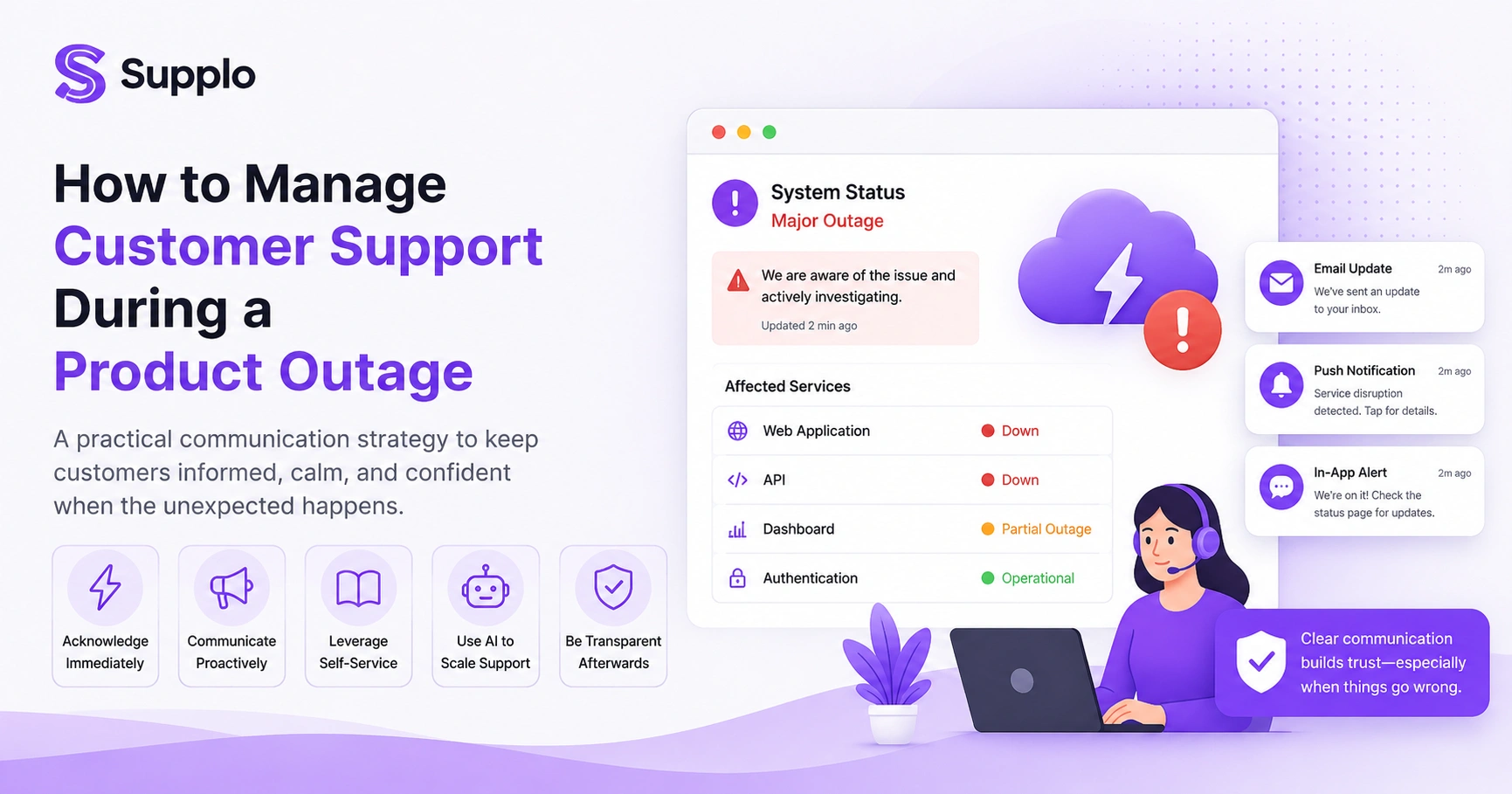
- Proactive Messaging: Use push notifications, emails and in-app alerts to inform users before they search for answers.
- Leverage Self-Service: Direct customers to a status page and knowledge base for real-time updates and FAQs.
- AI for Scale: Implement AI customer support to handle high inquiry volumes and provide instant status updates, freeing human agents for complex issues.
- Transparent Post-Mortem: Share a clear post-incident report outlining the cause, resolution and preventative actions.
Why a Silent Product Outage Is the Fastest Way to Lose Trust
When your product goes down, silence is not a strategy; it's a liability. Customers don't expect perfection, but they do expect honesty and speed. A lack of communication during a system outage signals either incompetence or indifference and both erode trust far faster than the outage itself. Acknowledging the issue early, even before you know the full scope, keeps your brand human and credible.
When customers encounter an issue and hear nothing from you, their frustration quickly escalates. They often turn to social media or review sites to voice their concerns, amplifying negative sentiment. This can lead to a surge in support tickets, as dissatisfied users desperately seek answers, overwhelming your team. Proactive communication outage updates, even simple we're investigating messages- can significantly reduce this inbound pressure. Trust is rebuilt through transparency, not by hiding imperfections.
Building Your Outage Communication Plan Before the Servers Go Down
You cannot write a coherent outage communication plan while your database is on fire. Pre-built templates, internal escalation paths and decision trees for severity levels should be drafted, reviewed and stored in advance. This plan forms the backbone of how your team responds when real pressure hits.
Start by defining clear severity levels (e.g., minor, major, critical) and who is responsible for communication at each level. Assemble a library of pre-written email templates, in-app banners and social media posts for various outage scenarios. Assign specific roles for drafting, approving and distributing communications. Crucially, include a checklist for live updates and stress-test the entire plan during a mock outage, not just on paper, to refine your outage preparedness and customer support.
How to Communicate During a Product Outage: The Real-Time Playbook
Once the outage is live, your job is to communicate continuously through three stages: acknowledge, update and resolve. The first message should state that you're aware of it and are investigating, even if you have no details. Follow-up updates should include the root cause (once known), an estimated ETA and confirmation that the fix has been deployed. This is key to communicating during a product outage.
Send that first acknowledgement within 5–10 minutes of detection. Use a dedicated status page (or a pinned social post) as the single source of truth for all incident communication strategy updates. Always avoid engineering jargon; write for the average user. Include a link to your status page in every automated response and finally, thank customers for their patience and commit to a post-mortem once the issue is resolved.
Proactive Customer Support During a Product Outage vs Reactive Damage Control
Proactive customer support during a product outage means messaging your users before they have to search for answers; reactive support waits for the flood of tickets. A proactive approach uses push notifications, email blasts and chatbot banners to confirm the issue exists. At the same time, reactive support only fires up after the frustration has already multiplied in the queue.
Consider the difference: a proactive message stating, We're currently aware of an issue affecting service and are investigating, vs waiting for a customer to contact you with a complaint. Proactive communication outage strategies can reduce ticket volume by a significant margin, sometimes up to 70%, by simply informing users. AI tools can even trigger outbound alerts based on monitoring tools like PagerDuty or Datadog, ensuring customers feel informed, not ignored.
Anticipating Customer Needs During an Outage Before They Even Contact You
Anticipating customer needs during a product outage means answering the top five questions before they're asked: Is it down for everyone? What's affected? When will it be fixed? What happens to my data? How will I know when it's back? Address these upfront and you shrink your support queue and protect your SLA score simultaneously.
Pull common questions from past incident patterns in your ticket system to inform your messaging. For partial outages, add a What you can do while we fix this section that suggests alternative workflows or desktop vs mobile workarounds. Segment your communications by user type (e.g., admin, end-user, enterprise customer) and use sentiment-detection tools to flag high-value accounts early, ensuring you inform customers before outage-related frustration builds.
Supplo is not affiliated with any app or website. Please follow each app's terms and local regulations.
Incident Communication Strategy: Who Gets the Message, When and How
Not every outage message belongs on every channel. Critical incidents for paid customers should trigger email and SMS, while minor glitches may only warrant an in-app toast notification. Your incident communication strategy must segment audiences by impact level and channel preference to avoid either alarming users unnecessarily or burying the news where they won't see it.
Define communication tiers: for a P1 (critical) outage, this might mean email, SMS, social media and a status page. Enterprise clients, in contrast, may require direct phone calls or dedicated Slack channel updates. Use internal routing to prevent large teams from duplicating communication efforts. While automation can fill templates for platforms like WhatsApp or Telegram, a human review before sending is crucial.
The Role of Self-Service During a Product Outage
When your team is drowning in tickets, self-service becomes your safety valve during a product outage. A well-maintained status page, an outage-specific FAQ in your knowledge base and an AI chatbot pointed at these resources can absorb 60–80% of incoming questions without a human touching a keyboard. This isn't about hiding; it's about scaling.
For status pages, follow best practices: include real-time timestamps, component-level status and subscribe-for-updates buttons. Your knowledge base FAQ should address common concerns such as Is the outage related to my account? or Will I lose my data?. A well-configured chatbot can offer immediate deflection with messages like We're experiencing an outage. Here are the latest updates. This reduces pressure on live agents, allowing them to focus on critical account escalations. For complex issues, set up a status page and FAQ in your knowledge base.
Using AI Customer Support During a Product Outage to Handle Volume Without Burning Out Your Team
AI customer support during a product outage is not about replacing humans; it's about protecting them. An AI agent that can answer status questions, share known workarounds and escalate only the nuanced issues keeps your queue manageable. With Supplo's self-learning AI, you can set up automated responses that draw directly from your knowledge base and past conversations, resolving common outage questions at a fraction of the cost of a live agent.
An AI chatbot can deliver continuous status updates during an outage without human intervention. Our self-learning AI agent resolves up to 80% of incoming tickets automatically at a flat $0.04 per resolution, compared to the $0.99 commonly charged by legacy tools. The AI hands off cleanly to a human when it detects frustration or a complex question. Critically, AI handles translation automatically, making it ideal for global outages. What's more, our pricing is flat per workspace, so your bill doesn't balloon as your team grows.
A shared team inbox is also crucial for managing the flood of outage tickets and preventing agents from missing critical customer conversations.
Post-Incident Communication: Turning an Outage Into a Trust-Building Opportunity
How you communicate after the outage is just as important as the messaging during it. A transparent post-mortem delivered to your users, including root cause, total downtime and what you're doing to prevent recurrence, turns a frustrating event into a demonstration of accountability. It's one of the most underused loyalty tools in customer support.
Send a clear Incident Report email within 24–48 hours of resolution. Avoid vague terms like network issues when a specific error caused the outage; be explicit. For major outages, consider offering a token of goodwill, such as an extension of service credit. Use the post-mortem as content for your knowledge base to educate users and link to your public status page for historical incident tracking, demonstrating effective outage preparedness and customer support.
Testing Your Outage Preparedness and Stress-Testing Your Customer Support Systems
The only way to know whether your outage communication plan works is to break things deliberately. Run quarterly chaos engineering drills where you simulate a system outage and time how long it takes to acknowledge it publicly, route tickets to the right queue and trigger your AI chatbot with the correct response. Then debrief and update the plan.
Run a tabletop exercise with your support, engineering and communications teams. Measure key metrics like first-acknowledgement time, ticket volume spike and resolution time. Confirm that your AI chatbot can effectively pull from your knowledge base under stress. Test multi-channel communication across email, WhatsApp, Telegram, Instagram and your website widget. Document all findings and repeat these stress tests quarterly to improve your downtime communication best practices continuously.
Run a free outage drill with real tools.
Test your team's response time and see how Supplo's AI agent handles surge traffic before you need it.
Key Takeaways
- Transparency is paramount: Always communicate quickly and openly during a product outage.
- Preparation prevents panic: A pre-written, tested communication plan is indispensable.
- Proactivity reduces volume: Informing customers before they reach out saves your team from overwhelm.
- Self-service scales: Status pages, FAQs and AI chatbots are critical for managing influxes.
- AI supports your team: Use AI to answer common questions and free live agents for complex troubleshooting during outages.
- Post-outage communication builds loyalty: Transparent post-mortems reinforce trust.
If your current outage communication falls apart under pressure, it's time to upgrade your stack.
Supplo unifies WhatsApp, Telegram, Instagram, email and live chat into a single inbox, powered by AI that learns from your knowledge base. Start your 14-day free trial.
FAQ
What is the most important thing to do first during a product outage?
Acknowledge the issue publicly within 5–10 minutes. Even if you don't have any details, confirming that you're aware prevents customers from panicking or assuming you don't know about the problem.
Should I automate outage communication with a chatbot?
Yes, but only if the chatbot is programmed to direct users to a status page and escalate when needed. A chatbot that cannot hand off to a human during an outage will amplify frustration.
How often should I update customers during a prolonged outage?
Every 30–60 minutes, or whenever new information becomes available. Silence between updates makes customers assume the worst and increases anxiety.
What's the difference between a status page and an in-app notification during an outage?
A status page is a persistent, dedicated source of truth for all incidents and their historical record. In-app notifications are immediate, context-sensitive alerts designed to inform users without requiring them to leave your product. Both should be used in tandem.
Should I offer compensation after a major outage?
For paid customers, a goodwill gesture (such as a service credit or extended trial) can be invaluable for rebuilding trust. For free users, a sincere apology and consistent transparency are usually sufficient.
Can our support team survive an outage without AI tools?
It's possible, but the experience will likely be painful and expensive. AI tools can efficiently handle repetitive tasks. Is it down? queries, freeing your human team to focus on complex escalations and high-value accounts.
How do I train my team to handle outage communications?
Create a documented playbook, run quarterly drills (like mock outages) and conduct thorough debriefs after every real incident. This repetition builds muscle memory, enabling your team to react calmly and effectively under pressure.
Compliance line: Supplo is not affiliated with any app or website. Please follow each app's terms and local regulations.


