On this page
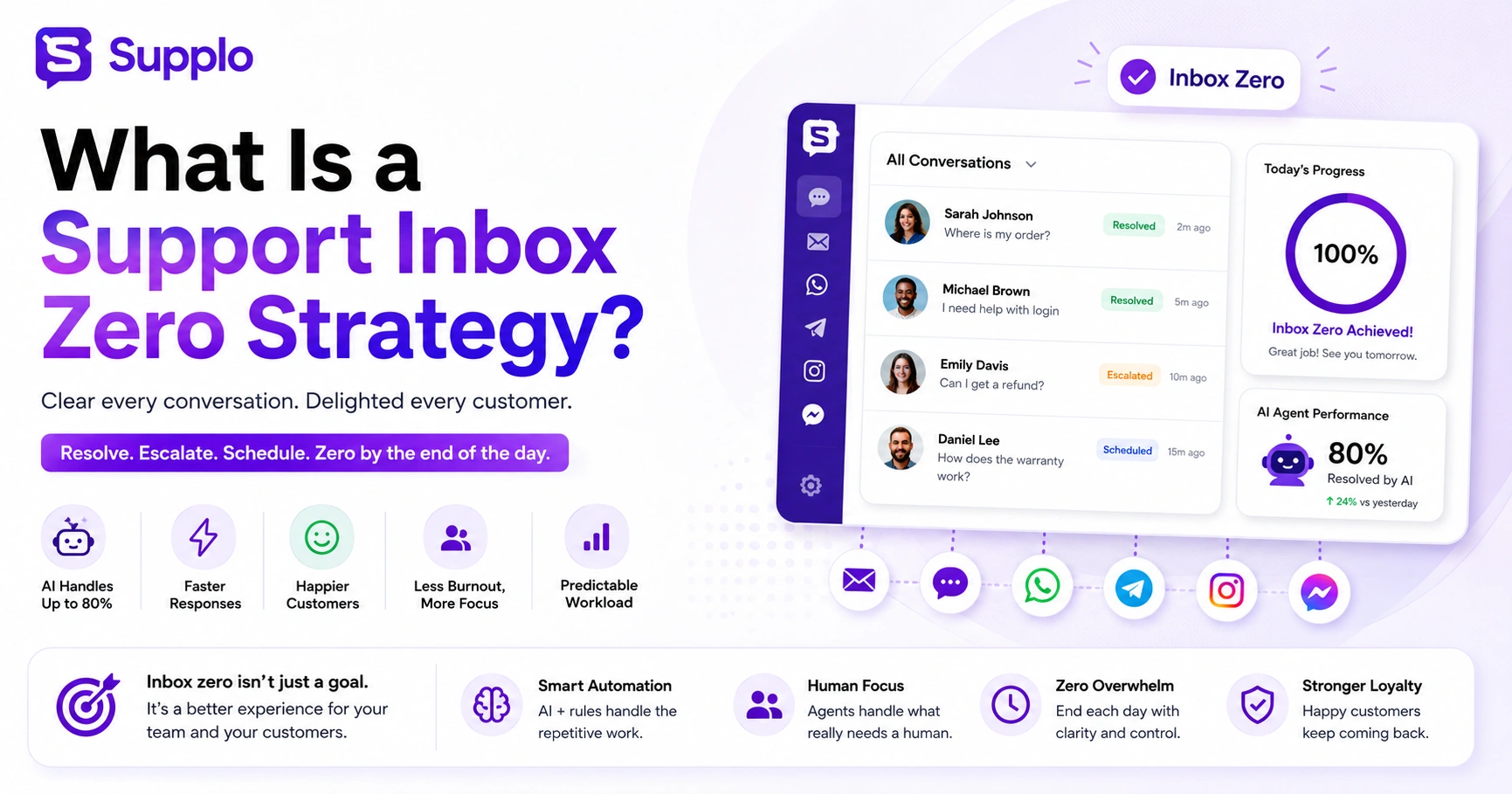
Dealing with a constantly overflowing customer support inbox can feel like a losing battle. Tickets pile up, response times suffer, and your team feels perpetually behind. This is where a support inbox zero strategy question gets its answer: it's a framework that transforms chaos into clarity. This guide explains how to implement a sustainable zero-first workflow that addresses real problems such as agent burnout and slow response times, leveraging modern tools like AI and intelligent automation. If your team is overwhelmed and customers are waiting, this strategy offers a practical path to efficient, high-quality support.
Quick Answer
- Support inbox zero ensures every incoming customer message is resolved, escalated, or scheduled before the end of each shift or day.
- It differs from personal inbox zero by focusing on resolution rather than just archiving or labeling.
- Automation is key; AI agents and rules handle repetitive tasks so humans can focus on what actually needs a brain.
- Benefits include reduced agent burnout, faster response times, higher customer satisfaction, and a more predictable workload.
- Start by consolidating all communication channels into a unified thread-based inbox and automating responses to your most common inquiries.
Support Inbox Zero Basics: Defining the Framework That Actually Works
A support inbox zero strategy is a structured approach to resolving every incoming customer ticket and message by the end of each day, shift, or cycle, without sacrificing quality. Unlike personal email inbox zero (which is often about sorting or archiving), support inbox zero focuses on resolution. The goal is simple: clear the queue reliably, so no ticket slips through the cracks. Support inbox zero basics include triage, categorization, automation, and a firm cutoff between today's work and tomorrow's priority.
The core idea? Every message gets a decision, resolution, escalation, or scheduling before the inbox closes. This differs from personal inbox zero, which is more about archiving or labeling. The three pillars are Triage (sort incoming volume), Automation (remove repetitive tasks), and Handoff (escalate only when a human is truly needed).
A common pitfall? Treating inbox zero as zero unread instead of zero unresolved. A support inbox zero strategy fails if your team can't trust the rules, so consistency beats perfection every time.
(Compliance statement: Supplo is not affiliated with any app or website. Please follow each app's terms and local regulations.)
Understanding Inbox Zero for Support Teams: Why It's Different From Email Inbox Zero
Understanding inbox zero for support teams starts by recognizing that customer support isn't personal email. When a customer sends a message, they expect a solution, not a label. Support inbox zero means the inbox is empty of work items that need a human decision. That includes tickets waiting for a reply, tickets stuck in internal review, and automated follow-ups that haven't triggered. It's a state of operational clarity, not just a vanity metric.
Personal inbox zero might involve archiving, deleting, or deferring emails. For support teams, inbox zero means resolving, assigning, or auto-responding to eliminate the work item from the queue. Without this distinction, teams can burn out chasing a number that doesn't actually reflect customer satisfaction or team efficiency.
Here's a practical test: if a teammate calls in sick, can your inbox still reach zero by end of day? If yes, you're doing it right. Supplo's unified thread-based inbox gives every team member a single view of all channels, making it easier to understand where zero actually stands.
The Real Benefits of a Support Inbox Zero Strategy, Beyond Just a Clean Screen
The benefits of a support inbox zero strategy extend far beyond a tidy workspace. When your team consistently clears the queue, first response times drop, ticket abandonment decreases, and customers stop feeling like their issue went into a black hole. There's also a measurable impact on team stress: support agents who end their day with a zero inbox report higher job satisfaction and lower turnover.
For a business, that means consistency, the same reliable experience for every customer, every day.
- Faster first response: An inbox zero approach forces you to see every new ticket in context, reducing lag.
- Lower ticket abandonment: Customers don't re-send their issue if they receive a timely acknowledgment.
- Predictable workload: With zero tickets carried over, each day starts fresh instead of cleaning up yesterday's mess.
- Reduced burnout: The psychological relief of a clean inbox at the end of a shift is real.
- Transparent reporting: A zero-inbox approach makes it easy to spot overflow patterns.
Advantages of Inbox Zero for Support: How It Reduces Burnout and Improves Response Times
The advantages of inbox zero for support are most visible in two areas: agent well-being and speed. When agents know exactly what's waiting for them at the start of a shift, they waste less time hunting for context. And when automation handles repetitive questions, like order status checks or password resets, the human team only sees what actually needs a brain. That's where response time shrinks, and job satisfaction climbs.
- Mental clarity: Agents stop worrying about what they might have missed when every ticket is accounted for.
- Faster resolutions: Human agents focus on complex tasks instead of drowning in repetitive triage.
- Predictable SLAs: A zero-inbox cadence ensures nothing gets buried.
- Less overtime: Well-automated teams hit zero before clocking out.
- Team trust: Transparency in queue status builds confidence between support and leadership.
Support Inbox Zero Strategy and Automation, Getting to Zero Without Working 24/7
A reliable support inbox zero strategy and automation go hand in hand. No team can manually handle an inbox that grows by hundreds of messages per day without sacrificing quality. Automation is what makes inbox zero sustainable. That means auto-responding to common questions, routing tickets to the right person or department, and escalating intelligently when a human is truly needed.
The goal isn't to eliminate human support. It's to shrink the workload until the human team can actually handle what's left.
- Triage automation: Automatically categorize incoming tickets (billing, technical, general).
- AI for FAQs: Use AI to instantly answer common questions. Supplo's AI agent resolves up to 80% of incoming requests on its own at a flat $0.04 per resolution.
- Automate internal handoffs: When a ticket is too complex, route it to the right person automatically.
- Time-based triggers: Auto-remind an agent if a ticket hasn't been touched in 4 hours.
- Measure effectiveness: Track how many tickets reach zero each day without human intervention.
Leveraging Automation for Inbox Zero Support: What to Automate and What to Handle Personally
Leveraging automation for inbox zero support means knowing where to draw the line between automate and personalize. The rule of thumb: automate repetitive, factual, or low-emotion tasks, like password resets, order confirmations, or hours-of-operation questions. Keep human hands on any ticket involving emotion, nuance, or money.
The most reliable support teams don't automate everything. They automate wisely. When done right, automation handles the noise, and humans handle the signal.
Automate:
- Frequently asked questions
- Ticket categorization
- Basic troubleshooting
- Follow-up scheduling
Reserve for humans:
- Refunds and billing disputes
- Escalated complaints
- Complex account changes
- Negative sentiment interactions
Use triggers wisely. An automated acknowledgment is helpful, but an auto-resolve that ignores the customer's problem is dangerous. Regularly review your automation rules; what was appropriate to automate six months ago may now require a human touch due to product or policy changes. Supplo's AI learns from your knowledge base and past conversations to answer accurately, handling the repetitive bits without sounding robotic.
AI for Support Inbox Zero: The Biggest Shift in Ticket Management Right Now
AI for support inbox zero isn't a gimmick; it's becoming the backbone of reliable support operations. Modern AI agents can read a ticket, match it to a knowledge base article, and resolve it in seconds. That's the difference between a team that struggles to reach zero and a team that hits zero daily without overtime.
The key? Choosing an AI that's trained to hand off cleanly when it's out of its depth. Supplo's AI agent, for example, resolves routine tickets autonomously but escalates to a human the moment it detects ambiguity or frustration.
- AI isn't replacing agents; it's removing the noise that makes their job overwhelming.
- Self-learning AI improves over time by learning from resolved tickets.
- Multilingual AI (like Supplo's built-in translation) helps global teams reach inbox zero across language barriers.
- Set clear boundaries, define what the AI handles versus what goes directly to humans.
- Cost matters; traditional tools charge per seat or per conversation. Supplo charges a flat $0.04 per AI resolution and a flat workspace price, so your bill doesn't spike when volume spikes.
Automating Support Inbox Zero
Automating support inbox zero doesn't mean setting a rule and forgetting it. It means building a reliable workflow: first, the AI catches and resolves the easy tickets (order status, password issues, basic how-tos). Next, routing rules direct more complex tickets to the right team member. Finally, escalation rules surface tickets that haven't been touched in a certain timeframe.
The goal? A predictable daily cadence, not chaos followed by a frantic Friday.
Steps of workflow:
- Configure an AI agent to auto-answer your top 10,20 support questions. Start with the most common tickets from your knowledge base.
- Set up smart routing by topic (e.g., billing questions go to team A, technical issues to team B).
- Create escalation triggers (e.g., if a ticket is unresolved after 4 hours, notify a manager).
- Integrate all channels: email, web chat widgets, WhatsApp, Telegram, Instagram DMs, and Facebook Messenger, into one unified thread-based inbox.
- Review weekly missed tickets to retrain your AI or adjust routing rules.
Why Use Support Inbox Zero: The Tangible Impact on Team Morale and Customer Loyalty
If you're asking why use support inbox zero?, the short answer is: because customers notice when you drop the ball. A reliable inbox zero strategy prevents that. It means every customer gets a timely response, even if it's just an acknowledgment. And for your team, it means fewer late nights and fewer I didn't see that ticket moments.
The result? Customers trust you to be responsive, and agents trust the system to be fair.
- Customer retention: A ticket that sits for 24 hours increases churn risk. Inbox zero prevents that.
- Team trust: Agents stop squirreling tickets when the system works consistently.
- With no backlog, you can review conversations and improve quality.
- Scalability: A zero-inbox process scales with volume as you adjust automation, not headcount.
- Leadership confidence: Fewer surprises, more strategic planning time.
Impact of Inbox Zero on Support Teams, Real Outcomes from Adopting a Zero-First Workflow
The impact of inbox zero on support teams goes beyond metrics; it changes how the team works together. Agents spend less time searching for context and more time solving problems. Managers spend less time nagging about overdue tickets and more time coaching.
The cultural shift is subtle but powerful: the team starts believing that every issue can be handled, every shift can end clean, and every agent can leave work at work. That's the outcome that matters most.
- Behavioral change: Agents stop squirreling tickets (holding them without responding to avoid taking new ones).
- Operational clarity: Managers see exactly where the bottleneck is, day by day.
- Team accountability: When the bar is zero unresolved by the end of the shift, everyone knows what success looks like.
- Customer outcomes: Faster response leads to higher satisfaction and fewer repeat contacts.
- Long-term results: Teams that maintain inbox zero for 90 days typically report drastic drops in turnover.
How to Start Your Support Inbox Zero Strategy Today
Ready to implement your support inbox zero strategy? Start by auditing your current inbox volume. Identify the top 10 questions your team answers every day; those are the first candidates for automation. Then, pick a unified inbox tool that can actually consolidate all your channels.
Supplo is built for exactly this: a single thread-based inbox for email, live chat, WhatsApp Support, Telegram, Instagram DMs, and Facebook Messenger, paired with an AI agent that learns from your knowledge base. There's a 14-day free trial, and pricing stays flat per workspace, not per agent, no seat inflation.
Here's how to start:
- Audit your current ticket volume and categorize by type (FAQs, complex, billing, etc.).
- Select an AI tool that can handle the FAQ volume, aiming to automate 60,80% of incoming tickets.
- Configure your unified inbox so no message gets lost between channels.
- Train your team on the zero expectation, but keep it flexible during ramp-up.
- Set a zero-by-end-of-day goal for one week, review, adjust, and repeat.
Ready to reach inbox zero without the overtime? Supplo gives you a shared inbox, self-learning AI, and multi-channel automation, all in one workspace. Start your 14-day free trial now to test it on your real ticket volume, no credit card required.
Key Takeaways
- A support inbox zero strategy focuses on resolving every customer message daily, significantly reducing backlogs and improving efficiency.
- It is distinct from personal email inbox zero; the goal for support is action and resolution, not just organization.
- Automation and AI are crucial for making inbox zero sustainable, handling repetitive queries, and freeing human agents for complex issues.
- Implementing this strategy delivers tangible benefits, such as faster response times, reduced agent burnout, and increased customer satisfaction.
- A unified inbox is essential for managing all customer communication channels effectively within a zero-inbox framework.
The impact of inbox zero is real, but you have to start somewhere. Supplo makes it easy to unify your channels, automate the repetitive, and build a workflow that your team can actually stick with. Pricing is flat per workspace, not per seat, so your bill stays predictable. See how it works at Supplo.
FAQ
What is a support inbox zero strategy in simple terms?
A support inbox zero strategy is a workflow designed to ensure every customer message is resolved, escalated, or scheduled before the end of each day or shift. Unlike personal email inbox zero (which is about archiving or labeling), support inbox zero is about resolution.
Can support inbox zero work for a small team with limited resources?
Yes. In fact, small teams benefit most because they can't afford to let tickets pile up. Automation (even basic AI) handles the repetitive work, so a small team can still hit zero without burning out.
What should I automate in my support inbox zero strategy?
Start with FAQs, password resets, order status checks, and basic troubleshooting. Keep human agents on anything involving refunds, emotional complaints, or sensitive account changes.
Which tickets to automate and which to leave to humans? Supplo's AI agent learns from your knowledge base and past conversations to handle the easy ones cleanly. If your automation rules fail or the AI misses a context, the Handoff to your team is smooth. Test it for free at Supplo.
How does AI help with support inbox zero?
AI can resolve a large volume of repetitive tickets instantly. Supplo's AI agent, for example, handles up to 80% of incoming requests on its own. That frees your human team to handle only the tickets that truly need a human touch.
What tools do I need for a support inbox zero strategy?
You need a unified inbox (to consolidate channels), automation rules or AI (to reduce manual work), and a reliable escalation system. Supplo combines all three in one workspace.
Is support inbox zero just for email?
No. A proper support inbox zero strategy covers every channel your customers use: email, live chat, WhatsApp, Telegram, Instagram, Facebook Messenger, and more. A unified inbox makes this possible.
What happens if we don't reach inbox zero on a busy day?
That's fine, the goal is consistency, not perfection. The strategy works best when you analyze why you didn't hit zero (e.g., a surge in volume, a missing automation) and adjust for the next day.
Compliance line: Supplo is not affiliated with any app or website. Please follow each app's terms and local regulations.


