On this page
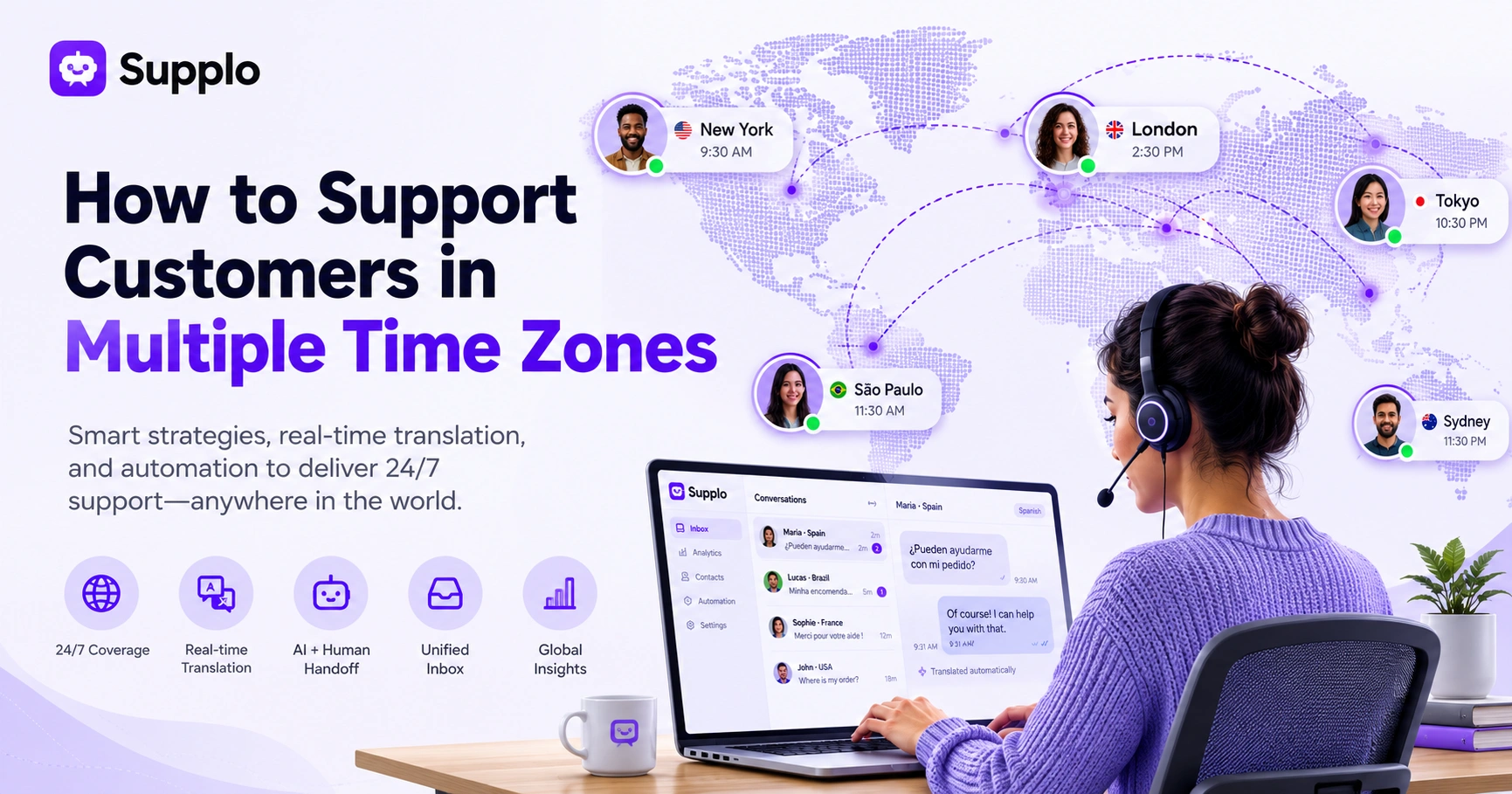
Supporting customers across different time zones isn’t just a scheduling headache; it’s a strategic must for any business with a global audience. This guide is for customer support managers, founders and ops leaders who need to deliver consistent, high-quality service no matter where their customers (or agents) are based. Let's dive into real-world strategies, modern tools and smart automation that keep your support running 24/7 without burning out your team or blowing your budget.
Quick Answer
- Go hybrid: combine human agents with an AI system to cover the dead zones and deliver instant first responses.
- Lead with async: build your workflow around asynchronous communication for non-urgent issues so no one feels pressured to be online at odd hours.
- Unify everything: use real-time translation and a single inbox to manage multilingual chats and ensure seamless handoffs between shifts.
- Automate the boring stuff: let bots handle repetitive tasks so your humans can focus on the tricky problems.
- Measure smart: track KPIs broken down by time zone and language so you see where the real gaps are.
Your support strategy has to evolve past just adding more hours or hiring an overnight shift. It’s about building an asynchronous-first, AI-augmented system that maintains high quality and speed even when your team is asleep.
Supplo is not affiliated with any app or website. Please follow each app's terms and local regulations.
Why Global Customer Support Demands a New Approach, Not Just a New Schedule
Serving customers across time zones isn’t just about finding people to work the night shift. The real shift is moving from a reactive, follow-the-sun model to an asynchronous-first system where your AI and your human team work in parallel. Customers don’t care if it’s 3 AM in your office; they care if their question is answered before they click away.
The old 9-to-5 mindset breaks the moment your biggest market is 12 hours ahead. You need a system, not a schedule. Asynchronous support means setting clear expectations (a response SLA vs. a resolution SLA) so customers aren't staring at their screens waiting. Cultural norms vary too: some regions expect instant chat replies; others are perfectly happy with a thoughtful email within 4 hours. And the cost of staffing yourself every hour? Way higher than using an AI agent to bridge the gap, especially with flat-rate pricing per workspace.
Best Practices for Global Customer Support: The 24/5 vs. 24/7 Trade-Off
Full 24/7 human coverage sounds great in theory, but it’s rarely sustainable for most teams. The practical middle ground is 24/5, Monday through Friday, around the clock, with an AI agent covering weekends and holidays. The trick is transparency: tell customers exactly when they’ll get a human vs. an AI response.
24/5 works well for B2B companies, as weekends are typically quiet. 24/7 is required for e-commerce, travel, or SaaS with active users worldwide. Rotating shifts are healthier when you cap night shifts and give people flexibility; nobody does their best work on a permanent graveyard schedule. Your AI agent can handle first contact for 80% of common questions and then hand off to the right time zone during your team’s working hours. And don’t forget: document your hours clearly on your widget, in your email auto-reply and in your social bios.
Managing International Support Teams Without Burning Them Out
Burnout is the silent killer of global support when you treat team members like shift-fillers rather than actual humans. The fix is simple: structured overlap hours, fair rotation policies and async collaboration tools that don't demand real-time availability. A tired agent at 2 AM gives worse service than a well-rested AI.
Create overlapping golden hours where your whole team (or at least two time zones) is online for handoffs and complex escalations. Use a shared team inbox so everyone can see the full thread history, no lost context when shifting from one agent to another. Rotate the graveyard slot every month and consider paying a differential for undesirable hours. Encourage an async-first culture: keep Slack or Telegram channels on mute, document important decisions and avoid urgent pings for stuff that can wait.
Try it yourself. Start a free 14-day trial of Supplo's AI agent and shared inbox, no credit card required. See how it handles multi-time-zone queries in real time. https://supplo.io
Real-Time Translation for Customer Service: Tools and Tactics
Real-time translation isn't about perfect prose; it's about knocking down the language barrier fast enough to keep the conversation moving. Most modern multilingual live chat solutions offer automatic translation, but you need to train your team to review flagged translations and handle culturally tricky phrases with care. A literal translation of I'll get back to you shortly can sound cold or rude in some cultures.
Machine translation handles 80-90% of simple requests just fine. The rest needs a human touch in terms of tone and context. Always give customers the option to switch to their preferred language manually; some people prefer English even if your chat isn't set to English by default. Watch out for false friends, words that look similar but mean different things in languages like Spanish, French and Portuguese. Integrate translation into your inbox so messages appear in the agent's language but land in the customer's language.
Multilingual Live Chat Solutions That Keep Conversations Flowing
A multilingual live chat solution should feel seamless for both your agent and your customer, not like a clunky overlay that breaks the thread history. The best setups translate incoming messages on the fly for your agent, then translate the reply before it reaches the customer, all within the same thread. Ideally, your inbox keeps a single conversation history per customer in their original language, with translations saved as metadata.
Look for solutions that translate both sides transparently, not just in a preview mode. Make sure the system preserves formatting and links; broken links in a translated message look terrible. Speed test: translation should be nearly instant (under 2 seconds) so the conversation doesn't stall. And have a fallback: if translation confidence is low, flag the message for a bilingual human agent.
How Streamlining Customer Support Processes Reduces Friction Across Time Zones
Every extra click, manual handoff, or redundant data entry adds time. And when your customer is 8 hours ahead, those minutes stack up into missed SLAs. Streamlining means killing outdated workflows: ditch the assign to agent step for simple tickets, auto-tag by language and time zone and use canned responses that don't sound robotic. The goal is to make your support engine run on autopilot for the easy stuff, so humans only touch the tricky cases.
Use AI to auto-categorize tickets by intent (billing, technical, general) and route them to the correct queue without human sorting, pre-populate macros with translations: one canned response in English, automatically delivered in the customer's language. Reduce internal back-and-forth by linking tickets to your knowledge base so agents don't have to ask the same questions. Simplify your refund or return process: a self-service portal can cut ticket volume by 30% in some global teams.
Reducing Manual Tasks in Support: Automation That Respects Time Zone Gaps
Manual tasks, copy-pasting tracking numbers, typing the same, we'll get back to you in five languages, switching between WhatsApp and email tabs, are the silent speed-killers of global support. Automation should handle the repetitive, non-urgent work so your team can focus on complex problem-solving during their working hours. The real shift happens when AI resolves the easy stuff instantly, leaving humans only the conversations that truly require judgment.
Automate common follow-ups: Your order has shipped notifications and Did this answer your question? check-ins. Use rules-based routing: if a ticket comes in at 2 AM local time, auto-reply with typical wait times and a link to the knowledge base. Integrate your chat widget with email and social so the AI agent can start a case in one channel and finish it in another without duplication. Let the AI suggest replies based on past conversations and have the agent click send.
When your AI code fails? Supplo's flat $0.04 per resolution model means even failed AI attempts don't blow your budget. Human handoffs are built in, not bolted on. Try Supplo free for 14 days →
International Customer Service Strategies for Email, Chat and Social DMs
Each channel has its own rhythm for global support. Email is naturally async and customers accept a 4-12 hour response window. Social DMs, especially on WhatsApp Customer Support and Instagram, feel urgent to the customer and often expect replies within minutes. The smartest strategy is to funnel all channels into a single inbox so your team sees the full conversation history, no matter when or where the customer first messaged.
Email works well for complex, non-urgent inquiries; just set clear auto-replies with time-zone-specific SLAs. Chat and social DMs (WhatsApp, Telegram, Instagram) demand faster response; let the AI handle first contact for common questions. Synchronize auto-replies across channels so customers don't get conflicting info (e.g., "We'll reply within 2 hours on chat but within 24 hours on email"). Track first response time by channel and time zone to identify where your coverage gaps actually are.
Onboarding a Distributed Team: Hiring, Handoffs and Shared Inboxes
Hiring globally means you're not just buying skill sets, you're buying time zone coverage, cultural awareness and language fluency in your top markets. The tricky part is handoffs: when an agent in Manila ends their shift and an agent in London picks up, the transition must be invisible to the customer. A shared team inbox that preserves thread context, internal notes and ticket history is non-negotiable.
Hire for time zone overlap: look for candidates whose working hours extend into your other zones' gaps. Create a handoff playbook: what info to pass (customer sentiment, unresolved steps, suggested next action) and what to avoid (personal opinions, unnecessary backstory). Use internal notes to communicate shift changes without cluttering the customer-facing thread. Test your handoff process by having two agents role-play a cross-time-zone ticket transfer.
KPIs for Global Support That Don't Lie
Traditional CSAT and first response time can mislead you in a global setup if you don't segment by time zone and language. A 12-hour response time might be fine for an email from a customer in Berlin overnight, but it's a disaster for a chat from a customer in Seattle at 10 AM. Instead, track response time by the customer's local time, resolution rate by language and escalation rate by region.
Segment first contact resolution (FCR) by language; if Spanish tickets have a lower FCR, your translations may need work. Measure dead zone coverage: what percentage of hours are covered by a human vs. AI vs. nothing. Track sentiment by time zone: if customers in APAC consistently rate support lower, they may be seeing a different agent pool or language quality. Use the net promoter score (NPS), but filter by channel: chat vs. email vs. social. Often, they score differently.
Key Takeaways
- Asynchronous-first is key: Design your support for async communication, using AI to handle immediate needs and bridge time zone gaps.
- Hybrid staffing is sustainable: Combine human agents during peak regional hours with AI automation for off-hours and routine inquiries.
- Unified inbox is paramount: Centralize all communication channels (email, chat, social) into one system for seamless handoffs.
- Smart translation works: Leverage real-time translation tools, but always have a human fallback for complex or sensitive issues.
- Measure precisely: Segment your KPIs by time zone, language and channel to truly understand your global support performance.
FAQ
What's the best way to provide staff support for different time zones without going broke?
Use a hybrid model: AI agent for first contact and simple resolutions, plus a distributed team of part-time or remote agents covering your slowest hours. Flat-priced tools (per workspace, not per seat) keep costs predictable.
Does real-time translation really work well enough for customer service?
Yes, for 80-90% of everyday inquiries, such as order status, password resets and FAQs. For sensitive topics (complaints, refunds, legal issues), always route to a bilingual human agent. The key is to have a fallback: when AI translation confidence is low, flag it.
How do I train my team to handle cultural differences in communication?
Create a simple culture card for each market: typical greetings, common idioms to avoid and acceptable response times. Train agents to use clear, simple language, avoid sarcasm, humor, or overly casual phrasing unless you know it's welcomed.
Should I offer support 24/7 from day one?
Not necessarily. Start with 24/5 and let an AI agent cover weekends and holidays. You can scale to full 24/7 as ticket volume justifies it. Being honest about your hours beats promising 24/7 and missing SLAs.
What's the biggest mistake companies make when rolling out multilingual chat?
Assuming a machine translation is perfect. Failing to test culturally sensitive phrases or neglecting to let customers choose their language manually can cause frustration. Always maintain the "View original message" option in the inbox.
How do I handle handoffs between shifts without losing context?
Use a shared team inbox where the entire thread, including internal notes, tags and agent comments, stays with the ticket. Require a brief shift summary in the ticket notes before an agent goes offline.
Can I use an AI agent for real-time translation in my chat widget?
Yes, modern AI customer support platforms translate messages in both directions, storing the original language as metadata so your team can always review it. This is far more efficient than hiring bilingual agents for every language pair.
Compliance line: Supplo is not affiliated with any app or website. Please follow each app's terms and local regulations.