On this page
Who it is for
Let's be real, good customer support can make or break a business. Whether you're running a two-person startup or managing a team of fifty, the way you talk to customers matters; a lot.
I've seen teams waste hours rewriting the same replies. Others sound so robotic customers can smell the script from a mile away. The sweet spot? Customer support scripts and templates that give your team a solid framework without sounding like a recording.
This guide walks through 12 ready-to-use templates for live chat, email, phone, and those tense de-escalation moments. Perfect for support leads, solo founders, and anyone tired of starting from scratch every single time.
Quick Answer
Before we dive deep, here's the short version:
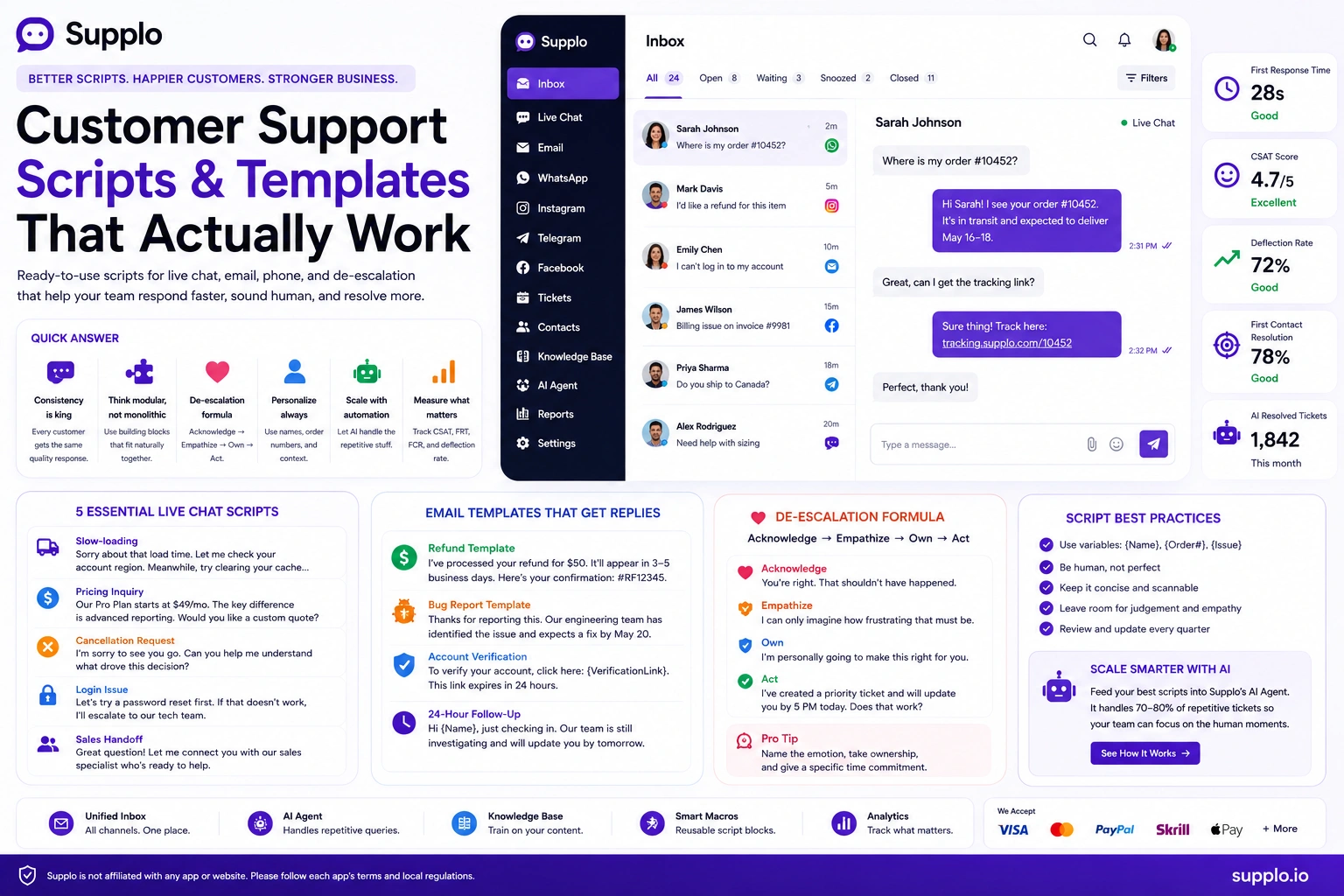
- Consistency is king: Scripts mean every customer gets the same quality response, whether it's your best agent or someone on day one.
- Think modular, not monolithic: Good scripts work like Lego blocks. Greetings, confirmations, solutions, closings- snap them together naturally.
- De-escalation formula: Acknowledge → Empathize → Own → Act. Follow it like a recipe.
- Brand voice matters: A template that sounds like your competitor's is one you shouldn't use.
- Personalization isn't optional: Use variables. Drop in names, order numbers, and context. Otherwise, you're just noise.
- Scale with automation: Feed your best scripts into an AI agent. Handle the repetitive stuff while your humans handle the hard stuff.
Why Your Support Team Needs Scripts And Why Bad Ones Fail
Here's the thing about scripts: they're not supposed to make you sound like a robot. They're supposed to make sure everyone on your team sounds good. Consistently good.
A well-written script means your new hire doesn't fumble through their first angry customer. It means your veteran agent doesn't accidentally skip the empathy step when they're rushing through tickets. It's a safety net, not a straitjacket.
But bad scripts? Oh, they're worse than no script at all. They make customers repeat themselves. They leave people feeling unheard. And nothing frustrates a customer faster than obvious copy-paste energy.
- The consistency argument: A shared baseline of quality matters, especially during peak hours or when you're onboarding new reps.
- The failure mode: Rigid scripts ignore the customer's unique context. You've probably gotten that reply before: "I know this is scripted, let me talk to a human."
- The fix: Treat scripts as templates for thinking, not just templates for typing. Leave room for personality and judgment.
Ready to stop writing scripts from scratch? Test these templates free for 14 days, no credit card needed. Start your free trial at Supplo.io.
The Anatomy of a High-Converting Live Chat Script
Live chat moves fast. Your opening line sets the trajectory for the whole conversation. The best scripts follow a simple arc: Greet → Diagnose → Solve → Confirm.
The greeting should be immediate and show you're paying attention. In the diagnosis phase, ask one smart question instead of three generic ones. The solution is your moment to shine. And confirmation? That's where you make sure they leave happy.
- The opening line: "How can I help you?" is lazy. Try: "I see you're looking at [Product X]. Are you comparing features?" Shows you're watching.
- The micro-commitment: Ask for a small action. "Mind if I look up your order?" This primes them for a collaborative conversation.
- The closing hook: "If anything changes with that refund, I'll email you directly." Builds trust and reduces follow-ups.
5 Essential Live Chat Scripts for Common Scenarios
Your live chat is the frontline. These five templates cover roughly 80% of daily requests. Each one prioritizes speed and accuracy, with a clear path to escalation if needed.
- Slow-loading script: "Sorry about that load time. Let me check your account region. Meanwhile, try clearing your cache. I'll have a backup suggestion in 30 seconds."
- Pricing inquiry script: "Our [Plan Name] starts at $X. The key difference from [Other Plan] is [Feature Y]. If budget is a concern, I can create a custom quote; would you mind if I ask a few quick questions about your usage?"
- Cancellation request script: "I'm sorry to see you go. Before I process that, can you help me understand what drove this decision? If it's a specific feature or price point, I might be able to offer an alternative."
- Login issue script: "I've got your account pulled up. Let's try a password reset first. If that doesn't work, I'll escalate to our tech team; it should take about 5 minutes."
- Sales handoff script: "Great question! Let me connect you with our sales specialist. They know your context already. One moment while I introduce you."
Customer Service Chat Templates: From Greeting to Resolution
Think of good chat templates as a collection of "Lego blocks." You're not writing one perfect script; you're building a library of greetings, confirmation questions, solution steps, and closing statements that agents can snap together.
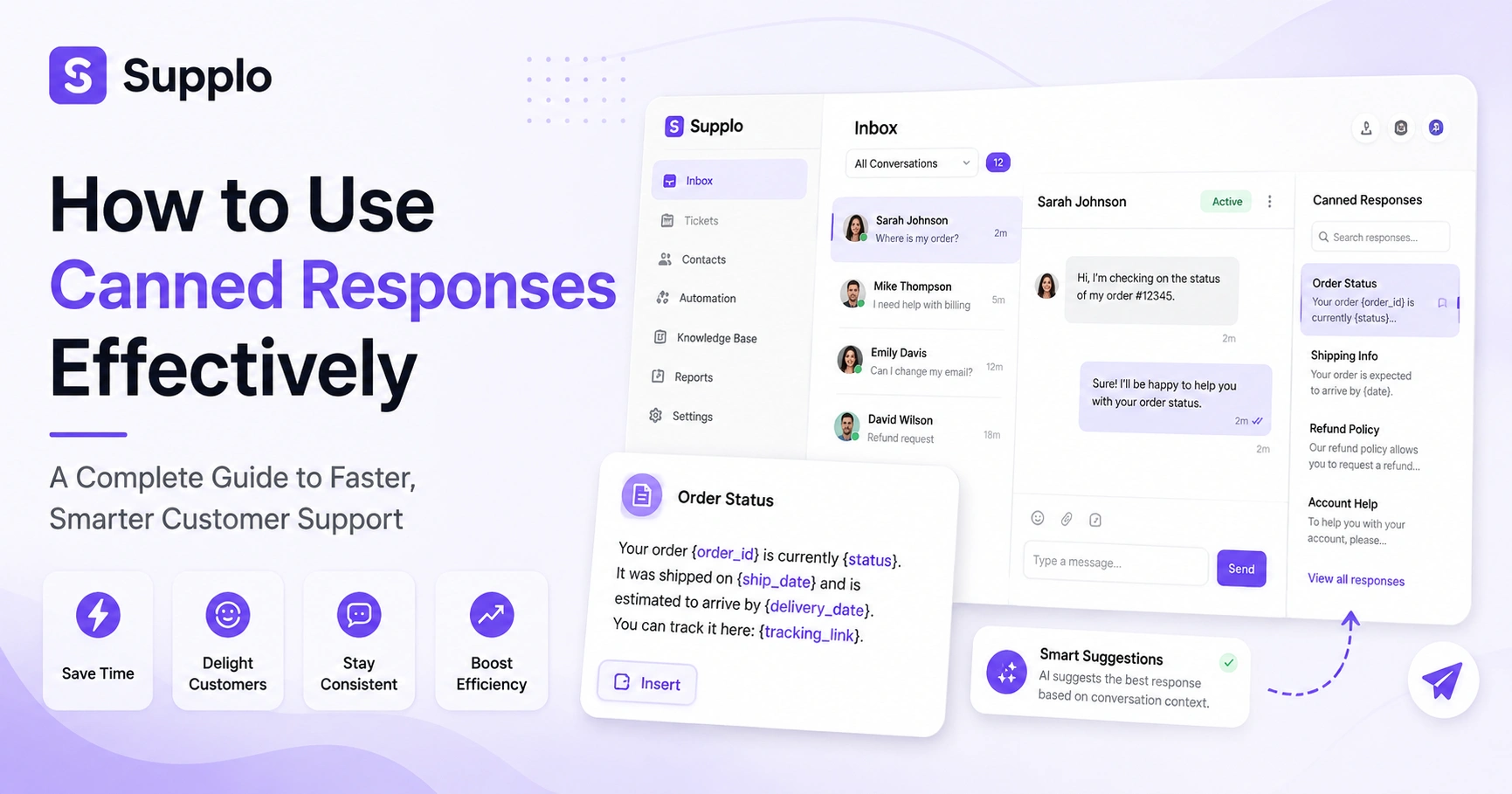
This modular approach is what powers quick replies and canned responses in tools like Supplo. The secret? Write each block as a complete, context-aware sentence so the final message feels natural rather than stitched together.
- Greeting blocks: "Hey [Name], welcome back!" vs. "Thank you for contacting Support. How can I assist you today?" Pick based on your brand voice.
- Confirmation blocks: "Just to confirm, you're referring to [Issue from context], correct? If so, let me pull up your account."
- Solution blocks: "I've taken these steps: [X] and [Y]. You should see the change within 5 minutes. Let me know if that's not the case."
- Closing blocks: "Is there anything else I can help with? If not, I'll consider this resolved. You'll receive a transcript via email."
Email Support Scripts That Build Trust And Get Replies
Email is different. You get one shot. Nobody reads a second email if the first one is confusing.
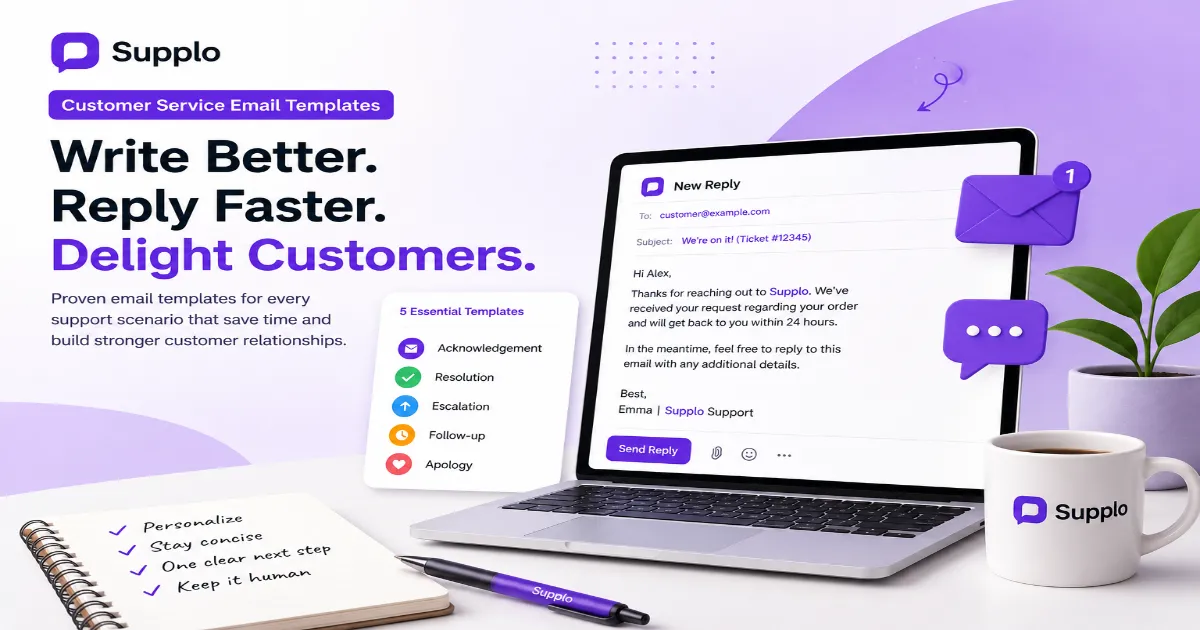
The best email scripts use the "Problem Acknowledged → Action Taken → Expectation Set" framework. Never make the customer repeat themselves. Always include a specific next step. And for the love of good Support, use a human name in the signature, not "Support Team."
- The subject line: Clear and unmistakable. "[Ticket #12345] Update: Your refund request" or "[Order #98765] We've shipped your replacement."
- The opening line: "Thanks for reaching out, Sarah. I've reviewed your screenshots and understand the checkout button isn't responding." Shows you actually read their message.
- The call to action: "Please try logging out and back in. If the Issue persists, reply to this email; no need to create a new ticket." Lowers friction.
Customer Service Email Templates for Every Ticket Type
Different situations call for different tones. A refund template should be apologetic and fast. A bug template should be technical and precise. And a key differentiator? A "Not Solved Yet" template, a pre-written email that goes out if the agent hasn't replied within 24 hours. It buys time and manages expectations, which can be more valuable than the final solution itself.
- Refund template: "I've processed your refund for $50. It'll appear in 3-5 business days. Here's your confirmation number: [RefNum]. I'm sorry it didn't work out."
- Bug template: "Thanks for reporting this. Our engineering team identified a conflict with [Browser/Plugin]. We expect a fix by [Date]. I'll update this ticket when it's live."
- Account verification template: "To unlock your account, click this Link: [Link]. This expires in 24 hours. If you didn't request this, please ignore this email."
- 24-hour follow-up template: "Hi [Name], just checking in. Our team is still investigating your Issue. I'll have an update by tomorrow. No need to reply, I'll reach out to you."
Phone Support Scripts: The Art of the Warm Handoff
Phone support lives and dies by tone and pacing. The first ten seconds set the trajectory. A strong script acknowledges the wait ("Thanks for holding") and immediately names the customer ("I've got Lisa's account in front of me").
The most critical moment is the handoff. If you need to transfer, never say "Hold on." Say, "John, I'm going to introduce you to our billing specialist, Maria. She already knows your situation. Here's Maria." Turns an annoyance into a concierge moment.
- The "Warm Intro" handoff: "Before I transfer, let me bring my colleague up to speed. One moment... Hi Maria, I have Lisa on the line. She's calling about the invoice discrepancy on account 12345. Lisa, meet Maria."
- The "Listening" script: "I hear you. That must be incredibly frustrating. Let me fix that right now." Name the emotion before solving the problem.
- The "Time Check" script: "I want to solve this today. If I can't, I'll set a specific time to call you back. Can you spare about 5 minutes while I look into this?"
De-escalation Scripts: Turning Anger into Advocacy
De-escalation is a science. The magic formula: Acknowledge → Empathize → Own → Act.
Never defend the company. Instead, apologize for the feeling ("I'm sorry you felt unheard") and take ownership of the outcome ("I'm personally going to fix this"). A great de-escalation script gives the customer back a sense of control. Ask a question they can say "yes" to: "Would it be okay if I called you back in 10 minutes with an update?" This single question can drop cortisol levels instantly.
- The "No Defense" rule: Script for hostile customers: "You're right. That shouldn't have happened." Never say "Our policy says..." until the emotion has been acknowledged.
- The "Empathy" vocal cue: Lower your pitch slightly. Speak slower. Use phrases like "I can only imagine how stressful that must be."
- The "Action" close: "I've already created a ticket. I'm prioritizing it. You'll hear from me by 5 PM today. Does that work?" Gives them a specific, short-term promise.
If a script fails, it's time to automate. Supplo's AI agent learns from your best scripts and instantly resolves common queries. See how it works →
New Customer Welcome Scripts That Drive Retention
The first 24 hours after signup are the golden window. A great welcome script doesn't just say "thanks"; it validates their decision and sets a next step.
A welcome script that includes a personalized tutorial or a "secret" tip creates an emotional connection that a standard onboarding email never can.
- The "Validation" opener: "Welcome to the community, Sarah! We built this tool specifically for businesses like yours that want to reduce ticket volume without sacrificing quality."
- The "First Action" script: "To get started, set up your knowledge base here: [Link]. Once that's done, your AI agent will start answering questions immediately. Let me know if you need help configuring it."
- The "Human Touch" script: "I'm your dedicated onboarding specialist. My goal is to get you to your first 'aha' moment within 48 hours. Reply here if you want a 15-minute call."
How to Use Quick Replies & Canned Responses Without Sounding Robotic
Canned responses are the backbone of efficiency. But they're also the most common source of customer frustration.
The trick: variable insertion. Drop in the customer's name, order number, or specific problem dynamically. A canned response that starts with "Regarding your order [OrderNumber]" feels way more personal than "Thank you for your inquiry."
Limit your canned replies to factual, repeatable statements, password resets, tracking info, and billing addresses. Write the empathetic parts by hand.
- The "Personalization" macro: Use variables like {Customer_Name}, {Ticket_Summary}, and {Agent_Name} in your templates.
- The "Context" check: If your canned response starts with "I understand your frustration," stop. Write that sentence yourself. Use macros for "Here's how to reset your password" and "Your tracking number is."
- The "Fallback" script: "I apologize for the delay. Let me look into this specifically for you." This should be a macro that is never followed by another macro without a custom thought.
Why Most Free Customer Service Templates Miss the Mark
The internet is full of free templates. Most of them are generic, outdated, and completely lack context.
A clothing retailer template doesn't work for a SaaS onboarding flow. The missing element is brand voice and operational reality. A template that doesn't account for your average response time, your tool's capabilities, or your team's size is just a distraction.
You're better off building five bespoke templates for your most common tickets than using fifty generic ones.
- The "One-size-fits-none" problem: A generic "How can I help?" opener ignores what the customer was doing. "I see you hit a 404 on the checkout page" is infinitely better.
- The "Measurement" gap: Free templates don't tell you how to measure success. A good template comes with a metric: "Did this script reduce first response time by 20%?"
- The "Tool Integration" failure: A great template works with your software. A macro that auto-triggers a tag or a knowledge base article link. A generic one is just text.
From Scripts to Scale: Automating Your Best Responses
Once you have a set of winning scripts, the next step is automation. Feed those scripts into an AI agent as training data.
Take your best "password reset" script and let the AI handle that query end-to-end. Tools like Supplo let you build resolution workflows where macros fire automatically based on the customer's query.
This frees your human agents to handle the high-touch, de-escalation scenarios where the human touch is non-negotiable. The goal isn't to eliminate scripts; it's to let them run 24/7.
- The "AI Training" process: Feed your top 20 canned responses into a knowledge base. The AI can deliver those exact answers, in your brand voice, at 3 AM.
- The "Human Handoff" trigger: Your automated script needs a clear escape hatch: "If the customer mentions 'refund' or 'manager,' immediately hand off to a human agent."
- The "Feedback Loop": Analyze which canned responses your human agents most often override. Those are the scripts that need rewriting, not automating.
Key Takeaways
- Effective support scripts are modular, context-aware, and personalized, not rigid monologues.
- Key scripts include: de-escalation (Acknowledge → Empathize → Own → Act), live chat (Greet → Diagnose → Solve → Confirm), and welcome (Validate → Guide → Set a Next Step).
- To scale, feed your best scripts into an AI agent to automate 80% of tickets while handing off complex cases to humans.
- Bad scripts ignore the customer's context; good ones prove you were listening.
Stop juggling scripts and start scaling Support. Supplo unifies email, live chat, WhatsApp, Instagram, and Telegram into a single smart inbox. Plus, our AI handles the repetitive stuff so you can focus on the human moments. Pricing is flat per workspace, not per seat. Check our pricing.
FAQ
Can I use these scripts verbatim?
No. Treat them as starting points. Always customize the anchor points (customer name, order number, specific problem) and adapt the tone to your brand voice. A verbatim script creates a cold, robotic experience.
What is the #1 mistake with canned responses?
Generic opening lines like "How can I help you today?" on live chat. They ignore the customer's context and force them to repeat their problem- instant frustration. Always start by acknowledging what the customer just did.
How often should I update my scripts?
Review them every quarter. More importantly, look at your ticket data: which scripts are agents constantly overriding? Those need an update. Also, revise immediately after any product change.
Is it legal to use "I'm sorry" in a de-escalation script?
Yes, and it's often recommended. Apologizing for a customer's experience or feeling ("I'm sorry you're frustrated") is not an admission of legal liability. It's an emotional de-escalation technique. Avoid apologizing for a fact you aren't sure about.
Should I use AI to write my scripts?
Yes, for first drafts. But you must edit them. AI can generate the structure and correct technical language, but it often lacks your brand's unique voice and context. Use it as a co-writer, not the final author.
Do these scripts work for WhatsApp and Instagram DMs?
Yes, with a key difference: those channels demand even shorter, more conversational language. An email script can be 200 words. A script for Instagram DMs should be under 50 words, and sound like a friend, not a support agent.
What is the best way to organize my help desk response templates?
By interaction type (Live Chat, Email, Phone) and then by scenario (Password Reset, Refund, Bug Report, Welcome). Use tags or folders. In Supplo, you can group your canned responses by these categories for instant access.
Compliance line: Supplo is not affiliated with any app or website. Please follow each app's terms and local regulations.