On this page
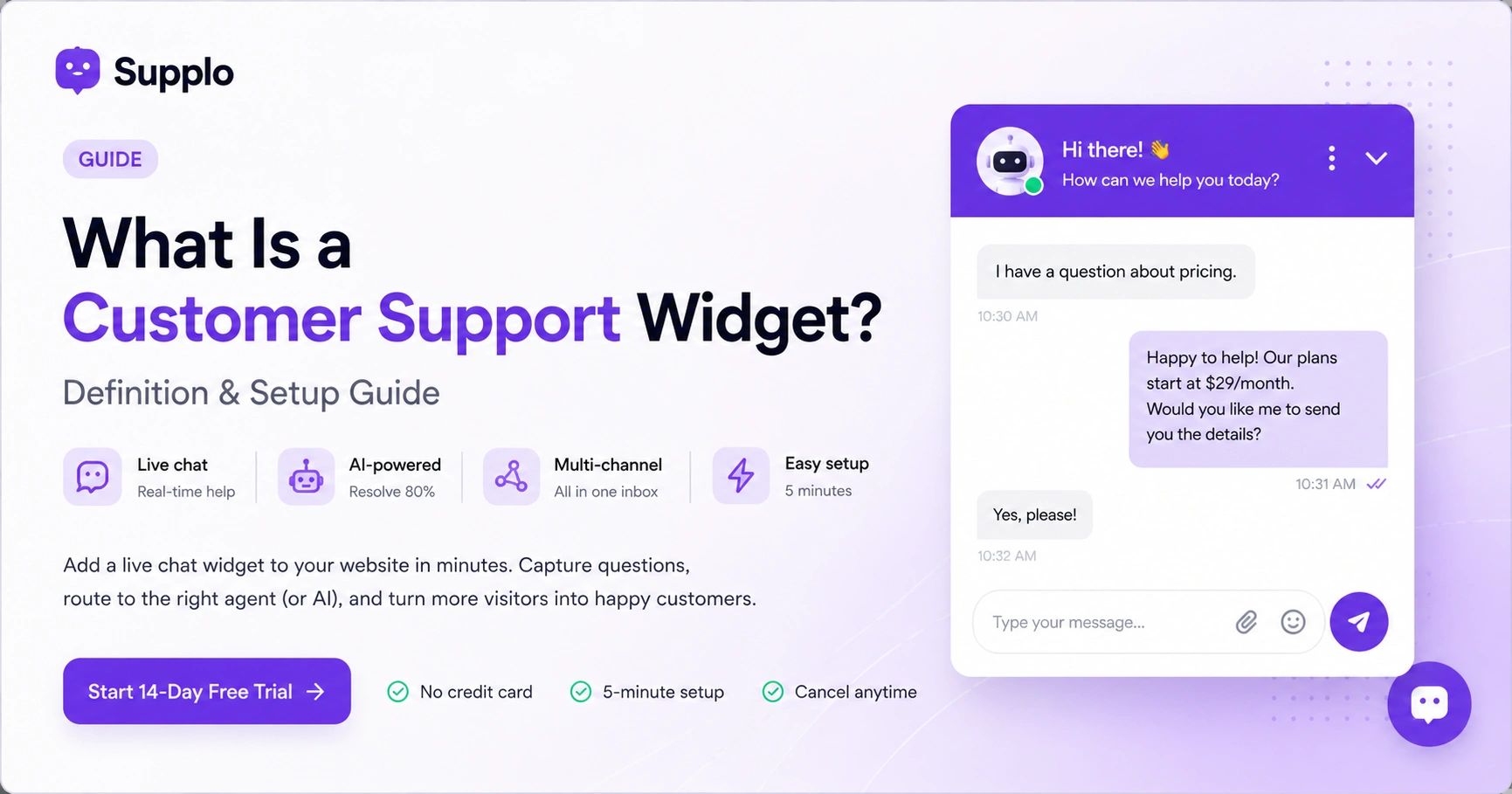
Let's start with the basics. A customer support widget is that little floating button you see in the corner of almost every modern website. Click it and a chat window pops up. That's the widget.
But here's what it really is under the hood: a small piece of JavaScript code embedded in your website that lets visitors talk to your team instantly. It's your digital front desk, always on, always ready, no coffee breaks needed.
Supplo is not affiliated with any app or website. Please follow each app's terms and local regulations.
Most widgets work the same way: you paste a code snippet into your site's HTML and bam, there's your chat interface. But not all widgets are created equal. Some are passive (just a contact form), while others are proactive, popping up with a friendly "Need help?" message when someone's been browsing too long.
Here's what separates the good from the meh:
- Reliability is non-negotiable. A widget that crashes mid-conversation? That's a future lost customer.
- Media support matters. Modern widgets handle text, images, files, even video.
- Load speed matters more. If your widget slows down your site, visitors will bounce before the chat even opens.
What Does a Customer Support Widget Do? The Core Functions Explained
At its heart, a customer support widget does three things: captures questions, routes them to the right person (or AI) and logs everything for later. It replaces those clunky email forms and endless phone menus with real-time, in-context conversations.
Think of it as a live help desk living right inside your browser tab.
Here's what a good widget handles behind the scenes:
- Captures visitor context – page URL, how long they've been on site, browser info. No more "where did we leave off?"
- Routes intelligently – sends chats to the right agent based on topic, language, or workload
- Stores history – so customers never have to repeat themselves when they come back
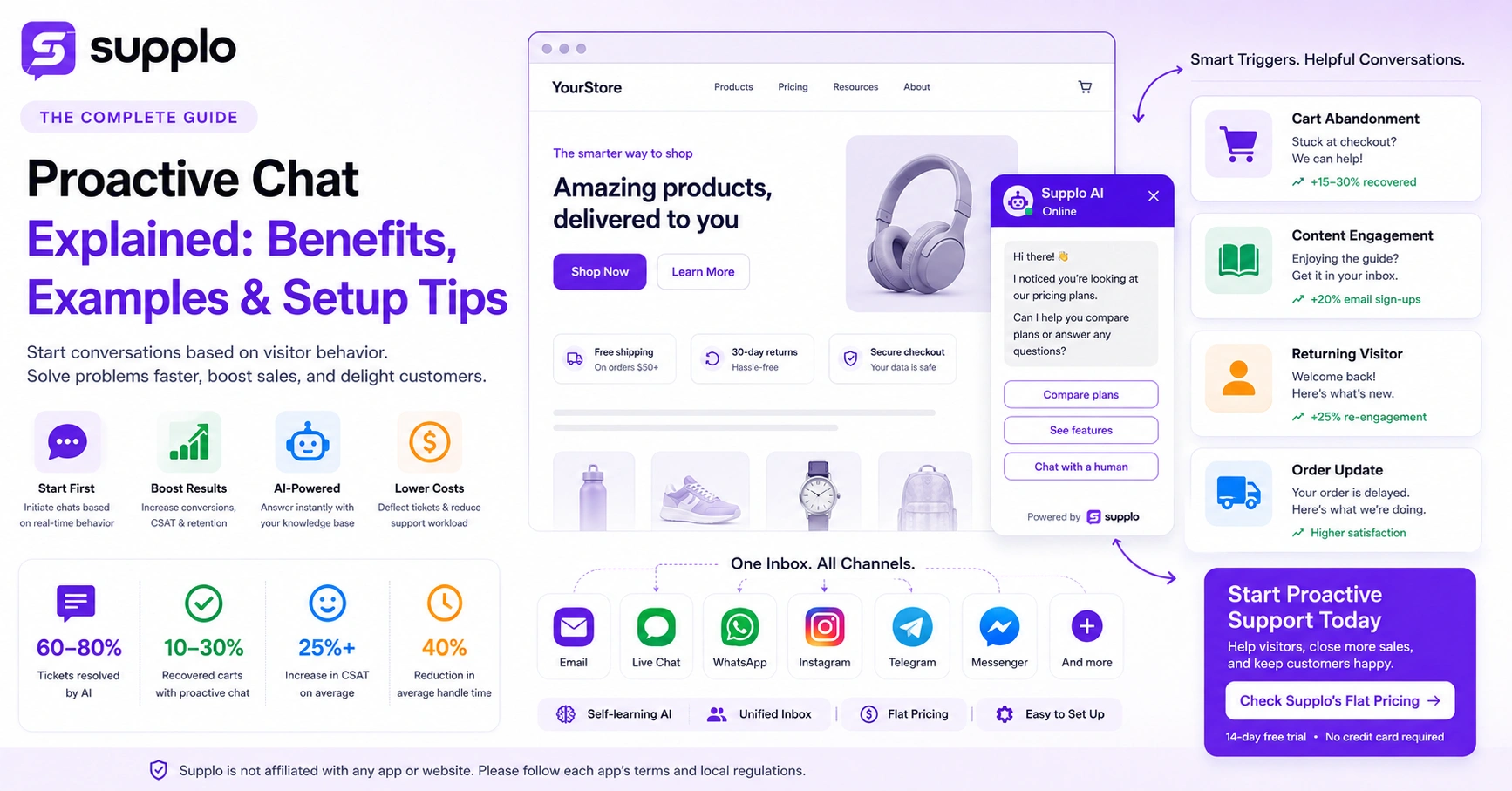
- Triggers smart messages – like automatically asking "Need help with pricing?" when someone's on your plans page
Live Chat Widget Purpose: Why Your Website Needs One
The purpose? Remove every bit of friction between a visitor's question and your answer. That's it. Simple, but powerful.
Studies show that live chat can significantly boost conversion rates (20% or more in some cases). Why? Because people trust a site more when they know someone's there to help. It's the difference between browsing a store with no staff and one where a friendly associate asks if you need a hand.
- Bounce rates drop when help is one click away
- Customers prefer it – seriously, most people would rather chat than call or email for quick questions
- Lead data collects passively – name, email, even what page they're on, all captured before a word is typed
- AI can handle the heavy lifting – a well-trained bot can resolve 80% of common questions autonomously
Features of a Chat Widget: What to Look For Beyond Basic Chat
A reliable customer support widget isn't just a chat box; it's a mini command center hiding in the corner of your site. Here's what separates the good from the "meh":
Proactive triggers – Welcome messages that pop up after 10 seconds on a pricing page. "Need help deciding? We're here."
Chat transfer – Seamless handoffs between bots and humans, with zero context loss. The customer shouldn't have to explain themselves twice.
Mobile responsiveness – Half your visitors are on phones. If the widget breaks on mobile, you're invisible to them.
Canned responses – Pre-written replies for FAQs. Your agents' wrists will thank you.
Analytics dashboard – Track chat volume, response times, satisfaction scores. What gets measured gets improved.
Best Website Chat Widget: How to Choose Based on Reliability
Here's the truth: the "best" widget depends on your team size, budget and how tech-savvy you are. But there are universal dealbreakers.
Reliability means zero downtime. A widget that's down when you need it most? Useless. Look for 99.9%+ uptime SLAs.
Pricing should be predictable. Avoid platforms that charge per agent; your bill balloons faster than a hot air balloon. Flat per-workspace pricing (like Supplo) keeps things simple.
AI should actually work. Not just a chatbot that guesses wrong. Test it against your actual knowledge base, not generic data.
Integration depth matters. Your widget should connect with email, WhatsApp, Instagram, Telegram, not just website chat. Otherwise you're managing five different inboxes.
Support quality is a red flag. If the provider's own support is slow or unhelpful, that's an irony you don't want to deal with.
Add Chat Widget to Website: Implementation Guide
Adding a chat widget is embarrassingly easy. Here's the 5-minute walkthrough:
- Sign up for a widget provider (Supplo offers a 14-day free trial)
- Copy the embed code from your dashboard settings
- Paste it into your website's header (just before the closing </head> tag)
- Refresh your site – check the bottom-right corner for the widget icon
- Customize the color, position and greeting message in settings
Want to see how easy it is? Start a free 14‑day trial at Supplo, no credit card required. Paste your embed code and you'll have a live widget up in under 5 minutes. Test it on your staging site first, no pressure.
Embed Chat Widget on Site: Technical Setup Without the Headache
Different platforms, same basic idea. Here's the platform-by-platform breakdown:
- WordPress – Use the "Insert Headers and Footers" plugin or edit your theme's footer.php
- Shopify – Online Store > Themes > Edit Code > theme.liquid, paste before </body>
- Wix/Squarespace – Use the "Custom Code" section in site settings
- Custom HTML – Paste directly into your index.html or use Google Tag Manager
- Testing – Open DevTools (F12) and check for errors. The widget should load without issues.
Web Chat Widget Implementation: Common Pitfalls and Fixes
Most issues stem from code placement errors, JavaScript conflicts, or slow loading. Here's what usually goes wrong:
Pitfall 1: Widget appears blank – Likely a Content Security Policy (CSP) block. Add the provider's domain to your CSP allowlist.
Pitfall 2: Widget slows down the page – Use async or defer in the script tag. The widget should load after your main content.
Pitfall 3: Conflicts with other chat scripts – Remove old widgets (Facebook Messenger, old live chat tools) before adding a new one.
Pitfall 4: Not visible on mobile – Check if your theme hides fixed elements in responsive view. Some themes do this by default.
Pitfall 5: The fix – Use Google Tag Manager to load the widget as a custom HTML tag. Easier to debug, easier to manage.
If your widget code keeps failing, don't waste hours debugging. Supplo's support team (real humans) can help you deploy in 10 minutes flat. Plus, our AI agent keeps resolving tickets while you sleep. Start your free trial →
Customer Support Widget Capabilities: AI, Automation and Multichannel
Modern widgets do way more than chat. We're talking:
- Self-learning AI – The bot gets smarter over time by analyzing past conversations. It learns what worked and what didn't.
- Multichannel unification – One thread per customer, across email, WhatsApp, Instagram, Telegram and Facebook Messenger. No more switching tabs.
- Real-time translation – Support customers in any language without hiring a translator. The widget handles it.
- Automation rules – Auto-assign, auto-tag, auto-close based on keywords or behavior. Set it and forget it.
- Handoff logic – AI escalates to a human when confidence drops below a threshold. Seamless, no context lost.
The result? Your team works from one thread-based inbox, not five different apps.
Customer Service Chat Widget Website: Integrating with Email, Social and WhatsApp
A widget shouldn't live in isolation. The best setups connect your website chat to everything else:
- Email integration – Visitor leaves mid-chat? The transcript automatically converts to an email ticket. You don't lose them.
- WhatsApp integration – Incoming WhatsApp messages appear in the same inbox as website chats. Learn more about WhatsApp support.
- Instagram/Facebook DMs – Social messages unify so your team sees everything in one place. Instagram DMs made easy.
- Telegram support – Telegram group messages flow into your widget dashboard.
The best support widget is one you never have to think about again. Supplo's self-learning AI handles up to 80% of incoming tickets automatically, at a flat $0.04 per resolution, not the $0.99 legacy tools charge. And with multichannel unification across email, WhatsApp, Instagram, Telegram and Facebook Messenger, your whole team works from one thread-based inbox. Pricing is flat per workspace, so your bill stays predictable even as you grow. Try Supplo free for 14 days →
Key Takeaways
- A customer support widget is a JavaScript snippet that adds a live chat or AI chatbot interface to your website
- It captures visitor questions, routes them to human agents or AI and logs conversations for follow-up
- Top features to prioritize: proactive triggers, multichannel integration (email, WhatsApp, social) and flat pricing (per workspace, not per seat)
- Implementation takes 5 minutes: copy the embed code, paste it in your site header and test
FAQ
Is a customer support widget safe to install on my website?
Yes, as long as you choose a reputable provider. The widget is just JavaScript that runs in the browser. Make sure it's served over HTTPS and doesn't collect data you haven't authorized. Supplo is not affiliated with any app or website. Please follow each app's terms and local regulations.
What happens if my widget code fails to load?
If the code breaks, the widget won't appear. It won't crash your site. Most modern providers host the script on a CDN, so failures are rare. Check the browser console (F12) for errors to pinpoint the issue, often a missing script URL or an ad blocker.
Can I use a support widget temporarily (e.g., for a product launch)?
Absolutely. Most providers, including Supplo, offer monthly subscriptions with no long-term contracts. You can spin it up for a launch and pause or cancel afterward. Just ensure you download your chat history before canceling.
What should I NOT use a support widget for?
Don't use it to collect sensitive personal data (Social Security numbers, credit card details, medical records) unless your widget is HIPAA or PCI compliant. Regular support widgets aren't built for secure data transmission by default.
How do I customize the widget to match my brand?
Look for a Branding or Widget Customization section in your provider's dashboard. You can typically change colors, button icons, greeting text and position (bottom-left vs. bottom-right). Some tools let you add custom CSS for deeper control.
Can a support widget work on a static website?
Yes. Static sites (HTML/CSS/JS only) can embed the widget code directly in the HTML. No CMS or server-side setup needed. Just paste the snippet before the closing </body> tag.
Why does my widget show Offline when I'm in the office?
The widget reflects your availability based on your settings. Check your Working Hours or Availability configuration. Most tools let you set custom hours and a fallback offline message or email capture form.
Compliance line: Supplo is not affiliated with any app or website. Please follow each app's terms and local regulations.