On this page
A solid SaaS customer support page with a well-thought-out FAQ section isn't just another page on your website; it's basically a 24/7 support agent that never sleeps, never takes a coffee break, and never gets cranky. This guide is for SaaS companies and support teams who want to build, tweak, or completely overhaul their FAQ pages so they actually work harder for you.
Quick Answer
- Your FAQ should tackle the top 10–20 questions your users actually ask (not the ones you think they ask)
- Organize everything with clear H2 categories and specific H3 questions, make it scannable
- Keep answers tight: 2–4 sentences, plain English, skip the jargon
- Connect your FAQ to your knowledge base and use it to train your AI support agent
- Review and update quarterly (or whenever your product changes) to stay accurate and trustworthy
Why a Good FAQ Page Is the Foundation of Your SaaS Customer Support
A well-written FAQ page isn't just a list of questions. It's your first line of defense. When your SaaS customer support page addresses common issues upfront, you reduce ticket volume, boost user satisfaction, and let your team focus on the messy stuff that actually needs human attention.
It lowers support costs by deflecting repetitive tickets before they even hit your inbox. It builds trust by showing you actually get what frustrates your users. A strong FAQ also boosts SEO for your product documentation, because when people search for answers, Google rewards pages that deliver them. Plus, that FAQ content becomes the training ground for your AI agent, making automated support way more effective. And honestly? It gives your brand a consistent voice that screams, "We've got this."
How to Write a Software FAQ That Actually Answers Real Questions
Stop guessing what your users want to know. Really. Start digging into your support tickets, chat transcripts, and even sales calls to find the patterns. What questions keep coming up? Answer those, in plain language, no fluff, and keep each response to 2–4 sentences max.
Use one H3 per question to keep your FAQ page scannable. Lead with the exact phrasing your users use (not your polished version). Stick to one idea per answer, and throw in a Related Article link if someone wants to go deeper. Oh, and test your answers on actual new users. If they don't get it, rewrite it.
Questions to Ask for FAQ Page Content Before You Write a Single Line
Before you type a single word, do some homework. This upfront research saves you from building an FAQ that misses the mark entirely.
- Pull your last 100 support tickets and tag the top 10 repeat topics
- Ask your support team: What question do you answer five times a day?
- Check your knowledge base analytics for what people actually search for
- Talk to sales, they know which questions stall deals
Ready to test your FAQ against real support traffic? Start building your knowledge base for free with Supplo's 14-day trial, no credit card required.
The Right FAQ Page Structure for Higher Self-Service Rates
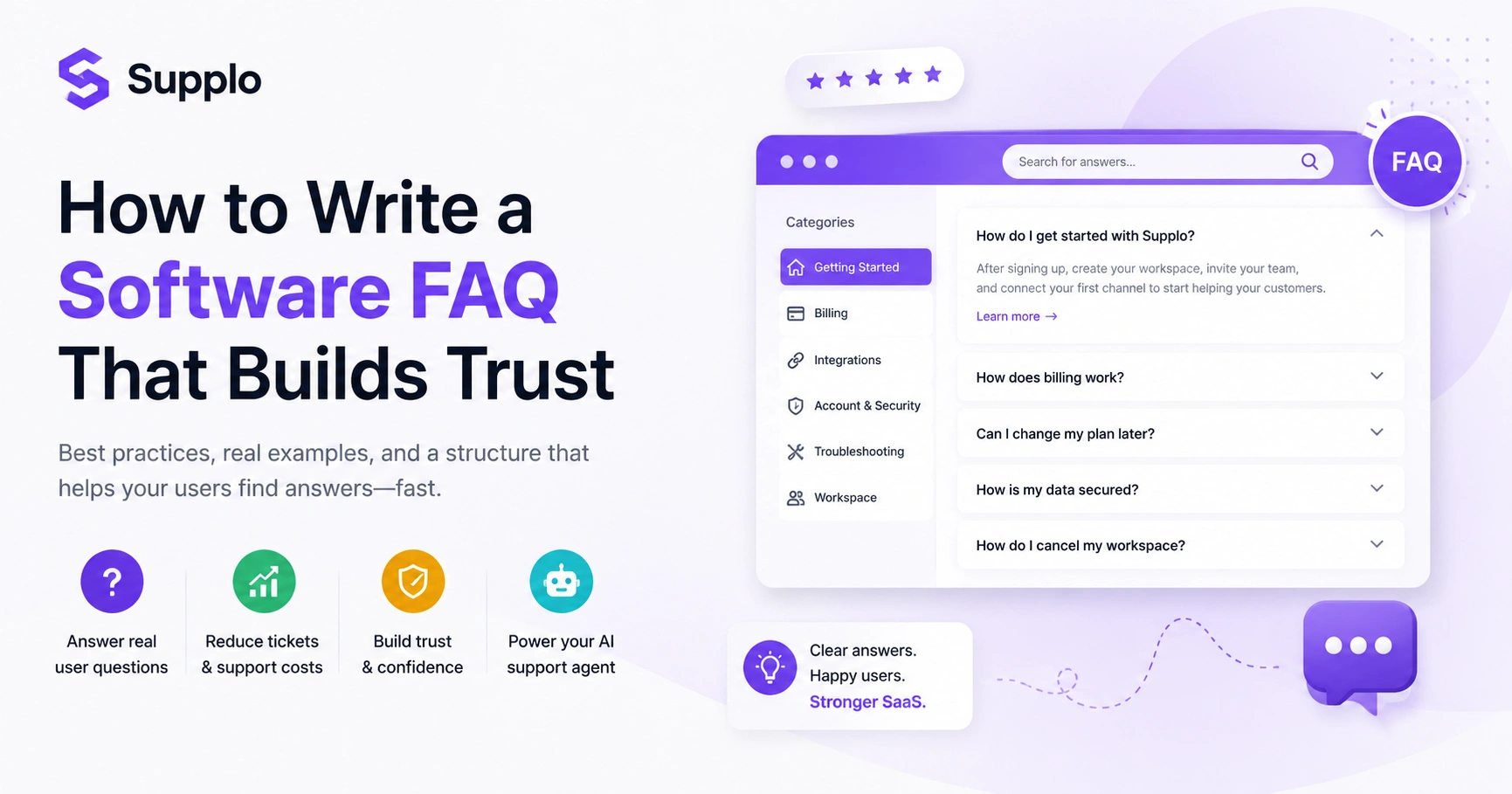
Your FAQ should take a user from frustrated to oh, got it in under 30 seconds, group related questions under clear H2S, such as Billing, Setup, or Integrations. Add an anchor-link table of contents at the top. And please, don't turn your FAQ into a wall of text. Each answer should be one tight paragraph or a short bullet list.
Put your most-asked questions first. Use a collapsible accordion layout to keep the page clean and easy to scan. Include a prominent search bar for people who want to type their problem and go. Link each FAQ answer to the relevant feature page for deeper context, like your WhatsApp customer support page. And test your mobile layout. If it's clunky on a phone, it's broken.
Common Customer Support Questions for FAQ Pages With Real SaaS Examples
Some questions show up everywhere: pricing, billing, integrations, data security, and cancellation policies. Your job is to take those universal themes and answer them in your product's voice. Instead of How do I cancel my account? Try How to cancel your Supplo workspace and export your chat history.
Cover onboarding questions like What do I do after signing up? Be honest about pricing: What happens when I hit my resolution limit? Include security FAQs to build trust: How is my customer data handled? Provide troubleshooting steps for common errors, such as API connection failures. Address basic email ticketing system questions. And always add Can I change my plan later?, It reduces purchase hesitation more than you'd think.
Best Practices for FAQ Pages That Improve Product Documentation
Best practices aren't just about formatting, they're about empathy. Write answers that solve the user's problem, not answers that defend your product. Keep the tone conversational, ditch passive voice, and assume your user has already tried the obvious fix.
Use a consistent Q&A format: bold the question, light-weight the answer. Include: Why does this happen? explanations so users learn, not just get patched up. Was this helpful? button on each FAQ for continuous improvement. Update your FAQ when your product changes; outdated answers kill trust fast. And never hide the hard stuff. If there's a limitation, address it directly.
FAQ Page Layout Tips That Reduce Friction and Boost Resolution
Your FAQ layout should feel like a helpful chat, not a textbook. Use a two-column grid for categories on larger screens. Collapse long sections under H3S so people don't have to scroll forever, golden rule: the answer should be visible within two clicks of landing on the page.
Add a floating search bar at the top that searches only FAQ content. Use visual icons (e.g., a ticket icon for Account Issues) to speed recognition. Keep body text at least 16px for readability. Still stuck? section at the bottom linking to live chat or your contact form. And test with screen readers, accessibility isn't optional.
If your FAQ isn't reducing tickets as you expected, your content might need a structural overhaul. Use Supplo's unified inbox to review actual customer conversations and find the gaps. Start free today.
How to Build a Support FAQ That Integrates With Your Knowledge Base
Your FAQ shouldn't live in a silo. It should be the entry point to your full knowledge base. Link each FAQ answer directly to a more detailed product documentation article, so curious users can drill deeper without leaving your help ecosystem. This integration also feeds your AI agent, which can automatically answer tickets by pulling from both FAQs and documentation.
Create a clear hierarchy: FAQ (quick answers) → Knowledge Base (deep guides). Use tags and categories that match your help desk software for easy content reuse. Sync your FAQ content with your AI agent's training data to ensure consistent answers, then direct users to your central knowledge base for more detailed information. Set up automatic updates: when you revise a knowledge base article, mirror the change in your FAQ. Monitor search data to see which FAQ answers are being ignored, then rewrite or replace them. A unified shared inbox makes team collaboration smoother.
What Makes a Good FAQ Page? The Metrics That Matter
A good FAQ page is measurable. It reduces ticket volume. It improves CSAT scores. It ranks for relevant search queries. Track how many users click into your FAQ, how long they stay, and whether they end up contacting support anyway. If your FAQ isn't closing tickets, it's not working; rewrite, restructure, or rethink the questions.
Measure deflection rate: how many users viewed an FAQ and didn't open a ticket. Track search-term failures: if users search and find nothing, add that question. Monitor page bounce rate: high exit rates indicate that your answers aren't aligning with intent. Use heatmaps to see where users stop reading and improve those sections. Aim for a self-service resolution rate of at least 50% for common questions.
How to Keep Your SaaS Customer Support Page Fresh and Accurate
An outdated FAQ erodes trust faster than no FAQ at all. Schedule a quarterly review of your SaaS customer support page. Remove or revise answers for features that have changed, new pricing models, or deprecated integrations. Assign one person on your team as the FAQ owner, someone who actually cares about accuracy.
Set a calendar reminder every 90 days to audit your FAQ. Review your newest product release notes and update relevant entries. Check your top support tickets from the last month. Are any new questions surfacing? Remove coming soon answers or features that never launched. Add a last-reviewed date stamp at the bottom of each FAQ section for transparency. And make sure to compare pricing details to keep your answers accurate regularly.
Writing a Software FAQ That Supports Your Live Chat and AI Agent
Your FAQ doesn't just serve humans; it also trains your AI agent. Every question and answer should be structured so that a machine can quickly grab and use them. Use clear, standalone sentences. Avoid pronouns like 'it' or 'this' that confuse machine parsing. This turns your FAQ into a self-service backbone that powers both live chat and automated resolution.
Write FAQ answers that start with the subject (e.g., Your workspace can be canceled...) for AI readability. Include synonyms in your FAQ metadata so the AI catches different phrasings. Test your self-learning AI agent against your FAQ to confirm it retrieves the correct answer. Link FAQ answers directly to action steps (e.g., Go to Settings > Workspace > Cancel). Use your FAQ as the fallback response when your AI agent doesn't find an exact match.
Keep your support content accurate and your team aligned. Get ongoing access to Supplo's shared team inbox, AI agent, and flat-rate pricing starting at $0.04 per AI resolution. Start your free trial now.
Key Takeaways
- A well-optimized SaaS customer support page with an FAQ is critical for reducing support costs and improving user satisfaction.
- Prioritize research to ensure your FAQ answers real, frequently asked questions; don't just guess.
- Structure your FAQ with clear categories and concise answers to promote self-service and discoverability.
- Integrate your FAQ seamlessly with your broader knowledge base and AI agent for a unified support experience.
- Regular maintenance and updates are essential to keep your FAQ relevant and trustworthy.
FAQ
How often should I update my SaaS FAQ page?
At least once per quarter, or immediately after any major product or pricing change. A stale FAQ page undermines trust and leads to more support tickets.
How many questions should a good FAQ page have?
Aim for 10-20 questions covering the most common customer support queries. More than 30 can overwhelm users; fewer than 10 may miss key recurring issues.
Should I include troubleshooting steps in my software FAQ?
Yes, but keep them short and scannable with numbered steps. For detailed troubleshooting, link to your product documentation FAQ for a full guide.
Can I use an FAQ page to reduce support ticket volume?
Absolutely. A well-written SaaS customer support page can deflect 50-70% of common questions, freeing your team to handle complex issues.
What's the best way to structure an FAQ page for SEO?
Use H2S for question categories (e.g., Billing or Integrations) and write each question as an H3 with a natural, full-sentence answer. This helps Google surface your FAQ in rich results.
Should I allow users to submit new FAQ questions?
Yes. A Suggest a Question button or a simple feedback widget helps you catch issues you haven't covered yet.
How does an FAQ help my AI support agent?
Your FAQ serves as training data for your AI agent, which learns to automatically answer the same questions. Supplo is not affiliated with any app or website. Please follow each app's terms and local regulations.
Compliance line: Supplo is not affiliated with any app or website. Please follow each app's terms and local regulations.