On this page
Let's be real for a second. Getting your AI to handle 9 out of every 10 support tickets without a human touching them? That's the dream, right? And while it sounds ambitious, it's absolutely doable. This guide breaks down exactly what it takes to hit a 90% AI resolution rate, the benchmarks you should be chasing, the setup steps that actually matter and the metrics that tell you if you're winning or just spinning your wheels.
Whether you're a support leader, ops manager or CX pro looking to slash costs and give your human agents some breathing room, this one's for you. We'll cover everything from your first configuration to the ongoing tweaks that turn your AI from a helpful intern into a true team member.
Quick Answer
- What it means: Your AI resolves 90% of incoming customer queries without any human stepping in.
- Where you stand: Most teams start around 40-60%. The ones doing it right hit 80-90%.
- What it takes: A rock-solid knowledge base, quality training data, smart intent recognition, smooth human handoffs and continuous monitoring.
- The real secret: Your knowledge base quality matters more than anything else.
- Look beyond the number: Track CSAT, response times and escalation rates too.
- Pick the right pricing: Flat-fee models reward high resolution. Per-resolution models? They punish it.
Supplo is not affiliated with any app or website. Please follow each app's terms and local regulations.
What Is an AI Resolution Rate and Why Does 90% Matter?
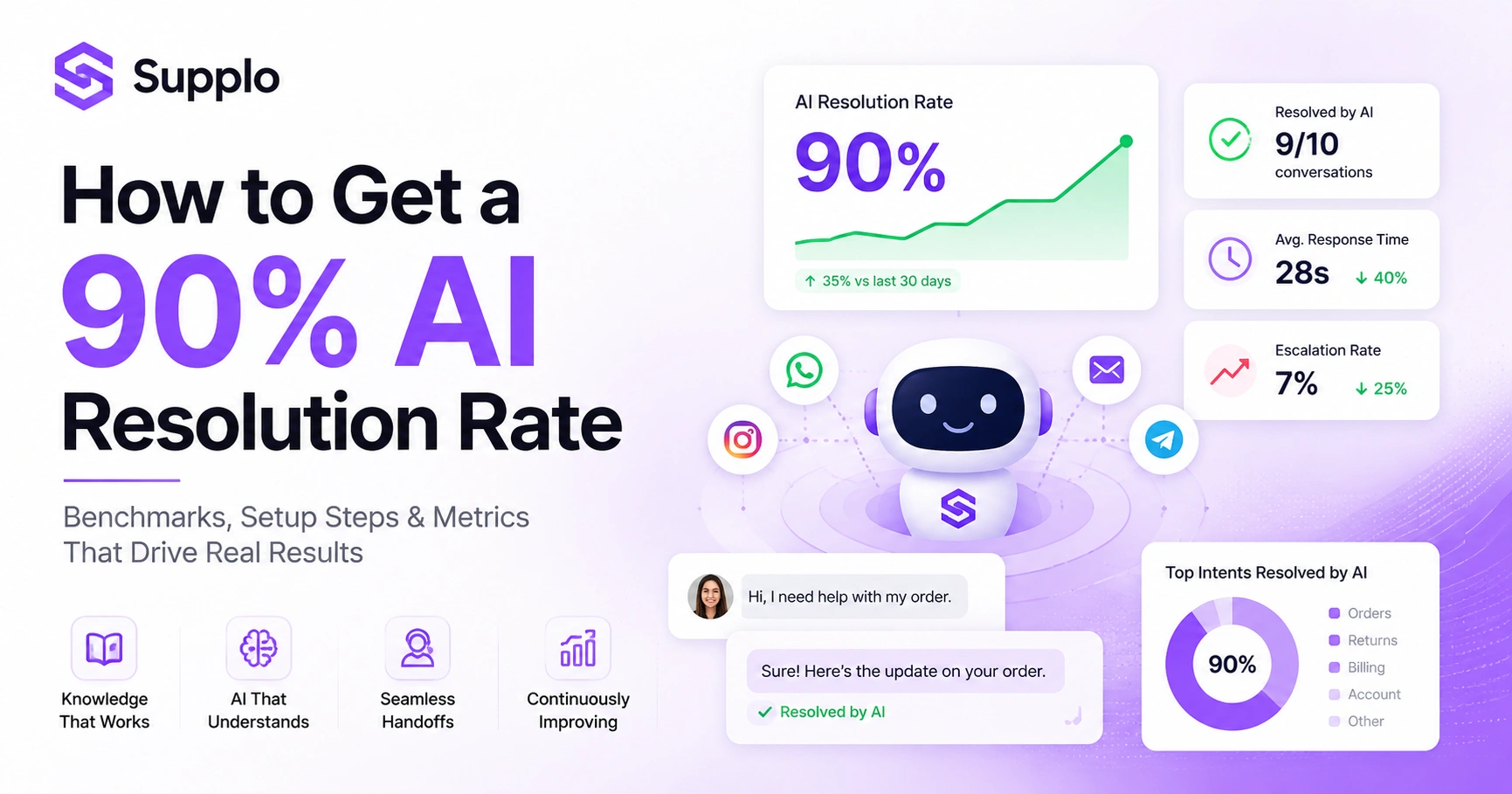
Here's the simple version: your AI resolution rate shows the percentage of support tickets your AI agent handles from start to finish, with no humans needed. Hitting 90% means your AI is carrying the team in 9 out of 10 conversations.
And this isn't just a cool number to brag about. It's the kind of metric that directly impacts your bottom line. When your AI handles 90% of tickets, your human team focuses on the messy, complex, high-value stuff. Your customers get faster replies, 24/7 coverage and answers that don't change depending on who's working that day.
One thing that trips people up: resolution rate isn't the same as deflection rate. Deflection stops a ticket from reaching a human. Resolution means the customer actually got their answer, big difference.
Here's where pricing gets interesting. Legacy tools love charging per resolution. So the better your AI performs, the more you pay. That's backward. Flat-fee models, like the one we use at Supplo, actually reward you for achieving high-resolution rates. Every improvement lowers your effective cost per ticket, rather than raising it.
Current AI Resolution Rate Benchmarks: Where Does Your Team Stand?
Let's talk numbers. After initial setup, most support teams achieve an AI resolution rate of 40% to 60%. The teams that really commit to optimization push past 80%. And the best-in-class implementations? They're hitting 90% or higher.
Knowing where you stack up against these AI resolution rate benchmarks helps you set realistic goals. If you're at 45% today, aiming for 90% tomorrow isn't going to happen. But aiming for 65% in 30 days? That's doable.
Industry matters too. SaaS companies tend to see higher rates than hardware or logistics support and they face different types of questions and varying levels of complexity. Out-of-the-box chatbots usually hover below 50% because they're not properly connected to your data. Teams using self-learning AI that trains on past tickets consistently outperform those running static FAQ bots.
The bottom line: hitting 90% takes continuous tuning. It's not a set-it-and-forget-it kind of thing. Compare what your current tool delivers against what's possible with a system that actually learns.
The 5 Core Pillars to Achieve High AI Resolution Rates
Think of these pillars as the foundation. Miss any one of them and you'll probably stall somewhere below 70% AI resolution rate. Get all five right and 90% starts looking pretty realistic.
Pillar 1: Knowledge Base
Your AI needs something to pull answers from. A centralized, up-to-date knowledge base that the AI agent can query in real time to resolve tickets automatically is non-negotiable. If your KB is a mess, your AI will be a mess.
Pillar 2: Training Data
Forget theoretical scripts. Use actual past support conversations. Real questions, real answers, real edge cases. That's what trains a good AI.
Pillar 3: Intent Recognition
Your AI needs to understand what people actually mean, even when they phrase things weirdly, use slang or type in another language. Context matters.
Pillar 4: Human Handoff
When the AI lacks high confidence, it should pass the conversation to a human without having the customer repeat themselves. Clean handoffs are make-or-break.
Pillar 5: Continuous Monitoring
Set aside time every week to audit what the AI missed. Those gaps tell you exactly where to improve. Ignore this pillar and you'll plateau fast.
How to Configure Your AI Agent for Maximum Ticket Resolution
Start by connecting all support channels to a single inbox. Your AI needs the full picture- chat history, email threads, past interactions- to answer accurately. The unified thread-based inbox approach makes this seamless.
Next, set your resolution thresholds. Let the AI resolve automatically only when it's highly confident. Everything else routes to humans. As the AI learns and improves, you can gradually raise that threshold.
Configure your AI to suggest answers first. Let the customer accept or ask for a human. This feels natural and respects their choice. Use self-learning capabilities to improve from every feedback cycle.
Pro tip: test with low volume first. Work out the kinks on a handful of channels before scaling to everything: WhatsApp, Telegram, Instagram DMs, email, the whole works. See how Supplo seamlessly handles multi-channel support.
Start testing your AI resolution rate today.
Try Supplo free for 14 days, no credit card needed. Connect your knowledge base, invite your team and see how close you can get to 90% AI resolution in your first week.
Data Quality and Knowledge Base Optimization for High AI Resolution
If I had to pick one thing that makes or breaks your AI resolution rate, it's data quality. Period. You can have the smartest AI on the market, but if your knowledge base is outdated, contradictory or incomplete, you're not hitting 90%.
Start by exporting every ticket from the last 90 days. Categorize what people asked most. Then check if your knowledge base actually has answers for those questions. If the same question shows up 50 times and your KB is silent, your AI resolution rate takes a direct hit.
Write KB articles in clear, simple language. No jargon. No ambiguity. The AI needs to pull relevant responses quickly and messy content slows everything down.
Keep updating your KB as products and policies change. Stale data is the silent killer of automation success. Check out how Supplo's knowledge base, which AI can query in real time, makes this whole process easier.
AI Automation Success Metrics: What to Track Beyond Resolution Rate
Here's a trap people fall into: they see a 90% AI resolution rate and celebrate. But that number alone doesn't tell the whole story. You need to look deeper.
Track these alongside your resolution rate:
- CSAT after AI interactions: If customers are unhappy with AI-handled tickets, then 90% is meaningless.
- First response time: AI should respond in seconds, not minutes. If it's slow, something's off.
- Escalation rate: How often does the AI hand off to a human? And why?
- Reopened tickets: If 50% of AI-resolved tickets are reopened, your resolution rate is hollow.
- Intent coverage: What percentage of question types does your AI even attempt to resolve?
These AI automation success metrics give you the full picture. A high resolution rate only matters if it actually helps customers.
Overcoming Common Pitfalls That Block Successful AI Resolution Rates
I see teams stall at 60% all the time. Usually it's one of these mistakes:
Pitfall 1: Over-restricting the AI
If you only let the AI answer exact matches from the KB, you're crippling it. Give it room to work with similar queries.
Pitfall 2: Skipping the feedback loop
When the AI resolves something incorrectly and nobody corrects it, it keeps making the same mistake. You need a system for flagging and fixing errors.
Pitfall 3: Not integrating all channels
If your AI handles chat but not email, customers get inconsistent answers. That kills trust.
Pitfall 4: Pricing-per-resolution models
Some tools actually charge you more when your AI works better. That's wild. See how Supplo avoids this with a transparent alternative to legacy tools.
If your AI resolution rate is stuck, it's not your fault; it's your tool.
Legacy tools charge per resolution, rewarding low automation. Supplo's flat fee model means every improvement lowers your cost. Switch to a system that aligns with your success.
AI Customer Support Automation in Practice: Workflows and Handoffs
Let's clear something up: automation doesn't mean removing humans. It means your AI handles the first line of defense and, when it can't resolve something, hands it off cleanly.
At a 90% AI resolution rate, your team still handles 10% of tickets. Those handoffs need to be smooth. The human should get a full conversation history so they never ask the customer to repeat themselves. Nothing frustrates customers faster than that.
Set up escalation triggers based on confidence scores. When the AI isn't sure, flag it for human review. The AI should summarize what it already attempted before handing off.
Train your team to review AI logs weekly. Their feedback is gold; it helps the AI learn and improve. And make sure you're automating email ticketing alongside chat so nothing falls through the cracks.
Scalable AI Support Solutions: Growing Your System from 50% to 90%
Going from 50% to 90% AI resolution rate isn't a one-week project. It's an iterative process over weeks or months. Here's a realistic roadmap:
Month 1: Focus on simple, high-volume questions. Password resets. Order status. Business hours. Nail the easy stuff first.
Month 2: Add medium-complexity questions. Policy explanations. Step-by-step troubleshooting. AI is getting smarter now.
Month 3: Introduce partial resolution. Let the AI gather information even when it can't fully resolve the issue. Every bit of automation helps.
Use analytics to see which ticket types still go to humans most often. Those are your next optimization targets. Rinse and repeat.
How Supplo's AI Agent Flat Fee Model Supports High Resolution Goals
Here's something most people don't realize: most AI support tools charge per resolution. So the better your AI performs, the more you pay. That's a broken incentive.
Supplo does it differently. We charge a flat fee of $0.04 per workspace, resolution, instead of the $0.99 legacy tools charge. Every improvement you make to your AI resolution rate lowers your cost per ticket. We're literally incentivized to help you succeed. Supplo's flat fee per workspace removes the financial penalty for hitting 90% resolution. Your AI agent learns from your knowledge base and past conversations, getting smarter over time. All your channels- email, chat, WhatsApp, Telegram, Instagram DMs, Facebook Messenger- live in one thread-based inbox.
And you can start free for 14 days, no credit card required.
Ready to own your customer support costs?
Get a flat-rate AI agent that learns from every conversation. Supports email, WhatsApp, Telegram, Instagram DMs and more: no per-seat fees, no per-resolution penalties.
Key Takeaways
- A 90% AI resolution rate is achievable. It directly cuts costs and boosts customer satisfaction.
- Your knowledge base quality is everything. Prioritize it.
- Regularly analyze and optimize training data, intent recognition and handoff protocols.
- Track CSAT, escalation rates and resolution rates for the full picture.
- Choose a flat-fee pricing model that rewards higher resolution instead of punishing it.
FAQ
What is a good AI resolution rate benchmark?
Most teams start at 40–60%. Top performers hit 80–90%. It depends on the complexity of your ticket and the quality of your data.
Can any AI tool achieve a 90% resolution rate?
Not with static chatbots. You need self-learning AI that trains on your conversations and integrates with your knowledge base. Tools like Supplo are built for this.
Does a high AI resolution rate reduce customer satisfaction?
Not when done right. Customers get faster answers and 24/7 availability. Satisfaction stays high when escalations are handled smoothly.
How long does it take to reach a 90% AI resolution rate?
Most teams see significant improvement within 4–8 weeks with proper setup and weekly tuning. It's an iterative process.
What happens when the AI can't resolve a ticket?
The AI should hand off to a human with a full conversation history so the customer never repeats themselves. That's how Supplo's system works.
Is the AI resolution rate the same as the ticket deflection rate?
No. Deflection counts tickets blocked before reaching a human. Resolution counts tickets fully answered. Resolution is the stronger metric.
Why is my AI resolution rate stuck at 50%?
Common culprits: poor coverage of the knowledge base, limited training data, no feedback loop or a restrictive confidence threshold. Audit these areas first.
Compliance line: Supplo is not affiliated with any app or website. Please follow each app's terms and local regulations.