On this page
Many businesses aim to automate customer support, but achieving true ticket resolution with AI often remains elusive. This article is for support managers, customer service leads and business owners who are tired of chatbots that deflect more than they solve. We'll explore what it takes for an AI to resolve customer issues genuinely, not just redirect them and how to implement a system that works for your team and your customers.
Quick Answer
- An AI that actually resolves customer issues handles multi-turn conversations, executes actions (like password resets) and learns from your existing knowledge base: it doesn't just push FAQs.
- The right AI customer support tool cuts ticket volume by automating common issues while seamlessly handing complex cases to your team with full context.
- Flat-rate pricing (like Supplo's $0.04 per resolution) avoids the perverse incentive of per-resolution models, where success means higher costs.
- True resolution means the customer leaves satisfied without ever needing a human agent.
What Makes an AI Actually Resolve a Support Ticket?
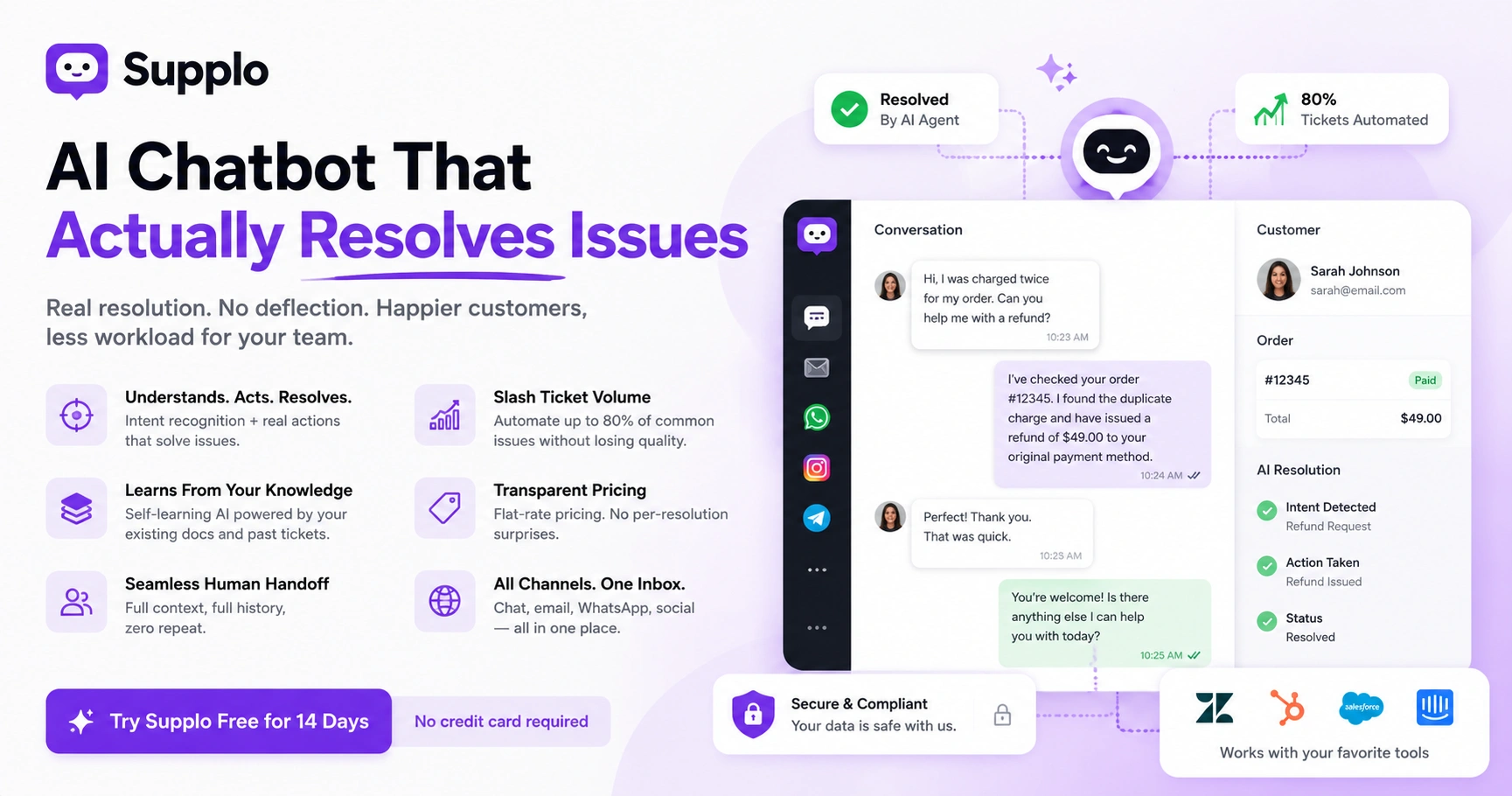
Let's be real: most chatbots are just digital menu readers. They pop up, offer three useless options and then ghost you when you actually need help. An AI chatbot that actually resolves issues works differently. It figures out what the customer actually wants, pulls the right answer from your knowledge base and takes action: like resetting a password or looking up an order. No deflection. No check our help center; just real fixes.
So what actually makes this work? A few things.
First, intent recognition matters more than keyword matching. Someone saying my thing broke should trigger context-aware responses, not a generic FAQ link. The AI needs to understand what something means based on conversation history, account data or product info.
Second, action execution capabilities are non-negotiable. The AI should integrate with your backend to retrieve invoices, update account details or process simple requests. If it can't actually do anything, it's just a fancy search bar.
Third, a self-learning AI gets smarter over time. Every interaction becomes training data. The more tickets it handles, the better it gets. Combine that with transparent fallback mechanisms: when the AI hits a wall, it admits it and hands it off to a human with full context and you've got a system that actually works.
Want to see this in action? Check out Supplo's AI agent to understand how real resolution works.
AI Ticket Deflection vs. True AI Ticket Resolution: The Critical Difference
Deflection is just a fancy way of saying, "We hope the customer gives up." Tools that measure deflection are basically measuring how many people walked away frustrated. True resolution means the AI owns the ticket from start to finish. It handles the conversation, asks clarifying questions, confirms the fix and closes the loop.
The dirty secret of deflection metrics? They often count customers who abandoned the conversation as self-served. That's not a win: that's a failure disguised as a stat.
Real resolution requires two-way interaction. The AI doesn't just push a link and call it done. It follows up. It checks if the issue is actually fixed. And if it can't resolve an issue, it escalates intelligently rather than leaving the customer stranded.
Here's a quick audit you can do right now: Compare tickets closed by AI versus tickets escalated after AI interaction. If those numbers are close, your AI is actually resolving. If the deflection rate is high but resolution is low, you've got a problem.
How an AI Support Agent Handles Complex, Multi-Step Issues
Complex issues are the real test. A billing dispute across four invoices. A technical setup that needs step-by-step guidance. A customer who's already tried everything and is now frustrated. These aren't simple Q&A situations: they need real problem-solving.
A capable AI support agent handles this by maintaining thread context across the entire conversation. It remembers what the customer already tried. It doesn't force them to repeat themselves. It asks smart, clarifying questions and follows a logical troubleshooting tree.
The key factors here:
- Multi-turn conversation management: The AI tracks state across dozens of messages within a single session. Even if the conversation spans hours, nothing gets lost.
- Context retention: No What was your issue again? moments. The AI remembers account history, previous interactions and what's already been attempted.
- Ambiguity handling: When a customer says it still isn't working, the AI knows what they mean based on context. Most bots fail spectacularly at it.
- Smart escalation: When the AI hits a dead end, it passes the full conversation history to a human agent. Not a generic ticket summary. The human sees exactly what was tried and exactly where things left off.
Automating Customer Interactions Without Losing the Human Touch
Full automation doesn't have to feel robotic. In fact, the best AI-automated customer support solutions use natural language models that sound almost human: complete with contractions, empathy phrases and polite negotiation.
The goal? The customer feels heard, not processed. When done right, most people won't even realize they're talking to an AI until the issue is already resolved.
What makes this work:
- Tone customization: Match your brand's voice. Formal, humorous, empathetic: whatever fits. Phrases like I understand how frustrating that must be go a long way toward making automation feel human.
- Multilingual support: Automated translation that preserves sentiment and cultural nuance. No awkward phrasing or lost meanings.
- Seamless human handoff: When escalation happens, it shouldn't feel like a jarring transfer. The conversation continues naturally, just with a human on the other end now.
- Unified inbox: All channels (chat, email, social) feed into one shared thread-based inbox so nothing falls through the cracks.
Smart Chatbot Problem Solving: Where Most Bots Fail And How to Fix It
Most chatbots fail because they can't actually solve problems. They can help me reset my password. But they completely fall apart on why my payment failed when the card is valid. That second question requires real reasoning: checking payment logs, validating inputs, understanding variables.
Common failure modes:
- Keyword matching instead of intent recognition: A customer says, "My account is locked," and the bot responds, "Here's how to log in." Not helpful.
- Lack of system integration: The bot can't query your backend for order status, account age or payment logs. So it guesses and it guesses wrong.
- Poor context handling: the dreaded "yes, I said that already" loop. The customer repeats themselves because the bot forgot what was said two messages ago.
The fix? Choose a platform that supports API hooks and custom logic triggers. Your AI needs to actually interact with your backend systems, not just read from a static FAQ. That's how an AI chatbot that actually resolves support tickets works.
AI for Helpdesk Automation: Slashing Workload Without Sacrificing Quality
AI for helpdesk automation should make your team's life easier: not add another tool they have to babysit. The right system automates repetitive tasks (password resets, tracking updates, common troubleshooting) and surfaces only tickets that genuinely need human judgment.
When done right, you can cut incoming ticket volume by up to 80% for typical SaaS businesses. But here's the catch: automation has to be accurate. If your AI makes mistakes, your team spends more time cleaning up than they save.
What effective helpdesk automation looks like:
- Ticket triage: Classify, prioritize and route issues without human intervention. An urgent billing problem goes to billing. A simple question stays with AI.
- Auto-replies that actually do something: Not. “We received your message. Real actions, like resetting your password: here's the new link.”
- Reduced agent burnout: When tedious tickets get automated, your team focuses on work that actually matters.
- Continuous quality checks: Monitor AI resolutions to ensure accuracy stays high over time.
Want to see how pricing compares across different approaches? It's worth comparing pricing models transparently before committing.
The Real Cost of AI Automated Customer Support: Why Pricing Models Matter
Here's something most vendors won't tell you: per-resolution pricing creates a perverse incentive. Every time the AI solves a problem, you pay more. The more successful your automation is, the higher your bill goes. That's backward.
The problem with common pricing models:
- Per-resolution pricing: Fine for low volume. But as your AI gets better and handles more tickets, your costs balloon. You get punished for efficiency.
- Per-seat fees: Outdated model that penalizes growing teams. Add more agents? Pay more. Seasonal scaling? Still paying for unused seats.
- Hidden costs: Surprise overage charges, minimum commitments, setup fees. All the stuff that shows up on the first bill but wasn't mentioned in the demo.
Flat-rate pricing (like Supplo's $0.04 per resolution) keeps costs predictable. A workspace-based approach means your bill stays steady even as your team scales. And flexible payment options, including Crypto, Binance Pay, Payeer, GCash, AmanPay, DOKU, Skrill and Payoneer, support global teams without headaches.
AI Customer Care Automation That Learns From Your Existing Knowledge Base
The fastest path to an effective AI? Feed it what you already have. Your knowledge base articles, support docs, past ticket transcripts: all of it becomes training data. A self-learning AI ingests everything, understands relationships between topics and starts answering accurately from day one.
No weeks of manual training. No rebuilding from scratch. Just import and go.
What to look for in a system:
- Easy import options: Knowledge base articles, Google Docs, Notion, past tickets, FAQ pages. The more sources, the better.
- Continuous learning mode: When human agents correct an AI answer, the system gets smarter for next time. No manual retraining needed.
- Version control: If a new learning pattern introduces errors, roll back to a previous version. Safety net included.
- Automatic translation: Your knowledge base content gets translated into supported customer languages. Global support without extra work.
Learn more about how Supplo leverages your knowledge base to power its AI.
Intelligent Ticket Handling: Routing, Escalation and Contextual Handoffs
Not every ticket belongs with the AI. Intelligent ticket handling means the system knows when to route a billing complaint to billing, a technical bug to engineering and a simple password reset straight to the AI.
When human intervention is needed, the handoff includes:
- Full conversation thread
- What the AI attempted
- Account context (ID, purchase history, previous interactions)
- Customer sentiment data
The result? A seamless transfer where the customer doesn't have to re-explain anything and the agent knows exactly what's been tried.
Key components of intelligent handling:
- Rule-based routing: Tag and assign tickets by topic, urgency or customer tier. Automatically.
- Sentiment-based escalation: If the AI detects frustration, it flags the ticket for faster human response.
- Context preservation: Full chat history, AI logs and system data stay with the ticket through every handoff.
- Multi-channel unification: Tickets from WhatsApp, Telegram and Instagram DM integrations all feed into a single thread-based inbox. No channel gets left behind.
Supplo is not affiliated with any app or website. Please follow each app's terms and local regulations.
How to Evaluate an AI Ticket Resolution System for Your Business
When shopping for an AI ticket resolution system, don't trust the demo. Test it with actual customer questions. Throw edge cases at it: broken English, questions outside the knowledge base, multi-issue tickets. See how it performs under real conditions.
What to check:
- Handoff experience: Is it smooth? Or does it feel like the ticket got dropped into a black hole?
- Reporting quality: You want resolution rates, not deflection rates. If they're only showing deflection, something's being hidden.
- Pricing fine print: Per-resolution caps? Seat limits? Minimum commitments? Read everything.
- Integration depth: Does it connect with your CRM, help desk or email system? Or is it a standalone tool that adds more work?
- Learning curve: How fast does it reach reliable resolution rates? Days? Weeks? Months?
Use a free trial with your real data. Supplo offers a 14-day trial without requiring a credit card. That's enough time to see if it actually works for your use case.
For a better understanding of how modern customer support AI should work, read how Supplo compares to traditional helpdesk tools.
Getting Started with a Reliable AI Customer Service Resolution Tool with a free test drive
The best way to know if an AI can actually resolve your tickets? Test it against live traffic. Connect one channel: your website chat widget, for example and let the AI handle real customer questions with a human backup.
Here's the week-one plan:
- Connect one channel: chat widget usually gives the highest ROI.
- Let the AI handle live questions
- Review resolution logs after seven days
- Identify what it handles well and where it needs tuning
- Adjust knowledge base content based on real interactions
Most systems take under 10 minutes to connect: a simple widget embed or email forwarding is usually all it takes. Real-time dashboards show resolved versus escalated rates instantly.
When you're ready to expand:
- Add email support
- Add WhatsApp
- Add Instagram DMs
- Add Telegram
- Add Facebook Messenger
Supplo's free 14-day trial offers a transparent way to test everything before committing; no credit card required.
Test It With Real Traffic: Free for 14 Days
The only way to know if an AI can actually resolve your support tickets is to try it with your real questions. No credit card required. No setup fees.
Key Takeaways
- An effective AI chatbot doesn't merely deflect queries; it thoroughly understands intent, executes actions and learns from every interaction, ensuring genuine issue resolution.
- Focus on resolution rates over deflection rates to measure real impact, as deflection often masks unresolved customer issues.
- A capable AI support agent maintains full conversation context across multi-step issues and provides seamless, informative handoffs when human intervention is required.
- Choose AI solutions with transparent, flat-rate pricing models to avoid unexpected costs from per-resolution or per-seat fees.
- The best AI systems integrate existing knowledge bases and continuously learn from agent feedback, quickly becoming effective without extensive manual training.
If Your Current AI Is Failing, It's Time to Switch
Your customers deserve a support experience that actually fixes their problems. If your current tool is deflecting more than it resolves, we can help. Migrate your knowledge base in under an hour.
Need a Support System That Scales Without Surprises?
Supplo offers transparent, flat-rate pricing (not per-resolution surprises), multi-channel unification and a self-learning AI that actually improves over time. Get started today.
FAQ
Can an AI chatbot actually resolve support tickets without human involvement?
Yes, a well-configured AI can resolve many common tickets, like password resets order tracking and billing inquiries, completely autonomously. The key is that the AI must have access to your knowledge base, past ticket data and the ability to perform actions, not just read FAQs.
What types of issues should I NOT let an AI resolve?
Avoid using AI for anything involving legal liability, HIPAA-covered medical data, highly sensitive account security changes or decisions that require human discretion (such as refund negotiations under a subjective policy). Always have a clear human escalation path for these scenarios.
How do I know if my AI support tool is actually resolving issues or just deflecting them?
Look at resolution reports: a deflection metric counts customers who left the conversation without help. A resolution metric counts tickets where the customer confirmed the problem was fixed. If your tool only reports deflection, it's likely inflating its success rate.
Why do some AI chatbots fail to understand customer problems?
Most failures stem from relying on simple keyword matching rather than intent recognition. If a customer says, "My thing broke," a keyword bot fails, while an intent-based AI can infer the product context from the conversation history and respond usefully.
Is it safe to let an AI handle customer payment or account issues?
Yes, with proper integration and permissions. The AI should never store sensitive raw data (like full credit card numbers). It should trigger actions through backend APIs without exposing data to the AI model itself. Always check your provider's data handling and encryption standards.
What should I do if my AI support tool starts giving wrong answers?
Immediately review the training data for outdated articles or conflicting instructions. Most AI support tools allow you to correct specific answers, which the AI will learn from. For rapid correction, temporarily block the AI from that topic and route all related tickets to humans.
Compliance line: Supplo is not affiliated with any app or website. Please follow each app's terms and local regulations.