On this page
Customers expect instant answers. Support teams are often overwhelmed in their efforts to deliver them, leading to burnout and rising costs. This guide is for customer support managers, founders, and operations leaders looking to leverage AI to handle routine inquiries, reduce ticket volume, and empower their human agents to focus on complex, high-value interactions.
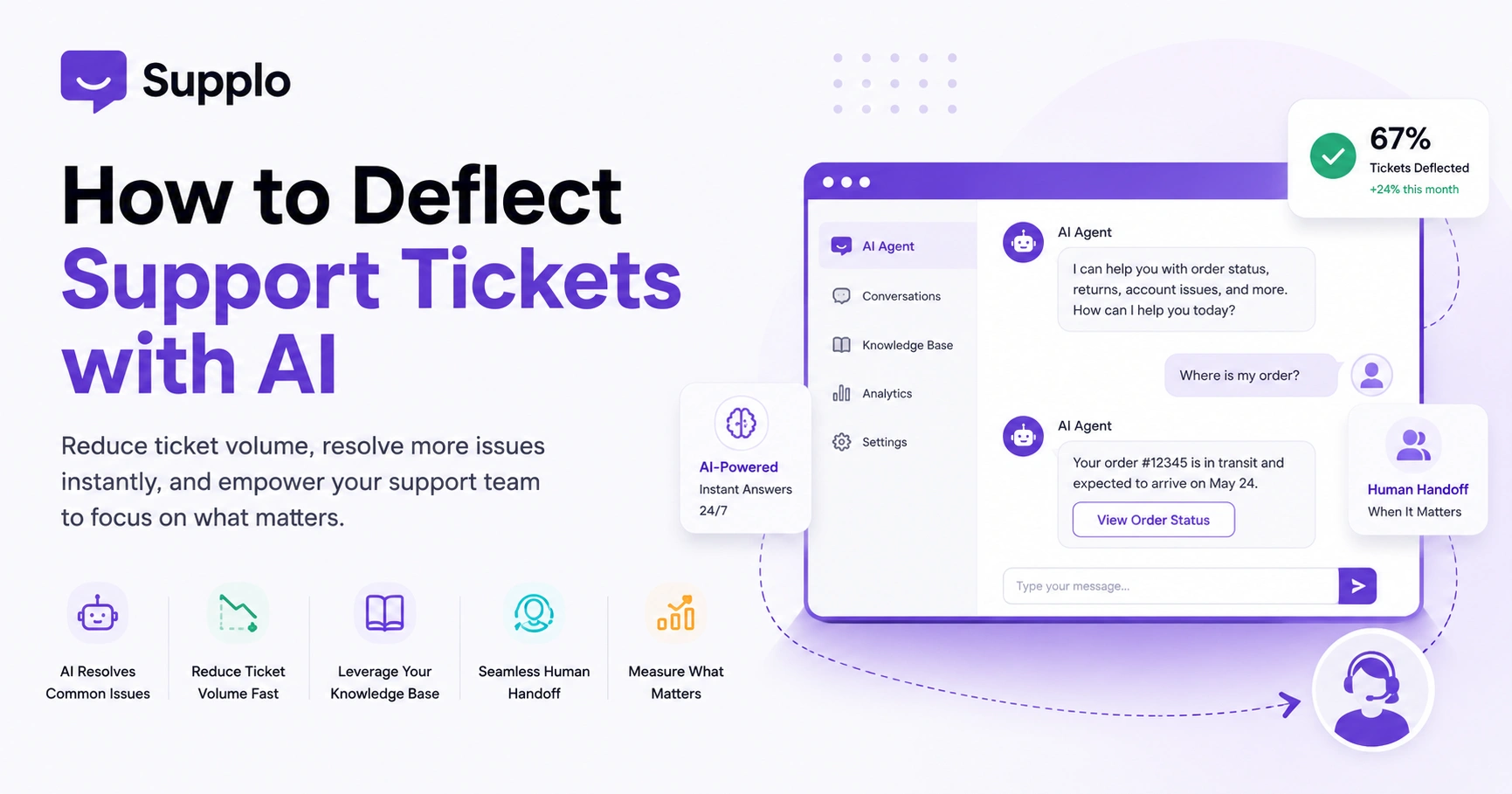
AI ticket deflection is the strategic use of artificial intelligence to resolve customer support issues automatically before they ever reach a human agent. It's about empowering customers with immediate, accurate answers while freeing up your team from repetitive tasks.
Quick Answer
- AI ticket deflection automatically resolves common customer inquiries.
- It reduces ticket volume by instantly handling routine questions.
- A strong knowledge base is crucial for AI accuracy and effectiveness.
- Seamless human handoff is essential when AI cannot resolve an issue.
- Measure resolution rate, not just deflection, to gauge success.
What Does AI Ticket Deflection Actually Mean for Your Support Team?
AI ticket deflection isn't some fancy buzzword. It's simply using an AI agent to automatically knock out incoming support requests before they ever reach a human inbox.
Instead of routing every single ticket to your team, the AI handles the straightforward stuff: common questions, password resets, order status checks, all those FAQ-level issues. It deals with them right at the first touchpoint. When it's done right, your team only sees tickets that genuinely need human judgment. That means less burnout and faster response times for the stuff that actually matters.
Let's be clear, though this isn't about replacing your team. It's about removing the noise that slows them down. Deflection works best when paired with a solid knowledge base and a good history of conversation. The real goal? Resolve the ticket, not just send some automated reply that leaves customers rolling their eyes. Self-learning AI actually gets better over time by analyzing which responses actually solved the issue. When an AI agent for ticket deflection is properly implemented, it streamlines operations in a way that makes sense.
Supplo is not affiliated with any app or website. Please follow each app's terms and local regulations.
Why Traditional Support Tools Fail at Reducing Support Ticket Volume and Where AI Wins
Legacy support platforms were built for humans, not AI automation. They charge per seat, which means your costs climb every time you add staff to handle growing ticket volume. And honestly? Their chatbot features usually feel like afterthoughts: bolted-on and requiring constant manual upkeep.
Modern AI tools like Supplo work differently. They learn from your existing knowledge base and past conversations, resolve tickets automatically, and charge per resolution. The cost difference is pretty dramatic.
Here's what usually goes wrong with traditional tools:
- Per-seat pricing punishes growth: scaling support during busy periods gets expensive fast
- Rigid decision trees break easily: traditional chatbots can't handle unexpected questions
- Manual retraining is a drag: AI that learns from your actual team responses gets smarter without all that busywork
The flat-pricing model for AI automation lets you add AI bandwidth without your bill ballooning.
The Right Way to Automate Customer Support Tickets with AI Without Losing the Human Touch
Automation doesn't have to feel like talking to a robot. The trick is letting the AI handle the straightforward stuff: order lookups, shipping questions, account issues, while keeping the tone warm and human.
Your AI should introduce itself honestly. Something like: "I'm an AI assistant, but I'll get you to a human if needed." Use natural language. Never pretend to be a person. Here's what's wild: when customers know they're talking to AI but still get a fast, accurate answer, they're often happier than waiting in a queue.
A few rules to live by:
- Always disclose it's AI: transparency builds trust, not confusion
- Mix up your responses: the AI shouldn't sound like a broken record
- Let customers bail out anytime: a simple "talk to a human" option should always be visible
- Mirror your brand voice: generic corporate speak kills the experience
How to Set Up an AI Chatbot for Ticket Deflection in Under an Hour
Here's the good news: you don't need a development team or weeks of configuration. With a tool like Supplo, you connect your knowledge base, enable the AI agent, and install the chat widget on your site. That's it. The AI starts answering questions based on your existing documentation and past conversations. The whole thing takes about 45 minutes. Add some light custom branding, and you're alive before lunch.
The setup:
- Start by connecting your existing knowledge base or FAQ pages as the primary source
- Configure which channels the AI handles (website chat, email, WhatsApp customer support, Instagram, etc.)
- Set fallback rules so the AI knows when to hand off to a human agent
- Test with real user questions to see where the AI needs additional training data
- Monitor the first 48 hours to catch any edge cases the knowledge base misses
Ready to set up AI ticket deflection in under an hour?
Start free with Supplo's 14-day trial, no credit card required, no coding needed. Connect your knowledge base, activate the AI agent, and see what happens when support works smarter.
Using AI to Handle Initial Support Inquiries: What the First Response Should Look Like
The first response sets the tone for everything that follows. When AI handles initial support inquiries, its responses need to be immediate, empathetic, and accurate. A good AI first response acknowledges the issue, provides a direct answer or solution, and offers next steps: all within the first two sentences. If the AI can't resolve it completely, it should gather the necessary context and pass it cleanly to a human.
A few things that matter more than you'd think:
- Speed matters, but accuracy matters more: a wrong answer is worse than a slow one
- Ask clarifying questions before jumping to conclusions
- Use templates that feel human: "Let me check that for you" beats "Your request has been received" every time
- Always include next steps: estimated resolution time or an escalation option
- Log every first response so you can refine what works and what doesn't
AI Ticket Deflection Best Practices: What Your Knowledge Base Needs to Make This Work
Your AI is only as good as the content it pulls from. A strong knowledge base setup is the foundation of effective AI ticket deflection. It needs to be current, comprehensive, and structured for quick retrieval. That means organizing articles by common questions, keeping product information up to date, and writing in a way that's easy for both humans and AI to parse. When your knowledge base is solid, the AI can resolve tickets without escalating.
Keep your knowledge base healthy:
- Audit quarterly to remove outdated or conflicting information
- Structure articles with clear headings and bullet points for easier AI parsing
- Include related articles links so the AI can offer additional context when needed
- Track which articles the AI uses most and prioritize keeping those updated
- Let the AI flag articles that generate frequent handoffs: those need rewriting
How to Train Your AI for Initial Customer Query Resolution Without Creating New Problems
Training an AI for initial customer query resolution isn't about feeding it every possible question. It's about teaching it patterns: what customers actually ask, how your team responds, and which responses lead to resolution.
The best AI tools learn from your team's conversation history. Every time a human agent solves a ticket, the AI gets a little smarter. The key is to review the AI's mistakes early and correct them before they become habits.
Training that actually works:
- Start with your top 20 most common support questions and train the AI on those
- Review the AI's responses weekly during the first month to catch accuracy issues
- Use conversation data from past tickets to train, not just static FAQ content
- Let the AI surface edge cases it couldn't handle so your team can update the knowledge base
- Resist the urge to over-train: a simple, accurate AI beats a complex, error-prone one
What Happens When AI Can't Deflect? Building a Clean Human Handoff
No AI gets it right 100% of the time. Pretending otherwise will frustrate your customers fast. The secret to good AI customer service is a seamless handoff when the AI knows it's out of its depth.
The AI should apologize, summarize what it's already done, and pass the full conversation context to a unified team inbox for a human agent. Your team picks up where the AI left off: no explanations needed from the customer.
Make handoffs smooth:
- The handoff should feel like a relay race, not a dropped baton
- Include conversation history, attempted solutions, and customer sentiment
- Set clear triggers: repeated questions, negative sentiment, or specific keywords
- Let customers request a human at any point without friction
- Track handoff reasons to identify gaps in your knowledge base or AI training
Measuring Success: The Metrics That Matter for AI Customer Service Automation
If you're tracking deflection rate alone, you're missing half the picture. The real metrics are resolution rate (did the AI actually solve the problem?), customer satisfaction on deflected tickets, and handoff quality. You also want to track average handle time, first response time, and how often customers reopen tickets after AI resolution.
What to actually watch:
- Deflection rate is vanity: resolution rate is the metric that matters
- Survey customers after AI interactions to measure true satisfaction
- Track reopen rate to catch AI responses that look complete but aren't
- Monitor agent time saved by comparing human ticket volume before and after AI deployment
- Use AI-captured data to identify product or documentation issues you didn't know existed
Common Pitfalls in AI-Powered Ticket Deflection and How to Avoid Them
Most teams mess up how to deflect support tickets with AI in the same three ways: overpromising what the AI can do, under-training the knowledge base, or making it too hard to reach a human. The fix is simple: be honest about the AI's limits, start small with your most common questions, and always keep a visible escape hatch to human support.
Don't make these mistakes:
- Don't launch on every channel at once: start with website chat and email
- Avoid over-engineering the AI's personality: simple and helpful beats quirky and confusing
- Never let the AI escalate to itself: if it can't answer, hand off immediately
- Don't set deflection targets so high that the AI starts forcing bad resolutions
- Review handoff logs weekly to spot patterns in what the AI consistently gets wrong
If your current AI setup isn't deflecting enough tickets, it's probably not the AI; it's the platform.
Supplo's self-learning AI resolves tickets at a flat $0.04 per resolution with seamless human handoff when needed. Try it free for 14 days and see the difference transparent pricing and real AI training make.
Support shouldn't be a cost center that controls your budget.
With Supplo, you get a workspace where AI handles the noise, and your team handles the people. Flat pricing, no per-seat surprises, and support across email, chat, WhatsApp, Telegram, Instagram, and Facebook Messenger. Start your free trial today.
Key Takeaways
- AI ticket deflection aims to automatically resolve routine customer inquiries, reducing the workload on human agents.
- Effective AI relies on a well-maintained knowledge base and learns from past customer interactions.
- Transparency is crucial: always inform customers they're interacting with AI, and provide an easy path to human support.
- Setting up modern AI deflection tools like Supplo can be quick and does not require extensive technical expertise.
- Resolution rates and customer satisfaction should be the measure of success, not just the number of deflected tickets.
- Plan for seamless human handoffs when the AI cannot resolve an issue, ensuring a continuous positive customer experience.
FAQ
Can AI really replace human support agents for ticket deflection?
No, and it shouldn't try. AI handles straightforward, repetitive tickets so your human team can focus on complex issues that require empathy and judgment. The best setup is a partnership, not a replacement.
How long does it take to see results from AI ticket deflection?
Most teams see a noticeable drop in ticket volume within the first two weeks. Full optimization takes 4-6 weeks as the AI learns from your team's responses and your knowledge base gets refined.
Will customers get frustrated talking to a chatbot instead of a human?
Only if the chatbot is bad does AI provide fast, accurate answers and offer a clear path to a human; customer satisfaction often goes up: nobody likes waiting in a queue for a simple answer.
What types of tickets should AI never try to deflect?
Anything involving account security, billing disputes, sensitive personal data, or complex troubleshooting should go straight to a human. Use keywords and sentiment analysis to automatically flag these.
How do I know if my AI is giving correct answers?
Review your AI's resolution logs weekly, survey customers after AI interactions, and track reopen rates. If customers come back with the same problem, your AI didn't actually resolve it.
Do I need a technical team to set up AI ticket deflection?
Not with modern tools. Supplo, for example, connects to your knowledge base and goes live in under an hour with no coding required. Technical teams can fine-tune later, but you don't need them to start.
What happens if my knowledge base is outdated or incomplete?
The AI will struggle with anything outside its training data. Start with your top 20 most common questions, monitor handoffs closely, and update the knowledge base based on what the AI keeps missing.
Compliance line: Supplo is not affiliated with any app or website. Please follow each app's terms and local regulations.