On this page
Let's be real, adding a chatbot to your website without coding isn't just a nice-to-have anymore. It's practically table stakes if you want to keep up with customer expectations. This guide is built for website owners, marketers and support teams who want to automate customer service, grab more leads and slash response times. The best part? You don't need to know a lick of code.
Quick Answer
- You can add a chatbot to your website without coding by copying a simple embed snippet; no developer needed. Seriously, that's it.
- A reliable no-code chatbot builder gives you self-learning AI, multichannel support and flat pricing (none of that per-seat nonsense).
- The best free chatbot plans offer a true AI resolution trial, not just a stripped-down chat widget that barely works.
- Skip open source chatbot builders unless you've got developer bandwidth to burn on maintenance and security.
Why a "No Code" Chatbot Is the Smartest Move for Your Website
Adding a chatbot to your website without coding isn't just convenient; it's a competitive necessity. A no-code chatbot builder lets you automate customer support, capture leads and reduce response time without needing a developer or touching a single line of code. The smartest move is to pick a tool that's both reliable and affordable, so your support operation scales without costing a fortune.
Think about what that actually means for your day-to-day:
- A no-code chatbot handles repetitive questions automatically, freeing your team to tackle the stuff that actually needs human brainpower.
- You can deploy it in minutes, not weeks, with a simple copy-paste widget code. Minutes.
- Reliable platforms offer pre-built templates, so you don't need design skills either.
- The real win: your support becomes a 24/7 operation without hiring night shifts. Pretty neat, right?
What Makes a Website Chatbot Builder "Reliable"
A reliable chatbot builder does more than slap a widget on your site. It needs to handle uptime, context switching, knowledge base integration and clean handoffs to human agents, all without hidden fees. Free isn't reliable if it tanks your page speed or drops conversations mid-chat.
Here's what you should actually look for:
- Self-learning AI that gets better over time by learning from your knowledge base. It shouldn't be static.
- A shared inbox so your team sees every conversation in one thread, email, chat, social DMs, the works.
- Avoid tools that charge more than $0.01 per resolution. That model kills your margins faster than you'd think.
- Make sure the widget script loads asynchronously so it doesn't slow down your site.
The Easiest Way to Add a Chatbot to Your Website
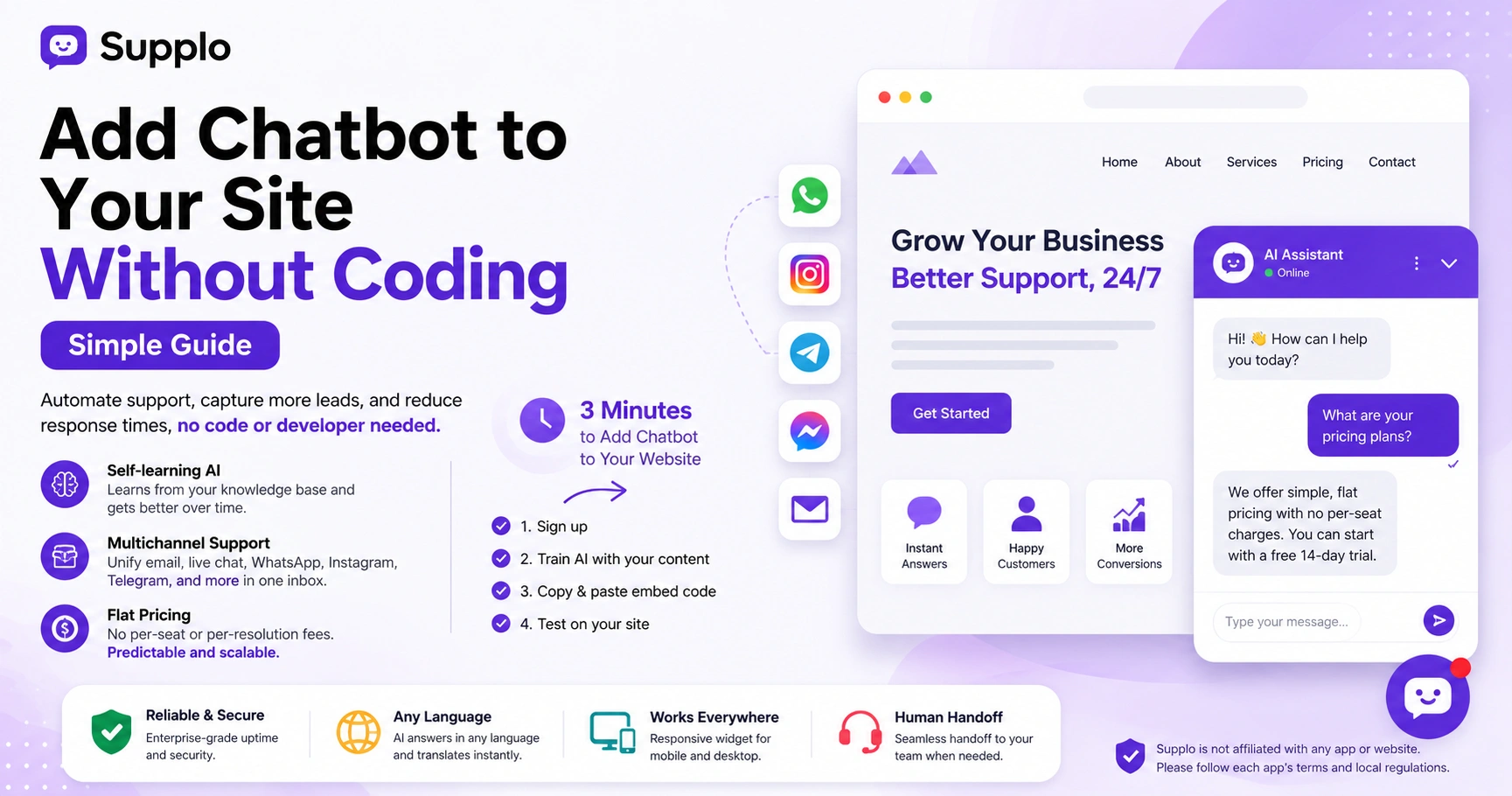
The easiest way to add a chatbot to your website without coding is to sign up for a no-code platform, copy a short JavaScript snippet and paste it into your website's header. Supplo, for example, gives you a widget code after setup that works with any site builder: WordPress, Shopify, Webflow, or plain HTML. Here's the exact 3-minute process.
- Sign up for a free trial on a no-code platform like Supplo.
- Configure your AI agent with your knowledge base content (paste FAQs or upload docs; it's that straightforward).
- Copy the embed snippet from the dashboard and paste it in your site's <head> or via your site builder's "custom code" section.
- Test the widget on your live site; it should appear as a chat bubble in the corner.
That's literally it. Three minutes. No developer needed.
How to Embed a Chatbot on a Website for Free
You can embed a chatbot on your website for free via a freemium plan that includes basic features and a limited number of AI resolutions. But free can quickly become expensive if the provider charges per user seat or per resolution above a low threshold. Supplo's free trial is genuinely unlimited for 14 days and after that the flat workspace pricing means no surprise spikes, even if your team grows.
Here's the honest breakdown:
- Freemium builders offer an entry-level free tier with basic live chat but no AI automation. Keep that in mind.
- If you want AI that actually resolves tickets, look for a flat $0.04 per resolution or less.
- Most "free" chatbots limit you to one agent or 50 chats a month; Supplo's trial doesn't cap usage.
- Payment options like Crypto, Binance Pay, Payeer, GCash, AmanPay, QIWI Wallet, DOKU, Nigeria and South Africa cards, Skrill and Payoneer make it easier to pay globally.
How to Set Up an AI Chatbot for Your Website in Under 10 Minutes
Setting up an AI chatbot for your website without coding takes roughly 10 minutes with a builder designed for speed. Start by creating an account, then feed your AI agent content from your knowledge base or uploaded documents. Once it's trained (which happens in seconds), grab the widget snippet and paste it into your site.
A few things worth noting:
- No lengthy training; Supplo's AI reads your docs and past conversations instantly.
- The widget is responsive by default, working on mobile and desktop without extra work.
- Your AI agent can answer in any language and automatically translate responses. Pretty handy.
- Customize the widget color, position and greeting without touching code.
How to Configure a Website AI Chatbot Without Coding Even if You're Not Technical
Configuring a website AI chatbot without coding is as simple as using a builder's visual dashboard; no developer needed. You define how your AI should respond to common questions, set up fallback rules for when it doesn't know an answer and choose which channels (email, WhatsApp, Telegram, Instagram, Facebook Messenger) to connect. The whole configuration is done through simple toggles and text fields.
Here's the practical approach:
- Use the multichannel shared inbox to monitor every conversation across email, live chat and social DMs in one thread. Game-changer for staying organized.
- Set the AI confidence threshold so it only answers when it's sure and hands off to your team otherwise.
- Add canned responses for the most common scenarios.
- Create a personal greeting that shows your brand voice.
The Best Free Chatbot for a Website? Here's What "Free" Actually Means
The best free chatbot for a website gives you real AI resolution and multichannel support without a time bomb of hidden limits. Many tools advertise a free plan but restrict it to live chat or a tiny number of AI-only resolutions. Supplo's free trial is the honest test: full AI agent capability, multichannel inbox and zero seat-based pricing for 14 days.
A few reality checks:
- "Free forever" often means no AI automation, just a basic chat widget.
- True freemium chatbot builders limit your monthly active users or conversations.
- Best pick for small businesses: a flat-fee AI chatbot that doesn't balloon as team size grows.
- Look for a tool that includes WhatsApp, Instagram and email support in the same free trial.
Why You Should Avoid Open Source Chatbot Builders And What to Use Instead
Open-source chatbot builders sound appealing until you factor in the costs of hosting, maintenance, security patching and debugging. Unless you have a dedicated developer to manage server infrastructure, open-source will end up costing more time and money than a no-code SaaS solution. Instead, choose a purpose-built no-code tool that handles uptime, updates and scaling for you.
Here's what you're really signing up for with open source:
- You self-host, manage SSL certificates and monitor uptime yourself.
- You manually train and update the NLP models- no plug-and-play.
- Security vulnerability patches are your responsibility and often delayed.
- A no-code SaaS like Supplo gives you the same flexibility without the operational burden.
How to Deploy an AI Chatbot on Your Website Without a Developer
Deploying an AI chatbot on your website without a developer is as simple as copying one embed code and pasting it into your site's settings. If you use a site builder like WordPress, Shopify, or Wix, you can use their "custom HTML" or "embed" block, no file editing required. The widget will appear instantly across all pages.
Quick platform-specific tips:
- For WordPress: use the custom HTML block in the header or footer area.
- For Shopify: paste the code in the "Theme Settings > Custom Code" section.
- For Webflow: use the embed element on your site layout.
- For raw HTML sites: paste the snippet just before the closing </head> tag.
Troubleshooting: Why Your Chatbot Code Fails to Load And How to Fix It
If your chatbot widget doesn't load, don't panic. The most common culprit is a conflict with your site's JavaScript or an ad blocker. Another frequent issue is pasting the code in the wrong location or using a builder that serves the widget over HTTP on an HTTPS site. Verify your snippet is placed correctly and test with an incognito window.
Try these fixes in order:
- Check your site's console for JavaScript errors (F12 > Console tab).
- Ensure the embed code uses HTTPS and not HTTP.
- Ad blockers can block third-party widgets; add an exception or use a self-hosted snippet.
- If using a CDN, clear the cache and paste the code again.
- Some site builders have a "custom code" section that is page-specific; paste in the global header area.
How to Choose the Right AI Customer Service Chatbot for Your Small Business
Picking the right AI customer service chatbot for your small business comes down to three things: reliability, pricing transparency and ease of setup. You want a tool that learns from your knowledge base, supports your customers in their preferred language and offers a multichannel inbox that unifies email, live chat, WhatsApp, Telegram, Instagram and Facebook Messenger. And you absolutely do not want per-seat pricing that gouges you as your team expands.
Here's your checklist:
- Flat workspace fee rather than per-agent charges. Your wallet will thank you.
- Seamless handoff from AI to human agent when things get complicated.
- Channel support that matches what your customers actually use (WhatsApp, Telegram, Instagram, etc.).
- Real reviews for uptime and customer support; reliability matters more than flashy features.
Key Takeaways
- Adding a chatbot to your website without coding is a quick and effective way to automate customer support.
- A reliable no-code chatbot builder offers self-learning AI, multichannel support and flat pricing.
- The best free chatbot plans provide true AI automation, not just a basic chat widget.
- Avoid open-source chatbot builders unless you have the resources to manage them.
- Choose a chatbot that supports multiple channels and can grow with your team.
FAQ
Do I need a developer to install a chatbot on my website?
No. Modern no-code chatbot builders give you a simple embed snippet you can paste into your site's header or use with WordPress, Shopify, Wix, or Webflow—no coding or developer required.
Can I add a chatbot to my website for free?
Yes. Many platforms, including Supplo, offer a free trial. Some have a freemium tier with basic live chat, but true AI automation that resolves tickets usually comes with a paid plan. The key is to avoid per-resolution fees that pile up fast.
Why isn't my chatbot code working?
Most likely because of a JavaScript conflict, an ad blocker, or an HTTPS mismatch. Check your browser console for errors, paste the code in the global header and test in an incognito window.
What should I NOT use a free chatbot for?
Avoid using a free chatbot to handle sensitive data such as payment details, passwords, or personal health information unless it's hosted on a compliant, encrypted platform. Free tiers often lack secure data handling.
Is it legal to track visitor conversations with a chatbot?
Yes, as long as you disclose the chat via a privacy policy and comply with your region's data protection laws (e.g., GDPR, CCPA). Supplo is not affiliated with any app or website. Please follow each app's terms and local regulations.
How long does it take to set up an AI chatbot?
Around 10 minutes. You sign up, feed your knowledge base to the AI, copy the embed code and paste it on your site. The AI starts learning from your content immediately.
Can I remove the chatbot if I change my mind?
Yes. Either remove the embed snippet from your site's code or turn off the chatbot in the dashboard. Most platforms also let you pause the AI without removing the widget.
Compliance line: Supplo is not affiliated with any app or website. Please follow each app's terms and local regulations.


