On this page
Who It Is For
Let's be real, customer support can eat your team alive. Those repetitive "where's my order?" and "how do I reset my password?" questions stack up fast. But here's the thing: you don't need a bigger team to handle them. You need to use AI to answer customer questions automatically.
Whether you're running a three-person startup or managing support for a growing enterprise, this guide walks you through setting up AI-powered customer service that actually works. No fluff, no hype, just practical steps to get reliable automation running without losing the human moments that matter.
By the time you finish reading, you'll know exactly how to connect your knowledge base, set confidence thresholds, and avoid the common traps that make most chatbots useless. Let's dive in.
Quick Answer
Before we get into the weeds, here's the cheat sheet:
- Connect your knowledge base to your AI for accurate, document-backed answers; never let the AI guess.
- Set confidence thresholds above 90% for auto-resolution and use escalation protocols for complex cases.
- Track resolution rate, deflection rate, and CSAT on AI interactions, not just volume reduction.
- Start with your top 20 highest-volume questions and expand your knowledge base to improve AI coverage.
What Does It Actually Mean to Automate Customer Service with AI?
Here's the short version: automating customer service with AI means your software reads incoming questions, matches them against your documentation, and answers automatically, without a human typing a single word.
But let's be clear about what this actually looks like in practice. The AI scans every incoming message, determines what the customer is asking, and retrieves the right answer from your knowledge base or past conversations. It's fast, consistent, and never sleeps.
It is not about replacing your support team. Think of it as your frontline defense, handling the easy stuff so your agents can focus on the messy, complex problems that actually need human judgment.
- The core mechanism: AI matches incoming messages against known answers and automatically drafts or sends a reply. Every time your team corrects an AI response, it learns and gets better.
- What it is NOT: A rigid, menu-driven chatbot that makes customers click through endless options. Good AI is conversational and natural.
- Where it fits best: FAQs, order status checks, password resets, shipping timelines, anything with a documented answer.
- Reliability angle: The smartest setups let you review AI answers before they go public, so you control accuracy from day one.
Why Most AI Chatbots for Customer Queries Fail And How to Avoid It
Here's the uncomfortable truth: most chatbots fail because they're trained on generic data and don't actually know your business. A bot that can't reference your specific return policy or shipping cutoffs will give wrong answers fast, and customers notice immediately.
The fix is surprisingly simple: connect your AI directly to your own documentation and let it answer only from what you've written.
- The generic trap: Off-the-shelf chatbots hallucinate answers because they lack grounding in your actual content. That's why AI-powered help center answers need to be pulled from your own pages.
- Connect your documentation directly to your AI for seamless integration; this is what separates useful automation from frustrating chatbot experiences.
- Training loop matters: The best systems learn from every human correction, so the AI gets smarter about your specific products and policies over time.
- Pitfall to avoid: Never let the AI guess. Reliable systems return a "I don't know" or escalate to a human rather than inventing an answer.
How to Leverage AI for Customer Service Without Losing the Human Touch
The secret to successful AI support is knowing where to draw the line. Let the bot handle speed, consistency, and 24/7 availability, but keep humans in control of nuance, empathy, and complex problem-solving.
The magic is in the handoff. AI should recognize when it's out of its depth and hand off the conversation to a human, with the full context already attached.
- Context preservation is key: When AI hands off to a human, the entire conversation history, previous interactions, and the AI's attempted answer should be visible. No asking customers to repeat themselves, ever.
- Use AI for first-contact resolution: Many questions can be answered instantly using knowledge base content, reducing wait time to zero.
- Human approval loops: Some teams prefer that AI draft replies, which an agent reviews before sending. This builds trust while still saving time on typing.
- Tone control: Configure your AI to match your brand voice. A generic tone feels robotic; a tailored one feels like actual help.
Setting Up AI-Powered Customer Service Solutions That Actually Work
A workable AI customer service setup starts with your knowledge base. Write clear, structured answers to your top 20–50 most-asked questions, then feed them into the AI. Platforms like Supplo let you handle Instagram DMs and Telegram support through one AI, creating a unified inbox that handles email, chat, WhatsApp, and more, where the AI reads every incoming ticket and responds automatically when it's confident.
- Start with the highest-volume questions: Check your ticket history for the top 10 queries that keep coming in. Write definitive answers for each.
- Multichannel matters: AI customer support automation works best when every channel- email, WhatsApp, Instagram DMs, Telegram, Facebook Messenger- feeds into a single thread-based system.
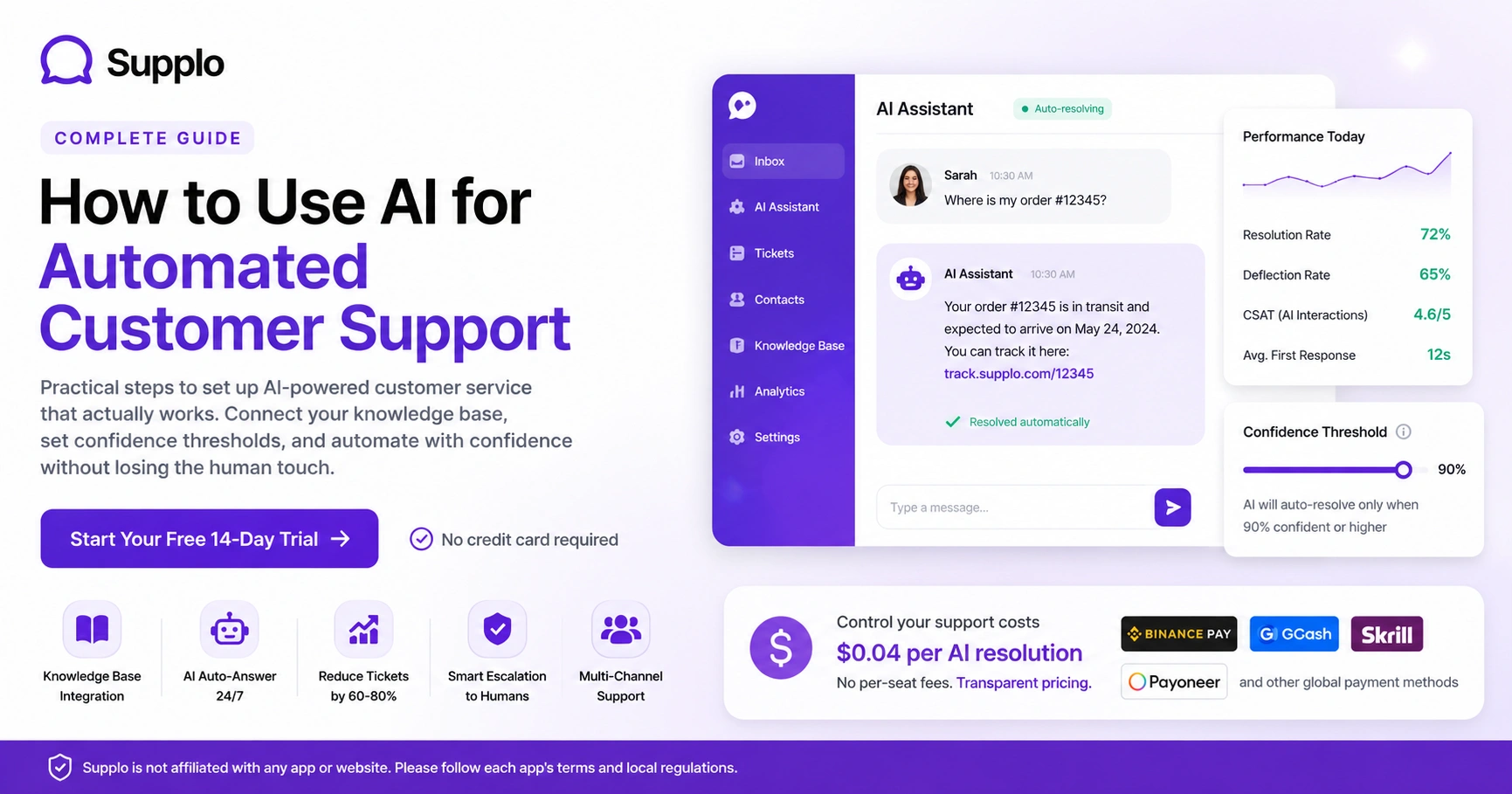
- Set confidence thresholds: Configure AI to only auto-answer when it's 90%+ sure. Anything lower gets flagged for human review.
- Test before going live: Run a week of shadow mode where AI drafts answers but doesn't send them. Review accuracy before turning on auto-resolution.
Ready to see it in action?
Connect your knowledge base, set up your channels, and start testing AI auto-responses in under an hour, no credit card needed.
Start Your Free 14-Day Trial.
Using AI Knowledge Base Integration to Auto-Answer Repetitive Questions
When you connect your knowledge base to your AI support system, every article, FAQ, and policy document becomes a source the AI can draw from. A customer asks about shipping timelines? The AI grabs the relevant answer from your documentation and delivers it in seconds, no agent needed.
- How it works: The AI indexes your knowledge base content, maps questions to answers using semantic search, and returns the exact paragraph or bullet point that solves the query.
- Live updates: Update a knowledge base article, and the AI reflects that change instantly, no manual retraining required.
- Natural responses: The best systems paraphrase your content rather than dump raw text, making responses sound conversational, not like a help article was copy-pasted.
- Coverage expansion: The more you write into your knowledge base, the more topics your AI can handle. Better docs = better automation.
How AI Ticket Deflection and Automated Ticket Answering Reduce Volume
AI ticket deflection is the practice of resolving a customer's question before it ever becomes a ticket an agent has to open. By using AI to answer questions at the first touch point- website widget, email auto-reply, or messaging app- you can dramatically reduce ticket volume without sacrificing quality.
You can set up an AI agent for automatic ticket resolution at $0.04 per resolution, making it cost-effective to handle high volumes without breaking your budget.
- Deflection vs. resolution: AI ticket deflection stops tickets from forming; AI resolution handles tickets that do form. Both reduce the load on your team.
- Where deflection works best: Website widget pre-chat, email auto-response, and FAQ-first routing on messaging apps.
- Automatic AI ticket answers in context: The AI reads the customer's message and answers immediately if confident, or routes to a human if unsure.
- Volume reduction is measurable: Track "deflected tickets" as a KPI alongside resolved tickets to see the full impact of your automation.
Intelligent Automation for Customer Support: Handling Escalations Cleanly
Intelligent automation means the AI doesn't just answer questions; it knows when not to. When a customer's issue is too complex, emotionally charged, or outside documented policies, the AI should escalate to a human with a full context summary.
Nobody likes a bot that keeps insisting it can help when it clearly can't.
- Escalation triggers: Sentiment analysis, repeated confusion, keywords such as "manager" or "complaint," and low AI confidence all flag the need for human takeover.
- Context handoff: The human agent should see the original question, the AI's attempted answer, and any relevant customer history in a single view, with no clicks between systems.
- AI for optimizing ticket responses: Even during escalation, AI can draft a suggested reply for review, cutting response drafting time in half.
- Learning from escalations: Every escalation is a signal. Update your knowledge base with the answer so the AI can handle that scenario next time.
Measuring Success: Key Metrics for AI Customer Interaction Management
To know if your AI automation is actually working, you need to track the right things. Don't just measure volume reduction; measure whether customers are getting good answers.
- Resolution rate: The percentage of tickets the AI resolves end-to-end. A healthy target is 60-80% for most businesses.
- Deflection rate: The percentage of potential tickets that never reach an agent because the AI answered at the first touch point.
- CSAT on AI interactions: Survey customers after AI-handled tickets. If satisfaction dips below human-handled tickets, your training data needs work.
- First response time: AI should drop this to near-zero. If it's not, check your integration and confidence thresholds.
- Human workload change: Track tickets per agent per day before and after implementation. The drop shows your ROI.
Troubleshooting Common AI Resolution and Ticket Handling Issues
Even the best AI systems hit snags. Here's what usually goes wrong, and how to fix it.
- Wrong answers: Nine times out of ten, it's because your knowledge base is incomplete or conflicting. Audit your docs first.
- AI won't answer: If the AI is too cautious (low auto-answer rate), lower your confidence threshold slightly. If it's too aggressive, raise it.
- Customer frustration: If customers keep asking to talk to a human, your AI is probably missing escalation signals. Check sentiment analysis settings.
- Integration hiccups: If the AI isn't reading from your knowledge base, check the connection and re-sync your content.
- Language issues: For global support, ensure your AI is set to the language of the incoming message. Translation layers can introduce errors.
Stuck on setup or accuracy issues?
Our team can help you configure confidence thresholds, connect your knowledge base, and optimize for your specific use case, free during trial.
The Future of AI-Driven Customer Assistance: What's Coming Next
The next wave of AI customer assistance is about proactive support: AI that detects problems before the customer reports them and reaches out first. Think failed payments, delayed shipments, or account issues caught early.
We're also seeing better multilingual handling and AI that can take action rather than just answering questions.
- Proactive outreach: AI monitors for issues (failed API calls, missed deliveries) and sends a message before the customer complains.
- Action-oriented AI: Instead of just answering "how do I refund this?", the AI processes the refund and confirms it.
- Deeper integration: AI that connects to your CRM, order system, and shipping tools for a single source of truth.
- Compliance note: "Supplo is not affiliated with any app or website. Please follow each app's terms and local regulations." As AI gets more autonomous, staying within platform rules is critical.
- Pricing transparency matters: Legacy tools charge up to $0.99 per resolution. Modern approaches like Supplo offer transparent per-workspace pricing that doesn't scale with seat count, so your costs stay predictable.
Control your support costs with transparent AI pricing
Flat $0.04 per AI resolution. No per-seat fees. Supports Binance Pay, GCash, Skrill, Payoneer, and other global payment methods. Your bill stays predictable as you grow.
Supplo is not affiliated with any app or website. Please follow each app's terms and local regulations.
Key Takeaways
- Connect your knowledge base to your AI for accurate, document-backed answers; never let the AI guess.
- Set confidence thresholds above 90% for auto-resolution and use escalation protocols for complex cases.
- Track resolution rate, deflection rate, and CSAT on AI interactions, not just volume reduction.
- Start with your top 20 highest-volume questions and expand your knowledge base to improve AI coverage.
- Regularly audit your knowledge base and test AI responses to maintain accuracy and trust.
FAQ
Can AI really answer customer questions accurately?
Yes, when properly connected to your knowledge base and trained on your specific content, AI can answer 60-80% of routine questions with high accuracy. It works best for documented policies, product specs, and common troubleshooting.
Will AI replace my customer support team?
No. AI handles repetitive questions so your team can focus on complex issues that require human empathy and judgment. Most teams find they need the same number of people but can give better service.
How do I prevent AI from giving wrong answers?
Set confidence thresholds high (90%+), connect it to your actual knowledge base, and use a "shadow mode" for a trial period to review answers before they go live. Regular content audits also help.
Is it legal to use AI for customer support globally?
Yes. Supplo is not affiliated with any app or website. Please follow each app's terms and local regulations. Data privacy laws (GDPR, CCPA, etc.) still apply, so ensure your AI platform is compliant.
What's the difference between AI ticket deflection and AI ticket resolution?
Deflection stops a ticket from forming (AI answers before the customer submits). Resolution means the AI handles a ticket that was already submitted. Both reduce agent workload.
Can AI handle multiple languages automatically?
Yes. Modern AI support tools can detect the incoming language and respond in the same language, or use translation layers to let your team reply in one language. At the same time, the customer sees their native language.
How quickly can I set up AI customer support automation?
With the right platform, you can connect your knowledge base, set confidence thresholds, and start testing in under an hour. Full rollout with training usually takes 1-2 weeks.
Compliance line: Supplo is not affiliated with any app or website. Please follow each app's terms and local regulations.


