On this page
Customer churn is one of those things that quietly eats away at your revenue. You don't always see it coming, until it's too late and the cancellation email lands in your inbox. But here's the thing: your support interactions are packed with signals that someone's about to leave. You need the right tool to spot them.
This guide walks through how AI to support churn risk detection works, what data you actually need and how to set up a system that catches at-risk customers before they hit that cancel button. It's written for customer service managers, support agents and anyone tired of losing customers they could have saved.
Quick Answer
- AI for support churn risk detection analyzes customer interactions to predict who is likely to churn.
- Key data points include ticket frequency, sentiment analysis, response times and escalations.
- Real-time ticket scoring enables agents to identify and act on high-risk customers immediately.
- Automated workflows can escalate critical cases to retention specialists, ensuring timely intervention.
- Successful implementation requires regular model retraining and a balanced approach to automation vs. human judgment.
What Is AI for Support Churn Risk Detection and Why Does It Matter?
Let's start with the basics. AI for support churn risk detection uses machine learning to sift through your support interactions, tickets, chats and emails and pick up on patterns that suggest a customer is thinking about leaving. It's not magic or fortune-telling. It's a data-driven forecast that gives your team a fighting chance to intervene before the cancellation happens.
Why does this matter? Simple. Keeping a customer costs way less than finding a new one; we're talking 5 to 25 times less. And your support tickets? They are the richest dataset you have for predicting churn. The difference between reactive churn analysis (looking at why people already left) and predictive churn modeling (catching signals before they leave) is massive. Support ticket data, sentiment, response times and escalation frequency are a goldmine for this.
Using AI removes human bias from the detection process, too. Let's be honest: your agents might miss subtle signals, especially when they're juggling dozens of tickets. AI doesn't get tired or distracted.
The Core Data Points You Need to Feed Your AI Churn Prediction Model
Your churn prediction model is only as good as the data you feed it. So what should you be tracking?
The most predictive signals come from your support ticket history: ticket frequency, sentiment scores (from NPS or AI analysis), response time lag and the number of times a customer is escalated. You'll also want behavioral data, such as login frequency, feature usage and payment history. The good news? Most teams are already sitting on months of this data; it's just a matter of organizing it.
Beyond the basics, pay attention to ticket metadata: reopen counts, time-to-resolution and even which agent handled the case. Sentiment analysis from natural language processing (NLP) applied to chat transcripts and email body text can significantly boost model accuracy. Account-level signals, such as subscription tier changes, payment method updates, or recent downgrades, are also powerful indicators.
One thing to avoid: overloading the model with irrelevant fields. Customer name or geographic region probably won't help unless there's a direct connection to churn. Focus on what actually matters. A solid knowledge base that feeds your AI model can add even more context for your predictions.
How to Set Up a Machine Learning Churn Detection Workflow for Your Support Tickets
Setting up a machine learning churn detection workflow doesn't have to be rocket science. Here's the practical approach:
Start by exporting your last 12 months of support ticket data into a CSV or using an API-connected tool. Clean the data, remove duplicates and standardize fields such as status and priority. Then train a classification model (random forests or XGBoost work well) on historical churn events, using features such as ticket volume and sentiment. Deploy the model to score new tickets in real time, with a threshold that triggers a high-churn risk alert for your team.
Don't have a data science team? No problem. Many modern support platforms, including Supplo, offer built-in churn prediction modules that handle the heavy lifting.
Here's a quick checklist:
- Data Collection and Preparation. Pull data from your support inbox, clean it up and make sure everything's consistent.
- Feature Engineering. Create composite metrics, such as the monthly escalation rate or average sentiment per ticket. These richer data points help the model learn faster.
- Model Training and Validation. Use a 70/30 split of your historical data for training and validation. This helps avoid overfitting. Libraries like scikit-learn are popular for this.
- Integration. Connect the model with your support tool to push alerts directly to agents. APIs or webhooks usually do the trick.
Using AI Predictive Churn Analysis to Flag High-Risk Customers in Real-Time
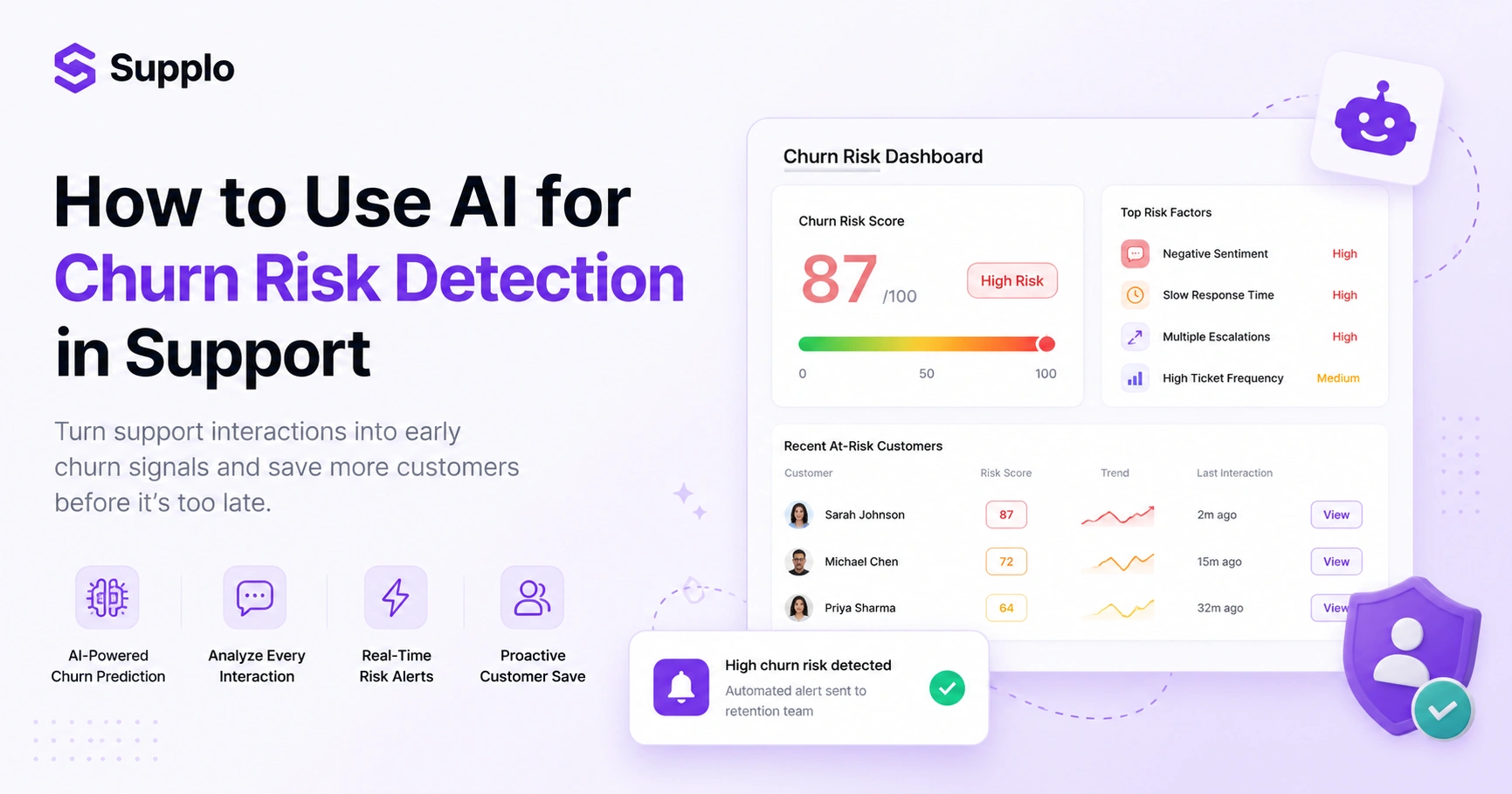
Here's where things get interesting. Real-time predictive churn analysis works by continuously scoring every incoming support interaction against your trained model. When a customer's ticket triggers a churn risk score above your threshold, say, 75%, the system automatically flags it in your team inbox and assigns a priority.
This shifts your agents from reactive, fix-the-ticket mode to proactive, save-the-customer mode. The real power? You catch the customer's frustration before they even think about submitting a cancellation request.
Setting the right thresholds is crucial. Too low and you'll drown in false positives. Too high and you'll miss actual churn signals. Real-time sentiment analysis plays a big role here; it lets you adjust churn scores mid-conversation. Imagine a customer who submits two tickets in 24 hours with increasingly negative sentiment. Their churn score could bump up instantly.
This approach works best with a unified inbox that consolidates email, chat and social DMs. You want a complete picture of every customer interaction, not just one channel.
How to Build a Support Team AI Churn Forecast That Your Agents Can Act On
A churn forecast for your support team should be practical and actionable. Think weekly or daily reports that list at-risk customers, their churn probability and a recommended action. Don't just dump raw scores; give context. Something like: This customer has filed 3 complaints in 7 days about billing issues.
Train your agents to use these forecasts as a triage tool, not a definitive judgment. A good forecast gives the team a fighting chance to intervene with personalized outreach, which directly boosts your retention rate.
Key elements to include:
- Format: A daily dashboard view or a PDF report distributed each morning. Keep it concise.
- Action Recommendations: Clearly outline next steps, such as offering a discount, scheduling a check-in call, or escalating to a senior agent.
- Measurement: Compare predicted churn events with actual cancellations monthly. Track your forecast accuracy.
- Training: Emphasize that the forecast supports decision-making, not replacing human judgment.
Automating Churn Risk Identification with AI: From Raw Data to Escalation
Automation is where churn detection really shines. Here's the flow: ticket arrives → AI scores it → score exceeds threshold → ticket tagged as churn risk → auto-assigned to a retention specialist with a pre-written note, all without manual intervention.
This reduces the gap between a churn signal and a human response, which is critical for customer lifetime value. The automation pipeline follows simple logic: trigger → score → route → notify.
You can use webhooks or API integrations to connect your support platform with your churn model. Supplo's internal AI agent, which automatically resolves tickets, can handle this seamlessly. Set up if this, then that rules: for instance, if churn risk > 80% AND the customer is on a premium plan, send a VIP alert.
One important rule: always keep a human in the loop for final decisions. Automation should never auto-charge or auto-close accounts. That's a recipe for disaster.
Support Ticket Churn Prediction AI: Scoring Conversations for Attrition Signals
This is the technical core. Your AI model should score each support ticket as it's created, updated, or resolved. The score is based on features such as the number of words in the complaint, the presence of anger keywords (e.g., frustrated, cancel, refund) and the customer's interaction history.
A high churn score doesn't mean the customer is definitely leaving. It means the model detects a statistically significant pattern that resembles customer attrition. The goal is to surface these tickets for review, not to auto-tag customers as about to churn.
Advanced NLP techniques, such as keyword extraction, sentiment analysis and topic modeling, can pinpoint specific pain points. The model will also help determine feature weight: what matters more, escalation history or recent sentiment? How you handle false positives is critical. A customer who always writes long, angry emails but never churns? That's a model adjustment or a custom rule in the making.
An effective feedback loop is essential. Have agents mark churn risk as correct or incorrect on alerts. This data is gold for retraining and improving the model over time.
AI Lead Scoring for Churn Risk in Support: Separating Noise from Real Danger
AI lead scoring for churn risk works just like sales lead scoring; it assigns a numerical value to each customer based on their likelihood to churn. The difference? It's based on support interactions, not marketing engagement.
A score of 90 means high risk, act now. A score of 10 means low risk, monitor. The key is separating noise (a one-time angry ticket) from real danger (a pattern of escalating frustrations). You do this by weighting recent behavior higher than historical data.
Define your scoring scale. A 0–100 scale with a red zone above 70 works well. Prioritize recent interactions; a ticket from today could be worth 3x as much as one from 3 months ago. Example: a customer who files a refund request but has a 6-month history of positive interactions might get a moderate score of 50.
One thing to remember: demographic data like age or gender is usually irrelevant. Don't use it for churn scoring in support contexts.
Common Pitfalls When Using AI for Automating Customer Churn Detection and How to Avoid Them
The biggest pitfall? Thinking AI churn detection is a set-it-and-forget-it tool. It's not. Models degrade over time as customer behavior changes. You need to retrain them quarterly to account for data drift.
Another common mistake: acting on a churn prediction without understanding the context. A customer flagged as high risk might be a one-time complainer. And avoid over-automation, don't automatically send discount offers to every high-risk customer, or you'll train them to complain for discounts. Use automation to escalate, not to decide.
Here are the common pitfalls and how to avoid them:
- Pitfall 1: Data Drift. Customer behavior constantly evolves. Fix: Set up a monthly review of model performance and retrain at least every three months.
- Pitfall 2: Over-reliance on the Model. Agents may stop thinking critically. Fix: Integrate alerts as decision support, not definitive commands. Hold weekly team meetings to discuss churn alerts.
- Pitfall 3: Privacy Concerns. Ensure you're not using personally identifiable information (PII) in the model without consent. Fix: Anonymize data where possible and always obtain necessary consent for data usage.
How to Integrate an AI-Supported Churn Risk Detection Workflow Without Breaking Your Budget
Good news: you don't need a $10,000/month enterprise tool to get started. Many AI-powered support platforms, like Supplo, offer built-in analytics and automation at a flat per-workspace price.
Start with a free trial (14 days) to test the workflow on your existing ticket data. If you're on a tight budget, use open-source libraries like scikit-learn for the model and integrate it with your support tool via API. The key is to set a clear goal: reduce churn by X% in 3 months and measure the ROI against the cost of lost customers.
Budget-friendly options:
- Low-cost option: Use a platform with built-in churn analysis, like Supplo's AI agent, to skip custom development entirely.
- Mid-range option: Train a simple model using Python and connect it to your support inbox via Zapier or webhooks.
- Advanced option: Hire a freelance data scientist for a one-time model build. Typically $500–$2,000.
- Pricing transparency: Supplo provides pricing that scales with your team, not per seat and charges a flat $0.04 per AI resolution. Your bill won't balloon as your team grows.
- Flexible payment options: Supports Crypto, Binance Pay, Payeer, GCash, AmanPay, QIWI Wallet, DOKU, Nigeria and South Africa cards, Skrill, Payoneer.
Key Takeaways
- AI for support churn risk detection is a powerful tool for proactive customer retention.
- High-quality, relevant data from support tickets is essential for accurate predictions.
- Real-time scoring and automated workflows enable quick intervention with at-risk customers.
- Regular retraining and human oversight prevent model degradation and misinterpretation.
- Cost-effective solutions are available for teams of all sizes to implement churn prediction.
FAQ
Is AI churn prediction legal to use on customer support data?
Yes, as long as you comply with data privacy laws like GDPR and CCPA. You need customer consent or a legitimate business interest to analyze support interactions. Never use personally identifiable information (PII) like names or addresses in the model without explicit consent. Supplo is not affiliated with any app or website. Please follow each app's terms and local regulations.
Why does my AI churn prediction model give false positives?
False positives happen when the model is trained on noisy data or when the threshold is set too low. For example, a customer who submits a single angry ticket but has a long history of positive interactions might be incorrectly flagged. Adjust the threshold (e.g., raise it from 60% to 75%) and retrain the model with more data to reduce noise.
Should I use a one-time churn analysis or an ongoing prediction system?
A one-time analysis is useful for auditing your historical churn, but ongoing prediction is better for real-time intervention. For active retention, use a system that scores each new ticket in real time. A one-time report is a snapshot; an ongoing prediction is a live radar.
What should I NOT use AI churn prediction for?
Don't use it to automatically cancel accounts, change pricing, or send aggressive messages to customers. AI churn prediction is a decision support tool, not an execution tool. Always keep a human in the loop for actions that affect the customer relationship.
How do I troubleshoot a model that's not catching churn signals?
Start by checking your data quality. Are you feeding the model the right features? Common missing signals include ticket sentiment, escalation count and response time. Also, validate the model's performance on recent data; if it's been over 6 months, retrain it. If the model still fails, use a simpler rule-based system (e.g., flag any customer with 3+ tickets in 7 days) as a fallback.
Can AI churn prediction work for a small support team with limited data?
Yes, but you may need to start with a rule-based approach or a pre-trained model. Small teams (under 5 agents) can use a simple scoring system: high churn risk = multiple tickets, negative sentiment and short account tenure. As you collect more data (100+ churn events), you can train a custom ML model.
How often should I retrain my churn prediction model?
Retrain the model every 3 months or whenever you notice a significant drop in accuracy (e.g., the false-positive rate jumps above 20%). Customer behavior changes over time, especially after major events like product launches or pricing changes, so regular retraining is essential.
Compliance line: Supplo is not affiliated with any app or website. Please follow each app's terms and local regulations.


