On this page
Most chatbot ROI formulas are either overly simplistic or straight-up misleading. They'll tell you to subtract costs from savings and call it a day. But if you've ever tried to calculate customer support chatbot ROI for real, you know it's messier than that. This guide walks you through what actually matters: the numbers your CFO cares about, the hidden returns most people miss and how to build a calculation that holds up under scrutiny.
Quick Answer
- Customer support chatbot ROI = (Total Savings – Total Cost) / Total Cost × 100, but you must use actual resolution rates, not deflection claims.
- The biggest hidden ROI comes from faster response times, 24/7 coverage and freed agent capacity, not just cost-per-ticket reduction.
- Most CFOs care more about support cost as a % of revenue and agent cost per ticket than about deflection rates.
What Is Customer Support Chatbot ROI
Most ROI formulas treat chatbots as a simple cost-benefit trade: spend X, save Y. But here's the thing: customer support chatbot ROI isn't just about ticket deflection. It's about response time, first-contact resolution and the agent capacity you reclaim. A narrow formula misses the revenue side (faster support means fewer abandoned carts) and the cost side (setup, training and human-handoff overhead). The real calculation has to account for what your team gains, not just what they save.
- Most legacy vendors inflate chatbot ROI by ignoring human escalation costs; a 70% deflection rate means nothing if the 30% that escalates takes longer than a live agent would.
- Average handle time (AHT) improvements often get double-counted in "savings"; you need to isolate the chatbot's contribution from existing agent efficiency gains.
- Revenue lift from faster response is quantifiable but rarely included in standard ROI templates; that's a blind spot you should fix.
- Platform fees per seat (as with many legacy tools) can eat up 20–40% of gross savings, yet they're often buried on the "cost" side of the calculation.
The Real Cost of Live Support vs. the Cost of a Chatbot
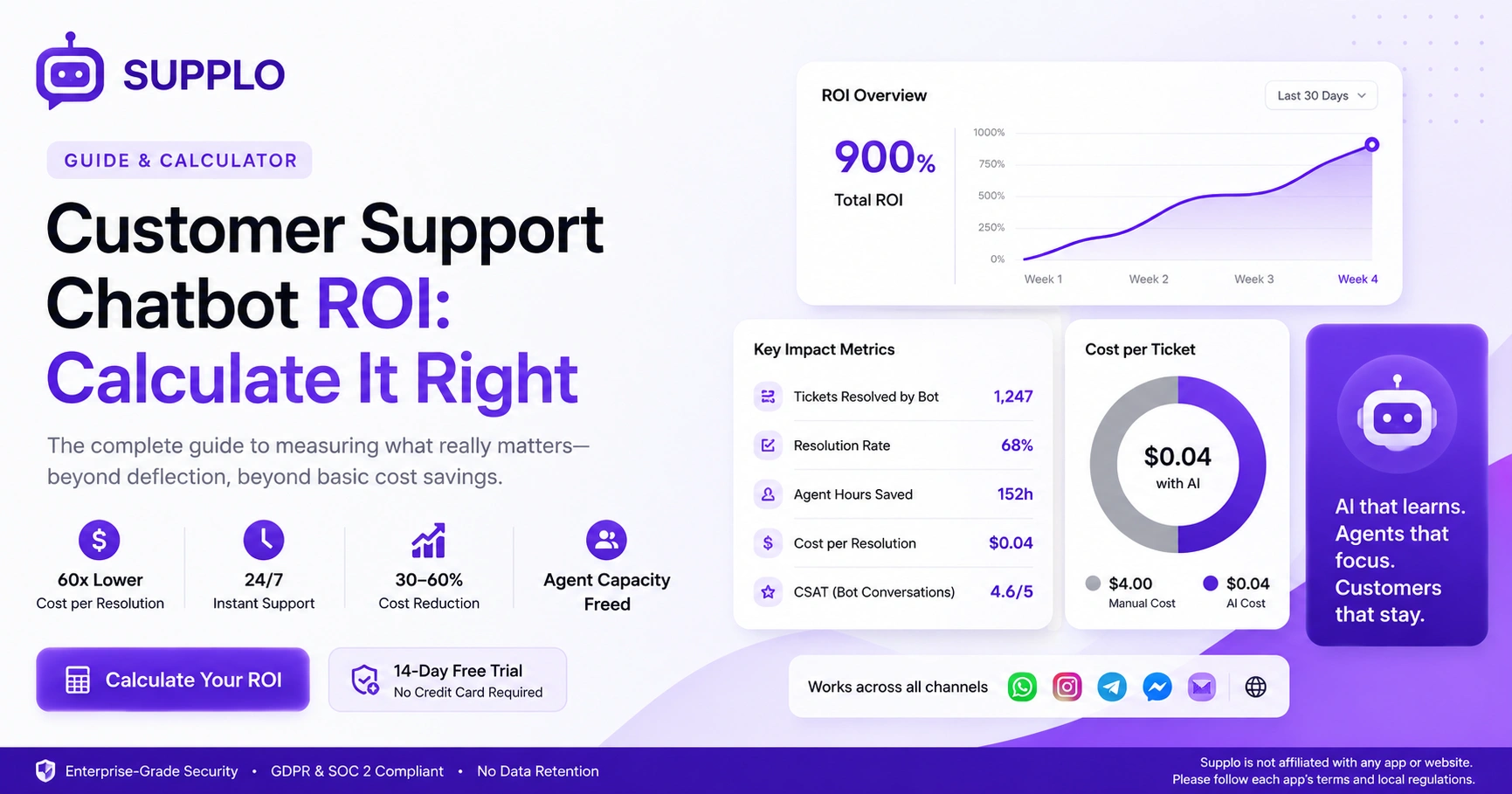
For a 10-person support team handling 1,000 tickets per week, live support costs typically land between $2.50 and $6.00 per ticket when you factor in salary, taxes, tool subscriptions and training overhead. A modern AI customer support chatbot like Supplo, by contrast, resolves tickets at a flat $0.04 per resolution with no per-seat fee. That's roughly a 60x cost difference for the tickets the AI handles and a massive unlock for team capacity.
- Total cost of ownership for a live AI agent is higher than you think: annual salary + benefits ($45,000–65,000), support tool license ($100/seat/month), training ramp time (4–6 weeks at partial productivity).
- Per-ticket resolution cost for a chatbot includes only API usage + platform fee, no PTO, no turnover, no overtime.
- The real savings compound as ticket volume grows: a linear agent cost vs. a near-flat AI cost (assuming a fixed or usage-based pricing model).
- Be wary of tools that charge per-seat; your bill balloons even when headcount stays flat; flat-priced platforms like Supplo keep costs predictable.
- Crypto and alternative payment support (Binance Pay, Payeer, GCash) can reduce your payment-processing friction, especially in emerging markets.
How Much Do Chatbots Actually Save on Support Costs?
Real-world case studies consistently show a 30–60% reduction in per-ticket cost within the first 90 days of deploying an AI chatbot, provided the bot is trained on your actual knowledge base and past conversations. The variation depends on ticket complexity: simple FAQs and password resets can see 80+% automation, while technical or account-specific issues may hover around 40%. The key? A self-learning AI that gets smarter with each interaction, no manual retraining required.
- Baseline your current cost first: total support spend ÷ total tickets resolved per month. That's your "before" number.
- Subtract AI-resolved tickets from that pool; if the bot resolves 60% of tickets, the remaining tickets flow to agents, increasing their effective capacity.
- Don't forget the savings from recruiting and training: turnover in support teams averages 30–45% per year; a chatbot reduces the need to backfill.
- The $0.04-per-resolution ceiling (like Supplo's) means even high-volume teams see predictable, non-escalating costs.
- Supplo is not affiliated with any app or website. Please follow each app's terms and local regulations.
The 6 Key Metrics You Need to Measure AI Chatbot ROI
If you're measuring only ticket deflection, you're missing the full return. A complete AI chatbot ROI dashboard requires six metrics: resolution rate (fully vs. partially), escalation rate, average handle time saved, agent capacity freed, first-contact resolution (FCR) rate and customer satisfaction (CSAT) on bot-handled tickets. Track these together and you can see not just cost savings but also quality improvements that drive repeat business.
- Resolution rate: tickets fully handled by bot vs. escalated. 50–80% is typical for a well-trained AI; anything above that in month one usually means the bot is answering only the easy stuff.
- AHT saved: compare time-to-resolution for bot-handled vs. human-handled tickets. Multiply by agent hourly cost to get real-dollar savings.
- Agent capacity freed: measure in hours per week; if agents reclaim 15+ hours, they can focus on high-value interactions (upsells, complex cases).
- CSAT on bot conversations: a poor bot experience can tank retention, even if costs look good. Track this monthly.
- FCR rate: first-contact resolution is higher when a bot resolves common issues instantly, preventing back-and-forth.
Formula for Calculating Chatbot ROI
The formula is simple in theory but requires clean data: ROI = (Total Savings – Total Cost) / Total Cost × 100. To get total savings, add: (tickets resolved by bot × cost per ticket without bot) + (agent hours saved × hourly cost) + (revenue from faster support). Then subtract your bot's platform fee, setup cost and any human-handoff overhead. Example: if your bot resolves 500 tickets at $4 each (manual cost) and your platform costs $200/month, that's $2,000 – $200 = $1,800 net savings per month, a 900% ROI.
When you calculate customer support chatbot ROI with real data, the numbers speak for themselves, but only if your baseline is honest.
- Step 1: Get your total monthly ticket volume and the average manual cost per ticket (including salary, tool costs and overhead).
- Step 2: Set your bot's actual resolution rate after a 30-day ramp; don't use sales promises.
- Step 3: Multiply bot-resolved tickets by manual cost per ticket → gross savings.
- Step 4: Subtract the bot platform cost, setup and any incremental support overhead (e.g., training time).
- Step 5: Add estimated revenue lift from faster response (use data: a 1-hour faster response reduces churn by 3–5% in many ecommerce studies).
- Step 6: Divide net savings by total cost and multiply by 100 for your ROI percentage.
The Hidden ROI of Deflection, Speed and 24/7 Coverage
Deflection reduces agent fatigue; faster responses improve customer loyalty; 24/7 support captures after-hours revenue that would otherwise be lost. If you only count cost per ticket, you miss the compounding effect: a chatbot that answers a customer at 2 AM not only saves a $4 ticket cost but also potentially saves a $50 lost sale. Over a quarter, that kind of "invisible ROI" can double or triple your calculated return.
- After-hours ticket volume is typically 20–30% of the total; if you have no coverage, you're bleeding customers on autopilot.
- Response speed correlates with CSAT: sub-30-second bot responses vs. hours-long wait times create a visible gap in retention.
- Deflection reduces escalation chains: a customer with a simple password reset who bounces between menu trees for 10 minutes will churn faster than one who gets a bot answer in 3 seconds.
- Multichannel unification (WhatsApp, Instagram DM, Telegram) means customers don't need to retell their story; that speed is a retention metric that should be counted as ROI.
Common Pitfalls That Inflate or Deflate Your Chatbot ROI Calculation
The biggest trap is using "tickets auto-answered" as a proxy for "tickets resolved"; a bot can auto-answer but leave the customer unsatisfied and that costs you in repeat contacts and churn. Another common issue: comparing bot costs to a blended agent cost that includes only salary, not the full overhead of tooling, training and turnover. Your ROI is only as credible as your baseline data, so audit your before-numbers carefully.
- Pitfall 1: Double-counting agent capacity; if agents were already underutilized, freeing them up doesn't create incremental savings without a plan to redeploy them.
- Pitfall 2: Ignoring ramp time, chatbots need 2–4 weeks of real traffic to reach stable resolution rates; projecting month-one ROI leads to bad math.
- Pitfall 3: Not tracking partial resolution, a bot that defers 70% of tickets but solves only 30% fully still creates cost from the 40% that needed human follow-up.
- Pitfall 4: Using wrong cost baselines, your "agent cost per ticket" should include tool licenses, not just salary. Many teams undercount by 25–40%.
- Pitfall 5: Overlooking customer satisfaction degradation; if CSAT drops 10 points, your cost savings may be offset by increased churn.
Essential AI Chatbot ROI Indicators Your CFO Actually Cares About
Your CFO doesn't want deflection rates; they want three numbers: the operating margin impact, the cash flow effect from predictable support costs and the revenue retention lift. Frame chatbot ROI in terms of cost per resolution trending down month-over-month, agent cost per ticket trending down and net promoter score impact. If you can show that support costs decreased as a percentage of revenue (rather than increasing with headcount), you'll get budget approval quickly.
- Top CFO-friendly metric: support cost as a percentage of revenue (CxR). A declining CxR is a clear sign of scalable, efficient support.
- Second metric: agent cost per ticket (including all tools and overhead). As AI handles more, this number should fall.
- Third metric: revenue retention attributable to faster support; use cohort analysis of customers who interact with the bot vs. those who wait for agents.
- CFOs also want to see capex vs. opex impact: subscription-based AI is opex, predictable and doesn't require a capital outlay (unlike building your own bot).
- Bonus: mention that platforms like Supplo offer flat workspace pricing (no per-seat fees), which aligns with your CFO's desire for cost control.
How to Track and Report Chatbot ROI to Your Team
Create a monthly one-pager with: total tickets handled by bot, bot resolution rate, cost per ticket (manual vs. bot), agent capacity reclaimed (in hours) and customer satisfaction score on bot interactions. Don't bury the data; lead with the dollar impact, then show the quality metrics. Teams respond better when they see "the bot handled 600 tickets last month, saving the team 120 hours of repetitive work" rather than just an abstract deflection percentage.
- Use a shared dashboard (e.g., Supplo's analytics) that automatically tracks resolution rate, escalation rate and handle time per channel.
- Report the "before and after" of agent workload: show how many average daily conversations per agent have decreased since the bot went live.
- Include qualitative feedback from agents: do they feel less burnt out? Are they taking on higher-value conversations?
- Keep it visual: a line graph showing cost-per-ticket trending down month over month speaks louder than a table of numbers.
- If you're presenting to leadership, tie the numbers back to revenue and retention, not just support metrics.
Getting Started With a High-ROI AI Support Agent Today
The fastest path to proving chatbot ROI is to run a pilot with a self-learning AI that plugs into your existing inbox. Start with your highest-volume, lowest-complexity tickets (password resets, order status, shipping delays) and let the bot learn from your knowledge base and past conversations. Within 14 days, you'll have enough data to project full-scale ROI. Supplo offers a free 14-day trial with no commitment; you can see your cost-per-resolution drop from $4 to $0.04 in real time.
- Pick 10 FAQ topics your agents answer most frequently; those are your pilot scope. Train the bot with your KB docs and previous ticket threads.
- Set up a shared inbox (Supplo's Inbox unifies email, WhatsApp, Telegram, Instagram DMs, Facebook Messenger) so the bot works across channels from day one.
- After 14 days, run the ROI formula above. You'll have real data on resolution rate, handle time and agent capacity freed.
- If your code fails or acceptance is low, try from another provider or check payment method compatibility; Supplo supports Binance Pay, Payeer, GCash, AmanPay, QIWI Wallet, DOKU, Nigeria/South Africa cards, Skrill, Payoneer.
- Start free: no credit card required, fully functional and you can export your ROI report at the end of the trial.
Key Takeaways
- Customer support chatbot ROI = (Total Savings – Total Cost) / Total Cost × 100, but you must use actual resolution rates, not deflection claims.
- The biggest hidden ROI comes from faster response times, 24/7 coverage and freed agent capacity, not just cost-per-ticket reduction.
- Most CFOs care about support cost as a % of revenue and agent cost per ticket more than deflection rates.
- Audit your baseline data carefully to avoid common pitfalls.
- Frame chatbot ROI in terms of cost per resolution trending down month-over-month and qualitative feedback from your support team.
FAQ
Is using an AI chatbot for customer support safe for handling personal data?
Yes, provided your chatbot platform is GDPR- and SOC 2-compliant. Always review the platform's data-handling policies and ensure you're not exposing sensitive information, such as credit card numbers or login credentials, to the bot. Supplo is built with enterprise-grade security and does not retain or share customer data.
Why does my chatbot ROI calculation look lower than expected?
Usually because of one of three things: you're using an inflated baseline cost per ticket, you're not accounting for the ramp-up period (2–4 weeks), or you're measuring "auto-answered" tickets instead of "fully resolved" tickets. Use actual resolved numbers and your real cost per ticket, including tool fees.
Should I buy a chatbot as a one-time purchase or rent it monthly?
A monthly subscription (opex) is almost always better because you can scale up or down and the platform stays up to date. One-time purchases often lock you into outdated models that need expensive retraining. Flat workspace pricing (no per-seat fees) also keeps costs predictable.
What should I NOT use a customer support chatbot for?
Do not use a chatbot for account recovery, payment processing, legal disputes, or any situation requiring identity verification beyond basic email/username checks. These interactions need human judgment and security protocols that a bot cannot safely replace.
How do I troubleshoot a chatbot that isn't resolving tickets well?
Check three things: (1) Is your knowledge base up-to-date? (2) Has the bot had enough real conversations to learn from? (3) Are you using the right channel (e.g., WhatsApp vs. website widget)? Most resolution issues stem from poor training data or insufficient traffic volume during the learning phase.
What's the difference between a chatbot that defers tickets and one that resolves them?
Deflection means the bot offers a link or an answer that the customer must act on. Resolution means the bot actually completes the task (e.g., processes a refund, updates order status, resets a password). Only resolution creates true cost savings; deflection rearranges the workload.
Can I track chatbot ROI per channel (WhatsApp vs. live chat vs. email)?
Yes. A good multichannel inbox (like Supplo's) tracks resolution, handle time and cost per ticket by channel. This lets you see which channels are driving the most ROI and where human hand-offs are happening.
Compliance line: Supplo is not affiliated with any app or website. Please follow each app's terms and local regulations.


